
MT5Phoenix
- Experts
- Version: 2.5
- Updated: 14 April 2026

MT5Phoenix — Multi-Mode Trend Expert Advisor
MT5Phoenix is a rule-based Expert Advisor that combines higher-timeframe bias with lower-timeframe entry triggers. Both long and short sides are fully independent and can be configured separately. The logic is transparent, no grid, no martingale, and every trade uses a hard stop-loss.
Requirements
- Account leverage: 1:100 or higher. The EA will not function correctly on accounts with lower leverage (for example, the 1:20 or 1:30 limits imposed by some European brokers), because margin requirements will prevent positions from opening at the intended size.
- Hedging account mode is supported.
- Symbol: tested primarily on XAUUSD (Gold). Other symbols are possible but require your own validation.
- Backtest before live use. Always run the strategy tester on your own broker, symbol and timeframe with the exact profile and risk settings you intend to use. Spreads, commissions, swap and execution quality differ between brokers and will affect results.
How It Works
- Bias (higher timeframe): EMA crossover, BOS-only, or disabled.
- Entry (lower timeframe): Break of Structure on previous swing, or EMA crossover.
- Stop-loss: previous candle high/low, ATR multiple, fast EMA, swing point, or custom EMA period.
- Take-profit: ATR multiple, EMA cross (bias or entry TF), fixed R:R target, or candle close vs fast EMA.
- Trailing stop (optional): ATR, percent of price, fixed points, swing structure, fixed R distance, or custom EMA.
- Partial profit (optional): close a percentage at a chosen R-multiple, optionally move SL to break-even after.
- Break-even at R (optional): move SL to entry once a configured R-multiple is reached.
Risk Management
- Daily loss limit (percent of balance).
- Maximum trades per day.
- Consecutive-loss pause.
- Cooldown bars after a closed trade.
- Optional trading sessions (broker time).
- Respects broker stop level, freeze level, minimum/step volume and volume limit.
Profile Configuration
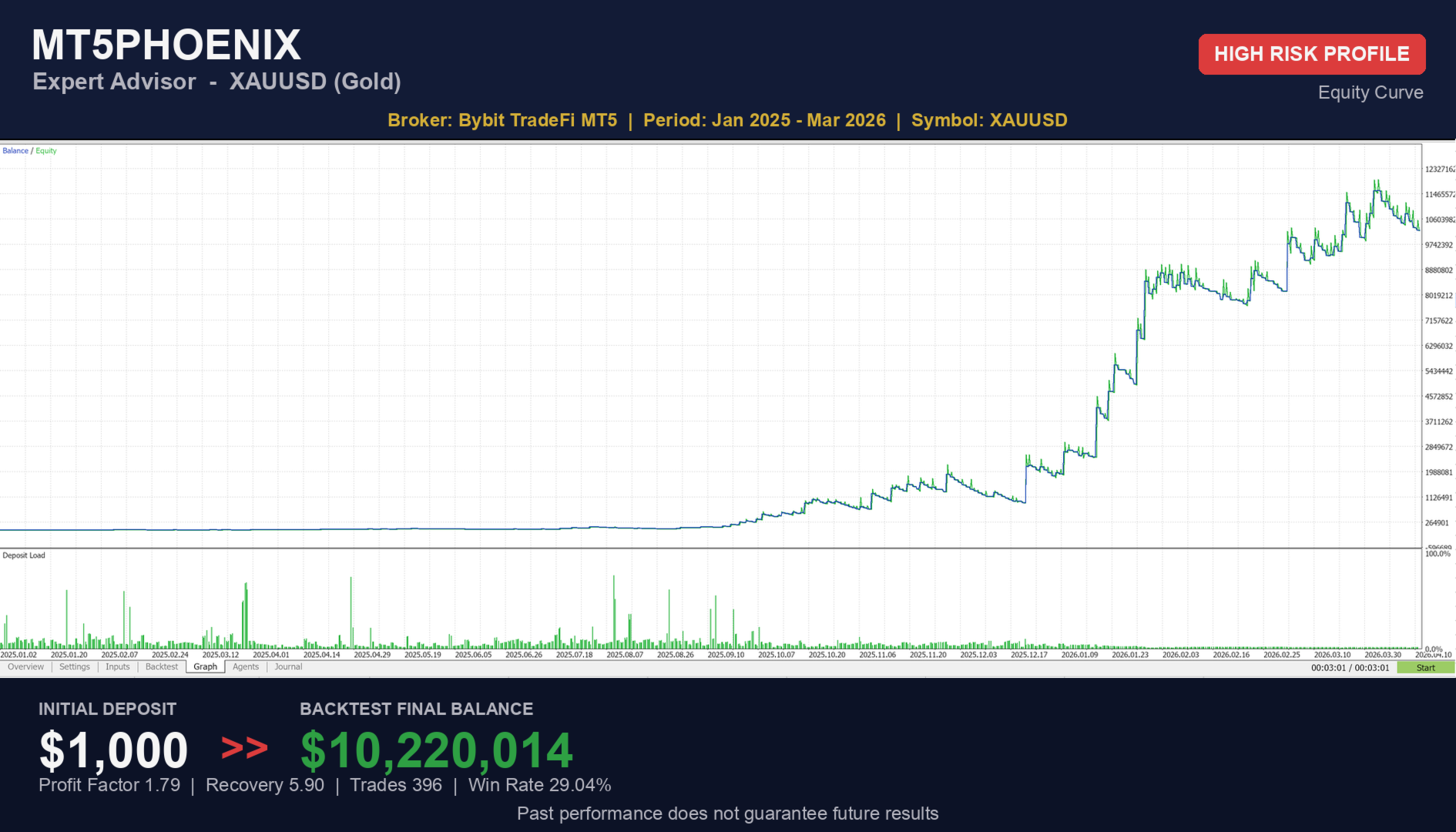
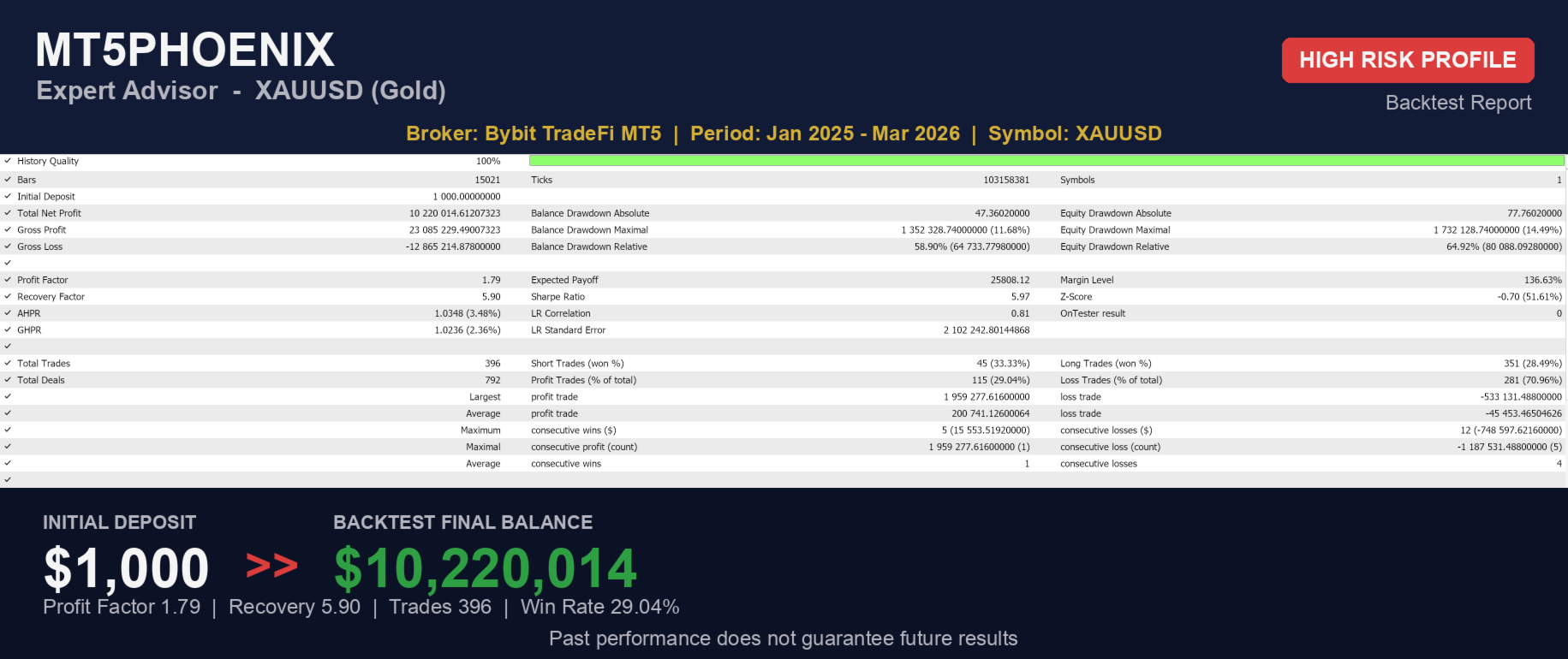
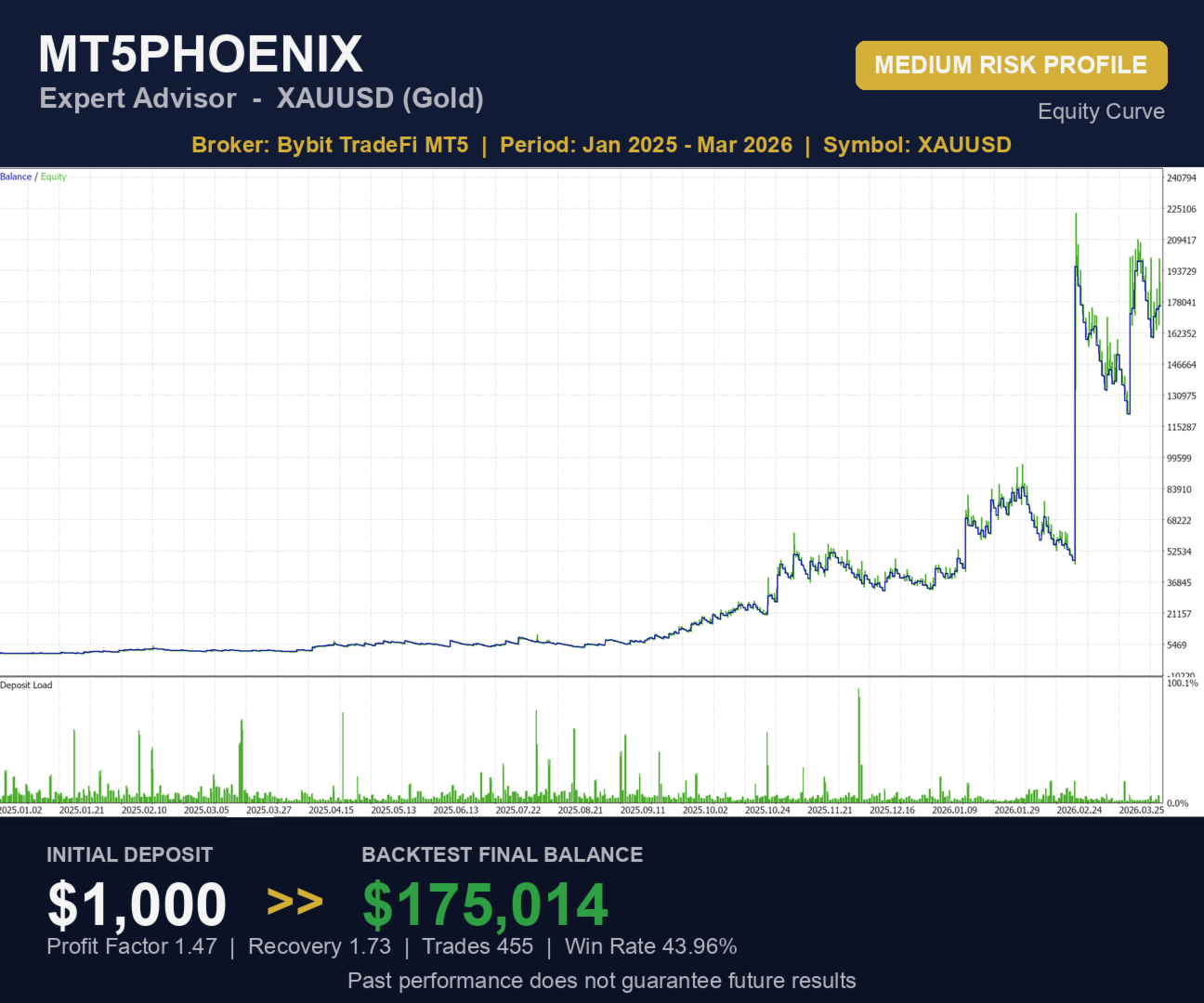
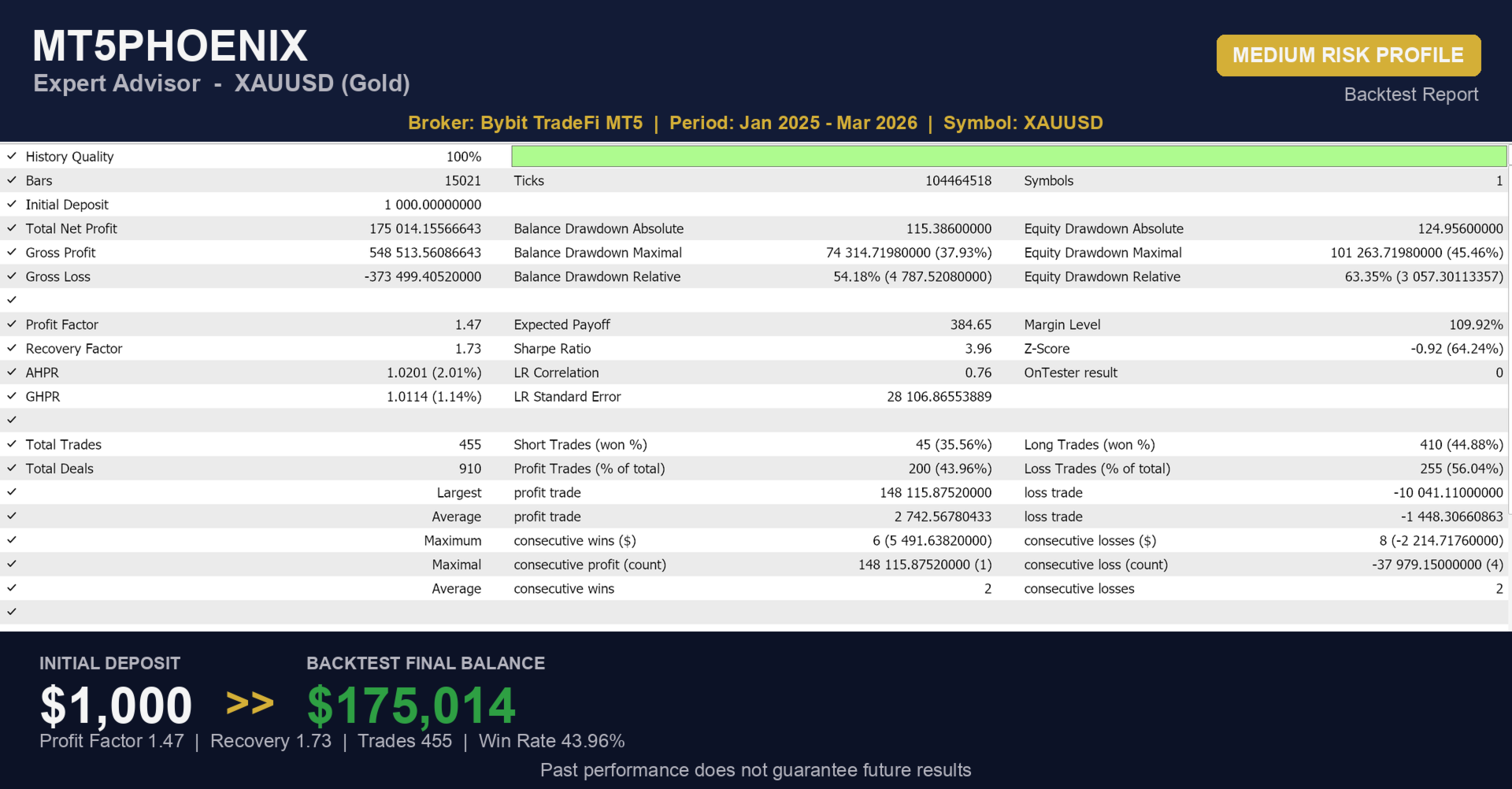
This EA does not include built-in profiles. However, preset configuration files (HIGH_RISK.set and MEDIUM_RISK.set) are available as optional downloads.
When you purchase MT5Phoenix, you can request these profile files directly via the MQL5 private chat. The seller will provide them along with detailed instructions on how to load them in MetaTrader 5.
Important requirements:
- Always backtest any profile with your broker, symbol, and account settings before using the EA live.
- Risk sizing is your responsibility. Configure RiskType, FixedRisk, PercentRisk, MinLot and MaxLot appropriately for your account size.
- Validate the strategy thoroughly before live trading. Spreads, commissions and execution quality differ between brokers and will affect results.
Notifications
Push notifications via the MQL5 mobile app are supported for order opens, closes, partials, trailing updates, and risk events. All of these are optional and controlled by separate inputs. There is no auto-chat, panel, or external messenger integration.
Inputs Summary
Inputs are grouped: Profile, General, Volume Filter, Trend Filter, Long Entry, Short Entry, Trailing Stop, Partial Profit, Break-Even, Risk Management, Sessions, Notifications, Magic Numbers.
Recommended Usage
- Default tested timeframes: Bias H1, Entry M30.
- Backtest any profile on your own broker and symbol before going live. Spreads, commissions and execution vary between brokers.
- Start small. Increase risk only after you are comfortable with the behavior.
Screenshots
The screenshots section includes strategy tester reports and equity curves from backtests run on Bybit TradeFi MT5. Backtest results are historical and do not guarantee future performance.
Disclaimer
Trading involves risk and can result in the loss of capital. Past performance, backtests and signal history do not guarantee future results. You are solely responsible for your trading decisions, account configuration and risk settings. This product is provided as a tool; no profit is promised or implied.
Support
For questions, please use the MQL5 private chat on the product page. I do not provide support via external messengers or third-party platforms.

































Great EA