PEF Portfolio Efficiency Front

A more detailed explanation with examples of PEF input/output is found in this blog page.

1. Overview

The PEF script is a tool for portfolio optimization. It computes the Pareto Efficient Frontier between portfolio return and risk (either CVaR or Standard Deviation) using Monte Carlo simulations and bootstrapping methods.

The script enables traders and quantitative analysts to:

  • Load historical price data for multiple instruments.

  • Simulate portfolio outcomes with random or custom weight allocations.

  • Estimate performance metrics such as mean return, CVaR, standard deviation, Sharpe ratio.

  • Identify and export the Pareto frontier portfolios to a CSV file for further analysis.

2. Input Parameters

Price Data

  • InstrumentsList : Comma-separated list of symbols (e.g., "XAUUSD, USDJPY, EURUSD" ).

  • historyBars : Number of historical bars to load for each symbol.

  • DataTimeFrame : Timeframe of data (e.g., PERIOD_D1 ).

Simulation Parameters

  • ParetoAxesSelection : Selects which risk metric is used on the horizontal axis:

    • RetVsCVaR : Return vs Conditional Value-at-Risk.

    • RetVsStd : Return vs Standard Deviation.

  • SimuDays : Number of trading days to simulate (e.g., 21.6 ≈ 1 month).

  • SimMethodSelection : Method for simulations:

    • MCBootstraping : Monte Carlo with bootstrapping (resampled returns).

    • MC : Monte Carlo only (using historical return distribution).

  • NumberMCsimulations : Number of portfolio simulations.

  • NumberBootstrapTrials : Number of bootstrap resamples (only for bootstrapping).

  • randMethod : Random number generation method:

    • Parallel : Faster, less random (pre-generated random numbers).

    • Sequential : Slower, more random (generated sequentially).

  • AnnualRiskFreeReturnPct : Annualized risk-free return (%) used in Sharpe ratio.

  • BetaConfidence : Confidence level for CVaR (default 0.95).

  • customWeights : Comma-separated list of custom portfolio weights (optional).

Output Parameters

  • printEqualWeightSet : Show results for equal-weight portfolio.

  • printSepCovCorr : Print covariance and correlation matrices separately.

  • printCovCorr : Print combined covariance-correlation matrix.

  • saveCSVfile : Save Pareto front to a CSV file.

  • AddNonPareto2CSVfile : Include non-Pareto portfolios in CSV.

  • ParetoCSVfilename : Name of the output CSV file.

3. Methodology

  1. Data Collection

    • Historical closing prices are fetched for the selected instruments.

    • Returns are calculated as percentage price changes.

  2. Portfolio Simulations

    • A large number of random weight vectors are generated.

    • Two possible simulation methods:

      • MC (Monte Carlo): Direct simulation from historical return distribution.

      • MCBootstraping: Resampling returns with replacement to account for variability.

  3. Risk & Return Calculation

    • For each weight set, the script computes:

      • Mean Return (%).

      • CVaR (%): Average of the worst (1–β)% outcomes.

      • Standard Deviation (%).

  4. Pareto Frontier Extraction

    • A portfolio is Pareto-optimal if no other portfolio achieves higher return with equal or lower risk.

    • Non-dominated portfolios are selected as the Pareto front.

  5. Sharpe Ratio Optimization

    • The script finds the portfolio with the maximum Sharpe ratio relative to the chosen risk-free rate.

4. Outputs

Expert Tab in MetaTrader5

  • Input parameter summary.

  • Covariance/correlation matrices.

  • Pareto frontier table (risk, return, CVaR/std, weights).

  • Equal-weight portfolio performance.

  • Custom-weight portfolio performance (if provided).

  • Maximum Sharpe ratio portfolio.

CSV Output (if enabled)

  • File saved under MQL5/Files/ with name specified in ParetoCSVfilename .

  • Columns include:

    • Risk (CVaR% or Std%),

    • Mean Return%,

    • Secondary risk metric,

    • Asset weights.

*** The Pareto front image below was created inside the CSV file output by PEF using standard spreadsheet manual command, not automatically created by PEF.

All other output can be seen in the Expert tab of the MetaTrader5 terminal.


Recommended products
News Catcher Pro MT5
Valeriia Mishchenko
4.73 (15)
News Catcher Pro is a mean-reversion strategy that uses intraday seasonal volatility patterns caused by high-impact news events. It enters the market at a certain time shortly before a high-impact news event occurs . It does not trade frequently! Live performance Supported currency pairs: GBPUSD, EURUSD, EURGBP Recommended timeframe: M5 MT 4 version can be found here EA is   FIFO compatible To backtest the EA you should download the news events data file ' NewsEvents.txt ' and copy it to the
The purpose of this service is to warn you when the percentage of the margin level exceeds either a threshold up or down. Notification is done by email and/or message on mobile in the metatrader app. The frequency of notifications is either at regular time intervals or by step of variation of the margin. The parameters are: - Smartphone (true or false): if true, enables mobile notifications. The default value is false. The terminal options must be configured accordingly. - email (true or false)
NEXA Trend Ride PRO — User Guide 1. Overview NEXA Trend Ride PRO is an automated trading program (Expert Advisor) designed for the MetaTrader 5 platform. The program analyzes market conditions using price movement and technical indicators to identify potential trend opportunities. When the defined conditions are met, the program can automatically open and manage trading positions. The Expert Advisor operates according to predefined parameters and risk management settings that can be configured b
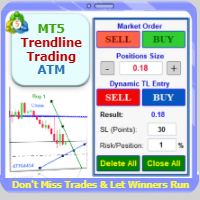
Trade with Confidence Using the Trendline Trading ATM (Advanced Trade Management)! Master entries, exits, and risk management with the powerful tools of the MetaTrader Trendline Trading ATM. This expert advisor equips you with a comprehensive suite of tools to trade consistently smarter, not harder.  Take control of your trading risk and drawdown, capture profitable entries, and let your winners run.  This innovative Trade Entry/Exit and Risk Management utility empowers you to:   Precision Entr
Copiador MT5
Luciana Andrea Maggiori
Copiador – La Mejor Herramienta para Copiar Operaciones en MetaTrader 4 Este no es un simple copiador de operaciones que   únicamente   permite copiar transacciones de forma local entre diferentes cuentas de MetaTrader 4 en cualquier dirección y cantidad. ¡Por supuesto que lo hace!   ¡Pero Copiador hace mucho más!     Descubre sus características y beneficios a continuación FUNCIONALIDADES DESTACADAS:   Copiado entre brokers diferentes : Puedes copiar operaciones desde una cuenta e
The CloseByPercentLossOrProfit Expert Advisor closes some positions as the total profit of loss for the entire account reaches a specified value. The profit or loss is specified as percentage of the account balance. In addition, the Expert Advisor can delete the pending orders. Allow AutoTrading before running the Expert Advisor. Instructions: Run the Expert Advisor on the chart. Input parameters: Language of messages displayed (EN, RU, DE, FR, ES) - the language of output messages (English, Rus
This is a break even(BE)/break even-plus(BE+) EA. It moves your stop loss to BE or BE+ based on pre-set percentage of current TP. You can edit the percentage in the input section. This EA sets breakeven for both manually and auto-opened trades.   Moving stop-loss to a       breakeven or BE+  is popular among traders who wish to safeguard their trades and to let the trades run without incurring a risk of loss. With  this  EA , you can have your stop-loss orders moved to a breakeven point automati
Discord Signal Notifications — это мощный инструмент для трейдеров, проповодов и управляющих счетами, который автоматически отправляет все ваши торговые события в канал или чат Discord. Главное преимущество — Глобальный мониторинг. Вам не нужно устанавливать советник на каждый график. Достаточно запустить одну копию утилиты на одном любом окне, и она будет отслеживать действия по всем инструментам и всем счетам в вашем терминале одновременно. Основные возможности Глобальный мониторинг счёта Ути
Ticks Charting
Mativenga Geoffrey Mativenga
Tick Copier EA — Description & Usage Guide Instead of seeing the market like everybody else using time based charts, instead view the market using ticks like an x-ray. This Expert Advisor (EA) for MetaTrader 5 copies live ticks from the chart it is attached to and sends them to a custom symbol you already created (for example EURUSD TICKS ). Each time a new market tick arrives:  EA reads the current tick data from the source symbol. It copies the tick values: time bid price ask price last price
try the free limited version first: https://www.mql5.com/en/market/product/188573?source=Site +Profile+Seller Unlock the full power of MT5 with NGA Pro Next Gen Assistant Pro — the most advanced trading assistant designed to give you full control over your trades… even from your phone! . -Risk calculation, dollars stop loss based: by using NGA you can set the exact amount you willing to lose each time, without having to deal with manual pips calculation,     just   drag the visual Stop lo
News System Detector
Bukola Omolola Adesina
If you're unable to download the demo or get the demo working due to mql5 complications, you can message me on telegram  https://t.me/Motolani1 and I will send you a one week testing version.  THANK YOU FOR YOUR PATRONAGE. News Detector System . Stay ahead of market volatility with the News Detector System . This indicator automatically fetches and displays high-impact economic data directly on your MetaTrader 5 chart, ensuring you are never caught off guard by major news releases. By pulling d
Gap Hunter MT5
Rafi'u Indra Pratama
GAP HUNTER (Sr) Capture market opportunities during Gap openings and High Impact News with precise timer-based execution. GAP HUNTER is an Expert Advisor specifically designed to capitalize on price movement opportunities created by market gaps at specific times and high impact News like NFP (Non Farm Payrolls) and Core CPI (Consumer Price Index). Unlike trading robots that open multiple positions throughout the day, GAP HUNTER uses a simple yet effective approach no overtrading, focused on pr
MT5 to Telegram Bridge – Complete Trade Notification System Overview Professional Expert Advisor for MetaTrader 5 that instantly sends full trade details (entry/exit, SL/TP, volume, profit/loss, pips, duration, balance) to any Telegram group or channel. Step‑by‑Step Setup Guide Create a Telegram bot Open Telegram and search for   @BotFather . Send   /newbot   and follow the instructions (name, username). Copy the   bot token   (e.g.,   1234567890:ABCdefGHIjklMNOpqrsTUVwxyz ). Get your chat ID A
Click Sent Order
Supanat Wiboonpanit
This program is a GUI for issuing orders that can be done more quickly. Faster TP SL setting This program is not an automated trading platform. Trading is risky, please manage your risk. We do not accept any responsibility. It should be tried with Demo before using it with Real. Normally, the setting sets the risk to 1:1 to shift manually or to enter the risk to x:1, where x can be entered and everything can move freely. Thank you to all customers who have purchased our products. We would like t
Signalator Local Trade Copier MT5 is a fast local trade copier for running Master and Receiver terminals on the same computer or VPS. It supports cross-platform copying between MT4, MT5 and cTrader terminals in any direction: MT4 ↔ MT5 ↔ cTrader , and all other combinations. Copy trades locally without an external cloud relay. The Master publishes trade activity into a local bridge, and each Receiver controls what to copy, which Master accounts to accept, how to map symbols, how to size lots, an
Burst Scalp
Orikri Tim-efobi
Burst Scalp - Professional Trading Assistant EA Transform Your Trading Workflow with AI-Powered Precision Burst Scalp is a comprehensive trading management tool designed for active traders who demand precision, speed, and control. Whether you're scalping indices, trading forex pairs, or managing swing positions, this EA streamlines your entire trading process from analysis to execution. Key Features Smart Position Sizing Visual Pip Measurement : Click two points on your chart to measure exact
To achieve mutual support between MT4 and MT5, and to purchase the MT4 version, please click here>> Main follow-up function: 1. Reverse order capability 2. Cross platform follow-up, ignoring different names 3. Proportional order, magnification and reduction order 4. Compared to a specified currency pair, not compared to a specified currency pair 5. Can be ordered one to many, many to one, any order 6. Other unclear messages
Zone Guardian MT5
BLAKE STEVEN RODGER
Zone Guardian is an advanced Expert Advisor (EA) designed to automate trade management. This EA manages trades within specified risk parameters using automatic lot calculation and multi-layered trade activation. It supports up to 5 layers within the entry zone, each with customizable risk percentages. Visual aids on the chart display entry zones, stop loss (SL), and take profits (TP), ensuring easy level adjustments. The EA adapts to market conditions by closing trades at each TP and moving SLs
Session Trade Controller is a broker-time session and trade-permission controller. Key functions: - User-configured trading windows - Live countdown to the next session change - Weekday permission rules - Clear open, closed and transition states - Position and pending-order visibility - Explicit reasons when trading is outside the permitted schedule - Dashboard view based on broker server time The utility monitors and applies time permissions configured by the user. It does not generate entry
Trade Assistant For MT5
Abdelkhabir Yassine Alaoui
Trade Assistant For MT5 Institutional-Grade Trade Management Panel for Precision & Control Take full control of your trading with Trade Assistant For MT5 — a professional-grade execution and management panel designed for traders who demand speed, accuracy, and disciplined risk control . Built with performance and usability in mind, this tool transforms your MetaTrader 5 chart into a complete trading workstation , allowing you to execute, manage, and protect trades with confidence. Why Trade
Optimal F Service Application Type: Service Application Functions: Calculation of the optimal fraction and trade volume to achieve maximum growth of the equity curve, based on the results of previous trades. About this app Capital management is the most crucial and often underestimated component of any trading system. Proper capital management can enhance—and sometimes significantly improve—the performance of your trading algorithm. This application automatically calculates the optimal fractio
Echo Simulator Trader v3 MT5
Frank William Jr Colbert
Echo Simulator Trader v3 expands the simulation engine of v2 with 5 independent Property Sets (P1–P5). Each set can run on its own timeframe, magic number, position limits, and pip-interval grid logic — allowing you to test and run completely different strategies simultaneously within one EA. Simulated trades feed into a unified performance analyzer that decides which strategies graduate to real trading. With enhanced multi-magic support, pip-based round-level entries (mean reversion or breakou
Smart Grid Multi Symbol EA
Thanat Thitithammaphong
Smart Grid Multi-Symbol EA Fully Automated Trading with Dynamic Lot Scaling & Risk Control Overview Smart Grid Multi-Symbol EA is a powerful automated trading system designed to trade multiple currency pairs and gold simultaneously using a dynamic grid strategy with intelligent lot scaling . Built for traders who want: Consistent execution Hands-free trading Flexible risk control Portfolio diversification ️ Core Strategy This EA uses a Grid + Position Scaling system : Opens positions base
Envelope monitoring for multi-EA accounts. Each magic number is watched against its own backtest; you get a traffic light on the chart and an alert only when a state changes. Includes the full free measurement layer. What it is You run several Expert Advisors on one account. This utility reads their closed history, groups it by magic number, and watches every system against its own backtest: a traffic light on the chart, and an alert only when a state actually changes. Underneath sits a full mea
Count
Jeong Gyubeom
[Overview] The Dynamic Price Countdown is an essential MT5 indicator that displays the remaining time until the current candle closes, right next to the current price. Unlike static timers fixed to the corners of the chart, this indicator dynamically follows the live price action. This allows traders to keep their focus entirely on the most critical part of the chart without missing the perfect entry timing.  [Key Features]  Dynamic Price Tracking: The countdown timer automatically follows the c
FREE
MT5 to Delta Exchange API Bridge EA Connector allows your expert advisor with mq5 file to integrate and communicate with Delta Exchange using API Keys You can place order, check balance and other order managements using Delta Exchange API - Place Limit, SL Limit and Take Profit Limit Orders - Place Market, SL-Market, TP-Market orders - Cancel Order - Query Orders - Change Leverage, margin - Get Position info and many more, details available at demo script Script Documentation 
Ai Prediction MT5
Mochamad Alwy Fauzi
A free indicator for those who purchase the full version This indicator is created by this Ai, with your desired settings Artificial Intelligence at your service Have a complete artificial intelligence and use it in your codes This artificial intelligence is trained to tell you on each candle whether the market is moving up or down. In general, artificial intelligence can be used in all markets, all timeframes and all symbols However, due to the increasing complexity and decreasing accuracy of
Telegram Services
Ramesh Maharjan
5 (1)
Telegram services is a trading application communicating between this EA and your telegram channel. This app generates reports, alerts you when trades opened, closed and modified, opens new trades, closes open trades, modifies existing trades, lists history of trades, gets screenshots from charts, gets stop loss and take profit values to be used. displays current market conditions, gets market news, analyzes log files and most importantly you can copy paste trade signals from another channel to
Centage
Chukwuemeka Kingsley Anyanwu
Centage: Your Smart Trading Bot for Risk Management. Unlike typical trading bots, Centage prioritizes risk management by incorporating an essential feature: it closes all open trades when your account balance reaches a predefined threshold. This feature makes Centage ideal for traders who want to maintain a disciplined approach and avoid emotional decision-making.  Let Centage be your reliable partner in the world of trading, while safeguarding your investments with smart balance-based exits. Ce
Buyers of this product also purchase
Trade Assistant MT5
Evgeniy Kravchenko
4.41 (215)
It helps to calculate the risk per trade, the easy installation of a new order, order management with partial closing functions, trailing stop of 7 types and other useful functions. Additional materials and instructions Installation instructions - Application instructions - Trial version of the application for a demo account Line function -   shows on the chart the Opening line, Stop Loss, Take Profit. With this function it is easy to set a new order and see its additional characteristics bef
Forex Trade Manager MT5
InvestSoft
4.98 (671)
Trade Manager MT5 is an advanced position size calculator and trade management tool for MetaTrader 5, designed to help traders plan trades faster, control risk more precisely, and manage open positions directly from the chart. It combines order placement, risk based lot calculation, Stop Loss and Take Profit management, Break Even, Trailing Stop, Partial Close, Equity Protection, and external trade management in one panel. Whether you trade forex, indices, metals, commodities, crypto, or future
TradePanel MT5
Alfiya Fazylova
4.88 (166)
Trade Panel is a multi-functional trading assistant. The app contains over 50 trading functions for manual trading and allows you to automate most trading tasks. Before making a purchase, you can test the demo version on a demo account. Download the trial version of the application for a demonstration account: https://www.mql5.com/en/blogs/post/750865 . Full instructions here . Trade. Allows you to perform trading operations in one click: Open pending orders and positions with automatic risk cal
Local Trade Copier EA MT5
Juvenille Emperor Limited
4.97 (146)
Experience exceptionally fast trade copying with the   Local Trade Copier EA MT5 . With its easy 1-minute setup, this trade copier allows you to copy trades between multiple MetaTrader terminals on the same Windows computer or Windows VPS with lightning-fast copying speeds of under 0.5 seconds. Whether you're a beginner or a professional trader, the   Local Trade Copier EA MT5   offers a wide range of options to customize it to your specific needs. It's the ultimate solution for anyone looking t
Astro Trade MT5
Indra Maulana
5 (2)
AstroTrade Trading Assistant AstroTrade is a comprehensive multi-functional trading utility developed for the MetaTrader 5 platform. It integrates essential tools for trade execution, risk management, and technical monitoring into a single unified interface. The application is designed to assist traders in managing their daily operations through a visual and structured environment. Visual Trade Execution and Risk Management The application includes a specialized trading panel that assists in c
================================================================================ POC BREAKOUT - V20.72. Full Professional Grade Toolkit ================================================================================ POC Breakout is a full MetaTrader 5 trading dashboard for discretionary traders who want breakout signals, Point of Control (POC) context, volume profiles, order flow, market structure, news, alerts, and advanced trade planning in one professional workspace. Attached directly to you
Beta Release The Telegram to MT5 Signal Trader is nearly at the official alpha release. Some features are still under development and you may encounter minor bugs. If you experience issues, please report them, your feedback helps improve the software for everyone. Telegram to MT5 Signal Trader is a powerful tool that automatically copies trading signals from Telegram channels or groups directly to your MetaTrader 5 account. It supports both public and private Telegram channels, and you can conn
Telegram to MT5 Multi-Channel Copier automatically copies trading signals from your Telegram channels directly into MetaTrader 5. No bots, no browser extensions, no manual copying. You receive a signal on Telegram and the EA opens the trade on your terminal in a few seconds. The product includes two components: a Windows application that listens to your Telegram channels, and this Expert Advisor that executes the signals on your MT5 terminal. An MT4 version is also available. Setup guide and app

Power Candles Strategy Scanner - Self-Optimizing Multi-Symbol Setup Finder Power Candles Strategy Scanner runs the same self-optimizing engine that powers the Power Candles indicator - on every symbol in your Market Watch, side by side. One panel tells you which symbols are statistically tradable right now, which strategy wins on each, the optimal Stop Loss / Take Profit pair, and pings you the moment a fresh signal fires. This tool is part of the Stein Investments ecosystem - 18+ tools plus Max
Exp COPYLOT CLIENT for MT5
Vladislav Andruschenko
3.97 (35)
Professional Trade Copier for MetaTrader 5 Fast, professional, and reliable trade copier for MetaTrader . COPYLOT allows you to copy Forex trades between MT4 and MT5 terminals with support for Hedge and Netting accounts. COPYLOT MT5 version supports: - MT5 Hedge to MT5 Hedge - MT5 Hedge to MT5 Netting - MT5 Netting to MT5 Hedge - MT5 Netting to MT5 Netting - MT4 to MT5 Hedge - MT4 to MT5 Netting MT4 version Full Description +DEMO +PDF How To Buy How To Install How to get Log Files H
Premium Trade Manager - The Trade Panel With a Coach Built In Premium Trade Manager puts a trading coach inside your chart, with a full execution engine underneath it. Set the trade up the way you always do, then let Max, your AI trading coach, read that exact setup against your live account and give you a straight verdict before you commit: is the stop disciplined, is the risk sane, is a high-impact release minutes away, are you near a prop-firm limit. Below sits the engine that runs everything
Grid Manual MT5
Alfiya Fazylova
4.73 (22)
Grid Manual is a trading panel for working with grid strategies. The utility is universal, has flexible settings and an intuitive interface. It works with a grid of orders not only in the direction of averaging losses, but also in the direction of increasing profits. The trader does not need to create and maintain a grid of orders, the utility will do it. It is enough to open an order and the "Grid manual" will automatically create a grid of orders for it and will accompany it until the close. F
VirtualTradePad PRO SE MT5 — professional trading control center for MetaTrader 5 VirtualTradePad PRO SE is a premium chart-based trading panel and trade-management workspace for MetaTrader 5 . It is designed for traders who want faster execution, clearer position control, structured trade management, visual level planning and a professional workflow directly from the chart. This is not only a BUY / SELL panel. PRO SE combines manual trading, pending orders, position management, partial exits, b
Trade Manager DaneTrades
Levi Dane Benjamin
4.23 (30)
DaneTrades Trade Manager is a professional trade panel for MetaTrader 5, designed for fast, accurate execution with built‑in risk control. Place market or pending orders directly from the chart while the panel automatically calculates position size from your chosen risk, helping you stay consistent and avoid emotional decision‑making. The Trade Manager is built for manual traders who want structure: clear risk/reward planning, automation for repeatable management, and safeguards that help reduc
FarmedHedge Pair Trading Dashboard
Tanapisit Tepawarapruek
5 (3)
Farmed Hedge Yield Farming | All Markets (Manual - Hybrid - Semi/Automated EA) MULTI-ASSET SUPPORT Trade any asset available on your broker - Forex: Major, Minor, Exotic pairs - Crypto: BTC, ETH, XRP, SOL, BNB - Stocks: Apple, Tesla, Amazon, Google, etc. - Commodities: Gold, Silver, Oil, Gas - Indices: US30, NAS100, SPX500, DAX40 - Any CFD your broker offers VERIFIED TRADING RESULTS - Farmed Hedge Yield Axi Copy:  https://www.mql5.com/en/signals/2356376 - Farmed Hedge Yield Exn Copy:   https:/
Timeless Charts
Samuel Manoel De Souza
5 (8)
Timeless Charts is an all-in-one trading utility for professional traders. It combines custom chart types such as Seconds Charts and Renko with advanced order flow analysis using Footprints , Clusters , Volume Profiles , VWAP studies, and anchored analysis tools for deeper market insight. Trading and position management are handled directly from the chart through an integrated trade management panel , while Market Replay and Virtual Accounts provide environments for practicing trading skills and
Trade Dashboard MT5
Fatemeh Ameri
4.95 (132)
Trade Dashboard simplifies how you open, manage, and control your trades, with built-in lot size calculation. It allows you to execute trades, manage risk, and control positions directly on the chart, with tools such as partial close, breakeven, and trailing stop. Designed to reduce manual work and help you stay focused on your trading decisions. A demo version is available for testing. Detailed explanations of features are provided within the MQL5 platform. Installation instructions are include
Custom Alerts AIO: All-in-One Market Scanner – No Setup Required Overview Custom Alerts AIO is the fastest and easiest way to monitor multiple markets for real-time trading signals—without any setup or extra licenses. It comes with all required Stein Investments indicators already embedded, making it the perfect plug-and-play solution for traders who value simplicity and performance. Just load it to any chart and start receiving alerts across Forex, Metals, Crypto, and Indices. Shares can be a
Seconds Chart MT5
Boris Sedov
4.61 (18)
Seconds Chart is a unique tool for creating second-based charts in MetaTrader 5 . With Seconds Chart , you can construct charts with timeframes set in seconds, providing unparalleled flexibility and precision in analysis that is unavailable with standard minute or hourly charts. For example, the S15 timeframe indicates a chart with candles lasting 15 seconds. You can use any indicators and Expert Advisors that support custom symbols. Working with them is just as convenient as on standard charts.
Anchor Trade Manager
Kalinskie Gilliam
5 (7)
Anchor: The EA Manager Your EAs manage their own trades. Anchor manages the account around them. Anchor gives you one place to control your EAs, manage risk and decide when trading is allowed. Any EA, any vendor, any broker or symbol. No source-code changes required. The Problem Most EAs only know what they are doing. They cannot see when another EA is already trading, when several EAs open and are stacking risk or when the account has reached your loss limit. Even using just one EA, it may not
YuClusters
Yury Kulikov
4.93 (43)
Attention: You can view the program operation in the free version  YuClusters DEMO .  YuClusters is a professional market analysis system. The trader has unique opportunities to analyze the flow of orders, trade volumes, price movements using various charts, profiles, indicators, and graphical objects. YuClusters operates on data based on Time&Sales or ticks information, depending on what is available in the quotes of a financial instrument. YuClusters allows you to build graphs by combining da
Footprint Chart Pro — Professional OrderFlow EA for MetaTrader 5 Version 6.34 | Professional tool for real traders | Institutional-Grade Visualization DEMO USERS - PLEASE SELECT EVERY TICK / REAL TICK WHEN TESTING AND YOU HAVE DOWNLOADED HISTORICAL DATA. IF YOU SEE A WAITING SCREEN AND IT IS NOT DOWNLOADING, IT MEANS YOU HAVE LOW HISTORICAL DATA. TRY 1 MIN AND 5 MIN FIRST ON 1 DAY DATA. ONE DAY DATA SHOULD BE THE NEWEST AND MOST CURRENT DATE. PLEASE WAIT UNTIL THE MARKET HAS ROLLED OVER PERIOD.
Quant AI Agents
Ho Tuan Thang
5 (1)
Quant AI Agents are independent trading Expert Advisors. Instead of trading using a fixed strategy like other conventional EAs, Quant AI Agents   is a   multi-agent AI trading framework   that turns natural-language strategy prompts into live.  WANT THE SAME RESULTS AS MY LIVE SIGNAL?   Use the exact same brokers I do:   IC MARKETS , IC TRADING   .  Unlike the centralized stock market, Forex has no single, unified price feed.  Every broker sources liquidity from different providers, creating un
Exp5 Duplicator
Vladislav Andruschenko
4.78 (9)
Duplicator for MetaTrader 5 — professional position duplicator inside one terminal A reliable Expert Advisor for traders who want to automatically duplicate already opened positions in MetaTrader 5, increase volume, apply custom lot settings, and manage duplicates with precise rules. It is a practical tool for manual trading, algorithmic systems, and flexible management of existing positions inside one terminal. Duplicator for MT5 does not open positions by its own trading strategy. Its role is
Welcome to ENTRY IN THE ZONE WITH SMC MULTI TIMEFRAME Entry In The Zone and SMC Multi Timeframe is a real-time market analysis tool based on Smart Money Concepts (SMC), designed to analyze market structure, price direction, and key trading zones. It supports both Single-Timeframe Analysis and Multi-Timeframe Analysis, providing a clearer view of the overall market structure across multiple timeframes, with real-time BUY / SELL signals that do not repaint. It is designed to help filter trading op
MT5 to Telegram Signal Provider turns your trading account into a signal provider. Every trade action, whether manual, by EA or from your phone, is instantly sent as a message to Telegram. You can fully customize the format or use a ready-made template for quick setup. [ Demo ] [ Manual ] [ MT4 Version ] [ Discord Version ]     New: [ Telegram To MT5 ] Setup A step by step user guide is available. Key Features Ability to customize order details sent to subscribers You can create a tiered subs
EA Auditor
Stephen J Martret
5 (4)
EA Auditor is an independent analysis tool for traders evaluating Expert Advisors and trading signals on MetaTrader 5. It audits backtest reports, reviews posted developer signals, and cross-verifies the two against each other to help traders assess strategies before committing capital. The MQL5 market offers a wide range of Expert Advisors from many developers, with varying approaches, quality, and transparency. EA Auditor provides a consistent, data-driven framework for reviewing them, answer
The product will copy all telegram signal to MT5 ( which you are member) , also it can work as remote copier.  Easy to set up, copy order instant, can work with almost signal formats, image signal,  s upport to translate other language to English Work with all type of channel or group, even channel have "Restrict Saving Content", work with  multi channel, multi MT5 Work as remote copier: with signal have ticket number, it will copy exactly via ticket number. Support to backtest signal. How to s
Take a Break MT5
Eric Emmrich
4.76 (25)
News filter, equity guard & session control for all your EAs — one tool, full protection — Free Demo | Latest Updates v26 (August 2026) is the biggest update ever: the EA now protects your entire account — every chart, no helper needed — and the indicator gives any chart its own protection rules (news, loss limits, trading times and more). Existing setups keep working unchanged until you switch; the legacy Chart-Group mode is removed with v27. Versions are now year.month (26.08 = August 2026). U
The Expert Advisor will help you forward all alert from  MetaTrader 5 to Telegram channel/ group.  All alert must save to folder <Data folder>MQL5\Files\Alerts\ , text file with format *.txt and screenshot with format *.gif or *.png. Parameters: - Telegram Bot Token: - create bot on Telegram and get token. - Telegram Chat ID:  - input your Telegram user ID,  group / channel ID - Forward Alert: - default true, to forward alert. - Send message as caption of Screenshot: - default false, set true t
More from author
PA Super Robot
Better Trader Every Day
5 (1)
Price Action Super Robot UPDATED VERSION 1.4 with multiple enhancements ! Link to Guide and User Manual Before running the free demo version of this EA, ma ke sure that your account size matches the initial deposit input parameter (RM0) in the set file you are running. This is a price-action expert advisor that detect patterns such as: doji, engulfing, reversal, gaps, fractals, and more, to decide entry prices and timing. It trades ANY Forex symbol, ANY metal symbol. Use major ones: combinatio
HMM a Hidden Markov Model EA
Better Trader Every Day
HMM Latest version: v1.3 User Manual, Guide and set file  FEATURES - HMM uses the famous Hidden Markov Model to predict the price trend. - It uses the algorithms of Baum-Welch and Viterbi to train the model and predict price trend. - This implementation of Hidden Markov Models is a self-adjusting online learning algorithm that processes up to 160 bars from the latest data to readjust its parameters at the arrival of every new bar. - It trades ANY Forex pair, ANY metal symbol. We recommend majo
BO FEATURES   (User Manual, Guide and Set File) Before running this EA, ma ke sure that your account size matches the initial deposit input parameter (RM0) in the set file you are running. - BO is based on the symbol’s price actions after a defined period of time and making a B reak O ut. - It trades ANY Forex symbol, ANY metal symbol. We recommend major ones: combinations of USD,GBP,JPY,EUR,AUD,CAD,XAU. - User may run any number of symbols in parallel by running an instance of this robot on eac
aHA FEATURES Latest update: v1.2 Before running this EA, ma ke sure that your account size matches the initial deposit input parameter (RM0) in the set file you are running. User Manual, Guide and Set files  -   aHA   i s based on the symbol’s price actions after processed with Heikin Ashi and fractal filters. - A Heikin Ashi fractal followed by a strong trend will signal an entry in the direction of the trend. - It trades ANY Forex symbol, ANY metal symbol. We recommend major ones: combinations
USER MANUAL, GUIDE and SET FILE LINK Before running this EA, ma ke sure that your account size matches the initial deposit input parameter (RM0) in the set file you are running. ZING FEATURES - ZING is an expert advisor that uses four stochastic indicators and two time frames to predict the price trend and trigger a trade. - It trades ANY Forex symbol, ANY metal symbol. We recommend major ones: combinations of USD, GBP, JPY, EUR, AUD, CAD, XAU. - User may run any number of symbols in parallel
Before running the Demo version of this EA, make sure that your account size matches the initial deposit input parameter (RM0) in the set file you are running. USER MANUALS, AND SET FILE LINK LYNX FEATURES - LYNX i s an expert advisor that combines Stochastic, MACD and RSI indicators to signal the entry of a trade. It trades ANY Forex symbol, ANY metal symbol. Use major ones: combinations of USD, GBP, JPY, EUR, AUD, CAD, XAU. User may run any number of symbols in parallel by running an instance
Risk Parity Portfolio
Better Trader Every Day
The RPP script computes the optimum weights of a portfolio of symbols (stocks, forex pairs, indices, etc.) using the Risk Parity Algorithm. You can read the theory of the Risk Parity algorithm in this Wikipedia page . Inputs : 1) Symbols in the portfolio. 2) Time frame you are interested in. 3) Number of past bars to compute the correlations. 4) Print the covariance matrix (true/false) 5) Print the correlation matrix (true/false) Output : Optimum weights for each symbol in the portfolio. These
PARTy a Particule Filter EA
Better Trader Every Day
PARTy FEATURES Before running the free demo version of this EA, ma ke sure that your account size matches the initial deposit input parameter (RM0) in the set file you are running. PARTy uses the Particle filter method. The Particle Filter method for prediction is a sequential Monte Carlo technique that uses a set of random samples, or "particles," to represent the probability distribution of a dynamic system's state, updating these particles based on observed data to improve predictions over t
If you optimize your EA with backtest+forward, this is the script you need. Imagine this: you have 10k simulations in the Optimization step (the back test), and you get another 10k in the Forward step. Each pair of simulation is done with a set of input parameters for your EA. Then the question are: Which set of parameters should you select for live trading? What criteria should I use to select such set? How much weight should I put to profit versus draw down or versus recovery factor?  OPS help
Filter:
No reviews
Reply to review