 MetaTrader 5
 Experts
 지표
지표
 라이브러리
라이브러리
 유틸리티
유틸리티
 위젯
위젯
 규칙
규칙
MetaTrader 5용 트레이딩 유틸리티 - 26
 다음은 MetaTrader 5의 거래를 단순화하는 거래 프로그램입니다. 유틸리티의 설명과 목적을 읽으려면 유틸리티 위에 마우스를 놓으십시오.
MT5 Execution Optimizer : Test Befor You Trade "Stop guessing why your trades fail. Measure your environment, diagnose the bottleneck, and verify your improvements." Most traders blame their strategy when they lose money to slippage, requotes, or delayed fills. But often, the real culprit is a poor execution environment (bad VPS, slow broker, or high jitter). MT5 Execution Optimizer is a professional diagnostic utility that transforms your MT5 terminal into a car-style diagnostic tool for your
FREE

Know the broker symbol before you evaluate the EA. D7 Symbol Inspector is a free, read-only MetaTrader 5 chart utility. It brings the symbol fields that often decide whether an EA can size, place or protect an order into one panel — without sending or modifying a trade. Who it is for Use it before testing an Expert Advisor on a broker symbol, especially when the symbol has a suffix, unusual contract size, nonstandard volume steps or a spread that changes through the session. What it reads Last a
FREE

This is a simple tool to display the maximum lot size permitted for any asset based on the size of your account (or more accurately the free margin), and the leverage. It will display the max lot size allowed, and then the script will naturally exit after 3 seconds which gives you enough time to see the information. When you have an active position, it will calculate the maximum number of lots that are left while a position of a certain lot size is already running. Before the script terminates
FREE

TA Ideas is a smart assistant for traders who rely on technical analysis. It automatically identifies potential support and resistance zones, marks key extremum points, and considers trading volumes on each bar. This tool helps you spot meaningful structures on the chart faster and with greater precision. Its clear, minimalist visualization makes analysis more intuitive, while flexible customization options allow adaptation to your individual strategy.
FREE

Arixis Grid Risk Calculator — Understand Grid Exposure Before Trading
Arixis Grid Risk Calculator is a professional mathematical analysis tool for traders who use grid, recovery or progressive position-sizing systems. Configure the initial lot size, distance between entries, maximum number of levels and position-sizing progression to visualize how exposure evolves as additional positions are added. The calculator generates a detailed level-by-level representation including individual lot size,
FREE

This indicator get all events/countries/values from metatrader terminal calendar and print veritical lines at chart, you can configure anything with inputs (string to filter names/url/code/countries/currencies), select period to filter, nws interval before and after current time (every information about time is seconds based), you can filter importance, type, sector, unit, multiplier, impact, timemode, frequency, forecast/previous % increase/decrease interval, actual/previous % increase/decrease
FREE

Record your MetaTrader 5 trading to your SureInsight journal automatically, including the stop loss you actually set.
SureInsight Journal Sync is the official MetaTrader 5 companion for SureInsight. It watches your account and sends each closed trade to your journal, so your record is built from platform data rather than from memory.
Important
This is not a trading robot, signal provider, copy-trading service or automated strategy.
It does not open, close, modify or manage trades.
Its onl
FREE

# StopOut Auto Calculator — Pre-Trade Margin & Stop-Out Risk Simulator for MT5
**Never get liquidated before your Stop-Loss again.**
Are you tired of setting a strict Stop-Loss (SL) on your trades, only to have your broker forcefully liquidate (Stop-Out) your entire account before price even touches your SL line?
Most traders believe having a Stop-Loss guarantees risk control. **In reality, it doesn't.** Brokers enforce a **Stop-Out threshold (typically 50% or 20% Margin Level)**. When you h
FREE

Close Positions Panel is a scalper’s best friend; specifically, those with an aggressive trading style, opening multiple positions in both buy and sell directions. This tool provides the possibility of closing positions with different combinations:
Close All:Closing all buy/ sell/ in profit/ and in loss positions
Close Buy: Closing all buy positions
Close Sell: Closing all sell positions
Close Profit: closing all po
FREE

PropBlaster Daily Loss Guard - Daily Loss Limit Guard Free risk-management utility that stops you from breaking your daily loss limit. It closes rule-breaking trades, can close everything at the limit, caps trades per day and makes a stop loss mandatory.
It never opens a trade. 100 % native MQL5 - no DLLs, no web requests. PropBlaster Daily Loss Guard watches one MT5 account and enforces the most important prop-firm rule: the daily loss limit. It never opens trades on your account.
What it do
FREE

This Utility tells you the volatility of any symbol for any of the major time frames. As trades occur, the volume increases for each period. When each period ends, the bucket is reset to 0. Volumes are sorted from largest to smallest within each shown period. Click any symbol to highlight that symbol in all period columns. Volume information is specific to transactions placed at your broker. To test in the Tester, set the following:
EURUSD,M1,1 minute OHLC 2018.01.01 to 2018.01.02 (a day’s worth
FREE

CauCa Client is a smart execution engine built for the Fishing Strategy, a method designed to patiently cast entries, scale positions in layers, and react quickly when market conditions become favorable. It focuses on precision order handling, dynamic layer management, and stable behavior in fast-moving sessions. This Client EA is ideal for traders who want disciplined, rule-based execution without manual stress. It helps maintain consistency in grid expansion, order structure, and timing, while
FREE

Trading is not easy, but you can make it easier with the pips-focused AP Pips. Money is the root of many emotional behaviors that plague traders, AP Pips take that away by offering you real-time analysis of your performance in pips so you can forget the $ behind it. Included in this free version : Live Pips Counter for your open trades Real-time data on your performance (Net Pips & Win Rate) for the current session, day & week. Adjusted every time a position is closed.
FREE

Red Hot Volume By ZeeAM Khan Contact for Set files or see the Screen Shots
WhatsApp: Text only +447716409196
Best for XAUUSD on All Brokers
Minimum and Safest Balance is 1100$ at medium Risk Advanced Volume Spread Analysis (VSA) Trading Indicator Red Hot Volume By ZeeAM Khan is a professional Volume Spread Analysis (VSA) indicator designed to identify institutional activity, potential market reversals, stopping volume, climactic volume, and high-probability trading opportunities through advance
FREE

HB Trading Bot – Professional Risk & Trade Management for MT5 HB Trading Bot is a professional risk management and trade management Expert Advisor designed for MetaTrader 5 .
It does not open trades . Instead, it manages already opened positions with strict, rule-based logic to help traders protect their capital and remove emotional decision-making from trading. Most trading losses are caused by psychology, not poor analysis. HB Trading Bot was built to solve this problem by enforcing discipline
FREE

Stop switching to the calendar tab every few minutes. TlgNews monitors the economic calendar for you and sends a clear summary straight to your Telegram before the event happens, so you never miss what's coming while you stay focused on your charts. How it works You choose which events matter to you (High, Medium, or Low importance) and how many seconds in advance you want to be notified. When an event matching your filter is about to be released, you receive a message in your Telegram chat with
FREE

CHART REVOLUTION EA - 반자동 매매의 혁명! 다루기 힘든 MT5 기본 인터페이스에 지치셨나요? 계속해서 창을 바꾸고 복잡한 계산을 하는 것은 이제 그만! Chart Revolution EA 는 여러분의 차트를 완전한 트레이더의 지휘 본부로 바꿔줄 차세대 전문가용 트레이딩 패널입니다! 왜 CHART REVOLUTION을 선택해야 할까요? 모든 것을 한 화면에서 - 더 이상 추가 창은 필요 없습니다
즉시 실행 - 원클릭으로 거래 시작
스마트한 리스크 계산 - 예치금의 %에 따른 자동 랏 크기 계산
시각적 제어 - 모든 포지션 레벨을 차트 위에 바로 표시
4가지 스타일리시한 테마 - 사이버펑크부터 매트릭스까지 핵심 기능 트레이딩 패널: 원클릭으로 BUY/SELL 포지션 오픈 랏, SL, TP의 빠른 설정 빠른 선택 버튼 (0.01 - 1.00 랏) 사전 설정된 SL/TP 레벨 (25, 50, 100, 200 포인트) 모든 포지션 청산
FREE

TeleSnap Telegram Broadcaster is an ultra-fast, lightweight MetaTrader 5 trade notification and chart broadcasting utility. It bridges your MT5 terminal directly to your Telegram channels, groups, and personal chats with zero latency. Whether you trade manually or execute trades through algorithmic Expert Advisors, TeleSnap monitors your open charts, captures HD screenshots with entry, stop loss, and take profit markers, and delivers them straight to your mobile device in under 300 milliseconds.
FREE

Propfirm Buddy - Your Ultimate Equity Protector [ TG group Propfirm experience sharing]
Are you tired of losing funded accounts or failing evaluations due to sudden market spikes or emotional revenge trading? Propfirm Buddy is an advanced, lightweight utility Expert Advisor designed to be your personal risk manager. Whether you are trading a prop firm challenge or protecting a live funded account, Propfirm Buddy runs quietly in the background, monitoring your equity 24/5. The moment a critica
FREE

MATTRIX Position Monitor An 8x8 currency matrix dashboard that gives you a live overview of all your open positions across the 28 Forex majors in one compact panel. Designed for traders who manage multiple currency exposures and want to see direction, hedging, profit, and risk at a glance.
WHAT YOU SEE: The 8x8 matrix is organized by the Big8 currency hierarchy: EUR, GBP, AUD, NZD, USD, CAD, CHF, JPY.
- Lower triangle (28 cells): one cell per Forex major pair Cell color = direction:
FREE

ClickDesk Trader is a fast, manual trade-management desk for MetaTrader 5. Open, close and protect your trades in one click — or with keyboard hotkeys — while a clean HUD keeps your P&L, risk and market pressure in view. It does not decide for you; you stay in full control.
One-click desk & hotkeys - Buy / Sell, Close All, Close Buys, Close Sells — buttons and hotkeys (B, S, C, Q, W). - Lot stepping on the fly (L / K) with a hard lot cap.
Glowing toggle tools (press again to undo) - SL/T
FREE

Foxtrip Zone Planner: Visual risk-reward b ox for MetaTrader 5
What it does:
Foxtrip Zone Planner dra ws a risk-reward zone (TP/SL b ox) on your chart. You se e entry, stop loss, and tak e-profit levels in one place, w ith a fixed risk:reward ratio. You can mov e the box, res ize it, and sw itch between buy and sell so your pla n matches you r idea. It do es not open o r manage trades : it is for analy sis and plann ing only.
How it works:
Box on chart : A green zo ne (ta
FREE

Account Info AS는 MetaTrader 5용 강력한 정보 스크립트로, 거래 계좌에 대한 모든 정보를 차트에 직접 표시해 줍니다. 이 스크립트는 계좌 분석, 위험 관리 및 거래 의사 결정에 필요한 모든 데이터를 제공합니다.
주요 기능 완전한 재무 정보 계좌 유형 (데모/실계좌/경연 대회)
잔액, 자산 및 마진
현금 및 비율로 표시되는 사용 가능 마진
마진 레벨
현재 손익
위험 관리 마진콜 및 손절매 레벨
현재 심볼 1랏에 대한 마진 계산
인기 거래 상품 마진
거래 정보 미체결 포지션 (수량, 방향, 총 수익)
유형별 대기 주문
현재 심볼 정보:
랏 크기 (최소/최대/단계)
핍 단위 스프레드
스왑 크기
기술 데이터 현재 서버 시간
회사 및 서버 이름
계좌 번호 및 고객 정보
설정 스크립트는 세 가지 간단한 매개변수를 사용합니다.
Line_spacing - 가독성 향상을 위해 데이터 사이에 빈 줄 추가
ShowAllSymbolsInfo -
FREE

Basket Take-Profit Utility Lite is a free on-chart trade management tool for MetaTrader 5 that lets you close groups of trades the moment their combined profit target is reached — something MetaTrader cannot do natively. All settings are controlled directly from the interactive panel on your chart. No need to detach and re-attach the EA to change your target. Features: Group trades by: All open positions · Specific symbol · Magic number Three target types selectable from the panel:
- F
FREE

DIVERGENCE SCANNER Find Divergences Faster. See What Others May Miss. Divergence Scanner is a specialized tool designed to automatically identify potential divergences across multiple trading instruments. It analyzes Stochastic and RSI , detects bullish and bearish divergences, and presents the results in a clear, structured table. Key Features: Automatic divergence detection; Stochastic analysis; RSI analysis; Bullish divergences; Bearish divergences; MOSTIPAN SMART TRADING
FREE

Second Level Candles And Alligator Indicators 每12秒产生一个K线,而且自带Alligator指标,对超短线选手交易非常有帮助。程序启动时可能不成功,是因为MT5 MqlTick 数据加载少的原因。可以通过修改显示的数据参数避免,比如display=100,程序正常之后再将参数调大 display=300 。如果数据不正常,也可以采用重新加载的方式解决。 如果您对这个指标有任何建议,请联系作者。 Second Level Candles And Alligator Indicators produced a candle per 12 seconds,include Alligator, it's helpful to Short-Term Trading。You'd better reload the indicator every start MT5 or change display parameter to reslove data bug. Please attach author when you had some su
FREE

The default trade notifications option in MT5 sends notification for all new orders created or deleted; and for every change in SL when a trailing SL is active. This can sometimes be annoying. I created this utility for my own use and then decided to share with the community. This utility sends only trade notifications (buy/sell/close) and deposit/withdrawal notifications. A sample of the notification format is given below. For customizations, please DM.
FREE

OptView for MT5 is a visual options panel for MetaTrader 5 designed to simplify the analysis of options chains directly on the chart. Key features: • Native discovery of options (no external files required) • Automatic grouping by strike • Clear CALL vs PUT visualization • ITM / ATM / OTM highlighting • Expiry selection via clickable buttons • Strike distance filters (0–5%, 5–15%, >15%) • Works even when market is closed (quotes optional) • Lightweight and fast The panel helps traders quic
FREE

This MT5 trading utility is designed to provide quick access to commonly used trading functions directly from the chart. The tool includes Buy, Sell, Buy Limit, and Sell Limit order buttons, allowing traders to place orders efficiently without opening additional trading windows. Position management features include a Close Position button and an adjustable order quantity input with dedicated increase and decrease controls for fast lot size selection. The utility also displays the current profit
FREE

(This is the free version of our trade manager, download it for free and test it, and provide feedback. If you are satisfied with its capabilities, you can try out its bigger brother the Deriv Scalp Manager also available from us.)
EA Summary If you are a scalping trader who wants to place and close trades quickly and efficiently, you need a powerful tool that can help you achieve your goals. That's why we created the Deriv Trade Assistant EA, a smart and easy-to-use expert advisor that au
FREE

Protectron — 계좌 보호 시스템 계좌의 순자산(equity)을 실시간으로 감시하고, 설정한 상한 또는 하한 임계값에 도달하면 모든 미결제 포지션을 자동으로 청산하는 유틸리티입니다. 어떤 EA나 수동 매매 전략과도 나란히 작동하며 그 로직에 간섭하지 않습니다. 개요 Protectron은 차트에 부착되어 미실현 손익을 포함한 계좌 전체 순자산을 지속적으로 감시합니다. 순자산이 어느 방향으로든 설정된 임계값에 도달하면 모든 미결제 포지션이 즉시 청산되고, 대기 주문은 선택적으로 삭제됩니다. 수동 개입은 필요하지 않습니다. 이 유틸리티는 다른 EA 및 수동 매매와 함께 수동적으로 작동합니다. 일일 손실 한도와 목표 수준을 자동으로 강제해야 하는 프롭 펌 트레이더에게 특히 유용합니다. 계산 방식 상한과 하한 임계값 모두 다섯 가지 계산 모드를 지원합니다. 고정 순자산 수준, 초기 입금액 기준 달러 금액, 입금액의 백분율, 현재 잔고의 백분율, 또는 사용 안 함입니다. 두 임계값은 각
FREE
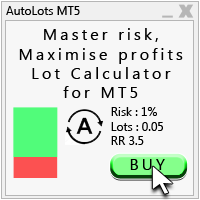
Auto Lots MT5
Auto Lots MT5 is an innovative and powerful application designed for traders on the MetaTrader 5 (MT5) platform. The application offers a user-friendly and intuitive interface, allowing traders to efficiently manage their positions, set precise entry levels and apply advanced risk management.
Key features: 1. Creation of SL/TP zones on the chart: The application allows users to create two customisable rectangles directly on the chart, making it easy to adjust entry points, take
FREE

유틸리티 MTI(주 거래 정보) - 거래자에 대한 기본 거래 정보, 즉 다음을 표시합니다. Spread의 평균 및 현재 크기 숏 포지션과 롱 포지션을 위한 스왑 사이즈 1 거래 로트에 대해 1핍의 비용 스톱 레벨 크기(대기 주문을 위한 최소 거리) 현재(빨간색) 종료까지의 시간 및 다음(회색) 거래 시작까지의 시간 현재 거래 세션이 끝날 때까지의 시간은 빨간색으로 표시되고 다음 세션이 시작될 때까지의 시간은 회색으로 표시됩니다. 색상은 표시기 속성에서 독립적으로 조정할 수 있습니다. Recommended Robot Scalper - https://www.mql5.com/en/market/product/77108
디스플레이는 다음과 같이 수행됩니다.
유럽 무역 세션(EU 깃발) 미국 무역 세션(미국 국기) 태평양 무역(호주 국기) 아시아 무역 세션(일장기) 거래 세션의 종료 시간과 변경 시간을 아는 것이 중요합니다. 거래 세션이 끝날 때까지 많은 거래자들이 자신의 포지션을
FREE
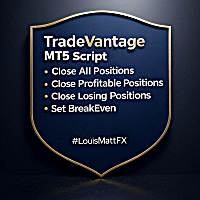
TradeVantage MT5 Script is a user-friendly, efficient tool designed for MetaTrader 5 traders to manage open positions with ease. This script offers four powerful trade management options through a straightforward dialog box, enabling rapid execution on the current chart's symbol. Whether you're looking to close all positions, secure profits, minimize losses, or set positions to break-even, TradeVantage simplifies the process with reliability and precision. Key Features: · Close All Positi
FREE

Most traders lose not because of bad strategy — but because they never review their trades. Aurex Trade Journal fixes that automatically. Drop this EA on any chart and it silently logs every closed trade to a structured CSV file. Open it in Excel or Google Sheets and your edge becomes visible within minutes. What it logs Entry & exit price, direction, lot size Stop loss & take profit levels Trade duration (minutes) Profit in $ and % of account balance R:R ratio (calculated automatically) Win / l
FREE

Intraday Time Logic Pro is a high-performance trade history analyzer designed to reveal the relationship between your trading performance and specific time windows. By categorizing every trade into custom-defined sessions, this tool helps you identify your most profitable hours and the currency pairs that perform best during those times. Unlike basic history logs, this utility uses Position-Based Analysis to ensure that multi-stage entries and partial closes are calculated accurately as single t
FREE

OB FVG Trade Copier: Unified Master & Slave EA Version: 2.00 Type: Trade Copier / Risk Management Utility Compatibility: MetaTrader 4 & MetaTrader 5 (Cross-compatible codebase)
Overview The OB FVG Trade Copier is a professional-grade, unified trade copying system designed to mirror trades between Master and Slave accounts seamlessly. Built with a unified architecture, a single EA file serves as both the sender (Master) and receiver (Slave) simply by toggling the EA Mode in the settings. It uti
FREE

SR Zones & Pivot Panel EA - All-in-One Trading Tool SR Zones & Pivot Panel EA is a powerful hybrid tool that combines automatic Support/Resistance Zones , Daily Pivot Points , and a Compact Trading Panel into one interface. It helps traders visualize key price levels on any timeframe while executing trades quickly and efficiently. Designed for precision and speed, this tool keeps your chart clean while providing all the data you need for intraday trading. Key Features 1. Automatic Support
FREE

Purse Guard v1.00 — User Manual 1. What Purse Guard Does Purse Guard is a trailing stop manager, Stop Loss manager, trade manager, and position-management utility for MetaTrader 5. It provides practical risk management for existing trades by managing Stop Loss on open positions with two conventional trailing methods: Points Trailing — a fixed-distance points trailing stop that follows price by a selected number of MetaTrader 5 points. Candle Trailing — a candle trailing stop that follows the st
FREE

The Scientific Calculator is a script designed to compute science, engineering and mathematics expressions. General Description
The expression to calculate must obey syntax rules and precedence order, being constituted by the following elements: Integer and real numbers. Mathematical operators for addition (+), subtraction (-), multiplication (*), division (/) and exponentiation (^). Mathematical and trigonometric functions . Curved parentheses (()) to define the precedence and contain
FREE

️ AutoProtect R13: Your Intelligent Trade Guardian Tired of manual management and emotional exits? AutoProtect R13 is a professional-grade utility designed to automate your risk management. This tool ensures your account stays protected 24/7. WHAT’S NEW IN V1.1 Optimized Execution: Faster processing for high-volatility market conditions. New User Interface: Professional GUI Dialog panel (replacing basic chart comments). Smart Break-Even+: Move Stop Loss to entry plus a small profit buffer
FREE

Proton Gold Risk Engine MT5
OVERVIEW Proton Gold Risk Engine MT5 is a utility for MetaTrader 5 that calculates position size based on user-defined risk parameters. The tool helps traders implement consistent position sizing by calculating required lot size based on account capital, risk percentage, and stop loss distance. This utility is designed for manual traders who manage position sizing themselves.
PRIMARY FUNCTION The utility provides a calculator interface for determining appropriate p
FREE

If you use several charts open at the same time, you know how boring it is to apply formats to each chart individually. This script can change all open charts using a single command. Parameters: 1 - Choose symbol to put on charts: apply the selected symbol to all charts. If "current", it does not change the symbol; 2 - Choose timeframe or leave empty: apply the selected timeframe to all charts. If "CURRENT", it does not change the timeframe; 3 - Apply template to the charts: If true, apply the t
FREE

xCalper Economic Calendar brings economic calendar information to your Terminal chart and Experts from online sources. Just add it to your chart to see detailed news without losing attention or automate reading of calendar information to improve trading decisions.
Main Features Support data sources: Forex Factory. Filtering by day, impact or currency of news. Visual alert of upcoming news. Platform notification of upcoming news.
Parameters Filters Impact expected - Show/Hide by impact: Low, Me
FREE

Important! Demo version will work only on EURGBP. One Click Trader is a tool designed for MetaTrader 4 platform, which enables you to take your trading to the next level. It enables you to open, manage and close your trades in simple an efficient way by just one click of your mouse button. "-" , "+" change OCT window size Up arrow minimizes the OCT panel Down arrow maximizes the OCT panel Right arrow displays the next panel with additional features Left arrow hides the panel with additiona
FREE

>
Risk Sentinel은 전략이 아니라 보호 도구입니다. 매매를 개시하지 않습니다. 전문 트레이딩 데스크가 리스크를 관리하는 방식으로, 사용자나 다른 EA가 진입한 포지션을 지켜줍니다.
주요 기능
- 모든 포지션에 강제 손절(stop-loss). 포지션을 손절 없이 방치하지 않습니다. ATR, 포인트, 퍼센트, 고정 금액 중에서 선택하세요. - 자동 본전(break-even) 및 트레일링 스탑. 흐름이 유리하게 전개되면 수익을 고정합니다. - 일일 손실 서킷 브레이커. 당일 손실이 설정한 한도에 도달하면 전 포지션을 청산하고 남은 하루 동안 매매를 중단합니다. 터미널을 재시작해도 상태가 유지됩니다. - 경제 캘린더 인식. 해당 심볼의 통화와 관련된 고영향 뉴스를 주시하며, 위험 구간 동안 포지션을 보호합니다. 대부분의 로봇은 뉴스를 무시합니다. 이 도구는 그렇지 않습니다. - 원클릭 패널. 전 포지션 청산, 전 포지션 본전 이동, 그리고 패닉 스위치를 차트에서 바로 사용할
FREE

Basket Exit Levels는 한 심볼에 포지션 바스켓을 쌓아 올리며 빠르고 통제된 청산 레벨 설정이 필요한 트레이더를 위한 일회성 MetaTrader 5 유틸리티 스크립트입니다. 방향(Long/Short)과 모드를 선택한 뒤 한 번 실행하세요. 차트 심볼에서 해당 방향의 일치하는 모든 포지션에 청산 레벨을 설정합니다. 손절(Stop Loss)은 바꾸지 않습니다. 포지션을 열거나 닫지 않으며, 입력 대화상자를 닫은 뒤에는 백그라운드에서 돌지 않습니다. 모드 1. 절대 청산가 — 선택한 방향의 모든 포지션에 동일 가격. 2. 각 진입가 기준 포인트 — 포지션별: - Long: 청산 = Open + Points × Point - Short: 청산 = Open − Points × Point 큰 차트 패널(v1.06) 작은 차트 코멘트 대신 명확한 오브젝트 패널을 그립니다(다크 슬레이트/라이트, 크기·모서리 설정 가능): - 제품명, 방향, 모드 - 거래량 가중 평균 진입가와 총 랏
FREE

MANAGER – Position Taker | MT5 거래 관리 패널 곧 이 자본 관리 도구를 LotMind 트레이딩 패널에 통합하여 더 강력하고 효율적인 솔루션을 제공할 예정입니다. https://www.mql5.com/en/market/product/172147?source=Unknown MANAGER – Position Taker는 이미 열린 포지션을 효율적이고 체계적으로 관리할 수 있도록 설계된 고급 트레이딩 관리 패널입니다. 복잡한 계산이나 수동 주문 수정 없이, 트레이더가 시장 분석과 전략 수립에 집중할 수 있도록 도와줍니다. 이 도구는 부분 청산, 브레이크이븐 자동 조정, 트레일링 스탑, 원클릭 전체 포지션 종료와 같은 핵심 기능을 직관적인 인터페이스로 제공합니다. 특히 스캘핑이나 단기 매매와 같이 빠른 의사결정이 필요한 환경에서 매우 유용합니다. 또한 실시간으로 진입 가격, 손절(SL), 목표가(TP), 손익(PnL), 진행률 등의 정보를 확인할 수 있어 현재 거래
FREE

AUTOTRAIL LM PRO MANAGER v3.30 Professional management of manual trades across all symbols Autotrail LM Pro Manager is a MetaTrader 5 Expert Advisor designed to automatically manage all manually opened positions, including trades on symbols other than the chart where the EA is installed. You do not need to attach the manager to every chart. For example, you can install it on a single XAUUSD chart and manage manual trades opened on: XAUUSD Forex pairs Indices Cryptocurrencies Metals Energies Othe
FREE

SPECIAL ANNOUNCEMENT: Get the Ultimate Trading Suite! Before you grab this utility, did you know? The LogicLadder Visual Trade Planner is so powerful that it serves as the core visual execution engine for my flagship MT5 trading systems! If you are looking for a massive, all-in-one trading dashboard, advanced trade management, or strict prop-firm guardrails, you can get this exact visual planner already included inside my premium and free full-suite EAs: Pro LTS TradeDashboard MT5 (Paid
FREE

A simple and useful Current Price Panel, which displays magnified current Bid, Ask prices and spread, movable anywhere on chart window using the mouse. Also provides an option to have as text at a static location showing bid or ask price along with spread, shown at any location on the chart. Allows display as pips or points along with spread highlighted in distinct color if it crosses the threshold point for the previous 100 ticks. Includes an option to show or hide the last digit (pipette) of t
FREE
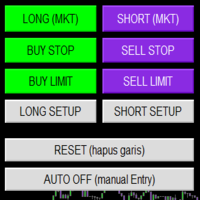
Smart Trade Panel
Trading Assistant is a powerful and elegant one-click trading panel for MetaTrader 5 — designed for professional traders who value speed, precision, and clarity.
Whether you scalp XAUUSD, swing trade indices, or run tight risk management, this tool gives you complete control with a clean visual layout, automatic ATR-based setups, and adaptive risk calculation.
️ Main Features One-Click Execution
Instant Buy/Sell Market Orders with pre-defined SL/TP
Supports Buy Stop
FREE

MTM Manual Trade Manager is a professional trading dashboard designed for manual traders who want better control over risk and trade management.
This Expert Advisor does NOT open trades automatically. All trading decisions and order executions are fully controlled by the trader.
Main Features: - Manual Buy and Sell execution from the dashboard - Visual Stop Loss and Take Profit using drag & drop lines - Fixed Lot and Risk Percentage position sizing - Automatic Break Even management - Multiple
FREE

Displays the countdown to the current candle’s close and shows the live server time clearly on your chart, including the GMT. It is a fuss-free indicator, plug and play. Accurate Candle Timer is a simple and practical tool for traders who want to monitor candle timing without unnecessary clutter. It shows how much time is left before the current candle closes, helping you stay aware of when the next candle will begin. This is useful for traders who prefer to wait for candle close confirmation be
FREE

Key Features: Automatic swing detection on any timeframe (M1 to MN1) Visual arrow indicators (red for swing highs, blue for swing lows) Adjustable sensitivity with customizable swing strength parameter Dynamic arrow positioning that never overlaps with candles Instant display when changing timeframes - no delays Compatible with MT4 and MT5 platforms Clean, professional interface with minimal screen clutter Lightweight code for fast performance Customizable colors and arrow sizes
Customizable S
FREE

Trade. Allows you to perform basic trading operations in one click directly from the chart. Trading operations: Open Buy and Sell market positions with one click. Specify lot size manually before opening a trade. Set Stop Loss and Take Profit as price levels . Stop Loss and Take Profit are automatically initialized at a fixed distance from the current market price (default: ±50 pips , symbol-aware). Fully supports Forex, Metals (XAUUSD), Indices, and other MT5 symbols with correct price formatti
FREE

RSI & Moving Average Expert v1.0
A fully automated trading robot that combines the power of two classic indicators: Moving Averages and RSI, to identify strong, low-risk entries aligned with the market trend. How it works: Uses a Fast and Slow MA crossover on M15 timeframe for signal generation. Confirms trend direction using a higher timeframe EMA (default H1, 100-period). Applies RSI filtering to avoid false breakouts and extreme zones. Calculates lot size dynamically based on account risk
FREE

LayerGuard Pro - Professional Trade Management EA for MetaTrader 5 Product Description LayerGuard Pro is a sophisticated Expert Advisor designed exclusively for MetaTrader 5 that provides professional-grade trade management automation for your existing positions. Unlike traditional EAs that generate signals or open trades, LayerGuard Pro focuses on one critical aspect of trading: intelligent, automated management of Take Profit and Stop Loss levels. Core Philosophy: Management, Not Generation La
FREE

*Display all text information you need on your charts.*
This will help you on displaying text on the chart, to note everything , for example: strategy.
* BUY SIGNAL
- rule 1 - rule 2 - rule 3 - etc * SELL SIGNAL
- rule 1 - rule 2 - rule 3 - etc
This will remind you to follow the discipline and trading strategy set by you.
The Discipline to Follow Rules is the Mark of a Top Trader
Safety first, then profit will come.
FREE

PropFirmGuard – Your Automatic Prop Firm Safety Net
Are you trading a prop firm challenge or a funded account and worried about accidentally breaking the rules? PropFirmGuard watches your account for you, around the clock, and automatically closes your trades before you breach your daily loss limit, your maximum drawdown limit, or once you've hit your profit target. No more manually checking your equity every five minutes — let the EA do the worrying for you.
WHAT DOES IT DO?
PropFirmGuard i
FREE

Know your lot size before you click Buy or Sell.
The Chart Mechanics Risk and Position Size is a free panel for MetaTrader 5. Set how much you want to risk and where your stop goes, and it shows the lot size to use and the money actually at risk in your account currency. It is an indicator, so it never opens, changes or closes trades.
WHAT IT SHOWS - Lot size, rounded DOWN to your broker's lot step, so you never risk more than you set - Money at risk after rounding, in your account currency -
FREE

Your signals in Telegram, your trades in MetaTrader 5.**
Phoenix Telegram Copier reads trade signals from your Telegram channel or group and opens them on your account. It understands the usual signal layout: side, symbol, entry, stop loss and one or more take profits. Every take profit becomes its own position, so you can bank part of a trade early and let the rest run.
**How it works** 1. Create a Telegram bot (with @BotFather) and add it to your channel or group. 2. Put the bot token and t
FREE

Your account, protected. Whatever is trading on it.
Phoenix Palladium Guard does not trade. It watches your whole account and steps in when a limit you set is reached: it closes all positions, deletes pending orders and keeps new trades out until the limit resets. It works for every EA on the account, EAs from any developer, and your own manual trades.
**Why an account guard?** Every EA calculates its risk as if it had the whole account to itself. Run four at once with similar settings and yo
FREE

PropBlaster Stats shows the key statistics of your MT5 account directly on the chart. It reads your trade history and never opens, closes or changes a trade.
Key figures
- Today, this week, this month or all history with one click - Net profit, trades, win rate, profit factor - Average win and loss, expectancy per trade - Maximum drawdown in money and percent - Best and worst day - Commission, swap and fees included
Good to know
- Filter by magic number and symbols (inputs) - Works on hedgin
FREE

Breakeven Trailing SL Manager;
This utility Manager is a simple utility that protects your manual trades automatically. Attach it to any chart and it watches all manual positions on your account, on every symbol. It does not open trades and it ignores trades opened by other Expert Advisors. How it works When a trade moves in profit by the Breakeven Price, the Stop Loss is moved to the exact entry price. When the price moves the same distance again, the Stop Loss is moved to entry plus that dist
FREE

Manual Trade and Risk Manager Pro MT5 is an MT5 manual Trade Manager and Prop Firm Risk Manager for discretionary traders who need disciplined account risk control. Use it as an MT5 risk management tool and manual trading panel MT5 when you trade your own strategy, a prop firm challenge, an evaluation account, or a funded account. It combines MT5 position size calculation, drawdown protection MT5 monitors, and a trade execution panel MT5 so you can size, check limits, then execute manually. This
FREE

One bad hour can erase a month of discipline. Two stop-outs. A bigger lot “to get it back.” A stop moved “just this once.” You didn’t need better analysis. You needed something that said no. I personally use Iron Dome and I have passed Fundednext and Fundingpips Challange accounts. I believe it will save my life since I am bad at psychologically. Iron Dome is that voice, set in advance, enforced automatically. A risk manager and trade panel for MetaTrader 5. No signals. No auto-trading. You make
FREE

Symbol Spec Auditor는 심볼의 계약 사양 중 포지션 크기와 거래 비용을 결정하는 부분을 차트 위 하나의 패널에 모아 보여줍니다: 포인트 가치, 스프레드 비용, 증거금, 스왑, 실행 규칙, 거래 세션. 원시 사양 값은 계좌 통화 기준 1.00 랏당 금액으로 환산되며, 랏 크기 계산 코드를 소리 없이 망가뜨리는 브로커 설정은 경고로 나열됩니다. 버튼 하나로 시장 감시의 모든 심볼에 대해 같은 점검 결과를 CSV 파일로 내보냅니다. 이 프로그램은 점검 도구입니다. 주문을 내지 않고, DLL과 WebRequest를 사용하지 않으며, 사용자가 요청한 CSV 내보내기 외에는 어떤 파일도 쓰지 않습니다. 만든 이유: 한 브로커에서 잘 동작하던 코드가 다음 브로커에서는 아무도 확인하지 않은 사양 세부 사항 때문에 오작동하는 일이 흔합니다. 계약 크기가 100온스가 아닌 1온스인 금, 잔고와 틱 가치가 센트 단위인 센트 계좌, 가까운 손절(스탑로스)을 거부하는 스탑 레벨, 포인트와 다
FREE

Share your trades with a Discord channel automatically. How it works Create a webhook in your Discord channel settings and paste the URL into the inputs. Allow WebRequest for https://discord.com in Tools, Options, Expert Advisors. New positions, SL and TP changes and closed positions are sent with symbol, direction, price, lots, pips and result, depending on your settings. Messages are queued and resent if Discord is busy. Key features Open, modify and close messages Optional lots, pips and prof
FREE

Place trades in one click with the lot size calculated from your risk. How it works Type your risk percent, stop loss in points and take profit as a multiple of the stop. The panel shows the lot size and the money at risk before you click. BUY and SELL open the order with SL and TP already attached. Management buttons move stops to break-even, close half or close all positions on the chart symbol. Key features Risk based lot size from balance, tick value and stop distance SL and TP attached to e
FREE
MetaTrader 마켓은 거래 로봇과 기술 지표들의 독특한 스토어입니다.
MQL5.community 사용자 메모를 읽어보셔서 트레이더들에게 제공하는 고유한 서비스(거래 시그널 복사, 프리랜서가 개발한 맞춤형 애플리케이션, 결제 시스템 및 MQL5 클라우드 네트워크를 통한 자동 결제)에 대해 자세히 알아보십시오.
