 MetaTrader 5
 Эксперты
 Индикаторы
 Библиотеки
 Утилиты
 Виджеты
 Правила
Смотри обучающее видео по маркету на YouTube
Как купить торгового робота или индикатор
Запусти робота на
виртуальном хостинге
виртуальном хостинге
Протестируй индикатор/робота перед покупкой
Хочешь зарабатывать в Маркете?
Как подать продукт, чтобы его покупали
Торговые утилиты для MetaTrader 5 - 26
 Ниже представлены торговые программы, упрощающие трейдинг в MetaTrader 5. Наведите курсор на товар, чтобы прочесть описание товара и его предназначение.
MATTRIX Position Monitor An 8x8 currency matrix dashboard that gives you a live overview of all your open positions across the 28 Forex majors in one compact panel. Designed for traders who manage multiple currency exposures and want to see direction, hedging, profit, and risk at a glance.
WHAT YOU SEE: The 8x8 matrix is organized by the Big8 currency hierarchy: EUR, GBP, AUD, NZD, USD, CAD, CHF, JPY.
- Lower triangle (28 cells): one cell per Forex major pair Cell color = direction:
FREE

Представьте, каких результатов вы могли бы достичь в своей ручной торговле, если бы у вас был инструмент, уведомляющий о возможном развороте цены по всем интересующим вас символам одновременно (фьючерсы, акции, форекс или криптовалюта)?
VSA screener - именно такой инструмент. Он создан для трейдеров, которые ценят своё время и сами принимают торговые решения о входе и выходе из позиции. Система отслеживает наличие паттернов на выбранных в Обзоре рынка символах по нескольким таймфреймам (до 6)
FREE

Basket Take-Profit Utility Lite is a free on-chart trade management tool for MetaTrader 5 that lets you close groups of trades the moment their combined profit target is reached — something MetaTrader cannot do natively. All settings are controlled directly from the interactive panel on your chart. No need to detach and re-attach the EA to change your target. Features: Group trades by: All open positions · Specific symbol · Magic number Three target types selectable from the panel:
- F
FREE

DIVERGENCE SCANNER Находите дивергенции раньше. Видите то, что сложно заметить вручную. Divergence Scanner Сканер анализирует Stochastic и RSI Основные возможности: Автоматический поиск дивергенций; Анализ Stochastic; Анализ RSI; Бычьи дивергенции; Медвежьи дивергенции; Определение направления сигнала; Оценка силы сигнала ️ Работа с различными таймфреймами; Табличное отображение результатов; Автоматическое обновление. MOSTIPAN SMART TRADING TREND SCANNER → беспла
FREE

Second Level Candles And Alligator Indicators 每12秒产生一个K线,而且自带Alligator指标,对超短线选手交易非常有帮助。程序启动时可能不成功,是因为MT5 MqlTick 数据加载少的原因。可以通过修改显示的数据参数避免,比如display=100,程序正常之后再将参数调大 display=300 。如果数据不正常,也可以采用重新加载的方式解决。 如果您对这个指标有任何建议,请联系作者。 Second Level Candles And Alligator Indicators produced a candle per 12 seconds,include Alligator, it's helpful to Short-Term Trading。You'd better reload the indicator every start MT5 or change display parameter to reslove data bug. Please attach author when you had some su
FREE

backtester buttons for testing strategies in the MT5 strategy tester.
load up strategy tester then click on visual test and once visual tester opened apply any chart template you'd like. To update the chart pause the visual tester and apply templates, colors and such like the normal chart. On the settings you can choose lot size and take profit and stop loss.
Enjoy
FREE

The default trade notifications option in MT5 sends notification for all new orders created or deleted; and for every change in SL when a trailing SL is active. This can sometimes be annoying. I created this utility for my own use and then decided to share with the community. This utility sends only trade notifications (buy/sell/close) and deposit/withdrawal notifications. A sample of the notification format is given below. For customizations, please DM.
FREE

Trading panel for manual trading. Has a fairly wide functionality. Allows you to automatically calculate the order size, open both market and pending orders. It has a wide range of options for closing orders, it is possible to partially close orders, close orders after reaching a certain profit or loss, separately close profitable and unprofitable, buy and sell, as well as pending orders. The panel also contains a simple implementation of a grid of pending orders, reverse and lock functions, tr
FREE

Protectron — система защиты счёта Утилита, которая в реальном времени отслеживает средства (equity) на счёте и автоматически закрывает все открытые позиции при достижении заданного верхнего или нижнего порога. Работает вместе с любым советником или ручной торговой стратегией, не вмешиваясь в их логику. Обзор Protectron прикрепляется к графику и непрерывно отслеживает общие средства счёта, включая плавающие позиции. Когда средства достигают заданного порога в любом направлении, все открытые позиц
FREE
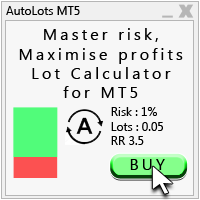
Auto Lots MT5
Auto Lots MT5 is an innovative and powerful application designed for traders on the MetaTrader 5 (MT5) platform. The application offers a user-friendly and intuitive interface, allowing traders to efficiently manage their positions, set precise entry levels and apply advanced risk management.
Key features: 1. Creation of SL/TP zones on the chart: The application allows users to create two customisable rectangles directly on the chart, making it easy to adjust entry points, take
FREE
TradeVantage MT5 Script is a user-friendly, efficient tool designed for MetaTrader 5 traders to manage open positions with ease. This script offers four powerful trade management options through a straightforward dialog box, enabling rapid execution on the current chart's symbol. Whether you're looking to close all positions, secure profits, minimize losses, or set positions to break-even, TradeVantage simplifies the process with reliability and precision. Key Features: · Close All Positi
FREE

Intraday Time Logic Pro is a high-performance trade history analyzer designed to reveal the relationship between your trading performance and specific time windows. By categorizing every trade into custom-defined sessions, this tool helps you identify your most profitable hours and the currency pairs that perform best during those times. Unlike basic history logs, this utility uses Position-Based Analysis to ensure that multi-stage entries and partial closes are calculated accurately as single t
FREE

Here is the Russian version of the MQL5 Marketplace-compliant product description for RiskRewardPanel : RiskRewardPanel — Утилита расчета риска и прибыли для MetaTrader 5 RiskRewardPanel — это утилита, предназначенная для помощи трейдерам в планировании сделок путем расчета объема позиции, уровней стоп-лосса и тейк-профита на основе заданных параметров риска. Панель обеспечивает визуальный подход к управлению риском прямо с графика. Основные функции: Расчет риска и прибыли
Вычисляет и отобража
FREE

Не просто копи-трейдер. Фабрика сигналов! Представьте себе торговлю, не отдавая всё своё время графикам. Пока вы живёте, неутомимый движок анализирует рынки, сканирует новости, выявляет качественные точки входа и отправляет оповещения в Telegram с подробными пояснениями и скриншотами. А когда срабатывает сетап? Одно касание. Размер лота, входы, SL/TP, контроль рисков, безубыточность, отслеживание новостей — всё автоматически. Вы сохраняете свободу; ваши дополнительные занятия продолжаются.
Eaz
FREE
SEREDINA — это ваш универсальный инструмент для оценки и контроля позиций! Этот скрипт автоматически вычисляет среднюю цену открытых позиций на покупку (BUY) и продажу (SELL) для любого торгового инструмента на платформе MetaTrader 5, выводя на график не только точные данные, но и визуальные уровни, которые помогут вам мгновенно увидеть уровень среднего входа по вашим позициям. С помощью SEREDINA вы сможете: Определить точку «средней цены» для открытых ордеров BUY и SELL по текущему активу. Быст
FREE

️ AutoProtect R13: Your Intelligent Trade Guardian Tired of manual management and emotional exits? AutoProtect R13 is a professional-grade utility designed to automate your risk management. This tool ensures your account stays protected 24/7. WHAT’S NEW IN V1.1 Optimized Execution: Faster processing for high-volatility market conditions. New User Interface: Professional GUI Dialog panel (replacing basic chart comments). Smart Break-Even+: Move Stop Loss to entry plus a small profit buffer
FREE

Apply template to all opened charts First you must save the template, enter the template name Next, open the script and enter the name of the saved template in the input field, such as my_template.tpl Note: You can only set the template for the opened chart Note: You can only set the template for the opened chart Note: You can only set the template for the opened chart Note: You can only set the template for the opened chart
FREE

Hi you, I need your help! Be my Patron, let's make it possible!
https://www.patreon.com/joaopeuko https://github.com/Joaopeuko/Mql5-Python-Integration
Esse Expert Advisor copia os dados("symbol,last,bid,ask") dos ativos que foram colocados na lista e só funciona enquanto o mercado esta aberto.
Esse EA não é um link DDE ou RTD, as informações não são passadas em tempo real ao excel. O EA tem um delay de 30 segundos e o Excel tem um delay de 1 minuto.
A vantagem desse EA é que ele dispensa o
FREE

If you use several charts open at the same time, you know how boring it is to apply formats to each chart individually. This script can change all open charts using a single command. Parameters: 1 - Choose symbol to put on charts: apply the selected symbol to all charts. If "current", it does not change the symbol; 2 - Choose timeframe or leave empty: apply the selected timeframe to all charts. If "CURRENT", it does not change the timeframe; 3 - Apply template to the charts: If true, apply the t
FREE

This indicator allows to know the remaining time before the closing of the candle. It works on every timeframe. It is very usefull when your trading strategy depend of the close or the open of a specific candle. So use it like you want. Don't forget to leave a comment or a request for a EA or an indicator. Also spread it to your friends and don't hesitate to visit my profile to see others tools.
FREE

xCalper Economic Calendar получает информацию экономического календаря из онлайн-источников на график вашего терминала и в ваши советники.. Просто добавьте его на график, чтобы получить подробные новости не теряя внимания, или автоматизируйте чтение информации из календаря, чтобы улучшить принятие торговых решений.
Основные характеристики Поддерживаемые источники данных: Forex Factory; Фильтрация по дню, степени важности и валюте новостей. Визуальное оповещение о предстоящих новостях. Оповещени
FREE

Telegram Control Center (TCC) — утилита-советник для MetaTrader 5, которая связывает ваш торговый счёт с Telegram. Не открывает и не управляет сделками. Мониторит счёт, отправляет уведомления в реальном времени и позволяет управлять позициями удалённо через команды Telegram.
Основные возможности
- Мониторинг баланса, эквити, маржи и всех открытых позиций в реальном времени - Мгновенные уведомления при открытии, закрытии или изменении позиций - Уведомления о просадке эквити с настраиваемым поро
FREE

Trade. Allows you to perform basic trading operations in one click directly from the chart. Trading operations: Open Buy and Sell market positions with one click. Specify lot size manually before opening a trade. Set Stop Loss and Take Profit as price levels . Stop Loss and Take Profit are automatically initialized at a fixed distance from the current market price (default: ±50 pips , symbol-aware). Fully supports Forex, Metals (XAUUSD), Indices, and other MT5 symbols with correct price formatti
FREE

Important! Demo version will work only on EURGBP. One Click Trader is a tool designed for MetaTrader 4 platform, which enables you to take your trading to the next level. It enables you to open, manage and close your trades in simple an efficient way by just one click of your mouse button. "-" , "+" change OCT window size Up arrow minimizes the OCT panel Down arrow maximizes the OCT panel Right arrow displays the next panel with additional features Left arrow hides the panel with additiona
FREE

>
Risk Sentinel — это инструмент защиты, а не стратегия. Он не открывает сделки. Он оберегает позиции, которые открываете вы или другой советник, так же, как риском управляет профессиональный трейдинг-деск.
Что он делает
- Жёсткий стоп-лосс на каждой позиции. Он никогда не оставляет сделку без защиты. Выбирайте ATR, пункты, процент или фиксированную денежную сумму. - Автоматический перевод в безубыток и трейлинг. Он фиксирует прибыль по мере того, как рынок идёт в вашу сторону. - Дневной пред
FREE

Basket Exit Levels — одноразовый скрипт для MetaTrader 5. Для тех, кто набирает корзину позиций и хочет быстро выставить единый выход по направлению. Выбираете сторону (Long или Short), режим — и запускаете один раз. Скрипт проставляет уровни выхода на все подходящие позиции выбранного направления по символу графика. Стоп-лосс не трогает. Сделки сам не открывает и не закрывает; после окна вводов в фоне не работает. Режимы 1. Абсолютная цена выхода — одна цена на все позиции выбранной стороны. 2.
FREE

NINJA SYMBOL PASSPORT MT5 ОБЗОР NINJA Symbol Passport MT5 — бесплатная утилита только для чтения, предназначенная для проверки торговых параметров символов. Она сканирует символы из «Обзора рынка» или символы сервера с эффективным ограничением до 200. Панель и названия входных параметров представлены на английском языке. ПРОВЕРЯЕМЫЕ ДАННЫЕ Панель отображает торговую сессию, срок действия контракта, режим торговли, примерную стоимость спреда, расчетную маржу для контрольного объема и отношение сп
FREE

MANAGER – Position Taker | Панель управления сделками для MT5 В ближайшее время я интегрирую этот инструмент управления капиталом в торговую панель LotMind, чтобы создать более мощное и эффективное решение. https://www.mql5.com/en/market/product/172147?source=Unknown MANAGER – Position Taker — это продвинутая панель управления сделками, разработанная для эффективного контроля и оптимизации уже открытых позиций без необходимости вручную изменять ордера или выполнять сложные расчёты в процессе тор
FREE

TREND SCANNER Тренд под контролем. Торгуйте вместе с рынком. Trend Scanner анализирует рынок и определяет направление и силу тренда Система использует EMA 150/365, EMA 9/21, RSI, MACD и ADX Основные возможности: Определение бычьего и медвежьего тренда; Анализ EMA 150/365 и EMA 9/21; Подтверждение RSI; MOSTIPAN SMART TRADING TREND SCANNER → бесплатный анализ тренда DIVERGENCE SCANNER → бесплатный поиск дивергенций MEGA SCANNER → платный комплексный сканер + комбосигналы RISK MANAGE
FREE

AUTOTRAIL LM PRO MANAGER v3.30 Professional management of manual trades across all symbols Autotrail LM Pro Manager is a MetaTrader 5 Expert Advisor designed to automatically manage all manually opened positions, including trades on symbols other than the chart where the EA is installed. You do not need to attach the manager to every chart. For example, you can install it on a single XAUUSD chart and manage manual trades opened on: XAUUSD Forex pairs Indices Cryptocurrencies Metals Energies Othe
FREE

A simple and useful Current Price Panel, which displays magnified current Bid, Ask prices and spread, movable anywhere on chart window using the mouse. Also provides an option to have as text at a static location showing bid or ask price along with spread, shown at any location on the chart. Allows display as pips or points along with spread highlighted in distinct color if it crosses the threshold point for the previous 100 ticks. Includes an option to show or hide the last digit (pipette) of t
FREE

Displays the countdown to the current candle’s close and shows the live server time clearly on your chart, including the GMT. It is a fuss-free indicator, plug and play. Accurate Candle Timer is a simple and practical tool for traders who want to monitor candle timing without unnecessary clutter. It shows how much time is left before the current candle closes, helping you stay aware of when the next candle will begin. This is useful for traders who prefer to wait for candle close confirmation be
FREE

Key Features: Automatic swing detection on any timeframe (M1 to MN1) Visual arrow indicators (red for swing highs, blue for swing lows) Adjustable sensitivity with customizable swing strength parameter Dynamic arrow positioning that never overlaps with candles Instant display when changing timeframes - no delays Compatible with MT4 and MT5 platforms Clean, professional interface with minimal screen clutter Lightweight code for fast performance Customizable colors and arrow sizes
Customizable S
FREE

Trend direction of up to 10 timeframes of your choice, in one panel — non-repainting, with configurable sync alerts. 100% free. TrendSync MTF Dashboard shows you the trend direction of up to 10 timeframes of your choice — from M1 to MN1 — in a single clean panel on your chart, so you always know whether the timeframes agree before you take a trade. Trading against the higher timeframe is one of the most common (and most expensive) mistakes in manual trading. This dashboard makes multi-timeframe
FREE

Overview Advanced MT5 EA that automatically detects, scores, and visualizes support/resistance levels with integrated trading panel, risk management, and multi-channel alerts. Installation (3 Steps) Copy EA File : Place Saturno_Smart_SR_PRO_EA.ex5 in MQL5\Experts\ folder Refresh : Right-click "Expert Advisors" in Navigator → "Refresh" Attach : Drag EA to chart → Click "OK" → Enable AutoTrading button Note : Ensure "Allow Automated Trading" is checked and the EA shows a smiley face Qu
FREE

OVERVIEW
Tanin EA17 Second Chart is a professional-grade utility EA built specifically for ultra-scalpers. Since MetaTrader 5 does not natively support second timeframes (like S10, S15), scalpers often face execution delays when analyzing external platforms and executing on MT5. EA17 bridges this gap by generating smooth, real-time custom second charts directly within your terminal. THE STORY BEHIND THE TOOL
As a scalper myself, I needed absolute speed and precision. I built this tool to elimin
FREE

RSI & Moving Average Expert v1.0
Полностью автоматизированный торговый робот, который сочетает силу двух классических индикаторов: скользящих средних и RSI, чтобы находить сильные и малорисковые входы по тренду. Как работает: Использует пересечение быстрых и медленных MA на M15 для генерации сигнала. Подтверждает направление тренда с помощью EMA на более высоком таймфрейме (по умолчанию H1, 100 периодов). Применяет фильтр RSI для исключения ложных пробоев и экстремальных зон. Динамически рас
FREE

LayerGuard Pro - Professional Trade Management EA for MetaTrader 5 Product Description LayerGuard Pro is a sophisticated Expert Advisor designed exclusively for MetaTrader 5 that provides professional-grade trade management automation for your existing positions. Unlike traditional EAs that generate signals or open trades, LayerGuard Pro focuses on one critical aspect of trading: intelligent, automated management of Take Profit and Stop Loss levels. Core Philosophy: Management, Not Generation La
FREE

Инструмент автоматического расчета объема и управления рисками – Легкий выбор размера позиции и вход Точное определение размера позиции – Критический шаг к успешной торговле В профессиональной торговле точный расчет размера позиции при управлении рисками является одним из самых важных аспектов долгосрочного успеха. Снова и снова трейдеры с надежными, прибыльными стратегиями оказываются в убытке. При анализе часто становится ясно, что причина не в самой стратегии — а в ошибках, совершенных под да
FREE

*Display all text information you need on your charts.*
This will help you on displaying text on the chart, to note everything , for example: strategy.
* BUY SIGNAL
- rule 1 - rule 2 - rule 3 - etc * SELL SIGNAL
- rule 1 - rule 2 - rule 3 - etc
This will remind you to follow the discipline and trading strategy set by you.
The Discipline to Follow Rules is the Mark of a Top Trader
Safety first, then profit will come.
FREE

PropFirmGuard – Your Automatic Prop Firm Safety Net
Are you trading a prop firm challenge or a funded account and worried about accidentally breaking the rules? PropFirmGuard watches your account for you, around the clock, and automatically closes your trades before you breach your daily loss limit, your maximum drawdown limit, or once you've hit your profit target. No more manually checking your equity every five minutes — let the EA do the worrying for you.
WHAT DOES IT DO?
PropFirmGuard i
FREE

Your signals in Telegram, your trades in MetaTrader 5.**
Phoenix Telegram Copier reads trade signals from your Telegram channel or group and opens them on your account. It understands the usual signal layout: side, symbol, entry, stop loss and one or more take profits. Every take profit becomes its own position, so you can bank part of a trade early and let the rest run.
**How it works** 1. Create a Telegram bot (with @BotFather) and add it to your channel or group. 2. Put the bot token and t
FREE

PropBlaster Stats shows the key statistics of your MT5 account directly on the chart. It reads your trade history and never opens, closes or changes a trade.
Key figures
- Today, this week, this month or all history with one click - Net profit, trades, win rate, profit factor - Average win and loss, expectancy per trade - Maximum drawdown in money and percent - Best and worst day - Commission, swap and fees included
Good to know
- Filter by magic number and symbols (inputs) - Works on hedgin
FREE

EquityGuardEA v2.00 は「Equity監視+資金管理+マルチEA成績表示」を行うツールです。 プロップファームで複数のEAのポートフォリオを運用する際に必要となる以下の機能を持っています。 任意のチャートを一つ使って、通常のEAと同じように使用します。 利用例はスクリーンショットをご覧ください。
*購入後レビューを投稿していただいた方には本ツールの上位機能版をお送りします。上位機能版では1.EAのチャートを閉じるのではなく、アルゴトレーディングをオフにする、2.ニュースフィルターの機能が提供されます。
1. 資金管理(Equity Guard)機能 パラメーター 内容 InitialBalance 損益率計算の基準となる初期資金 Target_Equity_Percent 目標利益率(%)。到達で発動 MaxDD_Percent 最大ドローダウン率(%)。残高比で到達すると発動 DailyDD_Percent 日次ドローダウン率(%)。当日始値Equity比で到達すると発動
2. EA停止機能 Magic1〜3 (監視対象のEA、最大3つ)について、同一シンボル
FREE

Manual Trade and Risk Manager Pro MT5 is an MT5 manual Trade Manager and Prop Firm Risk Manager for discretionary traders who need disciplined account risk control. Use it as an MT5 risk management tool and manual trading panel MT5 when you trade your own strategy, a prop firm challenge, an evaluation account, or a funded account. It combines MT5 position size calculation, drawdown protection MT5 monitors, and a trade execution panel MT5 so you can size, check limits, then execute manually. This
FREE

XauG0D Assistant – Smart Trading Panel for XAUUSD (MT5) XauG0D Assistant is a powerful and modern trading panel designed for MetaTrader 5, built specifically for XAUUSD traders who want speed, precision, and full control. It transforms your chart into a complete trading command center, combining manual execution with smart automation. This EA allows you to execute trades instantly, manage risk efficiently, and monitor your performance in real-time — all from a sleek and intuitive interface. Key
FREE

gives you the power to close every open chart window at once — no matter the symbol, timeframe, number of indicators, Expert Advisors, or objects on them. When you attach it, a confirmation dialog appears. Only after you explicitly grant permission does the script shut down all charts, leaving you on the clean gray screen with Market Watch still fully available. From there you can rebuild your layout from scratch exactly the way you want it. Ideal for: Quickly clearing a cluttered multi-chart wo
FREE

One bad hour can erase a month of discipline. Two stop-outs. A bigger lot “to get it back.” A stop moved “just this once.” You didn’t need better analysis. You needed something that said no. I personally use Iron Dome and I have passed Fundednext and Fundingpips Challange accounts. I believe it will save my life since I am bad at psychologically. Iron Dome is that voice, set in advance, enforced automatically. A risk manager and trade panel for MetaTrader 5. No signals. No auto-trading. You make
FREE

Symbol Spec Auditor выводит на одну панель на графике ту часть спецификации контракта символа, от которой зависят размер позиции и торговые издержки: стоимость пункта, стоимость спреда, маржу, своп, правила исполнения и торговые сессии. Сырые значения спецификации пересчитываются в деньги на 1,00 лот в валюте счёта, а настройки брокера, которые незаметно ломают код расчёта лота, перечисляются как предупреждения. Одна кнопка экспортирует такой же аудит для каждого символа из Обзора рынка в CSV-фа
FREE

Utility Description: Auto TP & SL Manager for XAUUSD Overview The Auto TP & SL Utility is an automated Expert Advisor (EA) designed specifically for MetaTrader 5 (MT5). Its primary function is to monitor your open positions in real-time and automatically apply Stop Loss (SL) and Take Profit (TP) levels if they are missing. This is particularly crucial for volatile assets like XAUUSD (Gold), where price swings occur rapidly. Key Features Instant Protection: Automatically detects any manual or EA-
FREE

Nova Hourly Map PRO Discover when your market has historically been most active. Nova Hourly Map PRO turns completed H1 candles into an interactive 24-hour dashboard, helping you compare volatility, directional tendencies and typical hourly ranges before planning your trading session. Attach it to any chart timeframe. The indicator automatically analyses H1 history for that symbol. Key features Colour-coded hourly volatility map. Ranked hours to identify historically active periods. Bullish, bea
FREE
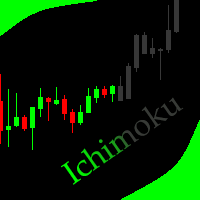
This indicator allows to hide Ichimoku Kinko Hyo (on all MT5 timeframes) from a date define by the user, with a vertical line (Alone) or a panel (with "Hidden Candles"). Indicator Inputs: Tenkan-sen Kijun-sen Senkou Span B Information on "Ichimoku Kinko Hyo" indicator is available here: https://www.metatrader4.com/en/trading-platform/help/analytics/tech_indicators/ichimoku ************************************************************* Hey traders!! Give me your feeds! We are a community here
FREE

Copy trades between MetaTrader 5 terminals on the same computer, with no DLLs and no internet relay. How it works In Master mode the utility writes a snapshot of its open positions (ticket, symbol, direction, volume, SL, TP, magic) to a channel file in the shared Common\Files folder. The file is written under a temporary name, replaced in one step and closed with a checksum line, so a receiver never reads a half written file. In Slave mode it reads the snapshot on a timer, opens copies of new ma
FREE

Elsna Alert (MT5 EA) is a lightweight Expert Advisor that monitors your trading account in real time and alerts you whenever a trade is opened or closed . It uses MetaTrader 5’s built-in OnTradeTransaction event to instantly detect any new executed deals—manual or automated—and plays a custom sound for each event.
You can choose whether it tracks all symbols or only the chart’s symbol . Key features: Instant audio alert when a trade opens or closes. Works with both manual and EA-driven trades. O
FREE

is a clean, display-only dashboard that turns your Market Watch into a focused position-sizing table. It shows each symbol alongside two calculated lot values: The lot size that uses a chosen percentage of your account balance as margin The maximum lot size supported by your full balance No orders are placed, modified, or closed. Click any symbol to open its chart. The table runs in full-window mode with optional color-gradient row backgrounds that cycle through multiple palettes. Benefits Insta
FREE

Trade Launch — это интуитивная торговая панель, созданная для трейдеров, которые ценят скорость и контроль при ручном открытии сделок. Она отображается непосредственно на графике и позволяет управлять всеми основными параметрами ордера в одном окне. Ключевые возможности: Мгновенное выставление ордеров: Открывайте позиции Buy и Sell одним нажатием кнопки. Названия кнопок динамически отображают текущие цены Ask и Bid. Встроенный риск-менеджмент: Удобные поля для ввода объема лота (Lot), а та
FREE

SL Locker — Stop-Loss Discipline for MetaTrader 5 Your stop-loss is supposed to protect the trade. SL Locker is designed to stop that protection from being weakened after it has been established. SL Locker is a MetaTrader 5 risk-discipline Expert Advisor built around one focused principle: a protective stop may move in a safer direction — but it should not be casually moved back into a less protective one. Once SL Locker has recorded a valid Stop Loss for a position, it monitors that position a
FREE

Smart Trading Dashboard — Умная торговая панель для MetaTrader 5
Smart Trading Dashboard — это профессиональная многоязычная панель управления, которая объединяет все ключевые элементы торговли в одном удобном интерфейсе. Больше не нужно переключаться между вкладками — все важные данные и инструменты теперь перед вами! ОСНОВНЫЕ ВОЗМОЖНОСТИ Все данные на виду Аккаунт : Баланс, средства, уровень маржи, свободная маржа Инструмент : Bid, Ask, спред в пунктах Открытые позиции : Количество
FREE

Optimization Robustness Map reads the results of a Strategy Tester optimization and shows whether the best pass sits on a plateau, where nearby inputs give similar results, or on a lone spike that a small change destroys. It draws a heat map of any two inputs, compares every pass with its neighbours, shows how each input moves the result and, when a forward period was tested, how well the back test predicted it. Everything is written to one HTML page. How To Use In the Strategy Tester, after an
FREE

Monte Carlo Risk Simulator shows how much worse a backtest could have gone with the same trades in a different order, and what more or less risk per trade does to its growth and drawdown. It reads saved Strategy Tester reports or the history of your account, runs thousands of simulations and writes one HTML page. How To Use Backtests: in the Strategy Tester, right click on the Backtest tab > Report > save it as HTML into MQL5\Files\RiskSimulator (File > Open Data Folder). Account: set "Trades to
FREE

Trade History to Excel turns saved Strategy Tester reports, or the trading history of your account, into a real Excel workbook (.xlsx). Every report goes into the same file: one summary row per report, every closed trade with its entry and exit price, every deal, and the results of each day and month with the balance. Dates are Excel dates, numbers are numbers, the header row is frozen and every sheet has filters, so you can sort, filter, build pivot tables and charts right away. How To Use Back
FREE

Description Smart SL/TP Modifier Pro is a professional utility designed to help traders easily manage Stop Loss (SL) and Take Profit (TP) levels directly from their MetaTrader 5 chart.
It provides interactive on-chart control lines and intuitive buttons for quick modification of all active orders with just one click. This tool is especially useful for traders who manage multiple positions manually but want to ensure consistent and fast SL/TP adjustment. Main Features Modify all open trades
FREE

AE-DeletePendingOrders — профессиональный скрипт для MetaTrader 5, предназначенный для быстрого и безопасного удаления всех отложенных ордеров на торговом счете. Скрипт обеспечивает полный контроль над процессом удаления благодаря гибкой системе фильтрации и надежным механизмам обработки ошибок. Основные возможности Скрипт автоматически удаляет все типы отложенных ордеров: BUY LIMIT, SELL LIMIT, BUY STOP и SELL STOP. Реализована интеллектуальная система повторных попыток при возникновении врем
FREE

PositionsLimiter EA: Enforcing Trade Discipline with Position Limits The PositionsLimiter EA is a powerful risk management tool designed to help traders control the number of open positions at any given time. By allowing traders to set a maximum limit on simultaneous trades, this EA ensures that no additional trades exceed the specified threshold. If a trader or another automated system attempts to open a new position beyond the set limit, the EA will automatically close the excess trade, ensur
FREE
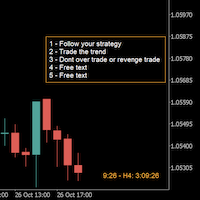
A good trader is a trader that respect his plan and keep the head cool. This indicator allow to display up to 5 lines of text for the things you always to see.
Congifuration 5 lines of text Text font, color, size Frame on/off, color, style, size Position of the text anchored Corners or anywhere on the screen Any questions or comments, send me a direct message here https://www.mql5.com/en/users/mvonline
FREE

QuantView Analytics Pro is An on-chart graphical dashboard that tracks, aggregates, and analyzes your trading history. Calculate Profit Factors, Average Win/Loss, and long/short directional bias splits for every Symbol and Magic Number in your portfolio. Elevate Your Trading Forensics with QuantView Analytics Master You are currently using the free version of QuantView Analytics Pro. If you are a serious algorithmic developer or quantitative trader, it is time to upgrade your risk management wi
FREE
Об эксперте Order Risk Management Эксперт ORM разработан специально для быстрого и точного исполнения ордеров. Он предназначен для использования с нашими перечисленными ниже стратегиями Ценового действия и Эконометрической торговли. Эксперт ORM полностью автоматизирован и прост в применении. Эксперт ORM абсолютно бесплатный. Такой способ исполнения ордеров экспертом ORM подходит для любой иной торговой стратегии. Harmonic Pattern Plus MT5 Harmonic Pattern Scenario Planner MT5 Price breakout Patt
FREE

Это демоверсия продукта Auto StopLoss Defender ,которую вы можете купить на странице - https://www.mql5.com/ru/market/product/33106 Также есть расширенная версия программы Auto StopLoss Premium , в которой выставляется не только stoploss, но и takeprofit - https://www.mql5.com/ru/market/product/33111
Ограничение по демоверсии: Cтоплосс 0.10% для новых ордеров.
Пока Вы торгуете, Auto StopLoss Defender делает всю рутинную работу. "Must have" для скальпинга. А также лучший способ сохранить б
FREE

Candle Timer displays a real-time countdown to the next candle close, directly on your chart. Perfect for traders who need precise timing for entries, exits, or news events — without constantly watching the clock. FEATURES
• Millisecond precision countdown (100ms refresh via EventSetMillisecondTimer)
• Works on all timeframes: M1 through Monthly
• Colour warning system — timer changes colour as the candle nears close → Orange
FREE

(Графики криптовалюты)
Сохраняет все символы из Binance Future в пользовательские символы.
Добавляет префикс «F» к символам в Binance Future.
Он создает инфраструктуру, в которой можно следовать символам Binance Future.
Вы должны разрешить WebRequest в меню Инструменты >> Параметры >> Советники и добавить URL: https://fapi.binance.com
просто дважды щелкните сценарий.
У вас есть весь список за секунды.
смотрите товар по ссылке https://www.mql5.com/ru/market/product/68694
FREE
MetaTrader Маркет - единственный магазин, где можно скачать демоверсию торгового робота и подвергнуть его проверке и даже оптимизации на исторических данных.
Прочитайте описание и отзывы других покупателей на заинтересовавший вас продукт, скачайте его прямо в терминал и узнайте, как протестировать торгового робота перед покупкой. Только у нас вы можете получить представление о программе, не заплатив за неё.

Вы упускаете торговые возможности:
- Бесплатные приложения для трейдинга
- 8 000+ сигналов для копирования
- Экономические новости для анализа финансовых рынков
Регистрация
Вход
Вы принимаете политику сайта и условия использования
Если у вас нет учетной записи, зарегистрируйтесь