 MetaTrader 5
 专家
专家 指标
指标 程序库
程序库 实用工具
实用工具 窗口小部件
窗口小部件 规则
规则MetaTrader 5 交易实用工具 - 26
 以下是可在MetaTrader 5中简化交易的交易程序。将鼠标悬停在一个工具上,阅读它的描述和用途。
Ever thought of your broker stop hunting your stop losses? Incognito SL and TP is exactly what you need! As promised, version 1.1 now has the SL and TP lines that can easily be adjusted by the user. ========================================== INPUTS: SL: Exact price you want the orders for the chart symbol to close when this SL price was hit. Set to 0 for no SL. TP: Exact price you want the orders for the chart symbol to close when this TP price was hit. Set to 0 for no TP. ======================
FREE

Trade in the opposite directions with HedgeTerminal HedgeTerminal is a full-featured trading terminal inside MetaTrader 5. This is a graphic panel resembling MetaTrader 4 terminal. It allows you to track oppositely directed positions in the manner it is possible in MetaTrader 4. In other words, we can open unlimited number of positions on a single symbol even if positions are in complete or partial hedge (lock). Thus, you can maintain long and short positions simultaneously, which is impossible
FREE

Investment Castle Panel — Your Trades, At a Glance
The Panel puts the numbers that matter right on your chart: floating profit and loss, drawdown and more — for manual trades and for any Expert Advisor. A clean, movable dashboard so you always know exactly where you stand.
What it does for you Live P/L on the chart: floating profit/loss for the current symbol, for both buy and sell orders, in your base currency and in pips. Max drawdown at a glance: keep an eye on risk without digging through
FREE

Exaado Capital care If you've been searching for ways to manage Drawdown control, Drawdown Control, Balance protection, or Daily Drawdown Limit related to trading with Prop Firms, FTMO, My Forex Fund, or Funded accounts, then you've come to the right place. Additionally, if you're looking to safeguard your trading account, we can help. Do you struggle with managing your drawdown while trading funded accounts? Our EA is designed specifically for those in your position. Many prop firms have a "Tra
FREE

POTUSCalendar 白宫日程仪表板 - 不要错过影响市场的政治事件 POTUSCalendar 是一款专业的 MetaTrader 5 指标,可直接在您的交易图表上显示美国总统的公开日程。随时了解可能影响金融市场的白宫即将举行的活动,包括新闻发布会、官方声明、旅行计划和公开露面。 该指标自动从白宫官方公开日程获取实时数据,将所有活动时间转换为您的本地时区和经纪商时间,并在优雅、可自定义的面板中显示所有内容。无论您交易外汇、指数、商品还是加密货币,了解重大政治事件对于做出明智的交易决策至关重要。 阅读更多: 完整文档和设置指南 (English) 限时优惠: 前 50 次下载免费!之后,本产品将收费。立即下载以获取您的免费副本。 主要特点 实时白宫日程: 自动从官方来源获取并显示最新的总统活动 自动时区转换: 同时显示 ET(东部时间)、您的本地时间和经纪商服务器时间的活动时间 颜色编码的活动类型: 使用可自定义的彩色徽章立即识别活动重要性(官方日程、新闻发布会、媒体召集、旅行等) 实时倒计时计时器: 通过根据紧急程度改变颜色的动态倒计时准确了解活动何时发生(紧急为红色、临近为橙
FREE

ENGLISH VERSION 'Fibo Shortcut': https://www.mql5.com/en/market/product/163555
U sing keyboard shortcuts to draw Fibonacci levels and rectangles quickly and efficiently. Press F to create a Fibonacci retracement. Click with mouse (2x): -once on the chart to set the starting point and - again to set the ending point. The Fibonacci levels are drawn automatically using the configured ratios, colors, and styles.
Press T to instantly draw a pre defined rectangle at the closest highe
FREE
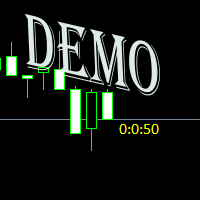
Простая утилита показывающая время до формирования свечи. Может быть очень полезна, если вход в сделку завязан на начале/завершении свечи. Демо версия работает на валюте EURUSD Входные параметры FontColor - Цвет текста. FontSize - Размер текста. FontName - Шрифт текста. TimeOnly - Указывать только время, без дополнительного текста. TypeOfDrawing - Тип отображения информации Важно : возможна задержка в 1 сек.
FREE

Red Hot Volume By ZeeAM Khan Contact for Set files or see the Screen Shots
WhatsApp: Text only +447716409196
Best for XAUUSD on All Brokers
Minimum and Safest Balance is 1100$ at medium Risk Advanced Volume Spread Analysis (VSA) Trading Indicator Red Hot Volume By ZeeAM Khan is a professional Volume Spread Analysis (VSA) indicator designed to identify institutional activity, potential market reversals, stopping volume, climactic volume, and high-probability trading opportunities through advance
FREE

当前符号关闭所有头寸 一个简单可靠的脚本,用于关闭当前符号上的所有头寸。它消除了繁琐的工作并节省宝贵的时间。 优势: 仅关注当前资产: 脚本仅关闭选定符号的交易,不影响其他头寸。 快速且方便: 一次运行即可在几秒钟内关闭所有头寸。 适用于任何策略: 适合处理多个头寸或专注于单一资产的用户。 安全性: 逐一处理头寸并记录错误,确保完全控制。 工作原理: 在您的MetaTrader 5终端中运行脚本。 脚本会自动找到当前符号的所有未结头寸。 一键关闭所有交易,其它资产保持不变。 适合谁使用此工具? 需要快速关闭单一符号头寸的交易者。 使用短期策略并注重效率的用户。 想节省时间并专注于重要决策的人。 我创建的其他工具: 清除 当前 符号 的 所有 止 损 和 止 盈
一个脚本,用于删除选定符号上的所有止损和止盈。 清除 所有 符号 的 所有 止 损 和 止 盈
用于同时删除所有符号上的SL和TP的工具。 StopAndTake
管理止损和止盈水平的基本工具。 当前 资产 平均 成本 (简化 版)
一个经济实惠的解决方案,用于计算当前符号头寸的平均成本。 当前 资产 平均 成本 (高级
FREE

Product Overview The Simple Telegram Copy Trader is a FREE unified Expert Advisor that combines both Master and Slave functionality in a single EA with easy mode switching. This simplified version focuses on OPEN TRADES ONLY , making it perfect for basic copy trading setups without the complexity of advanced features.
Get professional-grade copy trading with complete lifecycle management: Telegram Signal Broadcaster MT5 (Master)
Telegram Signal Subscriber MT5 (Slave) Key Features Unified Des
FREE

Important! Demo version will work only on EURGBP. One Click Trader is a tool designed for MetaTrader 4 platform, which enables you to take your trading to the next level. It enables you to open, manage and close your trades in simple an efficient way by just one click of your mouse button. "-" , "+" change OCT window size Up arrow minimizes the OCT panel Down arrow maximizes the OCT panel Right arrow displays the next panel with additional features Left arrow hides the panel with additiona
FREE

NS Financas Automatic Clear All Chart Indicators Script
Automatically remove all indicators from your chart offered for free by NS Financas! Don't waste any more time deleting the indicators one by one. With this script it is possible in one click to remove all indicators from the screen to adjust your new strategy while still using the settings of your graph, in addition to the possibility of configuring keyboard shortcuts for quick access to the script.
Take the opportunity to visit our cha
FREE

Hi you, I need your help! Be my Patron, let's make it possible!
https://www.patreon.com/joaopeuko https://github.com/Joaopeuko/Mql5-Python-Integration
It works.
*****REVISADO*****DIA 31/12/2019 (dd/mm/yyyy) - EA continua funcionando perfeitamente, apesar do comentário feedback negativo.
Simples Expert Advisory para trades feitos de forma manual.
O EA coloca o Stop Loss (SL) e o Take Profit(TP) de e automática quando o Trade acontece.
O EA trabalha com números inteiros e fracionados, tan
FREE

*Display all text information you need on your charts.*
This will help you on displaying text on the chart, to note everything , for example: strategy.
* BUY SIGNAL
- rule 1 - rule 2 - rule 3 - etc * SELL SIGNAL
- rule 1 - rule 2 - rule 3 - etc
This will remind you to follow the discipline and trading strategy set by you.
The Discipline to Follow Rules is the Mark of a Top Trader
Safety first, then profit will come.
FREE

input double MaxLossLevel = 500.0; // Max Loss Level in account currency input double SafetyBufferMoney = 10.0; // Safe Buffer. In this case Threshold be 500+10 = 510 input int CheckEverySeconds = 2; input bool is_debugged = false; // Print additional messages in the Terminal
It will checks every CheckEverySeconds. If the total Loss of the account Go below Threshold of MaxLossLevel + SafeBufferMoney, then start Heding: for each open Position, open a new reversed Position with
FREE

MAKO Lyra 是一款适用于 MetaTrader 5 的专业回调导航工具。
它的目标是帮助交易者快速判断当前修正是否仍属于主要趋势、回调的深度、市场结构是否保持完整,以及趋势是否开始恢复。
面板提供以下信息:
SYMBOL / TF 当前分析的交易品种和时间周期。
TREND 识别主要结构方向:BULLISH、BEARISH 或 TRANSITION。
PHASE 识别当前市场阶段,帮助区分回调、趋势恢复和过渡状态。
PULLBACK DEPTH 衡量当前修正相对于此前运动的深度。
STRUCTURE 显示支撑当前趋势的市场结构是否仍然完整。
PRESSURE 评估当前市场压力是否与主要趋势方向一致。
VOLATILITY 显示波动率正在扩张、收缩还是保持稳定。
RESUMPTION 评估趋势恢复是否正在形成、已经确认或尚未出现。
GUIDANCE 将多个分析结果整合为简单直观的市场解读。
主要特点: - 支持不同交易品种和时间周期 - 基于 HL2 的市场结构 - 动态回调分析 - 实时可视化面板 - 结构、压力和波动率分析 - 趋势恢复评估 - 清晰
FREE

MAKO Pyxis 是一款用于 MetaTrader 5 的只读行情运动质量分析工具。它针对当前图表的交易品种和周期回答一个实际问题:当前运动是否仍保持质量,还是正在失去效率?
Pyxis 将已确认的市场结构、参与压力、方向动量、波动率行为和路径效率整合到一个紧凑的分析面板中。它不会发送订单,也不会管理持仓。
面板显示内容
- 方向:Bullish、Bearish、Transition 或 Waiting - 运动质量:Strong、Healthy、Weakening、Exhausted、Mixed 或 Waiting - 参与度:Rising、Falling 或 Flat - 动量:Accelerating、Decelerating、Flat 或 Mixed - 波动率:Expanding、Contracting 或 Flat - 效率:百分比以及 High、Moderate 或 Low 分类 - 状态:Powered Move、Healthy Move、Fading Move、Exhaustion Risk、Noisy Move 或 Transition - Guidan
FREE

This script calculates the SQN (System Quality Number) value of your account within a time interval that you will set. Keep in mind that trades with no initial stoploss value won't be calculated because of the nature of the system! The calculations will be made on your current account.
What is SQN? Van K. Tharp proposed a formula for System Quality Number (SQN) that measured strategy performance and could be used as a custom objective for optimizing strategy parameters. The formula was present
FREE

MSMO Lot Pilot 是一款适用于 MetaTrader 5 的交易前手数计算与信息面板工具。它帮助您在手动交易之前回答一个实际问题:在您选择的风险水平下,应该使用多大的交易手数?
设置 Risk Percent、以交易品种点数(points)表示的计划 Stop Loss 距离,以及 Account Base。MSMO Lot Pilot 会根据您的经纪商提供的交易品种规格计算交易手数,并显示最终标准化交易量对应的预估 Actual Risk。
MSMO Lot Pilot 仅用于计算和信息显示。它不会开仓、平仓、修改或管理交易,也不会提供买入或卖出信号。
## 主要功能
- 基于风险的交易手数计算 - Account Base 可选择 Balance、Equity、Lower B/E 或 Higher B/E - 以金额和百分比显示预估 Actual Risk - 显示 Bid、Ask 和 Spread - 根据经纪商提供的 Point、Tick Size、Loss Tick Value 和交易量限制进行计算 - 可选显示 Tick Value、Tick Size
FREE

Stop guessing your performance. Track your wins and losses instantly, directly on your charts! As traders, keeping an accurate, real-time pulse on our psychological and execution performance is key to staying disciplined. DaBhoza Win Rate Tracker is a lightweight, intuitive, and highly visible on-chart utility designed to help you log and monitor your trade outcomes manually with a single click. Whether you are testing a new manual strategy, practicing on a demo account, or keeping track of your
FREE

The Teaching T-INN utility was created to train architecture neural networks (T-INN) Target-IntelNeuroNet adapted to the currency market. The utility file must be placed in the scripts folder and run on the chart and timeframe on which you want to train the neural network. The result of the training will be recorded in a file, and the entire training process is displayed in the console on the chart and an additional log file. Before starting the script, it is necessary to download all the stori
FREE

Quickly clear all open charts in MetaTrader 5 with a single script execution. Ideal for traders who want to reset their workspace before starting a new trading session or analysis. Implementation Notes: This script is designed to operate under strict coding standards ( #property strict ) to ensure reliability and efficiency. No user inputs are required, as it automatically processes all open charts.
FREE

Risk and Position Sizer Pro is a professional risk management and order execution tool designed for traders seeking surgical precision and total control over their trades in MetaTrader 5. The utility eliminates complex manual calculations, allowing you to instantly size lots based on your account balance, risk percentage, or fixed monetary values via an interactive visual panel integrated directly onto the chart. Key Features Automatic Lot Calculation: Determines the optimal lot size based on yo
FREE

The CloseByPercentLossOrProfit Expert Advisor closes all positions as the total profit of loss for the entire account reaches a specified value. The profit or loss is specified as percentage of the account balance. In addition, the Expert Advisor can delete pending orders. Allow AutoTrading before running the Expert Advisor. Instructions: Run the Expert Advisor on the chart. Input parameters: Language of messages displayed (EN, RU, DE, FR, ES) - the language of output messages (English, Russian,
FREE

Close Positions on Candle Close This tool allows you to automatically close positions based on the last candle's closing price, helping confirm trade exits and avoiding unpredictable price movements. How It Works: The EA waits for a candle to close above or below the Stop Loss level before executing a position close. It eliminates the need to manually monitor trades and helps automate exit strategies. Settings: Order_Type: Select the types of orders or positions to be managed. CandleTimeFrame:
FREE
Introduction to Order Risk Management EA ORM EA is specially designed for fast and accurate market order execution to be used with our Price Action and Econometric Trading strategies listed below. ORM EA is fully automatic and ORM EA is also very easy to use. ORM EA is totally free of charge. You can also use this robust order execution feature of this ORM EA for any other your own trading strategy.
Trading Strategy Guide Order Risk Management EA provides the guide for the risk management for y
FREE

Many prop firm traders fail challenges because they lose track of daily drawdown or overall risk. Prop Firm Tracker helps you monitor your challenge directly on the MetaTrader 5 chart. No spreadsheets.
No manual calculations.
Everything updates automatically. Features
Current Balance Current Equity Profit / Loss Challenge Progress (%) Daily Drawdown Daily Drawdown Usage Maximum Drawdown Maximum Drawdown Usage Color Progress Bars Automatic Daily Reset Challenge Status: ACTIVE, PASSED,
FREE

Trade Manager – BreakEven and Global Stop Loss with one click
This Expert Advisor (EA) is designed to help traders manage their positions faster and more efficiently. It comes with two main features, accessible through on-chart buttons:
BreakEven function:
Instantly moves all open trades to the entry price with a single click.
Option to add a configurable margin (e.g., +2 pips) to cover spreads or commissions.
Global Stop Loss function:
Instantly applies the same stop loss level to
FREE

SHINO Trade Manager – Smart Risk Management EA (Auto SL, TP & Trailing Stop + Telegram Alerts) Take full control of your trades and eliminate emotional decision-making with SHINO Trade Manager , a powerful and lightweight Expert Advisor designed to automate your risk management on MetaTrader 5. Whether you are a scalper, day trader, or swing trader, this EA ensures every position is protected and managed with precision — 24/7. Protect Your Capital Automatically Never leave a trade unprotec
FREE

RiskLock MT5 — Professional Drawdown Protection & Emergency Account Lock System RiskLock MT5 is a professional risk management utility designed to protect trading accounts from excessive drawdown and catastrophic loss events.
Main Features Drawdown Percentage Protection
Fixed Monetary Loss Protection
Emergency Account Lockdown
Automatic Position Liquidation
Pending Order Deletion
Optional Close-All-Charts Protection
Real-Time Color Dashboard
Emergency Global Variable Lock
Mult
FREE

FREE! MT5 Trading Manager EA PRO / MT5 Trading Assistant EA PRO: Empowering Traders for Success! Are you ready to revolutionize your MetaTrader 5 trading experience? Our comprehensive trading assistant is meticulously crafted for efficiency, precision, and overall trading prowess. Discover what sets MT5 Trading Assistant EA PRO apart: Key Features: 1. Create Order Tab: Effortless trade execution: Seamlessly place market, pending, or stop orders with our user-friendly interface. Real-time market
FREE

直接在您的 MetaTrader 5 图表上提供简洁、快速的实时盈利因子(Profit Factor)追踪。 告别杂乱的屏幕和笨重、卡顿的仪表盘。InnovaDash 推出的 Simple Profit Factor Tracker 是一款超轻量级的小工具,能够在您最需要的地方为您提供最精确的数据。 为什么要追踪盈利因子? 盈利因子(总盈利 ÷ 总亏损)是衡量交易优势的终极标准。高于 1.0 意味着您的策略在赚钱;低于 1.0 意味着它在烧钱。此小工具可让您即时了解交易系统的真实盈利能力。 InnovaDash 生态系统 此小工具是 InnovaDash 分析引擎的免费示例。想一次性查看所有指标而不让 MT5 图表变得杂乱吗? 访问 innovadash.com 绑定您的账户并解锁完整的仪表盘。同时追踪 50 多项高级指标,按自定义日期范围筛选数据,分析特定交易品种,按注释进行筛选等等。
FREE

Easy Lot Size Calculator Stop calculating lot sizes manually and start trading visually.
Automatic position lot size calculator for MT5 (MT4 also available)
The Easy Lot Size Calculator is the ultimate trade management dashboard. It is designed for traders who need speed, precision, and strict risk management. Whether you are a scalper needing split-second execution or a swing trader demanding exact risk percentages, this EA handles the math so you can focus on the chart. Why Use This Ca
FREE

一 運作方式(如下圖)
在一個單邊向上的行情中, 自動交易工具做以下動作: 當價格來到高點,等待突破訊號在進場。
當價格回調,等待回調結束要往上時在進場。 當進場下單後,
如果一直漲就持續持單,等待價格漲不上去準備下來時,在獲利離場。
但如果一直跌,就等待要上漲時在進場,進場時加倍下單,
一個做底單,動作同上等待獲利離場,
另一個單用做倉位修正,此單和第一張單在盈虧為0時會各自平倉,不造成損失。 Ps:
在一個單邊向下的行情中,動作則相反
二 設定方法(如下圖)
Step1 一開始要自己指定工具的方向.
如果認為會往上走,設定i_tradeup=true, i_tradedown=false,
如果認為會往下走,設定i_tradeup=false, i_tradedown=true,
Step2 指定目標位置和止損位置
如果認為會往上走,i_top輸入目標位置,i_bottom輸入止損位置
如果認為會往下走,i_top輸入止損位置,i_bottom輸入止盈位置
當價格到達目標位置會強制平倉獲利並暫停工具運作
當價格到達止損位置會反向開單鎖倉
FREE

TMU Copier – Copy Receiver Utility for MetaTrader 5 TMU Copier is a professional Copy Receiver Utility for MetaTrader 5 that works exclusively with Trade Manager Ultimate – Risk, Alarms & CopyTrade (Master Utility) . It receives and executes trades published by one or more Master Utilities running on the same Windows computer or VPS , providing fast local synchronization, flexible lot scaling, symbol mapping, and advanced copy controls. This is NOT a standalone utility. It does not generate tra
FREE

Prodesk Panel Pro – Professional Manual Trading Panel for MetaTrader 5
Set stop loss and take profit with the mouse cursor. The same goes for pending orders. Just set where the order will open by moving the mouse to the right position.
Prodesk Panel Pro is the complete and unlimited version of Prodesk Panel, designed for traders who want more speed, control, and precision when executing manual trades on MetaTrader 5. With a modern visual interface directly on the chart, Prodesk Panel Pro allo
FREE

Test Trade Saver Script
Application Type: Script
Application Functions: Saves test results cache file data into text files
About the Application The script extracts trading results from a test system cache file and saves them into text files for further analysis. How to Use Parameters: LOG_LEVEL - Logging level in the Experts terminal section. DEBUG provides the most detailed information, while ERROR gives the minimum. CUSTOM_MAGIC_NUMBER - The system identifier (Magic Number) used to save resu
FREE

NHS Prop Firm Guardian NHS Prop Firm Guardian is a dedicated, single-panel risk monitor and drawdown protection overlay for MetaTrader 5, built around one core idea: watch the account relentlessly, and enforce the limit the moment it's crossed — even if the trader isn't looking . It is a pure risk-monitor companion tool, not an order-entry or trade-management system: it does not place trades, manage stops, or run automation strategies. Its job is tracking Daily drawdown on the current chart symb
FREE

图表链接辅助工具: 该工具充当MetaTrader中打开的图表与主图表上的专家之间的接口。许多多时间框架专家需要此文件与屏幕上的打开图表进行通信。您可以通过在图表上运行该工具,轻松将图表连接到主图表上的专家。 此文件的主要功能是将发生在打开图表上的所有事件发送到主图表上的专家。例如,如果主图表上放置了一个指导线,可能不会将这些指导线的更改反映在主面板中专家的参数上。通过拖放或运行此工具到图表上,您可以将它们连接在一起,确保图表上的更改会传达给主图表上的专家。 该工具还具有调试器和主图表专家的活动状态检查功能。如果与主图表上的专家的连接丢失,该工具将执行以下操作:首先,它会向MetaQuotes ID发送通知,然后通过Telegram提醒交易员,最后在当前图表上显示主面板上的专家已断开的警告。 要运行此专家,您需要在图表上执行或拖放它。在输入部分,您可以输入主图表ID号;如果您输入0,工具将自动处理,并且通常会在屏幕上显示。下一个参数允许您输入将警报发送到Telegram所需的信息。 如果在设置中定义了MetaQuotes ID,通知将发送到该ID
FREE

Spread Monitor Live Real-time Spread Monitoring Tool for MT5 Version: 1.00
Last update: 15.06.2026
Author: Aleksandr Bezverkhikh Description Spread Monitor Live is a lightweight and efficient indicator for MetaTrader 5 that displays the current spread in real time directly on your chart. Perfect for scalpers, day traders, and anyone who needs to keep a close eye on trading conditions. The indicator shows the spread in points with clear color coding, allowing you to instantly s
FREE

Características Principales El bot actúa como una herramienta de supervisión y control automatizado de posiciones abiertas, enfocándose en la gestión dinámica basada en la detección de velas de expansión rápida ( Spikes ). 1. Detección Inteligente de Spikes Identificación Automática: Analiza si el símbolo activo corresponde a un índice Boom o Crash . Filtro de Cuerpo de Vela: Compara el tamaño de las velas recientes con un promedio dinámico (calculado sobre un periodo de referencia) para iden
FREE

ChronoTrader.mq5 — 基于时间的交易管理智能交易系统(EA) ChronoTrader 是一款轻量级但功能强大的 MetaTrader 5 智能交易系统,能够根据特定时间自动管理您的持仓交易。非常适合希望规范操作、每天自动清仓并在条件合适时重新入场的交易者。 功能亮点 定时自动平仓
在您设置的本地时间自动关闭所有持仓,适用于日内交易者或在重大新闻前自动清仓的风险控制策略。 智能自动再入场
在市场价格回到原始入场价附近时,自动重新开仓。帮助保留原始交易意图,避免错过机会或重复进场。 ️ 图表内操作面板
内置图形用户界面(GUI),允许您直接在图表上设置关闭时间、开启时间,并切换是否启用自动再入场,无需修改代码。 通知与日志系统
每一次平仓或再入场操作都会生成终端提示、推送通知,并保存在 .log 文件中,确保操作全程透明可追踪。 自动生成交易报告
以 CSV 文件形式记录每笔交易的详情(交易品种、开仓价、止损/止盈、类型、平仓时间、再入场时间)供后续分析。 ️ 输入参数说明 参数名称 功能描述 InputCloseHour
FREE

Az Order Manager - Free Visual Hook Edition V1.2
The most visual order management panel, now available for free to try.
This is the free version of Az Order Manager Diamond 9.41 (Best Seller).
What is this tool? A professional panel to manage orders with visual lines. You can draw entry, stop loss and take profit lines, move them on the chart and see lot size, risk in $ and reward in real time before executing.
WHAT YOU CAN DO IN THIS FREE VERSION (100% Working):
Visual Lines - Click Pen
FREE

Script for quickly selecting a tool with high correlation. The script is placed on the tool to which you need to select the second correlating one. Then you can change the number of bars to calculate and the timeframe. The script iterates through all available symbols in the market overview and returns the 20 most correlated ones. You can use the selected pairs to trade with THE new SH expert Advisor
FREE

Get Economic Calendar History Script is an economic calendar data downloader. The time of the Economic Calendar is based on your broker's time, so if you are going to use the same calendar history file on different brokers, make sure their times are the same. The economic calendar history is organized as follows:
Time: Date and time of the news.
Importance: Degree of Possible impact of the news on the market.
Currency: Currency.
Country: Country.
Description: Description of the news.
Peri
FREE

What the panel does (similar to Nelogica's ProfitChart/Rating):
Shows real-time bid/ask values for the asset Lot field with - / + buttons, MAX button, and quick shortcuts (0.01 / 0.10 / 1.00 / 5.00) Stop and Target fields in points (editable) Large BUY (green) and SELL (red) market buttons REVERSE position (reverses the current position) and CLOSE ALL (closes everything on the asset) Balance, equity, free margin, and open profit updated every second
Easy customization (at the top of the cod
FREE

Equity Aler t can help you send notifications to your personal Telegram when your account equity reaches/ drops below a preset value. Additionally, you can check your MT4/5 account info anytime from your Telegram by simple command: /check . Get more free useful EAs here !
HOW TO SET UP? * Get inputs for EA: - Telegram Bot Token: Create a Telegram bot by @BotFather , and save your Bot Token. Find your bot by username & press "start". - Telegram User ID: Use your User ID by chatting
FREE

BangkacangFX Gold Trading Panel PRO Professional Manual Trading Panel for MT5 BangkacangFX Gold Trading Panel PRO adalah Expert Advisor (EA) khusus MetaTrader 5 yang dirancang untuk trader manual XAUUSD, Forex, dan Indices yang membutuhkan eksekusi cepat, manajemen posisi lengkap, serta kontrol risiko langsung dari chart. Panel ini menggabungkan fungsi entry, pending order, break-even, trailing stop, partial close, dan monitoring akun dalam satu tampilan yang ringkas dan mudah digunakan. Main Fe
FREE

Local Trade Copier by RWBTradeLab — copy trades between MetaTrader 5 accounts on the same PC, instantly and reliably. One lightweight tool that turns any MT5 account into a Master (signal source) or a Client (copier) — just pick the role in the inputs. Perfect for managing multiple accounts, copying your own strategy across brokers, or running prop-firm and personal accounts side by side. No DLL required · Works across different brokers & account types · One file, both roles ——————————————
FREE

EV Prop Protector is a set-and-forget MT5 utility designed for prop firm traders. Attach it to any chart and it silently monitors your account 24/7, closing all positions and pending orders the instant you breach any configured limit. Every module can be turned ON or OFF independently. DRAWDOWN PROTECTION • Daily loss limit — closes everything when today's equity loss reaches X% • Max drawdown limit — closes everything when total drawdown from starting balance (o
FREE
This indicator monitors the vital constants of your trading account to keep it healthy and away from excessive risks. It monitors all trades, absolute exposure, account floating point and leverage currently in use, using different color codes for your interpretation. [ Installation Guide | Update Guide | Troubleshooting | FAQ | All Products | Get Help ] Amazingly easy to understand The indicator is clean and simple It calculates exposure by pairs and currencies Keep your used leverage cont
FREE
The script ObjChartSample.mql5 illustrates control of chart properties using the classes from the Standard Library .
FREE

RegularExpressionsExamples — is an expert, which contains the graphical interface for running examples from the " RegularExpressions in MQL5 " library. The codes of these examples can be found in the library itself. These examples are for demonstration purposes only. They serve only to evaluate the library operation and its capabilities. They can also be found on the official Microsoft website, in the descriptions of classes in the System.Text.RegularExpressions namespace.
Each example can be
FREE

Are you tired of creating each course notification individually ?
Simply let yourself be permanently notified of the current location of the course. Just set a value once, and the system will subsequently notify you via your smartphone. The system will provide you with the current course, the distance from the set course, and the set course itself. This way, you'll always stay informed without needing to constantly check the market or create manual notifications. Furthermore, the system provide
FREE

Please visit = https://www.mql5.com/en/market/product/181686 for slave EA
MT4 Version = https://www.mql5.com/en/market/product/183101 Free Demo Version = https://c.mql5.com/6/1028/COPYTRADE_DEMO7D.zip User Manual : download here
Professional Copy Trade EA for MT5, NO HASSLE, PLUG and PLAY and CROSS PLATFORM MT4 <---> MT5. A powerful and reliable Copy Trade Expert Advisor designed for traders, signal providers, fund managers, and prop firm users. Easily copy trades between multiple accounts
FREE

Simply deletes all objects from a chart, at once.
Q: Shouldn't I remove the indicator(s) from the chart instead, if I want to get rid of those objects? A: Absolutely. There are rare cases though, when you might end up with residual objects that don't programatically get removed from your chart, due to bugs or some other reason.
Q: Why use this script, when I can press Ctrl+B, list all objects, then manually select and delete each one? A: To save time, really. Maybe you have too many unwanted o
FREE

An EA to export trading history for FXer - Journaling and Analytics. fxer.net Register Create an API token Put EA on any chart (any TF is fine) Fill in the API token Follow analytics for better trading At FXer, our mission is clear: to empower traders like you with the tools needed to excel in the ever-changing world of trading. We are committed to providing top-tier, data-driven market analysis and trading intelligence, ensuring you can make well-informed decisions, manage risks effectively, an
FREE

有没有想过是否有一个交易机器人可以在您确切的进入和退出条件下为您交易。不用担心,Pebble 就在这里!
只需在 RSI 交易面板中设置您的交易参数,然后按“开始交易”就可以了!Pebble 将负责其余的工作。
使用 Pebble 有几个好处:-
从交易中消除人类情感。 全天候活动并搜索您的交易条件。 自动下单并将止损移至盈亏平衡。 不仅可以根据 SL 和 TP 退出头寸,还可以根据 RSI 条件退出头寸。 直接从面板更改 RSI 周期。 在子窗口 1 上放置一条绿线和一条红线,以帮助您分别轻松查看买入和卖出水平。 这是自动化交易的最佳方式,让这个机器人在您睡觉时为您交易!RSI 是专业交易中最广为人知和最受欢迎的指标之一,在较高的时间范围内效果最佳。
FREE

Risk Optimizer is the absolute solution for applying risk management on your account. Bad risk management is the main reason that causes traders to lose money. Risk Optimizer calculates and suggests the correct lot size for each position according to your personal, customized risk profile. You can give directly your preferred risk as percentage (%) for each position or you can trust our algorithms to calculate and optimize according to your risk category selection. But it is not only that! Selec
FREE

Average Price Calculator is an MT5 trade management utility for calculating the volume-weighted average entry price and maintaining a common Take Profit for multiple positions opened on the same symbol and in the same direction. BUY and SELL positions are processed as separate baskets. The utility calculates the average entry price according to the volume of every position and sets a common Take Profit at the specified distance from that average. It can also calculate a suggested additional volu
FREE

This expert advisor can enter and exit trades at specific times and on specific weekdays, expressed in GMT Time. It offers weekday selection, trade management settings, a martingale function and money management features. [ Installation Guide | Update Guide | Troubleshooting | FAQ | All Products | Get Help ] Easy to use and supervise Fully configurable entry and exit times (up to 5 trades)
Enable or disable trading weekdays in inputs
Customizable break-even, stop-loss, take-profit and traili
FREE

Smart Trading Dashboard for MetaTrader 5 Smart Trading Dashboard is a professional multilingual control panel that consolidates all key trading elements into a single convenient interface. No more switching between tabs—all important data and tools are now right in front of you! KEY FEATURES All Data at a Glance Account: Balance, Equity, Margin Level, Free Margin Instrument: Bid, Ask, Spread in points Open Positions: Number of Buy/Sell, Volume in lots, Profit per symbol Total Profit: O
FREE

Discover. Analyze. Get Notified. Master price action trading with PatternVision Pro , an advanced candlestick scanner for MetaTrader 5 that transforms pattern recognition into actionable insights and data-driven analysis. Whether you're studying a single Doji , tracking a 20-candle formation, or monitoring sharp price movements, this tool helps you systematically analyze market behavior with a percentage-based approach and real-time notifications.
Complete Documentation Included Step-by-step
FREE
Minimalist and fully customizable info panel. It works on any chart and timeframe, with 2 - 4 digits brokers and with 3 - 5 digits ones. It can show: Current Spread in pips (1 decimal digit if you are on a 3 - 5 digits broker) ATR (Average True Range) in pips Current Server Time Current GMT Time Important Account Info: Current Leverage and Stop-out Level (%) Time left for the current bar. Very useful on 4 h charts All info labels have a tooltip with the same data Available customizations : Ena
FREE

**Bneu Trade Journal** is a trade analytics and journaling utility for MetaTrader 5. The utility automatically captures trade history, calculates statistics, and displays performance metrics. This free version provides basic analytics for the last 100 trades with CSV export functionality.
**Free Version Features**
**Automatic Trade Capture** - Automatically records closed trades from account history - Filter by magic number to track specific EA trades - Filter by symbol to track specific instr
FREE

input double MaxDailyLoss = 500.0; // Maximum floating loss in account currency input double SafetyBufferMoney = 10.0; // Trigger at MaxDailyLoss - SafetyBufferMoney input int CheckEverySeconds = 2; input bool is_debugged = false; // Print additional messages in the Terminal
input bool is_Closing_All_Positions = false; // if false for each open position, each new reversed position with the same symbol & lot size will be opened.
This EA will then remove itself from the Chart
FREE

Advanced Trade Mirror is a powerful Forex tool designed for traders who need instant, seamless trade replication across multiple terminals on the same machine. With lightning-fast execution, it ensures zero lag in copying trades, maintaining precision and efficiency in high-speed trading environments. Get the Trade Mirror Master here: https://www.mql5.com/en/market/product/133891
Specification:
Master ID: Identity value of master terminal, please use a unique value to prevent duplicated mas
FREE

SmartLotEA – Auto Lot Size Calculator for All Pairs SmartLotEA is a professional-grade MetaTrader 5 Expert Advisor designed to calculate trading lot sizes automatically based on account balance. It helps traders maintain consistent risk control across all trading pairs with minimal configuration. Built for precision and simplicity, SmartLotEA is fully compatible with all symbols — including forex majors, minors, exotics, and synthetic instruments — and adapts its lot sizing logic to your account
FREE

X-STOX Session Matrix Pro puts the market's clock on your chart. Instantly see which trading session is active, when the high-liquidity overlaps hit, and exactly how long until the next session opens or closes — all adjusted automatically to your broker's server time. Built as a single lightweight indicator. No DLLs, no external data, no configuration headaches. — What it does — Session zones on-chart — the Sydney, Tokyo, London and New York sessions are drawn as clean shaded zones so you always
FREE

SimPHash is a free script that automatically generates ultra-fast conversion functions from a string to a value: it can be a simple type (integer, double, ulong, etc.) or an index into your own array or struct when the value you need is more complex. Instead of using a HashMap, a linear array with a search, or an endless chain of if / switch, SimPHash builds a Perfect Hash table at design time: a function that resolves each known key in a handful of arithmetic operations and a single array acces
FREE
MetaTrader市场是独有的自动交易和技术指标商店。
阅读MQL5.community用户备忘更多地了解我们提供给交易者的独特的服务:复制交易信号,自由职业者开发的自定义应用程序,通过支付系统完成的自动付款和MQL5云网络。
