 MetaTrader 5
 Experts
 Indicators
 Libraries
 Utilities
 Widgets
 Rules
Rules
Watch the Market tutorial videos on YouTube
How to buy а trading robot or an indicator
Run your EA on
virtual hosting
virtual hosting
Test аn indicator/trading robot before buying
Want to earn in the Market?
How to present a product for a sell-through
Expert Advisors and Indicators for MetaTrader 5 - 105
 Use trading robots and indicators to make Forex trading more profitable. Trading robots allow you to automate opening and closing deals, while indicators help you predict market behavior more accurately.
The page features the catalog of MetaTrader 5 applications.
Use trading robots and indicators to make Forex trading more profitable. Trading robots allow you to automate opening and closing deals, while indicators help you predict market behavior more accurately.
The page features the catalog of MetaTrader 5 applications. 
Sytem pro neural V3 - The Ultimate Multi-Strategy Trading System
The most advanced and refined version of the DAVITO series, representing years of development and optimization. This is THE version you need to try.
WHY V3 IS THE BEST VERSION YET
- Triple Strategy System: Grid Trading + Breakout Detection + Hybrid Trailing - Integrated MQL5 Economic Calendar: Automatically filters high-impact news events to protect your strategy from volatile spikes during announcements (NFP, FOMC, CP
FREE

by installing this indicator you can create a horizontal line with the click of a button press Q = to create a horizontal line at the location of mouse pointer press W = to delete all existing horizontal lines press E = to delete the horizontal line nearest to your mouse pointer WANT SIMILAR INDICATOR for PRICE ALERT ?? CHECK OUT MY OTHER PRODUCTS https://www.mql5.com/en/market/product/165765
by default the line is blue with dashes and price highlighted on the line, but its fully customizable
FREE

SuperTrend Double Smoothed Overview SuperTrend Double Smoothed is a trend-following indicator for MetaTrader 5 designed to display market direction and dynamic trend levels using a smoothed SuperTrend methodology. The indicator combines a body-based SuperTrend calculation with ATR-based filtering to help reduce sensitivity to short-term market fluctuations. Features • Trend direction visualization • Dynamic trend line display • ATR-based filtering • Trend strength information • Closed-bar calcu
FREE
A comprehensive MT5 trading performance indicator designed to provide real-time analytics of your trading activity on chart.
Key Features: - Dual tracking modes: Chart Symbol or Magic Numbers - Customizable display with toggle options for each metric - Adjustable font size for better visibility - Real-time updates with color-coded results
Performance Metrics: - Total Profit/Loss: Track overall performance - Total Trades: Monitor trading frequency - Win Rate: Measure trading success percentage
FREE

Nexa Gold Relative is a professional Gold trading indicator designed for XAUUSD traders who prefer cleaner and more selective trade signals.
The indicator combines a Gold-focused price calculation engine with RSI confirmation, ATR-based trade zones, candle confirmation, session filtering, signal cooldown, and mobile alerts.
Nexa Gold Relative is built to help traders identify structured BUY and SELL setups directly on the chart, with clear Entry, Stop Loss, and Take Profit areas.
Main Featur
FREE
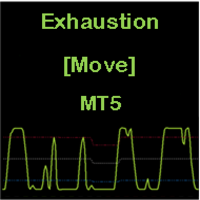
CONSTITUTION Exhaustion [Move] is an indicator consisting of an oscillator and three dynamic levels (upper, middler, lower). The inputs can be used to adjust the oscillator, dynamic levels and warning signals. It is designed for the MT5 platform only. APPLICATION This indicator should be used with a trend filter [e.g. moving averages, MA 200]. It detects the exhaustion of correction movements within a trend, thus giving entry points for new trades. It is usually used in the RENKO chart for SCA

The script tries to determine the overall direction of the market, using smoothed Heiken Ashi candles. The coloring system (using bright and dark colors) is an attempt to detect strong market and weak market conditions. There's also an oscillator within the script
These are the features: Alert condition Features: You can now set alerts in the alert dialog for events like trend switch, trend strengthening and weakening; all for both Bullish and Bearish trend.
I also added the code for custom a
FREE

El Atlantis EA ha sido diseñado específicamente para operar XAUUSD (Oro) en temporalidad H1, enfocándose en la calidad sobre la cantidad. Su lógica operativa combina indicadores clásicos con filtros de tendencia de temporalidad superior (D1/W1) para asegurar entradas con alta probabilidad de éxito bajo un estricto control de riesgo. Características Principales: Estrategia de Precisión: Utiliza un sistema de RSI estricto (35/65) combinado con un sistema de puntuación de tendencia (Score 2/3) p
FREE
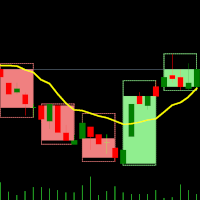
Dual Time Frame Indicator – Candles in Candles Overview The Candles-in-Candles Indicator is a multi-time frame visualization tool designed to enhance market structure analysis by overlaying higher time frame candles onto a lower time frame chart. Instead of switching between time frames, traders can see how smaller candles behave inside larger ones, improving trade precision, trend identification, and price action clarity. Unlike standard multi-time frame indicators, this tool allows users to se
FREE
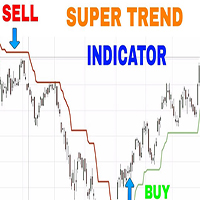
As the name suggests, it indicates the direction of the price movement in a market that is trending, that is following any particular path . It is plotted in stock price charts for investors to see marked current trend which is shown in red when prices have dipped and green when prices have risen.
Input Parameters:
CCI Indicator period ATR Indicator Period CCI Activation level Horizontal Shift of Indicator Bars
Otherwise ; You can use the Default settings

FVG+BOS EA is a smart trading tool that visually highlights Fair Value Gaps (FVG) and Break of Structure (BOS) directly on the chart. It helps traders easily identify potential Points of Interest (POI) for high-probability trade setups. The EA also displays the active market sessions — London, New York, and Tokyo — to help users align trades with key trading hours.
FREE
What It Does This indicator shows up to 5 moving averages from any higher timeframe on your current chart. Instead of switching timeframes to see the bigger picture, you get the trend information in one place. Example: Trading on 1-hour chart while displaying Daily moving averages to see the longer-term trend. Key Features Flexible Configuration Display up to 5 moving averages with individual enable/disable options Choose any higher timeframe as your source (4-hour, Daily, Weekly, Monthly, etc.)
FREE

This EA looks for a divergence signal, which occurs when the price of a financial instrument moves in the opposite direction of the RSI indicator. This divergence can signal that the current trend is losing momentum and a reversal is likely. The EA identifies two types of divergence: Bullish (Positive) Divergence : This occurs when the price makes a new lower low , but the RSI indicator fails to confirm this by making a higher low . This discrepancy suggests that bearish momentum is weakening, a
FREE
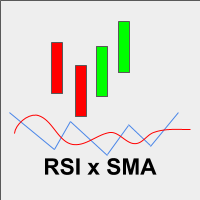
Esse indicador é a combinação do RSI (IFR) com Média Móvel Simples aplicada o RSI em um único indicador para facilitar a criação de alguma estratégia. Fiz esse indicador para que um único indicador contenha os buffer necessários para implementar alguma EA.
Descrição dos Buffers para o EA,
Buffer 0 -> Valor do RSI Buffer 1 -> Valor da média móvel aplicada ao RSI
FREE

Market Sessions HUD Pro turns any chart into a clear, professional session map. See exactly which market is open, how far it has moved, when the next one opens — plus elegant session zones with a fully configurable opening range. Built to look great on any broker and any timeframe, with real Daylight Saving handling so your sessions are always on time. Real-time HUD panel Active session name in its own color, with a live server clock Session progress bar (% elapsed) and countdown to the next
FREE

Ornstein–Uhlenbeck Z-Score Regime Suite Discover not only the deviation, but whether the movement still has enough strength to continue. Two movements can reach the same Z-Score while representing completely different conditions. One may be ready to return to the mean, while the other may be developing persistence and lasting far longer than expected. The suite applies the Ornstein–Uhlenbeck process to the normalized series, combining three essential dimensions: distance, persistence, and revers

Free for now, price is going to be 30 USD at Jan 1. 2025.
Features: Pin Bar Detection : The indicator is designed to identify bullish and bearish pin bars based on specific criteria, including the relative size of the candle’s body and shadow, as well as the position of the candle's body in relation to the 38.2% Fibonacci level. Customizable Labels : Custom text is displayed above each identified bullish or bearish pin bar, such as "[38.2]" for bullish and "[-38.2]" for bearish, helping traders
FREE

Dynamic Trend Follower Main Chart Indicator Deep Analysis: Dual MA Color Change + Cross Markers + Buy/Sell Signals + Trend Reversal + Strong Cross Indicator Overview Dynamic Trend Follower is a premium main chart moving average crossover composite signal indicator designed exclusively for the MT4 、5platform . It breaks through the limitations of traditional single moving averages or simple crossovers by integrating a Dual MA Trend Color Change System , Cross "+" Markers with Spread Percen
FREE
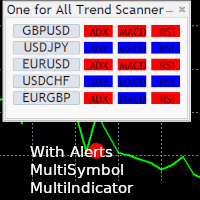
One for All Trend Scanner is a trend following multi-symbol indicator that can be used with any input: forex, stocks, commodities,... The panel shows three indicators and six symbols with the trend for every pair (symbol/indicator): up, down or no trend. The indicators are: Average Directional Movement Index (ADX) Moving Average Convergence Divergence (MACD) Relative Strength Index (RSI) You can choose which indicators will use for entry/exit and can adjust the parameters of each indicator sepa
FREE

FIBONACCI TREND Pro Smart Market Structure + Multi-Timeframe SuperTrend Dashboard The FiboSuper indicator is an advanced trading system designed for MetaTrader 5 that blends three core methodologies of technical analysis: Trend Following (EMA & SuperTrend) , Market Structure (ZigZag & Auto-Fibonacci) , and Multi-Timeframe Confluence (Live Dashboard) . 1. On-Chart Components SuperTrend Line (Blue / Orange Dots): Blue Dots (Up Trend): Indicates a Bullish market environment. Focus s

Google SheetExporter — MT5 ↔ Google Sheets Google SheetExporter automatically exports your full MetaTrader 5 deal history to Google Sheets and keeps it synchronized. Every few minutes, your complete trading history appears in your own spreadsheet: every deal, every position matched from entry to exit, every EA identified by name. WHAT IT DOES • Exports the complete deal history (default: 10 years back) — not just open positions • Re-syncs automatically on a timer (default every 5 minutes), start
FREE
This variant of the ZigZag indicator is recalculated at each tick only at the bars that were not calculated yet and, therefore, it does not overload CPU at all which is different from the standard indicator. Besides, in this indicator drawing of a line is executed exactly in ZIGZAG style and, therefore, the indicator correctly and simultaneously displays two of its extreme points (High and Low) at the same bar!
Depth is a minimum number of bars without the second max
FREE
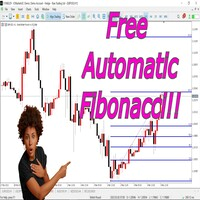
This indicator is an automated version of the Fibonacci retracement (Fib) indicator. Deciding the best areas to use when drawing the fib can be tricky and this indicator was made with that in mind. When you drop it on the chart it will automatically choose the best points to draw the fib with, but in case you aren't satisfied with those regions, you can adjust it as you wish.
FREE

"Five Minute Drive" indicator that is designed to be used in the 5 minute timeframe only. One of its most important advantages is that it shows the general trend in the upper time frames when looking at the 5-minute timeframe. Therefore, when opening positions in the 5 minute timeframe, when it is in line with the trends in the upper timeframes, you are less likely to be upside down. If you can interpret the curvilinear and linear lines drawn by this indicator on the graphic screen with your geo
FREE

TtpPortfolioRiskMaster
is a higher-level portfolio risk controller for MetaTrader 5.
The EA monitors open positions and daily performance and sets trading limits via global variables that can be queried by other EAs as ‘risk gates’.
Functions: Limitation of the maximum open positions in the portfolio, cluster limits (e.g. crypto/index), and a daily lock as soon as a defined loss in R is reached or exceeded (lock until the end of the day, server time).
The EA is designed to be validator-safe
FREE

This indicator shows the direction of the trend and trend change. Ganesha Trend Viewer is a trend indicator designed specifically for gold and can also be used on any financial instrument. The indicator does not redraw. Recommended time frame H1. Ganesha Trend Viewer is perfect for all Meta Trader symbols. (currencies, metals, cryptocurrencies, stocks and indices..)
Parameter setting
MA Short Period ----- Moving Average short period MA Long Period ----- Moving Average long period Alerts ON
FREE

В информационной безопасности атака методом подбора состоит из систематического метода проб и ошибок для обнаружения паролей, учетных данных или криптографических ключей. Вдохновленные этим подходом, мы разработали Brute Force Trend — инструмент анализа рынка, который использует алгоритмы для определения закономерностей и точек разворота.
Основные характеристики:
Множественные методы расчета — девять различных способов обработки цены, что позволяет адаптироваться к различным стилям торговли.
FREE

Hi Traders, Info Panel with PnL Coloring is a compact yet powerful on-chart dashboard for MT5.
It delivers real-time insights into Buy/Sell volume, symbol-based PnL, overall account performance, margin status, and detailed candle metrics.
With dynamic color-coding and a live candle countdown, this panel helps you monitor your essential trading information and market conditions instantly so that you can make decisions with greater clarity and precision. Abbreviations (current candle information)
FREE
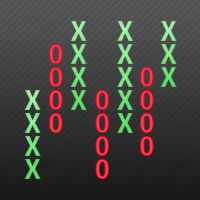
This indicator displays Point & Figure charts (PnF charts) in the indicator window. PnF charts show only price movements that are bigger than the specified box size. It helps to eliminate noise and allows focusing on main trends. Time is not a factor here. Only price movements are taken into account. That is why PnF chart is not synchronized with the main chart it is attached to. More about PnF charts: http://stockcharts.com/school/doku.php?id=chart_school:chart_analysis:pnf_charts Indicator wor
FREE

XAU Seasonality Filter D1 Expert Advisor for MetaTrader 5 — Gold / XAUUSD focus
Version: 1.00 What it is XAU Seasonality Filter D1 is an Expert Advisor for gold on the D1 chart. Seasonality calendar filter participation for daily gold. Built for structured automated participation — not grid , not martingale . Evaluate on your broker and risk profile before any live use. This product is a technical system . Exact thresholds and entry equations remain internal product design and are not published
FREE
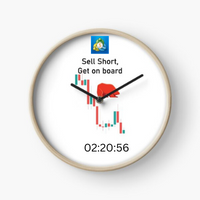
Next Candle Timer Pro displays the remaining time before the current bar closes and a new bar forms. It can be used for time management with trade to wait next moments. Feature Highlights Tracks server time not local time Configurable Text Color and Font Size Optional Visualization of the Symbol Daily Variation Optimized to reduce CPU usage Every time frame will automatic get remain timing. Input Parameters Color as Label Anchor of the label a sort assign Position of timer: true/false Text Font
FREE

PowerTech Fast Open Close PRO High-speed execution utility, asynchronous bulk closing engine, automated risk sizing, and drawdown protection controls engineered natively for MetaTrader 5 (MT5). Built specifically for Prop Firm Challengers, Scalpers, News Traders, and Discretionary Day Traders, PowerTech Fast Open Close PRO eliminates complex order entry windows and emotional trade management. It provides a compact, interactive trading dashboard directly on the chart: automated lot calculation b
FREE

LogVar is an indicator that calculates and displays the logarithmic price variation , a more accurate way to measure percentage changes between periods. It compares the current closing price with the closing price n periods ago (defined by iPeriod ) and presents the result on an amplified logarithmic scale, making it easier to visualize the strength and direction of movement. The line is automatically colored according to the variation sign: Green: current price above the reference (uptrend). R
FREE

Risk Per Trade Manager MT5 is a one-shot, smart execution Expert Advisor (EA) built for traders who prioritize precision risk management . Designed for both beginner and advanced users, it places a single trade per session , automatically calculating the lot size based on your defined stop loss and risk percentage. Optional Take Profit (TP) and Trailing Stop features give you full control over how the trade evolves — from entry to exit. Key Features Risk-Based Lot Calculation
Automatically ca
FREE
The Equity Closer Bot is a custom MetaTrader 5 (MT5) Expert Advisor (EA) designed to help traders manage their account equity levels automatically. It monitors the account's equity in real-time and closes all open trades when the equity reaches user-defined thresholds. This bot is ideal for traders who want to enforce strict risk management rules, protect their account from excessive losses, or lock in profits at specific equity levels. Key Features Dual Equity Thresholds : Below Equity Clos
FREE

NOVA GOLD FUSION RSI + EMA 20 / EMA 100 Gold Signal Indicator for XAUUSD
Nova Gold Fusion is a professional Gold trading indicator designed for XAUUSD traders who want cleaner signals supported by both trend direction and momentum confirmation.
The indicator combines a Gold-focused price calculation engine with EMA 20 / EMA 100 trend filtering, RSI confirmation, ATR-based Entry / Stop Loss / Take Profit zones, candle confirmation, sess
FREE

MTForge Soni EA — Session‑Structure Trading System for MT5 MTForge Soni is a fully automated Expert Advisor built around session‑structured price action , volume confirmation , and trend/reversal filtering . Originally developed and forward‑tested on NQ E‑mini Nasdaq futures , the system has been adapted for forex, metals, indices, energy, and crypto CFDs . Send me message if you want the presets to test. The EA manages the entire trade lifecycle automatically: signal detection, entry timing,
FREE

Expert Advisor Description Market Safe Trend EA is a fully automated trading robot designed to trade Forex and Gold markets using a simple and robust trend-following strategy.
The EA is developed with strict compliance to MQL5 Market rules and is optimized to pass Automatic Validation without errors . This Expert Advisor works on netting accounts , automatically adapts trading volume based on available margin, and applies broker-safe risk controls to ensure stable operation across different
FREE
Force Index indicator with multi-timeframe support, customizable visual signals, and configurable alert system.
Freelance programming services, updates, and other TrueTL products are available on my MQL5 profile .
Feedback and reviews are highly appreciated!
What is Force Index? The Force Index was developed by Alexander Elder and combines price direction, magnitude of price change, and volume to measure the force behind a price movement. It is calculated by multiplying the difference between
FREE

Day Close Hunter Why This Matters Every trader knows the situation: Friday evening, the market is closing, and you forgot to close your positions before the weekend. On Monday, the market opens with a gap, and your deposit takes a loss that could have been avoided. Many automated trading systems do not have a built-in Friday close function. They continue to hold positions over the weekend, leaving you vulnerable to market gaps. Day Close Hunter solves this problem once and for all. Simply set th
FREE

Right-click on the chart - select the timeframe - SELECT H2 Советник: The Snowball Effect Exceeded Time Math Символ: AUDCAD Период: H2 (2026.06.01 - 2026.07.05) Параметры: EA_Name= Exceed Time Math Lot=0.02 EMA_period=40 Grid_TP_pips=5 Snowball_TP_pips=10 Distance_pips=20 TP_pips=5 MagicStart=1024 Multiplier=2.0 Spread_const=4 Max_Theoretical_Risk=500.0 Close_On_Risk_Limit=true Min_Cooldown_Minutes=690 Use_Frequency_Filter=true === Safe Profit Settings ==== InpTargetProfit=500.0 InpSeparateClose
FREE
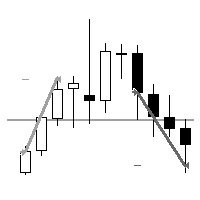
"AV Level EA MT5" is an Expert Advisor for the MetaTrader 5, which is intended exclusively for the german DAX (DE40, GE40, etc.) and is also available as a free version with MinLot to try out.
NEW: More ways to close, third entry.
Strategy:
- Level Trading, DAX M15 (also M5 or M30)
- Entry: Buy level 75, sell level 25
- Exits: TP = 25 (i.e. approx. 00 level) or TP = 50 (buy 75 level, sell 25 level)
- Second entry in the event of a reset, distance e.g. 25 or 50 (it does not take place with
FREE
This indicator combines RSI(14) and ADX(14) to find out the signal that price moves strongly. When it appears signal (represent by the yellow dot), and price is going down, let consider to open a SELL order. Otherwise, let consider to open a BUY order. In this case, the strength of moving is strong (normally after sideway period), so we can set TP by 3 times of SL .
FREE
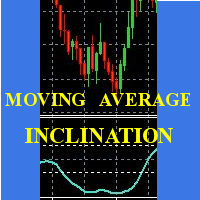
Scalp using the behavior of a short moving average, the indicator gives the slope and identifies the "hyper" moments.
Operational advice:
Use M1 chart. Period 20 : open buy after two rising lows; sell after two max downhill; avoid countertrend openings; when the line goes flat put a stop at the opening price. Avoid actions in low volatility timeslots. When the curve that draws the min / max is very flat, it is better to postpone at least 15'.
Period 50 : matches the trend, when it is at
FREE
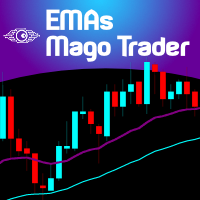
For those traders and students who follow the famous brazilian trader Igor Rodrigues (Mago Trader) here it is his famous 2 EMAs - based on Phi ratios - and packed with a twist: a Filling Area , to easily and visually spot the corresponding trend on the chart. You can turn On and Off this filling. If you don't know Igor Rodrigues and you are a brazilian trader and student, just google for him... Very simple and useful indicator.
If you are looking also for the MACD -based indicator of this trade
FREE
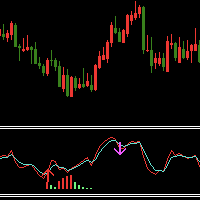
Indicator introduction: The indicator draws wave lines and histograms, It has small price lag, and the signal will not drift. The indicator can send emails, alerts and notifications to you when previous k line has an up arrow and it is under the histogram sections or it has a down arrow. you can choose whether or not to send the two kind of alerts, the alerts repetition times can also be changed. If the indicator appears red and green histograms, this is a buy zone. It can be used to analyze mar
FREE

SMC Trend Matrix FREE (v3.15) — Professional Multi-Timeframe Analytical Hub SMC Trend Matrix FREE is a high-performance analytical tool based on Smart Money Concepts (SMC). It is designed to filter out market noise and identify high-probability institutional supply and demand zones across multiple timeframes simultaneously. Version 3.15 is a massive upgrade from v2.73, focusing on execution speed, UI/UX, and professional market structure analysis.
The Core Algorithm The indicator utilizes
FREE

FX Monitor EA is a free utility that turns your raw MetaTrader account into a fully analyzed, monitored trading record. It reads your account's trading data — balance, equity, open positions, and closed trade history — and sends it securely over HTTPS to your FX Monitor account (fx-monitor.com), where it becomes the foundation for deep performance analytics. Once connected, you can monitor all your accounts online from any device and dig into your trading the way professionals do: profit factor,
FREE

BreakEven Finder – Indicator Description (English) BreakEven Finder is a free and lightweight MetaTrader 5 indicator designed specifically for scalpers and intraday traders . It analyzes your open positions and clearly displays the break-even point on the chart, helping you understand when your trade is nearing zero profit/loss. Key Features: Visually shows the break-even level for each position Automatically calculates the average break-even point for multiple trades Simple and intuitive
FREE
MultiFrame Pivot: A Multi-Timeframe Analysis Tool MultiFrame Pivot is an analysis indicator designed to provide an overview of the market based on Pivot Points across multiple timeframes. The indicator synthesizes information from different timeframes to give you a more comprehensive view of important price levels. KEY FEATURES: Multi-Timeframe Analysis: MultiFrame Pivot allows you to simultaneously monitor the price's status relative to Pivot Points (PP), Support 1 (S1), and Resistance 1 (R1)
FREE

GARCH(1,1) Volatility Estimator This indicator provides a computational implementation of the Generalized Autoregressive Conditional Heteroskedasticity (GARCH) model of order (1,1). It is designed to estimate the current volatility of a financial asset by factoring in both past shocks and previous variance estimates. Unlike standard moving averages, this model accounts for "volatility clustering"—the phenomenon where large price changes tend to be followed by further large changes. It's basicall
FREE
Linear Regression Channel (LRC) Indicator – Overview The Linear Regression Channel (LRC) indicator is a professional tool designed to display dynamic price channels around a regression trendline. It automatically adapts to market conditions, helping traders visualize price movement with clarity. Main Features : Regression-based central line with upper/lower channel boundaries. Fully customizable colors, styles, and levels. Optional labels and forward extensions for better chart visualizati
FREE

Multi currency and multi timeframe scanner. Scans all instruments in "market watch" and gives either pc-alert or push-notification to the phone on a breakout. A breakout is by default defined as when a candle becomes longer than three ATR with a period of 300.
If you have the need for a custom buildt scanner, to scan for your particular setup. Please add a personal jobb under the Freelance section.
Functionality
Has spread filter , to not open stupid mega spread crypto currency charts. Has lo
FREE

The Volume+ and VSA Signals indicator for MT5 is based on the Volume Spread Analysis (VSA) methodology to provide the signals. The signals are displayed at closing of bars on the main window or subwindow in the form of symbols. The symbols are not repainting. The indicator produces a signal on an individual bar and this signal is not buy or sell signal. When a minor trend goes in the opposite direction of a major trend, there are sequences of major trend-following signals that give a higher pro

WANT TO AUTOMATE THESE ZONES? Stop waiting for setups! The Smart SR Levels Sniper EA is now live. It reads these exact indicator zones, filters for high-probability "thin" zones , auto-calculates your risk , and targets the next SR levels for Take Profit . It can even scan all your open charts at once! Stop guessing where the market will turn. Let the volatility tell you. Smart SR Levels Sniper EA https://www.mql5.com/en/market/product/165191
LogicLadder SR Zones
------------------------
FREE

Jireh Fair Value Gap Detector Overview The Jireh Fair Value Gap Detector automatically identifies Bullish and Bearish Fair Value Gaps (FVGs) and draws their imbalance zones directly on the chart. Designed for traders who use Price Action , Smart Money Concepts (SMC) and ICT methodology , the indicator helps identify high-quality imbalance areas through advanced filtering and a clean, fully customizable interface. Main Features Automatic Bullish & Bearish Fair Value Gap Detection Automatic FV
FREE

Hyper DM, Moving Distance from Moving Averages is an indicator that allows you to define the distance in points of the upper and lower bands in relation to the moving average in the middle.
Its operation is simple, it has configuration parameters of the moving average of the middle and based on it and the defined distance parameters of the upper and lower bands, it is plotted in the graph.
FREE

1. The principle of UnbalanceEurUsdAud2 intelligent trading system: The three currency hedge unbalanced arbitrage is the extension and continuation of the triangle arbitrage. As a common arbitrage method, triangle arbitrage has been used by many investors in foreign exchange trading. Triangle arbitrage is based on cross exchange rates, which is the basis of triangle arbitrage. The so-called cross exchange rate refers to the price of a non-US dollar currency expressed by another non-US dollar c
FREE

Sessions and News Panel
An on-chart dashboard that shows the world's trading sessions and the economic
calendar in real time, plus an optional News Guard that can protect your account
around high-impact news.
This is a utility / information panel. It does NOT open trades on its own and it
is NOT a signal system. Its only trading action is the optional News Guard, which
can cancel pending orders and/or close open positions around scheduled news - and
only when you explicitly enable it.
-------
FREE

The initial price is 150 USD, the future price is 250 USD
Smart Neuro Trade Robot - The EA does not use the usual strategies for trading. The EA traps the price, gradually adding it up from orders opened using a safe and profitable strategy. He does not use dangerous strategies like martingale and its varieties. In whatever direction the market moves, the adviser will in any case close a series of orders in plus, because he will open deals in both directions and when he gets a profit he

This is an ordinary MACD indicator displayed in the main window according to the selected chart style, i.e. Bars, Candlesticks or Line. When you switch the chart type, the indicator display also changes. Unfortunately I could not improve the chart type switching speed. After switching, there are delays before the arrival of a new tick.
The indicator parameters Fast EMA period Slow EMA period Signal SMA period Applied price
FREE

Indicador Volume Range Spread O Volume Range Spread é um indicador desenvolvido para analisar a força do mercado por meio da combinação entre volume negociado , amplitude do movimento de preço e spread . Seu objetivo é ajudar o trader a identificar regiões onde há maior participação dos participantes do mercado, possíveis absorções, desequilíbrios, rompimentos e pontos de exaustão. O indicador observa a relação entre o volume acumulado em determinado intervalo de preço ou tempo e o tamanho do ra
FREE

Account Info AS is a powerful information script for MetaTrader 5 that displays complete information about your trading account directly on the chart. The script provides all the necessary data for account analysis, risk management, and trading decision making.
Main Features Complete Financial Information Account Type (Demo/Real/Contest)
Balance, Equity, and Margin
Free Margin in Cash and Percentage
Margin Level
Current Profit/Loss
Risk Management Margin Call and Stop Out Levels
Margin C
FREE

Adaptive Alpha EMA is a next-generation trend indicator that revolutionizes the classic EMA crossover by introducing real-time volatility responsiveness. Unlike traditional EMAs that rely on static periods, Adaptive Alpha EMA measures volatility speed through ATR (Average True Range) and automatically scales the alpha (smoothing factor) of both fast and slow EMAs. The result is an indicator that tightens during low-volatility consolidation and expands during explosive trend moves — delivering e
FREE

Manual trading panel for MetaTrader 5. This tool enables you to open a trade in a single step. You can set the risk and levels directly on the chart and the position size will be calculated automatically. The tool does the following: You simply drag the stop-loss (SL), entry, and take-profit (TP) lines directly onto the chart. The position size is then calculated automatically, based on the specified risk as a percentage of the deposit or in the account currency. If necessary, you can specify a
FREE
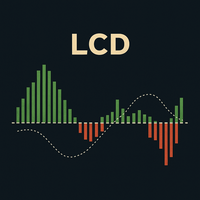
LCD Laguerre Convergence Divergence: An Advanced MACD The LCD Laguerre Convergence Divergence is an advanced technical indicator designed to improve upon the classic MACD, offering faster, more sensitive, and adaptive momentum detection. Its key advantage is the use of Laguerre filters , which react more precisely to price changes than traditional moving averages. Key Advantages Higher Sensitivity & Less Lag: Laguerre filters generate earlier entry and exit signals, which is crucial in volatile
FREE
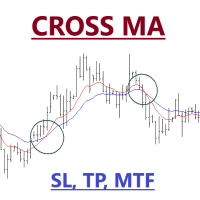
Expert Advisor of Cross two moving averages accompanied by stop loss, take profit and multi timeframes on each moving averages. You can change all the parameters contained in the moving averages
Please use as appropriate, hopefully can be useful and assist you in the transaction Don't forget to give a review if this product helps you
MA Method 0 = simple 1 = exponential 2 = smoothed 3 = LW
FREE

All Averages Cross Signal – 36 MA Types with Built-in Trade Simulator Description: All Averages Cross Signal is a powerful dual moving average crossover indicator featuring 36 different MA calculation methods and a built-in trade simulation engine. Identify golden cross and dead cross signals with any combination of moving averages, then instantly evaluate strategy performance — all without leaving the chart. 36 Moving Average Types in One Indicator Choose from 36 MA methods for both Fast and Sl
FREE

The Supertrend Indicator for MT5 is a powerful trend-following tool designed to help traders identify market direction with precision. Based on the Average True Range (ATR), it dynamically adjusts to price movements, making it suitable for various trading styles, including scalping, day trading, and swing trading.
Key Features: • Accurate Trend Detection – Clearly identifies bullish and bearish trends with a color-coded trend line. • ATR-Based Volatility Adjustment – Adapts to market conditi
FREE
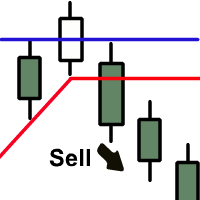
The indicator plots two lines by High and Low prices. The lines comply with certain criteria. The blue line is for buy. The red one is for sell. The entry signal - the bar opens above\below the lines. The indicator works on all currency pairs and time frames It can be used either as a ready-made trading system or as an additional signal for a custom trading strategy. There are no input parameters. Like with any signal indicator, it is very difficult to use the product during flat movements. You
FREE
MetaTrader Market - trading robots and technical indicators for traders are available right in your trading terminal.
The MQL5.community payment system is available to all registered users of the MQL5.com site for transactions on MetaTrader Services. You can deposit and withdraw money using WebMoney, PayPal or a bank card.

You are missing trading opportunities:
- Free trading apps
- Over 8,000 signals for copying
- Economic news for exploring financial markets
Registration
Log in
You agree to website policy and terms of use
If you do not have an account, please register