 MetaTrader 5
 エキスパート
 インディケータ
 ライブラリ
ライブラリ
 ユーティリティ
 ウィジェット
 ルール
ルール
YouTubeにあるマーケットチュートリアルビデオをご覧ください
ロボットや指標を購入する
仮想ホスティングで
EAを実行
EAを実行
ロボットや指標を購入前にテストする
マーケットで収入を得る
販売のためにプロダクトをプレゼンテーションする方法
MetaTrader 5のためのエキスパートアドバイザーとインディケータ - 105
 自動売買ロボットとインジケータを使用して、外国為替取引の収益性を高めます。 自動売買ロボットを使用すると、取引の開始と終了を自動化でき、インジケータは市場の行動をより正確に予測するのに役立ちます。
このページには、MetaTrader5アプリケーションのカタログが掲載されています。
自動売買ロボットとインジケータを使用して、外国為替取引の収益性を高めます。 自動売買ロボットを使用すると、取引の開始と終了を自動化でき、インジケータは市場の行動をより正確に予測するのに役立ちます。
このページには、MetaTrader5アプリケーションのカタログが掲載されています。 
Market Time Watch A clean, lightweight and essential time-tracking tool for every trader Market Time Watch is a professional on-chart time display designed for traders who need an accurate real-time clock and precise candle timing while analyzing the markets. This tool helps you instantly see current local time , server time , and candle countdown directly on your chart without any clutter or heavy UI components. Whether you scalp fast markets, swing-trade sessions, or simply need a clean time r
FREE

本EAは、RSIとトレンドフィルターを組み合わせたシンプルなスキャルピング戦略です。 主にロンドン時間およびニューヨーク時間にエントリーし、相場の流れに沿ったトレードを行います。過度なリスクを取らず、安定したパフォーマンスを重視した設計となっています。 特徴
・低ドローダウンを重視した設計
・シンプルで再現性のあるロジック
・短期売買(スキャルピング)に対応
・リスク設定の変更が可能
・特定の時間帯に絞った効率的なエントリー ロジック概要
RSIによる過熱感の判断と、移動平均によるトレンド方向の確認を組み合わせています。トレンド方向に沿った押し目・戻りのポイントを狙い、短期で利益確定を行う構造です。 バックテスト結果(参考)
・プロフィットファクター:約1.29
・最大ドローダウン:約0.46%
・総取引回数:3800回以上 ※上記は特定条件でのテスト結果であり、将来の利益を保証するものではありません。 推奨設定
・通貨ペア:EURUSD
・時間足:M5
・リスク:0.1%(デフォルト設定) 注意事項
・ブローカーの仕様(スプレッド、約定力、ストップレベル等)によっ
FREE
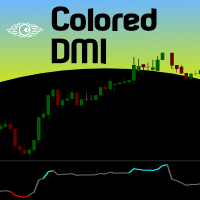
If you are (or were) a fan of the RSI indicator will love Tushar Chande's Dynamic Momentum Index indicator, that simply put is a dynamic variable lenght RSI, so it is more powerful. The DMI indicator internally uses a variable number of bars in its calculations, taking into consideration the volatility levels of the current market you are analyzing. This way, the DMI indicator will use more bars as volatility decreases and less bars when volatility increases, giving you a more powerfull analysis
FREE
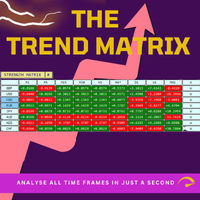
Trend Teller は、すべての主要通貨ペアと全時間足(M1 から MN1)にわたる市場トレンドを一目で把握できる、パワフルで直感的なダッシュボードツールです。
トレーダーによって、トレーダーのために作られたこのツールは、トレンド分析の迷いを排除し、市場の全体像に沿ったトレードを可能にします。 初心者トレーダーの多くが市場の方向性を判断するのに苦労しており、実はプロトレーダーでさえも見誤ることがあります。 だからこそ、Trend Teller はすべてのレベルのトレーダーに最適です。 主な機能: マルチタイムフレーム分析
全時間足にわたって、主要通貨ペアのトレンドの強さと方向性を瞬時にスキャン。スキャルピングからスイングトレードまで、あらゆるスタイルに対応。 カスタマイズ可能な表示
情報が多すぎる?問題ありません。値のみの表示、色付きシグナル、特定の時間足の非表示など、自由に調整可能。 通知機能付き
ずっと画面を見ている必要はありません! 強いトレンドやトレードアイデアが出現したときに通知を受け取り、最適なタイミングで行動できます。 初心者にもプロにも最適
トレンドの方向性を知る
FREE

What is Cipher PRO? It is not a mere "signal" tool. It is a market decoder that identifies Price DNA (strength and volatility). It provides "The North" (context), helping you understand where the price is and where it is likely to head. Visual Identification: Cyan Square: Buy signal. Indicates price DNA has shifted bullish with real momentum. Pink/Magenta Square: Sell signal. Indicates price DNA has shifted bearish with real momentum. Dotted Blue Lines: Your North . The top one is Resistance (ce
FREE

ATR Master EA is a sophisticated, fully automated trend-following Expert Advisor designed for traders who want to capture significant market moves while maintaining strict risk control. This professional-grade trading system combines the reliability of Moving Average trend confirmation with the precision of ATR (Average True Range) based entries and dynamic position management. =================== DM me for Set file ================
This is our official communication channel for all Forex Trad
FREE

Hello traders!
Meet Gold Vanguard , the next-generation Expert Advisor designed for precision trading on XAUUSD .
Built by Elite Trading Systems (2025) , it combines multi-strategy intelligence , adaptive risk control , and ATR-based dynamic SL/TP to master gold’s volatility. No more random trades — Gold Vanguard integrates four proven algorithms (Soros Macro, PTJ Reversal, Simons Pattern, and LW Breakout) working together in one AI-driven engine.
The result? Consistent, optim

News EA は、MetaTrader 5向けのプロフェッショナルな高速ニューストレード用エキスパートアドバイザーです。主要な経済指標発表時に発生する高ボラティリティ市場でのスキャルピング向けに最適化されており、Forex、ゴールド(XAUUSD)、インデックスなどの取引に対応しています。 EAは予定された経済イベントの前にBuy StopおよびSell Stopの両方の予約注文を自動的に設定し、手動操作なしで市場の動きによって適切な方向の取引を開始します。 重要:このEAは、影響度の高い経済ニュース発表時の実際の市場環境で使用することを目的として設計されています。MetaTrader 5のストラテジーテスターはニュース取引を正確に再現することができません。これは、スプレッド拡大、スリッページ、約定遅延、流動性の変化、ブローカー固有の注文執行条件など、実際の市場環境を再現できないためです。そのため、EAをリアル口座で使用する前に、必ずブローカーのデモ口座でテストを行ってください。 以下のような主要な経済イベントの取引に適しています: Non-Farm Payrolls(NFP・米国雇
The Candle Countdown Timer for MetaTrader 4 (also available for MT5) is a vital indicator designed to help you manage your trading time effectively. It keeps you updated about market open and close times by displaying the remaining time before the current candle closes and a new one forms. This powerful tool enables you to make well-informed trading decisions. Key Features: Asia Range: Comes with an option to extend the range. Broker Time, New York, London Time: Displays the current broker time
FREE

Global Exchange Sessions Global Exchange Sessions is an MQL5 indicator that marks the regular trading hours of the world’s main stock exchanges directly on your chart. Each session is shown as a colored rectangle. The rectangle starts at the official market open and ends at the official market close. Its upper and lower edges follow the session high and low as new prices arrive. This makes it easy to see when major equity markets are active, where each session formed its range, and how price rea
FREE

Spread Arbitrage Line คืออะไร อินดิเคเตอร์ตัวนี้เป็นเครื่องมือสำหรับดู ส่วนต่างราคา (Spread) ระหว่าง สินทรัพย์ที่เปิดกราฟอยู่
กับ สินทรัพย์อีกตัวที่เราเลือก พูดง่าย ๆ คือช่วยให้เห็นว่า
ตอนนี้ราคาของ 2 สินทรัพย์ “ห่างกันมากหรือน้อย” กว่าปกติหรือไม่ เหมาะกับคนที่ดูคู่สัมพันธ์ของราคา เช่น Pair Trading Spread Trading Arbitrage แนวสถิติ การหาจังหวะที่ราคาสองตัวเบี่ยงออกจากกันมากเกินไป อินดิเคเตอร์นี้ดูอะไรได้บ้าง ตัวอินดิเคเตอร์จะมี 3 ส่วนหลัก 1) เส้น Spread เป็นเส้นหลักของอินดิเคเตอร์
แสดงค่าความต่า

オールインワン トレーディングダッシュボード プロ MT5 | ニュース、ヒートマップ、スキャナー、SMCツール、キャンドルタイマー オールインワン トレーディングダッシュボード プロは、複数の必須機能を1つのシンプルで効率的なダッシュボードに統合した、強力なMT5取引ツールです。複数のインジケーターを使用する代わりに、このツールを使えば、チャート上で必要な機能をすべて直接利用できます。
迅速な意思決定、より優れた市場認識、そしてよりプロフェッショナルな取引環境を求めるトレーダーのために開発されました。
このダッシュボードは、XAUUSD(金)、FXペア、指数、仮想通貨の取引に特に便利で、あらゆる取引スタイルに対応する汎用性の高いソリューションです。
主要機能 キャンドルタイマー (MT5)
現在のキャンドルのリアルタイムカウントダウン
正確なエントリーとエグジットに役立ちます
全時間枠に対応
マルチ時間枠分析ツール
現在のチャートと並行して、より長い時間枠を表示
トレンドの確認と合流に役立ちます
取引セッションインジケーター
東京、ロンドン、ニューヨークのセッ

Aegis QuadFlow AI Trader Aegis QuadFlow AI Trader は、MetaTrader 5 向けの半自動エキスパートアドバイザーです。マルチタイムフレーム市場分析、手動注文実行、自動ポジション管理、グリッドバスケット管理を、1つのプロフェッショナルな取引インターフェースに統合しています。 本EAは、ルールベースの集中型AIエンジンを使用して、複数の時間足で10種類のテクニカル要素を分析し、以下の5段階の推奨判断を生成します。 待機 売り 強い売り 買い 強い買い 10インジケーターAIエンジン 分析エンジンは、以下の10種類のテクニカル要素を継続的に評価します。 流動性スイープ — LS
過去の市場高値および安値付近で発生する可能性のある、強気・弱気の流動性スイープを検出します。 アンカードVWAP — AVW
アンカー指定された出来高加重平均価格に対する現在価格の位置を評価します。 ボリュームプロファイル — VP
選択した過去の範囲内で出来高分布とPoint of Controlを計算します。 オーダーフロー圧力 — OF
ローソク足の

Smart Recovery AI Multi Level MT5 は、インテリジェントなエントリーロジック、適応型市場フィルタリング、構造化されたマルチレベル回復を 1 つの強力なエキスパートアドバイザーに統合するために設計された、MetaTrader 5 用の次世代自動取引システムです。実際の取引条件向けに構築され、この EA はランダムな取引実行ではなく、精密なエントリー、制御された回復動作、およびバスケットベースの利益管理を優先します。 コア戦略ロジック Smart Recovery AI Multi Level MT5 は、方向性と回復のハイブリッドシステムとして動作します: 複数の確認フィルターを使用して有効な市場機会を検出 確認された方向性バイアスに基づいて初期取引を開設 価格がポジションに反して移動した場合、制御された回復レベルを活性化 調整された出場管理のためにすべての取引を統一されたバスケットとして管理 ドルで定義された利益目標に達した際にバスケット全体をクローズ このアプローチは加重エントリーの優位性を生み出し、価格が安定した際に効率的に退出できるようにしながら

Pulsar Terminal は、 Astralys LLC の商標である Pulsar Technologies の製品です。
Pulsar TerminalはMetaTrader 5用のユーティリティアドオンです。 Expert Advisor を介してMetaTrader 5アカウントに接続される コンパニオンアプリケーション 内の実行ツールと組み合わされた ビジュアルインターフェース です。標準的なMT5パネルよりも高度なビジュアルインターフェースとワークフローを提供し、ツールの機能を最大化するためにコンパニオンアプリケーションを使用しています。Pulsar Terminalはスタンドアロンアプリケーションではなく、動作にはMetaTrader 5が必要です。EAはPulsar Terminalコンパニオンアプリケーションと localhost経由のみ で通信します。コンパニオンアプリケーションのインストーラーは、インストールガイド(MQL5ブログ記事)を通じて購入者に提供されます。
インターフェースでは注文の実行、リスク管理、取引統計の閲覧、そしてMetaTrader

Discover mrKrabsGold – Kelly MultiTP , your ultra-optimized scalping EA designed to maximize profits while controlling risk: Key Features: Scalping & Hedging Strategy: Detects and exploits quick trend reversals with automatic hedging to limit drawdowns. Dynamic Kelly Sizing: Allocates optimal position size based on your past performance using an adjustable Kelly factor. Multi-Take Profit Tiers: Lock in gains in stages (50%, 33%, then the balance) as the move unfolds. Adaptive
FREE

ATX Meridian Drift — Mean-Reversion Expert Advisor for EUR/USD (M15)
OVERVIEW
ATX Meridian Drift is a mean-reversion Expert Advisor engineered for the EUR/USD pair on the M15 timeframe. It is built on a single, disciplined premise: in the absence of a dominant trend, price tends to oscillate around its statistical mean, and structured entries at the extremes of that oscillation — rigorously filtered to exclude trending conditions — offer a rules-based way to participate in that behaviour.
Th
FREE
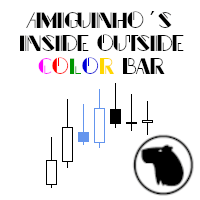
A simple price action indicator to highlight inside and outside bars (candles) with colors. It is possible to choose what type of bar can be highlighted among: inside, ouside or both. It is can be possible to choose a first specific color for the shadow and the border of bars (candles), a second specific color for high/bull bar (candle) and a third specific color for down/bear bar (candle)
FREE

This is the Phoenix Institutional SMC Dashboard (Emerald-Teal Edition). It is engineered to provide retail traders with the same "Volume-at-Price" clarity used by institutional desks. Below is a full breakdown of the benefits, the high-confluence logic for entries, and how to manage your trades using the current visual engine. Strategic Benefits to the User Sentiment over Price: Most indicators only look at where the price is. This dashboard tells you how much effort (Volume Delta) was required
FREE

This is a simple Orderblock alert indicator. it alerts you once it spots a bullish or bearish OB. what you choose to do with the alert, is left to you. Feel free to test on demo before use. (I'll be working on a combo i.e this and an EA working side by side, anticipate) Bullish OB has a light blue color and bearish has a light red color (rectangle box drawn on chart). Please trade wisely and don't forget to leave a positive review. thanks More blues to you, and Happy Trading!
FREE
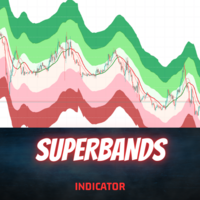
Introduction
The SuperBands Indicator is a sophisticated technical analysis tool designed to provide traders with a clear visual representation of price movements within well-defined bands. This indicator is specifically engineered to filter out minor price fluctuations and market noise, offering traders a more accurate and reliable view of price trends and potential reversal points.
Signal
Buy when price breaks below the "Extremely oversold" band (darker red color) and then closes abo
FREE

Описание стратегии:
Набор торгуемых валютных пар: GBPUSD, GBPAUD, GBPCAD, GBPJPY, EURUSD, EURGBP, EURAUD, EURCAD, EURJPY, AUDUSD, AUDNZD, AUDCAD, AUDJPY, NZDUSD, NZDCAD, USDCAD, USDJPY
В момент открытия рынка после выходных, определяется на каких парах из списка цена прошла от открытия до закрытия недельной свечи более 2000 пунктов и открываем позицию в противоход недельному движению с целью забрать откат в 500 пунктов. Стоп не ставится.
Если цена пошла против позиции, то через каждые 200
FREE

PRB Prime Range Breakout Professional MetaTrader 5 向けプロフェッショナル・ブレイクアウト取引および統計分析プラットフォーム PRB は、自動ブレイクアウト執行、高度なリスク管理、統計分析を1つのプロフェッショナルな取引プラットフォームに統合しています。 本システムは、取引ロジックを安定させたまま、過去のパフォーマンスを評価し、客観的なデータに基づいてポジションサイズを判断できるよう設計されています。 戦略そのものを頻繁に変更するのではなく、PRB は各セットアップが大規模かつ代表性のあるデータの中でどのように機能したかを分析します。執行ロジックは維持され、ユーザーは統計的根拠に応じてエクスポージャーを調整できます。 プロフェッショナル取引エンジン PRB は以下を自動で実行します。 Prime Range の検出 確認済みブレイクアウト機会の識別 最終 Stop Loss 距離に基づくロット計算 Stop Loss と Take Profit の管理 Break-even と Trailing Stop 口座保護ルールの適用 ブローカ
マルチタイムフレーム対応、カスタマイズ可能なビジュアルシグナル、設定可能なアラートシステムを備えたボリューム(Volume)インジケーター。
フリーランスプログラミングサービス、アップデート、その他のTrueTL製品は私の MQL5プロフィール でご覧いただけます。
フィードバックとレビューを大変お待ちしております!
ボリュームとは? ボリュームはテクニカル分析において最も基本的な指標の一つです。特定のバーまたは期間中に取引されたコントラクト、株式、またはロットの総数を表します。MetaTraderではデフォルトでティックボリュームが使用されます — 各バー内の価格ティックの数をカウントするもので、ほとんどの市場において実際の取引量と密接に相関しています。 ボリュームは価格方向を示しません — 市場の活動と参加度を測定します。ボリュームの増加は価格動向の強さを確認し、低ボリュームは弱いまたは持続不可能なトレンドを示す可能性があります。トレーダーはボリュームを使用してブレイクアウトを検証し(高ボリュームのブレイクアウトはより信頼性が高い)、トレンドの枯渇を識別し(価格とボリュームの
FREE

• Please test the product in the Strategy Tester before purchasing to understand how it works.
• If you face any issues, contact me via private message—I’m always available to help.
• After purchase, send me a screenshot of your order to receive a FREE EA as a gift. Aroon Cross Signal Grid EA Trade smarter with the power of trend detection and intelligent grid recovery. Aroon Cross Signal Grid EA is an advanced automated trading system that combines the proven accuracy of the Aroon Indicato

M5 H1 24H Analyzer — Free MT5 Indicator M5 H1 24H Analyzer is a lightweight and easy-to-use MT5 indicator designed to analyze the recent 24 hours of H1 candle direction based on the current running M5 candle time . The indicator automatically uses the current M5 candle as the reference time and displays the corresponding H1 candle results from the previous 24 hours. Key Features ️ Automatic M5 Reference Time 24-Hour H1 Candle Analysis BUY / SELL / DOJI Detection Automatic Up
FREE
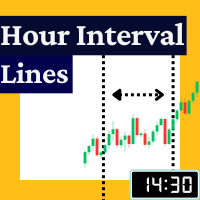
The Rayol Code Hour Interval Lines indicator was designed to assist your trading experience. It draws the range of hours chosen by the user directly on the chart, so that it enables traders to visualize price movements during their preferred trading hours, providing traders a more comprehensive view of price movements and market dynamics. This indicator allows the user to choose not only the Broker's time, but also the Local time. This way, the user no longer needs to calculate local time in
FREE

Never Miss a Candle Close Again!
By default, MetaTrader 5 does not show the remaining time for a candle to close. For scalpers, day traders, and price-action traders, knowing exactly when a candle finishes is crucial for accurate entries and exits.
This lightweight, highly optimized Custom Indicator solves that problem by placing a sleek, real-time countdown timer directly on your chart.
Key Features:
* ️ Real-Time Precision: Displays the exact time remaining (Hours:Minutes:Seconds)
FREE
GLEBシリーズ、バージョン1.0。分棒用の簡単なスライダープログラム。 アクティブな取引時間を含む多くの設定。 ベイディールに基づいて、セルディールを接続できます。 説明: 1.ストラテジースイッチ:キー「スピード」(オン/オフ) 2.トレンドコントロール:シャドウコントロール(オン/オフ) 3.バーのトレンドコントロールの深さ:Shdwcntrlのシャドウハイ 4.スプレッドコントロール:スプレッドコントロール(オン/オフ) 5.スプレッドリミッター:ボリュームスプレッドコントロール(ポイント) 6.ストップロスの自動計算:自動計算SLおよびTP(オン/オフ) 7.ストップロス範囲を自動的に縮小:ストップロス範囲を縮小(オン/オフ) 8.ストップロス低減率:低減率SL(1-max、1.5、2、... low) 9.タイク利益削減率:削減率TP(1-max、1.5、2、... low) 10. taik利益の自動追求:AUTO継続取引(オン/オフ) 11.ストップロスがトリガーされたときにセールを開始します:SLロス-売り(オン/オフ)
取引システムは開発中です。フィードバックを残
FREE
Pip Movement Alert MT5で市場のモメンタムを先取りしましょう。この多通貨対応の汎用インジケーターは、複数のシンボルにおける正確なピップの動きを追跡し、トレーダーにアラートを提供するために設計されており、外国為替、株式、暗号通貨、商品取引に最適です。Forex FactoryやRedditのr/Forexなどのトレーディングコミュニティで称賛され、InvestopediaやTradingViewの議論でも急激な市場変動を検出する能力で注目されており、価格の急激な変動を活用しようとするトレーダーにとって必須のツールです。ユーザーは、ピップベースの重要な動き(例:10ピップ単位)を最大95%の信頼性で特定し、リアルタイムアラートを活用してボラティリティの急上昇を捉えることで、取引タイミングが20-30%改善したと報告しています。主な利点には、多通貨モニタリング、カスタマイズ可能なピップ閾値、チャートを常に分析せずに追跡を簡素化する軽量デザインが含まれ、スカルパー、デイトレーダー、スイングトレーダーに最適です。 Pip Movement Alert MT5は、ユーザー定義の
FREE
Next Candle Timer Pro displays the remaining time before the current bar closes and a new bar forms. It can be used for time management with trade to wait next moments. Feature Highlights Tracks server time not local time Configurable Text Color and Font Size Optional Visualization of the Symbol Daily Variation Optimized to reduce CPU usage Every time frame will automatic get remain timing. Input Parameters Color as Label Anchor of the label a sort assign Position of timer: true/false Text Font
FREE

Free. Know where your account stands before you take the next trade. TrueRisk Account Dashboard shows, on the chart, what you made or lost today, this week and this month, in money and in %, and how many trades you won. It adds up what your open trades leave you with if every stop loss is hit, warns you about trades that have no stop at all, and shows how much room is left before your own daily loss limit. It only reads the account: it never opens, changes or closes a trade. MT4 version (free) |
FREE

静的テキスト表示 は、MetaTrader 5用の軽量で使いやすいエキスパートアドバイザー(EA)で、トレーダーにインスピレーションを与え、教育するために、チャート上に直接モチベーションを高めるトレードのヒントを表示します。洗練された中央配置の黒い背景と等幅フォントの白いテキストで、このEAは簡潔で実際的なアドバイスをローテーションするチャンクで提供し、規律あるトレードに集中させます。初心者から経験豊富なトレーダーまで最適で、リスク管理、忍耐、戦略開発といった主要な原則を推進します。 主な機能: 動的ヒント表示 :ユーザーが定義したトレードのヒントを50~60文字の読みやすいチャンクに分割し、数秒ごとにローテーション(期間はカスタマイズ可能)。 プロフェッショナルなデザイン :チャートの中央上部に黒い背景でヒントを表示し、読みやすさと均等なパディングを保証。 レスポンシブな位置調整 :チャートのサイズ変更や切り替え時にテキストと背景の配置を自動調整。 カスタマイズ可能な設定 :フォントサイズ、テキストの色、背景の色、表示期間をお好みに合わせて調整可能。 オン/オフ切り替え :EAを削除
FREE

Turnaround Titan : A dynamic MQL5 expert advisor driven by the ebb and flow of inflation and economic growth. Our strategy centers on the cyclical nature of money, drawing it inexorably toward global powerhouses. We exclusively focus on index trading, with a keen eye on prestigious benchmarks like the S&P500, Nasdaq100, US30, UK100 and DE40. Key Features : Stable Performance : Since the 2008 financial crisis, Turnaround Tuesday has consistently delivered stable results. With an impressive win ra
FREE

InnerPulse EA: A Blend of Precision and Scalability Overview:
InnerPulse EA is a sophisticated Expert Advisor tailored for traders seeking precision and adaptability. Built around the Harami candlestick pattern (both Bullish and Bearish), this EA integrates additional filters such as Moving Average (MA), Stochastic, and RSI to validate market trends and enhance trade accuracy. Key Features: Pattern Recognition:
Detects Bullish and Bearish Harami patterns, ensuring high-probability entries by v
FREE

AutoRiskManage v2.3 — Documentation Expert Advisor — MetaTrader 4 & 5 AutoRisk Manage v2.3 Automated risk management EA with interactive graphical panel. Applies SL/TP, Break Even, Trailing Stop, and lot size calculation by risk percentage — for any instrument, any broker. MT4 / MT5 v2.3.0 MQL4 · MQL5 C2C + B2C Time Space Technology Overview AutoRiskManage is an Expert Advisor that acts as a risk management layer on top of any manually opened position. It does not generate trading signals — i
FREE

KS MA スキャルプシグナル
タイプ:トレンドフォロー/スキャルピング移動平均線インジケーター プラットフォーム:MetaTrader 5
基本コンセプト
このインジケーターは、KS MA(高速かつ滑らかな移動平均線)をベースに構築されています。KS MAは、ラグを最小限に抑えつつ滑らかさを維持するように設計されています。3つの指数移動平均線を独自の方法で組み合わせることで、反応性の高いトレンドラインを生成します。
主な機能
機能説明:KSMAライン:メインプロット - 高速かつ低ラグの移動平均線。スマートカラーリング:方向に応じて色が変化します(緑=上昇、赤=下降)。売買矢印:トレンド転換時に明確な視覚的シグナル。クローズドバーのみシグナル:シグナルはクローズドローソク足でのみ発火します。
FREE

デモ口座はあなたに嘘をついています。 デモ口座では注文は指定した価格ちょうどで約定します。リアル口座ではそうはいきません。指標発表時にはスプレッドが広がり、手数料は積み重なり、スリッページが毎回の取引を少しずつ削っていきます。しかも、これらは MetaTrader の履歴でははっきり見えません。 TravaRisco Real Cost Monitor は、このシンボルの取引に実際いくらかかっているかをチャート上に表示します。 表示内容 1. スプレッド 現在のスプレッド(ポイント、価格、基準ロットでの金額) 平均スプレッド:直近、現在の時間帯、全体 スプレッドが異常に広いときは赤色で表示 2. 1取引あたりのコスト(往復) 平均スプレッドコスト 1取引あたりの手数料(履歴から自動計算、または手動設定) 平均スリッページ:注文価格と約定価格の差を、あなた自身の注文で測定 口座通貨での1取引あたりの合計コスト 「損益ゼロにするだけで価格が有利な方向に X ポイント動く必要があります」 3. 直近 N 日間 取引回数と取引ロット数 手数料、スワップ、その他費用、推定スリッページ コスト控除
FREE

VoltTrade Info — Real-Time Account Statistics Panel for MT5 VoltTrade Info is a comprehensive account monitoring dashboard designed for MetaTrader 5. It displays all critical trading statistics in one clean, dark-themed panel — giving you full visibility of your account performance at a glance. Key Features: Account Overview Real-time Balance, Equity, Deposits, Withdrawals Leverage and account currency display Live date and time Exposure Monitor Buy and Sell lots currently open Net lot position
FREE

EURJPY Ichimoku–TEMA Breakout (H1) is a fully automated MetaTrader 5 strategy designed to capture **confirmed trend breakouts** on EURJPY using an Ichimoku cloud direction filter with rule-based **pending STOP execution** around a TEMA reference level adjusted by volatility. The EA was backtested on **EURJPY on the H1 timeframe** from **January 2, 2015 to August 22, 2025** using a **MetaTrader 5 (hedged)** backtest engine. No parameter setup is required — the system is delivered with optimized
FREE

Basic MA EA — Free Trend-Following Expert Advisor
⸻
Description:
Basic MA EA is a simple and efficient Expert Advisor based on a Moving Average trend-following strategy. It’s designed for traders who want a clean and reliable automated trading solution without complex configurations.
This EA is perfect for beginners, demo testing, and portfolio diversification. It works with any symbol and timeframe.
FREE

Pattern Scanner Dashboard is a high-performance multi-symbol indicator designed to scan your entire Market Watch for two of the most reliable chart setups: Double Bottom and Cup & Handle . Instead of manually checking dozens of charts, this scanner automatically tracks market structure across all your active symbols and alerts you the moment a setup forms or breaks out. Key Features Multi-Symbol Scanning: Automatically scans all instruments in your Market Watch window simultaneously. Dual Patter
FREE

CuanHunter Robot Online License – Auto Trading for XAUUSD & BTCUSD
IMPORTANT! : You have to change The Preset Mode before use Check Website for information and buy license here
Key Features Automatic Trading: Executes BUY/SELL signals based on fast/slow EMA crossovers + ATR. Dual Preset Modes: Choice of XAUUSD (Gold) or BTCUSD (Bitcoin) – parameters are optimized for each, no manual adjustments needed. Auto SL/TP with Broker-Safe Checks: Stop Loss and Take Profit levels are calculated aut
FREE

TAKA Grid EA (EA16): The Sideway King & Prop Firm Shield Are you tired of EAs that get destroyed by choppy, ranging markets? Meet TAKA Grid EA , the ultimate mean-reversion system designed specifically for the AUDNZD cross pair on the M15 timeframe. It doesn't rely on explosive breakouts; it dominates the sideways chop with mathematical precision. ENTER YOUR KEY HERE: [ EA16_99999D_TANINCODER_595559587987 ]
--
MANDATORY: ALLOW WEBREQUEST TO ACTIVATE THE BOT
To verify your License
FREE

Dynamic Candle Countdown
This indicator provides a real-time countdown to the next candle. Unlike standard timers, it positions the label near the current price for better visibility during fast-moving markets. Real-time updates: Uses a 1-second timer event. Dynamic Positioning: Follows the price action automatically. Fully Customizable: Adjust colors, font size, and offsets to suit your chart template. Performance Optimized: Minimal CPU usage.
FREE

Baron Sovereign Trend — High-Performance Gold Algorithm Baron Sovereign Trend is a specialized trend-following tool for XAUUSD (Gold) on the M30 timeframe. This expert advisor is a public version of the elite Baron Sovereign ecosystem, designed to demonstrate the high quality and reliability of DKEKADYROV trading algorithms. Why this version is a must-have: Proven Logic: Uses the core trend-detection engine from our premium systems. 100% Transparency: Fixed risk management (1.2%) for maximum acc
FREE

Get high-conviction Order Block + FVG signals that only fire when structure break, zone, and higher-timeframe bias all line up — not another indicator marking every possible zone. Order Block & FVG Confluence is a price-action indicator for MetaTrader 5 that combines three Smart Money Concepts (SMC) tools into one confirmation-based signal engine: Break of Structure (BOS/CHoCH), Order Blocks, and Fair Value Gaps (FVG). Instead of drawing every possible zone, it waits for a full confluence —

BOT SMILES EA IS MADE OUT OF LOVE AND EMPOWERMENT. ONLY FOR FEW BUYERS THAT IS THE REASON OF THE PRICE . BOT SMILES EA is an aggressive multi-cycle scalper designed for EURUSD M1 . Each cycle is independent. it uses a sequence of orders and has its own TP and SL . It uses a martingale system.
This EA is using strong recurrences of the past to take position and achieve a high success rate . MODELLING :- 1 minute OHLC
INPUTS:- Buy default........... Check Drawdown Then BUY..
FREE
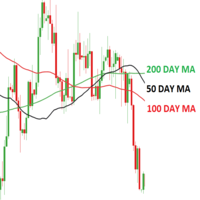
Working with pending orders Buy Stop and Sell Stop. A channel of two indicators iMA (Moving Average, MA).
Input parameters Take Profit - Take Profit; Trailing Stop - trailing; Trailing Step - trailing step; Lots - lot size is set manually (a NECESSARY CONDITION: Risk must be equal to zero!); Risk - lot size is calculated automatically, in risk percents per trade (a NECESSARY CONDITION: "Lots" must be equal to zero!); Difference - offsets from the channel borders; Expert Every Ti
FREE

ATX Volt Pulse — Trend-Pullback Expert Advisor for the US Tech 100 (M15)
OVERVIEW
ATX Volt Pulse is a trend-pullback Expert Advisor engineered for the US Tech 100 index (listed as USTEC, US100 or NAS100 depending on your broker) on the M15 timeframe. It is built on a premise that professional discretionary traders have relied on for decades: the highest-probability entries in a trending market are not at the breakout, but on the controlled pullback that follows — the moment price pauses, retr
FREE

ULTIMATE REBATE HUNTER PRO
"Double Income. One EA." FOR XAUUSD (GOLD): Spike protection built-in Optimized for gold volatility M1 timeframe recommended
ALSO TRADES: Forex: EURUSD, GBPUSD, USDJPY, AUDUSD Indices: US30, NAS100, DE40 Crypto: BTCUSD, ETHUSD
KEY FEATURES: Auto trend/range adaptation Profit lock system ($0.05) Multi-timeframe confirmation Complete risk management
HOW YOU PROFIT: Trading gain

The SyntheticaFX Zones Indicator simplifies the process of identifying key levels in the market where price reversals are likely to occur. By incorporating this tool into their trading strategies, traders can improve their decision-making, enhance risk management, and ultimately increase their chances of success in the financial markets. However, like all technical indicators, it should be used in conjunction with other analysis methods and not relied upon as the sole basis for trading decisions
FREE

Spectar Daily Loss Limiter is a small, free risk utility for MetaTrader 5. It does exactly one thing: it enforces a daily loss limit that you choose.
Many traders know their daily limit but break it after a bad trade. Many prop-firm style evaluations also measure the daily loss from the broker server's midnight and count floating (open) profit and loss, not only closed trades. This tool follows the same logic, so you can see in real time how much room you have left today.
How it works
1. At t
FREE

input group "General Settings" input long MagicNumber = 5000; // Magic number for this EA input bool PrintDebugLogs = false; // Print detailed logs true/false
input group "Risk Settings" input double IndexMaxDrawdownInPercentage = 0.45; // 0.45 means 45 percent input double MaxLossLevel = 95000.00; // Maximum loss level in account currency
input group "Grid Settings" input long MinDistance = 3500; // Distance to open the next order (points) input double MinDistanceMultip
FREE

Spacing Audit measures the grid spacing your EA REALLY uses, from its own closed trades, not from its inputs and not from the gaps between open layers. Why: I spent a week believing my grid used ATR-based spacing because UseATR was true. It did not. Every pair sat on the minimum-spacing floor, 2.8x to 5.1x tighter than intended, and the book kept clogging. The inputs said one thing; 1,120 closed trades said another. The method: in a grid where each layer carries a take-profit one spacing away fr
FREE

XAUUSD Scalper — No grid. No martingale. Fixed stop loss on every trade.
HOW IT WORKS The EA identifies the prevailing trend and looks for pullback entries in the direction of that trend, using ATR-based stop-loss and take-profit distances. Only one net position is held at a time (netting accounts).
KEY FEATURES - Position sizing based on % account risk per trade (not fixed lots) - Daily loss kill-switch: the EA stops opening new trades once the daily loss limit is reached - Spread filter: no
FREE

このエキスパートアドバイザーは、StochasticオシレータとAwesome Oscillator (AO)を活用して、市場の動きを捉え、取引シグナルを生成します。 主要機能: 複雑な市場環境でも精度の高い分析を行う。 ダイナミックなリスク管理: Lotまたはリスクベースの資金管理オプションにより、各トレードのリスクを自動調整。 柔軟なトレーリングストップ: 利益の保護と損失の最小化を目指した動的なトレーリングストップ設定。 マルチタイムフレーム分析: 様々な市場環境に対応するために、複数の時間足での分析をサポート。 全通貨ペア対応: 特にEUR/USD, GBP/USD, USD/JPYなどの主要通貨ペアに最適化されており、他の多くの通貨ペアでも高性能を発揮。 高回復力: マーケットの急変にも強く、素早くリカバリーする能力を備え、不利な状況でも回復を目指します。 戦略的エントリーとエグジット: 市場の高値と安値を利用した戦略的なポジション開閉。
おすすめ通貨:時間足 EUR/USD, GBP/USD, USD/JPYなどの主要通貨ペアにH1
FREE

Introducing the ZigZag Profile — a powerful tool designed to identify high-probability pivot zones where price action frequently reverses. This indicator analyzes historical price data to pinpoint key areas where price has pivoted multiple times, providing traders with actionable insights into potential support and resistance levels. The ZigZal Profile indicator continuously scans for zones where price has reversed direction the most, highlighting these critical areas on your chart. By focusing
FREE

Free. Set your risk, click Buy or Sell, done. TrueRisk Trade Panel works out the lot size for you. Type how much of your account you want to risk (for example 1%), set the stop loss in points or drag it on the chart, and the BUY and SELL buttons already show the right lot. No lot calculator, no guessing, no trade that risks ten times more than you meant. MT4 version (free) | TrueRisk Trade Manager (auto break-even, partial close, trailing, account guard) | Free 14-day trials of the paid tools |
FREE

The DFG Chart Indicator displays the historical DFG levels used in the DFG dashboard. These levels are generated dynamically using moving averages and Fibonacci ratios. The Fibonacci Bands automatically adjust to reflect changes in the price range and trend direction. The indicator also features buttons for selecting chart symbol and timeframe, along with a wide range of customization options. Key Features Dynamic DFG Levels
Automatically calculated using moving averages and Fibonacci ratios. H
FREE
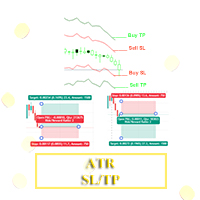
Hello, Traders! I have developed something for traders who uses Average True Range aka ATR value to determine their trade's Stoploss and Takeprofit. With this indicator you can easily set the Takeprofit and Stoploss with the multiplier of your choice.
To use this, kindly adjust the ATR Period to your trading style, then adjust the Stoploss Multiplier and Takeprofit Multiplier accordingly.
Happy Trading. Goodluck and Goodtrading!!!
FREE

This indicator builds a live correlation matrix from the symbols currently selected in Market Watch . It calculates Pearson correlation on simple returns over a user-defined lookback and displays the results in a clean, auto-sized grid. Positive correlations appear in green, negative in red, and near-zero values stay neutral. An optional automatic timeframe scanner cycles through only the timeframes you enable (M1, M5, M15, M30, H1, H4, D1, W1, MN1), updating the entire matrix at a set interval.
FREE

TWAP/VWAP Indicator - a professional technical analysis tool that displays two important moving averages on the chart: TWAP (Time Weighted Average Price) - calculated as a simple arithmetic average of closing prices over the specified period. VWAP (Volume Weighted Average Price) - calculated using the typical price (high+low+close)/3 weighted by trading volume. Key Features: Dual indicator in one window Adjustable calculation period Clear visualization (blue line - TWAP, red line - VWAP) E
FREE

Eddy Candle Pulse — Smart Candle Countdown Timer for MT5 Eddy Candle Pulse is a lightweight and easy-to-use candle countdown indicator designed for MetaTrader 5. It displays the remaining time before the current candlestick closes, helping traders monitor candle timing directly on their trading charts. With a clean and minimalistic interface, Eddy Candle Pulse keeps the countdown visible near the current market price without interfering with candlestick analysis. Whether you trade Forex, Gold (X
FREE

KS Triple EMA — 概要と機能
概要
KS Triple EMAは、MetaTrader 5(MT5)向けに開発された、洗練されたデザインと高いカスタマイズ性を備えたトリプル移動平均インジケーターです。メインチャート上に、最大3本の独立した移動平均線(Fast、Medium、Slow)を表示し、プロフェッショナルな視覚表現と動的なラベル表示を実現しています。
ファイル名は「Tripple」となっていますが、インジケーターの内部名称は「KS ThreeMA」または「KS 3MA」です。 主な機能
機能 | 説明
--- | ---
3つの独立した移動平均線 (MA) | 高速・中速・低速の各ラインに対し、完全に独立した設定が可能
完全なカスタマイズ性 | 各MAごとに期間、計算方法、適用価格、色、スタイル、太さを個別に設定可能
動的な終端ラベル | 各MAラインの終端に、視認性の高いラベルを自動的に配置
有効/無効の切り替え | 各MAごとに表示・非表示を個別にコントロール可能
複数インスタンスの併用 | 同一チャート上で複数のコピーを安全に使用可能(オブジェクト名の
FREE

==================================================================== Kujakuin FX Pro EURUSD M5 - The Ultimate Asymmetric Trend Shield ====================================================================
Tired of dangerous grid or martingale EAs that blow up your account in a single day? Welcome to Kujakuin FX Pro, a professional-grade, single-position trading system built exclusively for EURUSD 5-minute charts.
Designed with a strict "Defense-First" philosophy, this EA is engineered for high
FREE

This MT5 script calculates and displays the total lot sizes traded on your account. This is useful as a quick visual summary for VPS promotions from brokers. The script outputs directly onto the chart. This is broken down by symbol and by three customisable time periods: today this week this month Font sizes can be adjusted The summary will appear in your chart
To update the display after new trades, simply run the script again.
FREE
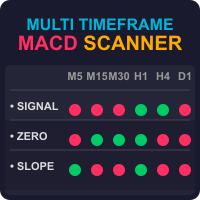
Discover the Power of the Multi Timeframe MACD Scanner for MT5 The MTF MACD Scanner indicator is a practical tool for traders using MetaTrader 5 (MT5). It takes the well-known MACD (Moving Average Convergence Divergence) indicator and turns its data into easy-to-read dashboard and candle colors on your chart. This helps you spot market trends, momentum shifts, and potential reversals without needing to analyze separate MACD lines and switch between timeframes. What Does It Do? This indicator cr

RPMS-IND — Range Probability Multi-Pair Scanner by XBK Systems Overview RPMS-IND is a multi-symbol scanner indicator for MetaTrader 5. Instead of switching between dozens of charts to see what's setting up, RPMS-IND continuously analyzes every symbol you choose — Forex majors and minors, metals, energies, crypto, indices, or literally your broker's entire symbol list — and ranks them in one live panel, refreshed automatically every few seconds. Each symbol is scored on how compressed its range i
FREE
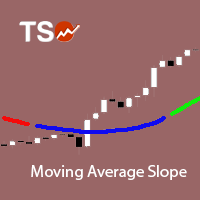
The Moving Average Slope (MAS) subtracts the moving average level n-periods ago from the current moving average level. This way, the trend of the moving average can be drawn on the moving average line.
Features Observe uptrends and downtrends at a glance. The indicator is non-repainting. Returns buffer values for the trend of the moving average to be used as part of an EA. (see below)
Inputs Moving Average Period : The period of the moving average (MA). Slope Period : Number of periods between
FREE
MetaTraderマーケットが取引戦略とテクニカル指標を販売するための最適な場所である理由をご存じですか?宣伝もソフトウェア保護も必要なく、支払いのトラブルもないことです。これらはすべて、MetaTraderマーケットで提供されます。

取引の機会を逃しています。
- 無料取引アプリ
- 8千を超えるシグナルをコピー
- 金融ニュースで金融マーケットを探索