Find My Entry
- 专家
- 版本: 5.0
- 激活: 20

Find My Entry (FME) is a fully automated Expert Advisor built around a quantitative volume-analysis engine that reads how buying and selling pressure is actually distributed across price, not just where price closed. Instead of reacting to a single indicator line, FME continuously reconstructs the internal structure of recent price action — where volume concentrated, where it thinned out, and which side was in control — and uses that read of the market to decide when, and in which direction, a trade is justified. Every decision the EA makes is then backed by a full risk-management and execution layer, and reported live on an on-chart dashboard.
FME works on any liquid symbol and timeframe. It ships with two independent volume-reconstruction engines so you can choose the one that fits your broker's data quality, and every trading rule, filter, and risk parameter is exposed as an input — nothing is hardcoded.
What it does
- Continuously analyzes the volume structure of recent price bars to identify where the market has been building consensus and where it has been rejecting price.
- Converts that analysis into a configurable set of trading triggers — you choose which ones are active and how they combine into a final decision.
- Manages every trade with broker-aware guards: valid stop distances, margin verification, and volume-limit compliance are all checked before an order is ever sent, and automatically re-checked on rejection.
- Runs a multi-condition trailing stop that only moves when the broker will actually accept the modification, eliminating the constant rejected-order noise seen in many off-the-shelf EAs.
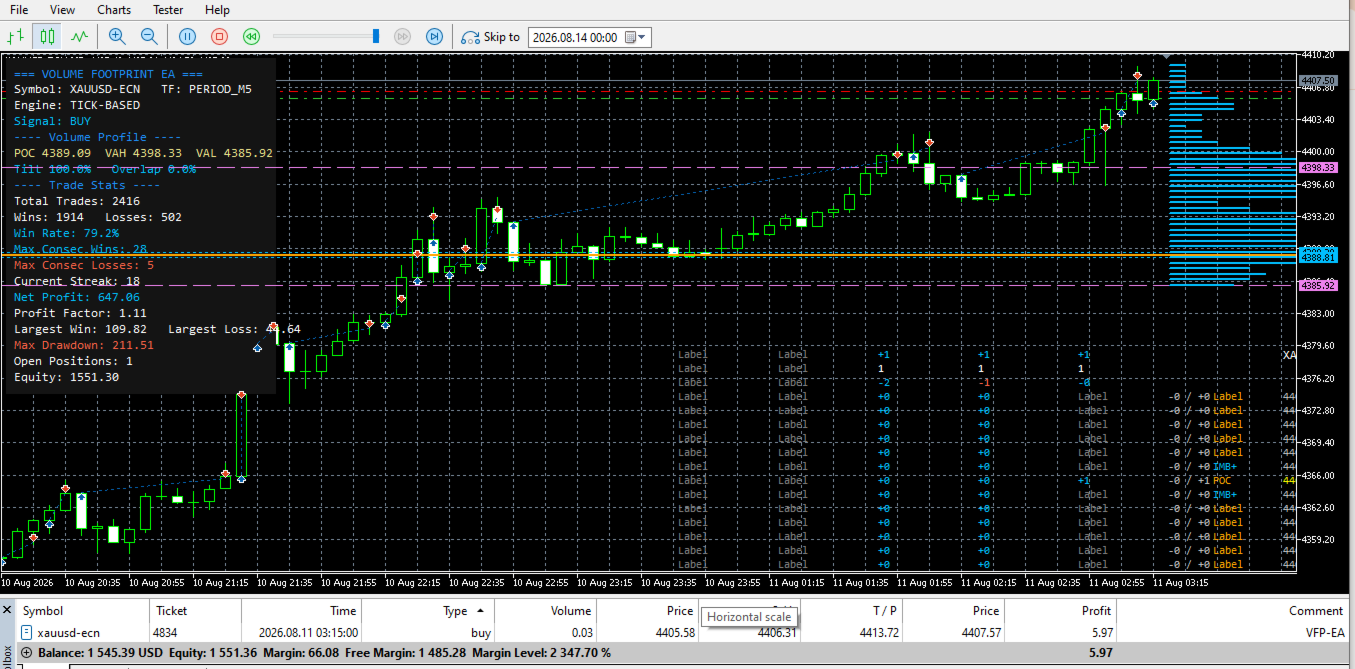
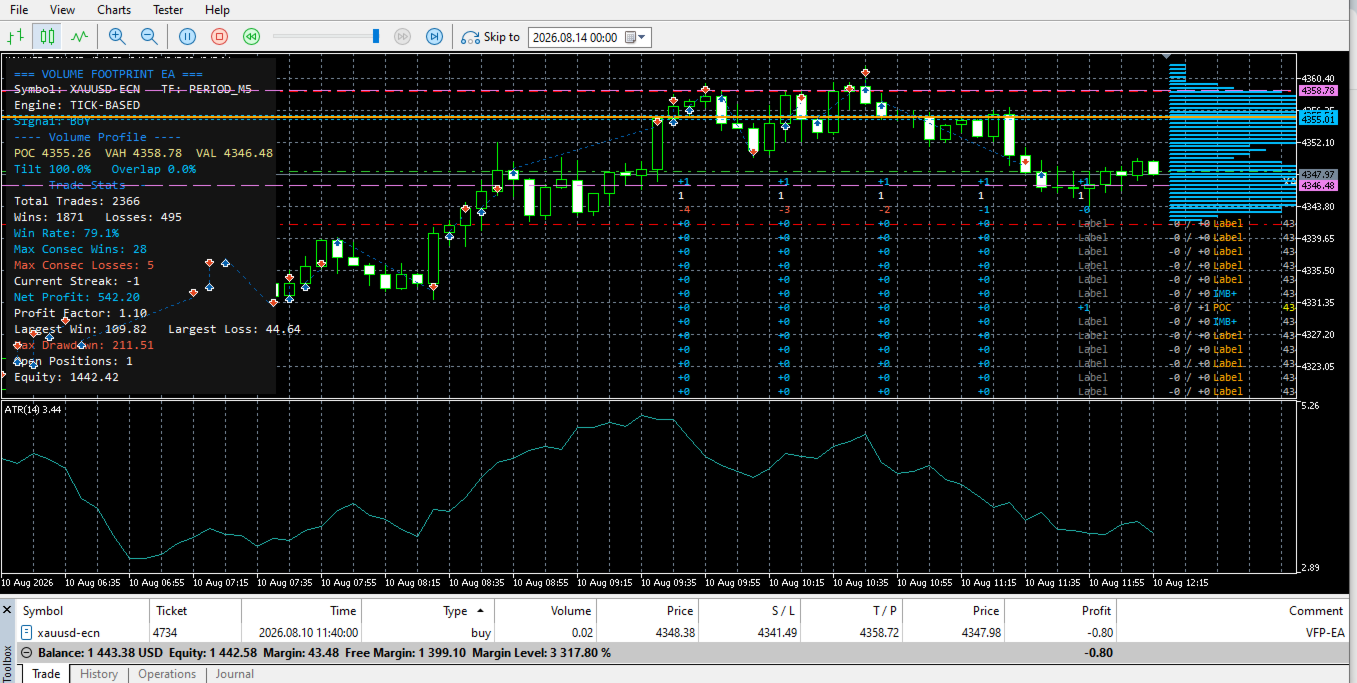
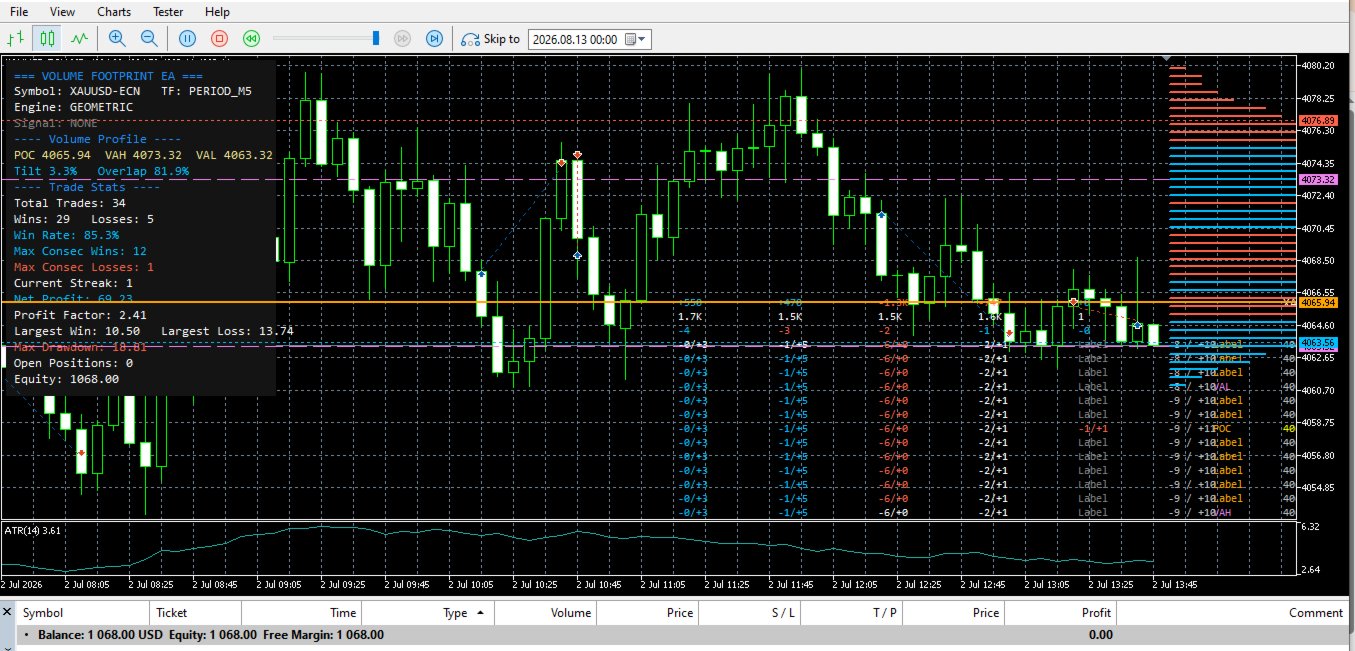
- Displays everything that matters — current market read, live signal state, and full trade statistics — directly on the chart.
Key features
Dual Volume Engine Choose between a geometric volume model (derived from each bar's own range and close, works on any broker/symbol out of the box) or a tick-reconstructed volume model (built from real tick data where your broker/terminal provides sufficient history). Switch with a single input — no other settings need to change.
Configurable Signal Triggers Three independent market-structure triggers can be switched on or off individually, and combined using an Any / All / Majority rule. This lets you tune FME from a more active, reactive style to a more selective, confirmation-based style without touching a single line of code.
Full Risk Management Suite
- Fixed-lot or risk-percent position sizing, calculated fresh for every trade.
- Three stop-loss modes and three take-profit modes, so exits can be fixed, volatility-based, or structure-based.
- Pre-trade guards that check broker stop-distance rules, free margin, and the symbol's aggregate volume limit before every single entry — and a self-correcting retry if the broker still pushes back, so the EA adapts to broker-specific limits it can't know in advance.
- Spread filter, session-hours filter, one-trade-per-bar control, and a hard cap on maximum concurrent positions.
Broker-Safe Trailing Stop Activates once a trade reaches a defined profit threshold and steps the stop forward only when the move clears the broker's own minimum stop/freeze distance — avoiding the flood of failed-modification errors that plague naive trailing-stop implementations, especially near take-profit.
Live Trade-Stats Dashboard An on-chart panel shows the current market read, the live signal state, and running performance: total trades, wins, losses, win rate, maximum consecutive wins and losses, current streak, net profit, profit factor, largest win/loss, and running drawdown — all updating in real time, in both live trading and Strategy Tester visual mode.
Verbose Diagnostics Mode An optional logging switch prints the exact reason any signal or order was skipped (filter, margin, stops, volume limit), making it straightforward to understand EA behavior during testing and optimization.
Recommended setup
| Symbols | Any liquid Forex pair, metals (XAUUSD), or index CFD |
| Timeframes | M15 and above recommended |
| Account type | ECN / Raw-spread account recommended for tighter execution |
| Minimum deposit | From 200 USD at minimum lot size, scale with your risk settings |
| Positions | Single-position mode by default, configurable |
| VPS | Recommended for uninterrupted 24/5 operation |
Getting started
- Attach FME to your chosen chart.
- Review the Trading Signals and Risk Management input groups and set them to match your risk tolerance.
- Enable Algo Trading in MetaTrader 5.
- FME will begin reading market structure and managing trades automatically — the dashboard keeps you informed the whole time.
Notes
Trading frequency depends on how many signal triggers are active and how the market is behaving — a more selective configuration will naturally trade less often. As with any automated strategy, please backtest and forward-test on a demo account first, and size positions according to your own risk tolerance. Past performance in the Strategy Tester does not guarantee future results.