Stratamark Volume Profile
- Indicators
-
Markus Hentschel
 I build tools for MetaTrader 5: market structure, volume profile, liquidity, sessions, risk and trade management. Most of them have a free version.
I trade with my own Expert Advisors and build the tools I need myself. Questions about MQL5 or my tools are welcome - just send me a message. - Version: 1.0
- Activations: 5
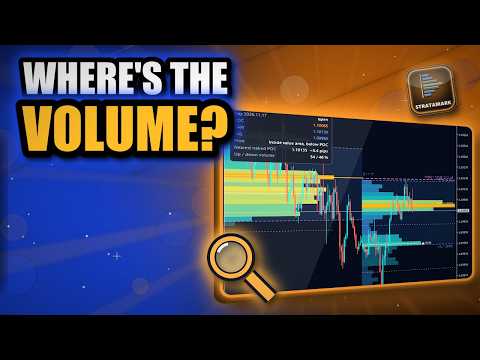
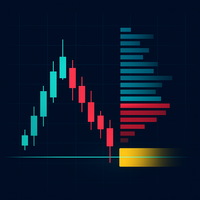
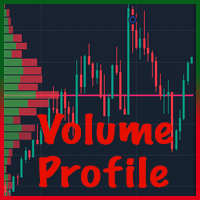
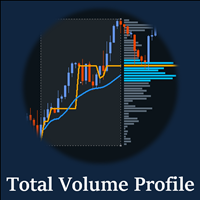
Stratamark Volume Profile shows where the volume really traded, period by period. Each profile is a histogram next to the candles with the point of control (POC), the value area (VAH / VAL), high and low volume nodes, and the POCs of earlier periods that price has not touched yet (naked POC). One chart object, no clutter, no signals: you read the levels and decide.
Analysis tool. No signals, no profit promises.
WHAT YOU GET
1. Profiles for every period you work with
- Sessions: Asia, London and New York, with their own GMT hours and an automatic (or manual) server-time offset.
- Day, week and month profiles. Day and session profiles grow to the right of their start, week and month profiles are drawn from the right edge, so they do not cover each other.
- Fixed range: two vertical lines, drag them over any stretch of the chart and the profile follows.
2. The levels that matter
- POC: the price with the most volume. Value area: default 70 % of the volume (set 50-95 %), calculated outward from the POC the standard way. VAH / VAL as dashed lines and a soft band.
- HVN / LVN: high volume nodes (price accepted) and low volume nodes (price passed quickly) marked inside each histogram.
- Gradient histogram: rows outside the value area are dimmer, the POC row is highlighted. Optional delta view: every row split into up-candle and down-candle volume.
3. Naked POC
- The POC of a finished day, week (and optionally session) stays on the chart as a dashed line until price touches it. Up to 15 lines, the newest first. Day profiles searched: up to 60, weeks up to 26.
4. Panel in plain words
- Current POC, VAH, VAL of the profile you pick, where the price is ("Inside value area, above POC", "Above value area +12.4 pips"), the nearest naked POC with its distance and the up / down volume split. Corner, size and profile are your choice.
5. Alerts, once per event
- Price touches POC, VAH, VAL of an open profile, or touches a naked POC. Popup, sound, push and e-mail. Each level alerts once, and a profile only arms its levels after it has had some time to form (so a new session does not alert on its first minutes).
NO REPAINTING OF FINISHED PROFILES
A profile of a finished period is calculated once, from the finest history your terminal has (M1, then M15, then H1), and never changes afterwards. Only the profile of the open period is rebuilt, once per new M1 bar, not on every tick.
LIGHT ON YOUR TERMINAL
- Everything is drawn on one canvas, not hundreds of chart objects. The panel is a second small canvas.
- The chart can be zoomed and scrolled; the picture follows the chart.
- No data? Tick volume is used when the broker has no real volume. Short history: the profile falls back to coarser candles and still shows.
STRATEGY TESTER
Checked in the Strategy Tester on several symbols and timeframes: no errors in the journal.
INPUTS (main)
Language, theme (auto from chart background), rows per profile or row size in points, value area %, histogram width and opacity, volume type (tick / real), delta view, which profiles and how many, session hours and server offset, POC / VA lines and labels, HVN / LVN, naked POC options, fixed range, panel corner / size / profile, alert types and channels.
GOOD TO KNOW (honest limits)
- An analysis tool. A volume profile describes where trading happened, it does not predict the next move. Your decisions stay yours.
- Forex and CFD volume is tick volume (number of price changes), not exchange volume. Real volume is used only if your broker provides it and you choose it.
- The more M1 history your terminal holds, the more exact long periods are; if M1 history is missing the profile uses coarser candles.
- Value area, POC and the row size depend on the data of your broker.
- No DLL, no web requests, no trading functions.