CopierMasterPro

CopierMasterPro MT4 — копировщик сделок Master/Slave для MetaTrader 5

Копируйте сделки между счетами быстро, надёжно и без лишних затрат. CopierMasterPro передаёт сделки от мастер-счёта на неограниченное число slave-счетов через общий файл терминала — без интернета, DLL, VPS-релеев и подписок. Мастер и слейв могут находиться на одном компьютере или разных терминалах одной машины.

Почему CopierMasterPro:

  • Никаких DLL и внешних сервисов. Обмен идёт через файл в общей папке MQL5\Files — разрешено Market, безопасно и прозрачно.
  • Полный контроль над каждым счётом. Более 40 настроек: фильтры по символам, лотам, магикам, комментариям, времени, спреду и просадке.
  • Точная синхронизация объёмов. Частичное закрытие у мастера повторяется у слейва пропорционально.
  • Работа с отложенными ордерами. Лимитные и стоп-ордера мастера переносятся на слейв и отслеживаются до исполнения или снятия.
  • Защита капитала. Стоп по плавающему убытку, закрытие всего при выходе эквити за диапазон, собственные SL/TP и трейлинг независимо от мастера.
  • Гибкие режимы. Прямое копирование или реверс (сделки наоборот), копирование только убыточных или только прибыльных позиций мастера, масштабирование лота по балансу или свободной марже.
  • Журнал событий на графике. Последние 10 событий прямо в углу экрана — всегда видно, что происходит.

Как это работает: советник в режиме master каждые 250 мс записывает снапшот своих позиций и ордеров в файл. Советники в режиме slave на других счетах читают этот файл и повторяют сделки с учётом своих настроек: маппинг символов между брокерами, пересчёт лота, свои стопы и фильтры. Если мастер закрывает сделку — слейв закрывает свою. Если мастер недоступен дольше 30 секунд — слейв не совершает новых действий.

Рекомендуемое применение: копирование сигналов между своими счетами, распределение объёма по нескольким брокерам, копирование на счетах с разными названиями инструментов (US30Cash → US30 и т. п.), реверс-копирование для хеджирования.

Требования: MetaTrader 5, терминалы на одном компьютере (для разных ПК используйте общую папку через синхронизацию — на выбор). На каждом счёте запускается один экземпляр советника с нужным режимом.

Пояснение по настройкам

Режимы и общее

Параметр Пояснение
Copier mode master  — счёт-источник, пишет сделки в файл. slave  — счёт-получатель, копирует.
Provider name Идентификатор мастера. Мастер пишет файл AlisaCopier_<имя>.cop , слейв читает файл с тем же именем. Так один слейв выбирает, у какого мастера копировать, а мастер может обслуживать много слейвов.
Prefix / Suffix Добавляются к имени символа мастера, если замена не задана в Replace list.
Play this file if trades changed WAV-файл из папки Sounds, проигрывается при изменении числа активных сделок.
Do not work at days Дни недели, когда не копировать: 1 — понедельник … 7 — воскресенье. Через запятую: 6,7  — выходные.

Режим SLAVE — копирование

Параметр Пояснение
Slave number Номер счёта-слейва. Влияет на magic-номер сделок: 775000 + номер×100. Разным слейвам — разные номера.
Copy with reversal yes  — сделки копируются зеркально: buy мастера становится sell у слейва, SL и TP меняются местами.
Recopy closed trades / How many times Повторное открытие сделки, если мастер закрыл и снова открыл такую же (символ, тип, объём). Ограничивается числом повторов.
Copy stop loss / take profit yes  — переносить стопы мастера. no  — стопы не ставятся вовсе (осторожно!) или ставятся свои, см. ниже.
If no, set my own SL / TP (pips) Свои стоп-лосс и тейк-профит в пипсах от текущей цены. 0 — не ставить.
No-trade list Символы, которые не копировать, через пробел: EURUSD GBPJPY .
Copy-only list Обратный режим: копировать ТОЛЬКО перечисленные символы.
Trail stop loss (pips) Трейлинг-стоп слейва в пипсах: как только цена ушла в плюс на N пипсов, стоп подтягивается на расстояние N пипсов. 0 — выключен.
Copy loss (+) or profit (−) trades 50  — копировать только сделки мастера в убытке глубже 50 пипсов (усреднение). −50  — только в прибыли глубже 50 пипсов (снятие профита). 0 — копировать все.
Slippage & price difference Максимальная разница между ценой мастера и ценой слейва в пипсах. Если котировки разошлись сильнее — сделка не копируется. 5000 = практически всегда копировать.
Do not copy if spread > Фильтр по спреду слейва в пипсах. Полезен на индексах и металлах: поставьте разумное значение, а не 5000.

Режим SLAVE — размер лота

Параметр Пояснение
Lot size as slave/master balance yes  — лот пересчитывается пропорционально балансам: депозит слейва меньше в 2 раза — лот меньше в 2 раза.
Multiply lot by Простой множитель: 0.5 — половина лота мастера, 2.0 — двойной.
Fixed lot size Если больше 0 — все сделки открываются этим лотом, расчёт игнорируется.
Maximum lot size Потолок на объём одной сделки.
Lot as % of Free Margin Объём = свободная маржа × процент / маржа за 1 лот. Приоритетнее остальных способов расчёта.
Copy trades if lot is outside / inside range Фильтры по диапазонам лота мастера: 4 числа — два диапазона «от–до». 0 = фильтр выключен.

Режим SLAVE — ограничения и защита

Параметр Пояснение
Maximum trades to be copied Жёсткий лимит одновременных сделок слейва.
Replace list in brackets Маппинг символов между брокерами: US30Cash(US30) US500Cash(US500) XAUUSD.m(XAUUSD) .
Do not copy if floating loss reached $ / % Стоп-механика: если суммарный плавающий убыток скопированных сделок достиг значения в долларах или процентах от баланса — новые сделки не копируются (уже открытые остаются).
Close all if equity out of min/max Диапазон мин/макс : при выходе эквити за границы всё скопированное закрывается, копирование останавливается. Пример: 500/5000 .
Keep trades copied (min) Если сделка мастера исчезла из списка, слейв ждёт указанное число минут и только потом закрывает свою. Защита от сбоев связи. 0 — закрыть сразу.
Working hours Торговое окно hh:mm-hh:mm , например 08:00-22:30 . Можно через полночь: 22:00-06:00 .

Режим MASTER

Параметр Пояснение
Copy if Floating DD Reached % Нестандартная функция: мастер пишет сделки в файл только когда его просадка достигла N %. Удобно для реверс-копирования — слейв открывает против просадки мастера. 0 — писать всегда.
Send Pending Order Передавать ли отложенные ордера мастера слейвам.
Do not copy trades which have this string in comment (2 фильтра) Если в комментарии сделки мастера есть эта строка — сделка не копируется. Два независимых фильтра.
Do not copy trades with magic Перечень magic-номеров, сделки которых не копируются (например, чужие советники на мастер-счёте).
Do not copy trades opened before Сделки, открытые до указанной даты, не передаются. Хранится как unix-время; при значении по умолчанию 1560000000 отсечка — 10 октября 2030 г.
Copy trades which have this string in comment (2 фильтра) Позитивный фильтр: копировать только сделки, в комментарии которых есть эта строка. Пусто — ограничение не действует.
Copy trades with magic Копировать только сделки с перечисленными magic-номерами. Пусто — копировать все.
Recommended products
Key Features: 200+ Fully Implemented Patterns   across all categories Advanced Market Structure Analysis Smart Money Integration   (Wyckoff, Order Blocks, Liquidity) Professional Risk Management Multi-Timeframe Analysis AI-Powered Confidence Scoring Advanced Visualization Real-time Alerts Pattern Categories: Single Candle Patterns (Hammer, Doji, Marubozu, etc.) Multi-Candle Patterns (Engulfing, Stars, Harami, etc.) Chart Patterns (Head & Shoulders, Cup & Handle, Triangles, etc.) Harmonic Pattern
FREE
Smart Gold Expert Advisor — это профессиональный торговый советник с интерактивной графической панелью, разработанный специально для торговли на новостях (преимущественно на инструменте Gold/USD, но может использоваться и для любых других активов). Робот автоматизирует выставление отложенных ордеров по обе стороны от текущей цены, управляет рисками и сопровождает сделку после прорыва. 1. Ключевые возможности и функции. Интерактивная торговая панель: Полностью визуальный интерфейс прямо на графи
Write notes directly on the chart and use your observations when trading The option to synchronize  reminders  between  S ymbols allows you to remember important information about the current  market  state Thus , this utility will help you avoid a situation where important information that you noticed earlier was missed when trading . Multifunctional utility : 66+ features, including this tool  |   Contact me  if you have any questions  |   MT4 version Settings: The method of syncing notes : S
Peril Trader
Bogdan Toctarov
Free Access for the First 10 Downloads! I'm giving away this panel completely free to the first 10 traders who download it. After that, a price will be added. If you're one of the lucky first 10, please leave an honest review and any questions you have – your feedback means the world to me. Thank you in advance! Overview Peril Trader is a trading panel designed to assist with the execution of a dual pending order breakout strategy. The panel places a Buy Stop order above the current market
FREE
If you've ever stared at a gold chart, done the math in your head three times, and still second-guessed your lot size right before entry - this tool was built for you. Current price: $39 - increases by $10 after every 20 purchases until reaching the final price of $89 . Next price: $49 . Complete Buyer Kit: 34 Professional Resources included at no additional cost. MT5 Presets, PDF Guides, Checklists, Mindmaps, Reference Cards, and Excel Workbooks - built from 8 years of developing structured XAU
TRADE PANEL MASTER — Know Your Risk Before You Click Open your chart. See your panel. Trade with confidence. Before you click Buy or Sell, Trade Panel Master shows you  exactly what you risk, what you gain, and your R:R ratio —  in real time. No mental math. No surprises. FEATURES - Lot sizing with real-time margin display - SL & TP in 3 modes: Points / Money / Price - Au
FREE
Vitals MT5
Allan Aparece Ninal
Vitals shows the state of your trading account on a single screen: balance and margin, current risk, open positions, market ranges, results by period, and a statistics panel, arranged on one grid so the figures can be read at a glance rather than gathered from several terminal windows. Vitals is a display panel. It does not place, modify or close orders. Floating drawdown A history report records what a position earned. It does not record how far the account moved below its balance while that po
FREE
Indicator Test Report
Narayanan Mohanan Mohanan Krishnan
Indicator Test Report for MetaTrader 5 — a repaint checker and indicator tester that shows how any indicator actually behaves You cannot see inside a compiled indicator. The Indicator Test Report loads any indicator — bought, written, or built into MetaTrader — and answers the question a description cannot: does it repaint, how much history does it need, and what does it really publish? It reports behaviour. It does not grade. Load any indicator into the Strategy Tester and get a plain-language
FREE
Trendline Toolbox
Saeed Hatam Mahmoudi
Trendline Toolbox (MT5) Trendline Toolbox is a utility indicator for MetaTrader 5 that helps manage trendlines and common chart objects. It is a charting tool; it does not provide trading signals and does not guarantee any profit. Main functions Clone the selected trendline (keeps style, angle, and price levels). Toggle the Extend/Ray property for the selected trendline. Delete the selected trendline. Purge all objects on the current chart. Draggable panel: double-click the hand icon and drag t
FREE
THE       MAC Trade Panel       It is an advanced trading utility designed for manual traders (scalpers and day traders) seeking speed, precision, and professional risk management in MetaTrader 4. Forget about time-consuming lot calculations: define your risk and let the dashboard do all the heavy lifting. Fully interactive, resizable, and with a modern design, it allows you to trade directly from the chart with order previews, manage multiple partial exits, and automatically protect your capita
BTC Trading Assistant EA (MT5) Manual trading assistant that helps place and manage trades with automated risk and stop management. Overview BTC Trading Assistant EA is a utility Expert Advisor for MetaTrader 5 intended for manual traders. It provides a chart interface to execute BUY/SELL/CLOSE actions and automates selected trade management functions such as position sizing, initial SL/TP placement, break-even, trailing stop and optional partial profit taking. This EA does not generate trade si
Bastion is a monitor-and-close-only risk manager for prop-firm traders. It watches your account against your firm's daily-loss and maximum-drawdown limits in real time and force-closes your open positions BEFORE you cross a line. It never opens a trade of its own, so it stays fully within the tools allowed by FTMO, FundedNext, The5ers, FTUK and FXIFY. Why traders fail challenges A large share of failed evaluations end on a single daily-loss breach: a moment of inattention, a news spike, one tra
VoiceEscort
Nikolai Karetnikov
Features: The Expert Advisor pronounces current prices at a set interval.  It speaks Russian and English.  The file voice_dict.csv contains the rules of pronunciation (language, other rules). See an example below  The Google cloud server is used for pronunciation, so the expert should be allowed to go to "https://texttospeech.googleapis.com" (see Tools\Options\Expert Advisors Allow WebRequest for...) Restrictions: Only 2 symbols Example of a pronunciation rule (voice_dict.csv file in the Files
FREE
This robot sends Telegram notifications based on the coloring rules of PLATINUM Candle indicator. Example message for selling assets: [SPX][M15] PLATINUM TO SELL 11:45. Example message for buying assets : [EURUSD][M15] PLATINUM TO BUY 11:45 AM. Before enable Telegram notifications  you need to create a Telegram bot, get the bot API Key and also get your personal Telegram chatId. It's not possible to send messages to groups or channels. You can only send messages to your user chatId. You should
FREE
TrendVision AI
Murtadha Majid Jeyad Al-Khuzaie
TrendVision AI – Smart Trend Channels & Price Forecasting for MetaTrader 5 Discover market structure and explore potential future price direction with TrendVision AI, an advanced technical indicator for MetaTrader 5 that combines automatic trendline analysis with a machine-learning-based price forecasting model. How Does TrendVision AI Work? TrendVision AI analyzes historical candlestick data within a configurable lookback window. It automatically draws two trendlines directly on the chart:
FREE
Apex Signal Stream – Trade Panel Version 2.47 | For MetaTrader 5 Overview Apex Trade Panel is a fully on-chart trading panel with two modes: Manual — precise control over every order, from lot sizing and SL/TP logic to trailing methods and batch close filters; and SignalStream auto-trade — the panel polls the Apex Signal Stream server over HTTPS and executes incoming signals behind 10 safety gates, reporting every outcome back. One panel, two ways to trade — and nothing enters your account that
Advanced 1-Click Risk Panel is a precise and lightning-fast risk management utility for MetaTrader 5. It automatically calculates your exact position size based on chart drag-and-drop Stop Loss line and account risk percentage. Key Features Dynamic SL Line & Dynamic Lot: Simply drag the horizontal SL line on your chart—the panel dynamically calculates your exact lot size instantly. 1-Click Execution: Place instant BUY/SELL orders with automated Stop Loss and Take Profit based on your predefin
GGP Trade Copier MT5
Mohammadmahmood Pirayeh
GGP Trade Copier  EA is an automatic trading bot that can help traders automatically replicate the trading strategies and operations from one trading terminal to others by experiencing exceptionally fast trade copying system. Its easy-to-use setup allows you to copy trades between multiple MetaTrader terminals on the same Windows computer or Windows VPS with lightning-fast copying speeds of under 0.5 seconds. The software supports multiple trading varieties, including Forex, commodities, stocks
The Candle Countdown Timer for MetaTrader 4 (also available for MT5) is a vital indicator designed to help you manage your trading time effectively. It keeps you updated about market open and close times by displaying the remaining time before the current candle closes and a new one forms. This powerful tool enables you to make well-informed trading decisions. Key Features: Asia Range: Comes with an option to extend the range. Broker Time, New York, London Time: Displays the current broker time
FREE
TradePad
Ruslan Khasanov
5 (1)
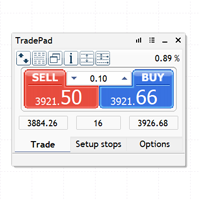
TradePad is a tool for both manual and algorithmic trading. We present you a simple solution for fast trading operations and control of positions on several trading instruments. Attention, the application does not work in the strategy tester! Trial version of the application for a demo account and a description of all the tools The application interface is adapted for high-resolution monitors, simple and intuitive. For comfortable work, the trader is offered the following set of tools: A hot ke
Quantitative Synchronization Terminal Server MT5 is a professional MQL5 script for the MetaTrader 5 (MT5) platform, specifically designed to synchronize and load historical bar data and historical tick data from the server to the local terminal.This script helps traders ensure their local terminal has complete historical data, which is crucial for backtesting, technical analysis, and strategy development. Quantitative Trading Guide  public chat:  Join Us Quantitative Trading Guide  public channe
FREE
Quantum Simulator – Discover the Power of Quantum Dynamic Risk Quantum Simulator is an Expert Advisor designed to demonstrate the effectiveness of the Quantum function, fully integrated into the RiskGuard Management system. Through a simple interface, you can simulate an equity curve starting from a fixed balance of €100,000 , using your own custom statistics: Win Rate (%) Average Risk/Reward Ratio Number of Trades Maximum Allowed Drawdown (Optional) Minimum Accepted Drawdown The EA performs a
FREE
TradeClub Connector for MT5 is a lightweight Expert Advisor designed to connect your MetaTrader 5 account with your TradeClub journal. The connector helps traders automatically sync their trading activity into TradeClub, removing the need for manual trade entry or CSV imports. Once connected, your closed trades can be sent to TradeClub for journaling, analytics, performance review, and verified trading statistics. This product is not a trading robot and does not provide trading signals. It does
FREE
Short description : TheTrendHunterMax   is a LIMITED VERSION tool that can be used either as a trading robot for automated trading or just a signal provider for manual trading.  As an EA, it uses the techniques we usually employ in trading like determining the highs and lows on the trading chart. With this, it determines the trend convergence and divergence in the chart. Combined with the volatility, price movements, it analyzes the possible order type that can be most profitable. By default,
FREE
GOM Trade Manager
Wannapach Chinnaprapa
GOM Trade Manager helps you execute trades the way you want it. Works on all instruments Forex, Commodities, & Crypto. It helps you with lot calculations, spread addition and balance calculations so you can just focus on actual trading. For full automatic planned management, stackable triggers and spread widening protection >> check out GOM Trade Manager Pro . ------------------------------------------NOTABLE FEATURES------------------------------------------ You set everything based on bid
FREE
Expert TP SL v04
Mikhail Ostashov
Expert TP SL v04 - Professional Trading Assistant with AI Motivation System Advanced manual trading tool with automatic risk management, overtrading protection, and intelligent psychological support for disciplined trading. PRODUCT OVERVIEW Expert TP SL v04 is a comprehensive trading assistant designed for manual traders who want to maintain emotional discipline while automating risk calculations. This isn't just another order placement tool - it's a complete trading psychology system that pr
WH ChartSync Pro MT5
Wissam Hussein
4.8 (5)
Unlock the power of synchronized chart analysis with Chart Sync, your ultimate solution for harmonizing technical objects across multiple charts on the same trading symbol, ChartsSync Pro MT5 is a groundbreaking MetaTrader 5 utility designed to streamline your trading workflow, enhance analysis precision, and amplify your trading decisions. Features: Effortless Object Synchronization. Multi-Chart Harmony. User-Friendly Interface. Real-Time Updates. Sync Objects Color,Width and Style. Supporte
FREE
PS4 Trading Controller lets you trade MetaTrader 5 using a DualShock 4 controller (USB or Bluetooth). Designed for traders who want speed and convenience, this tool maps controller buttons to essential trading actions so you can execute and manage positions without touching the keyboard or mouse. Key Features: • Market Buy / Sell with R2 and L2 • Close one position at a time (R1 / L1) • Close all profitable trades (Triangle) • Close all losing trades (Circle) • Adjust lot size with D-Pad • Mov
FREE
This is visualization tool based on the Depth of Market. It works with the symbols that have the Depth of Market available. It's a visual indicator that shows the volume of each Bid/Ask price and ratio of total volume of Bids/Asks. Note: check if your broker supports DOM before purchasing. 。。。。。。。。。。。。。。。。。。。。。。。。。。。。。。。。。。。。。。。。。。。。。。。。。。。 。。。。。。。。。。。。。。。。。。。。。。。。。。。。。。。。。。。。。。。。。。。。。。。。。。。
Trade Assistant 38 in 1
Makarii Gubaydullin
4.91 (23)
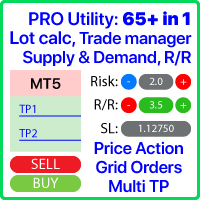
Multifunctional tool: Lot Calculator, Grid Orders, R/R ratio, Trade Manager, Supply and Demand zones, Price Action and much more Demo version   |   User manual Trade Assistant   doesn't work in the strategy tester : you can download the   Demo Version HERE  to test the utility . Contact me   for any questions  / ideas for improvement / in case of a bug found If you need a MT4 version, it is available here Simplify, speed up and automate your trading   process . Expand the standard terminal capa
Buyers of this product also purchase
Trade Assistant MT5
Evgeniy Kravchenko
4.43 (216)
It helps to calculate the risk per trade, the easy installation of a new order, order management with partial closing functions, trailing stop of 7 types and other useful functions. Additional materials and instructions Installation instructions - Application instructions Line function -   shows on the chart the Opening line, Stop Loss, Take Profit. With this function it is easy to set a new order and see its additional characteristics before opening.   Risk management  - The risk calculation
FarmedHedge Pair Trading Dashboard
Tanapisit Tepawarapruek
5 (7)
Farmed Hedge Yield Farming | All Markets (Manual - Hybrid - Semi/Automated EA) VERIFIED TRADING RESULTS - Farmed Hedge Yield Axi Copy:  https://www.mql5.com/en/signals/2356376 - Farmed Hedge Yield Exn Copy:   https://www.mql5.com/en/signals/2356404 - Farmed Hedge Yield V Copy:  https://www.mql5.com/en/signals/2357156 IMPORTANT NOTICE: FarmedHedge is a MANUAL-FOCUSED TRADING UTILITY ,not a fully automated EA. Results shown on this Signal include manual trades and overall strategic management.
Forex Trade Manager MT5
InvestSoft
4.98 (689)
Trade Manager MT5 is an advanced position size calculator and trade management tool for MetaTrader 5, designed to help traders plan trades faster, control risk more precisely, and manage open positions directly from the chart. It combines order placement, risk based lot calculation, Stop Loss and Take Profit management, Break Even, Trailing Stop, Partial Close, Equity Protection, and external trade management in one panel. Whether you trade forex, indices, metals, commodities, crypto, or future
Telegram to MT5 MultiChannel Copier
Sergio Marquez Uroz
4.68 (22)
Telegram to MT5 Multi-Channel Copier   automatically copies trading signals from your Telegram and Discord channels straight to MetaTrader 5. No bots, no browser extensions, no manual copying. A signal arrives in Telegram or Discord and the EA opens the trade in your terminal within seconds. And before you copy a channel, the built-in backtester shows you what that channel would have done in your account. The product has two components: a Windows application that listens to your Telegram channel
TradePanel MT5
Alfiya Fazylova
4.88 (172)
Trade Panel is a multi-functional trading assistant. The app contains over 50 trading functions for manual trading and allows you to automate most trading tasks. Application instructions: https://www.mql5.com/en/blogs/post/756482 Trial version of the application for a demo account: https://www.mql5.com/en/blogs/post/750865 How to install the application: https://www.mql5.com/en/blogs/post/756239 How to test the application in visual mode: https://www.mql5.com/en/blogs/post/770277 How to install
News Trade EA MT5
Konstantin Kulikov
4.55 (11)
Present to you the useful robot that I have been using for several years. It can be used in both semi-automatic mode and fully automatic mode. >>> Chat <<< The program contains flexible settings for trading on the news of the economic calendar. It cannot be checked in the strategy tester. Only real work. Download the latest archive of settings: https://www.mql5.com/en/blogs/post/747929 Signals monitoring: https://www.mql5.com/en/signals/author/test-standart When creating your own sets of setti
Copy Telegram signals with your own trading rules Telegram to MT5 Signal Trader automatically copies text-based trading signals from public and private Telegram channels and groups into MetaTrader 5. Manage multiple providers and MT5 accounts from one desktop app, with individual risk and trade settings for each provider . No Telegram bot or API setup needed for copying. Simply sign in with your own Telegram account by phone or QR code and select the channels or groups you have already joined. Y
================================================================================ POC BREAKOUT - V20.72. Full Professional Grade Toolkit ================================================================================ POC Breakout is a full MetaTrader 5 trading dashboard for discretionary traders who want breakout signals, Point of Control (POC) context, volume profiles, order flow, market structure, news, alerts, and advanced trade planning in one professional workspace. Attached directly to you
The product will copy all telegram signal to MT5 ( which you are member) , also it can work as remote copier.  Easy to set up, copy order instant, can work with almost signal formats, image signal,  s upport to translate other language to English Work with all type of channel or group, even channel have "Restrict Saving Content", work with  multi channel, multi MT5 Work as remote copier: with signal have ticket number, it will copy exactly via ticket number. Support to backtest signal. How to s
EA Overfitter
Stephen J Martret
5 (3)
That backtest looks great. But will it still be making money tomorrow, next week, next month? EA Overfitter re-runs your EA on 100 price histories it has never seen. One score tells you if the edge is real. A backtest tells you what an EA did on one price history — the one that happened to occur. What you cannot tell from it is how much of that result was the strategy and how much was the particular path. EA Overfitter answers that. It builds up to 100 synthetic price histories your EA has n
Power Candles Strategy Scanner - Self-Optimizing Multi-Symbol Setup Finder Self-optimizing settings work one chart at a time, and finding where they pay off right now means opening chart after chart. Power Candles Strategy Scanner runs the same self-optimizing engine as the Power Candles indicator on every symbol in your Market Watch, side by side. One panel ranks where it pays off: the winning strategy per symbol, its optimized Stop Loss and Take Profit. An alert fires the moment a fresh signal
Anchor Trade Manager
Kalinskie Gilliam
5 (8)
Your EAs cannot see each other, but Anchor can. Anchor gives you one place to coordinate your EAs, manage risk, and decide when trading is allowed. It works alongside the trading bots you already use without any changes to them. The Problem One EA opens a trade. Then another starts trading. The next thing you know, you wake up to multiple grids built across your account. Each EA may be doing exactly what it was designed to do, but together they can place far more risk on your account than you in
Welcome to Entry In The Zone with SMC Multi Timeframe  —  COMPLETE SMC ANALYSIS SYSTEM — ALL IN ONE INDICATOR  Entry In The Zone with SMC Multi Timeframe  An indicator designed for market analysis based on Smart Money Concepts (SMC), displaying Market Structure, Key Zones (Order Blocks, Supply & Demand Zones, and Fair Value Gaps), Liquidity, and real-time BUY / SELL signals. It supports both Single-Timeframe and Multi-Timeframe analysis, along with the Confluence at Zone feature, which helps you
VirtualTradePad PRO SE MT5 — professional trading control center for MetaTrader 5 VirtualTradePad PRO SE is a premium chart-based trading panel and trade-management workspace for MetaTrader 5 . It is designed for traders who want faster execution, clearer position control, structured trade management, visual level planning and a professional workflow directly from the chart. This is not only a BUY / SELL panel. PRO SE combines manual trading, pending orders, position management, partial exits, b
Trade Indicator Assistant   is a powerful MT5 utility designed to turn indicators into automated trading systems. Its main feature is the ability to automatically detect an indicator’s   BUY and SELL signal buffers , without requiring you to know the buffer numbers, search through indicator settings, or modify the indicator source code. Bonus Indicator:   After purchasing Trade Indicator Assistant, contact me to receive   Trade Signal Pro   completely free as a bonus indicator. [Download Demo V
EA Auditor
Stephen J Martret
5 (7)
EA Auditor is an independent analysis tool for traders evaluating Expert Advisors and trading signals on MetaTrader 5. It audits backtest reports, reviews posted developer signals, and cross-verifies the two against each other to help traders assess strategies before committing capital. The MQL5 market offers a wide range of Expert Advisors from many developers, with varying approaches, quality, and transparency. EA Auditor provides a consistent, data-driven framework for reviewing them, answer
Trade Manager DaneTrades
Levi Dane Benjamin
4.13 (31)
DaneTrades Trade Manager is a professional trade panel for MetaTrader 5, designed for fast, accurate execution with built‑in risk control. Place market or pending orders directly from the chart while the panel automatically calculates position size from your chosen risk, helping you stay consistent and avoid emotional decision‑making. The Trade Manager is built for manual traders who want structure: clear risk/reward planning, automation for repeatable management, and safeguards that help reduc
MT5 to Telegram Signal Provider turns your trading account into a signal provider. Every trade action, whether manual, by EA or from your phone, is instantly sent as a message to Telegram. You can fully customize the format or use a ready-made template for quick setup. [ Demo ] [ Manual ] [ MT4 Version ] [ Discord Version ]     New: [ Telegram To MT5 ] Setup A step by step user guide is available. Key Features Ability to customize order details sent to subscribers You can create a tiered subs
RETAILBERG FOOTPRINT CHART PRO — Order-Flow Workspace for MetaTrader 5 Version 7.00  |  Professional System  |  31 tools  |  One chart A full 150-page illustrated User Manual is included. Please read the full manual to understand this feature packed footprint chart elements and ui. https://www.mql5.com/en/blogs/post/777982 DEMO / STRATEGY TESTER — PLEASE READ FIRST
Trader Evolution
Siarhei Vashchylka
5 (7)
" Trader Evolution " - A utility designed for traders who use wave and technical analysis in their work. One tab of the utility is capable of money management and opening orders, and the other can help in making Elliott wave and technical analysis. Manual (Be sure to read before purchasing) | Version for MT4 Advantages 1. Trading in a few clicks. Immediate and pending orders are available in the panel 2. Money management. The program automatically selects the appropriate lot size 3. Simplifies
DrawDown Limiter
Haidar Lionel Haj Ali
5 (23)
DrawDown Limiter v5.0 — Advanced Account Protection Controller DrawDown Limiter v5.0 is a client-side account protection controller designed to supervise your trading account and automatically react when configured risk, profit, news, schedule, rollover, or position limits are reached. It can monitor manual trades, automated strategies, multiple Expert Advisors, pending orders and floating positions from one dedicated chart. It can protect the complete account or be configured to supervise a spe
On-Chart Trade Assistant & Risk Management Panel Ergotick Trade Manager gives you a complete set of trading tools directly on your MetaTrader 5 chart: a trade panel with lot size calculator, visual R:R tool, and daily loss limit protection; a separate statistics panel that tracks your performance and past trades; and an economic calendar you can toggle with one click. Built for scalpers, day traders, and prop firm traders. Ergotick Trade Manager is fast , light on resources , and stable , so it
Master Your Trading Discipline   Stop losing your hard-earned gains to overtrading and emotional decisions. The Discipline Tool is your ultimate trading assistant, ensuring strict risk management in real-time. Key Protection Features: Advanced Drawdown Defense : Automatically halts trading if your daily drawdown exceeds a preset threshold (percentage or dollar amount). Real-Time Equity Lock : Safeguard profits by referencing peak equity, ensuring drawdown stays within control. Hard Profit Target
Sentinel Master
Luca Barone
5 (1)
PROFESSIONAL MULTI-ACCOUNT TRADE COPYING FOR METATRADER 5 Sentinel Master is a trade-publishing Expert Advisor designed to work together with Sentinel Follower , providing a reliable and configurable solution for copying trades between MetaTrader 5 accounts. The system is designed for traders who manage multiple accounts and want to replicate their trading activity without manually opening and closing positions on every account. Sentinel Master continuously monitors the source account and publis
Dealer Panel
Mian Rameez Ali
Dealer's Panel No signal decides anything here — a hand does. One click, and the panel calculates what's underneath: lot size from risk, target from a 30-step balance ladder that remembers exactly how far an account has climbed. Toggle between market and pending without touching an input field. Set a stop, and the take-profit can write itself — a fixed share of the balance, translated into price with no arithmetic left for the trader to get wrong. One trade live at a time; it won't let a seco
AW Shepherd Safety MT5
AW Trading Software Limited
5 (5)
AW Shepherd Safety EA is an Expert Advisor for managing open positions. The trader opens the first order from the panel, and from there the EA runs the basket on its own: it adds recovery orders with a trend filter, closes a side on TakeProfit, trailing or stop, and shows the close levels on the chart. Buys and sells are managed separately, and both sides can be open at the same time. A recovery order opens not just on a price step but once Parabolic SAR, two MAs or candle color show a reversal
Astro Trade MT5
Indra Maulana
5 (8)
25% discount on the release of the tool: only for the next 3 buyers Send a message to receive a demo version. AstroTrade Trading Assistant AstroTrade is a comprehensive multi-functional trading utility developed for the MetaTrader 5 platform. It integrates essential tools for trade execution, risk management, and technical monitoring into a single unified interface. The application is designed to assist traders in managing their daily operations through a visual and structured environment. Vi
My Chart Generator
Trade The Volume Waves Single Member P.C.
5 (1)
What if your chart adapted to the market instead of the clock?   THE PROBLEM IT SOLVES   Instead of trying to find the best indicator that fits your timeframe chart, build a chart and find the most appropriate indicator.   My Chart Generator is a MetaTrader 5 background service that builds  live, fully historical three types of custom charts :1. Range/Volume Balanced chart, 2.  Range/Volume Absorption chart and 3. Constant Volume chart from any symbol — Forex pairs, crypto, indices, commodities,
AlgoRadar
Stephen J Martret
5 (4)
AlgoRadar is an on-chart analytics dashboard for MT5 that aggregates Expert Advisor performance across multiple accounts, brokers, and platforms, including both MT4 and MT5 data, into a single live view on your MT5 chart. All analysis runs from the chart interface, with no external applications or manual report processing required. EA Analysis and Ranking For traders running multiple Expert Advisors, AlgoRadar provides a consolidated view of each EA's performance across accounts. Active EAs a
REVDEN AI Desk: Run Your Trading From One Conversation With Your Own AI, on REVDEN's Market Context Imagine running your trading from one conversation. REVDEN AI Desk brings it into MetaTrader 5: you ask your own AI how it reads the market, and it answers from REVDEN's full context on the symbols you trade, with their state, their risk picture and the releases ahead. Its proposals arrive with entry, stop, target and risk, and you approve the ones that fit. Your rules change the same way: write w
More from author
CopierMasterPro — копировщик сделок Master/Slave для MetaTrader 5 Копируйте сделки между счетами быстро, надёжно и без лишних затрат.  CopierMasterPro передаёт сделки от мастер-счёта на неограниченное число slave-счетов через общий файл терминала — без интернета, DLL, VPS-релеев и подписок. Мастер и слейв могут находиться на одном компьютере или разных терминалах одной машины. Почему CopierMasrerPro: Никаких DLL и внешних сервисов.   Обмен идёт через файл в общей папке MQL5\Files — разрешено Mar
Filter:
No reviews
Reply to review