Aurex Structure Breakout
- Indicators
- Version: 1.13

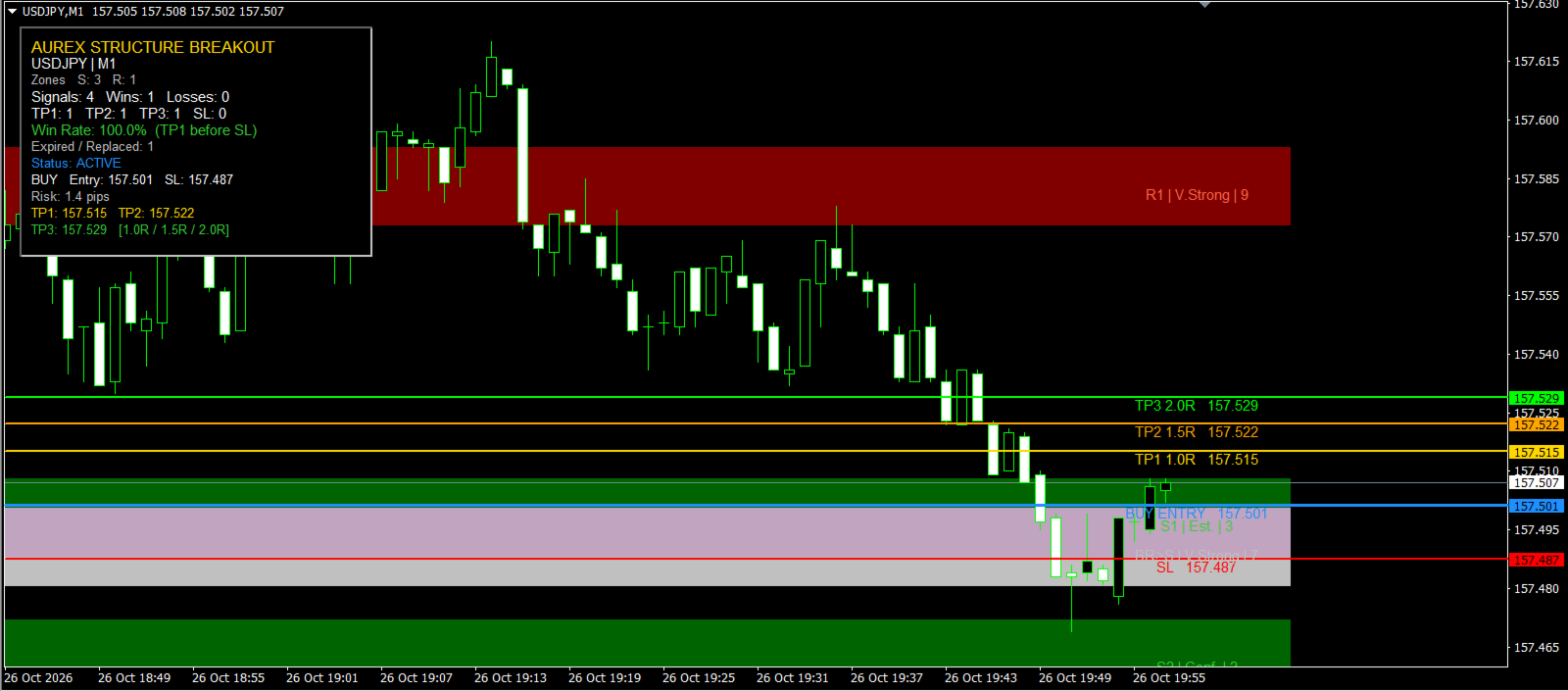
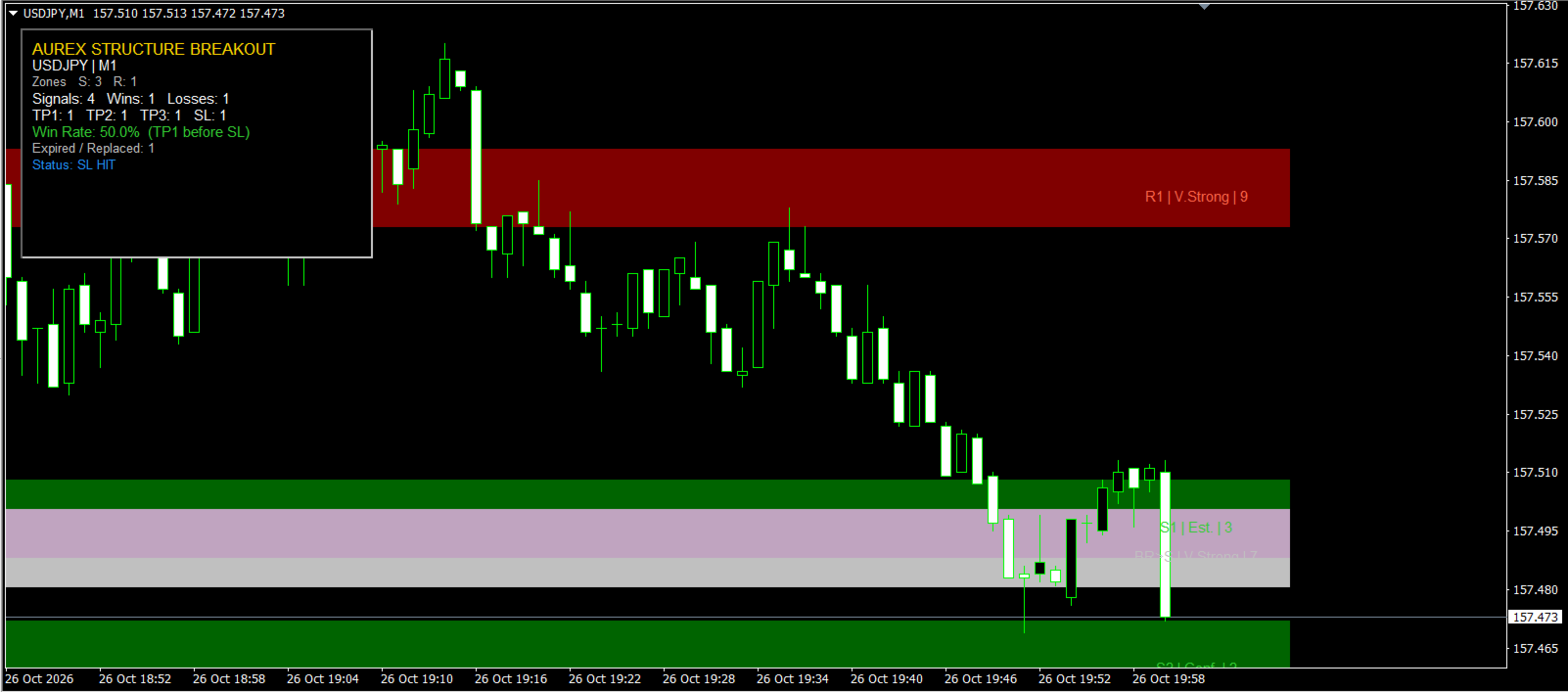
Aurex Structure Breakout is a free MT4 indicator designed to identify support and resistance zones, detect breakouts, and automatically generate a complete trade plan directly on the chart.
The indicator works on any timeframe and any instrument supported by MetaTrader 4, including Forex, Gold, indices and CFDs.
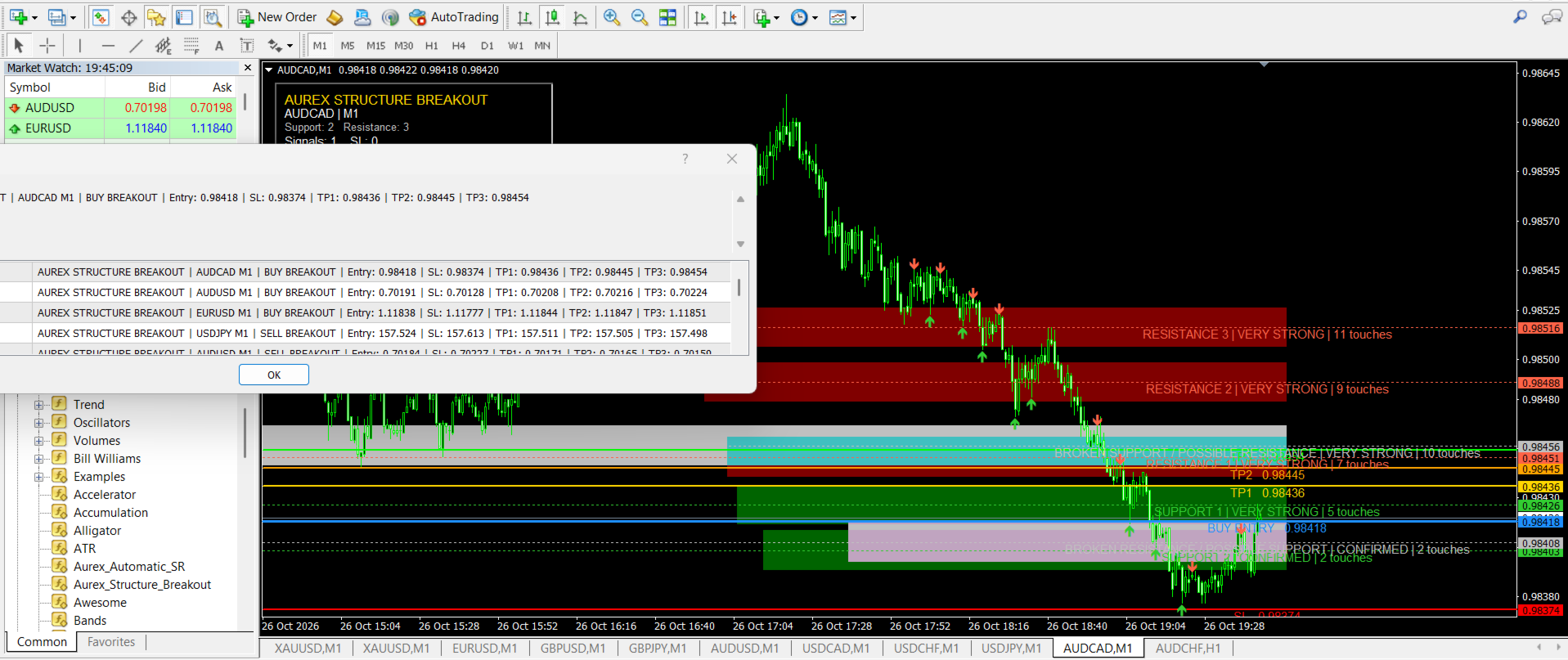
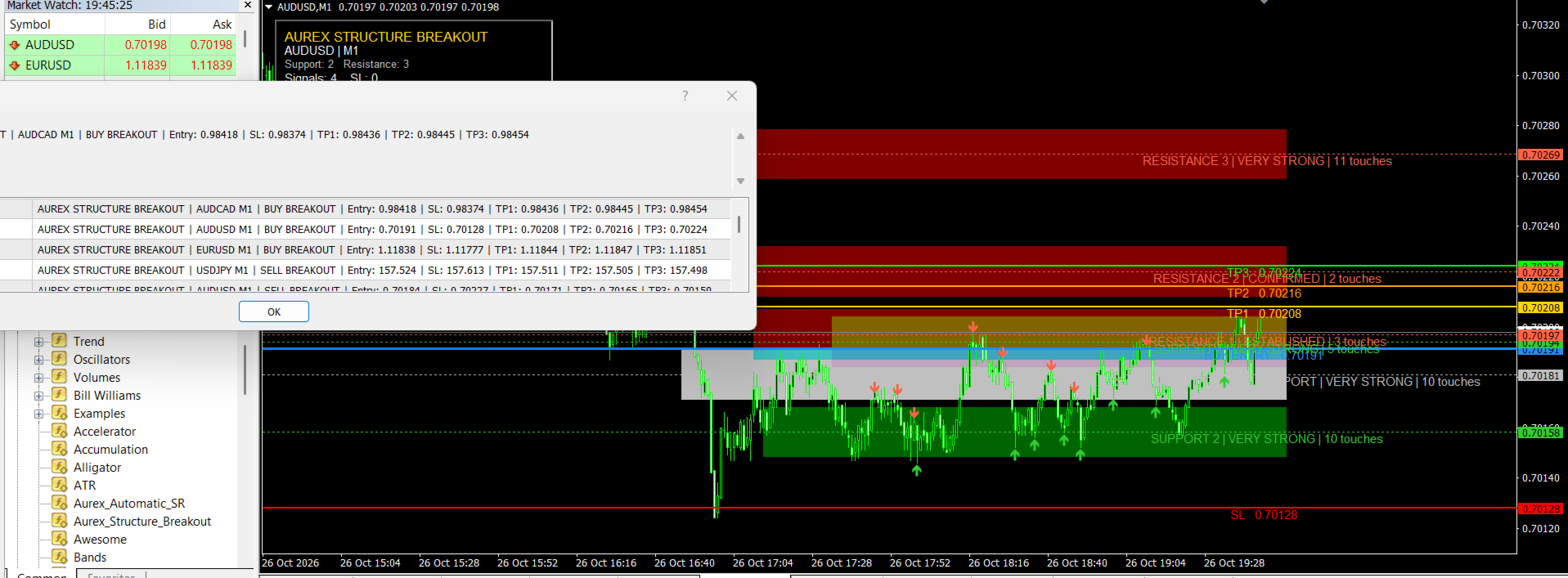
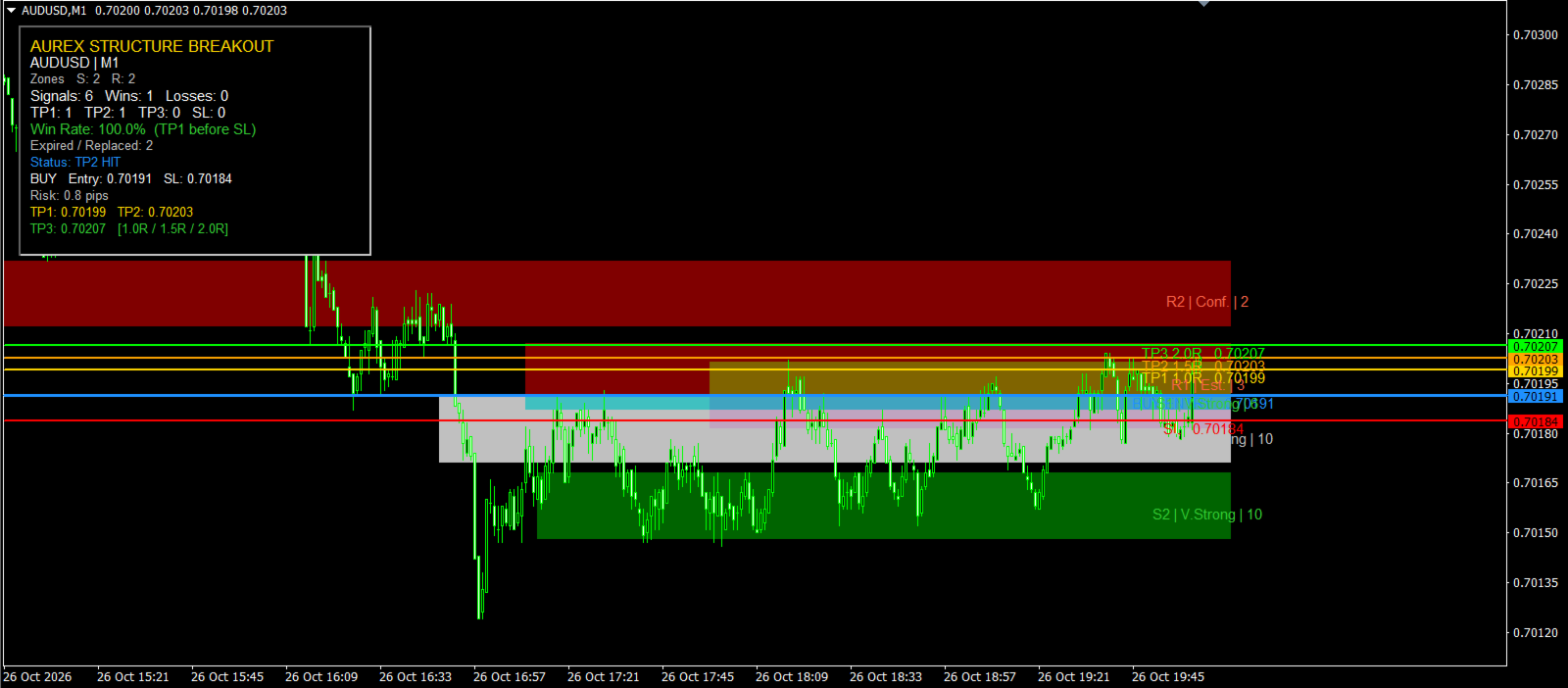
When a valid breakout is detected, the indicator can display:
• Entry
• Stop Loss
• TP1
• TP2
• TP3
It can also provide popup alerts, sound alerts, push notifications and email alerts.
The indicator does not place trades automatically.
HOW IT WORKS
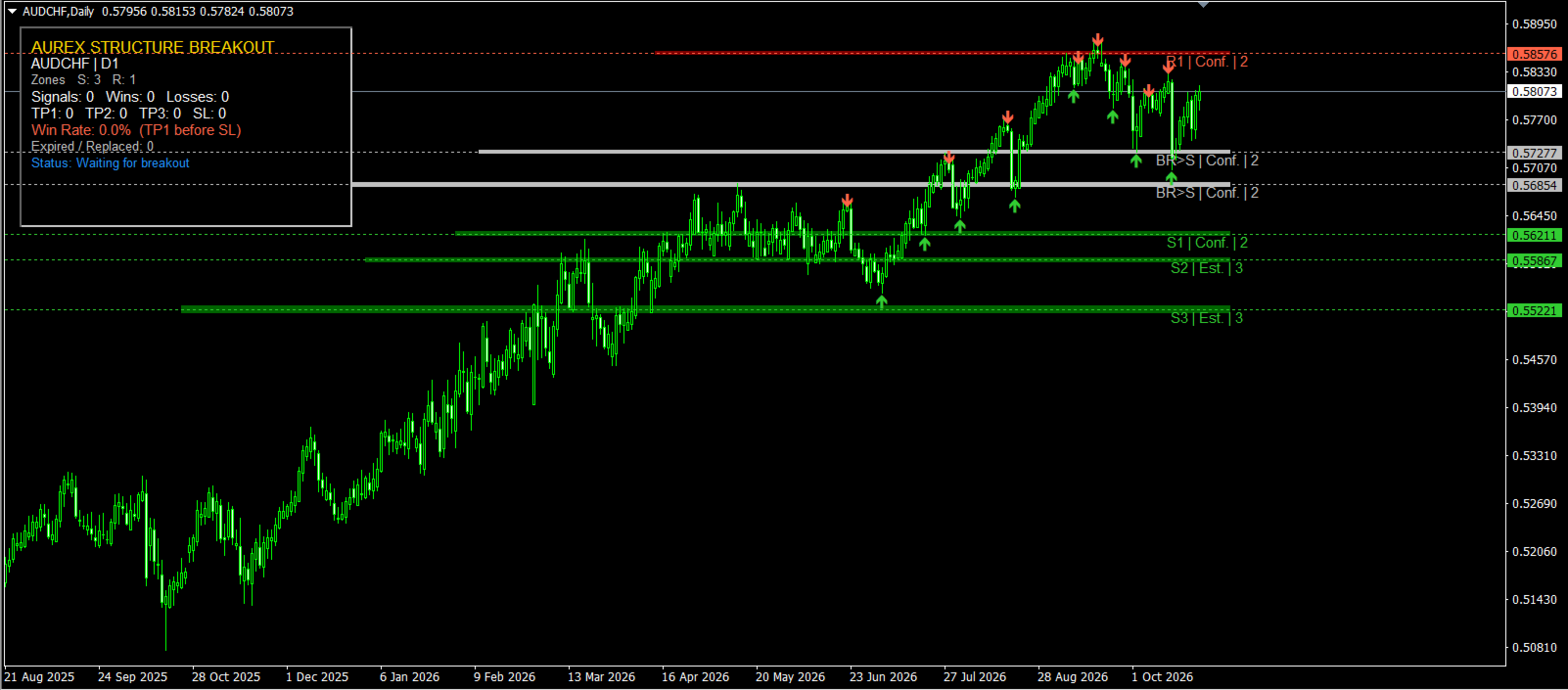
Aurex Structure Breakout analyses recent swing highs and swing lows to identify areas where price has repeatedly reacted.
Swing highs are grouped into resistance zones.
Swing lows are grouped into support zones.
Nearby levels are merged into wider structural zones so the chart remains clean and useful rather than becoming filled with unnecessary lines.
Zones are ranked using:
• Number of reactions
• Recency
• Distance from current price
• Current structural relevance
Only the most relevant support and resistance zones are displayed.
BREAKOUT SIGNALS
A BUY signal is generated when price breaks above an established resistance zone.
A SELL signal is generated when price breaks below an established support zone.
Breakout confirmation can be selected from:
• Candle Close
• Wick Break
• Live Price Touch
The default Candle Close mode waits for a completed candle beyond the zone, helping reduce signals caused by temporary price spikes.
The Require Fresh Breakout option can also be enabled to help prevent repeated signals after price has already moved through a level.
STOP LOSS OPTIONS
The indicator includes several Stop Loss methods.
Recent Swing
For BUY signals, the SL is placed below the most recent valid swing low.
For SELL signals, the SL is placed above the most recent valid swing high.
This is the default mode.
Nearest Zone
The SL is placed beyond the nearest valid support or resistance zone.
Breakout Zone
The SL is placed beyond the structural zone that generated the breakout.
Fixed Points
Uses a manually selected fixed Stop Loss distance.
ATR
Uses an ATR-based Stop Loss.
The Stop Loss buffer can be calculated using:
• Pips
• Points
• ATR
A Maximum Structure Stop ATR setting helps prevent unusually distant swing or structural levels from creating excessively large stops.
TAKE PROFIT OPTIONS
Risk Multiple
This is the default Take Profit method.
Targets are calculated from the distance between Entry and Stop Loss.
Default values:
TP1 = 1.0R
TP2 = 1.5R
TP3 = 2.0R
These values are fully adjustable.
Structure Target
TP1 is placed before the next opposing support or resistance zone.
For BUY signals, TP1 is positioned before the next resistance area.
For SELL signals, TP1 is positioned before the next support area.
TP2 and TP3 are then projected from the Entry-to-TP1 distance.
Fixed Points
Allows the trader to define TP1, TP2 and TP3 using fixed point distances.
SUPPORT AND RESISTANCE SETTINGS
Swing Strength
Controls how significant a swing must be before it can contribute to structure.
Minimum Zone Touches
Controls how many reactions are required before a zone becomes established.
Minimum Touch Separation
Prevents several candles from the same price reaction being counted as separate touches.
Zone Merge ATR
Controls how closely related swing prices must be before they are grouped into the same zone.
Maximum Support Zones
Limits the number of support zones displayed.
Maximum Resistance Zones
Limits the number of resistance zones displayed.
Maximum Level Age
Removes older structure that is no longer relevant.
Maximum Level Distance ATR
Removes levels that are too far from current price.
BROKEN LEVELS
Recently broken support and resistance zones can remain visible temporarily.
This can help highlight potential role reversals such as:
Previous resistance becoming support.
Previous support becoming resistance.
Old broken levels are automatically removed after the selected number of bars.
SIGNAL ALERTS
The indicator can generate:
• Popup alerts
• Sound alerts
• Push notifications
• Email alerts
Alerts can include:
• Symbol
• Timeframe
• Direction
• Entry
• Stop Loss
• TP1
• TP2
• TP3
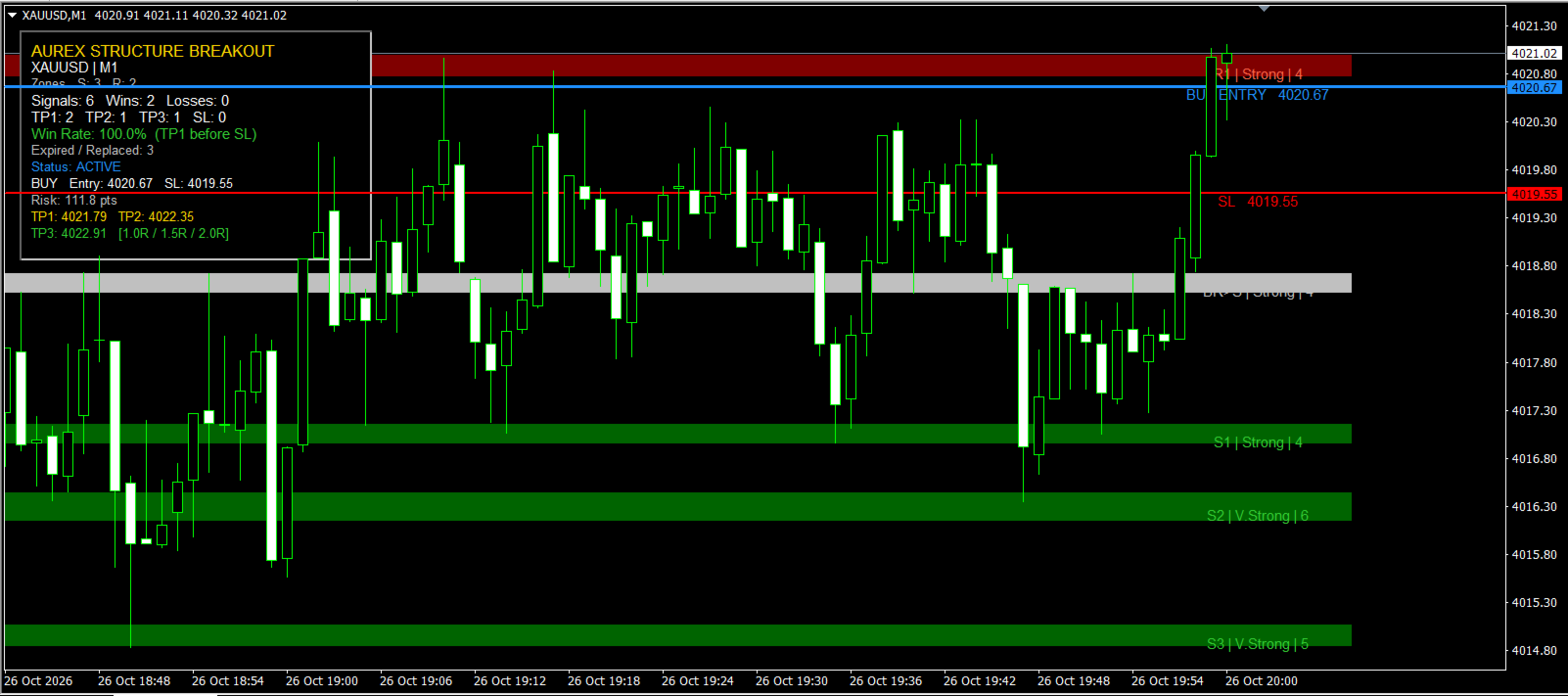
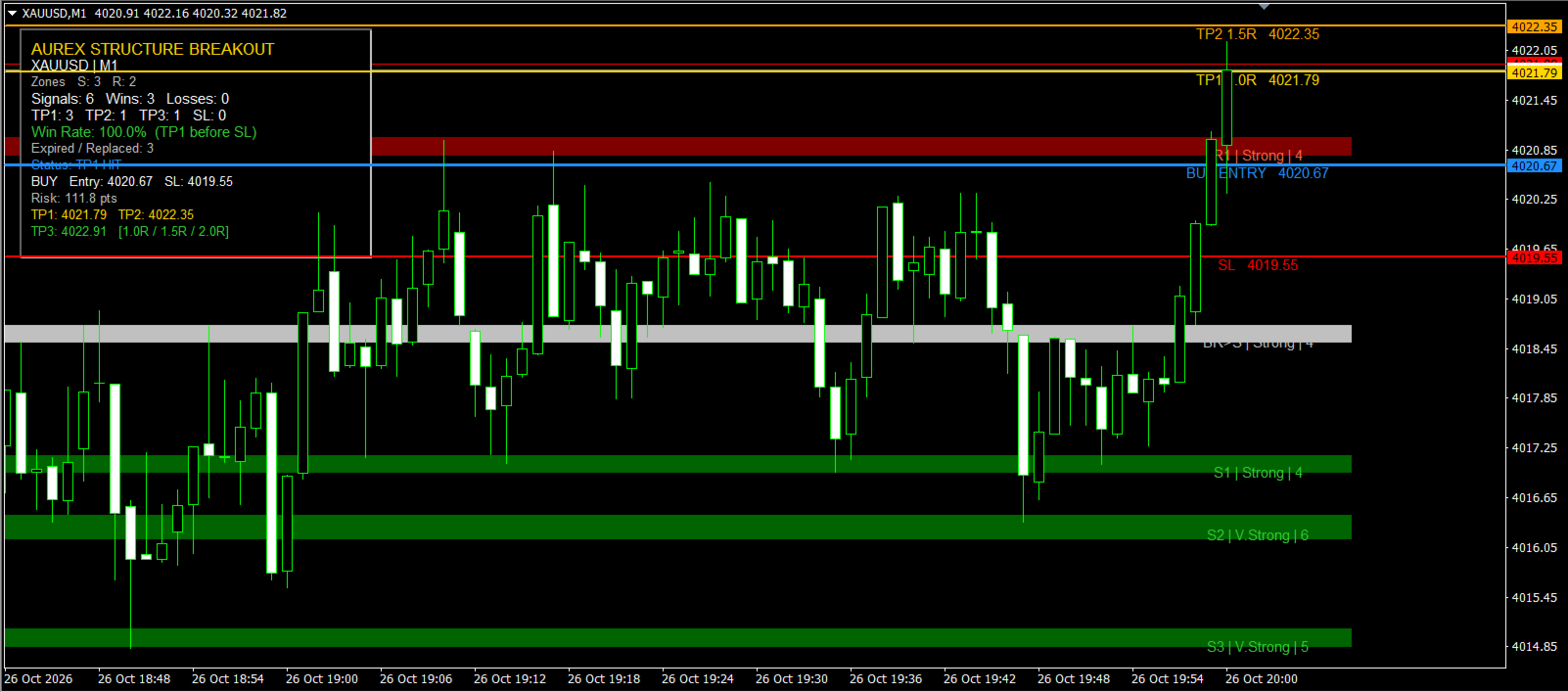
ON-CHART STATISTICS
Aurex Structure Breakout includes an optional statistics dashboard.
The dashboard can display:
• Total signals
• Wins
• Losses
• Stop Loss hits
• TP1 hits
• TP2 hits
• TP3 hits
• Win rate
• Expired or replaced setups
• Current active trade plan
The default win-rate calculation considers TP1 being reached before Stop Loss as a successful signal.
Statistics are based only on signals generated and tracked while the indicator is running. They are not simulated historical results.
CHART MANAGEMENT
The indicator automatically removes older or irrelevant objects to prevent the chart becoming cluttered over time.
This includes:
• Old support zones
• Old resistance zones
• Expired broken levels
• Old swing markers
• Completed trade plans
• Expired setups
The user can also control how many zones and markers remain visible.
MAIN SETTINGS
Key adjustable inputs include:
• Swing Strength
• Minimum Zone Touches
• Zone Merge ATR
• Maximum Support and Resistance Zones
• Breakout Confirmation Mode
• Breakout Buffer
• Stop Loss Mode
• Stop Loss Buffer
• Maximum Structure Stop ATR
• Take Profit Mode
• TP1 / TP2 / TP3 Risk Multipliers
• Structure Target Settings
• Fixed SL and TP Distances
• Signal Lifetime
• Popup / Sound / Push / Email Alerts
• Dashboard Display
• Zone Display and Colours
DEFAULT CONFIGURATION
The default setup uses:
• Candle Close breakout confirmation
• Recent Swing Stop Loss
• 2 pip Stop Loss buffer
• Maximum structure stop of 1.5 ATR
• TP1 = 1.0R
• TP2 = 1.5R
• TP3 = 2.0R
• Automatic support and resistance cleanup
• Compact zone labels
• On-chart statistics dashboard
IMPORTANT
Aurex Structure Breakout is an analytical indicator and signal tool.
It does not automatically open or close trades.
Trading carries risk and no indicator can guarantee profitable results.
Users should test the indicator on their preferred symbol, timeframe and broker before relying on it for live trading decisions.
Past or tracked signal performance does not guarantee future results.