Stoch Zone
- Indicators
- Version: 7.10
- Activations: 5

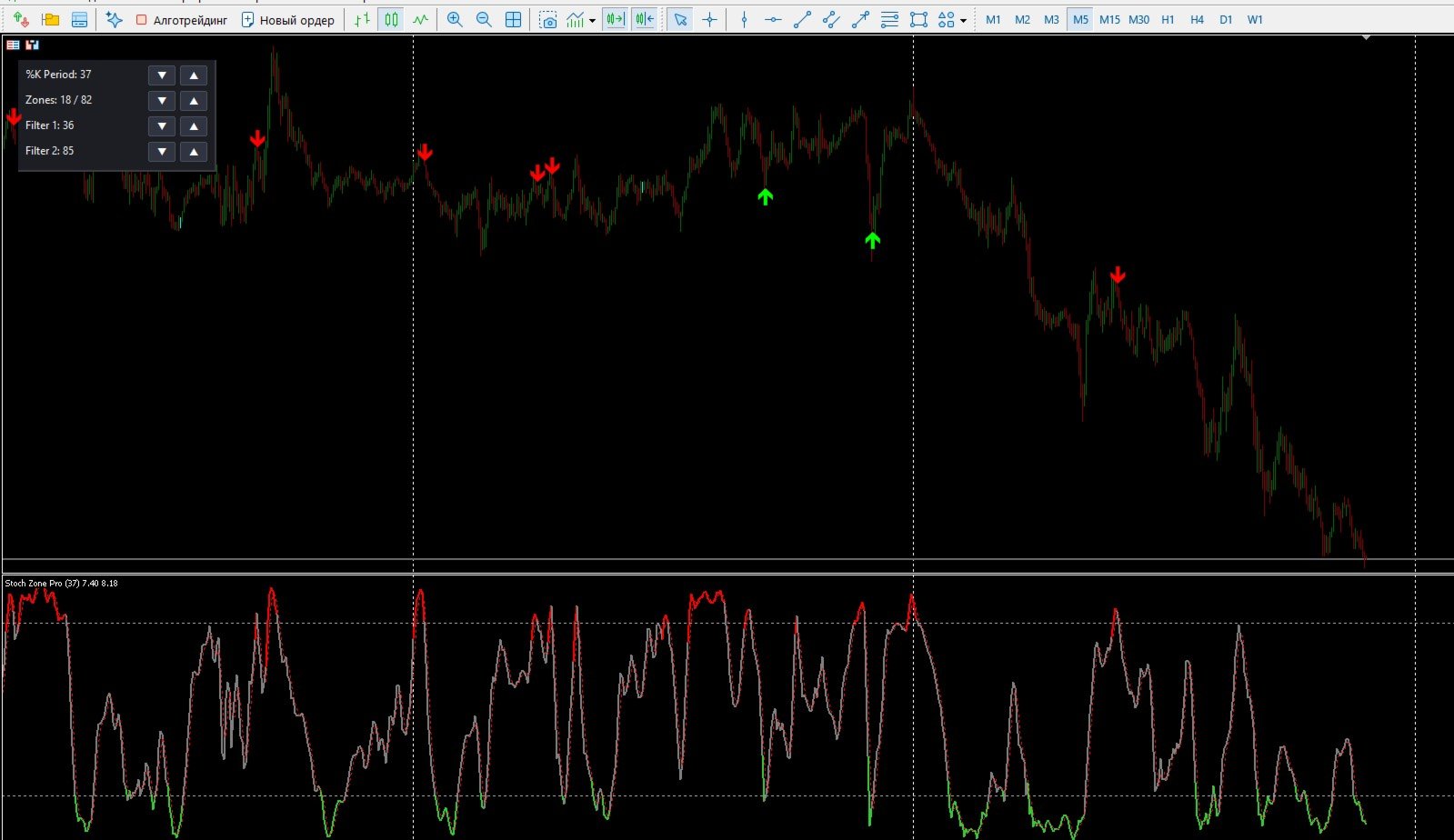
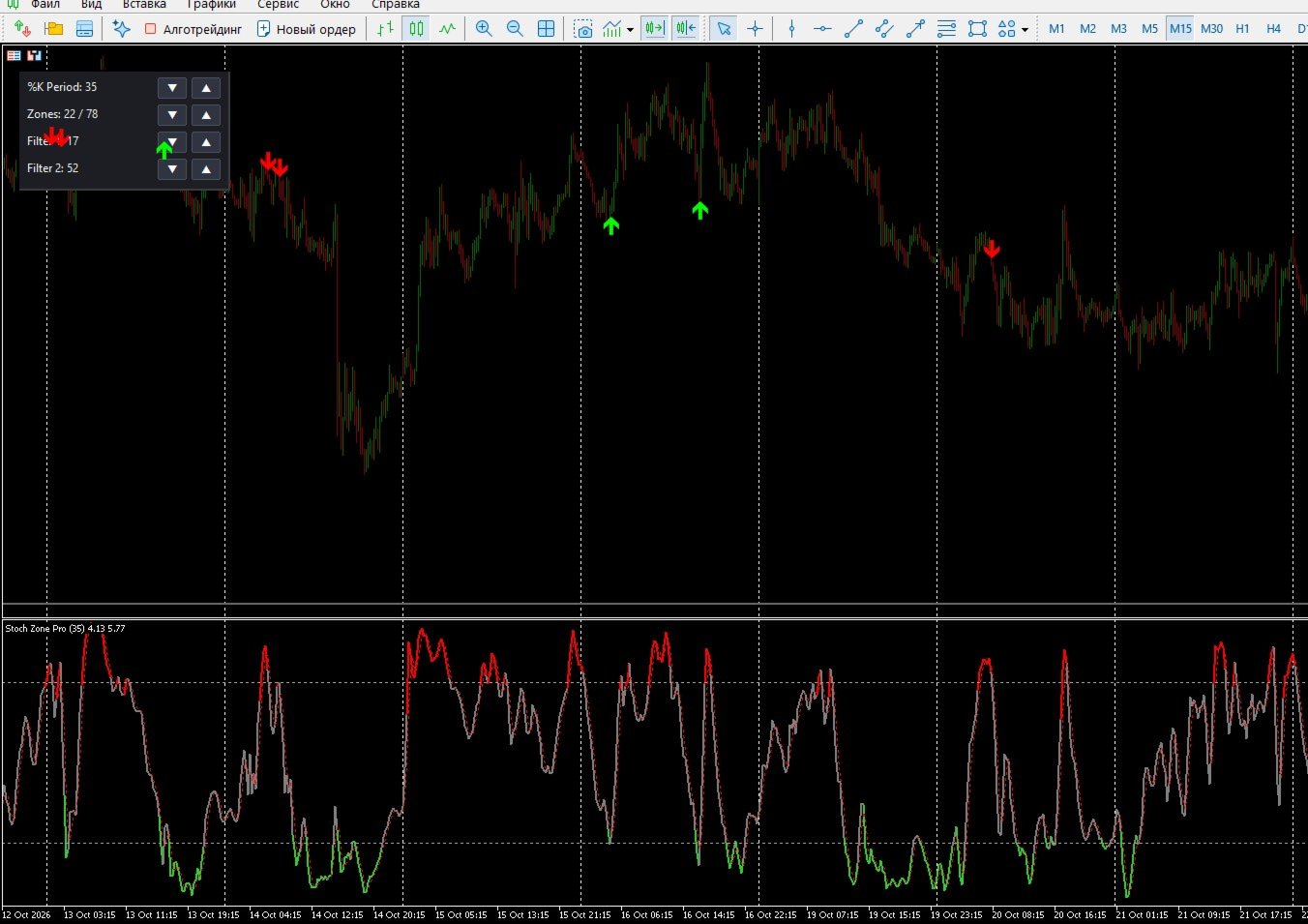
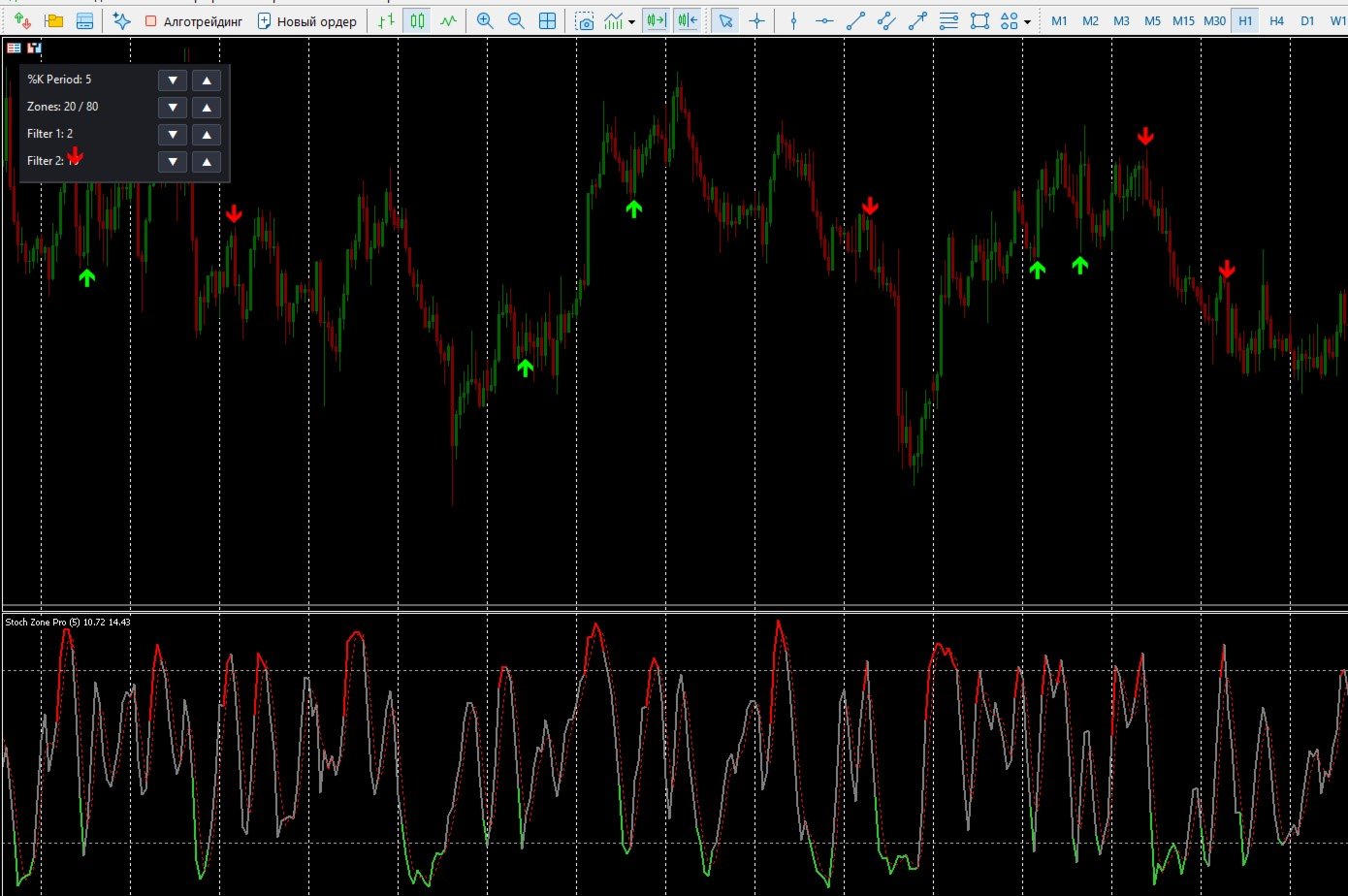
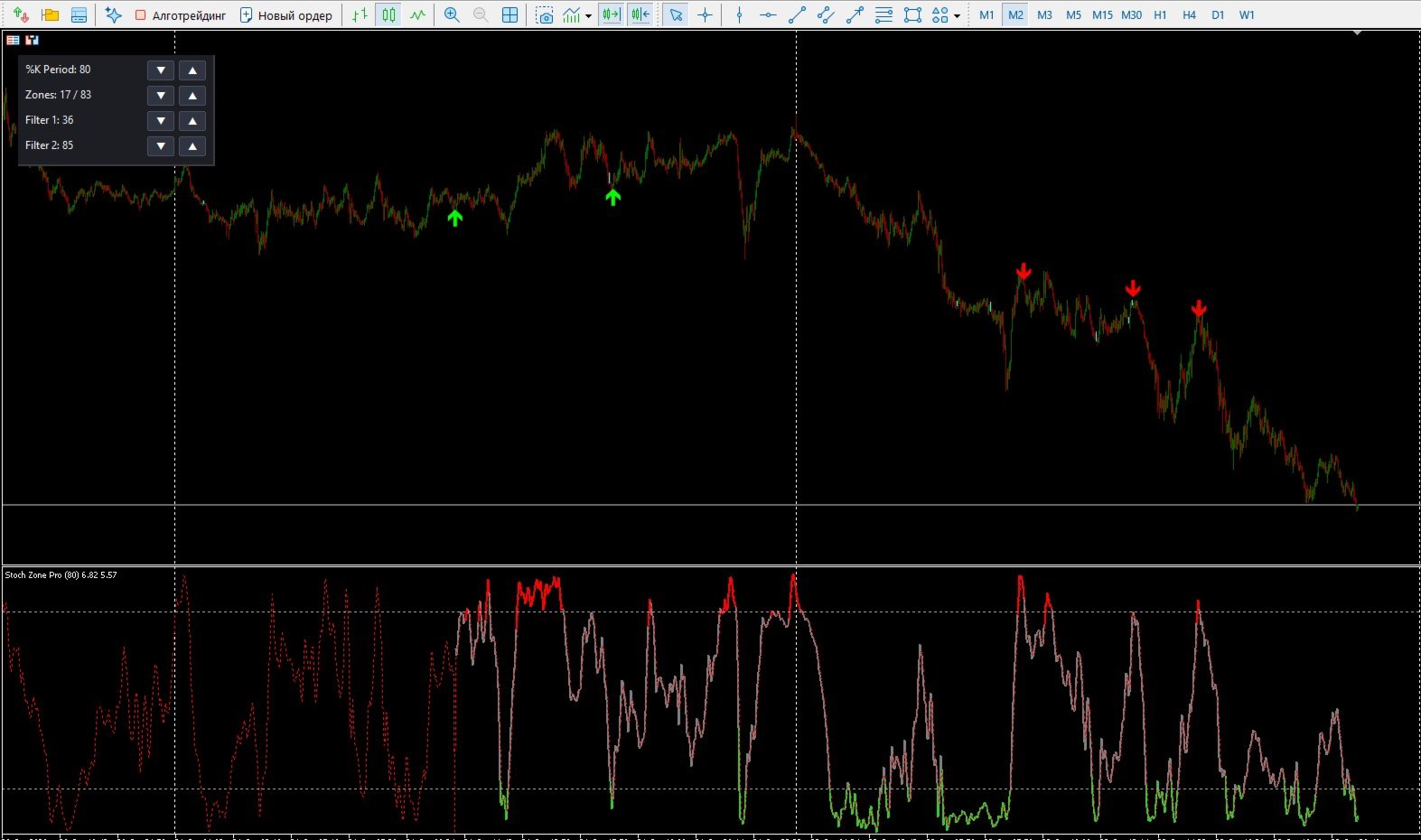
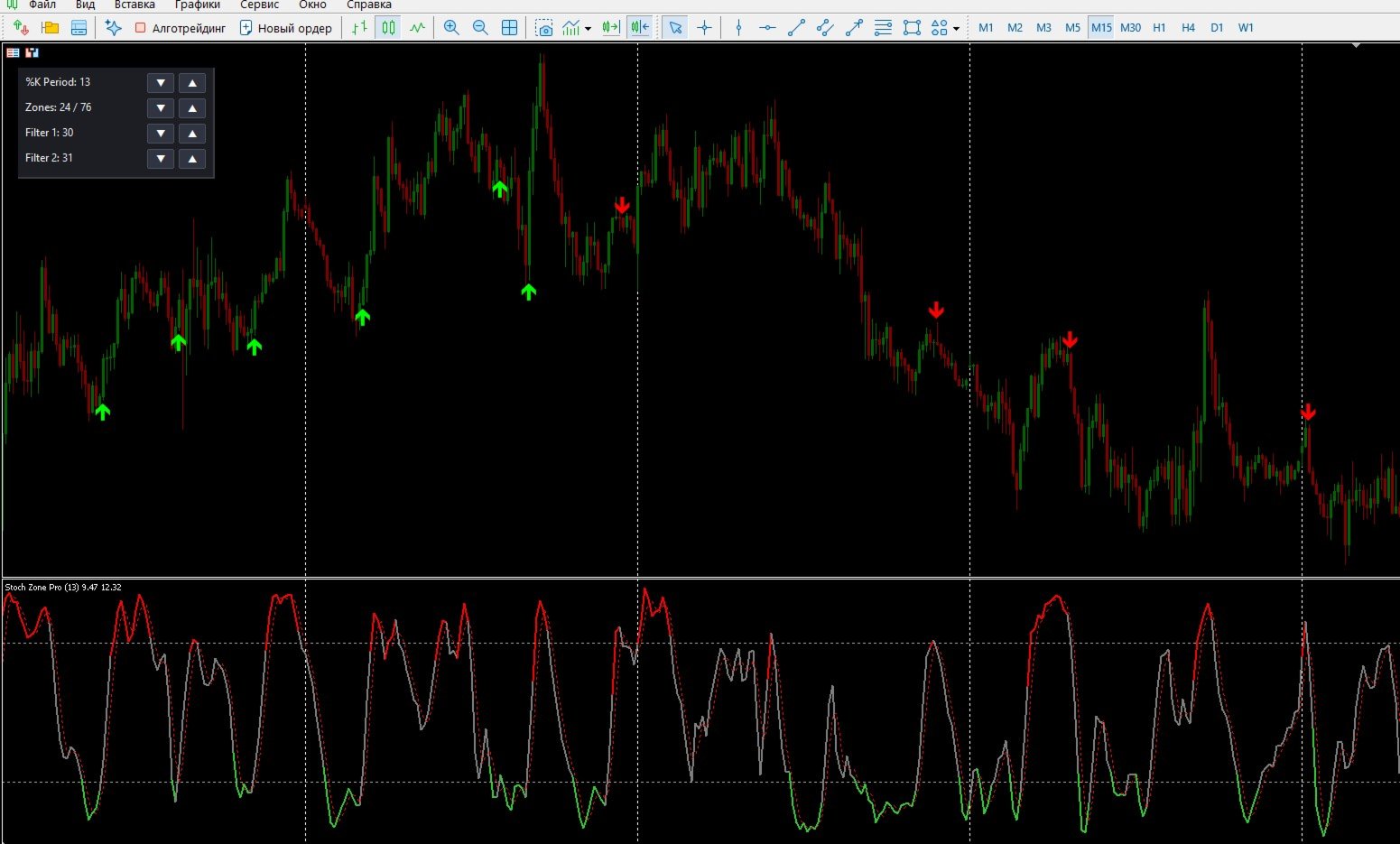
Stoch Zone Pro is not just another oscillator; it is a complete analytical station right on your chart. We took the classic mean-reversion mechanics and solved its main problem: the huge number of false signals during strong directional price movements.
Thanks to the built-in proprietary Advanced Trend Filter algorithm, the indicator continuously analyzes hidden market momentum. You receive signals only when the price reversal is fully synchronized with the dominant trend.
Key Advantages:
-
Pulse Filter: The smart mathematical core "under the hood" strictly blocks counter-trend signals. If the market is falling aggressively, the indicator will ignore oversold breakouts and prevent you from catching a falling knife, saving your stop losses.
-
Interactive Control Panel: Change periods, expand or narrow trading zones, and adjust filter sensitivity directly on the chart in one click. No more constantly opening the indicator's properties window.
-
Clean Chart: The indicator handles all the complex math, leaving only clear and precise entry arrows (Buy/Sell) on the main window.
-
Alert System: Built-in pop-up alerts and sound notifications will instantly inform you of the perfect entry point, eliminating the need to sit in front of the monitor for hours.
-
Bilingual Interface: Full support for both English and Russian languages (including panel text and notifications) toggled by a single parameter.
How It Works:
-
The system waits for the price to enter an extreme zone (above 80 or below 20 by default).
-
Upon a reversal and attempt to exit the zone, the code polls the hidden Pulse Filter.
-
If the filter confirms that the current momentum supports this direction, an arrow appears on the chart. If it is just market noise or a dangerous pullback, the signal is programmatically suppressed.
Main Parameters:
-
Interface Language — selects the language for the panel and alerts (English / Russian).
-
%K Period / %D Period / Slowing — classic oscillator sensitivity settings.
-
Pulse Filter 1 / Pulse Filter 2 — strictness settings for the hidden trend filter (the higher the values, the more established the trend must be to approve a trade).
-
Overbought / Oversold Level — boundaries of the trading zones.
-
Show Panel — enables or disables the on-chart control panel.
-
Show Arrows / Alerts — visual and audio signal configurations.