
Pulse Range Navigator Pro
- Indicators
- Version: 1.50
- Updated: 23 May 2026
- Activations: 5

Pulse Range Navigator Pro
Sub-headline: Adaptive Momentum & Smart Trend Filtering System
Pulse Range Navigator Pro is a trend-following trading system designed to filter out false breakouts during market consolidation (flat markets) and pinpoint high-probability continuation setups.
The indicator is built on a powerful synergy between a classic volatility breakout engine and a dual-smoothed momentum oscillator.
Core Logic & How It Works
The indicator does not try to predict market reversals. Instead, it captures confirmed momentum entries in the direction of the established higher-timeframe trend:
-
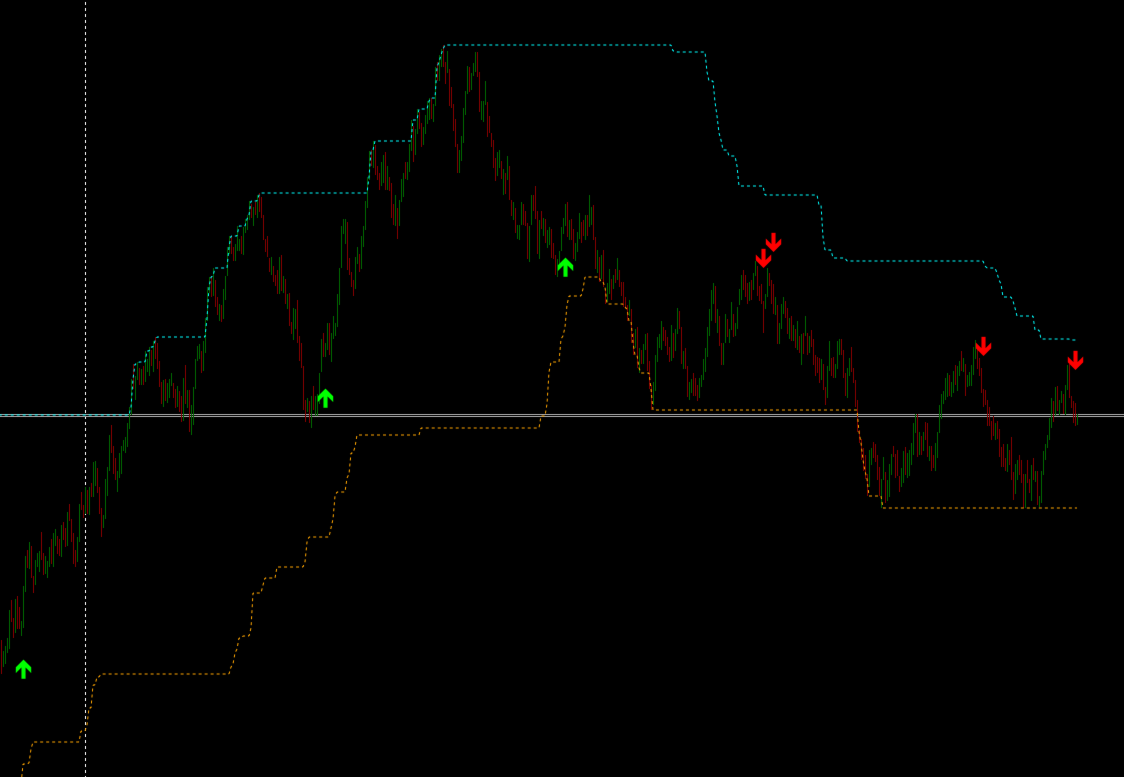
Global Trend Filter (Donchian Channel): The system tracks market extremes over a significant lookback period (default: 114 ). The trend shifts to bullish ( UP ) when the price breaks above the upper boundary and turns bearish ( DOWN ) when the lower boundary is breached. The trend state remains locked until an opposite breakout occurs, ensuring a strictly non-repainting (No Repaint) baseline.
-
Momentum Trigger (Smooth Momentum Index): Instead of using a standard, noisy oscillator, the algorithm processes the data of a smoothed Moving Average ( iMA ) through an RSI-based mathematical model. This dual-smoothing technique eliminates market noise and reveals the true strength of the current impulse.
In-Chart Dashboard
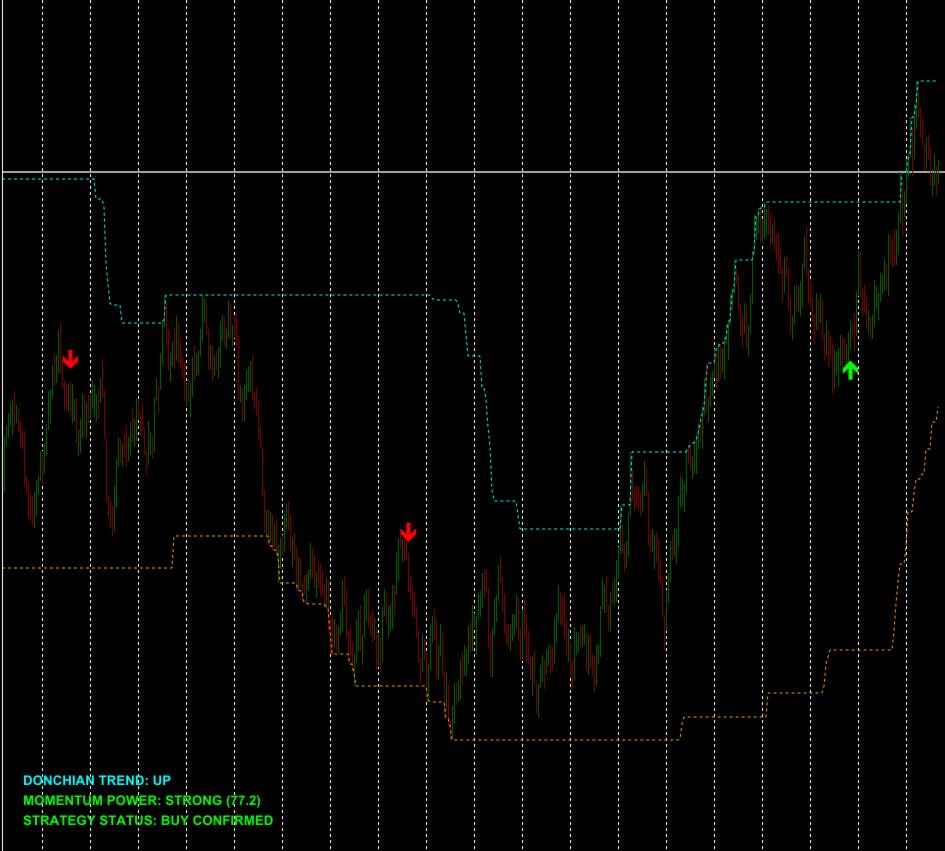
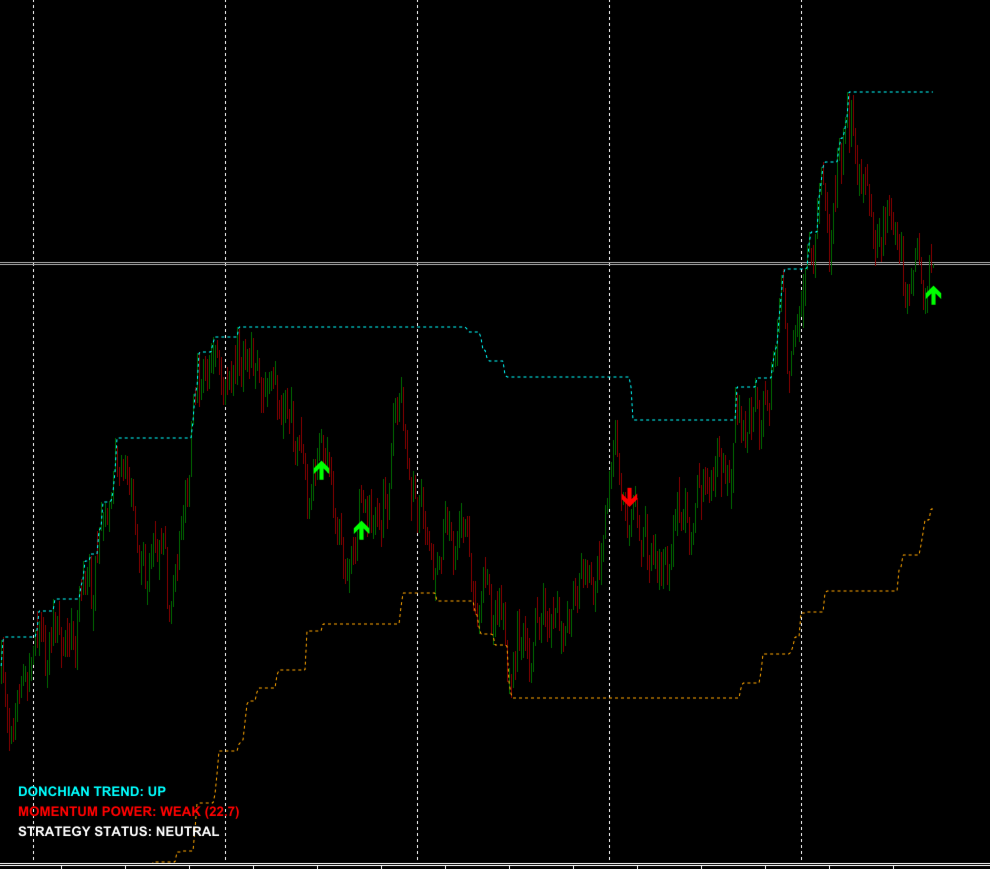
The dynamic information panel in the bottom-left corner provides real-time market insights:
-
DONCHIAN TREND: Displays the macro market direction ( UP / DOWN / WAIT ).
-
MOMENTUM POWER: Shows both a textual and numerical representation of market velocity. The STRONG status triggers when the oscillator crosses above the median 50 line, confirming buyer dominance (and vice versa for sellers).
-
STRATEGY STATUS: The ultimate system verdict. BUY CONFIRMED or SELL CONFIRMED lights up when the macro trend and micro momentum align perfectly. This allows professional traders to scale into positions or prepare for an entry even before the visual arrow appears.
Entry Signals (Arrows)
Signals are printed strictly at the close of the bar and never repaint:
-
Green Arrow (BUY): The global trend is bullish ( Donchian = UP ), and the smoothed momentum line crosses above the LowerThreshold (default: 20 ), recovering from the oversold zone.
-
Red Arrow (SELL): The global trend is bearish ( Donchian = DOWN ), and the smoothed momentum line crosses below the UpperThreshold (default: 80 ), dropping from the overbought zone.
Input Parameters Explained
-
Smooth Momentum Settings:
-
SM_Period (12) — The period used for calculating the momentum engine.
-
SM_Method (MODE_EMA) — Smoothing method applied to the underlying MA.
-
Lower/UpperThreshold (20/80) — Extreme overbought/oversold levels required to trigger trading arrows.
-
-
Trend Filter Settings:
-
Donchian_Period (114) — Lookback period for global trend detection. Note: A higher value is intended to capture stable, long-term trends.
-
ShowRangeVisuals (true) — Toggle the visibility of the channel lines on your chart.
-
-
Visual & Dashboard: Customize label colors, font sizes, arrow spacing ( ArrowOffsetPoints ), and toggle terminal alerts via EnableAlert .
Trading Recommendations & Best Practices
-
Timeframes: The default settings are heavily optimized for higher, trend-oriented timeframes (H1, H4, and D1). If you wish to trade lower timeframes (M5 to M15), it is mandatory to scale down the Donchian_Period (e.g., to 20–50) to adapt the system to intraday volatility.
-
Asset Classes: This system performs best on highly liquid, volatile instruments, including Major FX pairs, Gold (XAUUSD), and major stock indices (e.g., US30, GER40). Avoid using the indicator during tight, low-volume bank holidays or late-session market flats.







































Very good indicator and good system, it gives you a very clear context for market analysis, with reliable signals if you know how to read the context and understand the functioning of the entire system, for me it is very good.