Snow Eagle X MT5
- Experts
- Version: 1.6
- Activations: 10

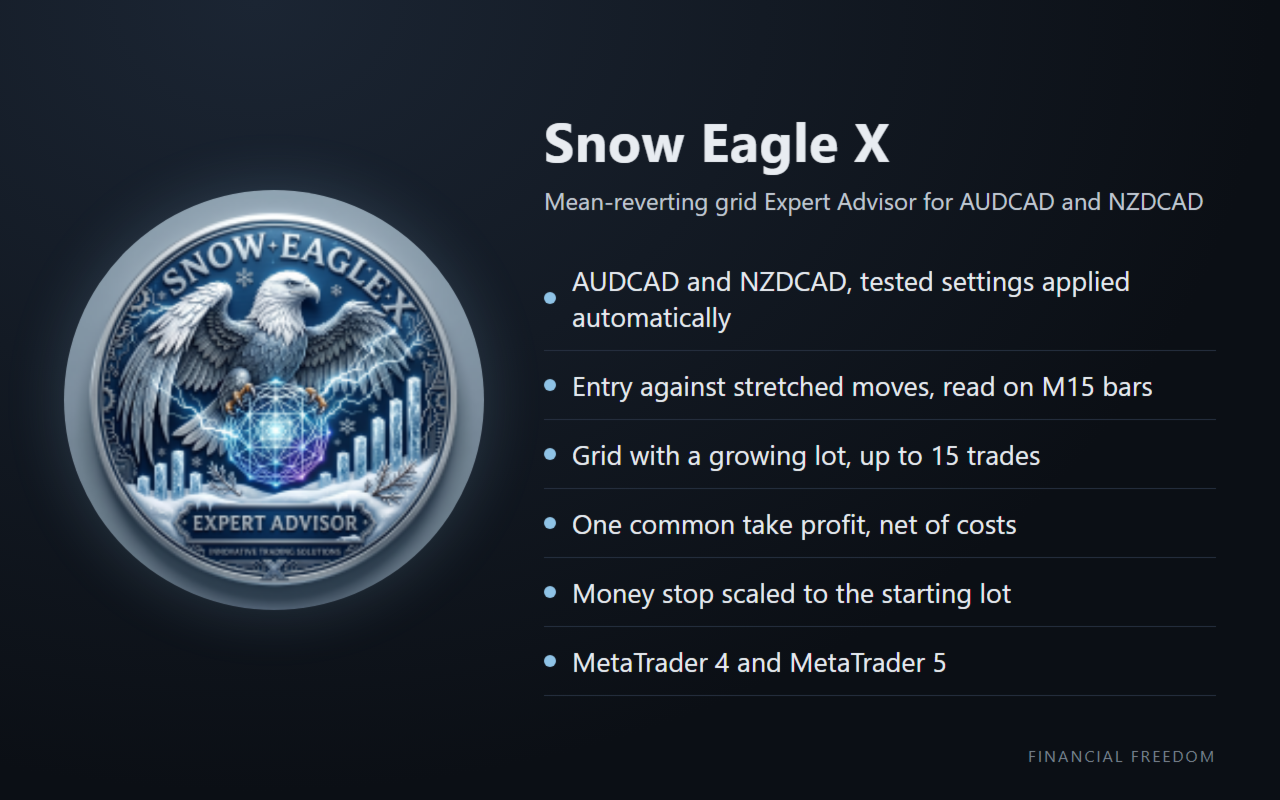
Snow Eagle X is a mean-reverting grid Expert Advisor for AUDCAD and NZDCAD. It enters against stretched moves and, if the move continues, adds trades at a set step with a growing lot. All trades of a grid close together at one take profit, and a money stop closes them when their open loss reaches the limit you set. This is a grid system with an increasing lot: please read the risk section before using it.
Live track record
Live signal running since 27 April 2026: Snow Eagle X signal.
All our live signals: Financial Freedom Signals. Our shop: Financial Freedom Shop.
Key features
Auto Settings: the tested parameters for AUDCAD and NZDCAD are applied automatically
Money stop on the open loss, scaled to the starting lot
One common take profit for all trades of a grid, weighted by lot size
Adaptive step: the distance between trades widens when the market is more volatile
Lot sizing: fixed lot, or 0.01 lots for every X of balance
Trading hours, maximum spread and buy/sell direction filters
On-chart panel with lot, spread, open profit and closed profit
How it works
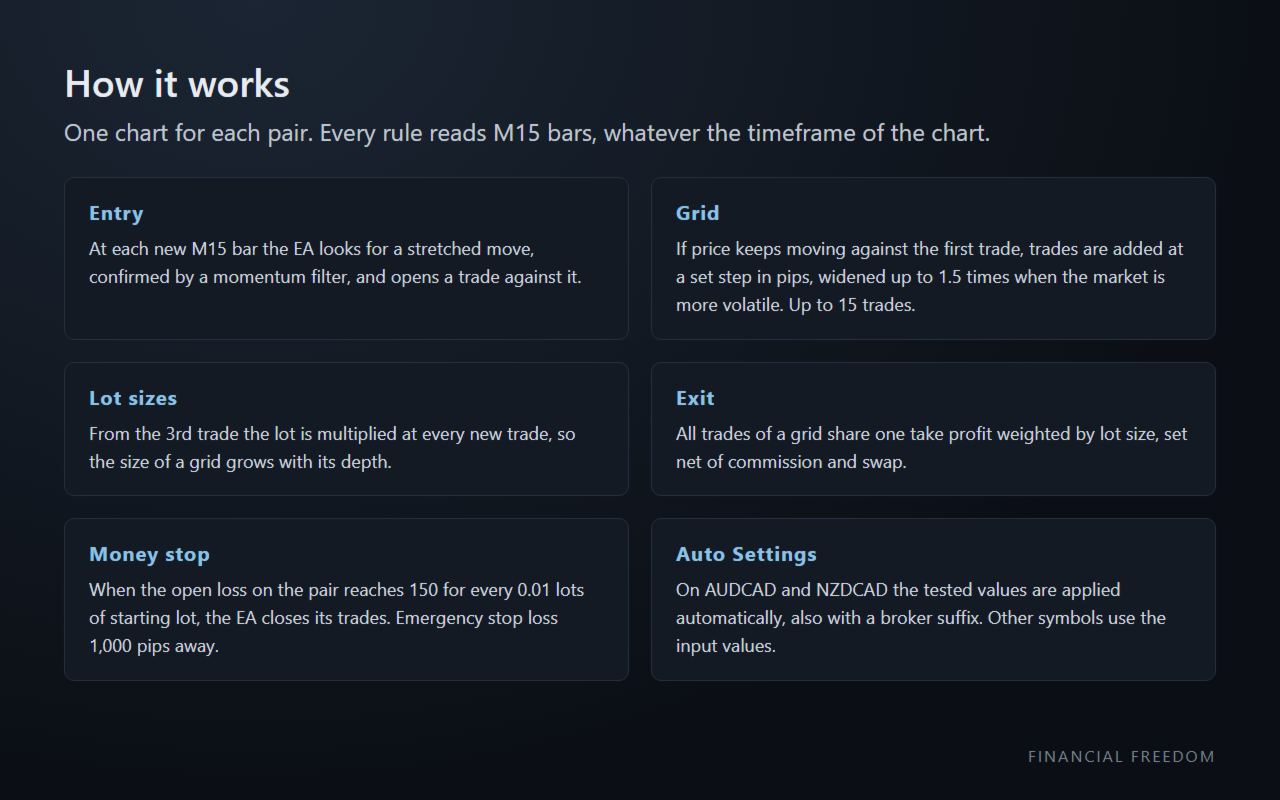
Entry: at each new M15 bar the EA looks for a stretched move, confirmed by a momentum filter, and opens a trade against it.
Grid: if price keeps moving against the first trade, the EA adds trades at a set step in pips, widened up to 1.5 times when the last 24 hours are more volatile than the last 7 trading days. A grid holds up to 15 trades.
Lot sizes: from the 3rd trade the lot is multiplied at every new trade, so the size of a grid grows with its depth.
Exit: all trades of a grid share one take profit weighted by lot size, so the grid closes with about the profit of the first trade at its own take profit, net of commission and swap.
Money stop: when the open loss of the EA's trades on the pair reaches Max Drawdown in Money (150 for every 0.01 lots of starting lot with Auto Settings: 150 at 0.01 lots, 300 at 0.02 lots), the EA closes them. Every order also carries an emergency stop loss 1,000 pips away.
Risk
The lot grows with every new trade of a grid. When price runs far against a grid, the position is large and the open loss grows fast until the money stop closes it. A buy grid and a sell grid can run on the same pair at the same time (Allow Hedging). With two pairs, two money stops can be hit in the same period.
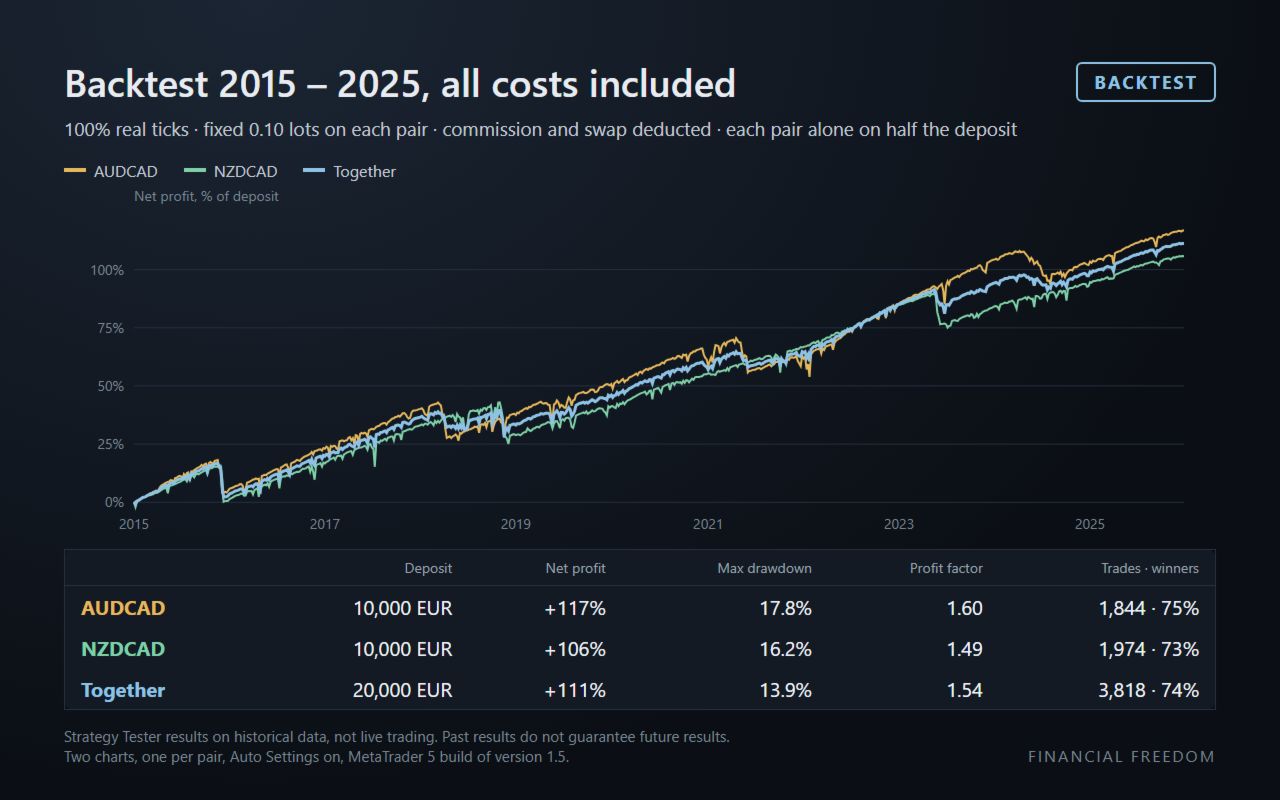
Set the starting lot from your balance, not from the profit you want: use 0.10 lots on each pair for every 20,000 EUR, for example with For Every X Balance = 2000. In the 2015-2025 backtest at this ratio, the largest equity drawdown was 13.9% (2016).
How we test
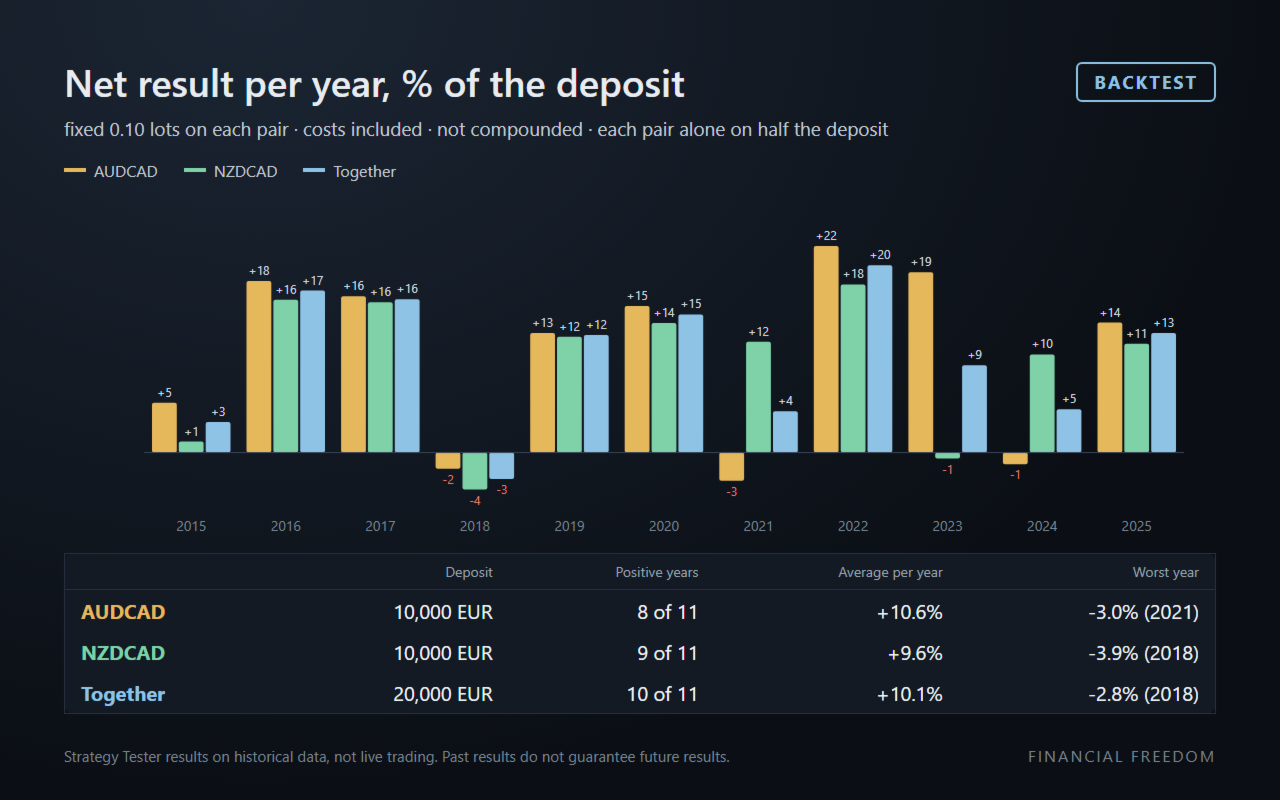
Backtests run on 100% real ticks from 2015 to 2025, with commission and swap deducted from every trade. The images show backtest results on historical data, not live trading.
The backtests were run in the MetaTrader 5 Strategy Tester with the MT5 build of version 1.6, which has the same parameters and default inputs. In the tester the MT5 build sets the common take profit and the money stop net of the modelled commission and swap; on a live account both builds use the commission and swap charged by the broker. Results in the MT4 Strategy Tester will differ.
Requirements
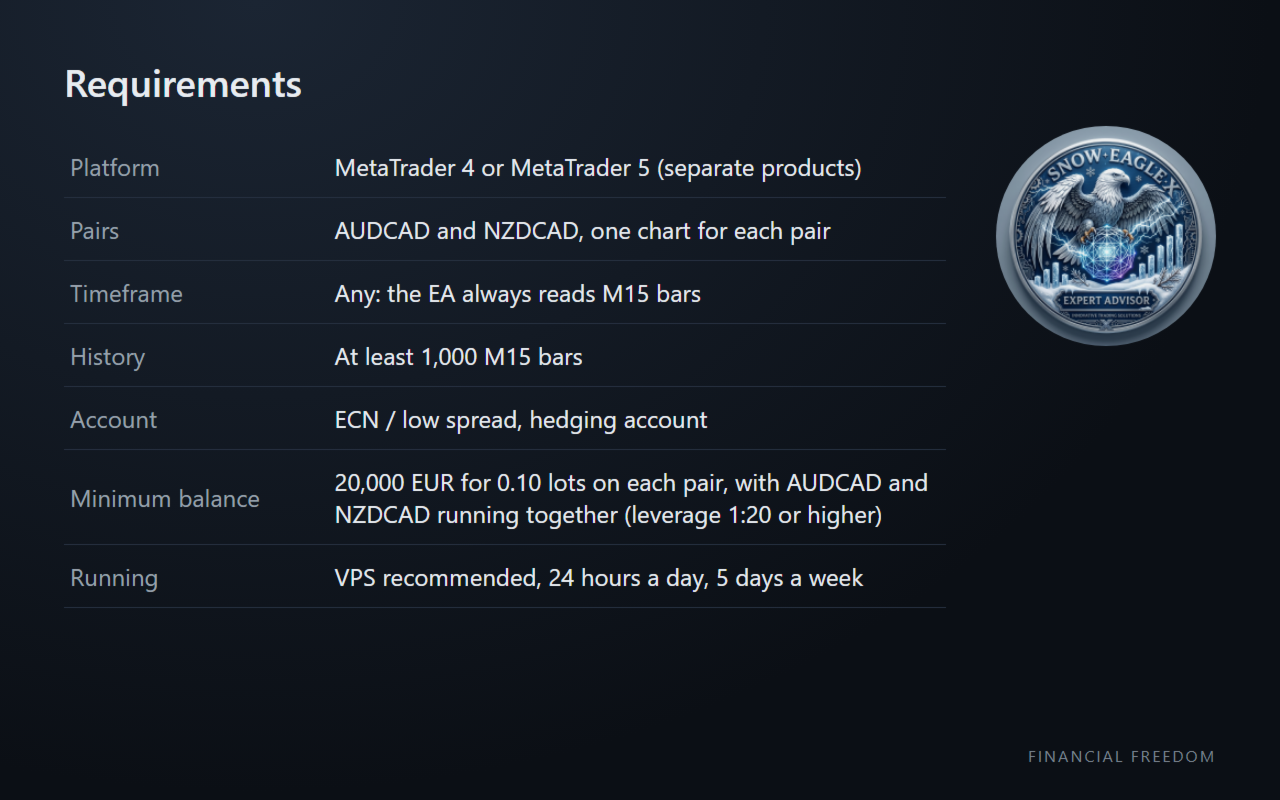
Pairs: AUDCAD and NZDCAD, one chart for each pair. Auto Settings recognises the pair also with a broker suffix (for example AUDCAD.fx). On other symbols the EA uses the input values, which are not tested.
Timeframe: any, the EA always reads M15 bars. At least 1,000 M15 bars of history. The EA sets its own chart colours.
Account: ECN / low spread, hedging account. Spread, commission and swap reduce the results.
Minimum balance: 20,000 EUR for 0.10 lots of starting lot on each pair, with AUDCAD and NZDCAD running together (leverage 1:20 or higher).
VPS recommended, running 24 hours a day, 5 days a week.
Settings
Strategy and lot size
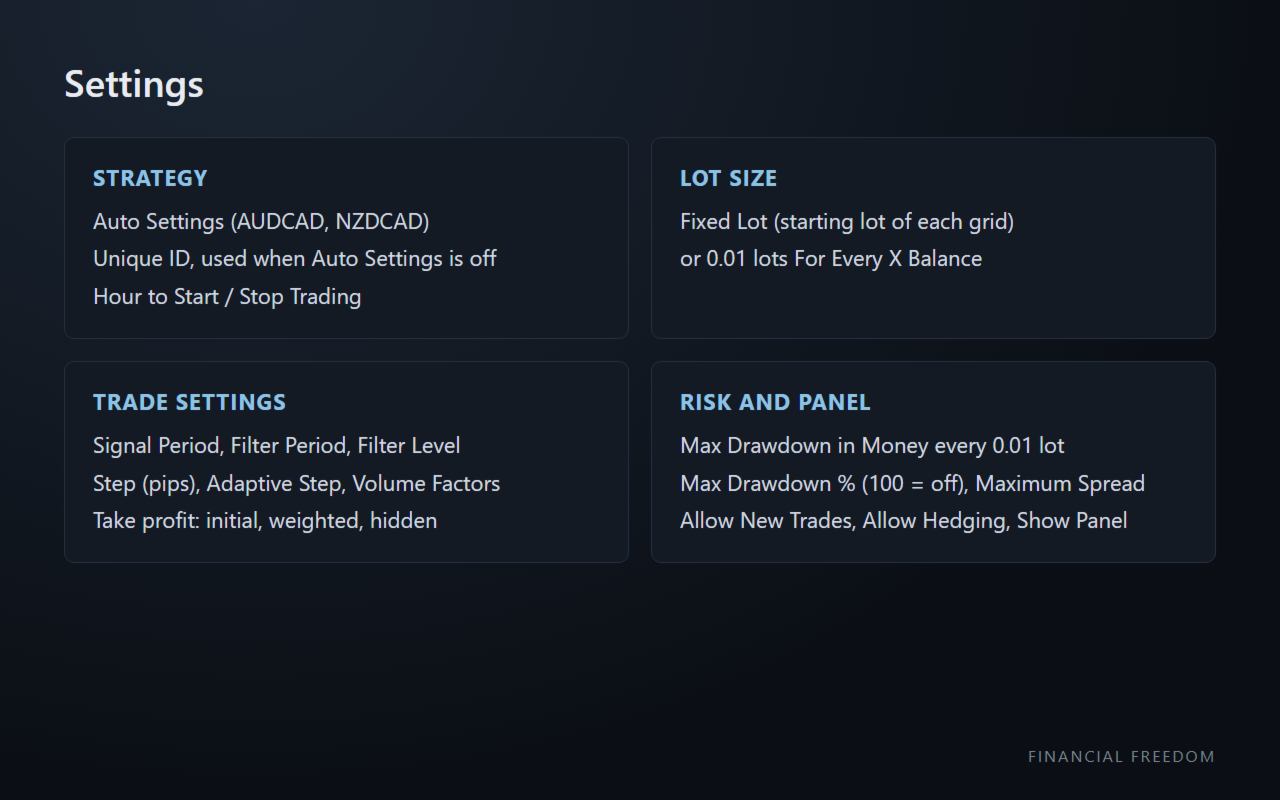
Auto Settings: on AUDCAD and NZDCAD it replaces the trade, take profit and money stop inputs with the tested values and sets the Unique ID by itself
Unique ID (0-9): used only when Auto Settings is off; give each chart of the same pair a different ID
Lot Sizing Method: Fixed Lot, or For Every X Balance (0.01 lots for every X of balance)
Fixed Lot / 0.01 For Every X Balance: starting lot of each grid
Hour to Start Trading / Hour to Stop Trading: window for new grids, broker time
Trade settings (used when Auto Settings is off or on other symbols)
Signal Period, Filter Period, Filter Level: entry signal
Step (pips), Adaptive Step: distance between the trades of a grid
Volume Factor 2, Volume Factor 3+: lot multipliers of the 2nd trade and from the 3rd trade
Maximum Allowed Trades (1-99): trades per grid
TakeProfit for Initial Trade (pips), Weighted TakeProfit, TakeProfit for additional trades (pips)
Hide TakeProfit, Virtual TP on bar close: take profit kept by the EA instead of the broker
Risk and panel
Allow New Trades: when off, open grids continue but no new grid starts
Hide StopLoss, Allow Hedging, Allow to Buy/Sell
Max Drawdown % (100 = off): closes the EA's trades when their open loss reaches this % of the balance
Max Drawdown in Money every 0.01 lot (0 = off), Max Drawdown Action, Max Drawdown Calculation
Maximum Spread (pips): orders open, and the money stop closes them, only while the spread is below this value
Show Panel, Text Font Size
About us
Financial Freedom is a team with more than 12 years of experience in algorithmic trading. We answer every comment and review.
Disclaimer: this is not financial advice. Please do your own analysis and testing. Forex trading carries a high risk: you can lose all your capital.