AudCad Pulse
- Experts
-
Yury Orlov
 Trading since 1999 — Forex, CME, Crypto. One model survived a quarter of a century: enter the trend after its correction completes — short stop, large potential.
 - Version: 1.1
- Activations: 10
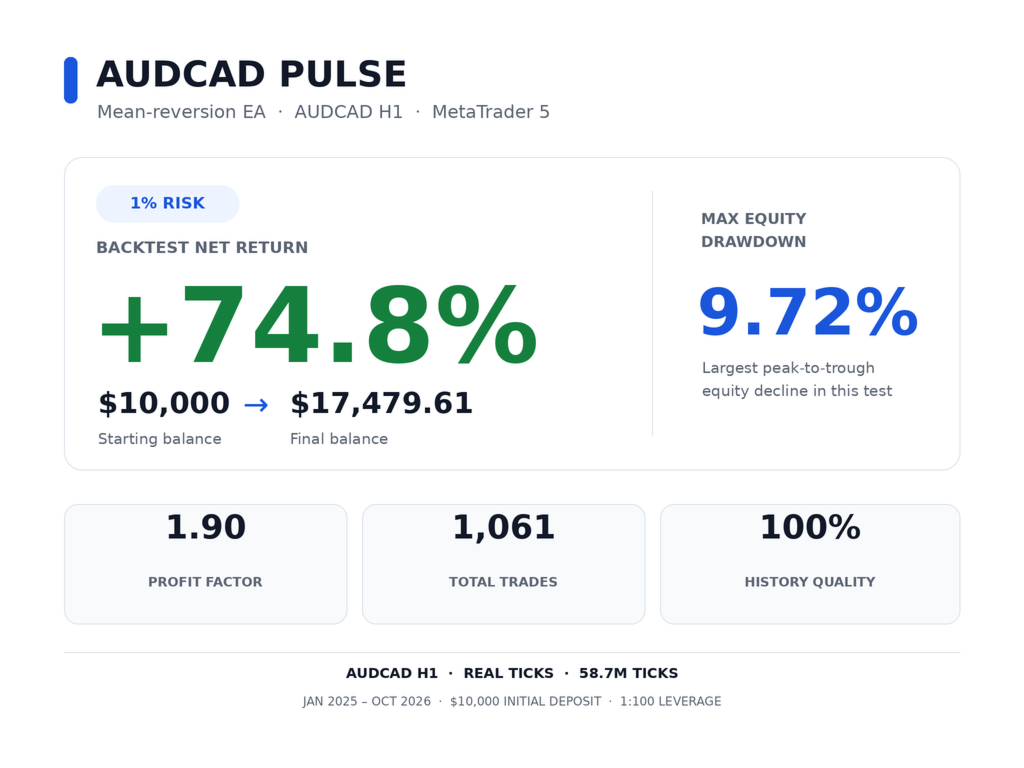
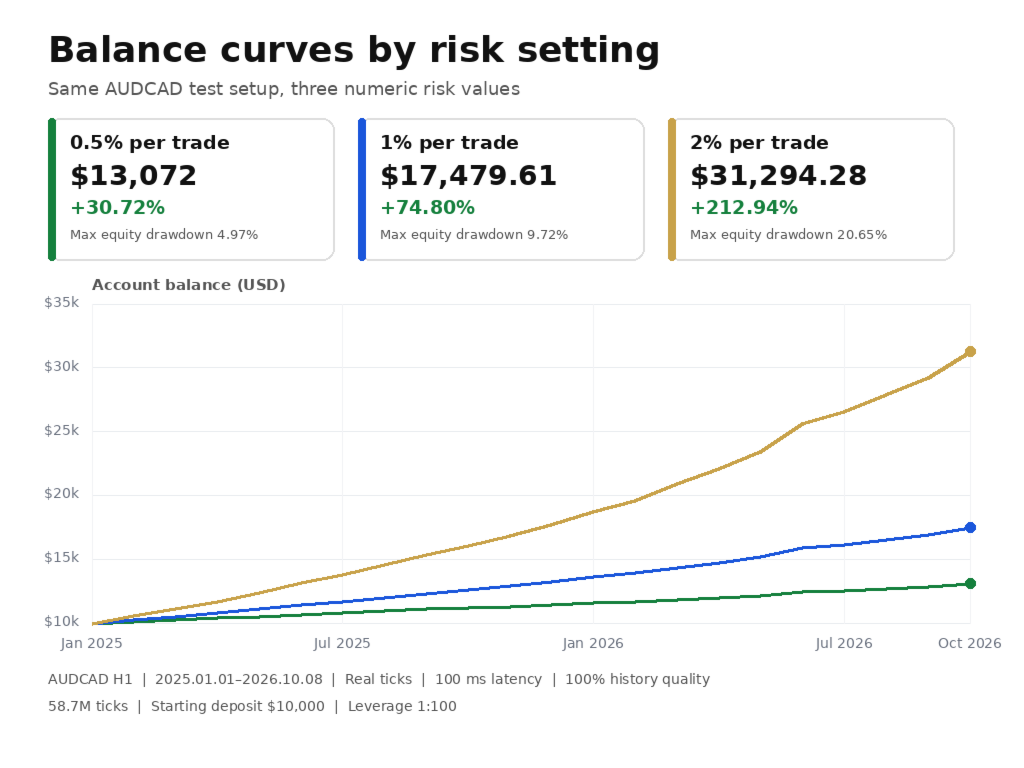
22 months of testing, 22 months in profit. From January 2025 to October 2026 a $10,000 deposit grew to $17,479 (+74%) on default settings, and 2026 alone added +28%. Check it yourself in 5 minutes, free of charge, instructions below.
AudCad Pulse is a fully automated expert advisor for one currency pair, AUDCAD. Put it on a chart, choose your risk, and it does everything else on its own. The test is honest: real ticks, 100 ms execution delay, 1:100 leverage, $10,000 deposit.
Message me privately right after your purchase. I will help you install and set it up personally and send you the manual and a link to our community.
To keep the quality of the product and the support high, I raise the price every 10 copies sold. At the current price, 10 copies out of 10 are left.
Monitoring of a real account will appear on this page right after launch.
How AudCad Pulse works
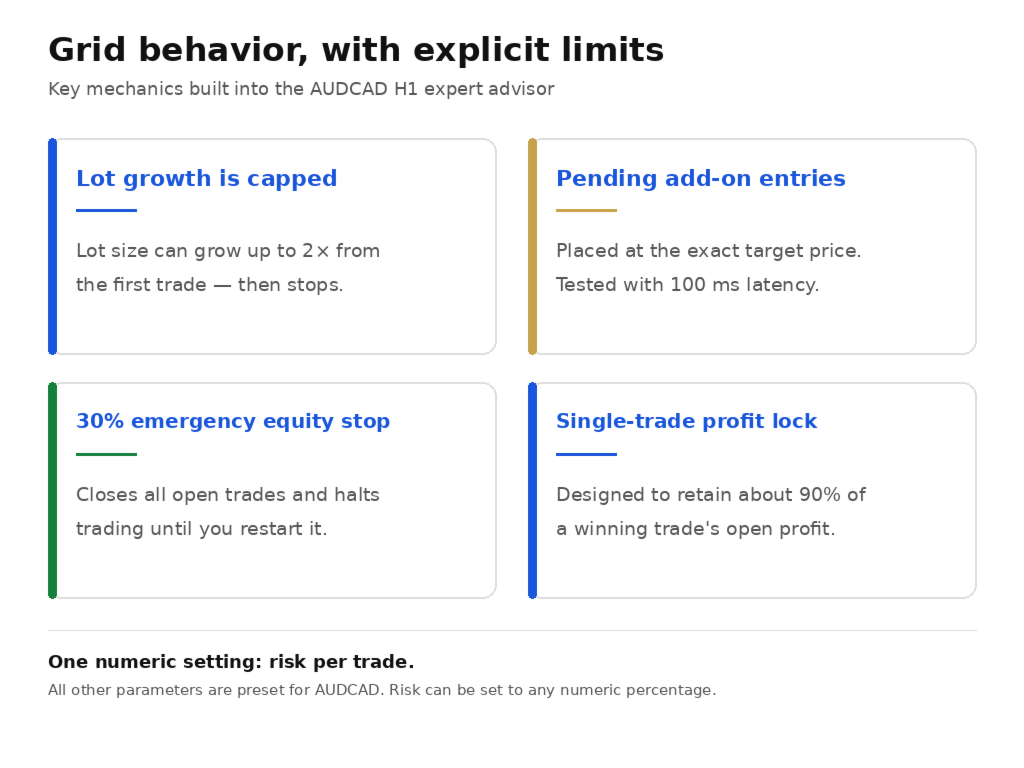
The EA trades one pair, AUDCAD, and earns on its habit of coming back to its middle: it buys when price has moved noticeably below, sells when noticeably above, and takes profit in small portions, many times a month. What it earns on a successful trade it protects and does not give back to the market. What counts as "noticeably" and when to add to a position is decided by the built-in model, which has been working for my clients on real money for years.
How it differs from other EAs of this kind
- The lot does not grow without limit. One strong move in one direction does not burn the account.
- It is not afraid of a slow broker: the test with a 100 ms delay and without it gave almost the same result. The gap between "looks great in the tester, loses on a live account" is closed. Take my word for it, or better, check it in the tester yourself.
- It trades at an unhurried pace: about 48 trades a month, not hundreds.
- It does not hold anything unnecessary over the weekend.
- One setting: risk. Everything else is built in for the pair. There are no thirty knobs for the buyer to ruin the result with.
- Any broker with MT5, a hedging account, a deposit from $1,000. No raw/ECN requirement and no "from $300 and martingale".
- The scheme has been in live trading with a group of my clients for years now.
What you need to understand in advance
Until price comes back, the account may show a temporary loss. This is normal and it is part of the method: the EA does not close trades at a loss on the first pullback, it waits for price to return. At the worst moment of the entire test this temporary loss was 9.8% of the account. For the extreme case there is a safety switch: if the temporary loss reaches 30% of the account (the parameter is adjustable), the EA closes all positions and stops working until you decide what to do. In the test I deliberately triggered this stop and checked: not a single trade after it. This is protection, not a guarantee: closing happens at market price, after a sharp gap the loss can turn out larger, and the protection works only while the terminal is running.
Who it suits and who it does not
It suits those who are ready to calmly sit through a temporary loss for the sake of the result. It does not suit those who expect a smooth curve without drawdowns, or those who close losing trades by hand.
There is essentially only one setting
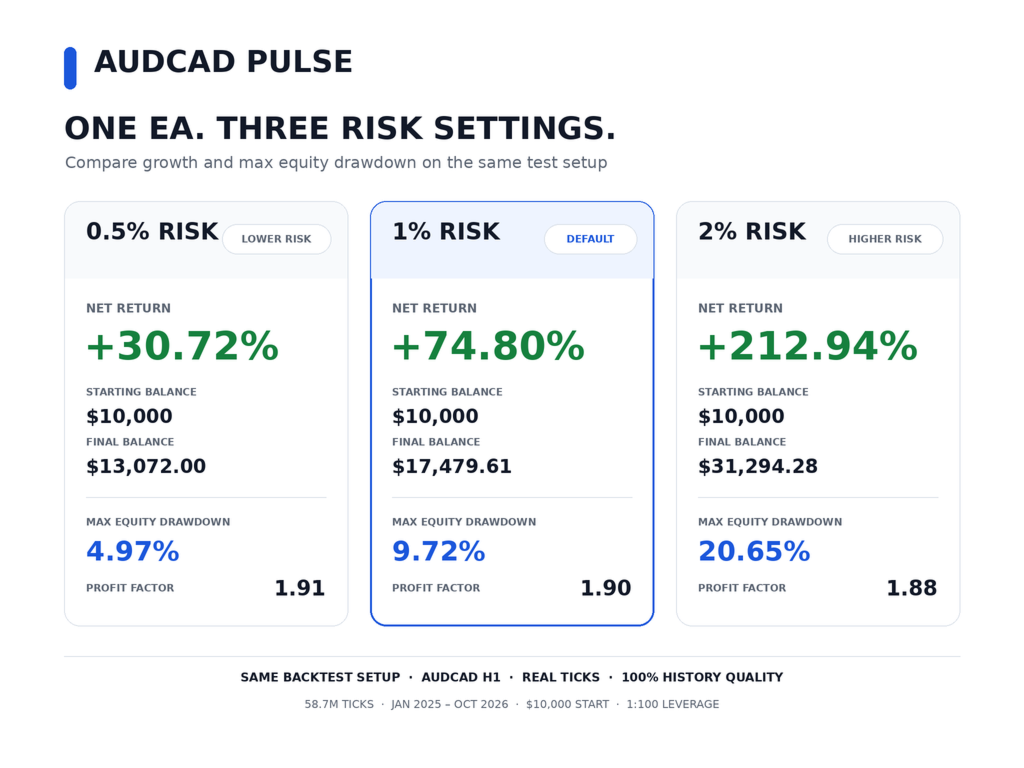
- Risk, which sets how large to trade. The default is 1: for every $1,000 of deposit the EA trades 0.01 lot. I recommend leaving it as is.
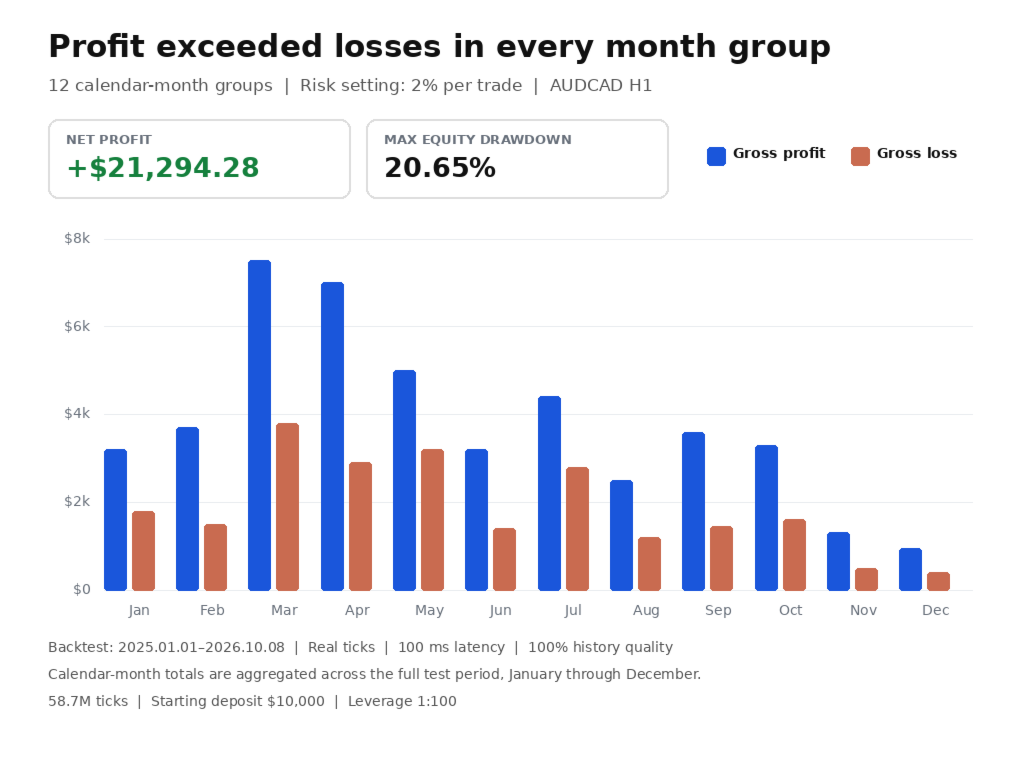
- Want it calmer, set it lower, for example 0.5. Want it more aggressive, set 2: in the same test the deposit grew to $31,321 (+213%), but the temporary loss reached 20.6%, which is noticeably closer to the 30% safety switch. Only if you are ready to live through that: keep risk 1 for the first month, and once your results match the test, switch to 2. Do not go above 2: at 3 and 5 the same test hit the safety switch and stopped.
- The other settings are already tuned for AUDCAD. There is no need to touch them.
What you need to run it
- A deposit from $1,000, comfortably from $2,500.
- An account of the hedging type. If you do not know your account type, ask your broker or message me. On an unsuitable account the EA warns you itself and does not start.
- Leverage from 1:100.
- The terminal must run around the clock: keep your computer on or rent a VPS. Need advice on choosing a broker and a VPS, message me privately.
Installation in 3 steps
- Open an AUDCAD chart in MetaTrader 5. Any timeframe will do, and if your broker names the pair, for example, AUDCAD.i, the EA finds it on its own.
- Drag AudCad Pulse onto the chart and click OK.
- Turn on the Algo Trading button at the top of the terminal, it should turn green. That is it, the EA is running.
Check it yourself before buying
- Download the Free Demo and open the Strategy Tester in MetaTrader 5 (Ctrl+R).
- Select: AudCad Pulse, AUDCAD, H1, period 2025.01.01 - 2026.10.22, deposit 10000, leverage 1:100, delay 100 ms, mode "Every tick based on real ticks". Do not change the EA settings.
- Click Start. In a couple of minutes you will see the result. The numbers differ slightly from broker to broker, but the picture will be the same.
About the author and why you can trust him
- Actively trading since 1999: forex, stocks, indices, futures.
- Almost 12 years on MQL5. More than 5,000 sales of software and more than 600 reviews. I respect and value my clients.
- Developing trading software since 2006. In 2021 my Entry Points Pro was the number 1 indicator for MT5 in the world, and thousands of traders use my software.
- I trade my own products and make my money from trading the markets, not from selling software.
- Always glad to meet active colleagues and hear new ideas.
Three mistakes that blow up accounts: running other EAs alongside that add to losing positions; closing trades by hand during a temporary loss; setting the risk higher than you are ready to live through. Do not do this, let the EA work.
What to do now: download the demo, run the test, compare it with the numbers on this page and buy at the current price while it holds. Have a question, message me privately, I answer personally and fast.