Hammer ProLab mt5
- Experts
- Version: 1.0
- Activations: 20

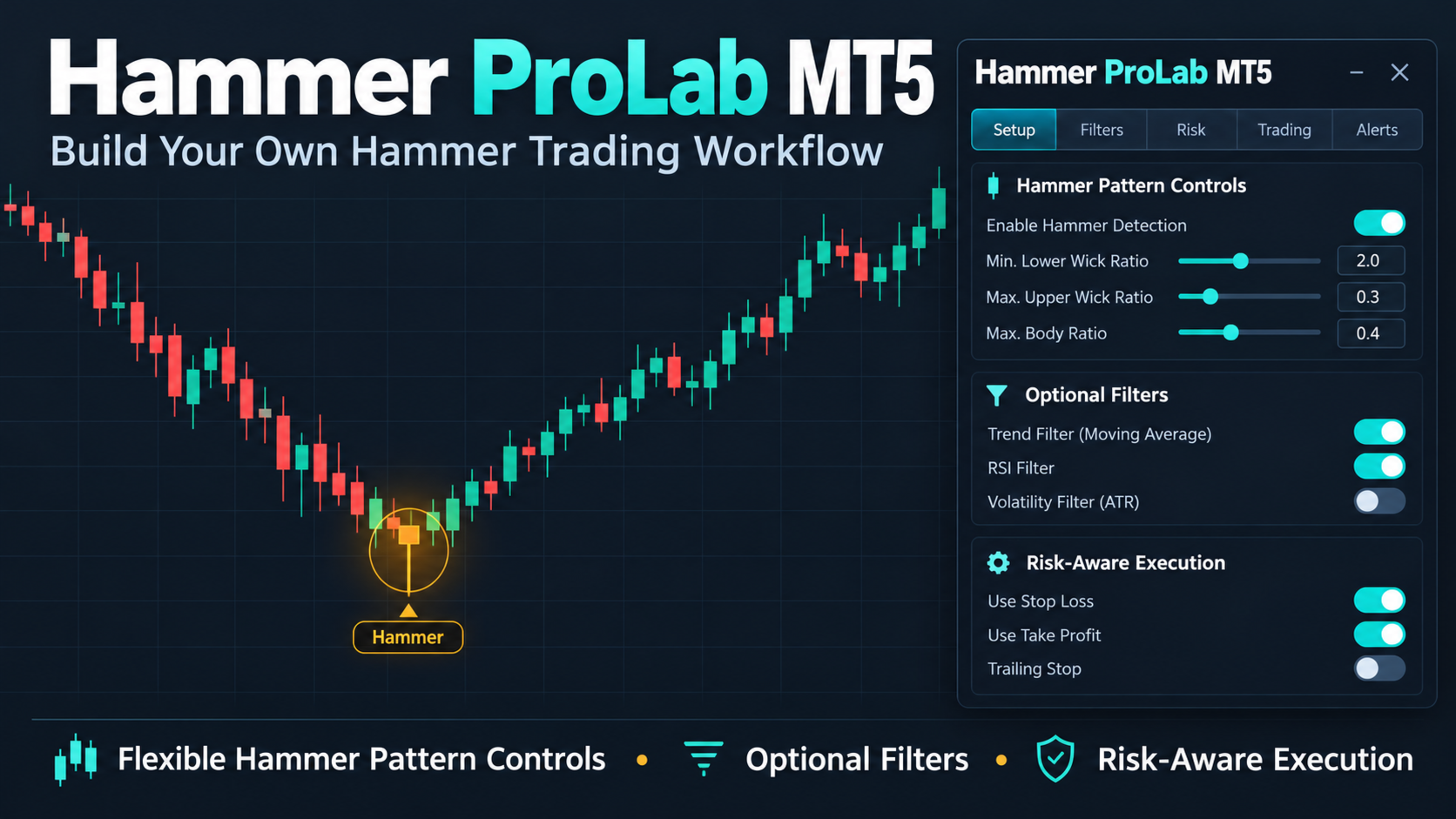
Hammer ProLab MT5 — Build Your Own Hammer Candlestick Trading System
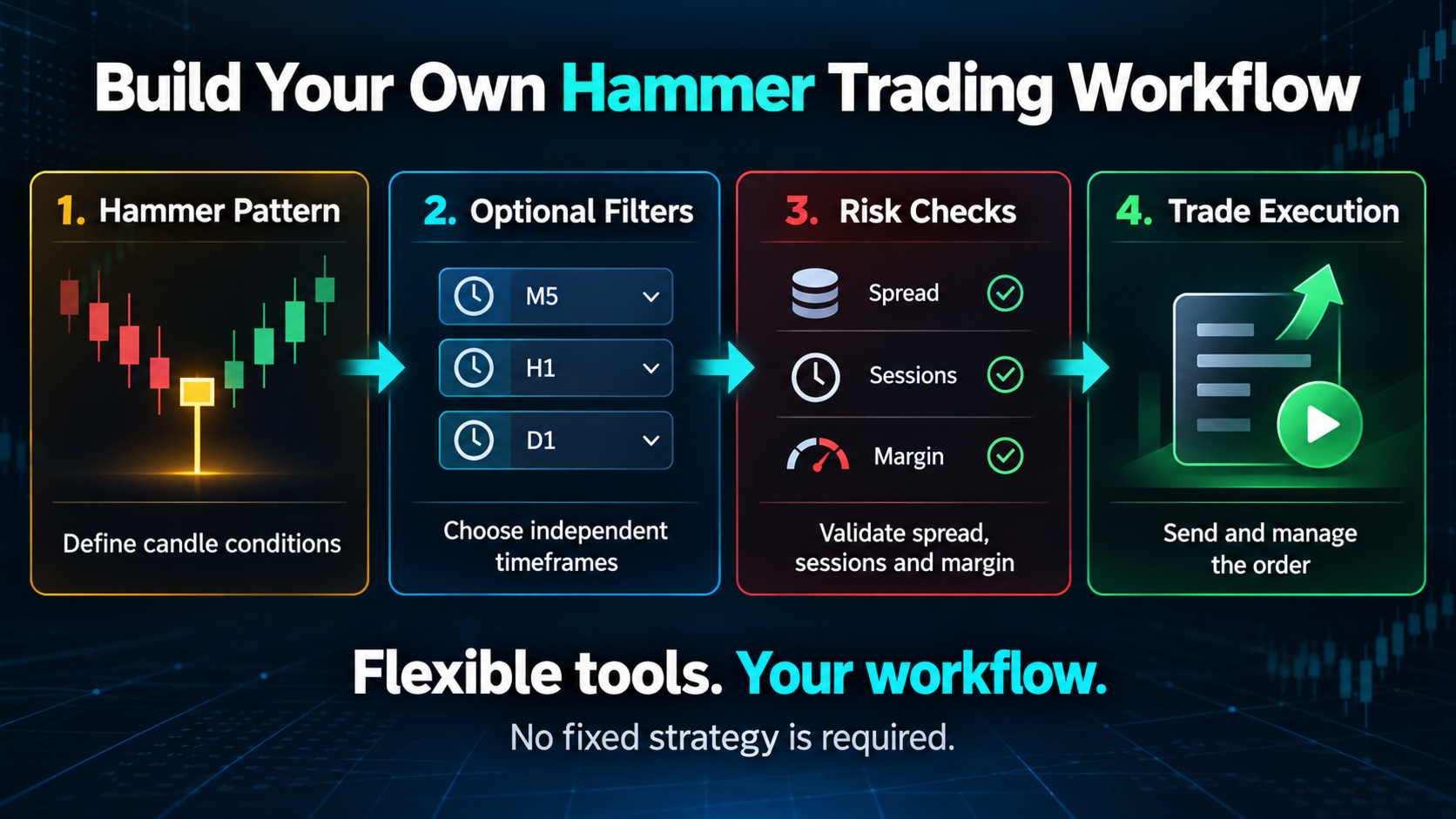
Hammer ProLab MT5 is a flexible MetaTrader 5 Expert Advisor based on the Hammer candlestick pattern and price action trading. It provides a structured Hammer entry foundation while giving you full control over pattern validation, market filters, trade execution, and risk management.
The purpose is simple: start with the Hammer pattern, then shape the trading workflow around your own method. Run a clean Hammer-only setup, or combine selected filters and management tools to create a more personalized trading system.
Hammer Candle Control
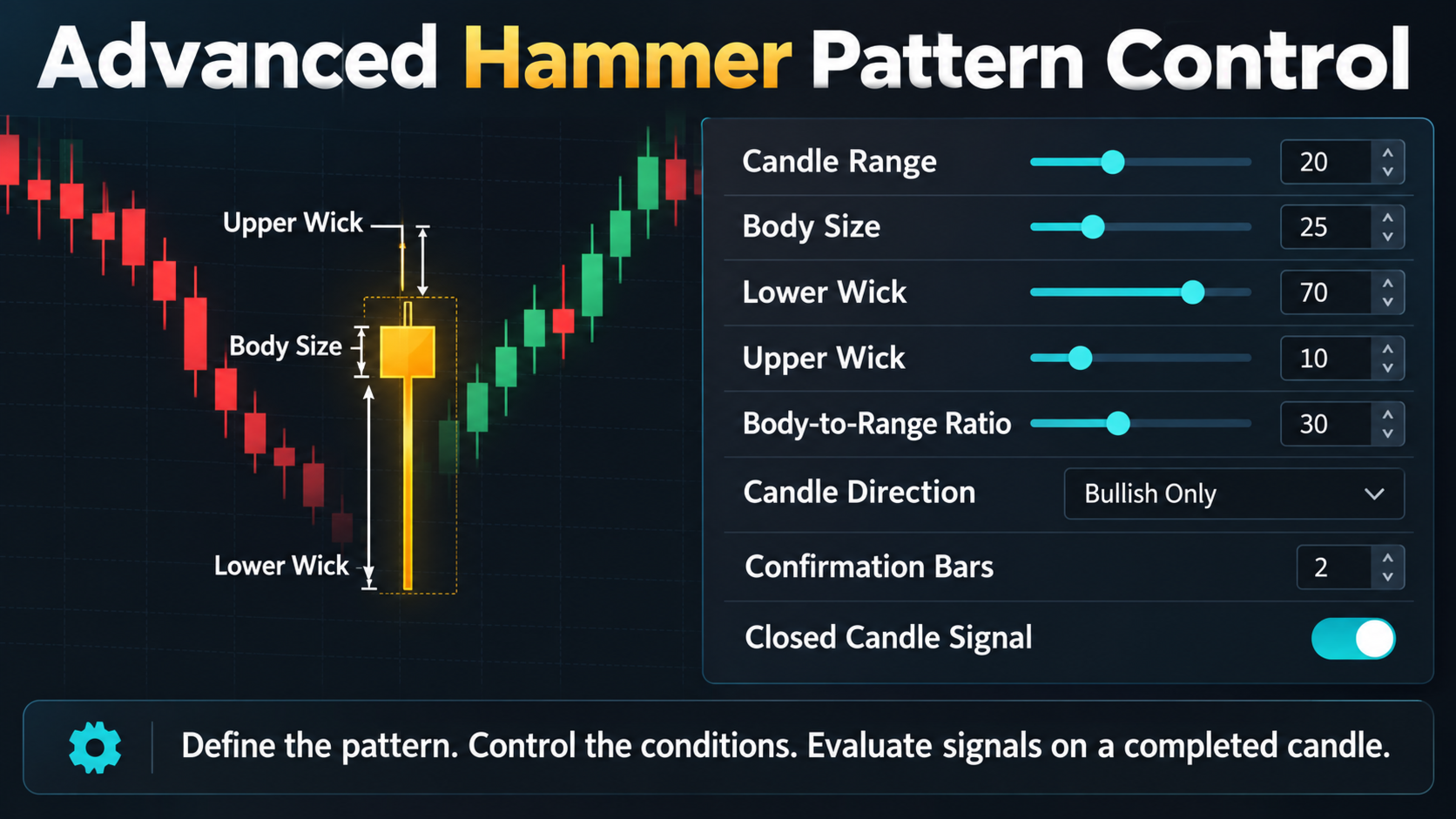
The Hammer detection module lets you define what qualifies as a valid pattern. You can control the minimum and maximum candle range, body size, upper and lower shadows, body-to-range ratios, candle direction, confirmation bars, and other pattern conditions. This helps you decide whether the EA should accept a broad Hammer definition or only highly specific formations.
Signals are evaluated on a new completed candle to help prevent repeated entries on the same candle and avoid random intrabar execution.
Optional Market and Trend Filters
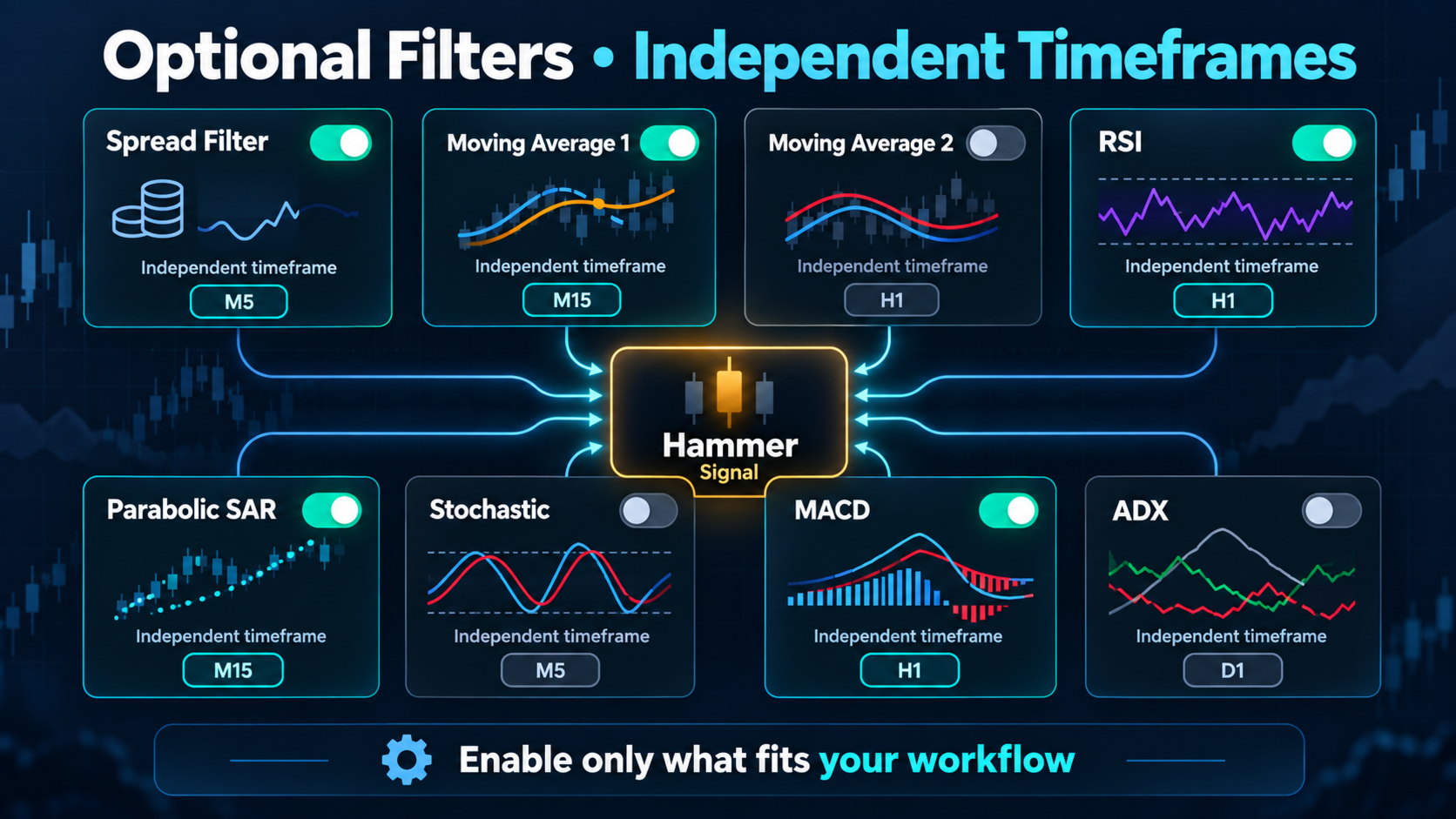
Every filter has its own enable or disable setting, timeframe, and parameters. Filters are optional, so you can use only the confirmations that match your trading style.
- Spread Filter: avoids opening trades when the current spread is above your maximum allowed level.
- Moving Average Filter 1: checks the broader market direction using a selectable MA period, method, price, and timeframe.
- Moving Average Filter 2: adds a second, independently configurable trend confirmation layer.
- RSI Filter: evaluates momentum and helps identify whether the market supports bullish or bearish conditions according to your selected levels.
- Parabolic SAR Trend Filter: uses SAR positioning to confirm directional bias and filter trades that move against the selected trend condition.
- Stochastic Filter: evaluates momentum and overbought or oversold conditions using configurable %K, %D, slowing, price mode, and timeframe settings.
- MACD Filter: checks momentum and directional alignment using independently configurable fast, slow, signal, price, and timeframe settings.
- ADX Filter: measures trend strength and can restrict entries to markets that meet your minimum ADX strength requirement.
- Session Filter: lets you disable trading during selected Sydney, Tokyo, London, or New York market sessions using broker-time and GMT-offset settings.
- Day Filter: lets you disable trading on any selected day of the week.
Each filter can also use an inverse signal option, allowing you to adapt the logic to different approaches without changing the source code.
Trade Settings and Execution
Choose Buy only, Sell only, or Buy and Sell trading. Configure the lot size, maximum open orders, magic number, Stop Loss, Take Profit, and optional close-on-reverse behavior.
The EA is designed to respect symbol-specific trading conditions, including market availability, trading permissions, volume steps, price digits, stop levels, freeze levels, filling rules, and available margin. These checks help the Expert Advisor handle different symbols and broker environments more safely.
Trade Management Tools
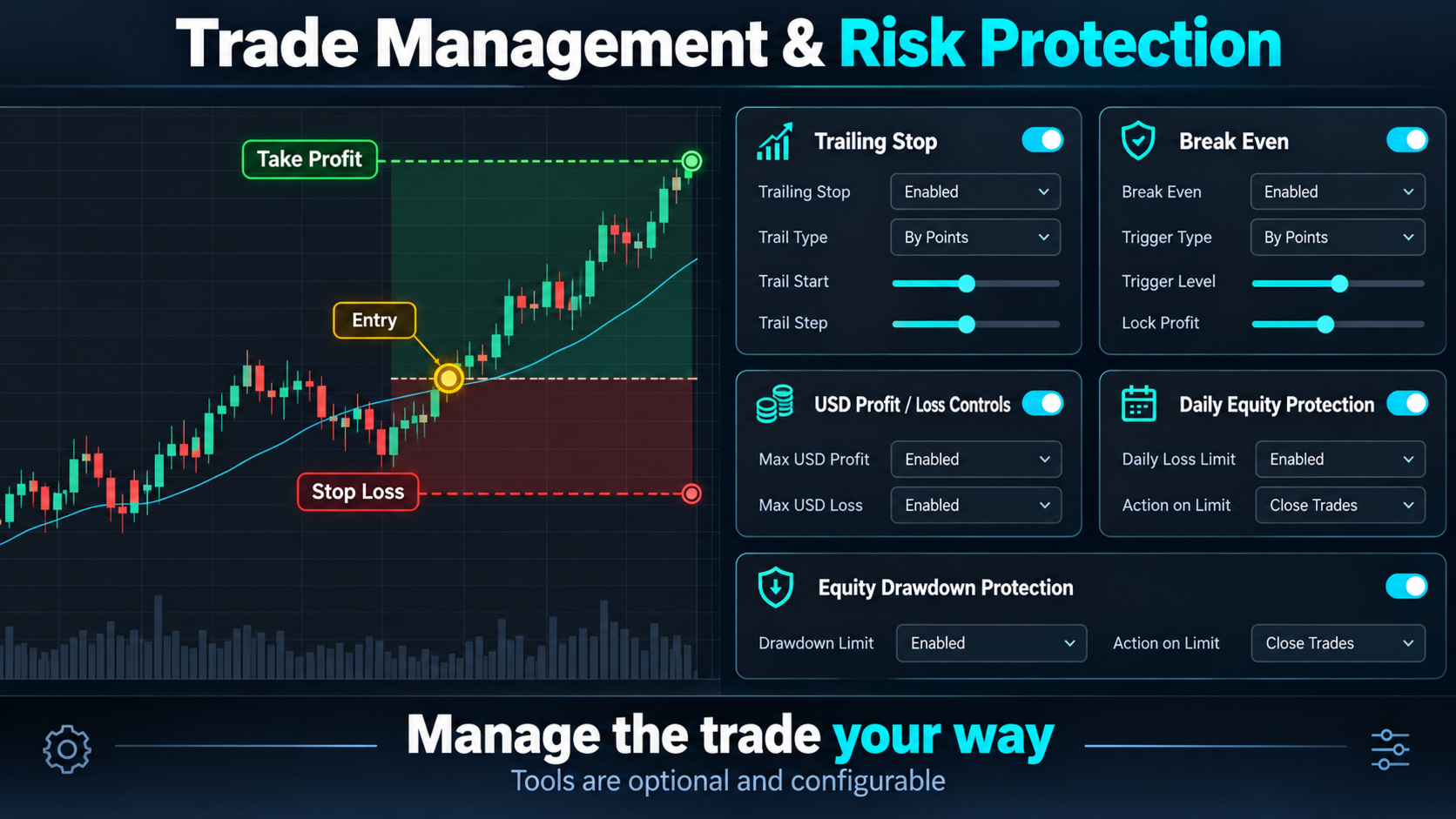
- Normal Trailing Stop: follows a position using a defined start distance, trailing distance, and step.
- Parabolic SAR Trailing: adjusts the protective stop using SAR values from a selected timeframe.
- ATR Trailing: adapts the trailing distance to market volatility using ATR period, multiplier, start, and step settings.
- Break Even: moves the Stop Loss toward the entry price after a selected profit threshold and can lock an optional offset.
Trailing Stop and Break Even are independent and optional. They can remain disabled when you want trades to use only the original fixed Stop Loss and Take Profit.
Profit, Loss, and Equity Protection
The framework includes account-level controls for different risk and exit preferences:
- Close a single Buy or Sell position after reaching a selected profit or loss amount.
- Close all Buy positions or all Sell positions after reaching a selected total profit or loss amount.
- Close all managed positions after reaching a selected combined profit or loss amount.
- Protect the account using maximum drawdown from the highest equity.
- Apply a daily equity loss limit measured from the day-start equity.
- Optionally close managed trades when an equity protection limit is triggered.
These controls are designed to give you more control over exposure and trade lifecycle management. Set any value to zero to disable the corresponding rule where supported.
Chart Appearance
The optional neutral chart theme can hide the chart grid and apply a clean visual style when the EA is attached. The appearance option can be disabled if you prefer to keep your existing chart colors.
Create Your Own Hammer Workflow
Use Hammer ProLab MT5 as a simple Hammer candlestick EA with the optional filters disabled, or activate only the tools that fit your method. You can build a trend-following, momentum-confirmed, session-based, volatility-aware, or risk-controlled workflow around the same Hammer foundation.
This flexibility makes Hammer ProLab suitable for traders exploring automated candlestick trading, price action systems, multi-timeframe confirmation, and customizable MT5 Expert Advisors.
Important Notice
No trading system can guarantee profits. Results depend on the symbol, broker conditions, timeframe, settings, execution quality, and market behavior. Always test the EA on a demo account and evaluate your chosen settings before using real funds.
Hammer EA MT5, Hammer candlestick pattern, Hammer trading robot, candlestick Expert Advisor, price action EA, MetaTrader 5 trading system, customizable MT5 EA, automated candlestick trading, multi-timeframe trading filters, risk management Expert Advisor.