Kiwi Structure Edge MT5
- Experts
-
- Nguyen Ngoc Diep
 KiwiBots — Expert Advisors, Indicators & Trading Utilities for MetaTrader 4 and MetaTrader 5.
We develop the KiwiBots collection with a focus on practical automated trading systems, trading tools, market analysis and risk management. - Version: 1.201
Kiwi Structure Edge MT5
Kiwi Structure Edge MT5 is an automated Expert Advisor that uses confirmed market-structure breaks to identify potential trading opportunities.
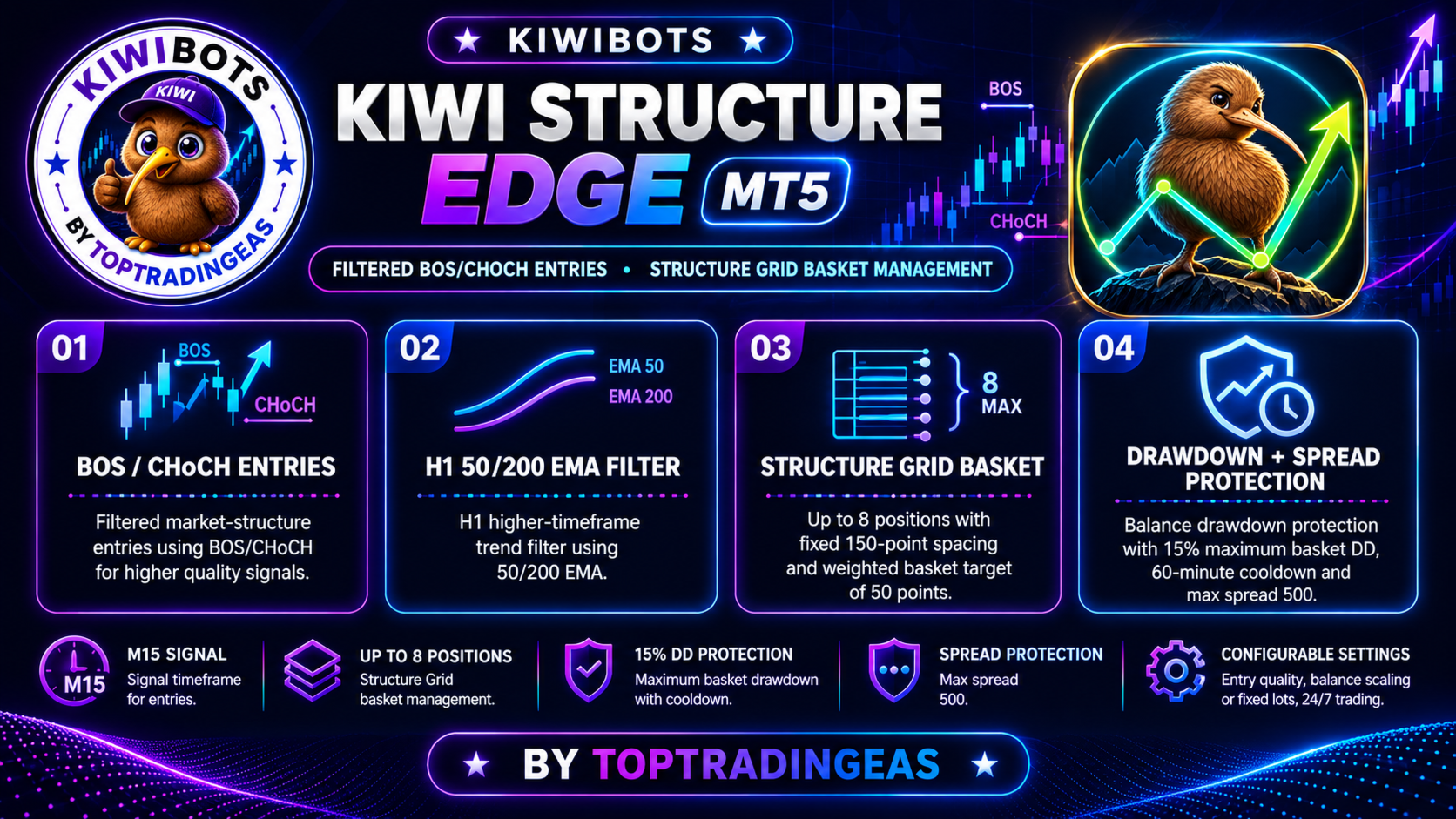
The EA detects Break of Structure (BOS) and Change of Character (CHoCH) events from confirmed swing highs and swing lows. It combines these signals with an optional higher-timeframe trend filter, grid basket management, spread protection and configurable drawdown control.
Market-structure entries
The entry engine analyses completed candles and detects when price breaks a confirmed structural level.
Available signal modes:
- BOS and CHoCH
- BOS only
- CHoCH only
Using completed candles keeps the entry decision based on closed market data. However, it does not guarantee that a breakout will continue or that an entry will be profitable.
Higher-timeframe trend filter
The optional trend filter can align structure signals with a broader market direction.
The default configuration uses:
- Higher timeframe: H1
- Fast moving average: EMA 50
- Slow moving average: EMA 200
Default buy conditions:
- Price is above the 200 EMA
- The 50 EMA is above the 200 EMA
Default sell conditions:
- Price is below the 200 EMA
- The 50 EMA is below the 200 EMA
The filter settings can be changed or disabled in the EA inputs.
Grid basket management
Kiwi Structure Edge manages positions as a coordinated basket. When price moves against an active basket by the configured distance, the EA can add another position until the maximum number of positions is reached.
Default basket settings:
- Maximum positions: 8
- Grid spacing: 150 points
- Weighted basket target: 50 points
- Grid volume method: fixed volume
The basket exit is calculated using the volume-weighted average entry price of its positions.
Grid trading can increase total market exposure when price continues moving against the basket. A basket may remain open for an extended period, and the maximum number of positions does not define or guarantee a maximum financial loss.
Recovery-entry confirmation
Additional grid entries use completed-candle confirmation rather than adding positions solely because price has reached the next grid distance.
An internal trend-danger check can also pause recovery entries when the EA identifies a strong adverse higher-timeframe trend. These controls can reduce some entries but cannot eliminate grid-trading risk.
Entry-quality profiles
Three entry profiles are available:
- Conservative: applies more restrictive candle and volatility conditions
- Balanced: provides a middle setting between filtering and signal frequency
- Frequent: uses less restrictive filtering and is the default profile
Signal frequency depends on the symbol, timeframe, market conditions and selected settings.
Drawdown protection
The EA includes configurable balance drawdown protection.
Default protection settings:
- Drawdown threshold: 15%
- Cooldown after activation: 60 minutes
- Automatic trading resumption after the cooldown
When the configured protection is triggered, the EA attempts to close its managed positions and remove its pending orders. It then pauses new trading for the specified cooldown period.
The protection can be enabled or disabled. Market gaps, slippage, execution delays, commissions and rapid price movement may cause the final loss to exceed the configured threshold. This feature must not be treated as a guaranteed maximum-loss limit.
Spread protection
The EA can prevent new trading activity when the current spread is above the configured limit.
Default maximum spread:
- 500 points
Points are broker-specific and should not be confused with pips. Users should adjust this value for the symbol’s digits, normal spread and trading conditions.
Position sizing
Available volume methods include:
- Fixed lot size
- Balance-based lot scaling
Example balance-based configuration:
- Base lot: 0.01
- Balance per base lot: 1,000
Approximate calculated starting volumes:
- 1,000 balance: 0.01 lot
- 2,000 balance: 0.02 lot
- 5,000 balance: 0.05 lot
The final trading volume is adjusted according to the broker’s minimum volume, maximum volume and volume-step requirements. Opening a position also depends on available margin.
Increasing the lot size increases both profit potential and financial risk.
Trading controls
Configurable inputs include:
- Buy and sell, buy only or sell only
- Fixed or balance-based volume
- Signal timeframe
- Structure swing depth
- Structure lookback
- BOS and CHoCH selection
- Higher-timeframe trend filter
- Breakout displacement filter
- Break-and-retest entry
- Maximum grid positions
- Grid spacing
- Basket target
- Drawdown protection
- Spread protection
- Trading sessions
- Trading days
- News filter
- Magic number
The default signal timeframe is M15. The default higher-timeframe trend filter uses H1.
Trading sessions
Trading activity can be configured for:
- Sydney
- Tokyo
- London
- New York
- All sessions
- Selected trading days
- Custom daily start and end times
The EA also checks whether the broker permits trading for the selected symbol before submitting a request.
Optional news filter
An optional MetaTrader 5 Economic Calendar filter is included. When enabled, it can restrict new trading around configured economic events.
The default news filter is disabled. Its internal configuration focuses on high-impact USD events.
Calendar information depends on the availability and correct operation of the MetaTrader 5 Economic Calendar. The filter cannot guarantee protection from volatility, price gaps or unexpected events.
Platform and setup
- Platform: MetaTrader 5
- Program type: Expert Advisor
- Default signal timeframe: M15
- Default trend-filter timeframe: H1
- Attach one instance to the intended chart
- Enable algorithmic trading in MetaTrader 5
- Use a unique magic number when running multiple instances
- Check the symbol specification, spread and volume settings before live use
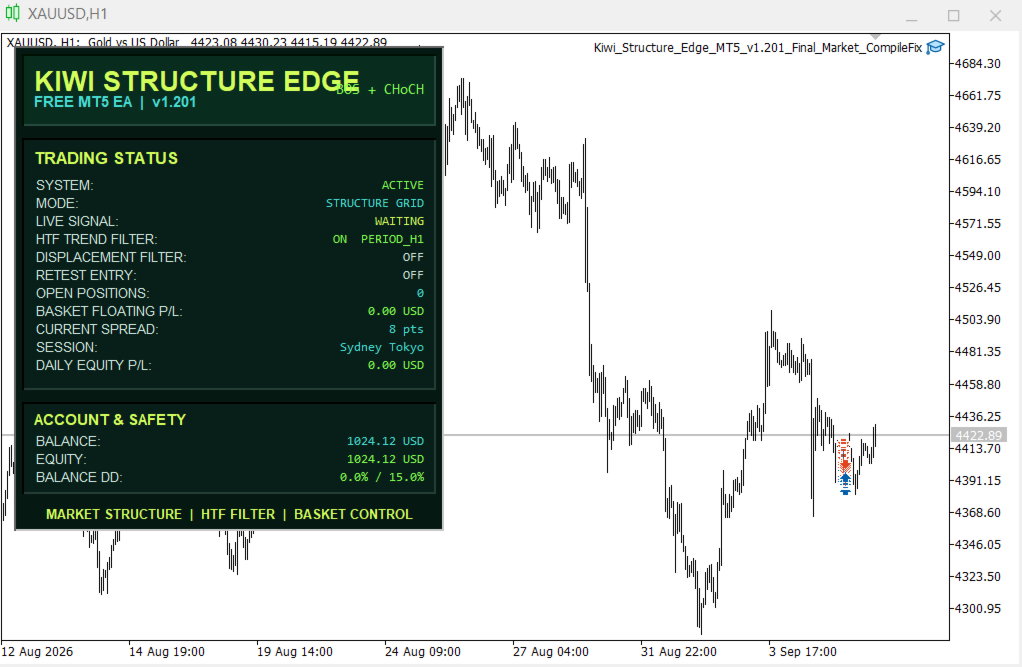
The EA includes an on-chart status panel showing its current operating state.
Important risk information
Kiwi Structure Edge MT5 uses grid basket management. If the market continues moving against an active basket, the EA may add positions and increase total exposure, margin usage and drawdown.
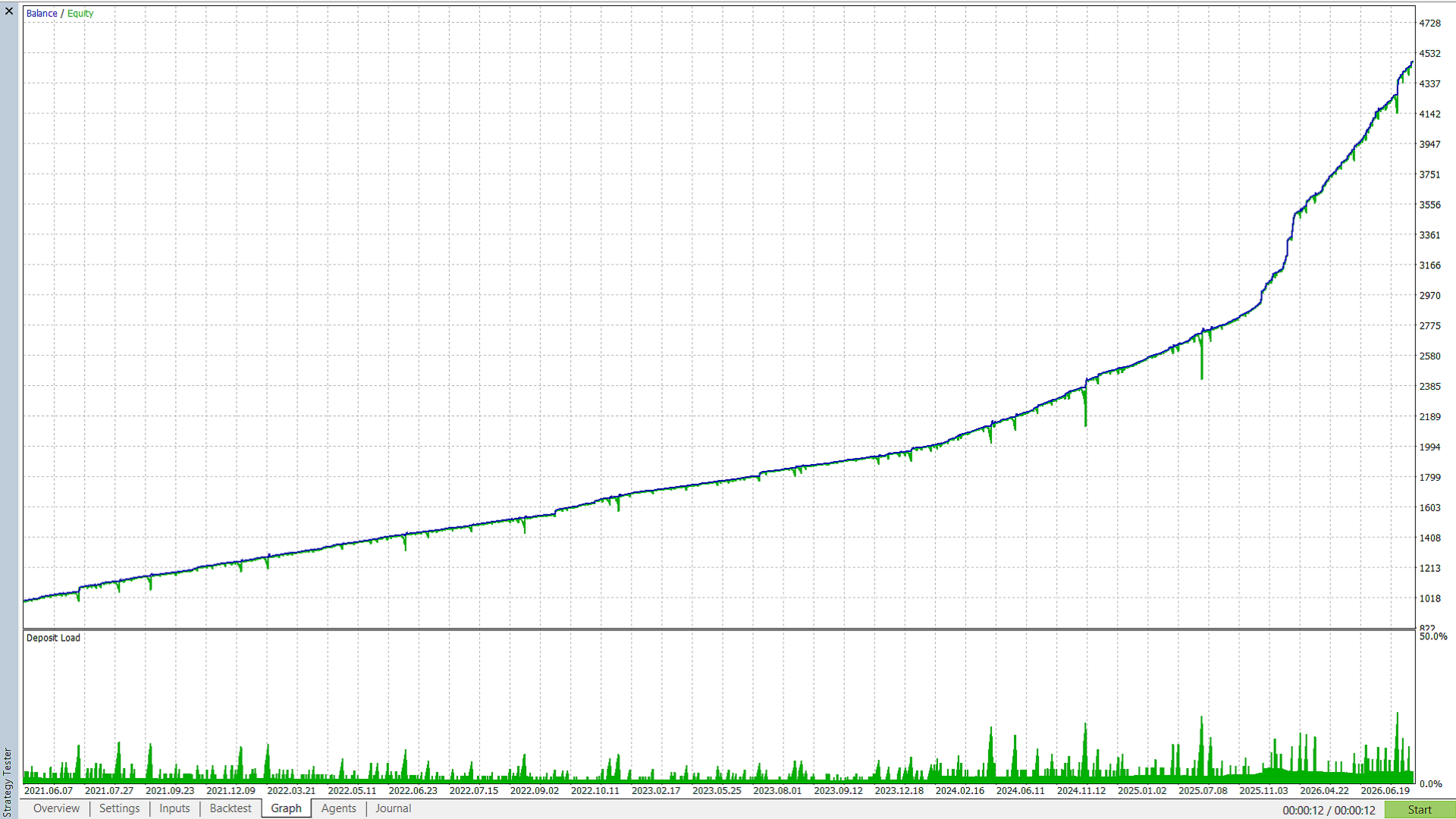
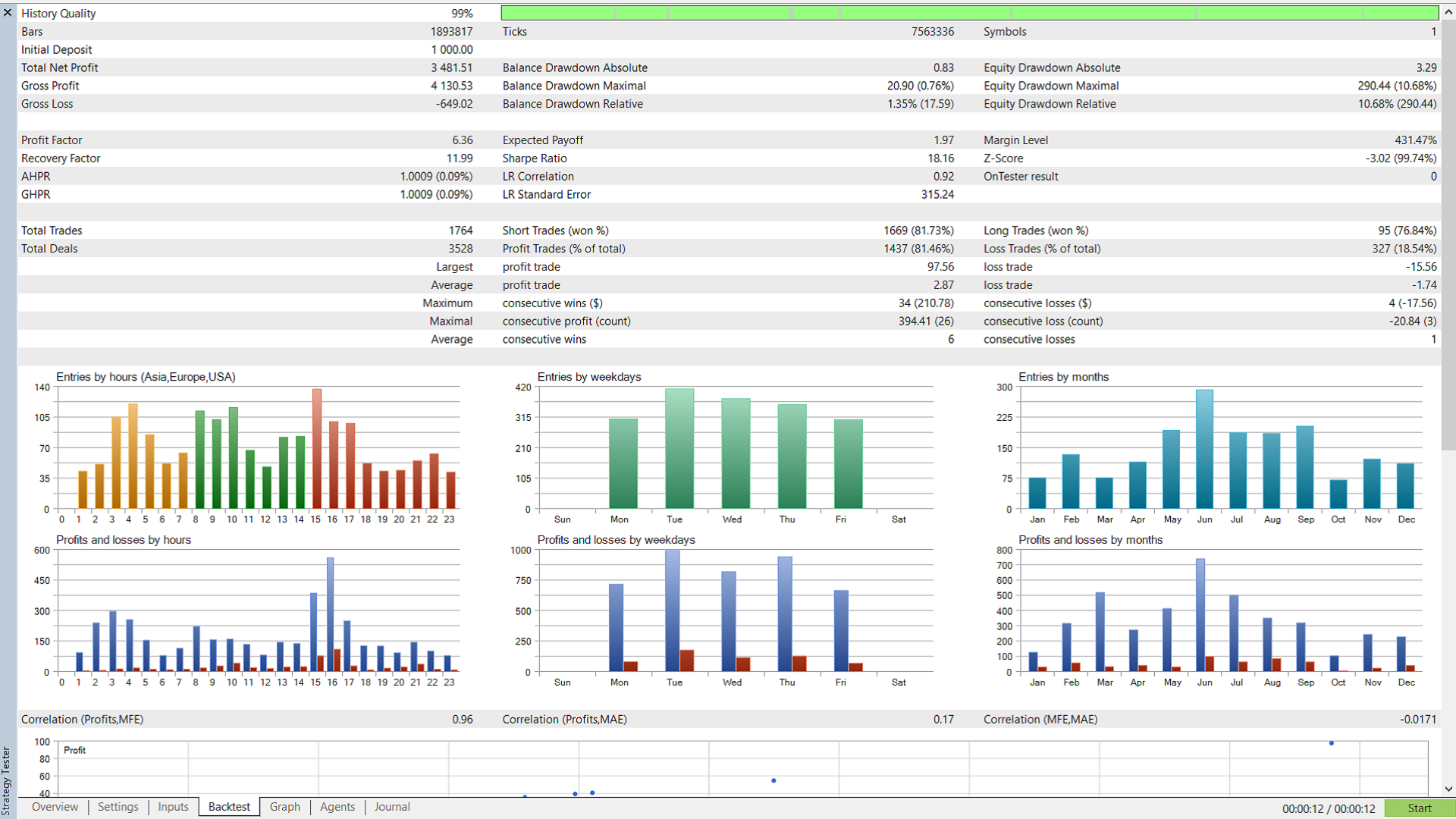
Backtesting and demo testing should be completed using the intended broker, symbol and settings before considering live trading. Historical results do not guarantee future performance. Use trading capital and position sizes appropriate for the risk of leveraged trading.