
Gold Breakout Indicator
- Indicators
- Version: 3.10
- Updated: 7 September 2026
- Activations: 5

Marks a custom session's high/low range and fires wick-breakout buy/sell signals filtered by a built-in adaptive Supertrend, with optional higher-timeframe bias and ADX confirmation, plus auto TP/SL guide lines.
Key Features
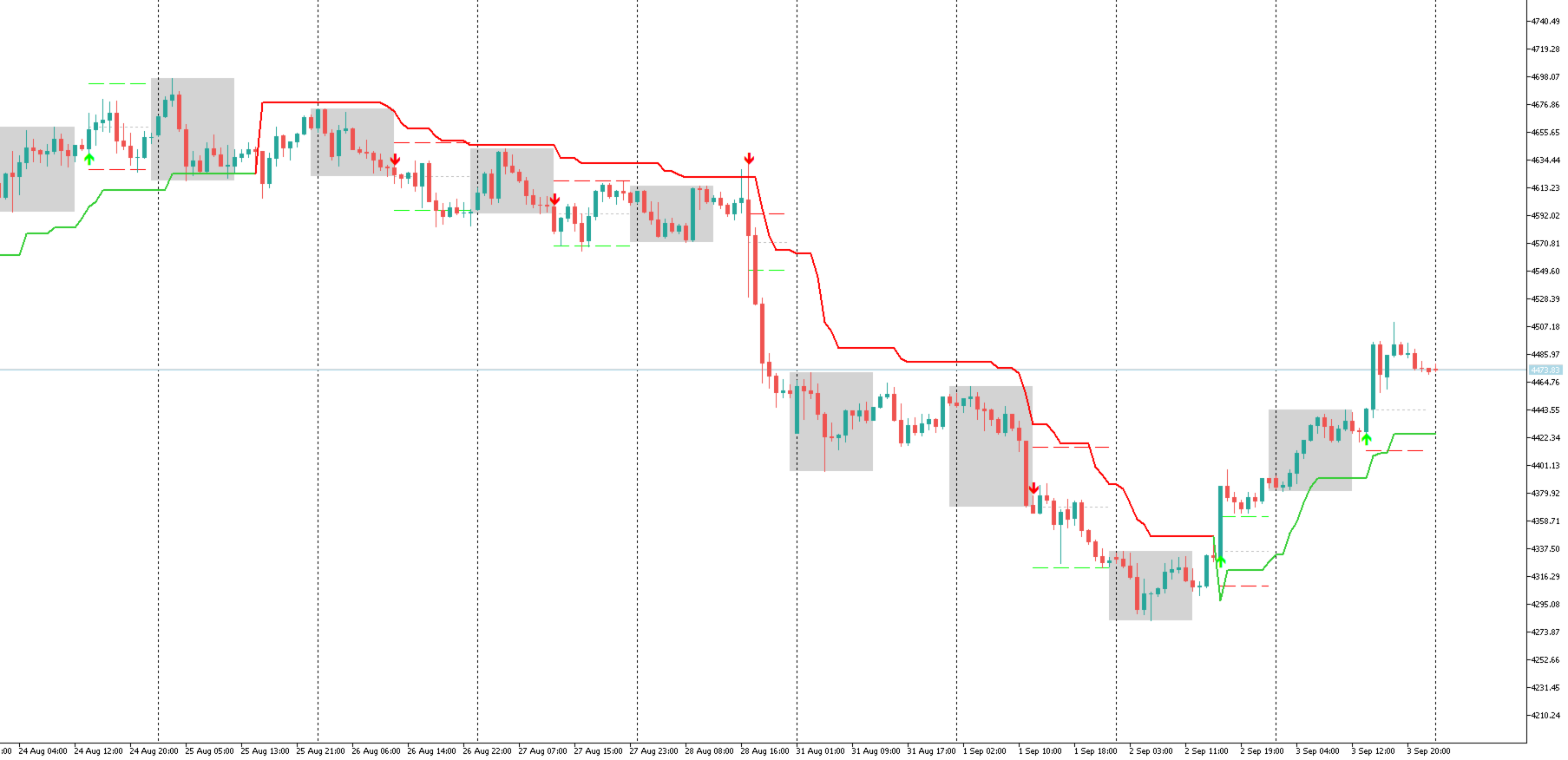
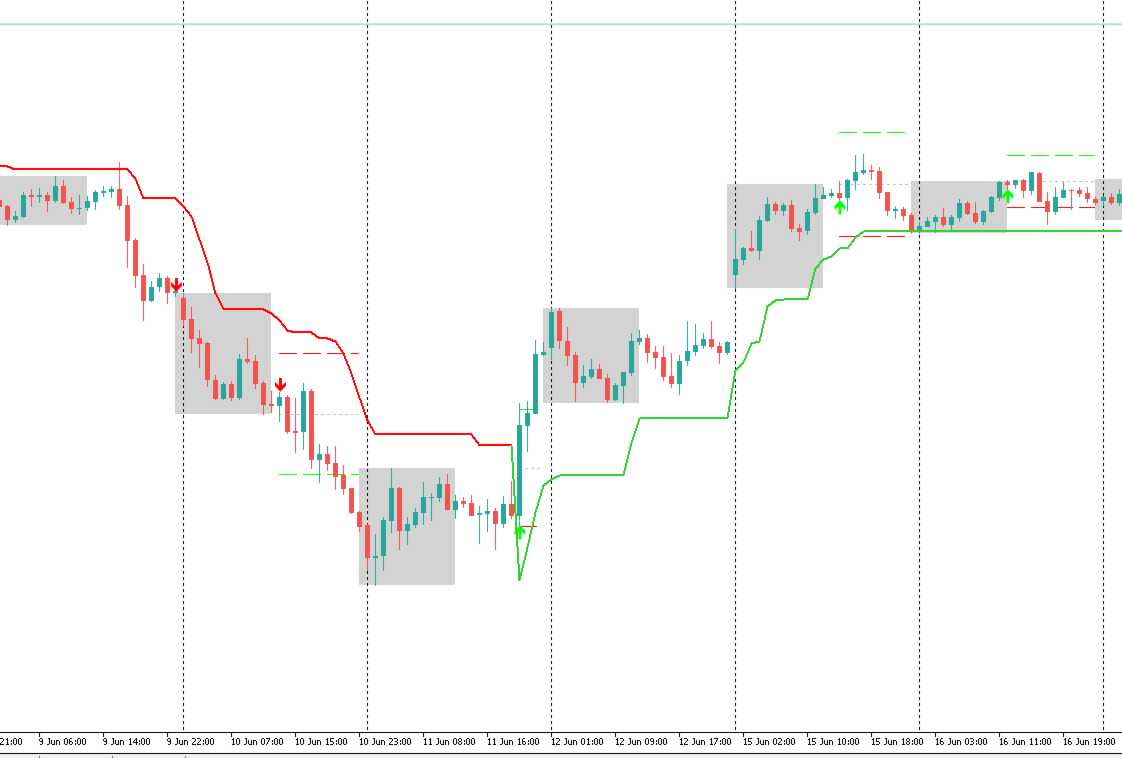
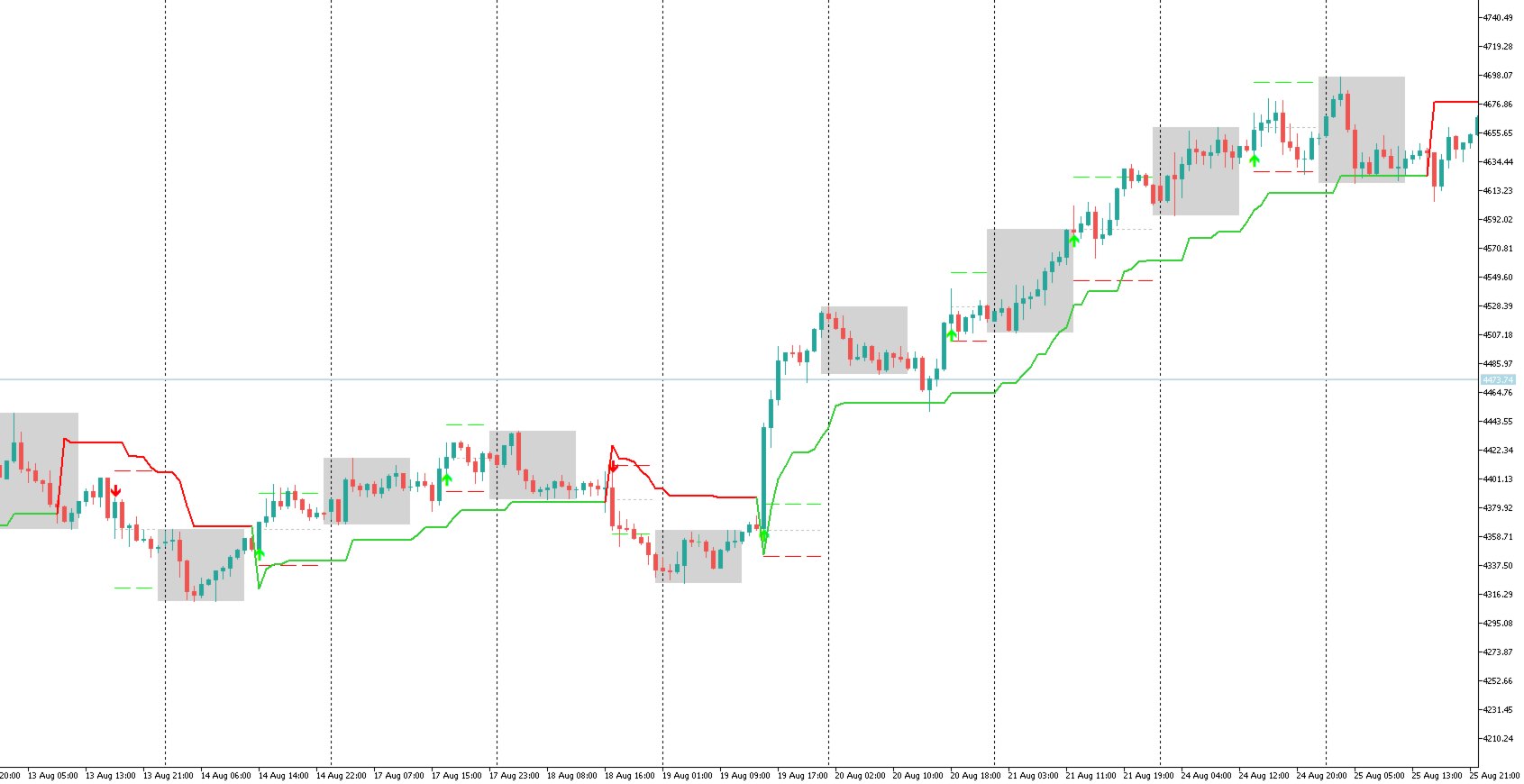
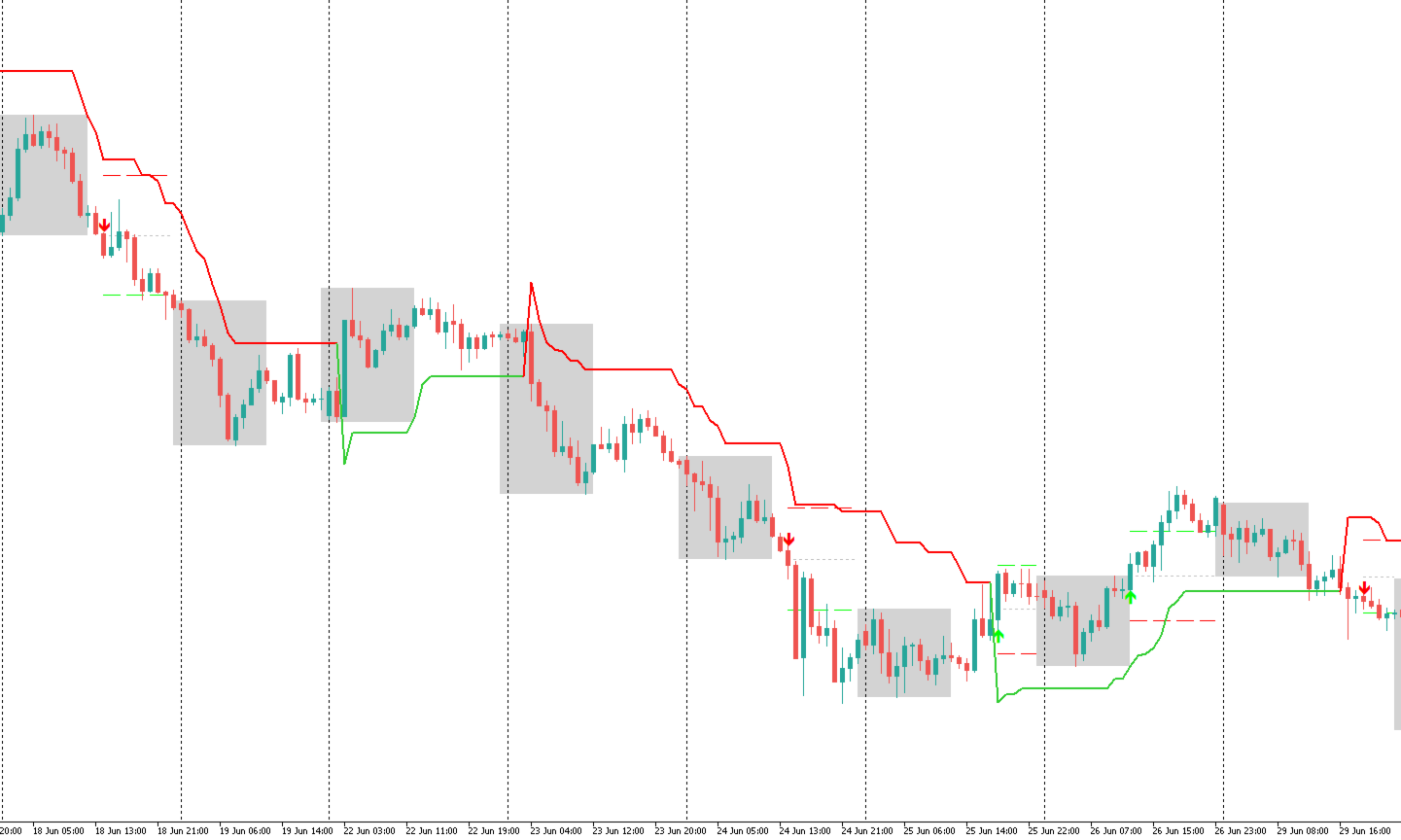
- Session Range Box — automatically tracks and draws the high/low of any custom session window (e.g. your own SAST trading hours, the Asian session, or London open), updated live and locked in once the session closes.
- Built-in Supertrend Trend Filter — an independent Supertrend engine with:
- An adaptive factor option that scales the multiplier by the ATR's percentile rank over a lookback period, tightening or loosening with volatility.
- An optional higher-timeframe (HTF) bias check — a signal only counts if the HTF Supertrend agrees with the working-timeframe direction.
- An optional ADX filter to avoid signals during low-strength, choppy conditions.
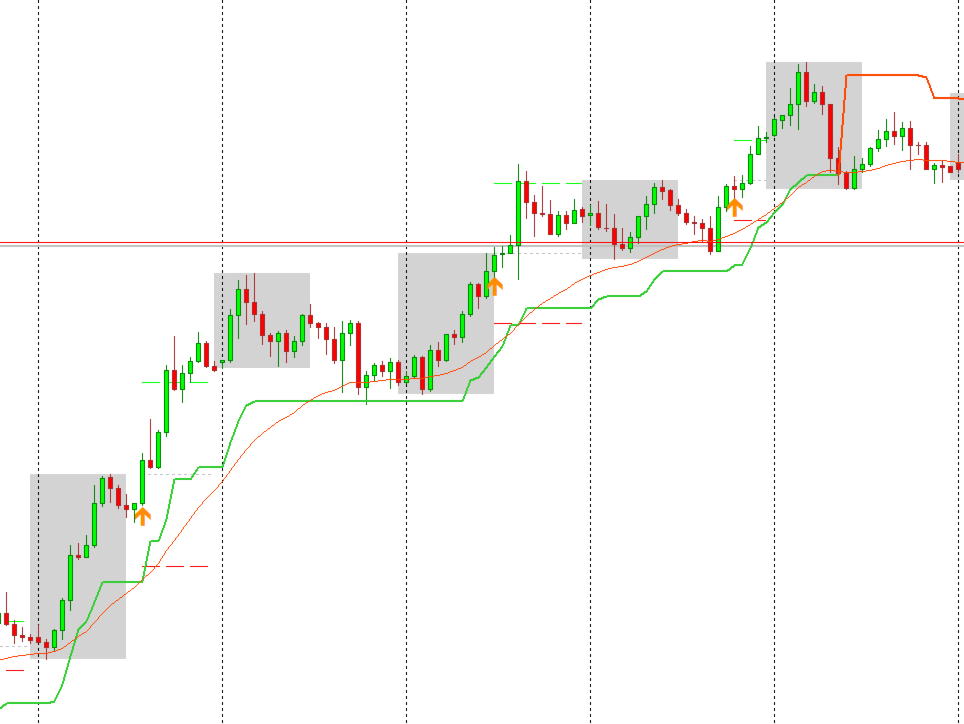
- Breakout Signals — one buy arrow and one sell arrow per session/day, triggered the moment a candle wick breaks the session box high or low while the Supertrend filter is confirmed.
- TP / SL Guide Lines — when a signal fires, Entry, Stop-Loss, and Take-Profit rays are drawn automatically, sized as a percentage of that day's session range, and cut off automatically at SAST midnight.
- Fully Configurable — session hours, timezone offset, Supertrend parameters, ADX filter, HTF timeframe, box colours/style, arrow codes, sound alerts, and TP/SL percentages are all adjustable inputs.
- Lightweight & Efficient — higher-timeframe data is only re-fetched when a new HTF bar actually forms, not on every tick, so it stays responsive even on fast-ticking symbols.
How It Works
- Set your session start/end time (default values are given in SAST, UTC+2) and the offset needed to convert your broker's server time to SAST.
- While the session is open, the indicator tracks the highest high and lowest low, then draws a box around that range once the session closes.
- Once the box is locked in, it watches for the first candle wick to break above the box high or below the box low.
- A breakout only becomes a signal if the built-in Supertrend agrees with that direction — and, if enabled, only if the ADX is strong enough and the higher-timeframe Supertrend agrees too.
- On a valid signal, an arrow is plotted, an optional alert sound plays, and Entry/SL/TP lines are drawn using your chosen percentage of the day's range.
Inputs
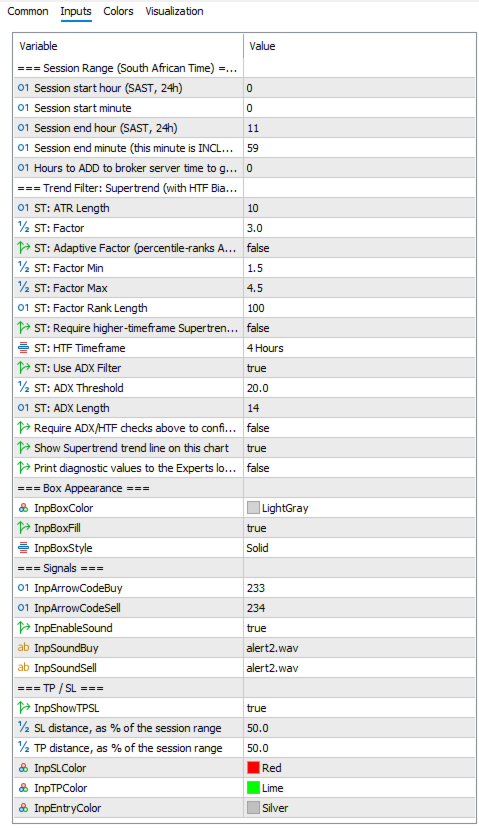
- Session Range (SAST): start/end hour & minute, server-to-SAST hour offset.
- Trend Filter (Supertrend): ATR period & factor, adaptive factor toggle with min/max and rank length, HTF match toggle & timeframe, ADX filter toggle with threshold & length, "require confirmed" toggle, show/hide Supertrend line.
- Box Appearance: colour, fill, line style.
- Signals: arrow codes for buy/sell, sound alert toggle and .wav files.
- TP / SL: show/hide, SL % of range, TP % of range, line colours.
- Debug Print: optional Experts-log diagnostics for every box breach.
Notes
- Session times default to SAST and are converted using the server-offset input — adjust this to align with any session you prefer (your local session, London, New York, etc.).
- Only one buy and one sell signal can fire per session/day.
- The arrow on the currently forming (unclosed) candle may shift slightly until that candle closes, since it is plotted from the live wick.
- This is an analytical/signal tool, not an automated trading system — it does not place trades. Always test on a demo account first; past results do not guarantee future performance.




































User didn't leave any comment to the rating