Sen Guard
- Utilities
- Version: 1.0
- Activations: 5

SEN Guard is a MetaTrader 5 (MT5) risk monitoring and account-protection utility.
It displays the current safety state, the reason for that state, and the status of protective enforcement directly on the chart. Under supported conditions, it also supports safe-side stop behavior, protective position closing, and pending order cancellation.
A key feature of SEN Guard is that it shows not only what is happening, but also why the current protection state is active.
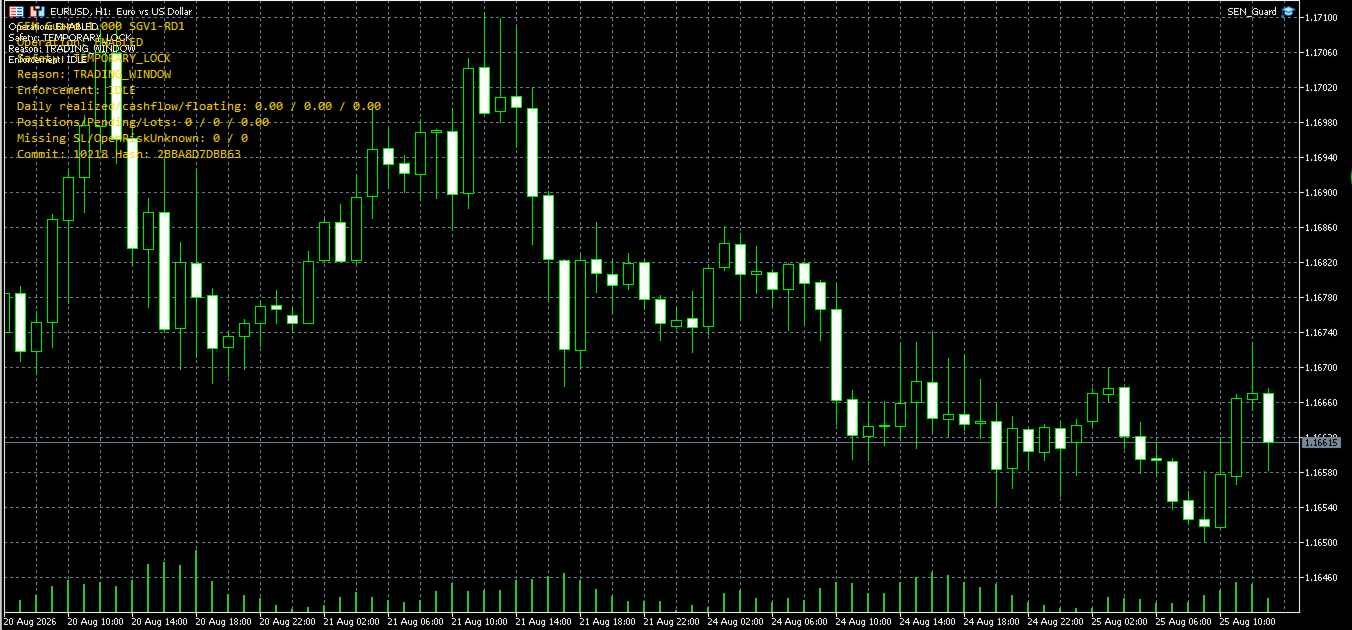
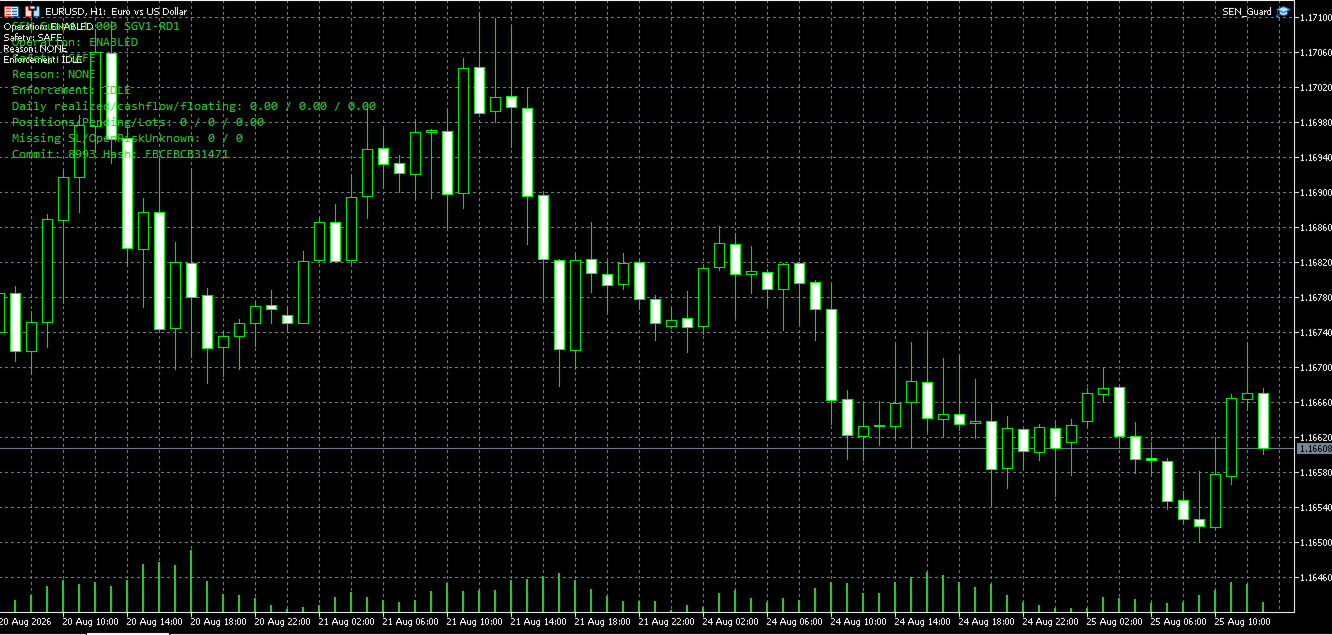
Operation, Safety, Reason, and Enforcement are displayed together on one panel, making the current protection state and its reason clear and easy to understand.
Main Features
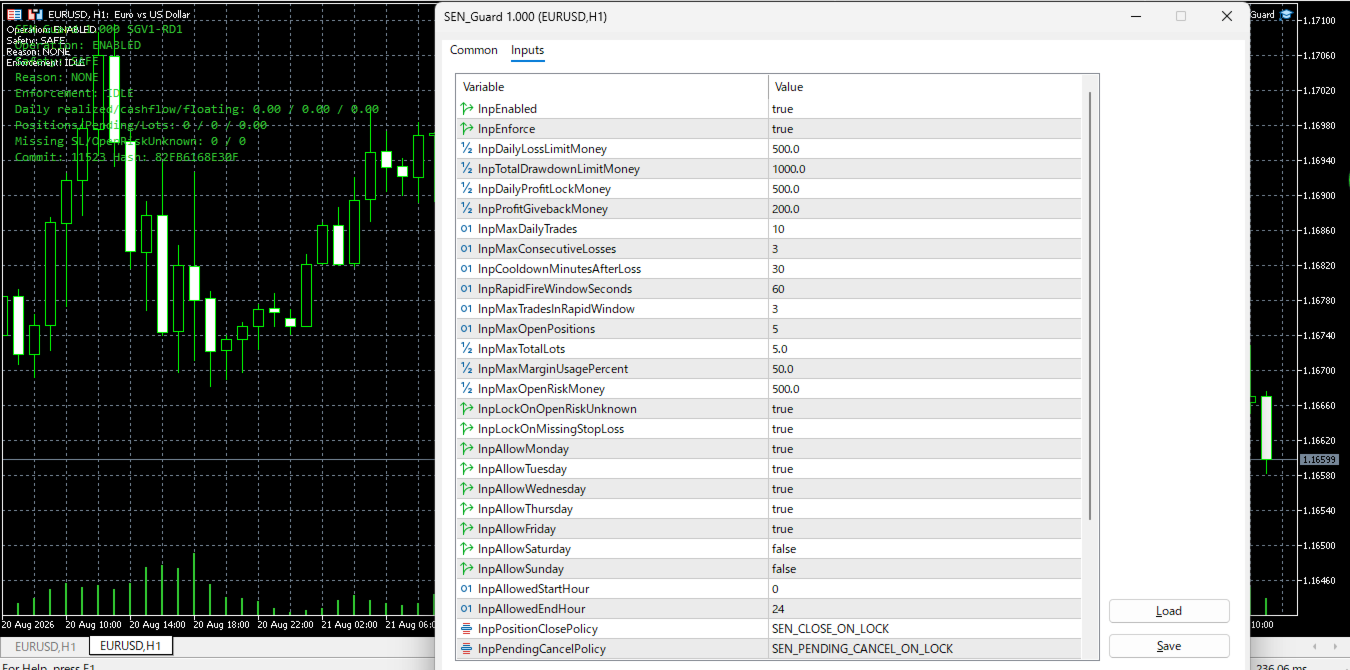
- Runtime safety panel displaying Operation, Safety, Reason, and Enforcement
- Clear visibility of the current protection state and the reason behind it
- Safe-side stop behavior under supported conditions
- Protective position closing under supported conditions
- Pending order cancellation under supported conditions
- Clear visibility of the current state on supported MetaTrader 5 accounts
- Safe-side stopping when an unsupported account mode is detected
- Account-protection-focused design with no automatic trade entries or trading signals
Safety State
Depending on runtime conditions, SEN Guard may display states such as SAFE, TEMPORARY_LOCK, or PERMANENT_LOCK.
SAFE indicates that no active protection reason is currently being displayed.
TEMPORARY_LOCK or PERMANENT_LOCK indicates that SEN Guard has moved to a safer state based on detected conditions.
By checking Reason and Enforcement together with the current Safety state, users can understand why protection became necessary and the current status of protective enforcement.
Supported Environment
SEN Guard is designed for supported MetaTrader 5 hedging accounts.
Account mode, broker specifications, trading conditions, execution environment, VPS environment, MetaTrader 5, and communication conditions may affect operation.
If an unsupported account mode is detected, SEN Guard may stop on the safe side instead of continuing operation.
How to Use
1. Install SEN Guard in MetaTrader 5.
2. Attach SEN Guard to a chart.
3. Confirm that Algo Trading is enabled if required by your environment.
4. Check Operation, Safety, Reason, and Enforcement on the chart panel.
5. Test SEN Guard on a demo account before using it in a live environment.
Important Notice
SEN Guard is not a trading strategy EA designed to generate profit.
It does not guarantee profit or prevention of losses, and it does not provide financial or investment advice.
It cannot completely eliminate risks arising from market movements, brokers, execution, VPS environments, MetaTrader 5, communication conditions, or other external factors.
The final decision and responsibility for trading activity, account use, and risk management remain with the user.