Sen Guard
- Yardımcı programlar
- Sürüm: 1.0
- Etkinleştirmeler: 5

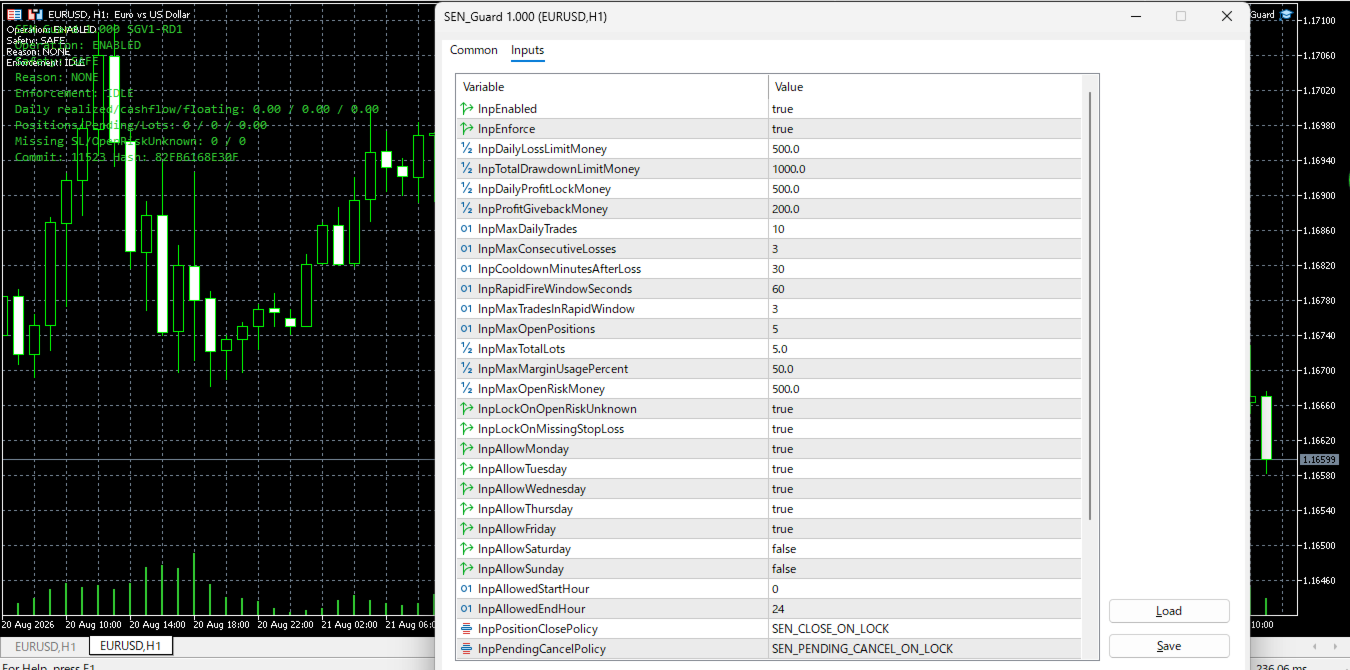
SEN Guard, MetaTrader 5 (MT5) için tasarlanmış bir risk izleme ve hesap koruma yardımcı programıdır.
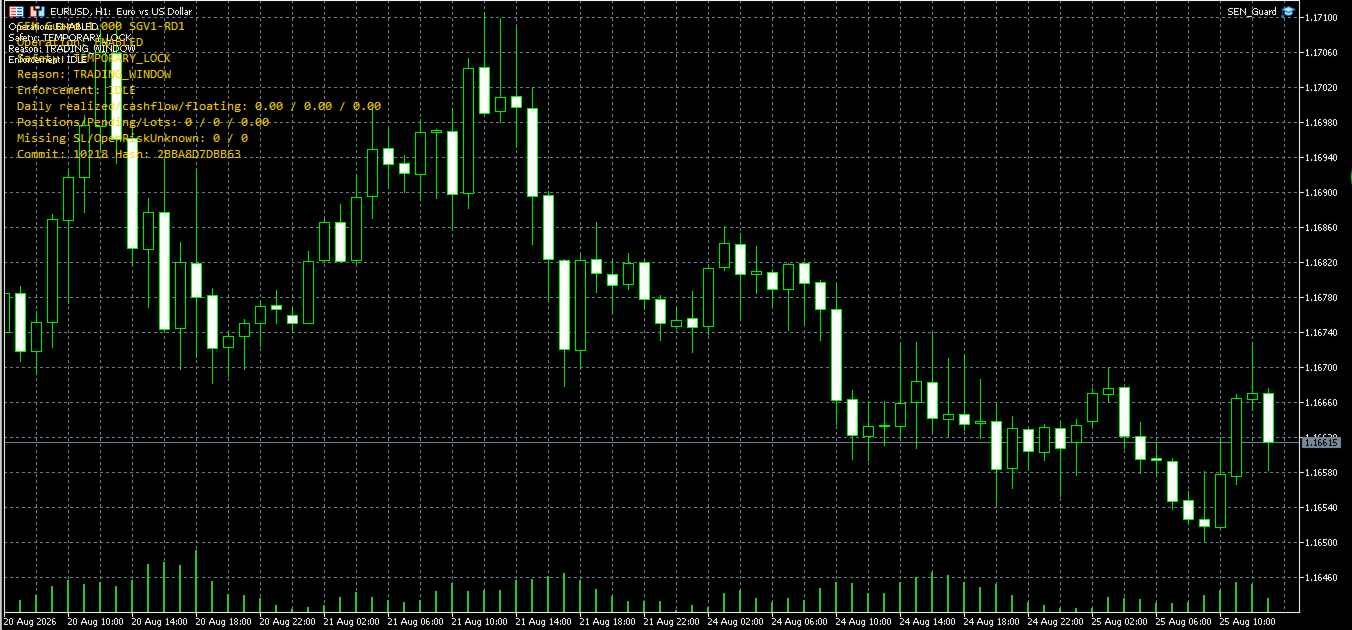
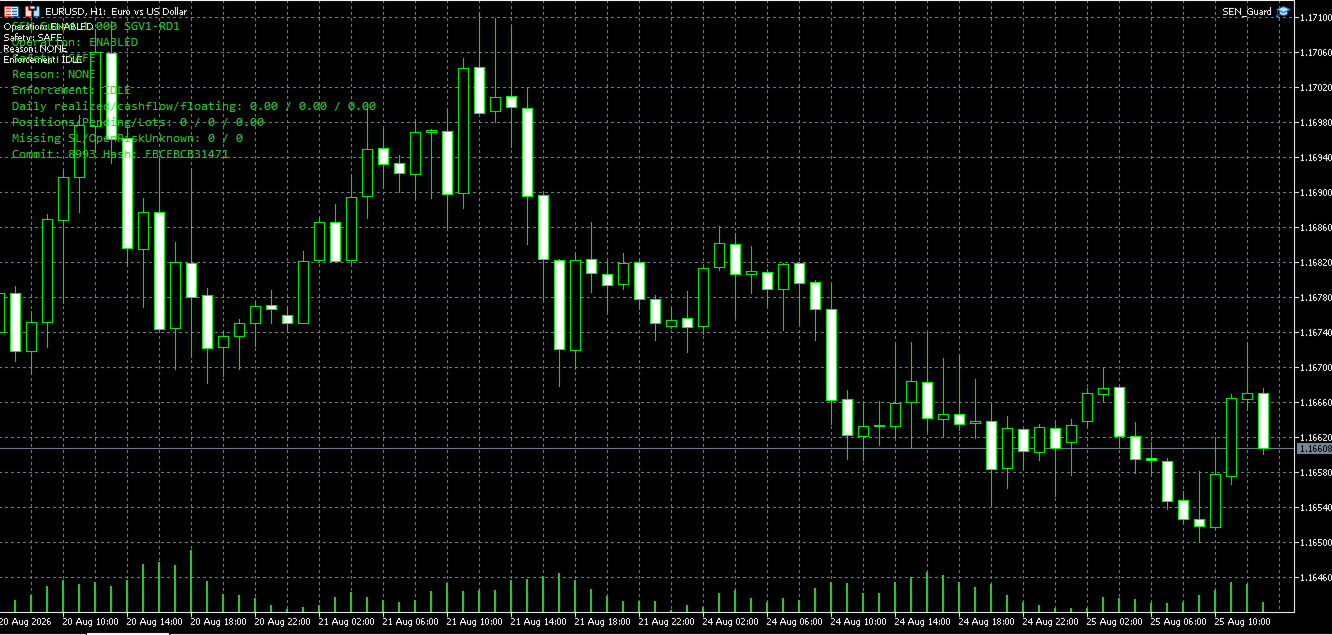
Mevcut güvenlik durumunu, bu durumun nedenini ve koruyucu işlemlerin uygulanma durumunu doğrudan grafik üzerinde gösterir. Desteklenen koşullarda SEN Guard ayrıca güvenli tarafta durdurma, koruma amaçlı pozisyon kapatma ve bekleyen emirlerin iptal edilmesini destekler.
SEN Guard'ın önemli özelliklerinden biri yalnızca ne olduğunu değil, mevcut koruma durumunun neden aktif olduğunu da göstermesidir.
Operation, Safety, Reason ve Enforcement tek bir panelde birlikte gösterilir. Böylece mevcut koruma durumu ve bunun nedeni açık ve kolay anlaşılır şekilde görülebilir.
Ana Özellikler
- Operation, Safety, Reason ve Enforcement bilgilerini gösteren Runtime güvenlik paneli
- Mevcut koruma durumunun ve bu durumun arkasındaki nedenin açık şekilde görüntülenmesi
- Desteklenen koşullarda güvenli tarafta durdurma
- Desteklenen koşullarda koruma amaçlı pozisyon kapatma
- Desteklenen koşullarda bekleyen emirlerin iptal edilmesi
- Desteklenen MetaTrader 5 hesaplarında mevcut durumun açık şekilde görüntülenmesi
- Desteklenmeyen bir hesap modu algılandığında güvenli tarafta durdurma
- Otomatik işlem girişi veya işlem sinyali içermeyen, hesap korumasına odaklı tasarım
Safety State
Runtime koşullarına bağlı olarak SEN Guard SAFE, TEMPORARY_LOCK veya PERMANENT_LOCK gibi durumlar gösterebilir.
SAFE, şu anda aktif bir koruma nedeninin görüntülenmediğini belirtir.
TEMPORARY_LOCK veya PERMANENT_LOCK, SEN Guard'ın algılanan koşullara bağlı olarak daha güvenli bir duruma geçtiğini belirtir.
Kullanıcı, mevcut Safety durumu ile birlikte Reason ve Enforcement bilgilerini kontrol ederek korumanın neden gerekli hale geldiğini ve koruyucu işlemlerin mevcut durumunu anlayabilir.
Desteklenen Ortam
SEN Guard, desteklenen MetaTrader 5 hedging hesapları için tasarlanmıştır.
Hesap modu, broker özellikleri, işlem koşulları, emir gerçekleştirme ortamı, VPS, MetaTrader 5 ve iletişim koşulları ürünün çalışmasını etkileyebilir.
Desteklenmeyen bir hesap modu algılanırsa SEN Guard çalışmaya devam etmek yerine güvenli tarafta durabilir.
Nasıl Kullanılır
1. SEN Guard'ı MetaTrader 5'e yükleyin.
2. SEN Guard'ı bir grafiğe ekleyin.
3. Ortamınız gerektiriyorsa Algo Trading'in etkin olduğunu doğrulayın.
4. Grafik panelinde Operation, Safety, Reason ve Enforcement bilgilerini kontrol edin.
5. SEN Guard'ı gerçek hesap ortamında kullanmadan önce bir demo hesapta test edin.
Önemli Uyarı
SEN Guard, kâr elde etmek amacıyla işlem stratejisi uygulayan bir EA değildir.
Kârı veya zararların önlenmesini garanti etmez ve finansal ya da yatırım tavsiyesi sunmaz.
SEN Guard; piyasa hareketleri, brokerlar, emir gerçekleştirme, VPS ortamları, MetaTrader 5, iletişim koşulları veya diğer harici faktörlerden kaynaklanan riskleri tamamen ortadan kaldıramaz.
İşlem faaliyetleri, hesap kullanımı ve risk yönetimiyle ilgili nihai karar ve sorumluluk kullanıcıya aittir.