Aeterna Strategy Engine
- Experts
- Version: 1.0
- Activations: 5

Aeterna Strategy Engine is not a single strategy. It's a framework for engineering your own strategies, along with the tools to monitor them easily as they trade. Aeterna aims to be a central system for the algorithmic trader.
Markets grow more complex over time, and what works today is not guaranteed to keep working forever. Aeterna is built as an ongoing system rather than a one-off release. New modules are added as market conditions call for them, so your setup can keep pace with the market instead of being left running on outdated logic.
Note: this is an initial launch price. As is normal in fintech, usage of the system is kept deliberately limited, so the price will scale as its capabilities and user base grow. Buyers keep their license at the price paid on purchase.
How to Test as a Demo
A configurable framework is harder to judge than a fixed strategy, since what you get out of it depends on how it is set up. This EA therefore ships with preset configurations — simple strategies that demonstrate a few of the features rather than finished systems — so you can watch the engine work before building anything yourself.
- Select a preset from Showcase Settings, the first input in the list, then run it on a chart or in the Strategy Tester.
- A preset supplies the strategy itself — entries, exits, risk and the chart drawings that belong to them. For your own typed values to be used instead, set Showcase Settings to Off (Use My Settings).
- Everything outside the strategy stays yours either way. The GUI, logging, notifications, backtest statistics and magic number are always read from your inputs, whether a preset is running or not.
- The panel is off by default. Switch GUI Enable on to watch the EA work, and set Default Tab to the tab you want to see, since the Strategy Tester does not pass mouse clicks through to the panel.
- On a live chart the panel is fully interactive — click between tabs or use the number-key shortcuts.
Strong Risk Control Capability
Risk control is not one setting here — it runs through dynamic lot sizing, drawdown limits, basket-level position management, anomaly protection and full visibility on the panel, each covered in its own part of this description. What belongs specifically to sizing and drawdown:
- Lot sizing from stop-loss risk (flat money, percent of balance, or percent of a prop-account drawdown allowance), or from a balance sample.
- Additional-position scaling, maximum lot cap, minimum lot policy.
- Drawdown limits for open positions and for the trading day, each with its own close scope and optional hard stop.
Logical Analysis and Execution Structure
Entries and exits are built from defined roles, not a pile of indicators stacked together. Directional bias and level analysis each answer a specific question about the market, and position management carries that same structure through to the trade itself — decisions stay traceable to a reason instead of dissolving into noise.
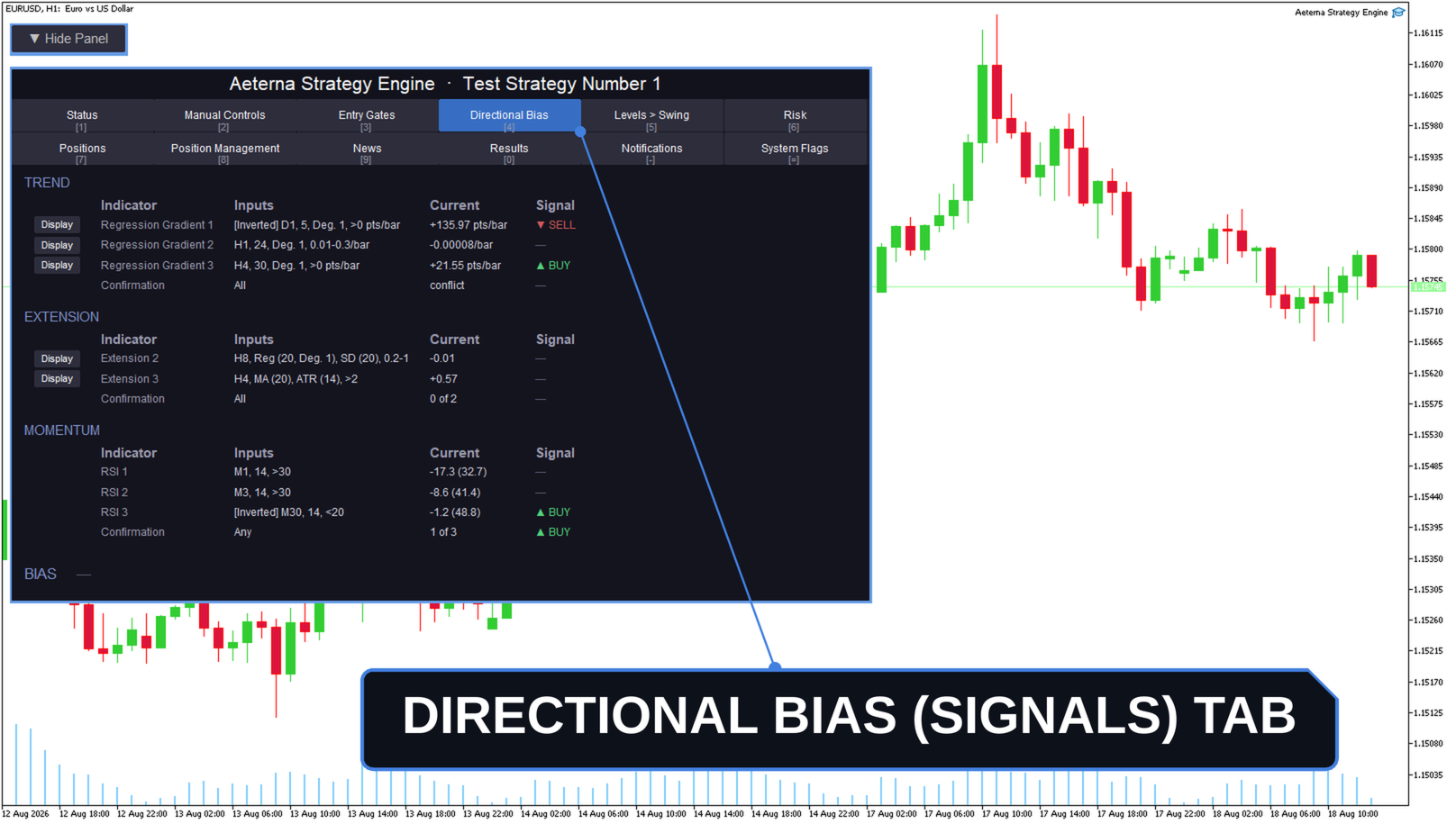
Each directional bias tool runs on three independent scopes, each with its own timeframe, and every enabled tool must agree before a signal is accepted.
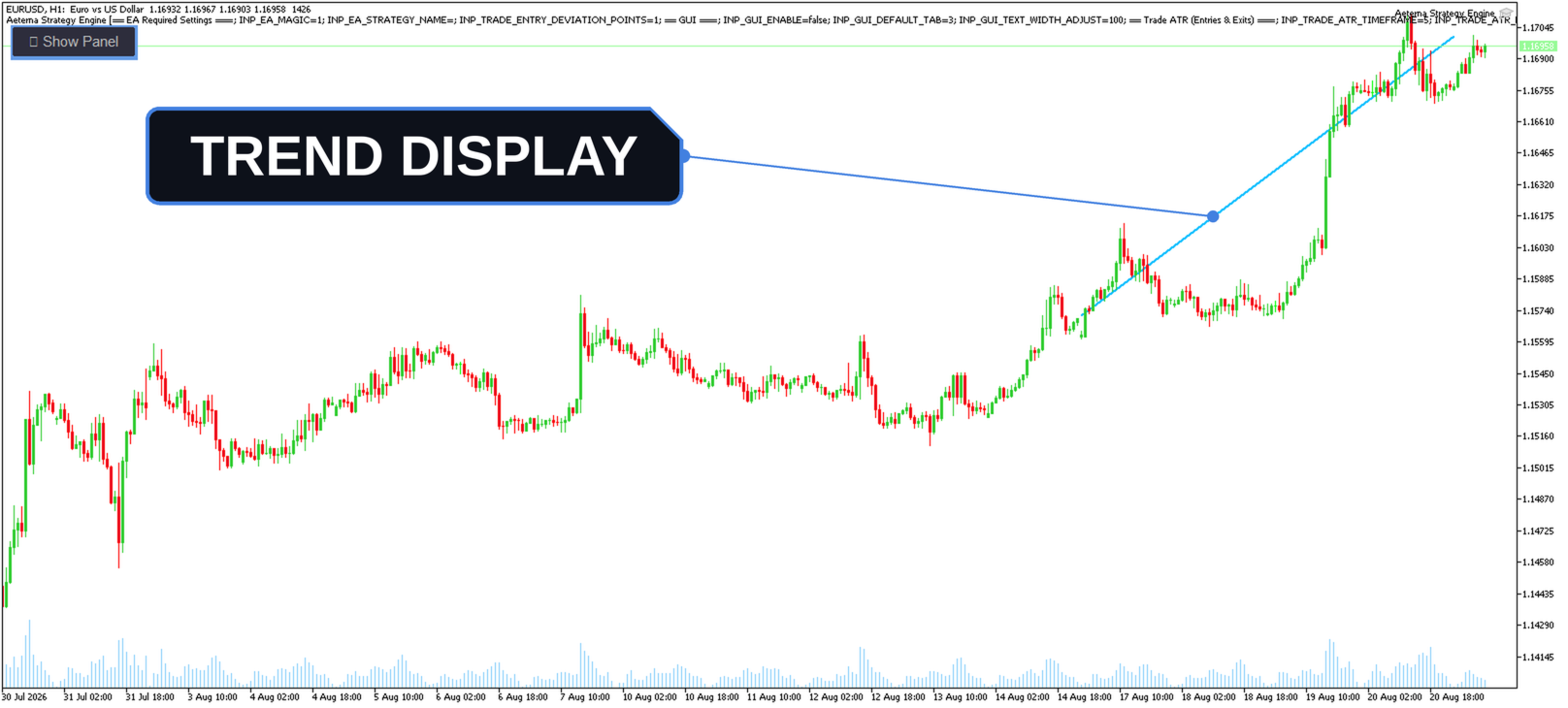
- Trend — polynomial regression gradient.
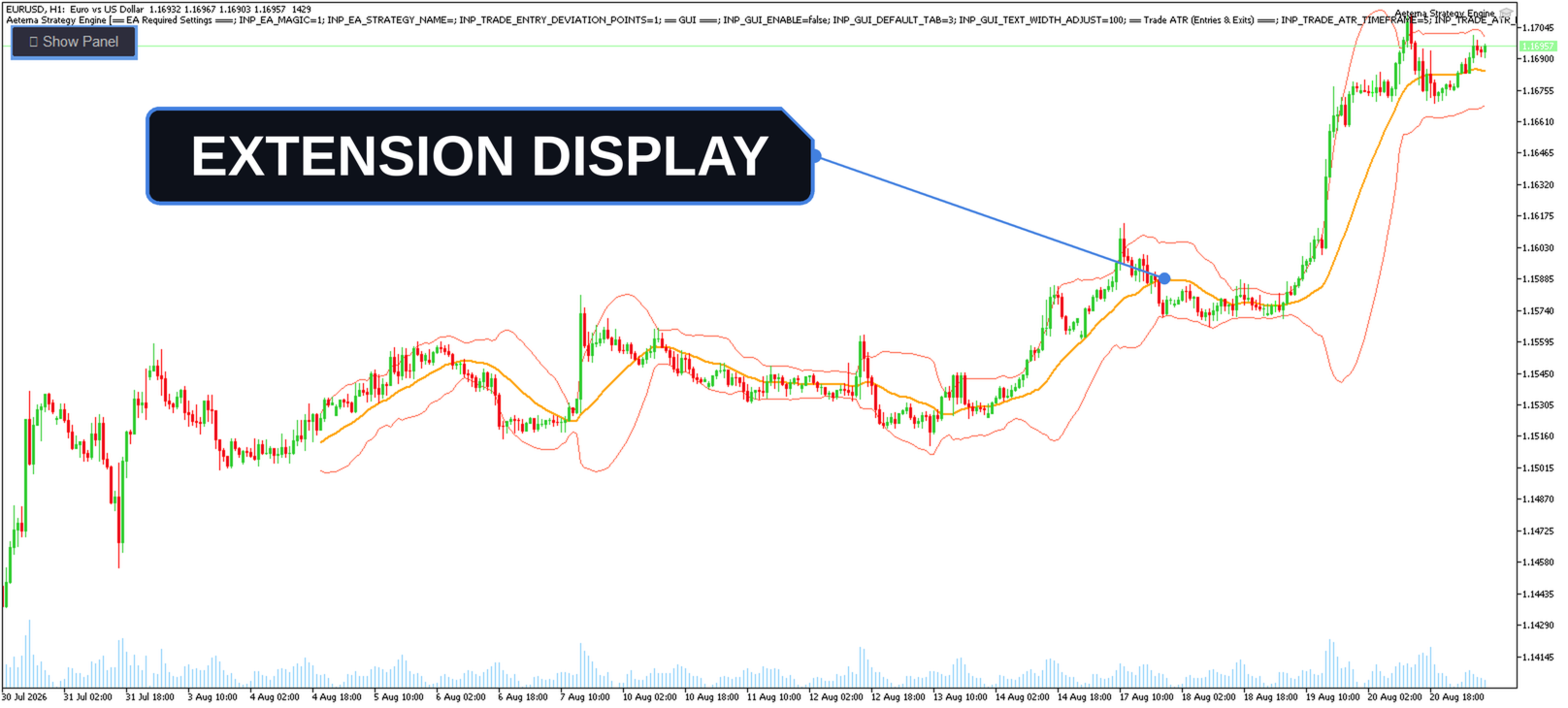
- Extension — distance from a reference point.
- Reference — moving average, regression, VWAP or candle open.
- Measured in percent, ATR or standard deviation.
- Momentum — relative strength (RSI).
Once a position is open, management stays flexible rather than locked into one style. Techniques are available to suit the strategy's logic.
- Moving the stop loss to break even once a trade is in profit.
- A trailing stop that follows price to lock in profit while still leaving open the potential for a higher gain.
- Taking partial profits.
- Scaling a position in or out across multiple entries.
- Position building and management in a grid or inventory style.
Extensive Control Over Entry Conditions
A signal on its own is rarely enough. Each filter below can be switched on independently, and a trade is taken only once every filter you have enabled agrees, so entries stay confined to the conditions you actually want to trade in.
- Direction — buy only, sell only, one direction at a time, or both sides held together as a hedge.
- Trade times — trading hours with day-of-week control, plus after-hours and pre-weekend closing.
- News avoidance — stand aside around economic calendar events, selected by headline keyword and currency. Live trading only, as the tester supplies no calendar data.
- Volatility — require volatility to sit within a chosen band, measured on two independent ATR scopes.
- Market regime — trade only trending or only mean-reverting conditions, identified by the Hurst exponent.
- Spread limit — block entries when the spread is too wide, judged in points, ATR, percent of price, or against your stop or target.
Complete Visibility Into Your EA
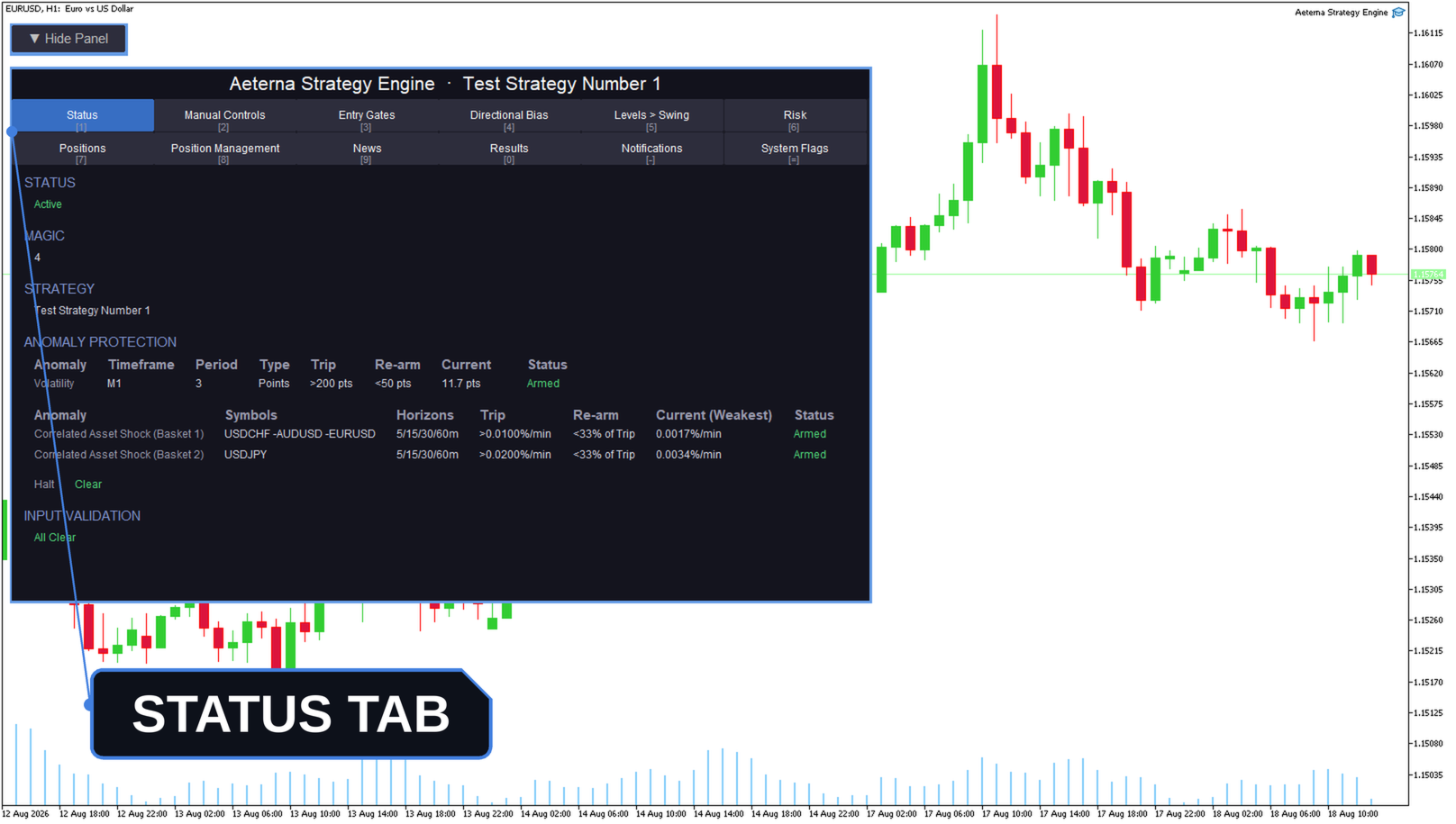
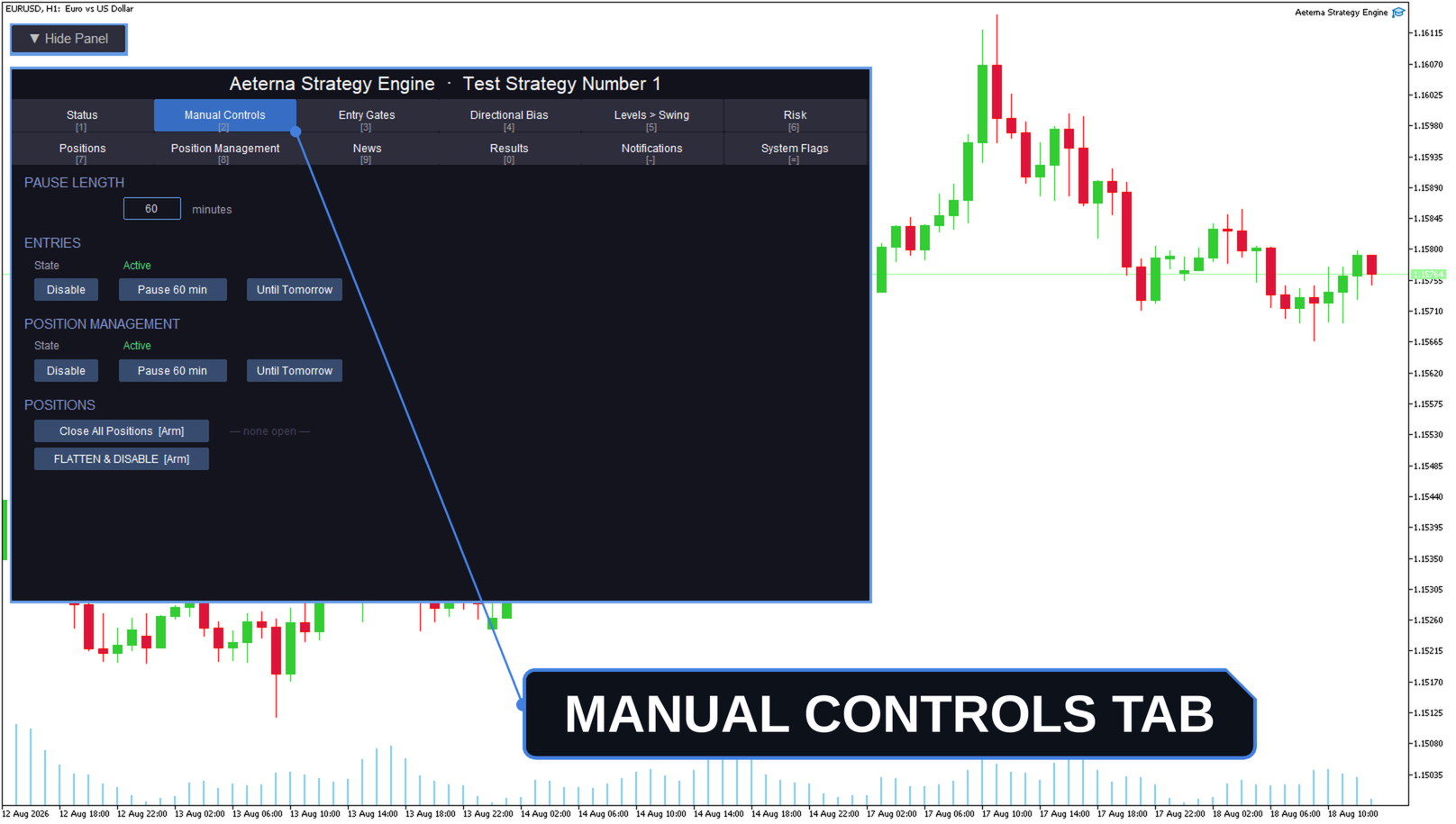
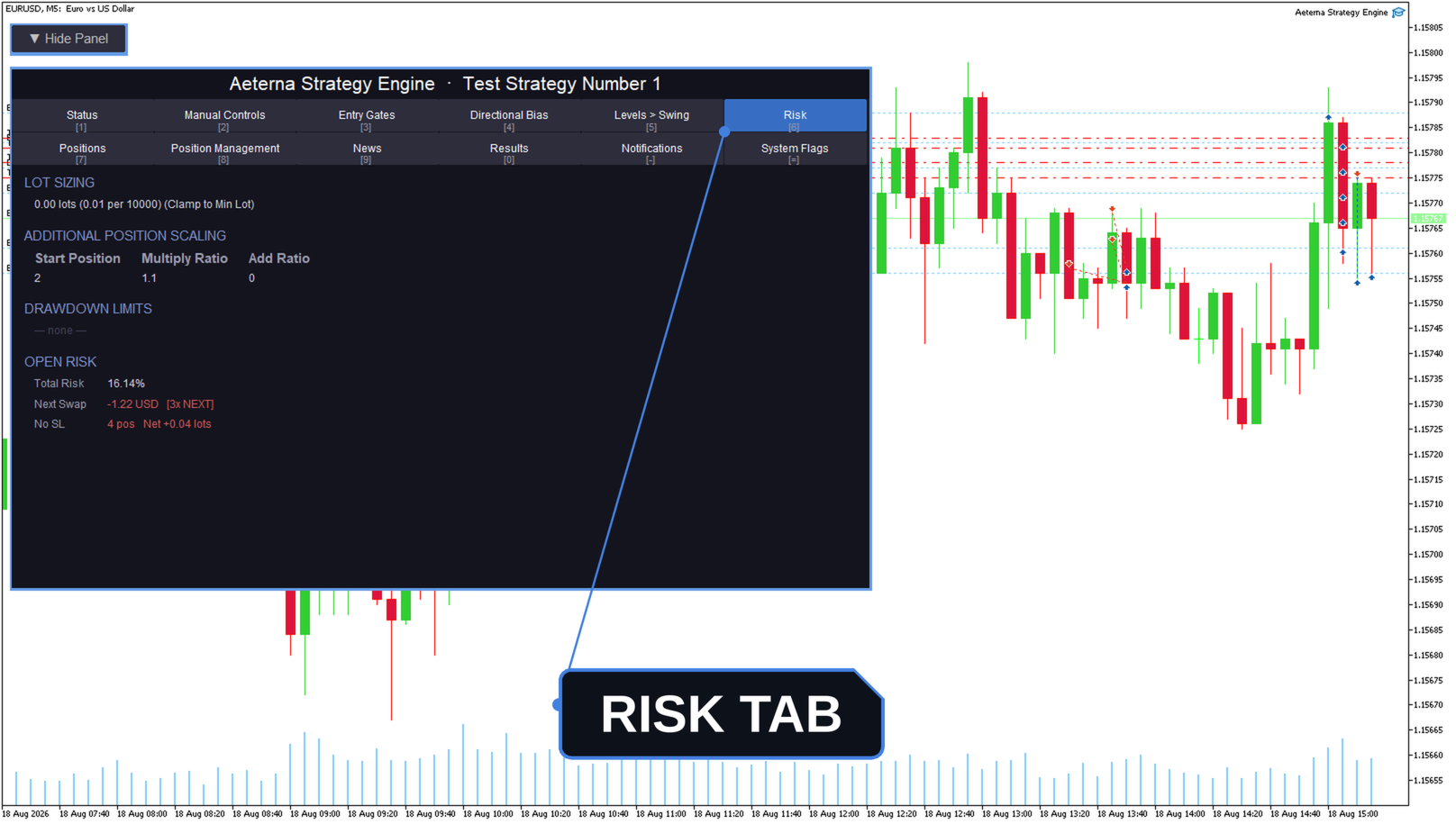
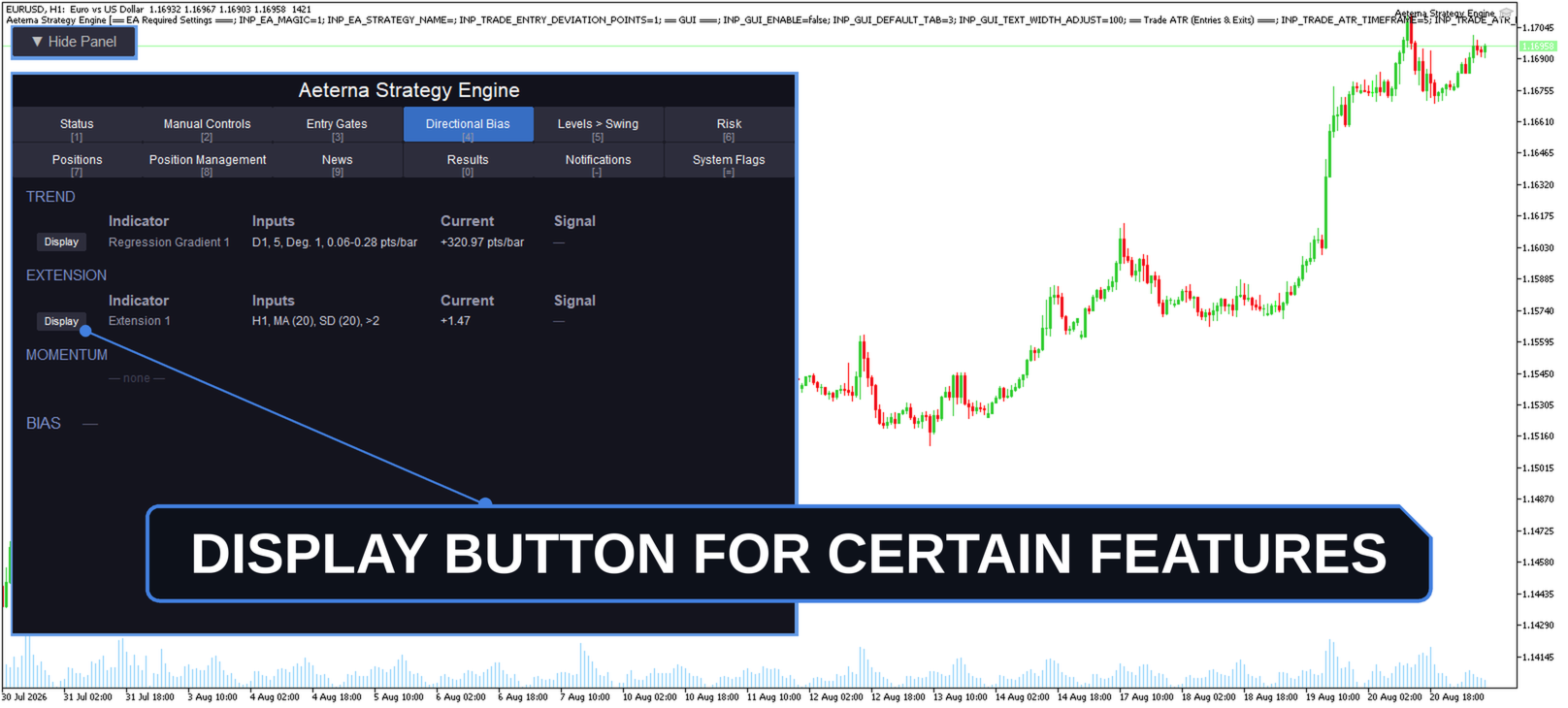
An algorithmic trader should never have to guess what their EA is doing. The on-chart panel is your interface to the engine, reporting each subsystem's live state across twelve tabs, so the reason behind any decision is readable without leaving the chart or digging through a log.
- EA Status — whether the EA is active, and any input that failed validation.
- Manual Controls — pause or disable entries and position management independently, or close positions on request.
- Entry Gates — a pass or block reading for every gate you have enabled.
- Directional Bias — live trend, extension and momentum readings.
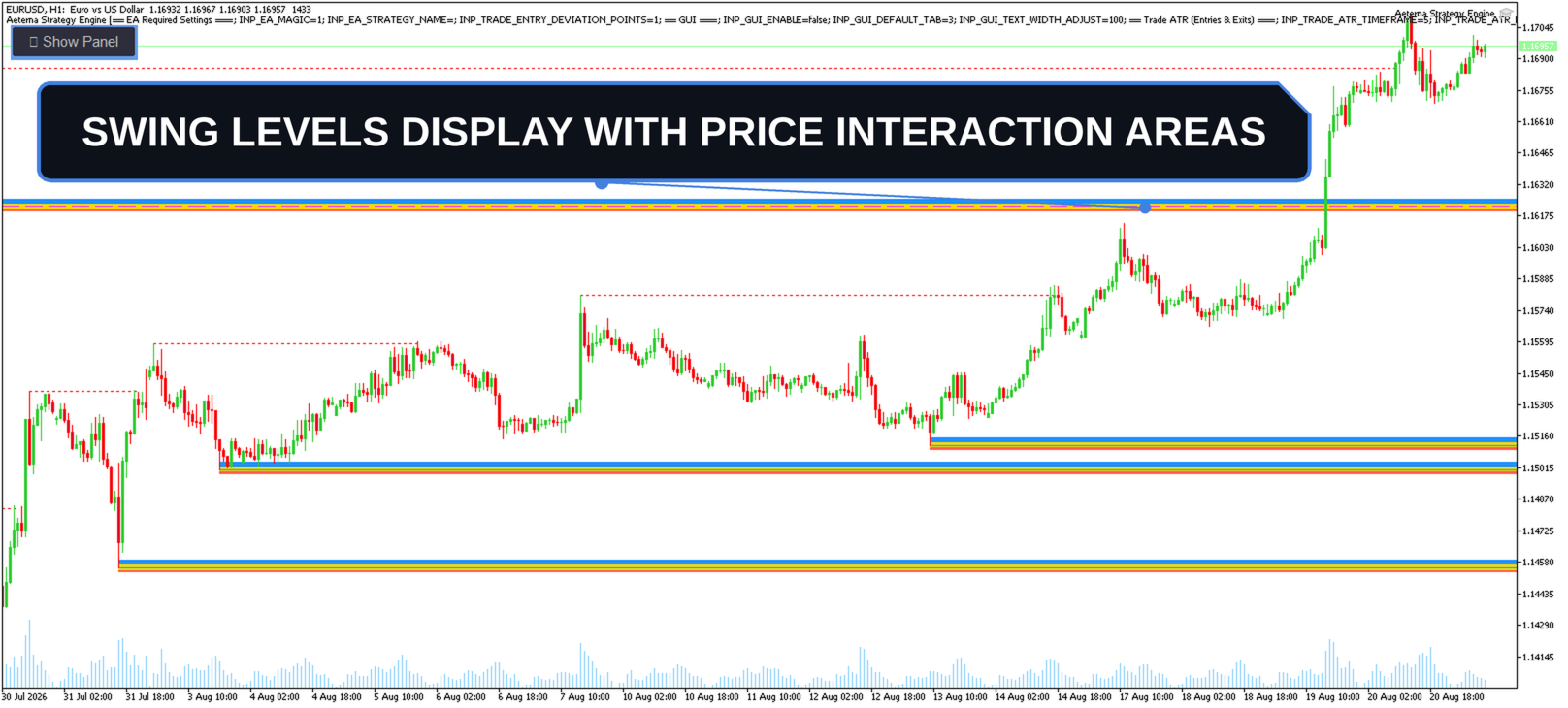
- Levels — tracked swing highs and lows with their current state.
- Risk — lot sizing and the open risk currently carried.
- Positions — every position the EA holds.
- Position Management — what management is active on the open book.
- News Events — the calendar events being watched.
- Results — closed-trade results by day, week, month and all time.
- Notifications — what alerts are sent, where they go, and their delivery status.
- System Flags — protection states and lockouts, highlighted when one is blocking trading.
Engineered for Speed and Scale
Performance here is a design constraint rather than an afterthought. It's what lets Aeterna run across many charts at once without weighing down the terminal, and what keeps backtesting and optimization runs quick enough to iterate on properly.
- Every calculation is done inside the EA itself, using built-in indicator classes rather than calling on external ones.
- Rolling indicator structures update efficiently as prices change, instead of recalculating from scratch each time.
- The panel only does work for the tab you are actually looking at, and only refreshes a figure when that figure has genuinely changed. Hidden or switched off, it costs nothing at all.
- Open positions are followed as trades happen, so the EA never has to re-examine the whole account on every price update.
The full user manual is available on request through MQL5 messaging. Use the same channel for help setting up and running the EA, to suggest features for upcoming versions, or to report any issues you come across.