Flow Matrix
- Utilities
- Hispraise Chinedum Abraham
- Version: 1.0
- Activations: 5
FlowMatrix — Currency Flow Detection Matrix (MT5)
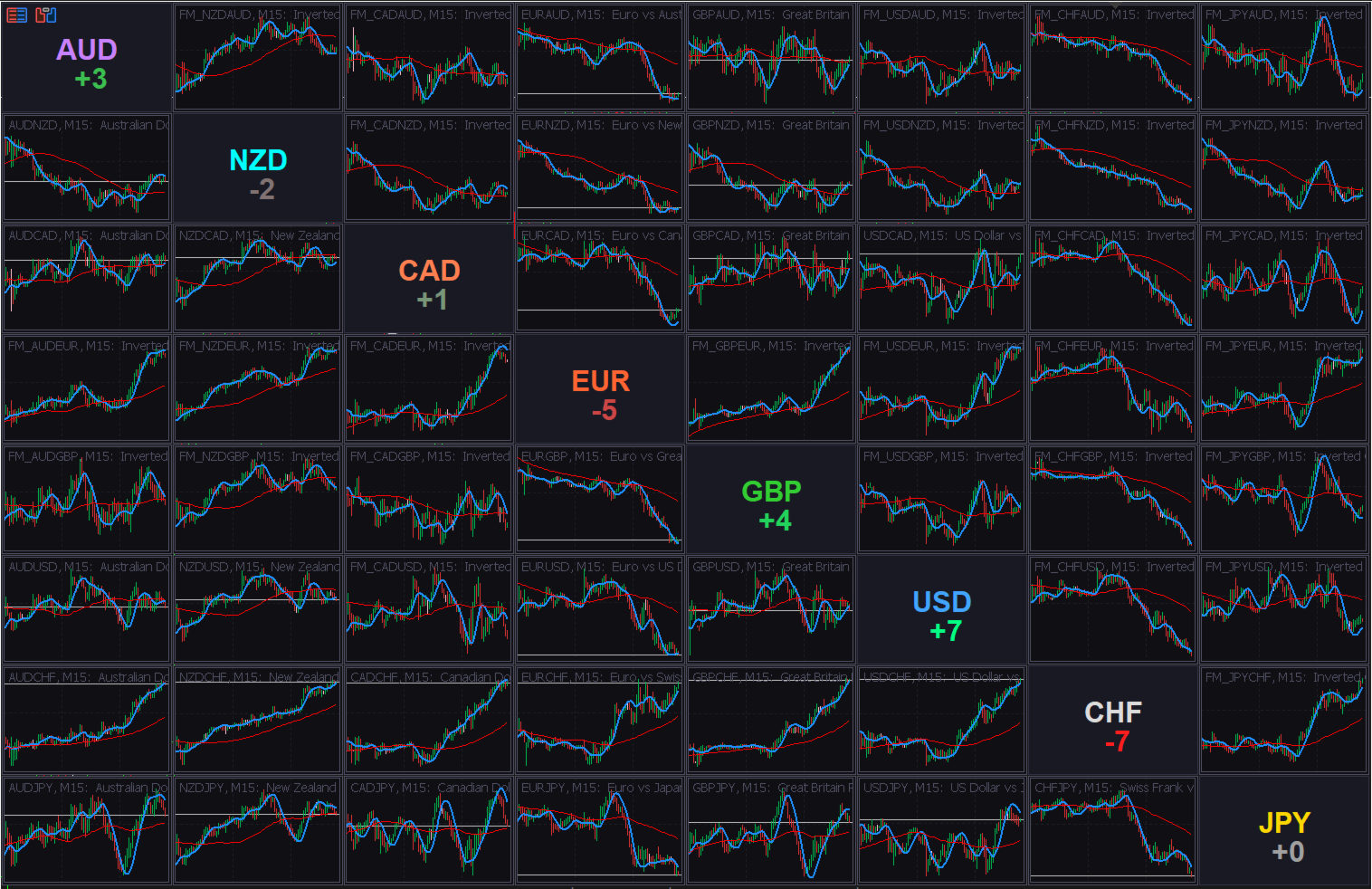
FlowMatrix turns currency movement into a clear, fast visual grid. It displays an 8×8 matrix of embedded mini‑charts built from the major FX currencies (AUD, NZD, CAD, EUR, GBP, USD, CHF, JPY), helping you spot relative strength/weakness and cross‑currency shifts without constantly switching symbols and charts.
Designed for serious traders who want structure and context, not unrealistic promises.
What it helps you do
- Scan multiple currency relationships at once to see where strength is building or fading
- Compare pairs consistently (the matrix keeps relationships easy to read)
- Switch the timeframe across the entire matrix with one key (0–9)
- Align the same moment across all embedded charts using a synchronized crosshair marker
Key features
- 8×8 currency flow matrix (8 columns × 8 rows of embedded charts)
- Diagonal currency cells with a clear label and quick score readout
- Consistent orientation for easier visual comparison across the grid
- Inversion engine via MT5 Custom Symbols (OHLC 1/price transform when needed)
- Practical JPY inversion handling to avoid rounding that can flatten candles on inverted JPY pairs
- Moving average overlays: optional HMA and SMA on each embedded chart
- Timeframe hotkeys (0–9): switch all charts to mapped timeframes simultaneously
- Synchronized crosshair: vertical time marker across all embedded charts
- Dynamic auto‑resize: adapts to window/screen size
- Refresh controls for custom symbol updates and diagonal score refresh
- Broker suffix support (e.g., “.m”)
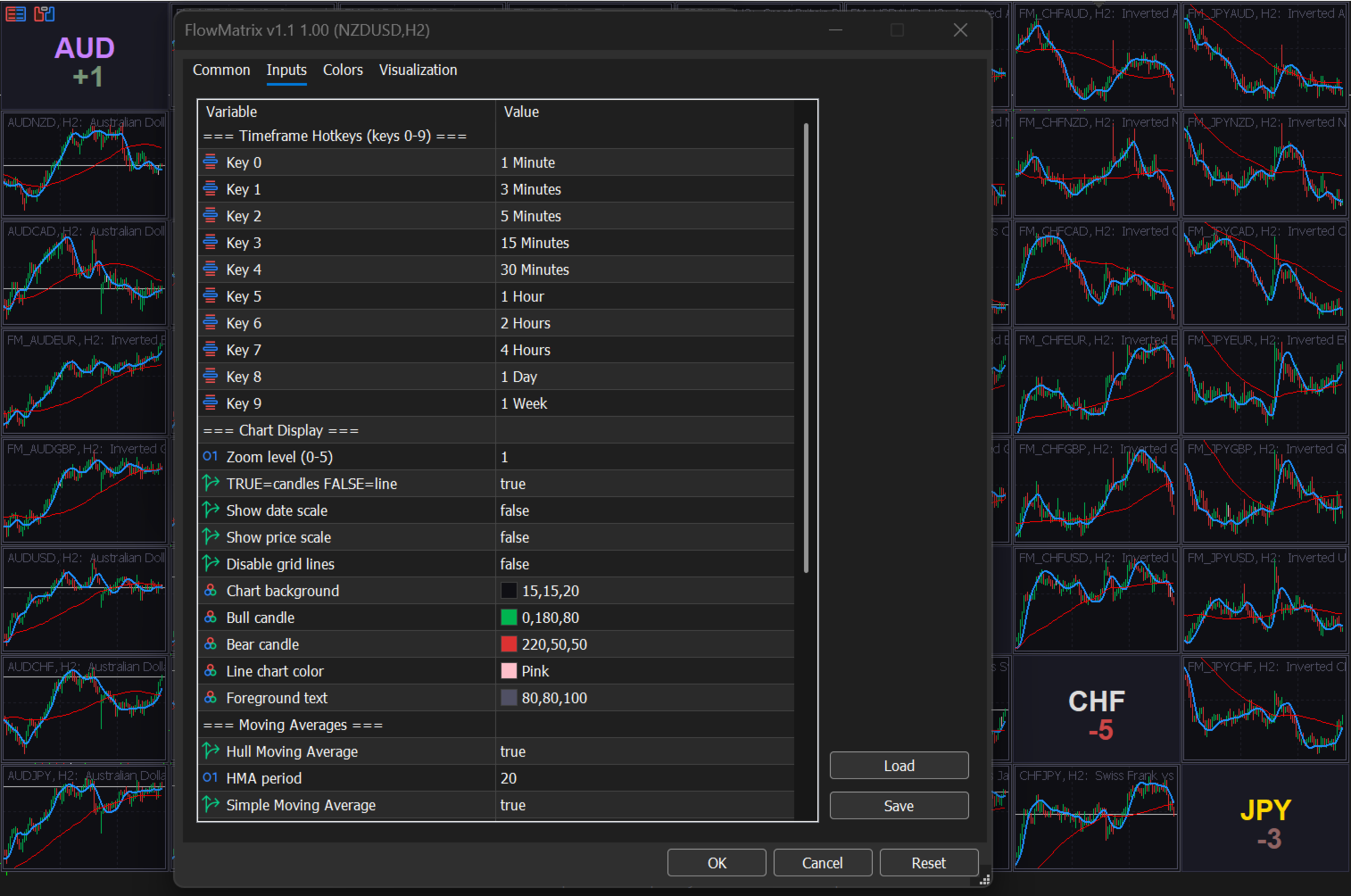
Inputs (high level)
- Timeframe Hotkeys (0–9): map each key to your preferred timeframe
- Chart Display: zoom, candles vs line, date/price scale, grid on/off, theme colors
- Moving Averages: enable/disable HMA & SMA, set periods
- Layout: margins, gaps, label font size cap
- Crosshair: enable sync and set line color
- Broker: symbol suffix string
- Data Refresh: refresh interval (sec) and bars copied per symbol
Installation & usage
- Attach FlowMatrix to any chart.
- Set your preferred display style (candles/line), colors, and MA overlays.
- Press keys 0–9 to switch the entire matrix timeframe instantly.
- Move the mouse over a cell to align the time marker across all embedded charts.
Notes
- This is a visual analysis tool. It does not guarantee performance or trading outcomes.
- Test on a demo account first and validate results under your broker’s symbols/conditions.