Ultimate Trailing Stop EA MT5

4.13
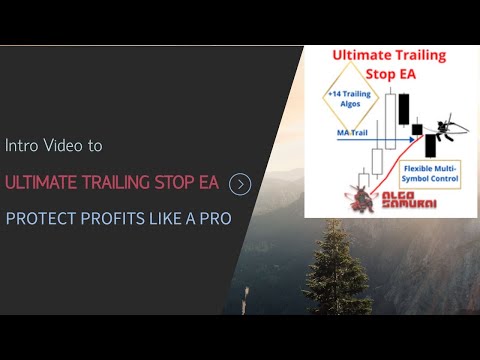
This EA Utility allows you to manage (with advanced filtering) unlimited open orders (manual or EA) with 16 trailing stop methods: fixed, percent, ATR Exit, Chandelier Exit, Moving Average, Candle High Low Exit, Bollinger Bands, Parabolic, Envelope, Fractal, Ichimoku Kijun-Sen, Alligator, Exit After X Minutes or Bars, RSI and Stochastic. The trailing stop can be either real or virtual, and you can exit fully or with a partial close percent on touch or bar close. 

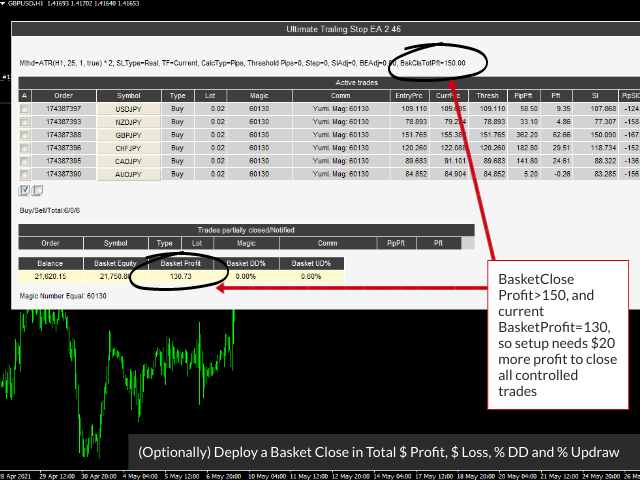
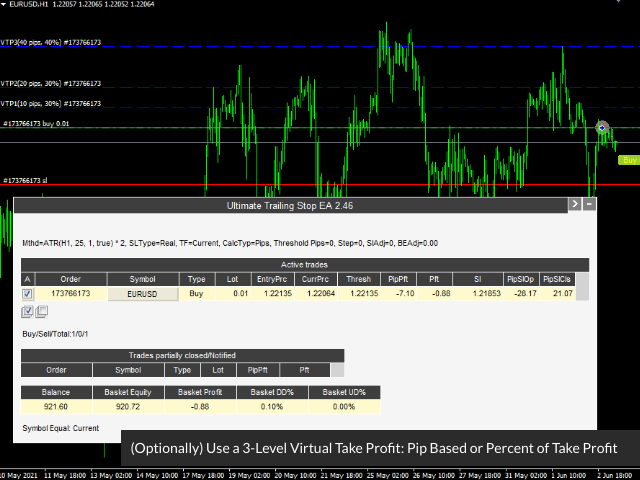
Moreover, you can add (override) stop loss, take profit and breakeven, add three partial take profit levels, and manage basket close in total dollar profit or loss, and/or percent drawdown or up draw.

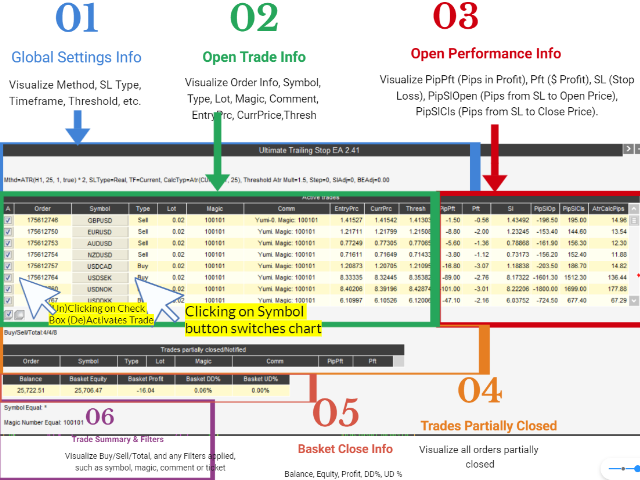
Visualize all orders and their trailing stop levels in beautiful trade control panel.  Visualize trailing SL (and open price & TP) on chart, and deploy mini trade panel for fast partial closing and order info.

For detailed description/tutorial, check out the blog

How the Ultimate Trailing Stop EA is unique?

Most trailing stops classify as simple trailing stop systems that protect a fixed pip or percentage of the open trade profit, and some follow a single indicator. But this can: 
  1. Automatically trail your open positions using one of 16 trailing algorithms.  
     
  2. Choose between a real or virtual trailing stop, and get out fully or partial percent, on bar touch or bar close.

  3. Manage unlimited open orders (manual or EA) of different symbols on one chart. 

  4. Filter open orders based on symbol, magic number, comment, or ticket.

  5. Display all controlled orders in an advanced display showing each trade's open trade info and trailing stop levels, along with dynamically updating pips to level, pips & dollar profit. 

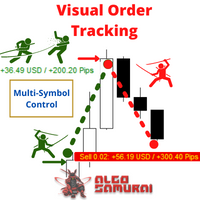
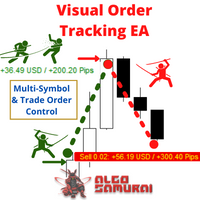
  6. Visualize indicators on chart, along with open order arrows, pip & profit visual tracking. 

  7. Basket Close in Total $ Profit | Total $ Loss | % Drawdown | % Updraw

  8. [NEW] Backtest / optimize CSV file of trade signal history to discover optimimal settings

How this expert advisor works

The working process looks like this:

  1. You open any number of orders, manual or EA.

  2. UTS monitors these orders and moves the SL value in favor of selected algorithm.

  3. UTS closes all or part of the position at SL value.


Inputs:

Note: full tutorial in this blog
  • Trailing Stop Method — Choose from 16 different trailing stops. 

  • Stop Loss Type —  Choose between Real or Virtual Stop.   

  • Touch or Close  —  Close on touch (default), or when Bar closes over(under) virtual stop. Close method works only when virtual stop is enabled.

  • Close Percent  — Works with virtual to partially close your position at a desired percent. 

  • Threshold in Pips or ATR — Start trailing stop when your trade reaches X pips in profit. 

  • StopLoss in Pips or ATR- Set the SL in pips or atr multiplier

  • TakeProfit Pips or ATR - Set the TP in pips or atr multiplier

  • Breakeven in Pips or ATR - Set the BE in pips or atr multiplier

  • Indicator Settings   : 

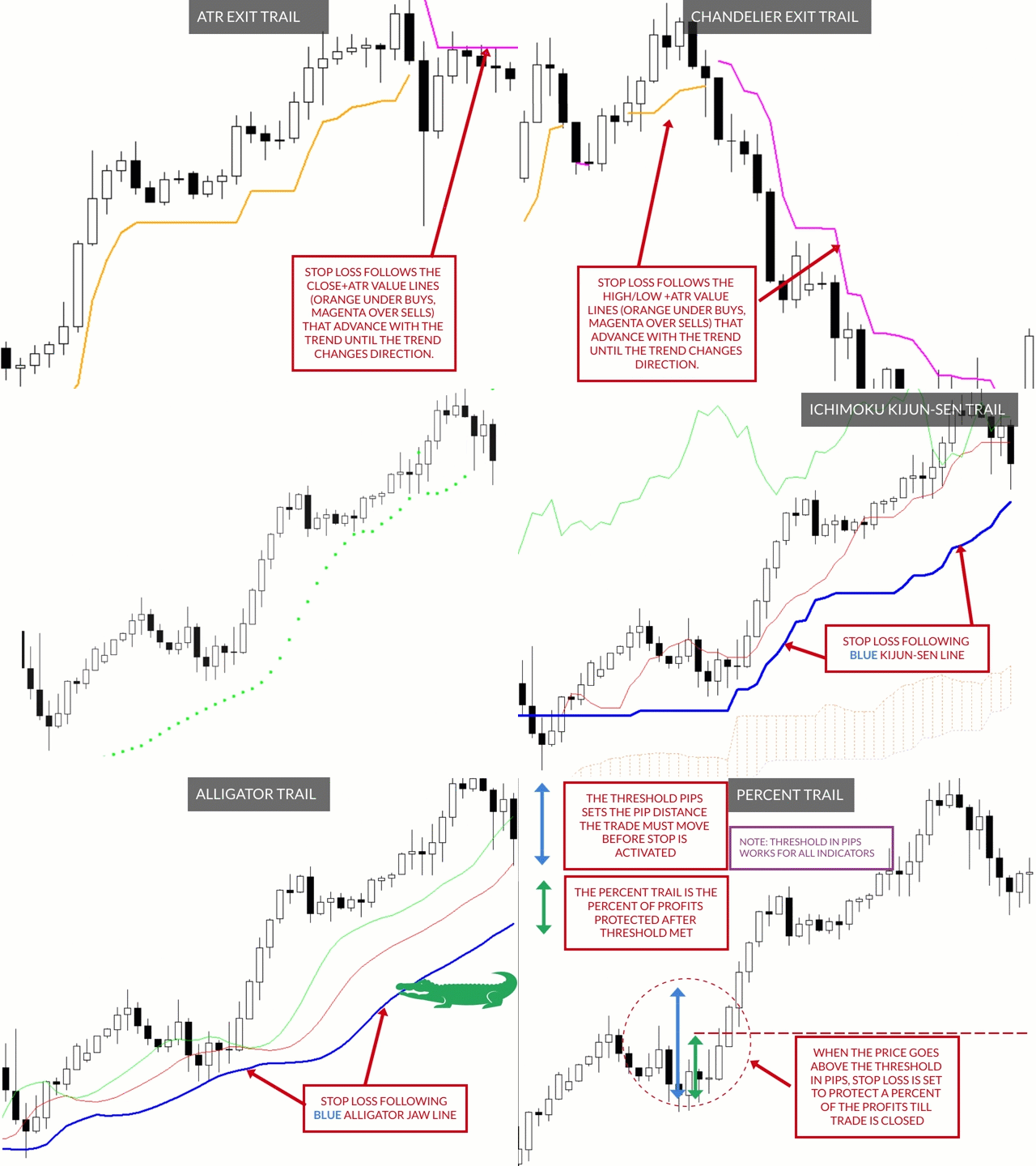
    • Percent — trails at percent profit
    • Fixed — trails at a fixed pip profit
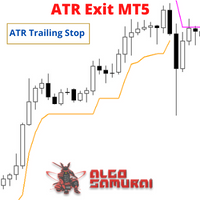
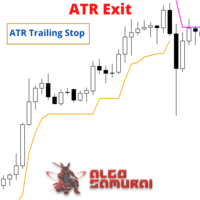
    • ATR Exit — trails at close +/- multiple of atr
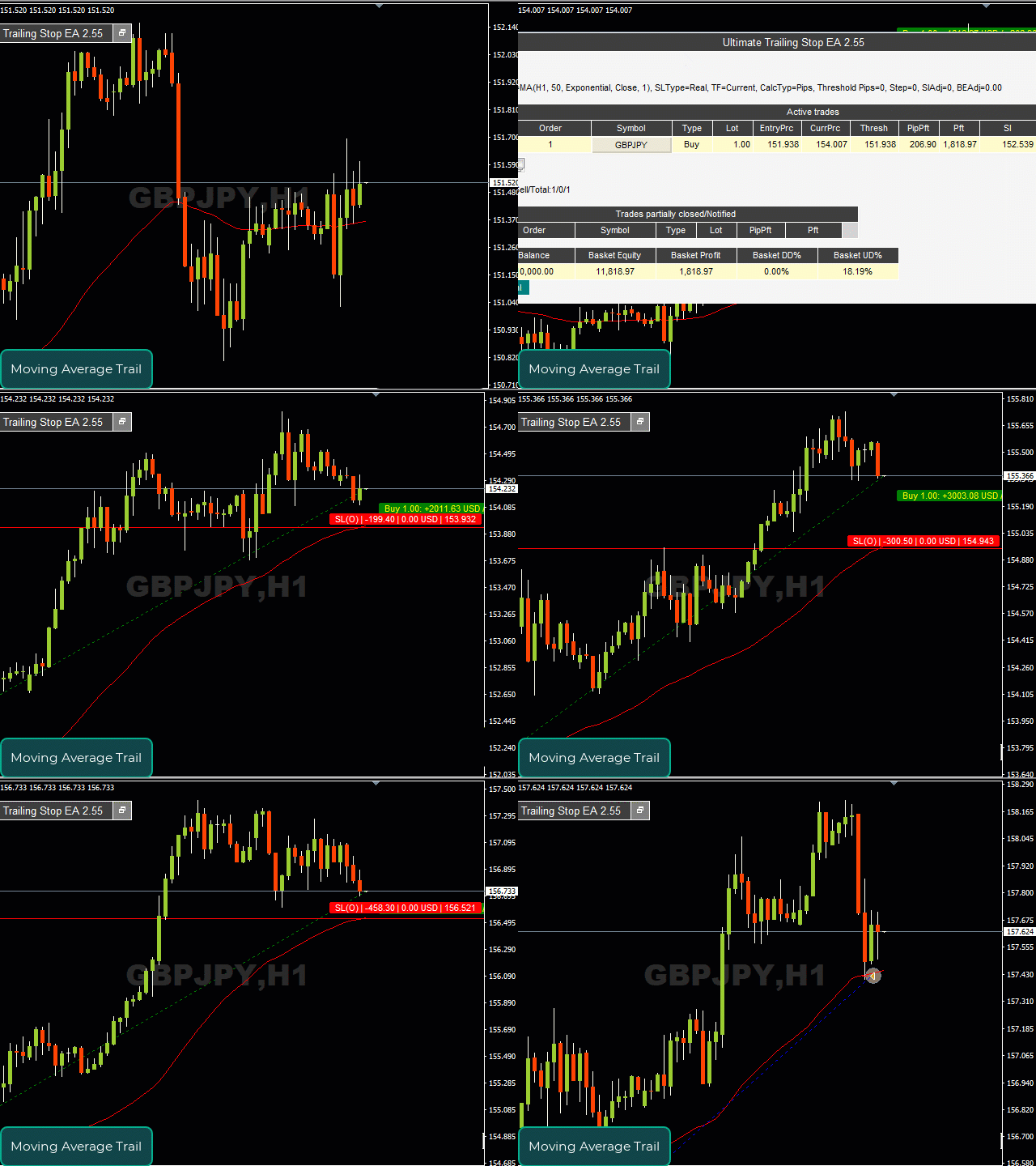
    • Moving Average — trails at moving average line
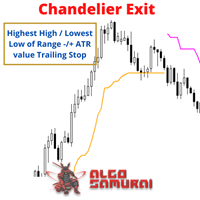
    • Chandelier Exit  — trails at highest high / lowest low +/- multiple of atr
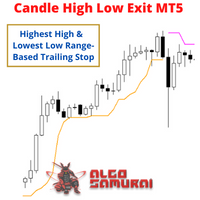
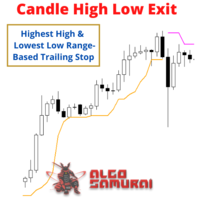
    • Candle High Low Exit — trails at the highest / lowest candle range
    • Bollinger Bands—  trails at Bollinger Bands
    • Parabolic SAR—  trails at Parabolic SAR levels 
    • Envelope —  trails at Envelope Bands 
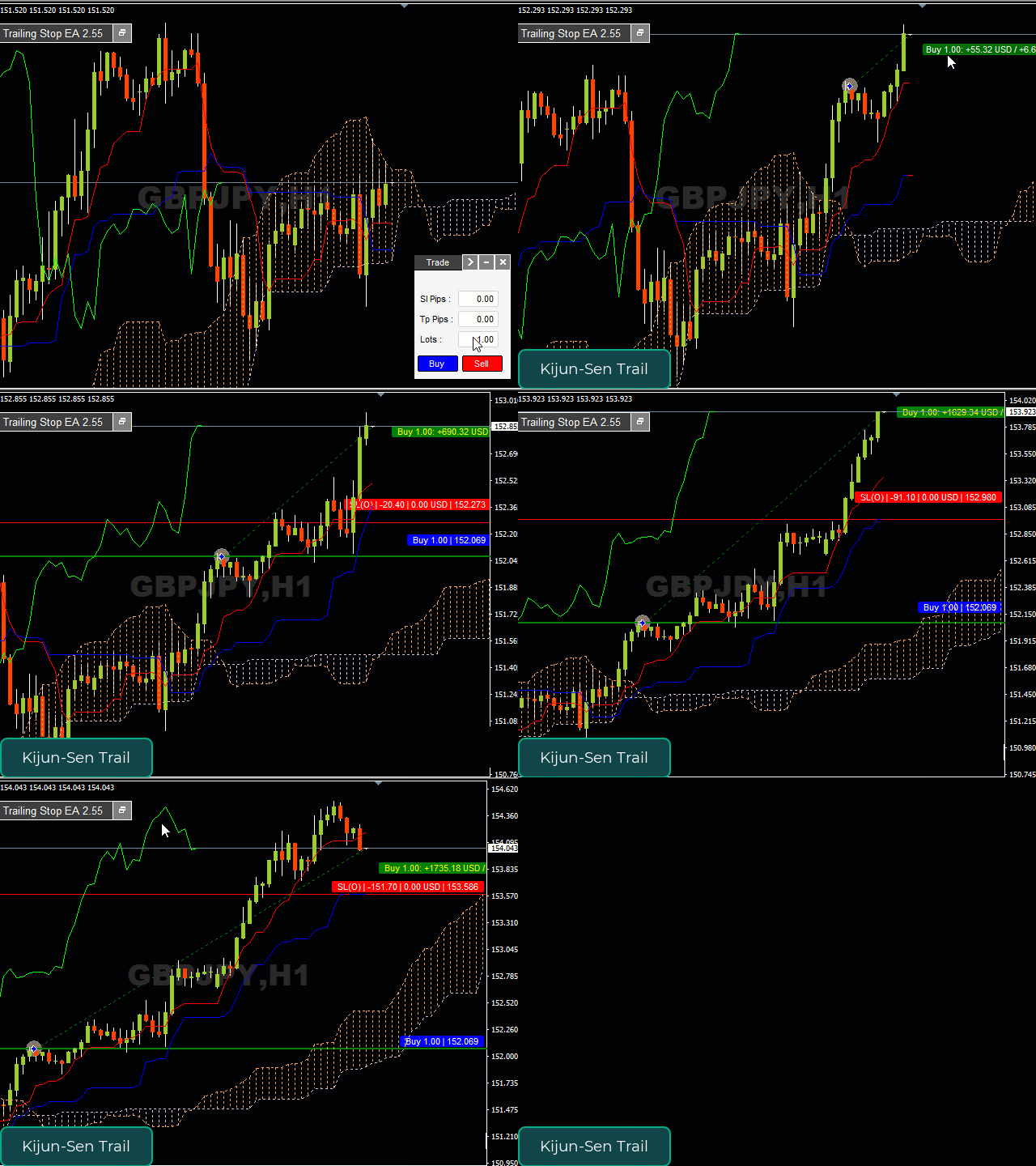
    • Ichimoku Kijun-Sen — trails at the the Ichimoku Kijun-Sen (Blue) line
    • Alligator —  trails at the jaw, teeth or lips of the Alligator indicator
    • Exit After X Minutes  — exits after custom minutes
    • Exit After X Bars  —  exits after custom bars
    • RSI - trail RSI level
    • Stochastic - trail Stochastic level
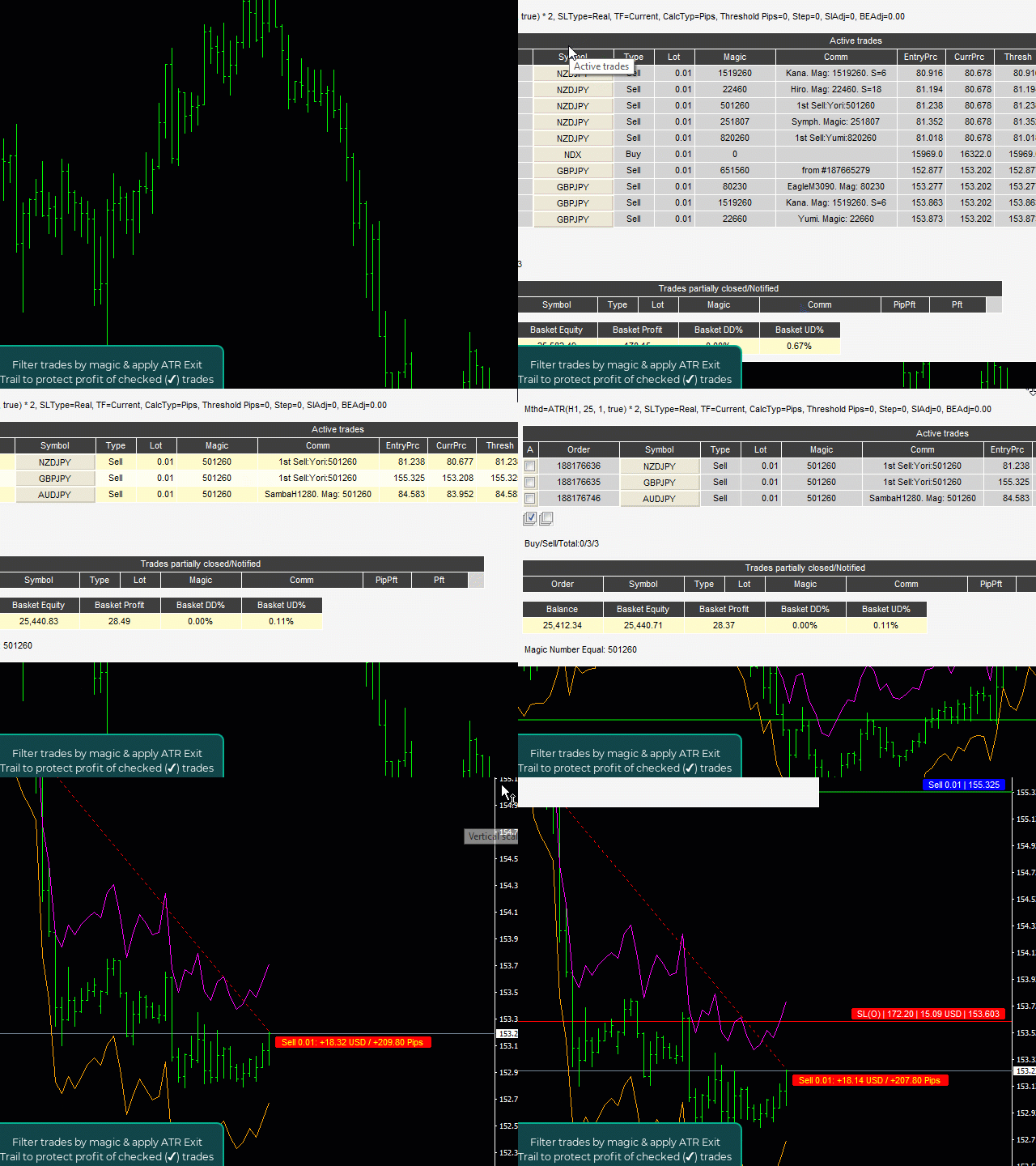
    • Filter (Symbol, Magic Number, Comment, Ticket) — With dropdown menu: None, Equal, Not Equal, Contain, Not Contain. These filters allow you to include (exclude) specific symbols, magic numbers, comments, tickets or parts of them. For example, if Symbol contains USD, you will trade all USD based symbols. If Magic Number equals 80260, 40260, you will manage only these magic numbers.

    Reviews 10
    Tatsiana Saldatsenka
    211
    Tatsiana Saldatsenka 2024.02.02 08:36 
     

    The Wise Way to Trade

    In conclusion, the Ultimate Trailing Stop EA MT5 is a highly advanced Forex trading tool that offers a range of unique features and functionalities. Whether you’re a seasoned trader or just starting out, this software can help you take your Forex strategies to the next level.

    Matthew Phillip Clarke
    329
    Matthew Phillip Clarke 2023.11.23 12:26 
     

    This stop loss is incredible, it's like you're trading with a much smaller position size with the profits of your ordinary position size, because 95% of the time it cuts the loss way before it gets anywhere near the stop loss, it does an excellent job of protecting profits too! It has significantly improved the risk to reward ratio in my account. Please do not hesitate, buy this product!

    som3k
    26
    som3k 2023.11.19 12:15 
     

    You get what you pay for. Great product. Great customer service. EA working like a charm!

    Recommended products
    Lock Bot
    Artem Alekseev
    This utility is designed to automatically maintain a "locking" position and reopen it when necessary, which is suitable for position maintenance and protection strategies. A simple utility (hereinafter referred to as the bot) that implements a locking strategy with an infinitely reloadable locking trade. How the bot works: - When launched, select a buy or sell order with a specified TP - Set the SL parameter for the locking trade - The bot monitors the distance between the opening price of the f
    Talents ATR Scalper Utility (MT5) The Talents ATR Scalper Utility is a professional-grade trade execution and management tool built for MetaTrader 5. Inspired by the Biblical Parable of the Talents , this utility is designed to help traders multiply their potential with precision risk control, one-click simplicity, and advanced automation. Whether you’re scalping forex, gold, or indices, this tool delivers speed, consistency, and confidence. Key Features One-Click Trade Preview Click below price
    Short Description A professional MT5 trade management dashboard for managing open trades, risk, trailing stop, break-even, partial close, daily loss guard and trade history directly from the chart. Full Description Smart Trade Manager Dashboard MT5 is a professional trade management panel built for traders who want faster control, clearer account visibility and stronger risk discipline directly from the chart. It is not a signal system and it does not open trades automatically. The dashboard foc
    Grid Trading EA is a semi-automated one-click trading EA for both Normal Trading and Grid/Martingale Trading . Normal Trading Simply click Buy or Sell directly from the chart. The EA will automatically manage trades by: Setting Stop Loss and Take Profit Managing Trailing Stop Grid / Martingale Trading (For Hedging Account Type Only) When Grid Trading mode is enabled, the EA will automatically open additional grid orders at specified distances while increasing the lot size based on your settings.
    TradeGuard Capital Protection Professional Risk, Exposure & Trade Manager for MetaTrader 5 This utility acts as a professional insurance system for your trading account. TradeGuard Capital Protection is a professional-grade risk & money management utility designed to protect your trading account from excessive losses, emotional trading, and uncontrolled exposure. This tool does NOT open trades . It strictly manages risk, drawdown, exposure, and safety protections . Perfect for manual traders, EA
    CYGNIX RISK GLADIATOR — Professional Trade Manager & Risk Guardian for MT5 Guard every position. Manage every trade. Sleep at night. Cygnix Risk Gladiator is a professional-grade position management Expert Advisor that watches every open trade on your account and automatically applies institutional-level risk controls in real time. It does not generate signals — it protects, manages, and exits trades opened by you, your strategies, or any other EA. Built for IC Markets and fully compatible w
    BTC Trading Assistant EA (MT5) Manual trading assistant that helps place and manage trades with automated risk and stop management. Overview BTC Trading Assistant EA is a utility Expert Advisor for MetaTrader 5 intended for manual traders. It provides a chart interface to execute BUY/SELL/CLOSE actions and automates selected trade management functions such as position sizing, initial SL/TP placement, break-even, trailing stop and optional partial profit taking. This EA does not generate trade si
    PnL Manager Pro
    Enechojo Victor Ayegba
    PNL MANAGER PRO —    Automatic Exit Manager with Smart Risk Control Set your entry, walk away. PNL Manager Pro sets your stop loss and take-profits automatically, locks in profit in stages, moves you to breakeven, and trails the rest — all while keeping your risk inside the limit you set. Try Before You Buy: You can download and test the PROP FIRM RULES MANAGER  free demo version  o
    Exclusive Imperium MT5 — Automated Trading System Exclusive Imperium MT5 is an Expert Advisor for MetaTrader 5, based on market analysis algorithms and risk management. The EA operates in a fully automated mode and requires minimal trader intervention. Attention! Contact me immediately after purchase to receive setup instructions! IMPORTANT: All examples, screenshots, and tests are provided for demonstration purposes only. If a certain currency pair shows good results with one broker, it does no
    Margin Call Shield – Defend Your Margin on Your Terms Margin Call Shield is a tool for MetaTrader 5 traders who want to decide for themselves which open positions are closed during margin call situations before the platform does so automatically based on its internal rules. By default, the broker or platform decides which positions to close, often using undisclosed algorithms. Margin Call Shield lets you set this order according to your own strategy. Why Was Margin Call Shield Created? In a mar
    MT5 To Telegram Copier
    Levi Dane Benjamin
    3 (2)
    Send fully customisable trade signals from MetaTrader 5 to Telegram and run your own signal channel. Configure what gets sent, how it looks, and which trades are included using an easy on-chart interface. Made for signal providers : keep messages consistent, branded, and informative without manual posting. User Guide + Demo | MT4 Version | Discord Version Main features Highly customisable signal format with many configuration options Add your own text before/after each signal (tags, links, chan
    Equity Master Stop v2 MT5
    Frank William Jr Colbert
    Trading tool combining a sophisticated equity stop-loss, dynamic take-profit management (Breakeven & Trailing), and symbol-group-based closing logic. It is a complete risk management and trade supervision tool. Features: All features of `Equity Master Stop v1` (floating profit/loss limits, exit protection, skip hours). Take-Profit Override: Can force a TP on any order to lock in a `MAX_FLOATING_PROFIT`. Step Breakeven: Locks in increasing amounts of profit as a trade moves favorably (e.g., aft
    ## Product Title ``` SuperDOM — Advanced Depth of Market Trading Panel ``` --- ## Short Description  ``` Professional SuperDOM panel for MT5. Interactive price grid with one-click BUY/SELL/FLAT, pending orders on any level, Trailing Stop (ATR or fixed), and 5 draggable info panels. Works with US Stocks, CFDs, Metals, Indices and B3. Auto-detects resolution (4K/2K/FHD/HD). ``` --- ## Full Description  ### Overview SuperDOM is a professional Depth of Market trading panel for MetaTrader 5.
    Easy Trade Executor is a tool for fast position sizing, trade execution, and trade management in MT5. Place Open Price, Stop Loss, and Take Profit levels directly on the chart, get automatic position size calculations, and open trades with controlled risk in just a few clicks. Why Easy Trade Executor? Easy Trade Executor is designed for traders who want more than just risk calculations — they want to manage trades quickly and efficiently directly from the chart. The tool combines position sizi
    Automatic TP and SL
    Dushshantha Rajkumar Jayaraman
    TradeGuard    by Chart Walker TradeGuard is a MT5 Expert Advisor (EA) designed to enhance your trading experience by automating key aspects of trade management. This EA excels in efficiently managing Take Profit (TP) and Stop Loss (SL) levels, offering a seamless and intelligent approach to trailing stops. One of TradeGuard's standout features is its Smart Trailing Stop, which dynamically adjusts the trailing distance based on market conditions. This adaptive approach helps maximize profits dur
    Trading panel for manual trading. Has a fairly wide functionality. Allows you to automatically calculate the order size, open both market and pending orders. It has a wide range of options for closing orders, it is possible to partially close orders, close orders after reaching a certain profit or loss, separately close profitable and unprofitable, buy and sell, as well as pending orders. The panel also contains a simple implementation of a grid of pending orders, reverse and lock functions, tr

    One of the number sequences is called "Forest Fire Sequence". It has been recognized as one of the most beautiful new sequences. Its main feature is that this sequence avoids linear trends, even the shortest ones. It is this property that formed the basis of this indicator. When analyzing a financial time series, this indicator tries to reject all possible trend options. And only if he fails, then he recognizes the presence of a trend and gives the appropriate signal. This approach allows one t

    TradeControl Pro – Advanced Trade Manager for MetaTrader TradeControl Pro is a trade management tool for MetaTrader that enables structured and efficient management of trading positions directly on the chart. The application combines a clearly designed user interface with automated calculations and flexible control options for different trading approaches. The integrated on-chart panel is organized in a tabular layout and divided into three main sections (tabs): Execution , Close , and Info . Th
    King Trade Copier
    Mohammed Maher Al-sayed Mohammed Ahmed Saleh
    KingCopier – Lightning-Fast Local Trade Copier for MetaTrader (Master + Slave) KingCopier is a professional local trade copier that mirrors every trading action from one Master account to unlimited Slave accounts on the same PC or VPS — with an internal copy latency of just a few milliseconds. It was built by a real trader for daily real-money use, with one goal: whatever happens on the Master must happen on the Slave, instantly and without exceptions. Watch the demo video to see the real cop
    # Scorpion 75 - Advanced Adaptive Grid Trading Robot.  ## Product Overview Scorpion 75 is a sophisticated fully automated grid trading Expert Advisor that employs adaptive algorithms to dynamically adjust trading positions based on market conditions. Unlike traditional grid systems, Scorpion 75 features intelligent repositioning, comprehensive risk management, and multiple operational modes to optimize performance across various market environments. ## Key Features ### **Adaptive Grid
    Close Trades Premium MT5
    Obiajulu Chukwudi Nwosa
    Like you when I first started trading, It was overwhelming...learning about indicators, about lotsize, leverage and many more things. Its been almost 3 years. I am more knowledgeable in trading. My trading continues to improve as I work on my strategy, technical analysis, trading psychology and trade management. One thing I am not worried about though is being able to close my trades quicky if a trade goes against me or if the trade has reached my take profit level with the help of my Close Trad
    Grid Maestro MT5
    Ruslan Brezovskiy
    Grid Maestro is a utility that automatically builds a grid of orders based on specified parameters: grid step, number of orders, and volume multiplier. The first trade is opened manually by the user. Functionality and Features: The utility places virtual pending orders (red line) and take profit (green line) after the user manually opens a trade or after a pending order placed manually by the user is triggered. Initially, one pending order is set in the grid, and as they are triggered, subsequ
    Expert TP SL v04
    Mikhail Ostashov
    Expert TP SL v04 - Professional Trading Assistant with AI Motivation System Advanced manual trading tool with automatic risk management, overtrading protection, and intelligent psychological support for disciplined trading. PRODUCT OVERVIEW Expert TP SL v04 is a comprehensive trading assistant designed for manual traders who want to maintain emotional discipline while automating risk calculations. This isn't just another order placement tool - it's a complete trading psychology system that pr
    Manus Pro
    Itumeleng Mohlouwa Kgotso Tladi
    MANUS PRO EA The Trading Revolution You've Been Waiting For Are you TIRED of watching other traders make consistent profits while your account bleeds red?   The financial markets don't wait for anyone – and neither should you. MANUS PRO isn't just another Expert Advisor... it's your   TICKET TO FINANCIAL FREEDOM . Why MANUS PRO is Different (And Why Everyone's Talking About It) FOR BEGINNERS: Your Trading Mentor That Never Sleeps Zero Learning Curve   – Install, activate, and watch it wo
    Auto SL TP adjustable
    Rattanon Hirunyakarn
    Manually enter the price for Buy position or Sell position. This EA will automatically open 3 orders and also 3 Pending (In deposited position) = Total 6 orders per one click Please see Screenshot or Videos for more explanation. - Easy to manage your different order. - Fast in modification for SL and TP. - Can modified the SL and TP depends on individual techniques.
    Pattern Recognition EA
    Claudiu-georgian Zavera
    Pattern Recognition EA - From Learn to Earn. The market repeats itself. This EA finds every past repeat of the current candle sequence - and lets history vote the direction. ONE SHAPE. EVERY REPEAT IN HISTORY VOTES. The last N candles on your signal timeframe form a shape. The EA scans the history you choose - a fixed number of bars or everything your broker provides - for the SAME shape, and checks what happened next, every single time. Only when enough repeats exist AND a clear majority of t
    Noize Absorption Index - is the manual trading system that measures the difference of pressure between bears forces and bulls forces. Green line - is a noize free index that showing curent situation. Zero value of index shows totally choppy/flat market.Values above zero level shows how powerfull bullish wave is and values below zero measures bearish forces.Up arrow appears on bearish market when it's ready to reverse, dn arrow appears on weak bullish market, as a result of reverse expectation.
    Tick Volume Chart is a unique tool for building charts based on tick volumes in MetaTrader 5 . With Tick Volume Chart , you can create charts where each candle is formed not by time, but by a specified number of ticks. This gives you perfect precision in analyzing market activity, which is unattainable on standard time-based charts. You can use any indicators and Expert Advisors that support custom symbols. Working with the resulting charts is just as convenient as with standard ones. Unlike sta
    Trading Utility for Forex Currency Pairs Only not for Gold  Functions Auto Lot Calculation based on Risk Auto stoploss  Auto TakeProfit Breakeven Auto Close Half % Close in percentage with respect to the PIPs Pending Orders BuyLimit Sell Limit with distances BuyStop Sell Stop    with distances Trading Informations Risk in percentage For Multiple trades Combine Takeprofit and Combine Stoplosses
    Capital Management EA – Smart Risk Management & Profit Optimization for MT5 Take control of your trading capital with smart, automated strategies — fully optimized for MetaTrader 5 (MT5). Looking to protect your capital and maximize profits through automated money management strategies ? Capital Management EA is the all-in-one Expert Advisor for MetaTrader 5 (MT5) that helps you trade smarter, not harder. Core Features: 5-in-1 Capital Management Strategies – Built-in versatility Gr
    Buyers of this product also purchase
    FarmedHedge Pair Trading Dashboard
    Tanapisit Tepawarapruek
    5 (3)
    Farmed Hedge Yield Farming | All Markets (Manual - Hybrid - Semi/Automated EA) MULTI-ASSET SUPPORT Trade any asset available on your broker - Forex: Major, Minor, Exotic pairs - Crypto: BTC, ETH, XRP, SOL, BNB - Stocks: Apple, Tesla, Amazon, Google, etc. - Commodities: Gold, Silver, Oil, Gas - Indices: US30, NAS100, SPX500, DAX40 - Any CFD your broker offers VERIFIED TRADING RESULTS - Farmed Hedge Yield Axi Copy:  https://www.mql5.com/en/signals/2356376 - Farmed Hedge Yield Exn Copy:   https:/
    Power Candles Strategy Scanner - Self-Optimizing Multi-Symbol Setup Finder Power Candles Strategy Scanner runs the same self-optimizing engine that powers the Power Candles indicator - on every symbol in your Market Watch, side by side. One panel tells you which symbols are statistically tradable right now, which strategy wins on each, the optimal Stop Loss / Take Profit pair, and pings you the moment a fresh signal fires. This tool is part of the Stein Investments ecosystem - 18+ tools plus Max
    ================================================================================ POC BREAKOUT - V20.72. Full Professional Grade Toolkit ================================================================================ POC Breakout is a full MetaTrader 5 trading dashboard for discretionary traders who want breakout signals, Point of Control (POC) context, volume profiles, order flow, market structure, news, alerts, and advanced trade planning in one professional workspace. Attached directly to you
    Footprint Chart Pro — Professional OrderFlow EA for MetaTrader 5 Version 6.34 | Professional tool for real traders | Institutional-Grade Visualization DEMO USERS - PLEASE SELECT EVERY TICK / REAL TICK WHEN TESTING AND YOU HAVE DOWNLOADED HISTORICAL DATA. IF YOU SEE A WAITING SCREEN AND IT IS NOT DOWNLOADING, IT MEANS YOU HAVE LOW HISTORICAL DATA. TRY 1 MIN AND 5 MIN FIRST ON 1 DAY DATA. ONE DAY DATA SHOULD BE THE NEWEST AND MOST CURRENT DATE. PLEASE WAIT UNTIL THE MARKET HAS ROLLED OVER PERIOD.
    EasyInsight AIO MT5
    Alain Verleyen
    4.92 (12)
    EASY Insight AIO – All-In-One Power for AI-Driven Trading Want to skip the setup and start scanning the entire market – Forex, Gold, Crypto, Indices, and even Stocks – in seconds? EASY Insight AIO is the complete plug-and-play solution for AI-powered trade analysis. It includes all core Stein Investments indicators built-in and automatically exports clean, structured CSV files – perfect for backtesting, AI prompts, and live market decision-making. No need to install or configure indicators manu
    The product will copy all telegram signal to MT5 ( which you are member) , also it can work as remote copier.  Easy to set up, copy order instant, can work with almost signal formats, image signal,  s upport to translate other language to English Work with all type of channel or group, even channel have "Restrict Saving Content", work with  multi channel, multi MT5 Work as remote copier: with signal have ticket number, it will copy exactly via ticket number. Support to backtest signal. How to s
    Premium Trade Manager - The Trade Panel With a Coach Built In Premium Trade Manager puts a trading coach inside your chart, with a full execution engine underneath it. Set the trade up the way you always do, then let Max, your AI trading coach, read that exact setup against your live account and give you a straight verdict before you commit: is the stop disciplined, is the risk sane, is a high-impact release minutes away, are you near a prop-firm limit. Below sits the engine that runs everything
    HINN Lazy Trader
    ALGOFLOW OÜ
    5 (1)
    LIMITED SUMMER SALE -40% ! ONLY $470 insead of $790!  Maximum real discount! ONLY UNTIL 08/22 The core idea: using the user interface, you configure the parameters the chart must meet before entering a position (or positions), choose which entry models to use, and set the rules for when trading and planning should end. Lazy Trader  handles the rest: it  takes over all the routine chart watching and execution! full description  :: 3 key videos [1] ->  [2]   ->  [3] What can it do? - Understand
    Quant AI Agents
    Ho Tuan Thang
    5 (1)
    Quant AI Agents are independent trading Expert Advisors. Instead of trading using a fixed strategy like other conventional EAs, Quant AI Agents   is a   multi-agent AI trading framework   that turns natural-language strategy prompts into live.  WANT THE SAME RESULTS AS MY LIVE SIGNAL?   Use the exact same brokers I do:   IC MARKETS , IC TRADING   .  Unlike the centralized stock market, Forex has no single, unified price feed.  Every broker sources liquidity from different providers, creating un
    YuClusters
    Yury Kulikov
    4.93 (43)
    Attention: You can view the program operation in the free version  YuClusters DEMO .  YuClusters is a professional market analysis system. The trader has unique opportunities to analyze the flow of orders, trade volumes, price movements using various charts, profiles, indicators, and graphical objects. YuClusters operates on data based on Time&Sales or ticks information, depending on what is available in the quotes of a financial instrument. YuClusters allows you to build graphs by combining da
    FUTURES ORDERFLOW FOOTPRINT CHART Professional OrderFlow EA for MetaTrader 5 Version 1.01| Professional tool for real traders | Institutional-Grade Visualization STRATEGY TESTER USERS - PLEASE SELECT EVERY REAL TICK WHEN TESTING AND YOU HAVE DOWNLOADED HISTORICAL DATA. IF YOU SEE A WAITING SCREEN AND IT IS NOT DOWNLOADING, IT MEANS YOU HAVE LOW HISTORICAL DATA. TRY 1 MIN AND 5 MIN FIRST ON 1 DAY DATA. ONE DAY DATA SHOULD BE THE NEWEST AND MOST CURRENT DATE. PLEASE WAIT UNTIL THE MARKET HAS ROL
    Telegram To MT5 Receiver
    Levi Dane Benjamin
    4.53 (15)
    Copy trade signals from Telegram channels you already belong to (including private and restricted channels) directly into MetaTrader 5. Set your risk rules once, monitor execution, and manage positions with built-in protections designed to reduce mistakes and overtrading. Fast setup : configure your channels, select what to copy, and start within minutes using a clean on-chart interface. User Guide + Demo | MT4 Version Who this is for Traders who follow one or more signal providers and want cons
    AI Agents Supervisor
    Ho Tuan Thang
    5 (1)
    AI Agent Supervisor is NOT an Expert Advisor. AI Agent Supervisor   is a   multi-agent AI risk & portfolio supervisor   that watches every EA on your account and intervenes in real time.  WANT AN AI PORTFOLIO MANAGER WATCHING YOUR FLEET 24/7?   Run your fleet on the same brokers I do:   IC MARKETS , IC TRADING   .  Unlike the centralized stock market, Forex has no single, unified price feed.  Every broker sources liquidity from different providers, creating unique data streams. The Supervisor r
    Telegram to mt5 pro
    Janet Abu Khalil
    4 (4)
    Telegram to MT5 Pro — Advanced Telegram Signal Copier with Auto-Fix, Multi-TP, Risk Control and Full Trade Management Telegram to MT5 Pro — Professional Telegram Signal Copier Telegram to MT5 Pro is a high-performance trade copier that automatically executes signals from Telegram directly into your MetaTrader 5 account, with full control over risk, execution, and trade management. The system consists of two components: • The Expert Advisor (EA) running inside MetaTrader 5 • A companion desktop
    QCML Assistant
    Maxime Turcotte-lafreniere
    QCML Assistant MT5 Your Trading. Our Assistant. Your Edge. Looking for a tool that completely transforms your experience on MetaTrader 5? QCML Assistant is the all-in-one solution built by traders, for traders. Just one tool installed on your chart, and you get access to an ultra-complete, ultra-fast, and ultra-simple trading platform. No more hours wasted setting up your workspace. No more complicated trade entries. With QCML Assistant, everything becomes simple, smooth, and efficient right fro
    Ultimate Extractor
    Clifton Creath
    5 (8)
    Ultimate Extractor - Professional Trading Analytics for MT5 *****this is the local HTML version of Ultimate Extractor. !!!!!it is not compatible with Cloud!!!! For the online version please reach out to me directly****** Ultimate EA manager also now available when you use cloud pro and above for free!! Ultimate Extractor transforms your MetaTrader 5 trading history into actionable insights with comprehensive analytics, interactive charts, and real-time performance tracking. What It Does Automa
    Royal Copier
    Janet Abu Khalil
    5 (1)
    Royal Copier — Professional MT5 Trade Copier Royal Copier is a professional real-time local trade copier for MetaTrader 5. It now includes both functions inside one single MT5 Expert Advisor. From the inputs, you simply choose whether the EA will run in Master Mode or Client Mode . This means the same EA can be used on the source account or on the receiving account, while preserving the original copier behavior. Royal Copier supports copying between accounts in all common combinations: MT5 to MT
    VOLUME BUBBLES ORDERFLOW FOOTPRINT PROFESSIONAL Expert Advisor for MetaTrader 5 Complete Feature Documentation Introduction: Volume Bubbles OrderFlow Footprint Professional is an advanced order flow visualization tool designed for the MetaTrader 5 platform. It provides institutional-grade market analysis through real-time volume bubbles visualization, volume profiling, and sophisticated order flow analysis. This Expert Advisor transforms raw market data into actionable trading intelligence, hel
    Custom Alerts AIO: All-in-One Market Scanner – No Setup Required Overview Custom Alerts AIO is the fastest and easiest way to monitor multiple markets for real-time trading signals—without any setup or extra licenses. It comes with all required Stein Investments indicators already embedded, making it the perfect plug-and-play solution for traders who value simplicity and performance. Just load it to any chart and start receiving alerts across Forex, Metals, Crypto, and Indices. Shares can be a
    Prop Firm Os
    Gayathiri Gopalakrishnan
    5 (1)
    PROP FIRM OS Structured Trading Assistant for MetaTrader 5 PROP FIRM OS is a structured trading assistant designed for MetaTrader 5 users who prefer rule-based market analysis and organized trading workflows. The Expert Advisor combines market analysis tools, scanner functions, dashboard monitoring, alerts, risk-control settings, and trade management features inside one system. PROP FIRM OS is designed to help traders follow selected rules, filters, and monitoring conditions during trading activ
    ManHedger MT5
    Peter Mueller
    4.83 (6)
    THIS EA IS A SEMI-AUTO EA, IT NEEDS USER INPUT. Manual & Test Version Please TEST this product before BUYING  and watch my video about it. The price of the ManHedger will increase to 250$ after 20 copies sold. Contact me for user support or bug reports or if you want the MT4 version! MT4 Version  I do not guarantee any profits or financial success using this EA. With this Expert Advisor, you can: Implement your own Zone Recovery strategy to capitalize on trending markets. Create Grid trading s
    Bots Builder Pro MT5
    Andrey Barinov
    4.17 (6)
    This is exactly what the name says. Visual strategy builder . One of a kind. Turn your trading strategies and ideas into Expert Advisors without writing single line of code. Generate mql source code files with a few clicks and get your fully functional Expert Advisors, which are ready for live execution, strategy tester and cloud optimization. There are very few options for those who have no programming skills and can not create their trading solutions in the MQL language. Now, with Bots Builde
    Discord Signal Notifications — это мощный инструмент для трейдеров, проповодов и управляющих счетами, который автоматически отправляет все ваши торговые события в канал или чат Discord. Главное преимущество — Глобальный мониторинг. Вам не нужно устанавливать советник на каждый график. Достаточно запустить одну копию утилиты на одном любом окне, и она будет отслеживать действия по всем инструментам и всем счетам в вашем терминале одновременно. Основные возможности Глобальный мониторинг счёта Ути
    Crystal Trade Manager – Advanced MT5 Risk and Trade Control Utility Overview Crystal Trade Manager (CTM) is a professional MetaTrader 5 utility designed for risk management, trade automation, and instant execution control. It provides traders with an integrated system for protecting equity, managing daily drawdowns, controlling lot sizes, and applying automation features such as automatic SL/TP, break-even, and trailing stop. The tool is suitable for manual traders, prop-firm challenge particip
    Global Investing FX Terminal
    Santiago Nicolas Pla Casuriaga
    The Global Investing FX Terminal is an all-in-one FX dashboard for MetaTrader 5 — CB policy rates, CFTC COT positioning, carry rankings, economic surprises, options skew, retail sentiment, and correlations, thirteen panels in total — rendered on a single zero-flicker canvas overlay and refreshing every 10 seconds from one attached EA. No external software required. Professional FX analysis requires simultaneous access to data that normally lives in separate platforms: rate derivatives, governmen
    RiskGuard Management
    MONTORIO MICHELE
    5 (22)
    ATTENTION For a free trial version, visit my website. Manual QUANTUM RiskGuard Management — Your ultimate ally for uncompromising trading. Lot Calculator — Automatic lot size calculation. Quantum — Automatic risk to maximize profits and reduce drawdowns. Automatic Journal — Included and freely downloadable from my website. Automatic Screenshot — Two screenshots: one at entry and one at exit. Partial Profit — Smartly managed partial exits. Smartphone Trading — Place orders from your mobile, mana
    Double X Trade
    Gayathiri Gopalakrishnan
    5 (2)
    DOUBLE X TRADE  SIGNAL MULTIPLIER DOUBLE X TRADE is a MetaTrader 5 Expert Advisor designed to operate alongside existing Expert Advisors and provide additional trade-management functionality. The EA can monitor trading activity on the account and perform actions according to user-defined settings, risk parameters, and operating mode configuration. DOUBLE X TRADE is intended for traders who want an additional management layer while continuing to use their existing Expert Advisors. The product doe
    MT5 Trading Deck
    Manuel Michiels
    5 (2)
    One button. One trade. MT5 Trading Deck is a hotkey trading panel for MetaTrader 5 that turns the platform into a keyboard-driven execution cockpit. Stop loss, take profit and lot size are pre-calculated for every key; the moment you press, a market order is live on the broker. A complete technical user manual is attached in the product Comments section. It documents every input parameter, the full hotkey map, the recommended Stream Deck XL layout, and the advanced workflows for Pre-Limit orders
    Gamma Edge Pro MT5
    Xuan Nam Diep
    1 (1)
    Gamma Edge Pro MT5 — GexBot Classic API Integration Gamma Edge Pro   brings institutional-grade   Gamma Exposure (GEX) data   directly onto your MetaTrader 5 chart — the same data used by professional options traders to anticipate price magnets, hedging flows, and dealer positioning. Powered by the   GexBot Classic API , this indicator automatically maps options market data from US-listed instruments onto any   MT5 CFD instrument   — Forex pairs, Gold, indices, and more — with intelligent price
    Trade Copier Pro MT5
    Vu Trung Kien
    3.67 (3)
    Trade Copier Pro MT5 is a tool to copy trade remotely to multiple MT4, MT5 and cTradfer accounts at different computers/locations over internet. This is an ideal solution for you if you are a signal provider and want to copy your trades to other receivers globally on your own rules. One provider can copy trades to multiple receivers and one receiver can get trade from multiple providers as well. The provider can even set the subscription expiry for each receiver, so that receiver will not be abl
    More from author
    Chandelier Exit MT5
    BLAKE STEVEN RODGER
    5 (1)
    Developed by Chuck LeBeau, the Chandelier Exit indicator uses the highest high / lowest low -/+ a multiple of the ATR value to draw trailing stop lines (orange under buys, magenta over sells) that advance with the trend until the trend changes direction.The value of this trailing stop is that it rapidly moves upward in response to the market action. LeBeau chose the chandelier name because "just as a chandelier hangs down from the ceiling of a room, the chandelier exit hangs down from the high
    FREE
    ATR Exit MT5
    BLAKE STEVEN RODGER
    4.75 (4)
    The ATR Exit indicator uses the candle close + ATR value to draw trailing stop lines (orange under buys, magenta over sells) that advance with the trend until the trend changes direction. It uses a multiple of the Average True Range (ATR), subtracting it’s value from the close on buy, adding its value to the close on sell. Moreover, the trailing stop lines are generated to support the order’s trend direction (long or short):  In an upward trend, the long trailing stop line (orange line under bu
    FREE
    Ultimate Trailing Stop EA
    BLAKE STEVEN RODGER
    4.33 (15)
    This EA Utility allows you to manage (with advanced filtering) unlimited open orders (manual or EA) with 16 trailing stop methods: fixed, percent, ATR Exit, Chandelier Exit, Moving Average, Candle High Low Exit, Bollinger Bands, Parabolic, Envelope, Fractal, Ichimoku Kijun-Sen, Alligator, Exit After X Minutes or Bars, RSI and Stochastic. The trailing stop can be either real or virtual, and you can exit fully or with a partial close percent on touch or bar close.  Moreover, you can add (overrid
    Chandelier Exit
    BLAKE STEVEN RODGER
    4 (4)
    Developed by Chuck LeBeau, the Chandelier Exit indicator uses the highest high / lowest low -/+ a multiple of the ATR value to draw trailing stop lines (orange under buys, magenta over sells) that advance with the trend until the trend changes direction.The value of this trailing stop is that it rapidly moves upward in response to the market action. LeBeau chose the chandelier name because "just as a chandelier hangs down from the ceiling of a room, the chandelier exit hangs down from the high
    FREE
    Candle High Low Exit MT5
    BLAKE STEVEN RODGER
    5 (3)
    The Candle High Low Exit indicator uses the highest high and the lowest low of a range to draw trailing stop lines (orange under buys, magenta over sells) that advance with the trend until the trend changes direction.  Moreover, the trailing stop lines are generated to support the order’s trend direction (long or short):  In an upward trend, the long trailing stop line (orange line under buy) appears and advances upward until the close crosses under the line.  In a downward trend, the short trai
    FREE
    Ultimate MT5 to Telegram Public Channel sends controlled trades (via symbol, magic, comment) to a public telegram channel. It sends open and closed trades, including pending orders and TP/SL modifications, along with chart screenshots, to this public telegram channel. Additionally, you can send trade reports of open trades and summary profit/pip reports for day, week, or month. You can customize the design of the trade actions or reports with variables and emoticons.  A beautiful panel allows
    FREE
    ATR Exit
    BLAKE STEVEN RODGER
    4.63 (8)
    The ATR Exit indicator uses the candle close + ATR value to draw trailing stop lines (orange under buys, magenta over sells) that advance with the trend until the trend changes direction. It uses a multiple of the Average True Range (ATR), subtracting it’s value from the close on buy, adding its value to the close on sell. Moreover, the trailing stop lines are generated to support the order’s trend direction (long or short):  In an upward trend, the long trailing stop line (orange line under bu
    FREE
    Ultimate MT4 to Telegram Public Channel sends controlled trades (via symbol, magic, comment) to a public telegram channel. It sends open and closed trades, including pending orders and TP/SL modifications, along with chart screenshots, to this public telegram channel. Additionally, you can send trade reports of open trades and summary profit/pip reports for day, week, or month. You can customize the design of the trade actions or reports with variables and emoticons.  A beautiful panel allows
    FREE
    Candle High Low Exit
    BLAKE STEVEN RODGER
    5 (2)
    The Candle High Low Exit indicator uses the highest high and the lowest low of a range to draw trailing stop lines (orange under buys, magenta over sells) that advance with the trend until the trend changes direction.  Moreover, the trailing stop lines are generated to support the order’s trend direction (long or short):  In an upward trend, the long trailing stop line (orange line under buy) appears and advances upward until the close crosses under the line.  In a downward trend, the short trai
    FREE
    Ultimate Partial Profit EA
    BLAKE STEVEN RODGER
    4.67 (3)
    This EA Utility delivers a robust solution for managing an unlimited array of open orders, both manual and automated. It enables customizable partial profit levels utilizing metrics such as pips, ratios, ATR (Average True Range), and profit amounts for precise trade management. The utility features an advanced on-screen display, offering clear visualization of all orders and their profit levels to enhance strategic decision-making and control. To evaluate its performance and interface, the EA s
    Visual Order Tracking
    BLAKE STEVEN RODGER
    5 (1)
    The Visual Order Tracking (VOT) indicator makes trade history and performance metrics visible on the chart in three ways: 1) Draw History of closed and open trades with arrows, lines and trade result numbers (pips, $ profit, % profit, % change); 2) Summary Trade Panel to show open and closed trade summaries by symbol, lots, pips, profit and advanced stats; and 3)  Open Trades Panel to show open trades by Symbol Ticket, Type, Lots, Profit, pips, SL pips, StopLoss, TakeProfit, Spread, Magic, Comme
    Visual Order Tracking EA
    BLAKE STEVEN RODGER
    5 (1)
    The Visual Order Tracking (VOT) EA makes trade history and performance metrics visible on the chart in four ways: 1) Draw History of closed and open trades with arrows, lines and trade result numbers (pips, $ profit, % profit, % change); 2) Trade Manager to show Open, SL and TP levels as vivid horizontal lines with dynamic specs and partial closing options; 3)  Summary Trade Panel to show sortable table of open and closed trade summaries by symbol, lots, pips, profit and advanced stats; and 4) 
    EA Schedule Launcher
    BLAKE STEVEN RODGER
    5 (1)
    It may be true that “Time waits for no one [human],” but at least now you can control the marching time of all your robots. EA Schedule Launcher (ESL) can launch and close any number of your EAs and/or indicators at custom beginning and ending times. You save your EA and/or indicator to a template and input when to open and close them. The power to control your EAs trading time window can improve both strategy performance and terminal/computer performance. Note: EA cannot be run with the visual
    Ultimate Trade Copier
    BLAKE STEVEN RODGER
    5 (2)
    This trade copy utility allows you to instantly and seamlessly replicate and synchronize unlimited orders from multiple master accounts to multiple slave accounts on your local machine. You can create custom channels (or portfolios) with advanced filtering capabilities to copy from multiple master accounts to multiple slave accounts. Moreover, you can tailor these channels with a range of lot sizing and trade condition options to ensure that copied trades outperform the original source. You can
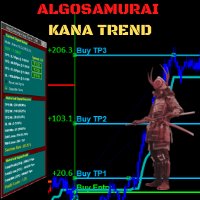
    Cutting-edge solution for Trend Trading with statistically robust signals! Kana Trend’s smart algorithm detects the trend on any instrument, any timeframe, and gives powerful entry signals with exit levels.  Its advanced statistics gives you deep insight as to success and profitability of its signals -- while being fully transparent on any potential for loss.  Because this is an indicator, not an EA, you cannot see it in action in visual tester if you download the Free Demo. Instead, please down
    Ultimate MT4 to Telegram (UMT) sends controlled trades (via symbol, magic, comment) to your telegram channel. It sends open and closed trades, including pending orders and TP/SL modifications, along with chart screenshots, to any telegram channel. Additionally, you can send trade reports of open trades and summary profit/pip reports for day, week, or month. You can customize the design of the trade actions or reports with variables and emoticons.  A beautiful panel allows you to visualize all t
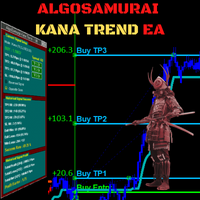
    Promo price: $199 for the first 5 buyers.  Kana Trend EA is a short term, always-in-market trend trading system that shows great results on multiple symbols.  You can place this EA on any instrument without worry about missing out on a trend, for if there is one, it is bound to get it. It is always-in-market, trending and reversing into new trends, on small timeframes like H1, a difficult to accomplish feat in a noisy environment. You can place this EA on your account without worry about cat
    Zone Guardian
    BLAKE STEVEN RODGER
    Zone Guardian is an advanced Expert Advisor (EA) designed to automate trade management. This EA manages trades within specified risk parameters using automatic lot calculation and multi-layered trade activation. It supports up to 5 layers within the entry zone, each with customizable risk percentages. Visual aids on the chart display entry zones, stop loss (SL), and take profits (TP), ensuring easy level adjustments. The EA adapts to market conditions by closing trades at each TP and moving SLs
    EA Schedule Launcher MT5
    BLAKE STEVEN RODGER
    1 (1)
    It may be true that “Time waits for no one [human],” but at least now you can control the marching time of all your robots. EA Schedule Launcher (ESL) can launch and close any number of your EAs and/or indicators at custom beginning and ending times. You save your EA and/or indicator to a template and input when to open and close them. The power to control your EAs trading time window can improve both strategy performance and terminal/computer performance. Note: EA cannot be run with the visual
    Ultimate MT5 to Telegram (UMT) sends controlled trades (via symbol, magic, comment) to your telegram channel. It sends open and closed trades, including pending orders and TP/SL modifications, along with chart screenshots, to any telegram channel. Additionally, you can send trade reports of open trades and summary profit/pip reports for day, week, or month. You can customize the design of the trade actions or reports with variables and emoticons.  A beautiful panel allows you to visualize all t
    Ultimate Trade Copier MT5
    BLAKE STEVEN RODGER
    5 (2)
    This trade copy utility allows you to instantly and seamlessly replicate and synchronize unlimited orders from multiple master accounts to multiple slave accounts on your local machine. You can create custom channels (or portfolios) with advanced filtering capabilities to copy from multiple master accounts to multiple slave accounts. Moreover, you can tailor these channels with a range of lot sizing and trade condition options to ensure that copied trades outperform the original source. You can
    Zone Guardian MT5
    BLAKE STEVEN RODGER
    Zone Guardian is an advanced Expert Advisor (EA) designed to automate trade management. This EA manages trades within specified risk parameters using automatic lot calculation and multi-layered trade activation. It supports up to 5 layers within the entry zone, each with customizable risk percentages. Visual aids on the chart display entry zones, stop loss (SL), and take profits (TP), ensuring easy level adjustments. The EA adapts to market conditions by closing trades at each TP and moving SLs
    Filter:
    Ravi Chandiran
    767
    Ravi Chandiran 2025.04.15 16:42 
     

    User didn't leave any comment to the rating

    tone6688
    29
    tone6688 2025.03.09 08:21 
     

    I already purchased and used it for awhile. It would be great if you add stop loss for 2 Ema cross. A lot of strategies are using 2 emacross and the update would be simple since you already have 1 Ema stop.

    D T
    257
    D T 2025.02.19 18:10 
     

    Not useful, the seller did not not answer the question in service. The service is terrible. The setting also has problem in this ea.

    Tatsiana Saldatsenka
    211
    Tatsiana Saldatsenka 2024.02.02 08:36 
     

    The Wise Way to Trade

    In conclusion, the Ultimate Trailing Stop EA MT5 is a highly advanced Forex trading tool that offers a range of unique features and functionalities. Whether you’re a seasoned trader or just starting out, this software can help you take your Forex strategies to the next level.

    Christian Schranz
    977
    Christian Schranz 2023.12.19 17:58 
     

    I found 2 bugs in this program under MT5 version.

    Matthew Phillip Clarke
    329
    Matthew Phillip Clarke 2023.11.23 12:26 
     

    This stop loss is incredible, it's like you're trading with a much smaller position size with the profits of your ordinary position size, because 95% of the time it cuts the loss way before it gets anywhere near the stop loss, it does an excellent job of protecting profits too! It has significantly improved the risk to reward ratio in my account. Please do not hesitate, buy this product!

    som3k
    26
    som3k 2023.11.19 12:15 
     

    You get what you pay for. Great product. Great customer service. EA working like a charm!

    Di Bacco Internacional, S.A.
    339
    Enzo Chareyron 2023.11.13 22:04 
     

    j'ai acheté cet outil, il est très bien, je ne peux que le recommander. Malheureusement la limite d'activation peut être un sérieux frein commercial.

    Neil Milligan
    80
    Neil Milligan 2023.11.13 18:13 
     

    User didn't leave any comment to the rating

    Ricardo Tame
    42
    Ricardo Tame 2022.05.26 23:12 
     

    Customer support was great, and the EA seems to be working better than expected, I highly recomend this EA and the people behind it

    Reply to review