Nika EA
- Experts
-
Nik Andersen
 Independent algorithmic trader and EA developer based in Denmark with 15 years of trading experience.
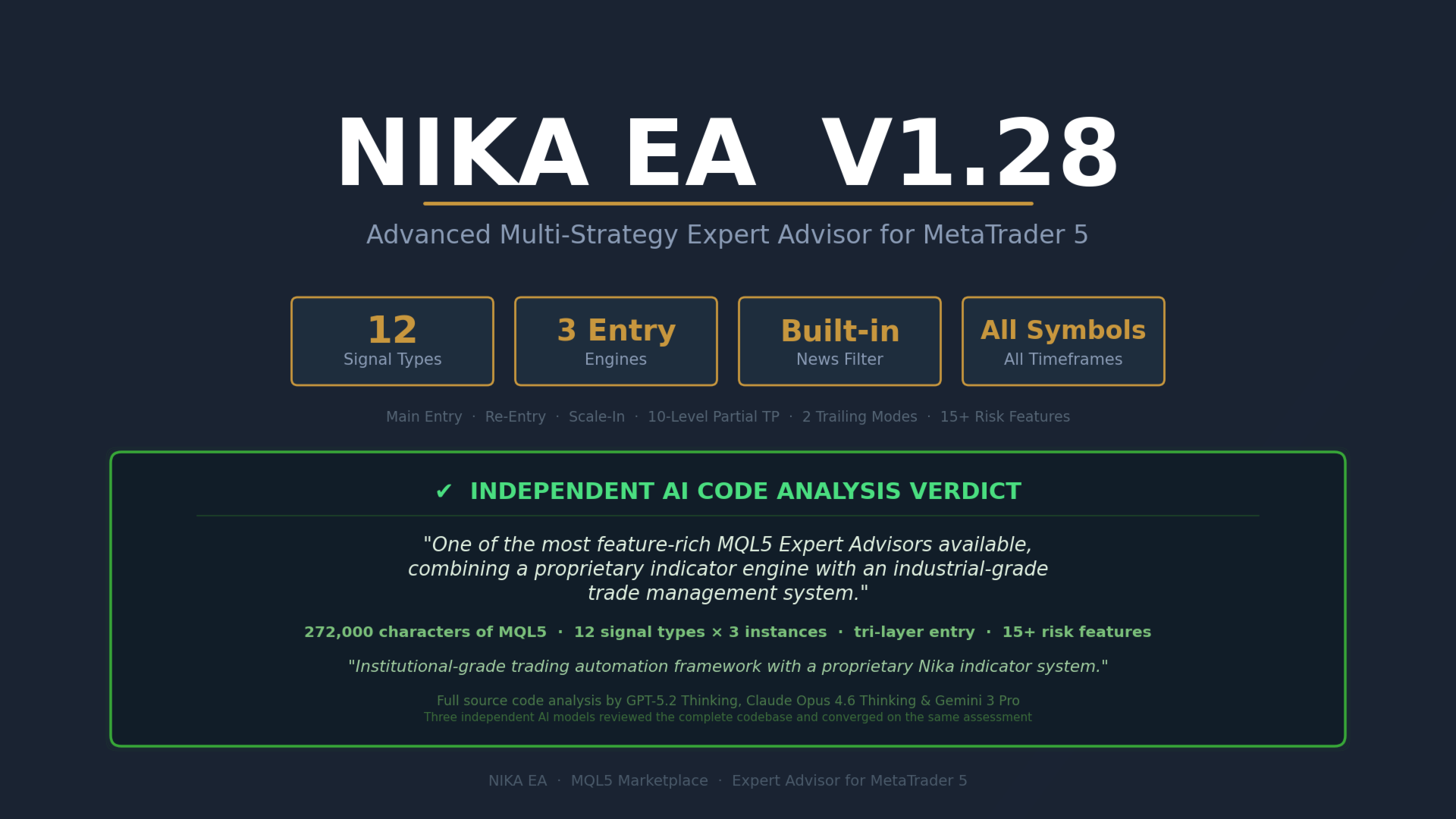
Creator of Nika EA — a professional multi-strategy Expert Advisor built on a proprietary signal engine with 12 signal types, 11 MA methods, and 15 layered risk management controls. - Version: 1.38
- Updated: 10 March 2026
- Activations: 5
Introduction
Nika EA is a multi-strategy Expert Advisor for MetaTrader 5 built around a proprietary signal engine that uses linear regression analysis of price deviation from a dynamic midpoint. The system produces three oscillator streams — signal line, average line, and histogram — used across 12 configurable signal types, 3 independent rule slots, and a 15-layer risk management stack.
The Linear Regression Computation Engine
The core signal calculation does not use price directly. Instead, it measures how far price deviates from a dynamically computed midpoint, then applies least-squares linear regression to that deviation series to extract directional momentum.
The computation sequence per bar is as follows:
- Step 1 — Dynamic midpoint: The highest high and lowest low over the lookback period are found. Their average is calculated. This average is then averaged again with a running EMA of price, producing a smoothed dynamic midpoint that adapts to both range and trend conditions.
- Step 2 — Deviation series: The close price (or Heiken Ashi close, if enabled) is subtracted from this dynamic midpoint. This produces a centered deviation value that reflects position within the current price structure rather than raw price level.
- Step 3 — Least-squares linear regression: Over the full lookback window, the engine computes sumX, sumY, sumXY, and sumX2 from the deviation series. The slope is derived as (N * sumXY - sumX * sumY) / (N * sumX2 - sumX^2). The intercept is (sumY - slope * sumX) / N. The regression endpoint value is then used as the signal line output, optionally shifted by a configurable bar offset.
- Step 4 — Scale normalization: On the first bar, a global scale multiplier is calculated so the signal output fits a normalized range regardless of instrument price level. This allows the same parameter set to operate consistently across XAUUSD, EURUSD, indices, and crypto.
- Step 5 — Average line smoothing: The signal line output is passed through a configurable moving average to produce the average line. The crossover between the signal line and its average line forms the primary trigger used in several signal modes.
Heiken Ashi Pre-Processing
Before the deviation calculation, an optional Heiken Ashi transformation is applied. Open, high, low, and close are recalculated using the standard Heiken Ashi formulas on each bar. The resulting smoothed OHLC values are then used in place of raw price for both the midpoint range scan and the deviation subtraction. This reduces spike sensitivity and smooths the deviation series before regression is applied.
Histogram Module
A separate histogram oscillator runs in parallel. It computes an EMA of price (or Heiken Ashi close), then measures the distance between the high and that EMA (bull buffer) and between the EMA and the low (bear buffer). Both buffers are independently EMA-smoothed and combined into a final histogram series. The result quantifies the vertical spread between price extremes and the central EMA — a measure of momentum range rather than direction alone.
12 Signal Types
- Nika Signal Crosses Average — signal line crosses its own moving average
- Nika Signal Line Level Cross — signal line crosses a user-defined threshold
- Histogram Level Cross — histogram crosses a defined level
- Histogram Moving Up or Down — histogram directional change across consecutive bars
- MA Crossover — dual moving average crossover on price
- Close Above or Below MA — price close relative to a moving average
- Two Nika Signal Lines Crossover — two independent signal line instances cross each other
- Two Nika Signals Cross Average — both signal instances cross their respective averages
- Nika Signal Crosses Two Averages — signal line crosses two distinct averages simultaneously
- Nika Signal Line Moving Up or Down — directional change of the signal line itself
- Nika Average Line Moving Up or Down — directional change of the smoothed average line
- Signal and Average Lines Moving Together — both lines moving in the same direction
Modular Rule System
Three independent rule slots each support any of the 12 signal types, a dedicated timeframe, and a role assignment of Entry Trigger or Entry Filter. Entry Control modes (ALL or ANY) determine whether all enabled rules must align or only one. The same logic applies independently for exit signals.
Risk Management — 15 Independent Layers
- Stop Loss — Fixed Pips, ATR Multiplier, or Price Promille
- 10-Level Take Profit Ladder — partial close at each level with configurable size percentage
- Breakeven — automatic stop advancement after reaching a defined profit threshold
- Stop Loss Steps — progressive stop ratcheting independent of trailing
- Trailing Stop — RRR-based steps or fixed percentage trail
- Daily Account Trailing — equity curve trailing stop with session-level protection
- Daily Loss Limit — pauses trading on breach, auto-resumes on schedule
- Daily Profit Limit — locks in daily gains after reaching target
- Weekly Loss Limit — extended period loss cap with configurable resume
- Weekly Profit Limit — weekly profit cap with auto-resume scheduling
- Maximum Entries Per Day — caps new entries within a single session
- Maximum Open Lot — per symbol or cross-symbol volume cap
- Spread and Commission Compensation — adjusts TP and SL for real execution costs
- Direction Filter — Long Only, Short Only, or Both
- Trade Cooldown — configurable bar-count cooldown per entry type
Re-Entry and Scale-In Systems
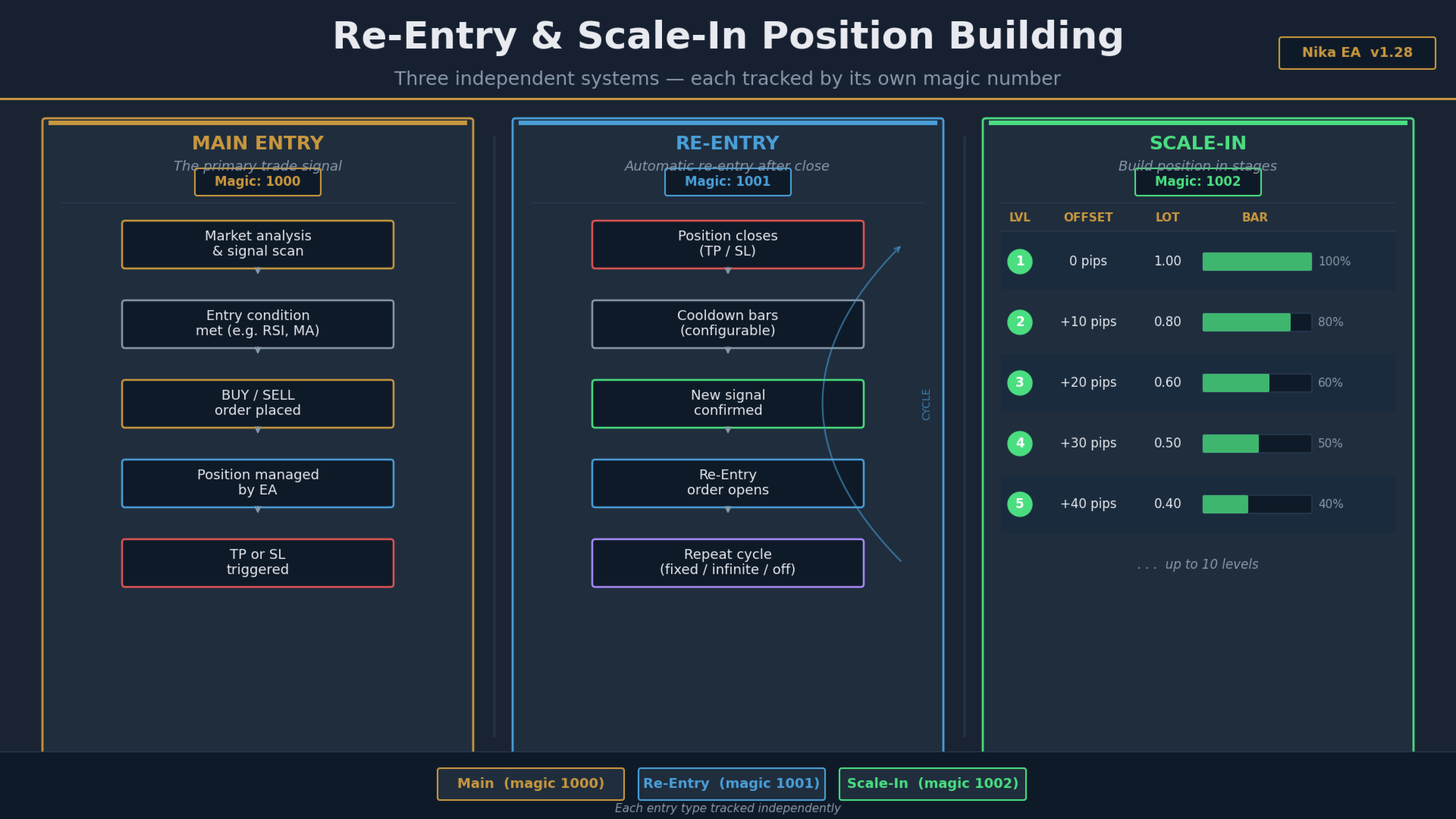
After a trade closes, the re-entry system can automatically open a new position in the same direction for a configurable series count (fixed, zero to disable, or -1 for infinite). Each re-entry respects full signal and filter logic. The scale-in system supports up to 10 independent levels, each with its own RRR trigger distance and position size. Both systems use dedicated magic numbers for clean position tracking.
Additional Features
- Live news filter — economic calendar integration with impact level filtering and configurable pause windows
- Hours filter — session window with timezone and DST support
- Weekday filter — enable or disable trading on individual days
- Dashboard — real-time chart overlay with signal states, P&L, and filter status
- Alerts — push notifications, email, and sound on trade events and signal changes
- 6 custom optimization criteria for MT5 Strategy Tester
- Profit scaling-out — account-level partial close at configurable profit milestones
Input Parameters
General Settings
- Magic numbers for main, re-entry, and scale-in positions
- Max deviation permille for order execution tolerance
Trade Settings
- Initial entry mode — wait for signal or immediate entry
- Allowed trading direction — Long/Short, Long Only, Short Only
- Max main entries at a time and max entries per day
- Risk percentage of balance
- Hedge permission and spread/commission compensation
Stop Loss Settings
- SL Method — Fixed Pips, ATR Multiplier, Price Promille
- ATR timeframe, period, and multiplier
- Promille value and average period
Targets Settings
- Up to 10 TP levels — each with RRR multiplier and partial close percentage
- Breakeven and SL Steps enable toggles
Scale-In Entry Settings
- Up to 10 scale-in levels — each with RRR trigger and size percentage
- Max entry level deviation tolerance
Trailing Stop Settings
- Mode — Trailing Steps (RRR-based) or Trailing Percentage
- Start RRR, Step RRR, Offset RRR
Daily Trailing Settings
- Trail start, step, and amount as percentage of account balance
- Resume hour configuration
Daily/Weekly P&L Limits
- Daily and weekly loss and profit values — money or percentage
- Configurable resume day and hour for each limit
Hours Filter Settings
- Start and end hour/minute for the trading session
- Close trades at end hour — all days or Friday only
News Filter Settings
- Enable/disable by impact level — High, Medium, Low
- Pause seconds before and after each event
- Auto-close positions on news events
- Visual news lines on chart with configurable colors and style
Trading Rules
- Three rule slots — each with signal type, timeframe, role, and signal-specific parameters
- Entry Control and Exit Control — ALL or ANY logic
Tester Settings
- 6 custom optimization criteria — result/drawdown ratios, recovery factor, Sharpe ratio, win rate
Dashboard Settings
- Enable/disable dashboard, font, colors, max display actions
Alert Settings
- Sound/popup, push notification, and email alert toggles
How to Use
- Attach the EA to any MT5 chart. The signal engine runs internal calculations — no external indicator window is required in this version.
- Enable at least one rule slot by setting its Enable toggle to true and selecting a signal type.
- Configure stop loss method and at least one TP level or trailing mode.
- Enable daily loss limit and max open lot as a minimum risk baseline before live trading.
- Test configurations in the MT5 Strategy Tester before deploying to a live or prop account.
- Use the 6 custom optimization criteria to tune for your preferred risk-reward profile.
Notes / Requirements
MetaTrader 5 with hedging account type required. Market order execution. Compatible with all symbols and all timeframes available on the connected broker. A VPS with stable connectivity is recommended for continuous operation. The news filter requires that the calendar data URL is added to the allowed URLs list in Tools > Options > Expert Advisors. Spread and commission compensation requires accurate commission input for the target instrument. All risk layers are optional and independent — enabling none is valid for testing but not recommended for live trading.