STfusionPRO
- エキスパート
- バージョン: 3.2
- アップデート済み: 11 7月 2026
- アクティベーション: 5

STFusionPro — Multi-Strategy Fusion Engine for Stock CFDs
Engineering before promises. STFusionPro is a fully automated Expert Advisor that fuses 15 independent trading strategies into one risk-governed engine, built for stock CFDs (flagship preset: META, H4, long-only) and hardened through 4 external audit rounds — 94 findings resolved, 0 critical issues open.
▸ WHAT MAKES IT DIFFERENT
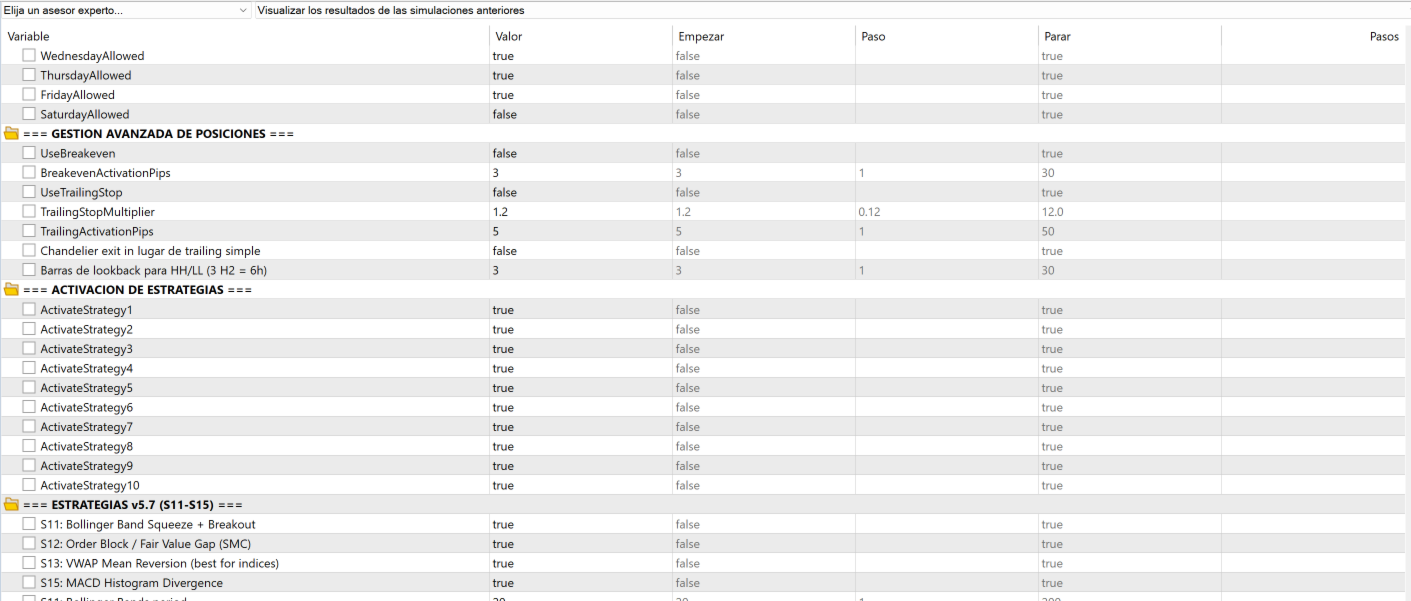
Most EAs are one idea with cosmetics. STFusionPro is an execution framework: 15 strategies (gap fade, breakouts, pullbacks, order blocks, VWAP reversion, squeeze, MACD divergence and more) compete for a strictly limited trade budget, weighted dynamically by their recent real performance. A strategy that stops working loses its allocation automatically.
▸ THE RISK ENGINE (10 defense layers)
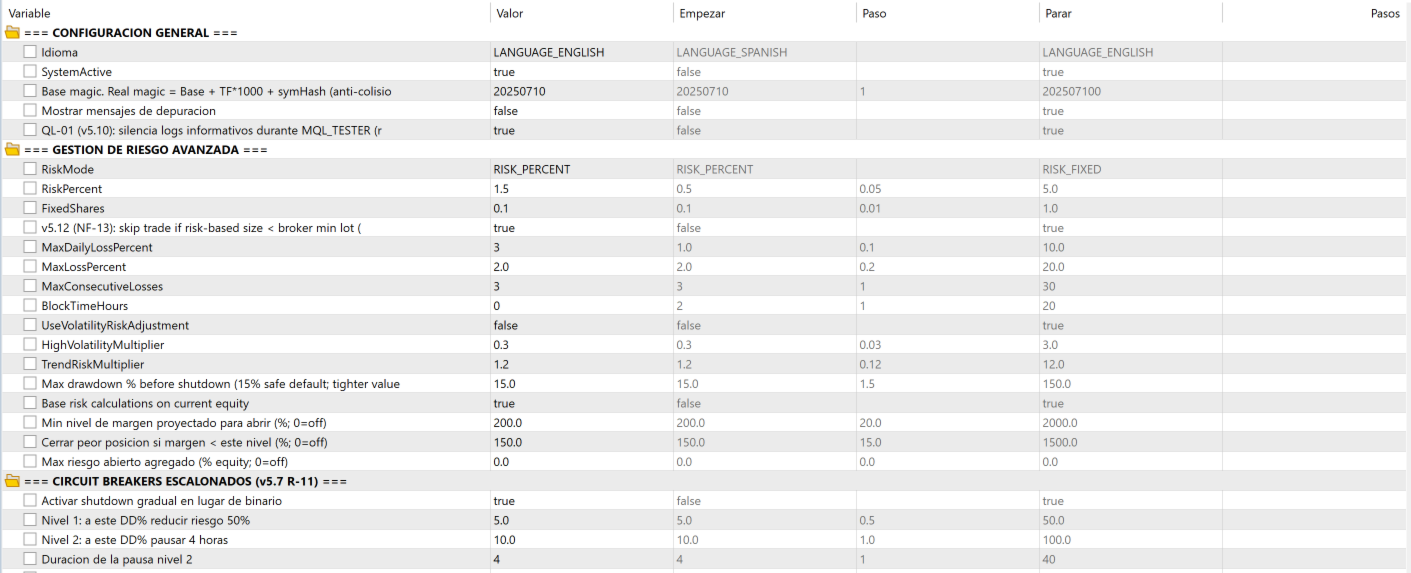
✔ Percent risk sizing with projected margin floor (blocks any trade that would push margin level below 200%)
✔ Margin guard: closes worst position if margin level drops under 150%
✔ Aggregate open-risk cap across simultaneous positions
✔ Daily loss limit + max trades per day
✔ Consecutive-loss block + per-strategy cooldown
✔ Staged circuit breakers (risk cut at 5% DD, pause at 10%, hard shutdown at 20%)
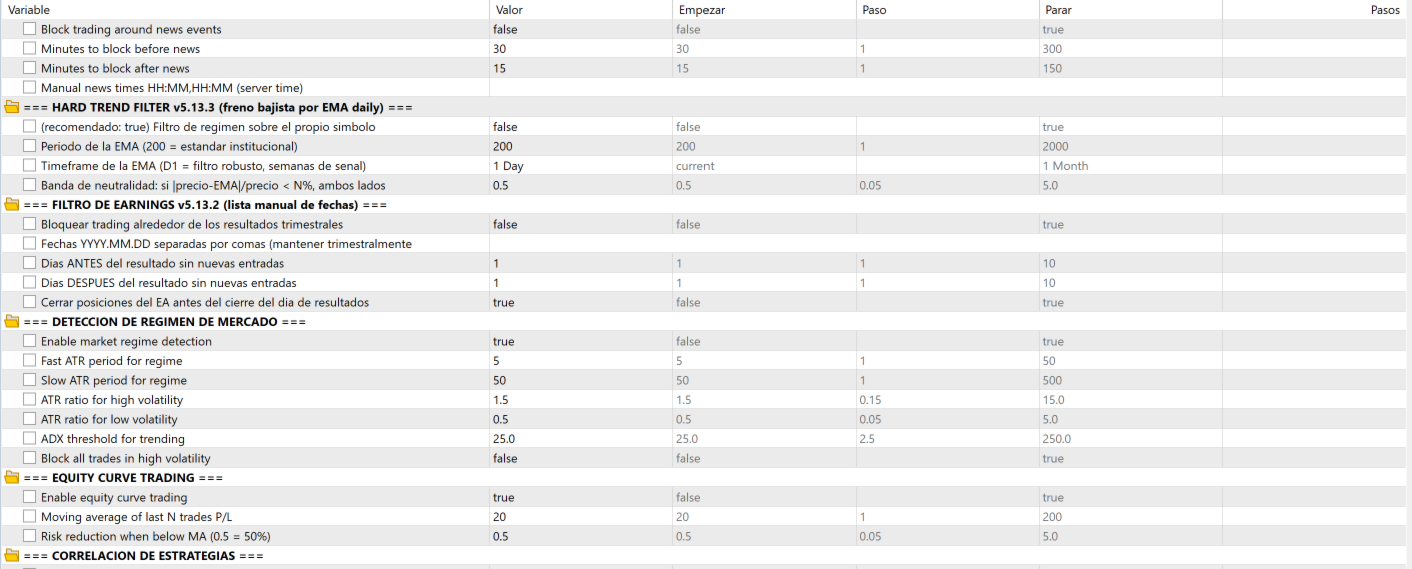
✔ Earnings filter: blocks entries and flattens before report dates (calendar included 2023–2027)
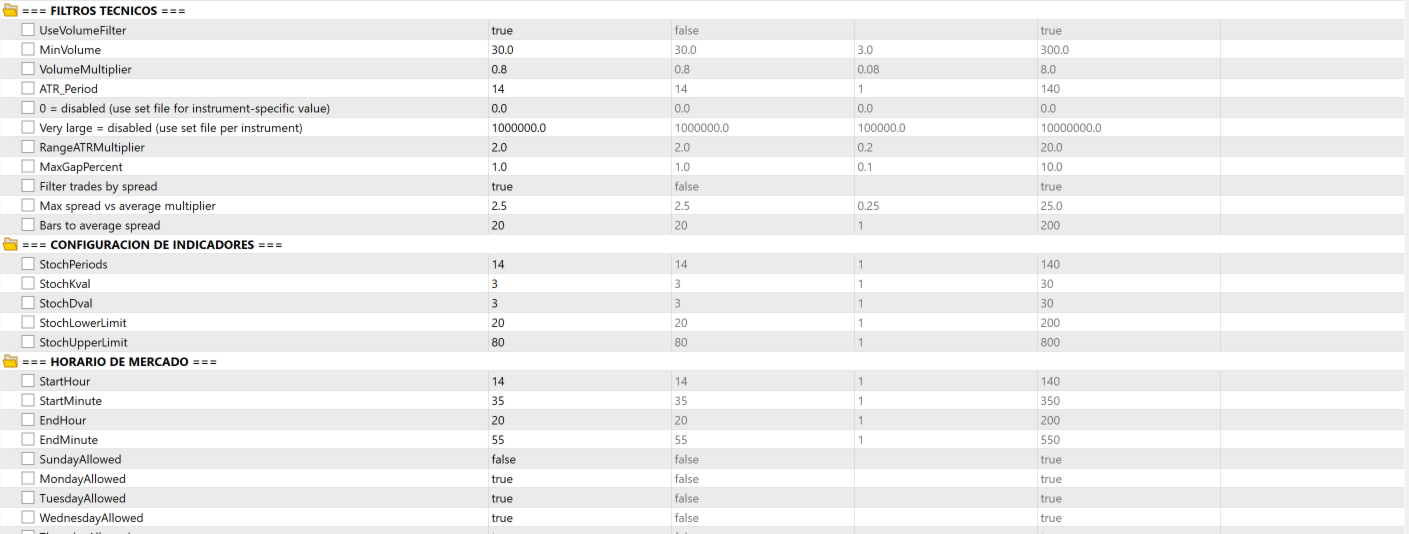
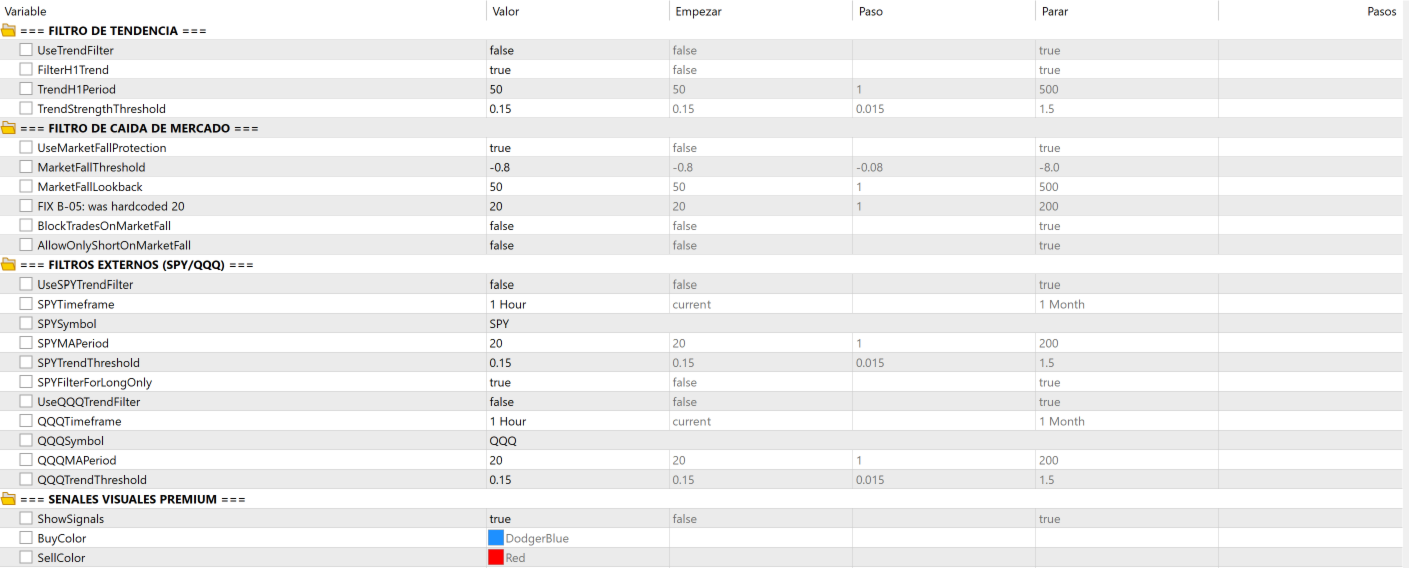
✔ Bear-market brake: EMA200 daily hard-trend filter + D1 multi-timeframe confirmation
✔ Weekend gap protection + oversized-gap pause
✔ Stale-feed guard for VPS: refuses to trade on delayed quotes (15-min feeds are detected and blocked)
▸ TRADE MANAGEMENT
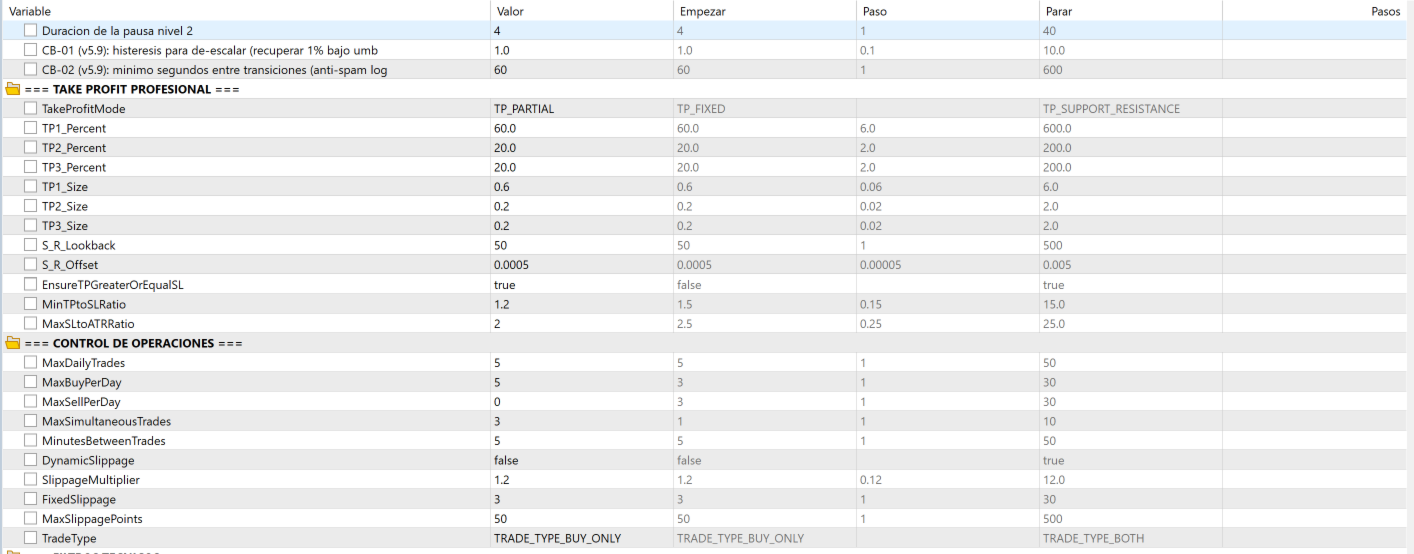
3-level partial take profit with Fibonacci-extended runner, breakeven after TP1, ATR trailing + chandelier stop, symmetric time-based exit (no “hold the loser forever” mode), full state persistence across restarts, per-instance CSV trade journal, hourly health check, on-chart panel (20 live metrics + Close All button).
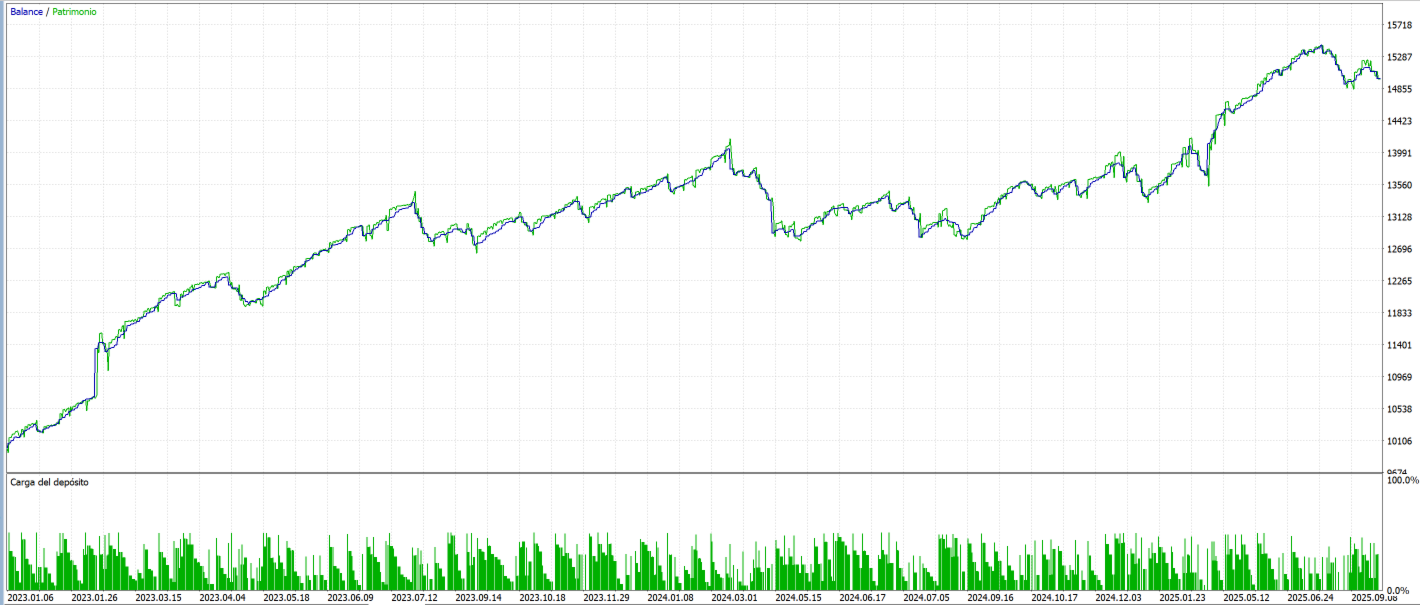
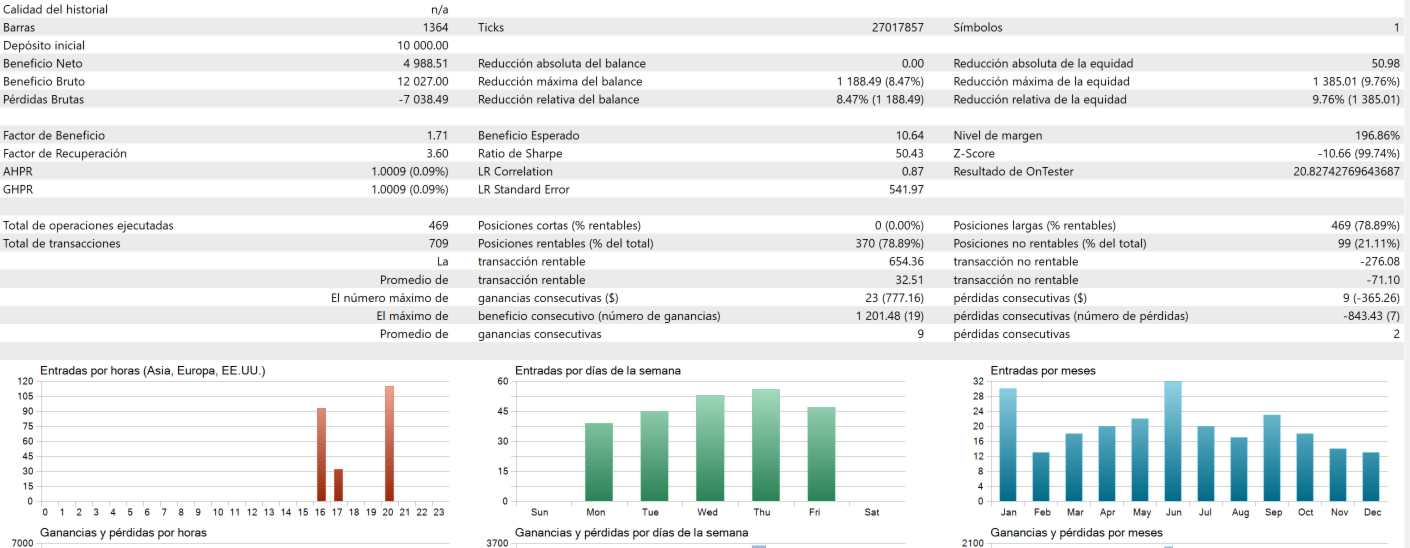
▸ AUDITED BACKTEST — META H4
real ticks (27.0M) · 2023.01–2025.10 · 10,000 USD · 1:25
| Metric | Value |
| Net result | +49.9% |
| Profit factor | 1.71 |
| Max equity drawdown | 9.76% |
| Trades / win rate | 469 / 78.9% |
| Recovery factor | 3.60 |
| Minimum margin level | 196.9% |
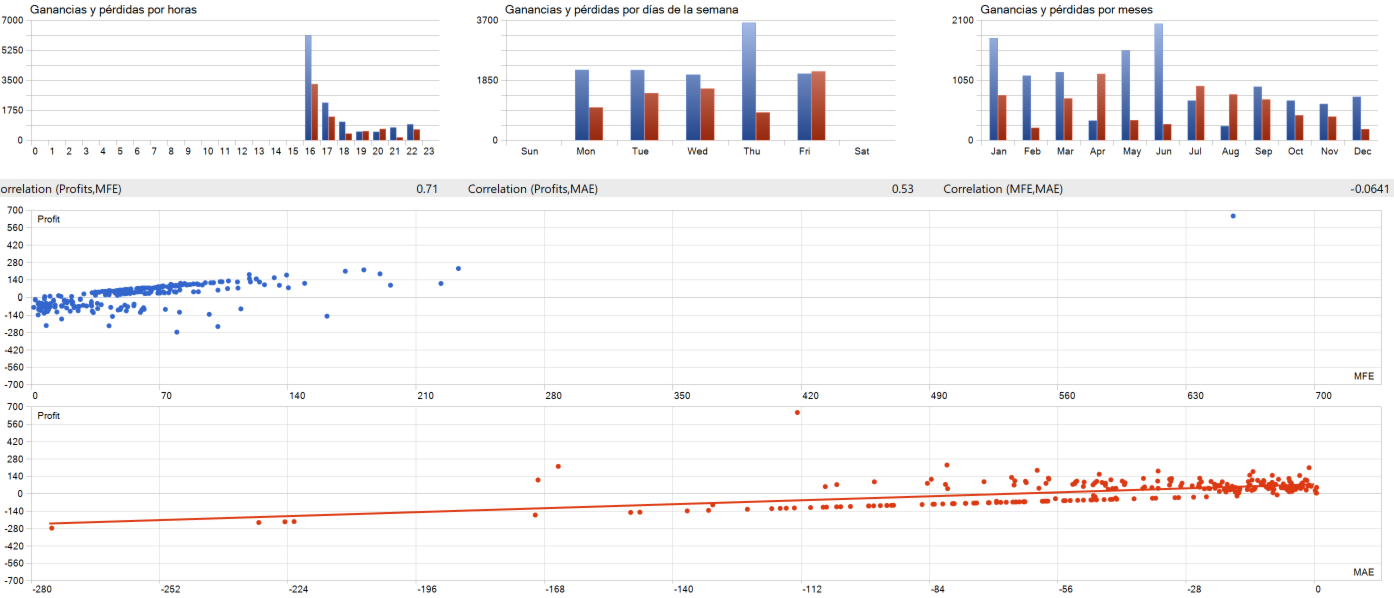
| Worst single loss | −276 USD (clean SL, no gap-through) |
| ⚠ These are BACKTEST results on historical data, in-sample. Past performance does not guarantee future results. Trading involves substantial risk of loss. Always run the EA on a demo account first. |
▸ QUICK START
1. Attach to META H4 (or load your own symbol’s earnings dates)
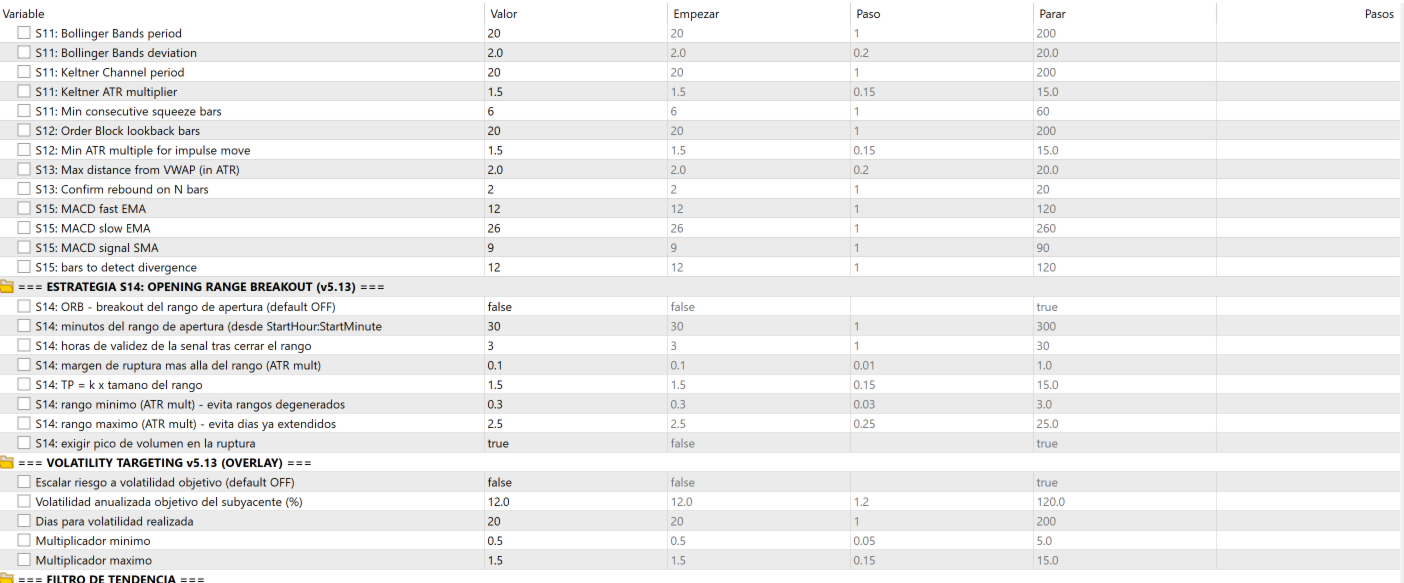
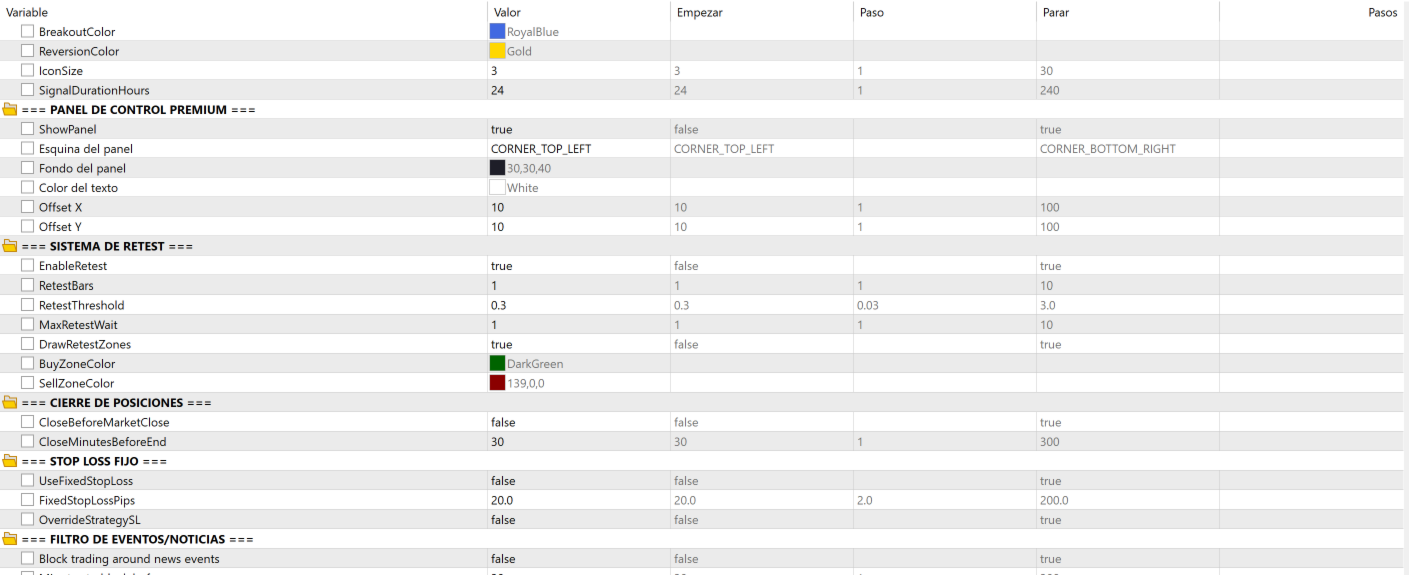
2. Load the included preset from included images
3. Broker requirement: real-time US stock data
4. Recommended: MQL5 VPS, deposit from ~3,000 USD (works from 1,000 with SkipBelowMinLot)
▸ TRANSPARENCY
253 documented inputs, versioned changelog, audit methodology available.2. Overview📞 SUPPORT:
info@stfusionpro.com
DISCLAIMER: CFD trading carries a high level of risk and may not be suitable for all investors. Past performance is not indicative of future results. This EA is a support tool and does not guarantee earnings.