KGS Auto Studio
- Experts
- Version: 1.37
- Activations: 5

Want signal review and automatic orders? Choose the EA from the start
Get both workflows in one product instead of buying an indicator first and adding the EA later. Gold Signal Pro EA with Auto TP SL includes its signal engine, so no separate indicator purchase or installation is required. Use Signals only to review arrows and TP/SL levels and make your own decision, or use Auto orders to execute new signals according to your settings. One MT5 EA for GOLD M5/M15, from visual signal review to automatic orders.
Gold trading: from signal selection to automatic TP/SL and order management
A gold signal appears. Do you enter, wait for a pullback, or skip it? Gold Signal Pro EA with Auto TP SL helps you turn those decisions into configurable rules. Built for GOLD M5/M15 trading, this MT5 Expert Advisor connects signal review, selection, entries, position management and saved records in one chart panel. Start by reviewing signals, then move to automatic orders with a configuration you have tested.
Who is it for?
- Traders who want to review Gold Signal Pro signals and retain the final trading decision.
- Traders who want to define which MA and RSI conditions to accept instead of acting on every signal.
- GOLD scalpers and short-term traders who want to prepare entries, position size and TP/SL together.
Explore the workflow before enabling automation
Review the panel screenshots and try the available Market demo in the MT5 Strategy Tester. Evaluate your own broker conditions, spread and testing period. If you want to move from reading signals to rules-based order execution, explore the features and setup requirements below.
Gold Signal Pro EA with Auto TP SL is the MetaTrader 5 Expert Advisor edition built around Gold Signal Pro with Auto TP SL. It combines the embedded Gold Signal Pro signal engine, configurable signal selection and automatic order execution in one chart panel. The original indicator is available as Gold Signal Pro with Auto TP SL for MT5. This EA works independently: a separate indicator purchase or installation is not required. The indicator and EA have separate version histories.
Choose which signals deserve your attention
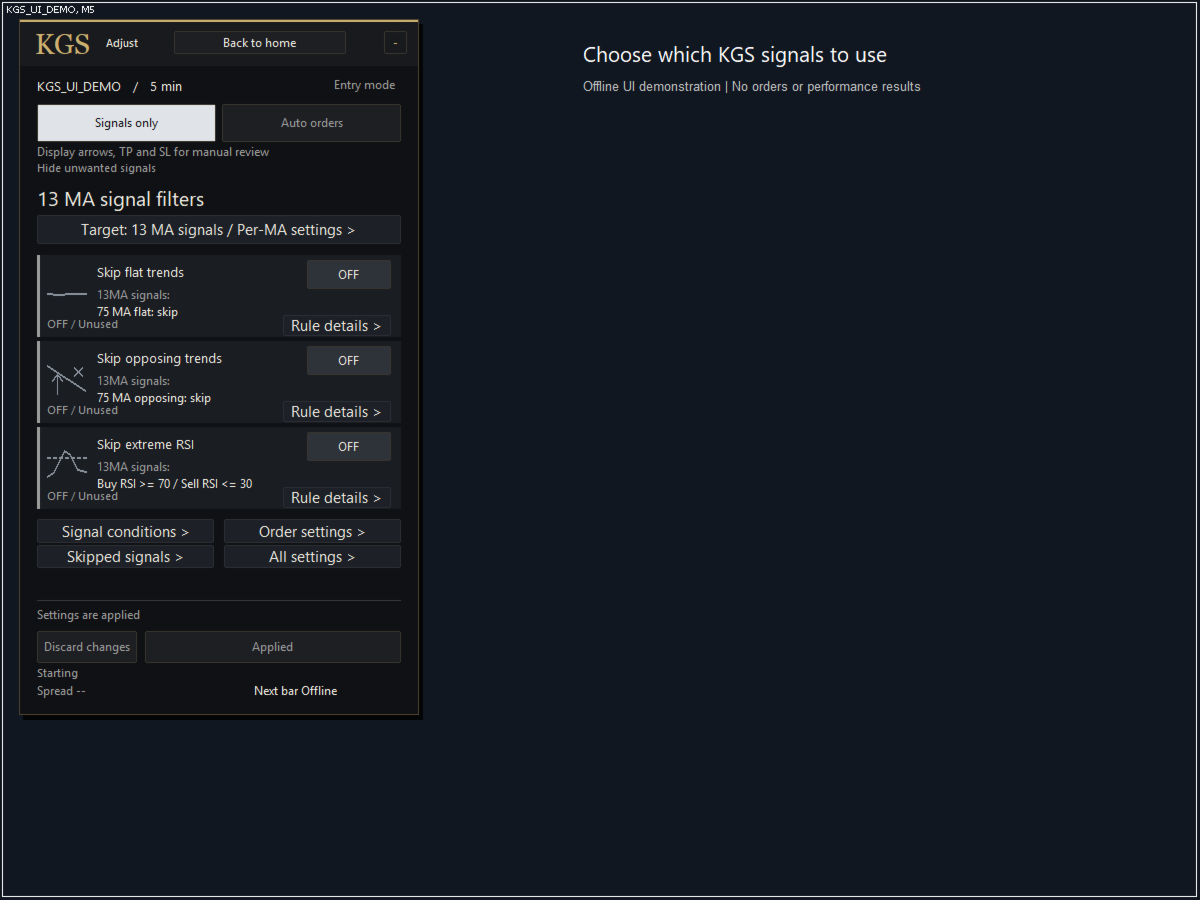
Use the MA 13, 21, 75 and 100 signals together or configure them separately. Set rules to skip flat trends, opposing MA direction or extreme RSI. Fine-tune the reference MA, comparison bars, flat threshold and RSI limits. Review edits before applying them; changes affect new signals.
One workflow for manual review and automatic execution
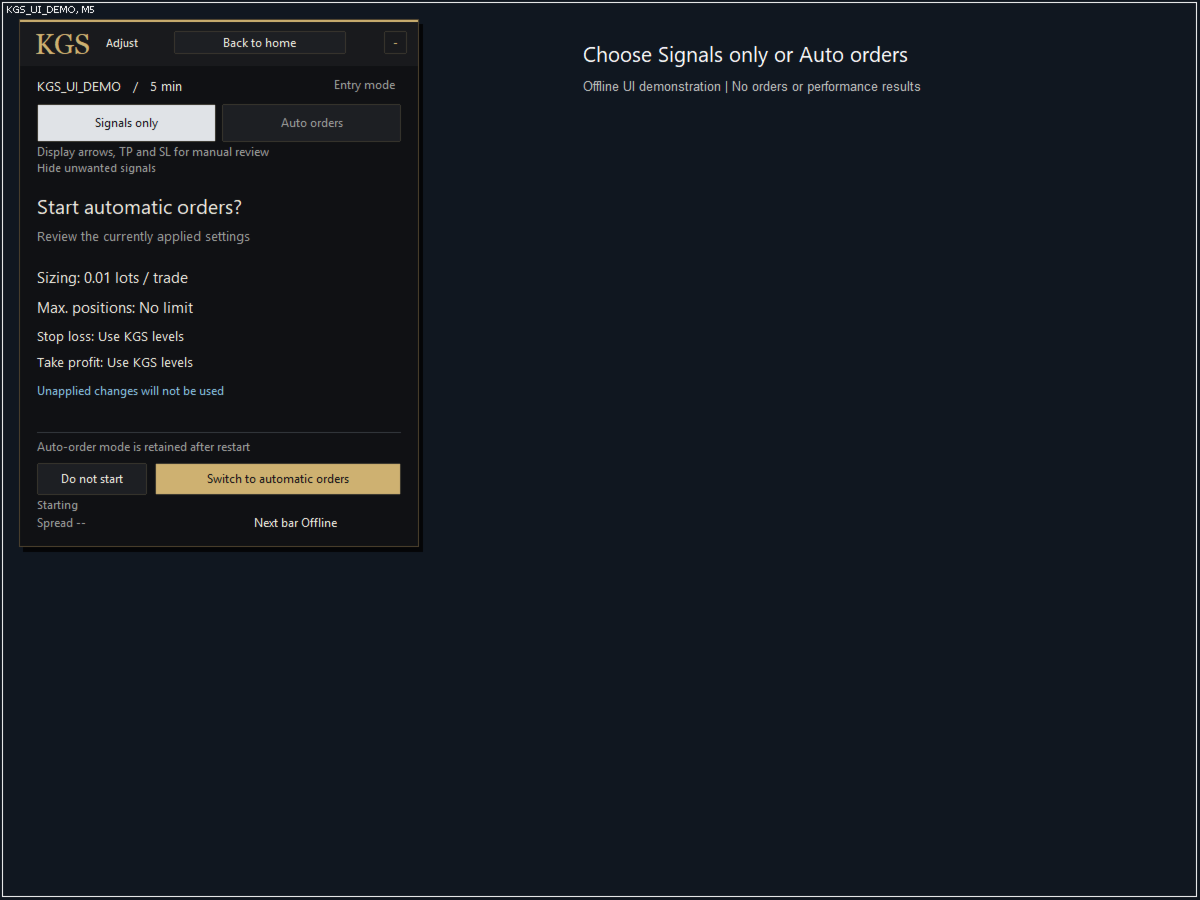
In Signals only mode, review accepted arrows and TP/SL levels and make your own trading decision. In Auto orders mode, the EA can execute accepted new signals using immediate, pullback or breakout entry. Passing the signal filters does not guarantee a fill: position limits, trading permissions, quotes and order conditions are checked separately.
Control entries and risk
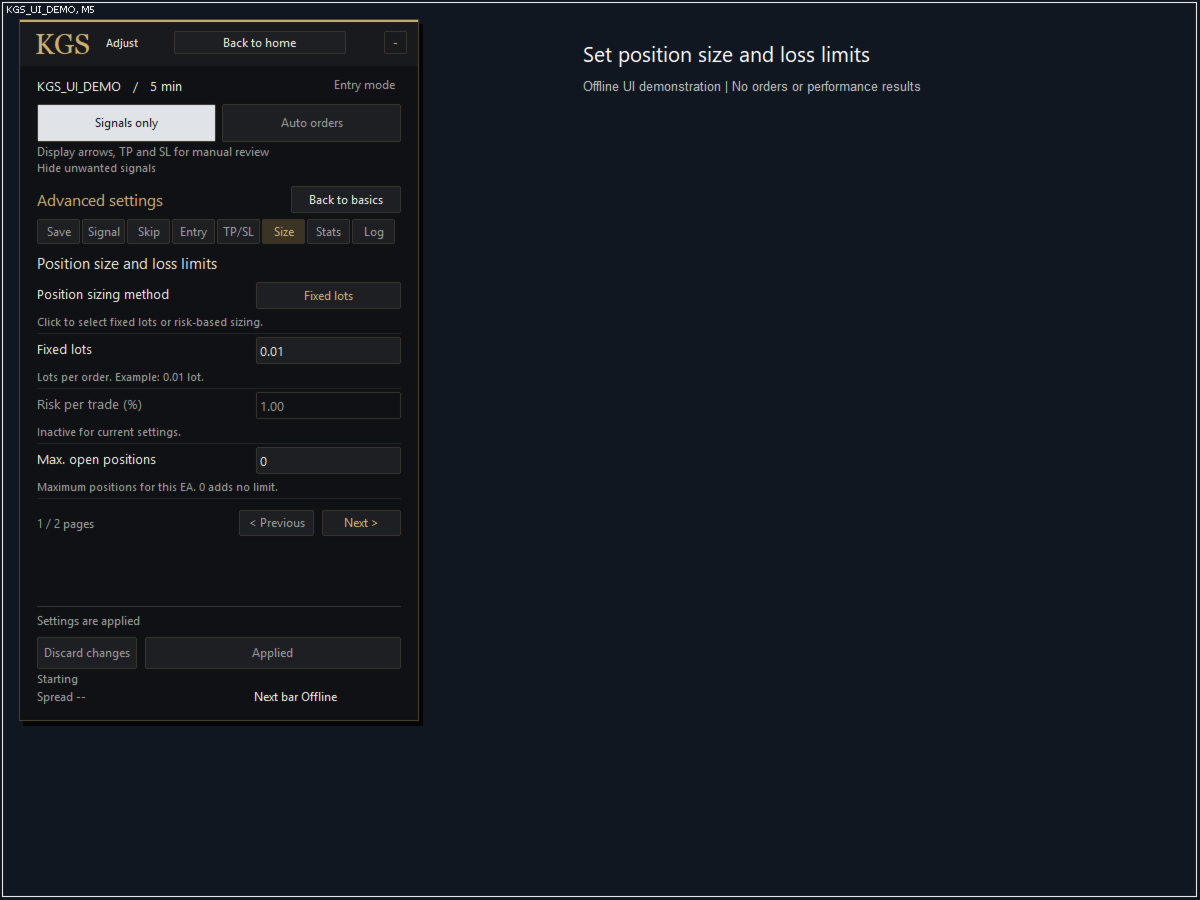
Choose fixed lots or risk-based sizing; original Gold Signal Pro, fixed-distance or ATR stops; original, fixed-distance or reward/risk targets. Optional controls include spread and trading-hour limits, maximum positions, a daily loss limit, break-even, trailing stops, range filtering and minimum entry reward/risk. Price-distance settings use the symbol price, not a universal pip value. These controls cannot guarantee a maximum realized loss during gaps or slippage.
Review what happened
View saved signal, skip, fill and close records with their configuration context. Export logs and compare two tester runs with matching conditions. Historical records are not current order instructions, and a backtest is not live performance. Missing historical data is not reconstructed.
Setup and license
Designed for gold (XAUUSD or the broker equivalent), M5 and M15, on desktop MT5. The panel, inputs, messages and illustration text are English. Start with Signals only, check sizing and symbol specifications, then test your configuration in the Strategy Tester and on demo before enabling automatic orders. Continuous operation requires MT5 and connectivity. Activation is handled by MQL5 Market; no separate purchase code is needed.
Purchase: 300 USD. One-month rental: 199 USD. Trading involves risk; losses are possible. Past results and filtering do not guarantee future profits.
StrategyTimeframe selects M5 or M15 calculations only. Automatic uses M15 on an M15 chart and M5 on every other chart. You can explicitly select M5 or M15 independently of the host chart. Use an M5/M15 chart matching the selected strategy for the clearest display. A different host chart does not create a new trading strategy.
A practical workflow, from setup to review
- Prepare: attach the EA to your broker’s gold symbol in desktop MT5, select M5 or M15, and inspect the display and symbol specifications in Signals only.
- Select: choose the MAs and exclusion rules. For example, you can configure the MA75/100 signals you want to evaluate. This is a configuration example, not a performance recommendation.
- Plan: choose immediate, pullback or breakout entry. Check sizing, SL, TP, spread and position limits. Test in the Strategy Tester and on demo before enabling Auto orders.
- Review: examine accepted and skipped signals, fills and closes in their configuration context. Check changes on another period rather than relying on one favorable test.
Automatic TP/SL that fits your trade plan
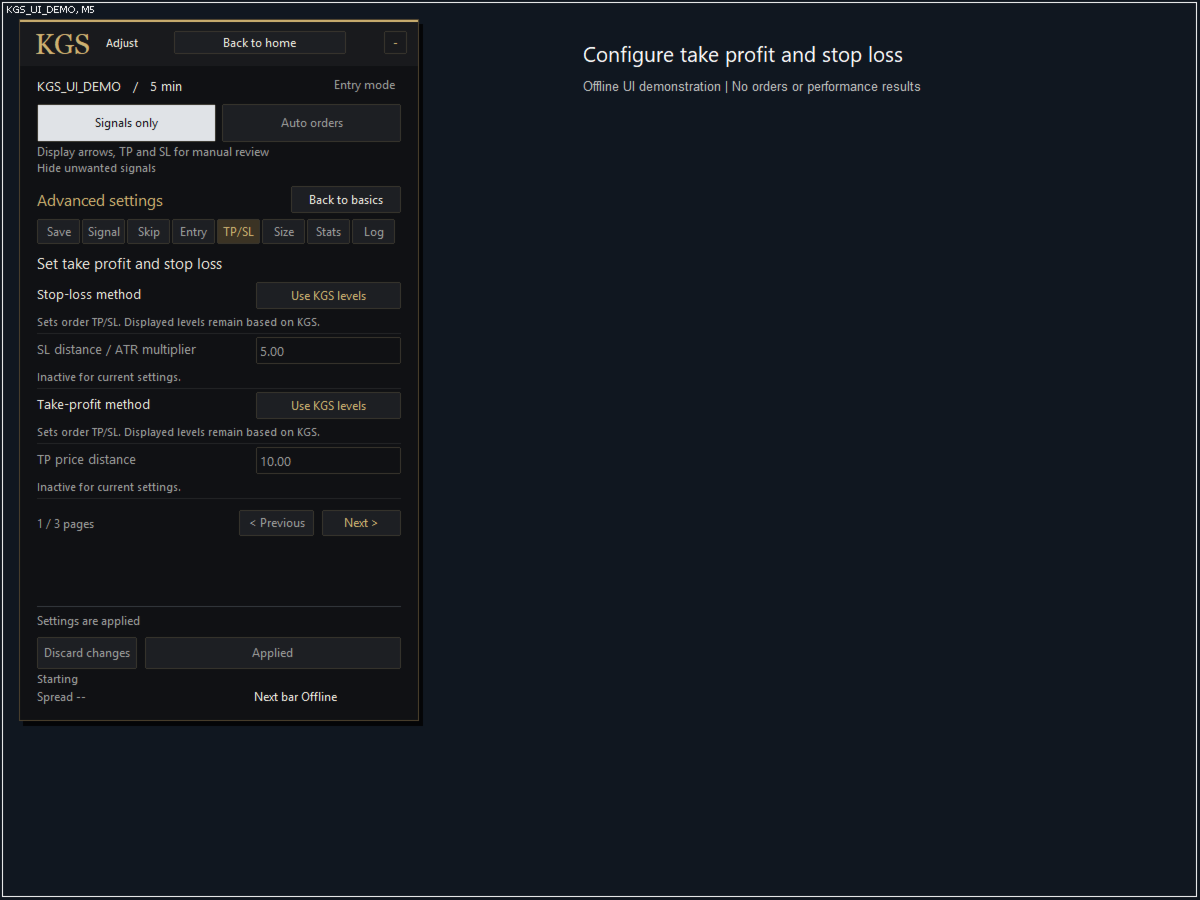
TP is the take-profit price; SL is the stop-loss price. Use original Gold Signal Pro levels or choose fixed-distance/ATR stops and fixed-distance/reward-to-risk targets. RR describes the planned reward relative to risk, not the win rate. Fixed lots and risk-based sizing let you prepare the quantity as well as the exit levels. Execution prices, broker minimum distances and slippage can change the actual outcome.
Questions before you buy
Do I need the indicator? | No. The Gold Signal Pro engine is embedded and the EA runs independently. An indicator purchase does not include this EA.
Does it work in MT4? | No. This is a separate MT5 product and cannot run in an MT4 terminal.
What language is the interface? | The sales description is multilingual; the panel, inputs and messages are English. Signals only is for reviewing signals; Auto orders enables automatic execution.
Can I leave it unattended? | Operation requires running MT5, connectivity, suitable settings and ongoing checks. Verify your environment if using a VPS. Every configuration can incur losses.