Manual Volume Profile MS

  • Indicators
  • Mariusz Sedlak
    Mariusz Sedlak
    I am Mariusz Sedlak, based in Poland, where I lead Selenita as its President. My work combines strategic leadership with a deep passion for financial markets and algorithmic trading. I specialize in developing custom indicators for MetaTrader 5 — tools that turn raw market data into clear
  • Version: 1.0
  • Activations: 5

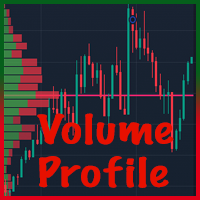
Ręczny profil wolumenu MS pokazuje , gdzie faktycznie handlowano wolumenem. Rysuje dzisiejszy profil sesji na żywo i pozwala umieścić do 10 niezależnych zakresów profili woluminów w dowolnym miejscu wykresu za pomocą dwóch kliknięć myszką. Każdy profil pokazuje POC, VAH, VAL i obszar wartości.

KLUCZOWE CECHY

  • Profil dzienny – dzisiejszy profil wolumenu, narysowany po prawej stronie bieżącego paska lub nad paskami dnia, aktualizowany na żywo.
  • Zakresy ręczne PV 1 – PV 10 – kliknij przycisk PV, kliknij początek i koniec zakresu, a profil zostanie natychmiast obliczony. Przenieś lub zmień rozmiar pola – profil przelicza automatycznie.
  • POC, VAH, VAL i obszar wartości dla każdego profilu, z opcjonalnymi etykietami cenowymi.
  • Poziomy rozszerzone – POC (i opcjonalnie VAH/VAL) każdego zakresu można rozszerzyć w prawo jako poziomy odniesienia.
  • Wolumen rzeczywisty lub tick – wolumen rzeczywisty jest używany, gdy dostarcza go Twój broker, z automatycznym powrotem do wolumenu tick. Linia stanu na wykresie pokazuje dokładnie, który wolumin jest używany.
  • Głośność z innego symbolu – np. narysuj wykres kontraktu CFD i zbuduj profil na podstawie kontraktu futures dostępnego u tego samego brokera. Oblicza się przesunięcie ceny pomiędzy symbolami automatycznie lub ustawione ręcznie.
  • Dokładna dystrybucja – objętość jest dystrybuowana przy użyciu danych M1 (konfigurowalnych), niezależnie od przedziału czasowego wykresu.
  • Przyciągnij do przedziału cenowego – przyciągnij górę i dół do górnego/dolnego wybranego paska lub ustaw wolny przedział cenowy tak, aby liczył tylko głośność w środku.
  • Pamięć – pozycje wszystkich zakresów są zachowywane po zmianie przedziału czasowego i ponownym uruchomieniu terminala.
  • Szybkie usuwanie – usuń wybrane zakresy (np. „2” lub „1,3”) lub wszystkie („0”) za pomocą jednego przycisku.
  • W pełni konfigurowalne kolory, nieprzezroczystość, wysokość wiersza, powierzchnia wartości %, pozycja panelu.

SZYBKI START

  1. Przymocuj wskaźnik do wykresu, na przykład M5. Dzisiejszy profil znajduje się po prawej stronie obecnego paska.
  2. Kliknij PV 1 w panelu przycisków (prawy górny róg wykresu).
  3. Kliknij na wykres, na którym powinien rozpocząć się zakres, przesuń mysz – prostokąt podąża za kursorem – i kliknij miejsce, w którym powinien zakończyć się zakres.
  4. Profil jest obliczany natychmiast. POC, VAH i VAL są oznaczone po prawej stronie zakresu.
  5. Przeciągnij prostokąt lub jego rogi, aby dostosować zakres. Profil jest przeliczany w locie.
  6. Kliknij ponownie PV 1, aby ukryć zasięg. Kliknij go jeszcze raz, aby go przywrócić.

PANEL STEROWANIA

  • Dzień – pokazuje lub ukrywa dzisiejszy profil. Kolorowy = włączony, szary = wyłączony. Państwo jest pamiętane.
  • PV n (kolorowy) – pokazano zakres. Kliknij, aby go ukryć; jego pozycja jest zapamiętana.
  • PV n (złoto) – czeka na kliknięcia na wykresie. Kliknij przycisk ponownie lub naciśnij Esc , aby anulować.
  • PV n (szary) – kliknij, aby przywrócić ukryty zakres lub umieścić nowy.
  • Pole zakresu –, które zakresy usuwa przycisk Usuń: 0 = wszystkie (także „wszystkie" lub „*"), 2 = tylko PV 2, 1,3 lub 1 3 = PV 1 i PV 3.
  • Delete – usuwa zakresy wprowadzone w polu z wykresu i z pamięci.
  • Linia stanu (pod przyciskami) – pokazuje głośność faktycznie użytą dla profili.

PROFIL DZIENNY

Profil dzienny obejmuje bieżący dzień handlowy, od otwarcia dzisiejszego paska D1 (czas serwera brokera) do chwili obecnej. Odświeża się co 2 sekundy i na każdym nowym pasku.

  • Po prawej stronie bieżącego paska (domyślnie) – profil jest rysowany w wolnej przestrzeni po prawej stronie ostatniej świecy.
  • Od początku dnia – profil jest rysowany na świecach dnia, począwszy od otwartej sesji.

ZAKRESY RĘCZNE

  • Umieszczanie – kliknij szary przycisk PV, a następnie kliknij początek i koniec zakresu w głównym oknie wykresu. Jeśli oba kliknięcia spadną na ten sam pasek, zakres ma szerokość 5 pasków.
  • Regulacja – każdy zakres jest standardowym prostokątem MetaTrader. Przeciągnij go lub pociągnij za rogi; profil przelicza się i nowa pozycja jest zapisywana. Aby wybrać niewybrany zakres, kliknij dwukrotnie jego obramowanie.
  • Przyciągnij, aby wycenić ON (domyślnie) – góra i dół zakresu przytrzasną się do najwyższego maksimum i najniższego minimum. Ustawiasz tylko przedział czasowy.
  • Snap to price OFF – swobodnie ustawiasz przedział cenowy i liczony jest tylko wolumen obrotu wewnątrz przedziału. Przydatne do wyizolowania jednego obszaru większego ruchu.
  • Asortymenty na żywo – jeśli prawa krawędź asortymentu znajduje się na bieżącym pasku lub poza nim, asortyment jest aktualizowany w miarę pojawiania się nowych cen.
  • Ukrywanie i przywracanie – kliknij PV n, aby ukryć zakres. Kliknij go ponownie: jeśli zapamiętana pozycja jest widoczna na ekranie, zakres powraca; w przeciwnym razie umieszczasz nowy.
  • Klawisz Delete – wybranie prostokąta i naciśnięcie Delete wyłącza zakres; jego ostatnia pozycja pozostaje w pamięci.
  • Pamięć – pozycje, które zakresy są włączone i stan przycisku Dzień są przechowywane na wykresie. Przeżywają zmiany ram czasowych i ponowne uruchomienie terminala. Usunięcie wskaźnika z wykresu lub zamknięcie wykresu ich oczyszcza.

CZYTANIE PROFILU

  • Wiersze histogramu – każdy wiersz to jeden poziom cen; jego długość jest proporcjonalna do wolumenu obrotu w danym okresie profilu.
  • POC (Punkt Kontroli) – cena o największym wolumenie. Narysowane złotem, grubą linią i etykietą.
  • Obszar wartości – wiersze wokół POC zawierające wybrany udział w całkowitym wolumenie (domyślnie 70%). Narysowane jaśniejszym kolorem.
  • VAH / VAL – górna i dolna granica Obszaru Wartości, narysowana liniami przerywanymi.
  • Rozszerzone linie – POC każdego zakresu może być kontynuowany do prawej krawędzi wykresu (domyślnie włączone); VAH i VAL również mogą być rozszerzone.

Typowe zastosowania: porównaj dzisiejszy obszar wartości z poprzednią sesją, zaznacz strukturę wolumenu odcinka trendu, konsolidacji lub ruchu informacyjnego i użyj rozszerzonych linii POC z poprzednich zakresów jako odniesienia poziomy.

DANE DOTYCZĄCE OBJĘTOŚCI

  • Rzeczywisty wolumen to wolumen wymiany (kontrakty terminowe, akcje), dostępny, jeśli zapewnia go Twój broker. Wolumen ticków to liczba zmian cen; dla forex i większości kontraktów CFD jest to jedyny wolumen dostępny.
  • Przy ty pie głośności = Objętość rzeczywista (domyślna) każdy pasek używa swojej objętości rzeczywistej, gdy jest obecny, i objętości znacznika w przeciwnym razie.
  • Wolumen z innego symbolu – jeśli Twój broker oferuje zarówno kontrakt CFD, jak i odpowiadający mu kontrakt futures o rzeczywistym wolumenie, zachowaj wykres CFD i wprowadź nazwę symbolu futures (dokładnie jako w Market Watch, łącznie z dowolnym sufiksem) w Take volume z innego symbolu .
  • Przesunięcie ceny – Automatycznie mierzy różnicę cen między obydwoma symbolami na końcu zakresu; Ręcznie wykorzystuje Twoją wartość; Nie ma przesunięcia dla symboli podawanych w tym samym miejscu poziom cen.

Wiadomości z linii statusu:

  • Objętość: rzeczywista – wszystkie paski profilu mają rzeczywistą objętość.
  • Objętość: rzeczywista (x% słupków, zaznaczenie reszty) – na części słupków brakuje objętości rzeczywistej.
  • Wolumen: TICK - SYMBOL nie ma rzeczywistego wolumenu u tego brokera (pomarańczowy) – używany jest wolumen tick.
  • Objętość: tick – w danych wejściowych wybrano objętość tick.
  • | z SYMBOLU, offset +x – głośność jest pobierana z innego symbolu.
  • | symbol nie został znaleziony: NAZWA – symbol woluminu nie istnieje u tego brokera; używany jest symbol wykresu.

PARAMETRY WEJŚCIOWE

  • Prefiks nazwy obiektu – zmień go tylko po to, aby uruchomić dwie kopie na tym samym wykresie.
  • Przedział czasowy źródła – dane użyte do dystrybucji wolumenu (domyślnie M1).
  • Typ głośności – Rzeczywista głośność (powraca do ticku) / Głośność ticku.
  • Weź wolumen z innego symbolu – nazwa symbolu u tego samego brokera, np. kontrakt terminowy (pusty = symbol wykresu).
  • Price offset of the volume symbol – Auto / Manual / No offset, plus the manual offset value.
  • Show which volume is being used – status line on/off.
  • Row height in points – fixed row height, or 0 = automatic; AutoRows – a larger value gives thinner rows.
  • Value Area % – default 70.
  • POC color, VAH/VAL line color and style, labels, price in labels, label font size.
  • Daily profile – on/off at start, position, offset from the current bar, width, colors, opacity.
  • Manual ranges – number of PV buttons (1–10), snap to price, histogram width, opacity, POC and VAH/VAL extension, 5 range colors.
  • Panel – pokaż/ukryj, rozmiar przycisku, marginesy, kolory. Po ukryciu panelu istniejące zakresy pozostają, ale nie można umieścić nowych.
  • Odświeżanie na żywo – interwał odświeżania profili na żywo w sekundach (domyślnie 2).

TESTER STRATEGII

Na wykresie Strategy Tester przyciski nie są interaktywne (ograniczenie MetaTrader), więc zakres PV 1 jest automatycznie umieszczany w poprzednim dniu handlowym w celu demonstracji. Dzisiejszy profil działa jak na wykres na żywo.

ROZWIĄZYWANIE PROBLEMÓW

  • Nic nie jest rysowane zaraz po podłączeniu – terminal pobiera historię M1/D1; wskaźnik ponawia próbę automatycznie co kilka sekund.
  • Zakres daleko wstecz w historii nie pokazuje żadnego profilu – przewiń wykres do tego okresu raz, aby terminal załadował historię; w razie potrzeby zwiększ „Maksymalne paski na wykresie” w Narzędzia → Opcje → Wykresy.
  • Linia statusu pokazuje TICK na pomarańczowo – Twój broker nie podaje rzeczywistego wolumenu dla tego symbolu; jest to normalne w przypadku forex i kontraktów CFD.
  • Profil z innego symbolu jest przesunięty – użyj przesunięcia ręcznego (np. po przeniesieniu kontraktów terminowych).
  • Kliknięcie przycisku PV rozpoczyna umieszczanie zamiast przywracania – zapamiętana pozycja jest poza ekranem; przewiń do niej i kliknij ponownie lub umieść nowy zakres.
  • Zakresy utracone po ponownym dodaniu wskaźnika – usunięcie wskaźnika celowo czyści jego zakresy; zmiana przedziału czasowego lub ponowne uruchomienie terminala pozwala je zachować.

NOTATKI

  • Dostępna jest instrukcja obsługi w formacie PDF (angielskim i polskim) – wyślij mi prywatną wiadomość.
  • Wskaźnik jest narzędziem analitycznym. Nie otwiera, nie modyfikuje ani nie zamyka transakcji i nie daje sygnałów handlowych. Handel wiąże się z ryzykiem.

Recommended products
MR Volume Profile 5
Sergey Khramchenkov
The "MR Volume Profile 5" indicator is a charting tool that displays trading volume at different price levels rather than time intervals. A key concept in volume profile is the point of control (POC)—the price level with the highest volume traded during the session or time range. While tools like VWAP or OBV provide volume trends, the "MR Volume Profile 5" indicator offers granular detail about where the most market activity occurs at specific price levels. This makes it a more precise tool for
Money Flow Profile MT4  HERE   Use Guide Here our more valuable tools SMC Trend Trading   ,  Easy SMC Trading  ,  Institutional SMC Architect Volume Analysis Tools  ,  Volume flow Profile  ,  Market volume profile  , FVG with Volume  , Liquidity Heatmap Profile  ,  Volume Spread Analysis  Master Edition is a professional-grade analytical tool designed to visualize market structure through the lens of volume and money flow. Unlike standard volume indicators, this tool displays a Daily Vo
Fixed Range Volume Profile MT5
Abdelkhabir Yassine Alaoui
Fixed Range Volume Profile  for  MT5 This indicator shows where the price has spent more time, highlighting important levels that can be used in trading. and can show the price density over time, outlining the most important price levels, value area, and control value of a given trading session. This indicator can be attached to timeframes between M1 and D1 and will show the Market Profile for daily, weekly, monthly, or even intraday sessions. Lower timeframes offer higher precision. Higher time
Bitcoin Regime Matrix Bitcoin Regime Matrix is a closed-bar BTCUSD regime indicator for MetaTrader 5. It is designed for H1 and classifies the market as LONG, SHORT or NEUTRAL. October 2026 update kit: setup notes, executable defaults and matched simulation summary . MT5 Setup Hub . The indicator combines a slow exponential baseline with a slope filter, confirmed entry distance, exit hysteresis and realized-volatility measurement. Its dashboard keeps the active regime, recommended exposure, annu
Market Structure, Liquidity and Price Action Analysis for MetaTrader 5 A chart can contain plenty of information and still leave a trader without a clear decision. A BOS label may appear, liquidity may be nearby, and an order block may remain active, yet the real challenge is understanding how those elements relate to one another. ICT Yoshi Pro organizes that process into a cleaner, more disciplined MetaTrader 5 workflow. What ICT Yoshi Pro Does ICT Yoshi Pro is a manual decision-support indicat
Live broadcast of the indicator on YouTube. Please click on the link below for more credibility. There are also videos of the indicator that you can watch. Note that the broadcast is late, do not rely on it. Only a review of the indicator is only a review of the indicator’s accuracy, which does not lose almost and the profit rate reaches 95%. I will work with great accuracy on the CRASH coin 1000 INDICES
Was: $249  Now: $99   Market Profile defines a number of day types that can help the trader to determine market behaviour. A key feature is the Value Area, representing the range of price action where 70% of trading took place. Understanding the Value Area can give traders valuable insight into market direction and establish the higher odds trade. It is an excellent addition to any system you may be using. Inspired by Jim Dalton’s book “Mind Over Markets”, this indicator is designed to suit the
GoldenX Entry MT5
VividMind Digital Solutions
5 (17)
Price will increase by $20 every 10 buyers to maintain premium value. After purchase, contact via   MQL5 inbox   to receive your buyer kit and bonus. You have probably tested dozens of indicators before. But we are not here to be “just another signals indicator.” Behind GoldenX Entry is intensive research & development focused on building sophisticated algorithms designed to adapt to the real behavior of every instrument — not generic signals recycled everywhere else. From advanced Auto Optim
Titan Z-Score Pro v3.2 Sürüm Notları: Kurumsal UI/UX Yeniden Tasarımı: Performans kokpitleri ve MTF matrisleri ana harita köşelerine taşındı, böylece tertemiz, dağınıklıktan arındırılmış bir alt pencere görünümü sağlandı. Canlı Kazanma Oranı ve Geri Dönüş Kokpiti: Ortalama geri dönüş başarı oranının ve kazanılan ortalama piplerin gerçek zamanlı takibi eklendi. Çok Zaman Dilimi Z-Puan Matrisi: Ana tabloya doğrudan görsel olarak 5 zaman dilimli (M5'ten D1'e) bir durum ızgarası entegre edildi. Yen
Fixed Volume Profile
Carlos Pascual Perez Maturano
This indicator, titled "Fixed Volume Profile.mq5", is a custom tool for MetaTrader 5 (MQL5) designed to calculate and display a Volume Profile over a user-defined fixed time range. The Volume Profile shows the distribution of trading volume at different price levels during a specific period, helping to identify areas of high activity (such as Points of Control or POCs) and volume-based support/resistance areas. Main Functionality: Interactive Range: The indicator creates two vertical lines on
FREE
Ugenesys AI MT5
Odaine Ramon Mcmillan
uGenesys AI - 90% Accurate Daytrading Indicator Introducing the ultimate forex trading indicator system, uGenesys AI, powered by cutting-edge AI technology and advanced analytical techniques, including Time-Series Analysis and Genetic Algorithms. Our AI-powered trading system leverages the power of time-series analysis to identify trends and patterns in historical price data, allowing traders to make informed predictions about future market movements. By analyzing vast amounts of data, our syst
Spike Blast Pro
Israr Hussain Shah
Here   our more valuable tools SMC Trend Trading   ,  Easy SMC Trading  ,  Institutional SMC Architect Volume Analysis Tools  ,  Volume flow Profile  ,  Market volume profile  , FVG with Volume  , Liquidity Heatmap Profile  ,  Volume Spread Analysis Spike Blaster Pro is a next-generation MT5 indicator designed specifically for synthetic markets. It works seamlessly on Boom Index and Weltrade Index , providing traders with sharp, reliable spike detection signals. What makes Spike Blaster Pro po
Here   our more valuable tools SMC Trend Trading   ,  Easy SMC Trading  ,  Institutional SMC Architect Volume Analysis Tools  ,  Volume flow Profile  ,  Market volume profile  , FVG with Volume  , Liquidity Heatmap Profile  ,  Volume Spread Analysis The    Liquidity Heatmap   is a sophisticated institutional trading tool designed to reveal where over-leveraged traders are trapped. By calculating estimated liquidation levels based on volume spikes and leverage, this indicator draws a dynamic "h
Intraday Session TPO: Precision Volume Profiling for Day Traders Stop trading blind during the most volatile hours of the day. Standard daily volume profiles blend everything together, masking the true areas of liquidity and institutional interest. The Intraday Session TPO is engineered specifically for session-to-session traders. It empowers you to isolate and profile specific time windows—like the London Open, the New York Killzone, or the Asian range—so you can see exactly where the volume is
Here   our more valuable tools SMC Trend Trading   ,  Easy SMC Trading  ,  Institutional SMC Architect Volume Analysis Tools  ,  Volume flow Profile  ,  Market volume profile  , FVG with Volume  , Liquidity Heatmap Profile  ,  Volume Spread Analysis Short Description: Stop overloading your charts with dozens of indicators.   Bollinger Fibo  Pro   is a sophisticated, all-in-one trading system for MetaTrader 5 that merges two legendary concepts into a single, powerful tool. It enhances standard
AURUM Volume At Price + Alerts Volume Profile with self-adjusting VAH, POC and VAL alerts. See where the volume is and get notified the moment price gets there. [Please leave a review if you find the indicator useful and how we can improve it further] AURUM Volume At Price + Alerts builds a live volume profile over your chosen lookback window and turns the three levels that matter most, Value Area High (VAH), Point of Control (POC) and Value Area Low (VAL), into fully automatic price alerts. The
Volume Profile Multi-Mode: Analyze Volume Your Way—Not Your Indicator's Way. Most Volume Profile indicators limit traders to predefined analysis ranges. But the market doesn't move inside fixed templates, so why should your analysis? Volume Profile Multi-Mode gives you complete freedom to decide where, when, and how volume is analyzed. Whether you're studying market structure, profiling trading sessions, monitoring higher-timeframe activity, or tracking a developing auction, this indicator adapt
QuantMatrix Probability AI Free QuantMatrix Probability AI Free is a technical indicator for MetaTrader 5 that combines several measurements of current market conditions into three numerical estimates. The indicator uses exponential moving averages, Relative Strength Index (RSI), Average True Range (ATR) and the current price position in its calculation. These measurements are combined into a normalized market score. The resulting information is displayed on the chart as: BUY percentage SELL p
FREE
Smart SMC FVG
Ekkasawat Pitichalermroch
SMC + Volume Profile + FVG: Indicator Guide Overview SMC + Volume Profile + FVG is an all-in-one indicator for MetaTrader 5. It combines three popular price-action tools on a single chart: Smart Money Concepts (SMC): market structure (swings, BOS, CHoCH) and Order Blocks Fair Value Gaps (FVG): price imbalances left behind by fast moves Volume Profile: where the most trading happened, shown as POC, Value Area High and Value Area Low Everything is drawn automatically. You can turn each part on or
Symbol: EURUSD Timeframe: 30 minutes (M30) For other symbols or timeframes, adjust the settings to match the market. Volume Profile POC Breakout builds a volume profile from recent candles, finds the Point of Control (POC) and marks clean breakouts of that level. Each breakout is shown as a complete trade plan with entry, stop loss and three take profit levels, filtered by the higher timeframe trend and rated by a quality score. The indicator does not open trades. It is a visual and analysis to
What if you could finally SEE where the market really wants to go? Most traders watch price. Pros watch VOLUME — where the money was actually traded. Volume Profile Fibo Confluence puts that reading right in front of you, in plain language, no jargon. WHAT YOU SEE ON YOUR CHART • The POC, the most-traded price: the market's natural magnet • The value area (VAH / VAL): the "house" where price spends its time • Automatic Fibonacci retracement + the golden pocket • Low-volume nodes
Gold Trend 5
Sergei Linskii
4 (3)
Gold Trend - this is a good stock technical indicator. The indicator algorithm analyzes the price movement of an asset and reflects volatility and potential entry zones. Live Signal of manual trading >>>   [ Click Here ] The best indicator signals: For SELL = red histogram + red SHORT pointer + yellow signal arrow in the same direction + red trend direction arrow . For BUY = blue histogram + blue LONG pointer + aqua signal arrow in the same direction + blue trend direction arrow . Benefits of th
VMS Oscillator
Vincent Jose Proenca
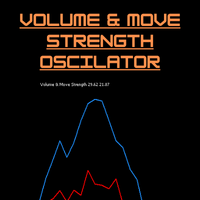
Volume & Move Strength (VMS) Indicator for MT5 The VMS Indicator displays the relationship between trading volume and price movement strength, helping traders assess how well market activity supports price action. How It Works: Measures tick volume as trading activity. Calculates move strength using a normalized True Range (%). Both values can be smoothed (default: 5) and optionally normalized (0–100) for consistency across markets. Plots two lines in a separate window: Blue (Volume) – trading a
FREE
Onnyx Indicator is a non-repainting supply and demand analysis indicator for MetaTrader 5. It identifies confirmed swing-based zones, scores their quality, and displays clear BUY and SELL signals directly on the chart. MAIN FEATURES • Supply and demand zones based on confirmed price swings • ATR-adaptive zone width for changing market volatility • Zone quality displayed as a percentage inside each zone • Clear BUY and SELL arrows with enlarged signal markers • Closed-candle signal logic designed
THV Volume Profile MT5 Analyze Daily and Weekly Volume Profiles with POC, VAH, and VAL — directly on your MT5 chart. THV W-D-S Volume Profile MT5 is a technical analysis indicator designed to visualize volume distribution across different price levels for the previous day, the current day, and the previous week. The indicator helps traders identify important volume-based price levels, analyze market structure, and study potential support and resistance areas using Volume Profile analysis. With
VOLUME PROFILE SAF-XII                            Professional Market Profile Analysis for MT5   (The Definitive Tool for Grid & Mean-Reversion Traders)         WHAT IS VOLUME PROFILE? Volume Profile is a professional institutional tool that displays trading activity at specific price levels, unlike traditional volume indicators that show volume over time. It reveals WHERE trading occurred, within your window of choice, helping identify:   • FAIR VALUE AREAS (VAH/VAL) - Price levels wh
(Special New Year promotion - free price!) The indicator displays the actual 'Scale in points per bar' (identical to the manual setting in the Terminal, see screenshot) in the upper right corner of the chart. The displayed value changes INSTANTLY whenever the chart scale is changed! (This is very convenient when planning screenshots). In Settings: Change language (Russian/English), font size of the displayed text, text label offset coefficient from the graph corner, equally in X and Y directi
FREE
TradeAQ
Guo Sheng Zhao
LuoMo Volume & Price Structure 8.98 A multi-function chart indicator for   MetaTrader 4 and MetaTrader 5 , designed to display key volume, volatility, sentiment, and price-structure information directly on the main chart. Main Features Volume and price-based Support & Resistance Volume spike and exhaustion signals ATR volatility expansion alerts Volume Profile with HVN and LVN Bullish and bearish sentiment distribution Developing or fixed POC VAH and VAL levels Supply and Demand zones Volume-wei
The indicator builds current quotes, which can be compared with historical ones and on this basis make a price movement forecast. The indicator has a text field for quick navigation to the desired date. Options: Symbol - selection of the symbol that the indicator will display; SymbolPeriod - selection of the period from which the indicator will take data; IndicatorColor - indicator color; Inverse - true reverses quotes, false - original view; Next are the settings of the text field, in w
Breakout Boxes with Volume Pressure This indicator automates the identification of key consolidation zones (Supply and Demand) based on Market Pivots and Volatility (ATR). Unlike standard support/resistance tools, this indicator provides a unique   Volume Pressure Analysis   inside every box, giving you insight into the battle between Buyers and Sellers before a breakout occurs. Key Features Automated Supply & Demand Zones:   Automatically detects significant Pivot Highs and Lows to draw dyna
Buyers of this product also purchase
Trend Sniper X
Sarvarbek Abduvoxobov
4.86 (43)
Trend Sniper X is a multi-timeframe trend-following indicator for MetaTrader 5 that helps traders identify trend direction and potential reversal points with clarity and precision. for MT4: https://www.mql5.com/en/market/product/193245 Price Information: The current price is promotional and is subject to change as upcoming updates and new features are released. Bonus Offer: To get the FREE Auto-Trade Assistant EA for this indicator, please message the author after purchasing. Code2Profit Channe
Entry Points Pro 10 — the legend of the MQL5 Market. Three years in the Market's Top-3. More than 600 reviews across two versions. More than 28,000 demo downloads. Thousands of traders open their charts with it every morning. Built and traded by an author who has been in the market since 1999. Version 10 is the biggest rebuild in the indicator's history: I read every review from five years — and built the answers into the code. WHAT IT DOES It shows the entry point in advance — strictly without
M1 Sniper MT5
Oleg Rodin
5 (7)
M1 SNIPER  is an easy to use trading indicator system. It is an arrow indicator which is designed for M1 time frame. The indicator can be used as a standalone system for scalping on M1 time frame and it can be used as a part of your existing trading system. Though this trading system was designed specifically for short-term trading, it still can be helpful for all traders. This trading system can be used with any forex pair and time frame, though lower time frames are recommended from M1 up to M

Auto Optimized SpeedAngle is an institutional-grade momentum vectoring system that eliminates curve-fitting through continuous Walk-Forward Optimization (WFO). Rather than relying on static inputs that degrade when market regimes shift, the indicator dynamically recalibrates its parameters using Out-of-Sample (OOS) validation, ensuring the displayed signals represent genuine statistical edges rather than historical anomalies. By shifting the focus from subjective visual angles to normalized, qua
Gann Made Easy   is a professional and easy to use Forex trading system which is based on the best principles of trading using the theory of W.D. Gann. The indicator provides accurate BUY and SELL signals including Stop Loss and Take Profit levels. You can trade even on the go using PUSH notifications. PLEASE CONTACT ME AFTER PURCHASE TO GET TRADING  INSTRUCTIONS   AND GREAT EXTRA INDICATORS  FOR FREE! Probably you already heard about the Gann trading methods before. Usually the Gann theory is a
Adaptive Price Action Engine Buy Indicator- Get EA Based on it for FREE. Self-Optimizing Multi-Timeframe Trend & Candlestick Intelligence Markets do not behave the same way all the time—and not every price-action pattern has the same value in every market regime. Adaptive Price Action Engine is designed to adapt to changing market conditions by combining trend structure, multi-timeframe analysis, candlestick patterns, and statistical optimization into one analytical framework. Two Adaptive Mode
Boba Analysis Suite
Trade Ready Solutions LLC
5 (2)
Boba Analysis Suite Boba Analysis Suite is an analytical indicator for MetaTrader 5. It brings market structure, relevant price zones and broader market context together in a single chart view. Developed through practical experience as a trader and trading coach, it supports a structured analysis process: assessing market direction, identifying important levels and considering multiple timeframes together. Analysis in Context Individual signals gain meaning through context. Boba Analysis Suite h
Quantum TrendPulse
Bogdan Ion Puscasu
5 (26)
Introducing Quantum TrendPulse , the ultimate trading tool that combines the power of SuperTrend , RSI , and Stochastic into one comprehensive indicator to maximize your trading potential. Designed for traders who seek precision and efficiency, this indicator helps you identify market trends, momentum shifts, and optimal entry and exit points with confidence. Key Features: SuperTrend Integration: Easily follow the prevailing market trend and ride the wave of profitability. RSI Precision: Detect
Neuro Poseidon MT5
Daria Rezueva
4.75 (52)
Neuro Poseidon is a new indicator by Daria Rezueva. It combines precise trading signals with adaptive TP/SL levels - creating best possible trades as a result! Message me and get  Neuro Poseidon Assistant  as a gift to automize your trading process! What makes it stand out? 1. Proven profitability on all assets and timeframes 2. Only confirmed BUY and SELL signals present on the chart 3. Adaptive TP & SL levels generated by the software for each trade 4. Easy to understand - suitable for al
Azimuth Pro
Ottaviano De Cicco
5 (7)
Azimuth Pro V2: Synthetic Fractal Structure and Confirmed Entries for MT5 Overview Azimuth Pro is a multi-level swing structure indicator by Merkava Labs . Four nested swing layers, swing-anchored VWAP, ABC pattern detection, three-timeframe structural filtering, and closed-bar confirmed entries — one chart, one workflow from micro-swings to macro-cycles. This is not a blind signal product. It is a structure-first workflow for traders who care about location, context, and timing. Halloween P
Multi Currency Strength and Momentum Indicator MT5 Dynamic Forex28 Navigator is the evolution of our long-time, popular indicators, combining the power of three into one: Advanced Currency Strength28 Indicator (700 reviews) Advanced Currency IMPULSE with ALERT (530 reviews) CS28 Combo Signals (recent Bonus) The two predecessor indicators together have received more than 1,200 reviews on the MQL5 Market and have been a staple in the MT4 community since 2016. Dynamic Forex28 Navigator MT5 carries
Volatility Master for MetaTrader is a real-time dashboard tool that scans up to  50 symbols  to identify high-volatility , trending markets instantly. With bullish/bearish signals, customizable alerts, and a user-friendly interface, it helps you avoid range-bound conditions and focus on high-probability trades. Clarity leads to confidence. Trade confidently and protect your capital effectively with this powerful dashboard. We don't offer free or bonus indicators in exchange of reviews from you.
SR Liquidity   is a trading indicator designed to reveal the hidden zones where market liquidity concentrates and price reacts most strongly. These special liquidity areas act as powerful support and resistance levels, giving you a clear map of where the market is most likely to reverse. Instead of drawing ordinary Support/Resistance lines, SR Liquidity analyzes real price behavior to detect the zones where buying and selling pressure accumulate. These are actually the pools of liquidity that dr
OrderFlux – Orderflow Footprint Chart, Volume Profile & Market Profile Indicator for MetaTrader 5 OrderFlux is an order flow footprint indicator for MetaTrader 5 that explains itself. It opens the single candle and shows what happens inside it: the volume traded at every price level, split into aggressive buyers and aggressive sellers. From the ticks it builds a complete footprint chart in real time with delta, imbalance, absorption, volume profile, market profile (TPO), VWAP, cumulative delta (
Advanced Supply Demand MT5
Bernhard Schweigert
4.53 (15)
Best Solution for any Newbie or Expert Trader! This indicator is a unique, high quality and affordable trading tool because we have incorporated a number of proprietary features and a new formula. With this update, you will be able to show double timeframe zones. You will not only be able to show a higher TF but to show both, the chart TF, PLUS the higher TF: SHOWING NESTED ZONES. All Supply Demand traders will love it. :) Important Information Revealed Maximize the potential of Advanced Supply
Precision Spike Detector
Francisco Mandomo Simbine
5 (2)
Precision Spike Detector V3 – Institutional-Grade AI Trading System Attention: The price increases by US$50 for every 10 purchases.  Final price: US$599 Precision Spike Detector V3   is a   state-of-the-art, institutional-grade market analysis system   for   MetaTrader 5 , designed to detect   high-probability market movements   in synthetic indices such as   Boom, Crash, GainX, and PainX . After purchase, send me a private message to receive the optimized configuration files,  the installation
Scalper Vault is a powerful, fully-equipped trading system designed for traders who want to achieve consistency in intraday trading . This high-precision indicator serves as a complete, standalone trading system that delivers institutional-grade analysis for both Forex and Binary Options traders. PLEASE CONTACT ME AFTER PURCHASE TO GET MY TRADING TIPS PLUS A GREAT BONUS! By eliminating the guesswork and complex manual analysis, Scalper Vault allows you to focus purely on execution using easy to
Matreshka
Dimitr Trifonov
5 (2)
Matreshka self-testing and self-optimizing indicator: 1. Is an interpretation of the Elliott Wave Analysis Theory. 2. Based on the principle of the indicator type ZigZag, and the waves are based on the principle of interpretation of the theory of DeMark. 3. Filters waves in length and height. 4. Draws up to six levels of ZigZag at the same time, tracking waves of different orders. 5. Marks Pulsed and Recoil Waves. 6. Draws arrows to open positions 7. Draws three channels. 8. Notes support and re
Divergence Bomber
Ihor Otkydach
4.89 (94)
Each buyer of this indicator also receives the following for free: The custom utility "Bomber Utility", which automatically manages every trade, sets Stop Loss and Take Profit levels, and closes trades according to the rules of this strategy Set files for configuring the indicator for various assets Set files for configuring Bomber Utility in the following modes: "Minimum Risk", "Balanced Risk", and "Wait-and-See Strategy" A step-by-step video manual to help you quickly install, configure, and
ARIPoint
Temirlan Kdyrkhan
1 (4)
ARIPoint is a powerful trading companion designed to generate high-probability entry signals with dynamic TP/SL/DP levels based on volatility. Built-in performance tracking shows win/loss stats, PP1/PP2 hits, and success rates all updated live. Key Features: Buy/Sell signals with adaptive volatility bands Real-time TP/SL/DP levels based on ATR Built-in MA Filter with optional ATR/StdDev volatility Performance stats panel (Success, Profit/Loss, PP1/PP2) Alerts via popup, sound, push, or email Cu
Best Solution for any Newbie or Expert Trader! This Indicator is a unique, high quality and affordable trading tool because we have incorporated a number of proprietary features and a new formula. With only ONE chart you can read Currency Strength for 28 Forex pairs! Imagine how your trading will improve because you are able to pinpoint the exact trigger point of a new trend or scalping opportunity? User manual:   click here That's the first one, the original! Don't buy a worthless wannabe clone
PZ Swing Trading MT5
PZ TRADING SLU
5 (5)
Protect against whipsaws: revolutionize your swing trading approach Swing Trading is the first indicator designed to detect swings in the direction of the trend and possible reversal swings. It uses the baseline swing trading approach, widely described in trading literature. The indicator studies several price and time vectors to track the aggregate trend direction and detects situations in which the market is oversold or overbought and ready to correct. [ Installation Guide | Update Guide | Tro
Hi Trader, Most retail traders rely on lagging, web-based scripts. To trade with a true edge, you need institutional architecture. The Astro AI Indicator is not a standard chart overlay. It is a compiled, dual-agent neural network running directly on your terminal. Here is the exact technology driving the system: 1. Agent 1: The Analyst (Graph Neural Networks - GNN) Markets are not just isolated price bars; they are interconnected networks of data. The Function: Agent 1 utilizes a Graph Neural
DELTA FUSION PRO 10. 0 is a professional MetaTrader indicator dedicated to real-time order flow analysis and institutional pressure (Ask/Bid difference). Main Features Smart Auto-Tuning: Automatically calibrates based on the market (Forex, Crypto, Indices, Commodities, Stocks, Futures), timeframe, and volatility (ATR). Operational Functionality: NetDelta & Cumulative Delta: Tracking directional pressure with EMA smoothing. Price/Volume Divergences: Detects regular/hidden divergences (classified
The Oracle Pro
Ottaviano De Cicco
5 (1)
The Oracle Pro: Synthetic Multi-Timeframe Bias Engine for MT5 Halloween Promo — 35% OFF The market gets spooky. Your edge stays sharp. Save 35% before this offer fades into the mist. The Oracle Pro is now USD 194 (regular USD 299). The Oracle Pro is a premium multi-timeframe bias engine for MetaTrader 5, built for demanding and professional traders. It answers one question with discipline: what is the directional bias on each timeframe right now, how strong is it, and how much do the timefra
Introducing   Quantum Breakout PRO , the groundbreaking MQL5 Indicator that's transforming the way you trade Breakout Zones! Developed by a team of experienced traders with trading experience of over 13 years,   Quantum Breakout PRO   is designed to propel your trading journey to new heights with its innovative and dynamic breakout zone strategy. Quantum Breakout Indicator will give you signal arrows on breakout zones with 5 profit target zones and stop loss suggestion based on the breakout b
Graded Liquidity Sweep
Kaustubh Pradeep Deshmukh
This indicator marks the candles where price runs through a liquidity level and turns back. It finds and ranks the levels by itself, so there is nothing to draw by hand. It is made for manual trading on any symbol and timeframe. What you see on the chart A buy or sell arrow on the candle that confirms the reversal. Arrows appear only after that candle has closed, and they do not repaint. For every signal: the level that was swept, a stop level and two target levels. A label with the type of leve
Superhero
Ihor Otkydach
5 (3)
The SUPERHERO indicator is a multi-currency trading system designed on an "all-inclusive" basis. The indicator independently analyzes the market and provides signals on when to open and close trades. It uses Stop Loss and Take Profit orders. The R:R ratio is 1:1. This system can send push notifications to your smartphone, so you can place trades "on the go" without needing to be tied to a PC. It's perfect for proprietary trading firms. A BONUS FOR EVERY CUSTOMER: Every buyer of this indicator wi
Btmm state engine pro
Garry James Goodchild
5 (4)
BTMM State Engine Pro by G-Labs — Beat The Market Maker indicator for MetaTrader 5. Asian session range, London and New York kill zones, level progression (L1/L2/L3), peak formation detection (PFH/PFL), entry signals, and a multi-pair scanner from one chart. Stop scanning charts one pair at a time. The State Engine tracks the BTMM daily cycle automatically — Asian box, room boundaries, level blocks, peak formations, and filtered entries — while the scanner dashboard shows level, peak status, d
RelicusRoad Pro MT5
Relicus LLC
4.96 (25)
Stop guessing your trades. Know when to enter, where to get out and which way the market leans, all on one chart. RelicusRoad Pro brings nearly twenty tools into one indicator, and you switch on the ones that fit the way you trade. Clear entries. Clear exits. A plan on every chart. Sound familiar? You buy, and price turns against you a minute later. You close too early, then watch the move carry on without you. Five indicators on the chart, five different answers. Your stop loss is a guess. Why
More from author
Swing Structure MS shows market structure as a clean line of confirmed swing highs and swing lows. Swings can be taken from any timeframe (for example H1) and displayed on any chart, so you can follow the higher-timeframe structure while working on M5 or M15. How it works A swing high/low is a bar whose high/low is not exceeded by N bars on each side (Depth). A new leg is accepted only if its size is at least X times ATR, or a fixed number of points. Small noise is ignored. On a lower-timeframe
FREE
TPO Session Letters MS draws a classic Market Profile with letters (A, B, C …) for one cash session per day, directly on the MetaTrader 5 chart. By default it is set up for the Xetra session of the German index (09:00–17:30 Frankfurt time); any other session can be configured in the inputs. You enter the session in its own time zone (Frankfurt, London or New York). The indicator converts it to your broker's server time separately for every day, including the weeks when Europe and the USA change
Filter:
No reviews
Reply to review