Manual Volume Profile MS

  • Indicateurs
  • Mariusz Sedlak
    Mariusz Sedlak
    I am Mariusz Sedlak, based in Poland, where I lead Selenita as its President. My work combines strategic leadership with a deep passion for financial markets and algorithmic trading. I specialize in developing custom indicators for MetaTrader 5 — tools that turn raw market data into clear
  • Version: 1.0
  • Activations: 5

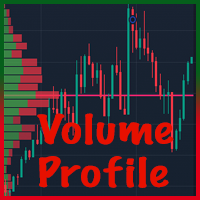
Ręczny profil wolumenu MS pokazuje , gdzie faktycznie handlowano wolumenem. Rysuje dzisiejszy profil sesji na żywo i pozwala umieścić do 10 niezależnych zakresów profili woluminów w dowolnym miejscu wykresu za pomocą dwóch kliknięć myszką. Każdy profil pokazuje POC, VAH, VAL i obszar wartości.

KLUCZOWE CECHY

  • Profil dzienny – dzisiejszy profil wolumenu, narysowany po prawej stronie bieżącego paska lub nad paskami dnia, aktualizowany na żywo.
  • Zakresy ręczne PV 1 – PV 10 – kliknij przycisk PV, kliknij początek i koniec zakresu, a profil zostanie natychmiast obliczony. Przenieś lub zmień rozmiar pola – profil przelicza automatycznie.
  • POC, VAH, VAL i obszar wartości dla każdego profilu, z opcjonalnymi etykietami cenowymi.
  • Poziomy rozszerzone – POC (i opcjonalnie VAH/VAL) każdego zakresu można rozszerzyć w prawo jako poziomy odniesienia.
  • Wolumen rzeczywisty lub tick – wolumen rzeczywisty jest używany, gdy dostarcza go Twój broker, z automatycznym powrotem do wolumenu tick. Linia stanu na wykresie pokazuje dokładnie, który wolumin jest używany.
  • Głośność z innego symbolu – np. narysuj wykres kontraktu CFD i zbuduj profil na podstawie kontraktu futures dostępnego u tego samego brokera. Oblicza się przesunięcie ceny pomiędzy symbolami automatycznie lub ustawione ręcznie.
  • Dokładna dystrybucja – objętość jest dystrybuowana przy użyciu danych M1 (konfigurowalnych), niezależnie od przedziału czasowego wykresu.
  • Przyciągnij do przedziału cenowego – przyciągnij górę i dół do górnego/dolnego wybranego paska lub ustaw wolny przedział cenowy tak, aby liczył tylko głośność w środku.
  • Pamięć – pozycje wszystkich zakresów są zachowywane po zmianie przedziału czasowego i ponownym uruchomieniu terminala.
  • Szybkie usuwanie – usuń wybrane zakresy (np. „2” lub „1,3”) lub wszystkie („0”) za pomocą jednego przycisku.
  • W pełni konfigurowalne kolory, nieprzezroczystość, wysokość wiersza, powierzchnia wartości %, pozycja panelu.

SZYBKI START

  1. Przymocuj wskaźnik do wykresu, na przykład M5. Dzisiejszy profil znajduje się po prawej stronie obecnego paska.
  2. Kliknij PV 1 w panelu przycisków (prawy górny róg wykresu).
  3. Kliknij na wykres, na którym powinien rozpocząć się zakres, przesuń mysz – prostokąt podąża za kursorem – i kliknij miejsce, w którym powinien zakończyć się zakres.
  4. Profil jest obliczany natychmiast. POC, VAH i VAL są oznaczone po prawej stronie zakresu.
  5. Przeciągnij prostokąt lub jego rogi, aby dostosować zakres. Profil jest przeliczany w locie.
  6. Kliknij ponownie PV 1, aby ukryć zasięg. Kliknij go jeszcze raz, aby go przywrócić.

PANEL STEROWANIA

  • Dzień – pokazuje lub ukrywa dzisiejszy profil. Kolorowy = włączony, szary = wyłączony. Państwo jest pamiętane.
  • PV n (kolorowy) – pokazano zakres. Kliknij, aby go ukryć; jego pozycja jest zapamiętana.
  • PV n (złoto) – czeka na kliknięcia na wykresie. Kliknij przycisk ponownie lub naciśnij Esc , aby anulować.
  • PV n (szary) – kliknij, aby przywrócić ukryty zakres lub umieścić nowy.
  • Pole zakresu –, które zakresy usuwa przycisk Usuń: 0 = wszystkie (także „wszystkie" lub „*"), 2 = tylko PV 2, 1,3 lub 1 3 = PV 1 i PV 3.
  • Delete – usuwa zakresy wprowadzone w polu z wykresu i z pamięci.
  • Linia stanu (pod przyciskami) – pokazuje głośność faktycznie użytą dla profili.

PROFIL DZIENNY

Profil dzienny obejmuje bieżący dzień handlowy, od otwarcia dzisiejszego paska D1 (czas serwera brokera) do chwili obecnej. Odświeża się co 2 sekundy i na każdym nowym pasku.

  • Po prawej stronie bieżącego paska (domyślnie) – profil jest rysowany w wolnej przestrzeni po prawej stronie ostatniej świecy.
  • Od początku dnia – profil jest rysowany na świecach dnia, począwszy od otwartej sesji.

ZAKRESY RĘCZNE

  • Umieszczanie – kliknij szary przycisk PV, a następnie kliknij początek i koniec zakresu w głównym oknie wykresu. Jeśli oba kliknięcia spadną na ten sam pasek, zakres ma szerokość 5 pasków.
  • Regulacja – każdy zakres jest standardowym prostokątem MetaTrader. Przeciągnij go lub pociągnij za rogi; profil przelicza się i nowa pozycja jest zapisywana. Aby wybrać niewybrany zakres, kliknij dwukrotnie jego obramowanie.
  • Przyciągnij, aby wycenić ON (domyślnie) – góra i dół zakresu przytrzasną się do najwyższego maksimum i najniższego minimum. Ustawiasz tylko przedział czasowy.
  • Snap to price OFF – swobodnie ustawiasz przedział cenowy i liczony jest tylko wolumen obrotu wewnątrz przedziału. Przydatne do wyizolowania jednego obszaru większego ruchu.
  • Asortymenty na żywo – jeśli prawa krawędź asortymentu znajduje się na bieżącym pasku lub poza nim, asortyment jest aktualizowany w miarę pojawiania się nowych cen.
  • Ukrywanie i przywracanie – kliknij PV n, aby ukryć zakres. Kliknij go ponownie: jeśli zapamiętana pozycja jest widoczna na ekranie, zakres powraca; w przeciwnym razie umieszczasz nowy.
  • Klawisz Delete – wybranie prostokąta i naciśnięcie Delete wyłącza zakres; jego ostatnia pozycja pozostaje w pamięci.
  • Pamięć – pozycje, które zakresy są włączone i stan przycisku Dzień są przechowywane na wykresie. Przeżywają zmiany ram czasowych i ponowne uruchomienie terminala. Usunięcie wskaźnika z wykresu lub zamknięcie wykresu ich oczyszcza.

CZYTANIE PROFILU

  • Wiersze histogramu – każdy wiersz to jeden poziom cen; jego długość jest proporcjonalna do wolumenu obrotu w danym okresie profilu.
  • POC (Punkt Kontroli) – cena o największym wolumenie. Narysowane złotem, grubą linią i etykietą.
  • Obszar wartości – wiersze wokół POC zawierające wybrany udział w całkowitym wolumenie (domyślnie 70%). Narysowane jaśniejszym kolorem.
  • VAH / VAL – górna i dolna granica Obszaru Wartości, narysowana liniami przerywanymi.
  • Rozszerzone linie – POC każdego zakresu może być kontynuowany do prawej krawędzi wykresu (domyślnie włączone); VAH i VAL również mogą być rozszerzone.

Typowe zastosowania: porównaj dzisiejszy obszar wartości z poprzednią sesją, zaznacz strukturę wolumenu odcinka trendu, konsolidacji lub ruchu informacyjnego i użyj rozszerzonych linii POC z poprzednich zakresów jako odniesienia poziomy.

DANE DOTYCZĄCE OBJĘTOŚCI

  • Rzeczywisty wolumen to wolumen wymiany (kontrakty terminowe, akcje), dostępny, jeśli zapewnia go Twój broker. Wolumen ticków to liczba zmian cen; dla forex i większości kontraktów CFD jest to jedyny wolumen dostępny.
  • Przy ty pie głośności = Objętość rzeczywista (domyślna) każdy pasek używa swojej objętości rzeczywistej, gdy jest obecny, i objętości znacznika w przeciwnym razie.
  • Wolumen z innego symbolu – jeśli Twój broker oferuje zarówno kontrakt CFD, jak i odpowiadający mu kontrakt futures o rzeczywistym wolumenie, zachowaj wykres CFD i wprowadź nazwę symbolu futures (dokładnie jako w Market Watch, łącznie z dowolnym sufiksem) w Take volume z innego symbolu .
  • Przesunięcie ceny – Automatycznie mierzy różnicę cen między obydwoma symbolami na końcu zakresu; Ręcznie wykorzystuje Twoją wartość; Nie ma przesunięcia dla symboli podawanych w tym samym miejscu poziom cen.

Wiadomości z linii statusu:

  • Objętość: rzeczywista – wszystkie paski profilu mają rzeczywistą objętość.
  • Objętość: rzeczywista (x% słupków, zaznaczenie reszty) – na części słupków brakuje objętości rzeczywistej.
  • Wolumen: TICK - SYMBOL nie ma rzeczywistego wolumenu u tego brokera (pomarańczowy) – używany jest wolumen tick.
  • Objętość: tick – w danych wejściowych wybrano objętość tick.
  • | z SYMBOLU, offset +x – głośność jest pobierana z innego symbolu.
  • | symbol nie został znaleziony: NAZWA – symbol woluminu nie istnieje u tego brokera; używany jest symbol wykresu.

PARAMETRY WEJŚCIOWE

  • Prefiks nazwy obiektu – zmień go tylko po to, aby uruchomić dwie kopie na tym samym wykresie.
  • Przedział czasowy źródła – dane użyte do dystrybucji wolumenu (domyślnie M1).
  • Typ głośności – Rzeczywista głośność (powraca do ticku) / Głośność ticku.
  • Weź wolumen z innego symbolu – nazwa symbolu u tego samego brokera, np. kontrakt terminowy (pusty = symbol wykresu).
  • Price offset of the volume symbol – Auto / Manual / No offset, plus the manual offset value.
  • Show which volume is being used – status line on/off.
  • Row height in points – fixed row height, or 0 = automatic; AutoRows – a larger value gives thinner rows.
  • Value Area % – default 70.
  • POC color, VAH/VAL line color and style, labels, price in labels, label font size.
  • Daily profile – on/off at start, position, offset from the current bar, width, colors, opacity.
  • Manual ranges – number of PV buttons (1–10), snap to price, histogram width, opacity, POC and VAH/VAL extension, 5 range colors.
  • Panel – pokaż/ukryj, rozmiar przycisku, marginesy, kolory. Po ukryciu panelu istniejące zakresy pozostają, ale nie można umieścić nowych.
  • Odświeżanie na żywo – interwał odświeżania profili na żywo w sekundach (domyślnie 2).

TESTER STRATEGII

Na wykresie Strategy Tester przyciski nie są interaktywne (ograniczenie MetaTrader), więc zakres PV 1 jest automatycznie umieszczany w poprzednim dniu handlowym w celu demonstracji. Dzisiejszy profil działa jak na wykres na żywo.

ROZWIĄZYWANIE PROBLEMÓW

  • Nic nie jest rysowane zaraz po podłączeniu – terminal pobiera historię M1/D1; wskaźnik ponawia próbę automatycznie co kilka sekund.
  • Zakres daleko wstecz w historii nie pokazuje żadnego profilu – przewiń wykres do tego okresu raz, aby terminal załadował historię; w razie potrzeby zwiększ „Maksymalne paski na wykresie” w Narzędzia → Opcje → Wykresy.
  • Linia statusu pokazuje TICK na pomarańczowo – Twój broker nie podaje rzeczywistego wolumenu dla tego symbolu; jest to normalne w przypadku forex i kontraktów CFD.
  • Profil z innego symbolu jest przesunięty – użyj przesunięcia ręcznego (np. po przeniesieniu kontraktów terminowych).
  • Kliknięcie przycisku PV rozpoczyna umieszczanie zamiast przywracania – zapamiętana pozycja jest poza ekranem; przewiń do niej i kliknij ponownie lub umieść nowy zakres.
  • Zakresy utracone po ponownym dodaniu wskaźnika – usunięcie wskaźnika celowo czyści jego zakresy; zmiana przedziału czasowego lub ponowne uruchomienie terminala pozwala je zachować.

NOTATKI

  • Dostępna jest instrukcja obsługi w formacie PDF (angielskim i polskim) – wyślij mi prywatną wiadomość.
  • Wskaźnik jest narzędziem analitycznym. Nie otwiera, nie modyfikuje ani nie zamyka transakcji i nie daje sygnałów handlowych. Handel wiąże się z ryzykiem.

Produits recommandés
The "MR Volume Profile 5" indicator is a charting tool that displays trading volume at different price levels rather than time intervals. A key concept in volume profile is the point of control (POC)—the price level with the highest volume traded during the session or time range. While tools like VWAP or OBV provide volume trends, the "MR Volume Profile 5" indicator offers granular detail about where the most market activity occurs at specific price levels. This makes it a more precise tool for
La Master Edition est un outil d'analyse de qualité professionnelle conçu pour visualiser la structure du marché à travers le prisme du volume et du flux monétaire. Contrairement aux indicateurs de volume standard, cet outil affiche un Profil de Volume Quotidien directement sur votre graphique, vous permettant de voir exactement où la découverte des prix a eu lieu et où est positionné "l'argent intelligent". Cette Master Edition est conçue pour la clarté et la rapidité, dotée d'un système unique
Profil de volume à plage fixe automatique avec alertes pour MT5 Cet indicateur montre où le prix a passé le plus de temps, mettant en évidence les niveaux importants qui peuvent être utilisés dans le trading. et peut montrer la densité des prix au fil du temps, décrivant les niveaux de prix les plus importants, la zone de valeur et la valeur de contrôle d'une séance de négociation donnée. Cet indicateur peut être attaché à des délais entre M1 et D1 et affichera le profil du marché pour des se
Bitcoin Regime Matrix Bitcoin Regime Matrix est un indicateur MT5 pour BTCUSD, conçu exclusivement pour H1. Il classe le marché en régime LONG, SHORT ou NEUTRAL à partir de bougies clôturées. Kit de mise à jour d’octobre 2026 : installation, valeurs par défaut et comparaison des simulations . MT5 Setup Hub . Son moteur combine une moyenne exponentielle lente, sa pente, une distance d'entrée confirmée, une hystérésis de sortie et la volatilité réalisée. Le tableau de bord affiche en permanence le
Market Structure, Liquidity and Price Action Analysis for MetaTrader 5 A chart can contain plenty of information and still leave a trader without a clear decision. A BOS label may appear, liquidity may be nearby, and an order block may remain active, yet the real challenge is understanding how those elements relate to one another. ICT Yoshi Pro organizes that process into a cleaner, more disciplined MetaTrader 5 workflow. What ICT Yoshi Pro Does ICT Yoshi Pro is a manual decision-support indicat
Live broadcast of the indicator on YouTube. Please click on the link below for more credibility. There are also videos of the indicator that you can watch. Note that the broadcast is late, do not rely on it. Only a review of the indicator is only a review of the indicator’s accuracy, which does not lose almost and the profit rate reaches 95%. I will work with great accuracy on the CRASH coin 1000 INDICES
Was: $249  Now: $99   Market Profile defines a number of day types that can help the trader to determine market behaviour. A key feature is the Value Area, representing the range of price action where 70% of trading took place. Understanding the Value Area can give traders valuable insight into market direction and establish the higher odds trade. It is an excellent addition to any system you may be using. Inspired by Jim Dalton’s book “Mind Over Markets”, this indicator is designed to suit the
GoldenX Entry MT5
VividMind Digital Solutions
5 (17)
GoldenX Entry est un indicateur MT5 doté d’un algorithme adaptatif Smart Entry Trend, d’un système de scoring des signaux, d’un détecteur de régime de marché et d’un filtre de volatilité. Chaque signal inclut un niveau d’entrée calculé, trois niveaux de Take-Profit (TP1, TP2, TP3) ainsi qu’un niveau de Stop-Loss. Il est construit sur plusieurs couches analytiques conçues pour s’adapter à différentes conditions de marché, combinant un système analytique multicouche avec un optimiseur intégré et u
Titan Z-Score Pro v3.2 Sürüm Notları: Kurumsal UI/UX Yeniden Tasarımı: Performans kokpitleri ve MTF matrisleri ana harita köşelerine taşındı, böylece tertemiz, dağınıklıktan arındırılmış bir alt pencere görünümü sağlandı. Canlı Kazanma Oranı ve Geri Dönüş Kokpiti: Ortalama geri dönüş başarı oranının ve kazanılan ortalama piplerin gerçek zamanlı takibi eklendi. Çok Zaman Dilimi Z-Puan Matrisi: Ana tabloya doğrudan görsel olarak 5 zaman dilimli (M5'ten D1'e) bir durum ızgarası entegre edildi. Yen
Fixed Volume Profile
Carlos Pascual Perez Maturano
This indicator, titled "Fixed Volume Profile.mq5", is a custom tool for MetaTrader 5 (MQL5) designed to calculate and display a Volume Profile over a user-defined fixed time range. The Volume Profile shows the distribution of trading volume at different price levels during a specific period, helping to identify areas of high activity (such as Points of Control or POCs) and volume-based support/resistance areas. Main Functionality: Interactive Range: The indicator creates two vertical lines on
FREE
Ugenesys AI MT5
Odaine Ramon Mcmillan
uGenesys AI - 90% Accurate Daytrading Indicator Introducing the ultimate forex trading indicator system, uGenesys AI, powered by cutting-edge AI technology and advanced analytical techniques, including Time-Series Analysis and Genetic Algorithms. Our AI-powered trading system leverages the power of time-series analysis to identify trends and patterns in historical price data, allowing traders to make informed predictions about future market movements. By analyzing vast amounts of data, our syst
Spike Blast Pro
Israr Hussain Shah
Here   our more valuable tools SMC Trend Trading   ,  Easy SMC Trading  ,  Institutional SMC Architect Volume Analysis Tools  ,  Volume flow Profile  ,  Market volume profile  , FVG with Volume  , Liquidity Heatmap Profile  ,  Volume Spread Analysis Spike Blaster Pro is a next-generation MT5 indicator designed specifically for synthetic markets. It works seamlessly on Boom Index and Weltrade Index , providing traders with sharp, reliable spike detection signals. What makes Spike Blaster Pro po
Here   our more valuable tools SMC Trend Trading   ,  Easy SMC Trading  ,  Institutional SMC Architect Volume Analysis Tools  ,  Volume flow Profile  ,  Market volume profile  , FVG with Volume  , Liquidity Heatmap Profile  ,  Volume Spread Analysis The    Liquidity Heatmap   is a sophisticated institutional trading tool designed to reveal where over-leveraged traders are trapped. By calculating estimated liquidation levels based on volume spikes and leverage, this indicator draws a dynamic "h
Intraday Session TPO: Precision Volume Profiling for Day Traders Stop trading blind during the most volatile hours of the day. Standard daily volume profiles blend everything together, masking the true areas of liquidity and institutional interest. The Intraday Session TPO is engineered specifically for session-to-session traders. It empowers you to isolate and profile specific time windows—like the London Open, the New York Killzone, or the Asian range—so you can see exactly where the volume is
Here   our more valuable tools SMC Trend Trading   ,  Easy SMC Trading  ,  Institutional SMC Architect Volume Analysis Tools  ,  Volume flow Profile  ,  Market volume profile  , FVG with Volume  , Liquidity Heatmap Profile  ,  Volume Spread Analysis Short Description: Stop overloading your charts with dozens of indicators.   Bollinger Fibo  Pro   is a sophisticated, all-in-one trading system for MetaTrader 5 that merges two legendary concepts into a single, powerful tool. It enhances standard
AURUM Volume At Price + Alerts Volume Profile with self-adjusting VAH, POC and VAL alerts. See where the volume is and get notified when price gets there. [Please leave a review if you find the indicator useful and how we can improve it further] AURUM Volume At Price + Alerts builds a live volume profile over your chosen lookback window and turns three key reference levels, Value Area High (VAH), Point of Control (POC) and Value Area Low (VAL), into automatic price alerts. There are no hardcoded
Profil de volume multimode : analysez le volume à votre façon, et non à celle de votre indicateur. La plupart des indicateurs de profil de volume limitent les traders à des plages d'analyse prédéfinies. Or, le marché n'évolue pas à l'intérieur de modèles fixes ; pourquoi votre analyse devrait-elle donc s'y conformer ? Le profil de volume multi-mode vous offre une liberté totale pour choisir où, quand et comment analyser le volume. Que vous étudiiez la structure du marché, profiliez les séances
QuantMatrix Probability AI Free QuantMatrix Probability AI Free is a technical indicator for MetaTrader 5 that combines several measurements of current market conditions into three numerical estimates. The indicator uses exponential moving averages, Relative Strength Index (RSI), Average True Range (ATR) and the current price position in its calculation. These measurements are combined into a normalized market score. The resulting information is displayed on the chart as: BUY percentage SELL p
FREE
Smart SMC FVG
Ekkasawat Pitichalermroch
SMC + Volume Profile + FVG: Indicator Guide Overview SMC + Volume Profile + FVG is an all-in-one indicator for MetaTrader 5. It combines three popular price-action tools on a single chart: Smart Money Concepts (SMC): market structure (swings, BOS, CHoCH) and Order Blocks Fair Value Gaps (FVG): price imbalances left behind by fast moves Volume Profile: where the most trading happened, shown as POC, Value Area High and Value Area Low Everything is drawn automatically. You can turn each part on or
Symbol: EURUSD Timeframe: 30 minutes (M30) For other symbols or timeframes, adjust the settings to match the market. Volume Profile POC Breakout builds a volume profile from recent candles, finds the Point of Control (POC) and marks clean breakouts of that level. Each breakout is shown as a complete trade plan with entry, stop loss and three take profit levels, filtered by the higher timeframe trend and rated by a quality score. The indicator does not open trades. It is a visual and analysis to
Et si tu voyais enfin OÙ le marché a vraiment envie d'aller ? La plupart des traders regardent le prix. Les pros, eux, regardent le VOLUME — là où l'argent s'est réellement échangé. Volume Profile Fibo Confluence met cette lecture sous tes yeux, en clair, sans jargon. CE QUE TU VOIS SUR TON GRAPHIQUE • Le POC, le prix le plus échangé : l'aimant naturel du marché • La zone de valeur (VAH / VAL) : la "maison" où le prix passe son temps • Le retracement de Fibonacci automatique + la
Gold Trend 5
Sergei Linskii
4 (3)
Gold Trend - il s'agit d'un bon indicateur technique boursier. L'algorithme de l'indicateur analyse le mouvement du prix d'un actif et reflète la volatilité et les zones d'entrée potentielles. Les meilleurs signaux de l'indicateur: - Pour la VENTE = histogramme rouge + pointeur SHORT rouge + flèche de signalisation jaune dans la même direction + flèche rouge indiquant la direction de la tendance. - Pour l'ACHETER = histogramme bleu + pointeur LONG bleu + flèche de signalisation aqua dans la
VMS Oscillator
Vincent Jose Proenca
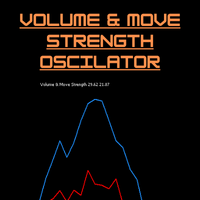
Volume & Move Strength (VMS) Indicator for MT5 The VMS Indicator displays the relationship between trading volume and price movement strength, helping traders assess how well market activity supports price action. How It Works: Measures tick volume as trading activity. Calculates move strength using a normalized True Range (%). Both values can be smoothed (default: 5) and optionally normalized (0–100) for consistency across markets. Plots two lines in a separate window: Blue (Volume) – trading a
FREE
ONNYX INDICATOR version 1.14 Indicateur d'offre et de demande pour MetaTrader 5 avec signaux confirmés sans repaint. Il détecte les pivots confirmés, adapte la largeur des zones avec l'ATR, affiche leur qualité en pourcentage et trace des flèches BUY/SELL sur bougies clôturées. FONCTIONS PRINCIPALES - Zones d'offre et de demande avec score en pourcentage dans la zone. - Grandes flèches BUY/SELL après clôture de la bougie. - Filtre de tendance EMA et confirmation optionnelle de rejet. - Panneau d
THV Volume Profile MT5 Analyze Daily and Weekly Volume Profiles with POC, VAH, and VAL — directly on your MT5 chart. THV W-D-S Volume Profile MT5 is a technical analysis indicator designed to visualize volume distribution across different price levels for the previous day, the current day, and the previous week. The indicator helps traders identify important volume-based price levels, analyze market structure, and study potential support and resistance areas using Volume Profile analysis. With
VOLUME PROFILE SAF-XII Analyse Market Profile Professionnelle pour MT5 (L'indicateur idéal pour le trading de type Grid) QU'EST-CE QUE LE VOLUME PROFILE ? Le Volume Profile est un outil institutionnel qui affiche l'activité de trading à des niveaux de prix spécifiques, contrairement aux indicateurs de volume classiques qui montrent le volume en fonction du temps. Il révèle OÙ les transactions ont eu lieu, aidant ainsi à identifier : ZONES DE VALEUR (VAH/VAL) – Niveaux de prix où la majorité des
(Special New Year promotion - free price!) The indicator displays the actual 'Scale in points per bar' (identical to the manual setting in the Terminal, see screenshot) in the upper right corner of the chart. The displayed value changes INSTANTLY whenever the chart scale is changed! (This is very convenient when planning screenshots). In Settings: Change language (Russian/English), font size of the displayed text, text label offset coefficient from the graph corner, equally in X and Y directi
FREE
TradeAQ
Guo Sheng Zhao
LuoMo Volume & Price Structure 8.98 A multi-function chart indicator for   MetaTrader 4 and MetaTrader 5 , designed to display key volume, volatility, sentiment, and price-structure information directly on the main chart. Main Features Volume and price-based Support & Resistance Volume spike and exhaustion signals ATR volatility expansion alerts Volume Profile with HVN and LVN Bullish and bearish sentiment distribution Developing or fixed POC VAH and VAL levels Supply and Demand zones Volume-wei
L'indicateur construit les cotations actuelles, qui peuvent être comparées aux cotations historiques et, sur cette base, faire une prévision de l'évolution des prix. L'indicateur dispose d'un champ de texte pour une navigation rapide jusqu'à la date souhaitée. Option : Symbole - sélection du symbole que l'indicateur affichera ; SymbolPeriod - sélection de la période à partir de laquelle l'indicateur prendra des données ; IndicatorColor - couleur de l'indicateur ; HorisontalShift - décalage
Breakout Boxes with Volume Pressure This indicator automates the identification of key consolidation zones (Supply and Demand) based on Market Pivots and Volatility (ATR). Unlike standard support/resistance tools, this indicator provides a unique   Volume Pressure Analysis   inside every box, giving you insight into the battle between Buyers and Sellers before a breakout occurs. Key Features Automated Supply & Demand Zones:   Automatically detects significant Pivot Highs and Lows to draw dyna
Les acheteurs de ce produit ont également acheté
Trend Sniper X
Sarvarbek Abduvoxobov
4.86 (43)
Trend Sniper X est un indicateur de suivi de tendance multi-unités de temps pour MetaTrader 5 qui aide les traders à identifier la direction de la tendance et les points d'inversion potentiels avec clarté et précision. pour MT4: https://www.mql5.com/en/market/product/193245 Informations sur le prix : Le prix actuel est un prix promotionnel et est susceptible de changer lors des prochaines mises à jour et nouvelles fonctionnalités. Offre bonus : Pour obtenir GRATUITEMENT l'Auto-Trade Assistant E
La légende est de retour : Entry Points Pro 10. La relance de l'indicateur légendaire qui s'est maintenu 3 ans dans le Top-3 du MQL5 Market. Plus de 600 avis sur les deux versions, des milliers de traders l'utilisent chaque jour, plus de 28 000 téléchargements de la démo   MT4+MT5 . J'ai lu chacun de vos avis publiés en cinq ans — et au lieu de promettre, j'ai intégré les réponses directement dans la version 10. Par un auteur présent sur les marchés depuis 1999, qui tient à l'honnêteté, à sa rép
M1 Sniper MT5
Oleg Rodin
5 (7)
M1 SNIPER   est un système d'indicateurs de trading facile à utiliser. Il s'agit d'un indicateur à flèche conçu pour l'unité de temps M1. Cet indicateur peut être utilisé seul pour le scalping sur l'unité de temps M1 ou intégré à votre système de trading existant. Bien que conçu spécifiquement pour le trading sur l'unité de temps M1, ce système peut également être utilisé avec d'autres unités de temps. Initialement, j'avais conçu cette méthode pour le trading du XAUUSD et du BTCUSD. Cependant, j
Auto Optimized SpeedAngle est un système de vectorisation du momentum de niveau institutionnel qui élimine l'ajustement de courbe ( curve-fitting ) grâce à une optimisation continue par avancement ( Walk-Forward Optimization , WFO). Plutôt que de s'appuyer sur des entrées statiques qui se dégradent lorsque les régimes de marché changent, l'indicateur recalibre dynamiquement ses paramètres en utilisant une validation hors échantillon ( Out-of-Sample , OOS), garantissant ainsi que les signaux affi
Gann Made Easy   est un système de trading Forex professionnel et facile à utiliser qui est basé sur les meilleurs principes de trading en utilisant la théorie de mr. WD Gann. L'indicateur fournit des signaux d'ACHAT et de VENTE précis, y compris les niveaux Stop Loss et Take Profit. Vous pouvez échanger même en déplacement en utilisant les notifications PUSH. VEUILLEZ ME CONTACTER APRÈS L'ACHAT POUR RECEVOIR GRATUITEMENT DES INSTRUCTIONS DE TRADING ET D'EXCELLENTS INDICATEURS SUPPLÉMENTAIRES! V
Adaptive Price Action Engine Achetez un indicateur, obtenez l'EA gratuitement Analyse auto-optimisée des tendances et des figures de chandeliers Multi-Timeframe Les marchés évoluent constamment, et tous les modèles de Price Action n’ont pas la même valeur dans toutes les conditions de marché. Adaptive Price Action Engine a été conçu pour s’adapter aux changements du marché en combinant structure de tendance, analyse Multi-Timeframe, figures de chandeliers et optimisation statistique au sein d’un
Boba Analysis Suite
Trade Ready Solutions LLC
5 (2)
Boba Analysis Suite Boba Analysis Suite est un indicateur d’analyse pour MetaTrader 5. Il réunit la structure du marché, les zones de prix pertinentes et le contexte général du marché dans une même vue graphique. Développé à partir de l’expérience pratique d’un trader et formateur en trading, il accompagne une démarche d’analyse structurée : évaluer la direction du marché, identifier les niveaux importants et analyser plusieurs unités de temps conjointement. Une analyse en contexte La significat
Quantum TrendPulse
Bogdan Ion Puscasu
5 (26)
Présentation de   Quantum TrendPulse   , l'outil de trading ultime qui combine la puissance de   SuperTrend   ,   RSI   et   Stochastic   dans un seul indicateur complet pour maximiser votre potentiel de trading. Conçu pour les traders qui recherchent précision et efficacité, cet indicateur vous aide à identifier les tendances du marché, les changements de dynamique et les points d'entrée et de sortie optimaux en toute confiance. Caractéristiques principales : Intégration SuperTrend :   suivez f
Neuro Poseidon MT5
Daria Rezueva
4.75 (52)
Neuro Poseidon is a new indicator by Daria Rezueva. It combines precise trading signals with adaptive TP/SL levels - creating best possible trades as a result! Message me and get  Neuro Poseidon Assistant  as a gift to automize your trading process! What makes it stand out? 1. Proven profitability on all assets and timeframes 2. Only confirmed BUY and SELL signals present on the chart 3. Adaptive TP & SL levels generated by the software for each trade 4. Easy to understand - suitable for al
Azimuth Pro
Ottaviano De Cicco
5 (7)
Azimuth Pro V2: Synthetic Fractal Structure and Confirmed Entries for MT5 Overview Azimuth Pro is a multi-level swing structure indicator by Merkava Labs . Four nested swing layers, swing-anchored VWAP, ABC pattern detection, three-timeframe structural filtering, and closed-bar confirmed entries — one chart, one workflow from micro-swings to macro-cycles. This is not a blind signal product. It is a structure-first workflow for traders who care about location, context, and timing. Halloween P
Indicateur de force et de momentum multi-devises MT5 Dynamic Forex28 Navigator est l'évolution de nos indicateurs populaires de longue date et réunit la puissance de trois outils en un : Advanced Currency Strength28 Indicator (700 avis) Advanced Currency IMPULSE with ALERT (530 avis) CS28 Combo Signals (bonus actuel) Les deux indicateurs précédents totalisent plus de 1 200 avis sur le MQL5 Market et font partie des outils incontournables de la communauté MT4 depuis 2016. Dynamic Forex28 Navigato
Volatility Master for MetaTrader is a real-time dashboard tool that scans up to  50 symbols  to identify high-volatility , trending markets instantly. With bullish/bearish signals, customizable alerts, and a user-friendly interface, it helps you avoid range-bound conditions and focus on high-probability trades. Clarity leads to confidence. Trade confidently and protect your capital effectively with this powerful dashboard. We don't offer free or bonus indicators in exchange of reviews from you.
SR Liquidity   est un indicateur de trading conçu pour révéler les zones cachées où se concentre la liquidité du marché et où le prix réagit avec le plus d'intensité. Ces zones de liquidité spécifiques agissent comme de puissants niveaux de support et de résistance, vous offrant une cartographie claire des points où le marché est le plus susceptible de se retourner. Plutôt que de tracer des lignes de support et de résistance classiques, l'indicateur SR Liquidity analyse le comportement réel des
OrderFlux – Indicateur Orderflow Footprint Chart, Volume Profile et Market Profile pour MetaTrader 5 OrderFlux est un indicateur de flux d’ordres et de footprint pour MetaTrader 5 qui se comprend intuitivement. Il ouvre chaque bougie pour montrer ce qui se passe à l’intérieur : le volume négocié à chaque niveau de prix, réparti entre les acheteurs agressifs et les vendeurs agressifs. À partir des ticks, il construit en temps réel un graphique Footprint complet intégrant le delta, les déséquilibr
Advanced Supply Demand MT5
Bernhard Schweigert
4.53 (15)
La meilleure solution pour tout commerçant débutant ou expert ! Cet indicateur est un outil de trading unique, de haute qualité et abordable car nous avons intégré un certain nombre de fonctionnalités propriétaires et une nouvelle formule. Avec cette mise à jour, vous pourrez afficher des zones à double horaire. Vous pourrez non seulement afficher un TF plus élevé, mais afficher les deux, le graphique TF, PLUS le TF supérieur : AFFICHAGE DES ZONES NICHÉES. Tous les traders Supply Demand vont ado
Precision Spike Detector
Francisco Mandomo Simbine
5 (2)
Precision Spike Detector V3 – Institutional-Grade AI Trading System Attention: The price increases by US$50 for every 10 purchases.  Final price: US$599 Precision Spike Detector V3   is a   state-of-the-art, institutional-grade market analysis system   for   MetaTrader 5 , designed to detect   high-probability market movements   in synthetic indices such as   Boom, Crash, GainX, and PainX . After purchase, send me a private message to receive the optimized configuration files,  the installation
Scalper Vault est un système de trading puissant et complet, conçu pour les traders en quête de régularité dans le cadre du trading intrajournalier. Cet indicateur de haute précision constitue un système de trading autonome et exhaustif, offrant des analyses de qualité institutionnelle, aussi bien pour le Forex que pour les options binaires. VEUILLEZ ME CONTACTER APRÈS VOTRE ACHAT POUR OBTENIR MES CONSEILS DE TRADING AINSI QU'UN EXCELLENT BONUS ! En éliminant les incertitudes et les analyses man
Matreshka
Dimitr Trifonov
5 (2)
Matreshka self-testing and self-optimizing indicator: 1. Is an interpretation of the Elliott Wave Analysis Theory. 2. Based on the principle of the indicator type ZigZag, and the waves are based on the principle of interpretation of the theory of DeMark. 3. Filters waves in length and height. 4. Draws up to six levels of ZigZag at the same time, tracking waves of different orders. 5. Marks Pulsed and Recoil Waves. 6. Draws arrows to open positions 7. Draws three channels. 8. Notes support and re
Divergence Bomber
Ihor Otkydach
4.89 (94)
Chaque acheteur de cet indicateur reçoit également gratuitement : L’outil exclusif « Bomber Utility », qui accompagne automatiquement chaque opération de trading, fixe les niveaux de Stop Loss et de Take Profit, et clôture les positions selon les règles de la stratégie Des fichiers de configuration (set files) pour adapter l’indicateur à différents actifs Des set files pour configurer le Bomber Utility selon différents modes : « Risque Minimum », « Risque Équilibré » et « Stratégie d’Attente »
ARIPoint
Temirlan Kdyrkhan
1 (4)
ARIPoint is a powerful trading companion designed to generate high-probability entry signals with dynamic TP/SL/DP levels based on volatility. Built-in performance tracking shows win/loss stats, PP1/PP2 hits, and success rates all updated live. Key Features: Buy/Sell signals with adaptive volatility bands Real-time TP/SL/DP levels based on ATR Built-in MA Filter with optional ATR/StdDev volatility Performance stats panel (Success, Profit/Loss, PP1/PP2) Alerts via popup, sound, push, or email Cu
La meilleure solution pour tout débutant ou trader expert ! Cet indicateur est un outil de trading unique, de haute qualité et abordable car nous avons incorporé un certain nombre de caractéristiques exclusives et une nouvelle formule. Avec seulement UN graphique, vous pouvez lire la force de la devise pour 28 paires Forex ! Imaginez comment votre trading va s'améliorer parce que vous êtes capable de repérer le point de déclenchement exact d'une nouvelle tendance ou d'une opportunité de scalpi
PZ Swing Trading MT5
PZ TRADING SLU
5 (5)
Protect against whipsaws: revolutionize your swing trading approach Swing Trading is the first indicator designed to detect swings in the direction of the trend and possible reversal swings. It uses the baseline swing trading approach, widely described in trading literature. The indicator studies several price and time vectors to track the aggregate trend direction and detects situations in which the market is oversold or overbought and ready to correct. [ Installation Guide | Update Guide | Tro
Bonjour à tous les traders ! De nombreux investisseurs individuels utilisent des scripts web lents. Une approche systématique est essentielle pour un trading rentable. L'indicateur Astro AI n'est pas un simple affichage sur un graphique. Il s'agit d'un réseau neuronal sophistiqué composé de deux agents fonctionnant directement dans le terminal. Détails techniques du système : 1. Agent 1 : Analyste (Réseau neuronal graphique – GNN) Le marché n'est pas constitué de barres de prix individuelle
DELTA FUSION PRO 10.0 est un indicateur professionnel pour MetaTrader dédié à l'analyse en temps réel du flux d'ordres (order flow) et de la pression institutionnelle (différence Ask/Bid). Caractéristiques Principales Auto-Tuning Intelligent: Se calibre automatiquement en fonction du marché (Forex, Crypto, Indices, Matières premières, Actions, Futures), du timeframe et de la volatilité (ATR). Fonctionnalités Opérationnelles: NetDelta & Delta Cumulatif: Suivi de la pression directionnelle avec l
The Oracle Pro
Ottaviano De Cicco
5 (1)
The Oracle Pro: Synthetic Multi-Timeframe Bias Engine for MT5 Halloween Promo — 35% OFF The market gets spooky. Your edge stays sharp. Save 35% before this offer fades into the mist. The Oracle Pro is now USD 194 (regular USD 299). The Oracle Pro is a premium multi-timeframe bias engine for MetaTrader 5, built for demanding and professional traders. It answers one question with discipline: what is the directional bias on each timeframe right now, how strong is it, and how much do the timefra
Présentation       Quantum Breakout PRO   , l'indicateur révolutionnaire MQL5 qui transforme la façon dont vous négociez les zones d'évasion ! Développé par une équipe de traders expérimentés avec une expérience commerciale de plus de 13 ans,       Évasion quantique PRO       est conçu pour propulser votre parcours commercial vers de nouveaux sommets grâce à sa stratégie de zone de discussion innovante et dynamique. Quantum Breakout Indicator vous donnera des flèches de signalisation sur les z
Graded Liquidity Sweep
Kaustubh Pradeep Deshmukh
This indicator marks the candles where price runs through a liquidity level and turns back. It finds and ranks the levels by itself, so there is nothing to draw by hand. It is made for manual trading on any symbol and timeframe. What you see on the chart A buy or sell arrow on the candle that confirms the reversal. Arrows appear only after that candle has closed, and they do not repaint. For every signal: the level that was swept, a stop level and two target levels. A label with the type of leve
Superhero
Ihor Otkydach
5 (3)
L'indicateur SUPERHERO est un système de trading multidevises conçu selon un principe « tout compris ». Cet indicateur analyse le marché de manière autonome et fournit des signaux indiquant quand ouvrir et clôturer des positions. Il utilise des ordres Stop Loss et Take Profit. Le rapport R:R est de 1:1. Ce système peut envoyer des notifications push sur votre smartphone, ce qui vous permet de passer des ordres « où que vous soyez », sans avoir à rester devant un ordinateur. C'est la solution idé
Btmm state engine pro
Garry James Goodchild
5 (4)
BTMM State Engine Pro by G-Labs — Beat The Market Maker indicator for MetaTrader 5. Asian session range, London and New York kill zones, level progression (L1/L2/L3), peak formation detection (PFH/PFL), entry signals, and a multi-pair scanner from one chart. Stop scanning charts one pair at a time. The State Engine tracks the BTMM daily cycle automatically — Asian box, room boundaries, level blocks, peak formations, and filtered entries — while the scanner dashboard shows level, peak status, d
RelicusRoad Pro MT5
Relicus LLC
4.96 (25)
Arrêtez de deviner vos trades. Sachez quand entrer, où sortir et dans quel sens va le marché, le tout sur un seul graphique. RelicusRoad Pro réunit près de vingt outils dans un seul indicateur, et vous activez ceux qui correspondent à votre façon de trader. Entrées claires. Sorties claires. Un plan sur chaque graphique. Ça vous dit quelque chose ? Vous achetez, et le prix se retourne contre vous une minute plus tard. Vous clôturez trop tôt, puis vous regardez le mouvement continuer sans vous. Ci
Plus de l'auteur
Swing Structure MS shows market structure as a clean line of confirmed swing highs and swing lows. Swings can be taken from any timeframe (for example H1) and displayed on any chart, so you can follow the higher-timeframe structure while working on M5 or M15. How it works A swing high/low is a bar whose high/low is not exceeded by N bars on each side (Depth). A new leg is accepted only if its size is at least X times ATR, or a fixed number of points. Small noise is ignored. On a lower-timeframe
FREE
TPO Session Letters MS draws a classic Market Profile with letters (A, B, C …) for one cash session per day, directly on the MetaTrader 5 chart. By default it is set up for the Xetra session of the German index (09:00–17:30 Frankfurt time); any other session can be configured in the inputs. You enter the session in its own time zone (Frankfurt, London or New York). The indicator converts it to your broker's server time separately for every day, including the weeks when Europe and the USA change
Filtrer:
Aucun avis
Répondre à l'avis