TradeAssistant AI MT5
- Experts
- Version: 1.4
- Activations: 10

Trade Assistant AI — complete trading panel for MetaTrader 5
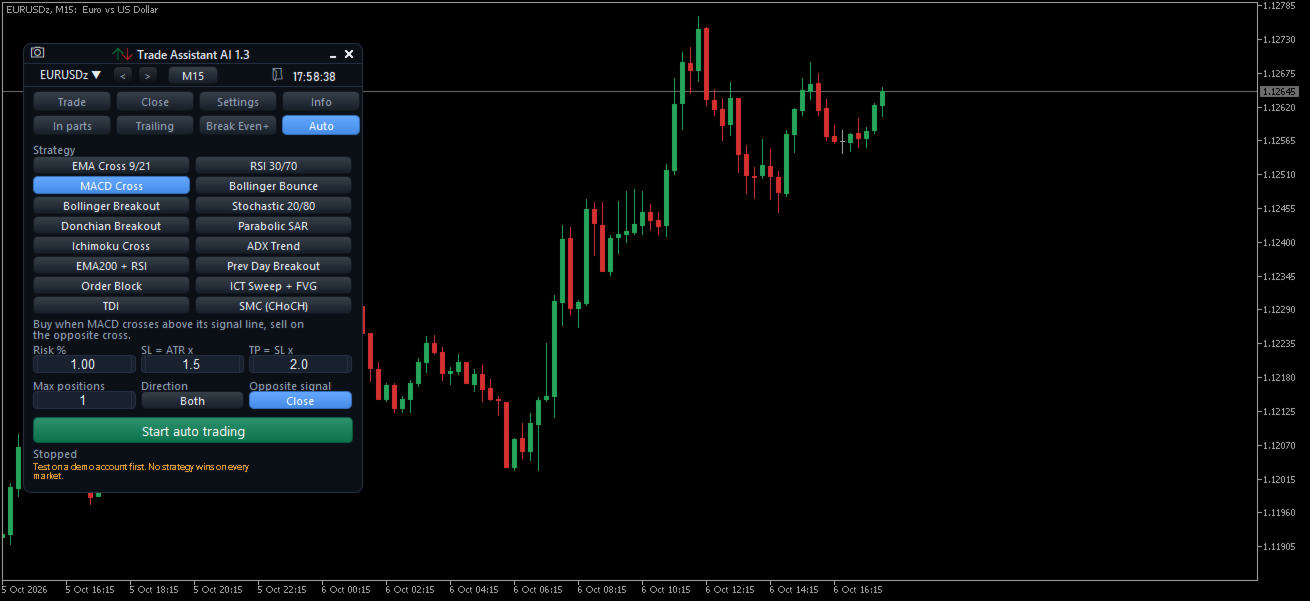
Trade Assistant AI is a trading panel for manual traders. Open, manage and close your trades in one click, with the lot calculated from your risk, SL/TP lines you can drag on the chart and automatic trade management: break even, trailing stop, partial close, hidden stops and special pending orders. An optional Auto tab can also trade 16 classic strategies for you.
Try the free demo in the Strategy Tester (visual mode) before buying.
ONE-CLICK EXECUTION
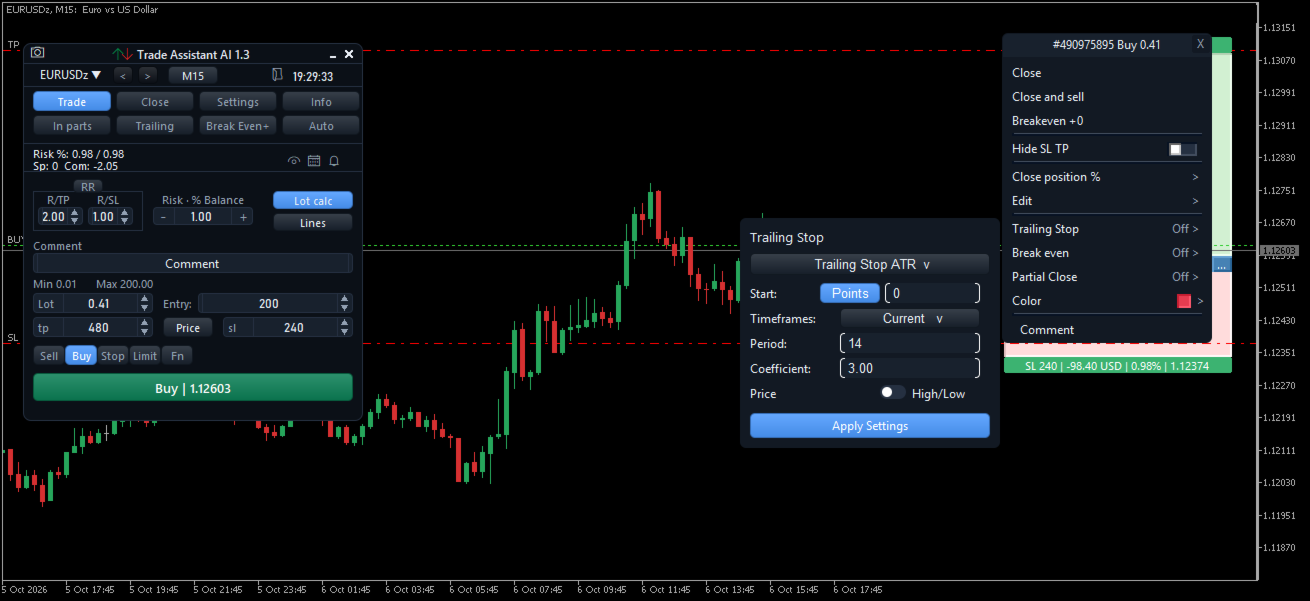
• Market Buy / Sell, Buy/Sell Stop, Buy/Sell Limit and Stop Limit orders from the panel
• Lot calculated from your risk: amount in account currency, % of balance, % of equity, % of free margin, % of a custom balance, or % of the balance at the end of the previous day, week or month
• SL and TP in points or as prices, with an optional risk/reward ratio
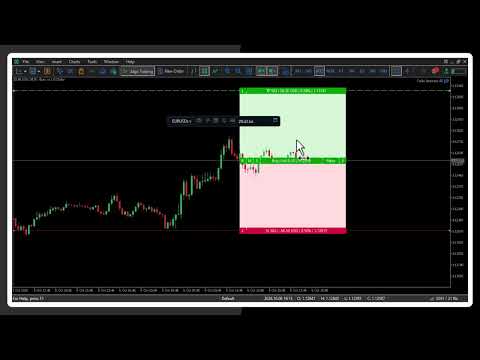
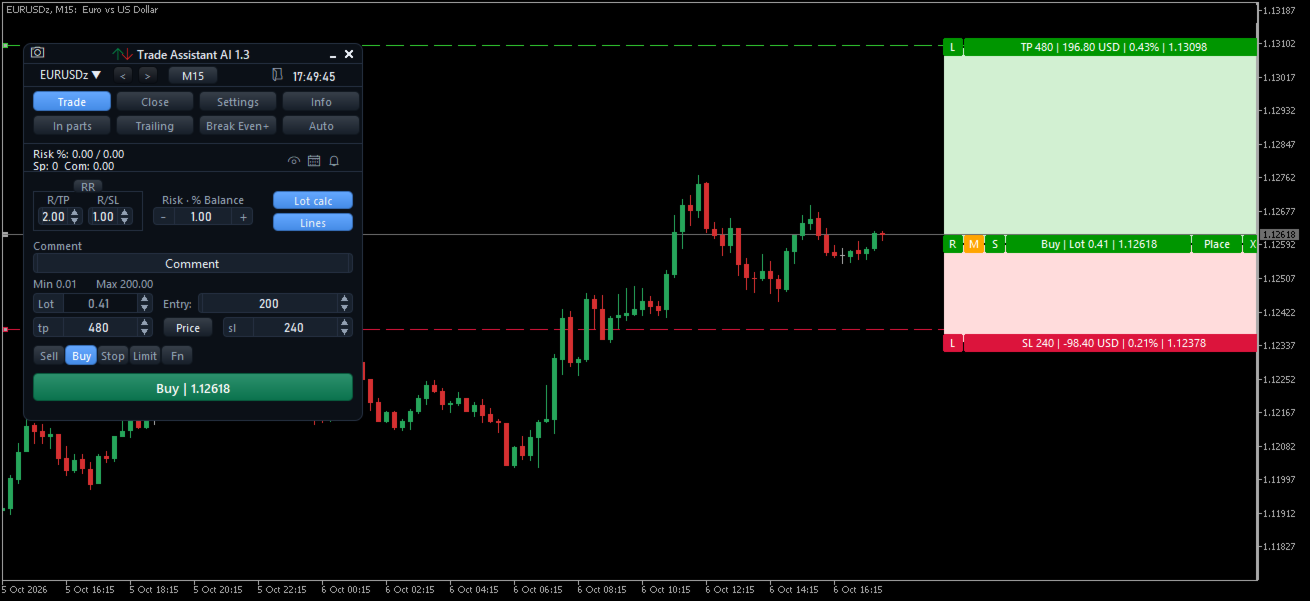
• Lines mode: drag the Entry, SL and TP lines on the chart; the panel shows the risk, the reward and the lot in real time; place the order with one click
• Split an order into several parts, optional confirmation window, maximum spread, free margin check, lot limits
• Hotkeys: Ctrl+B buy, Ctrl+S sell, Ctrl+Shift+C close all
TRADE MANAGEMENT
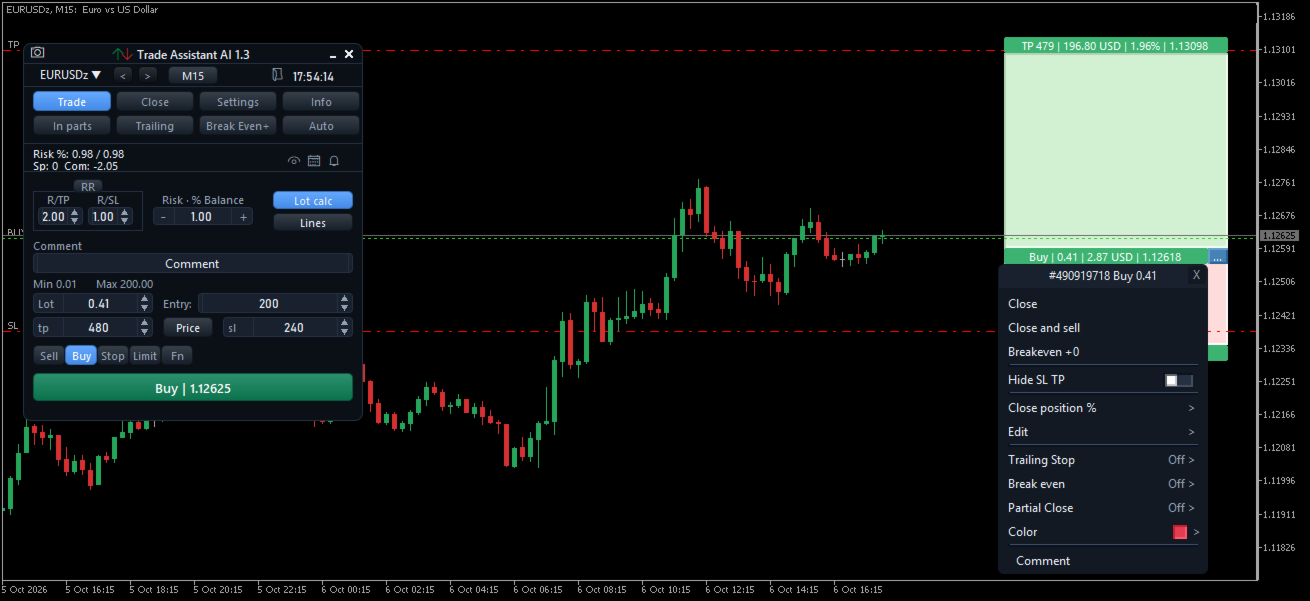
• Click a trade on the chart to open its menu: close, close and reverse, close a percentage, edit SL/TP, break even, trailing stop, partial close, colour, comment
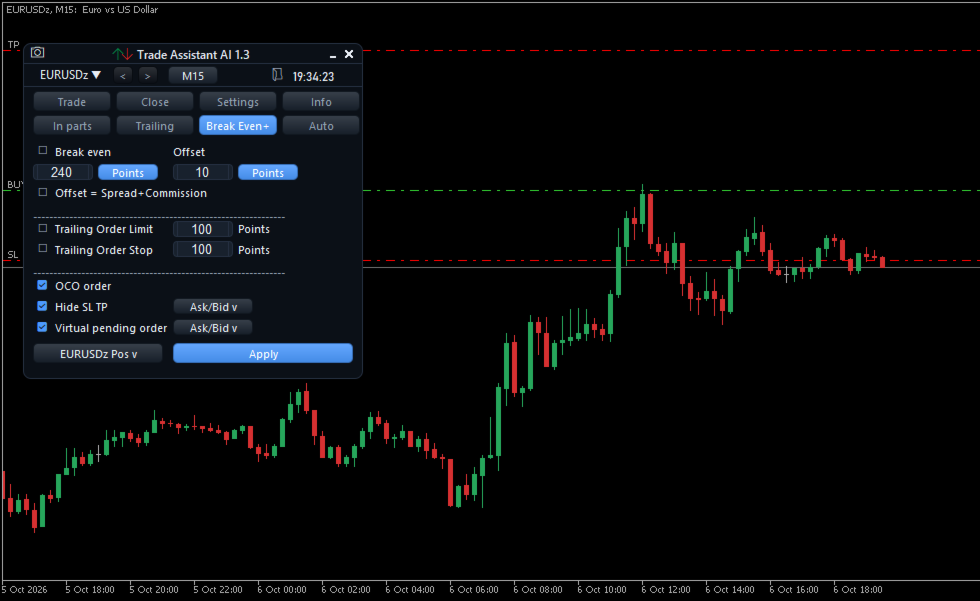
• Break even: trigger and offset in points or risk/reward, optional automatic offset (spread + commission)
• Trailing stop with 7 modes: points, fractals, moving average, Parabolic SAR, ATR, high/low of previous candles, and step by partial close
• Partial close in several levels on the TP and SL side, in lots or in % of the volume; levels can be dragged on the chart; optional dynamic levels
• Close tab: close all, buys, sells, profitable or losing positions, delete pending orders, close everything when a profit or loss amount is reached
• Pending orders: OCO, expiration, cancel level, trailing of pending orders, virtual pending orders hidden from the broker
• Hidden SL/TP: the stops are watched by the EA instead of being sent to the broker (they are put back on the server when you remove the EA)
AUTO TRADING (optional)
16 classic strategies, one at a time: EMA cross 9/21, RSI 30/70, MACD cross, Bollinger bounce, Bollinger breakout, Stochastic 20/80, Donchian breakout, Parabolic SAR, Ichimoku cross, ADX trend, EMA 200 + RSI pullback, previous day breakout, Order Block, ICT liquidity sweep + fair value gap, TDI, SMC change of character.
• Signals on closed candles only, one evaluation per candle
• Lot from a risk % of the balance, stop loss from the ATR, take profit = stop loss x your ratio
• Maximum number of positions, direction (buy, sell or both), close on opposite signal
• Own magic number: your manual trades are never touched
• Can be backtested in the Strategy Tester (inputs "Auto trading")
Important: these are well-known textbook strategies. No strategy is profitable on every market and every timeframe. Test them in the Strategy Tester and on a demo account before any use on a real account. Past results do not guarantee future results.
OTHER TOOLS
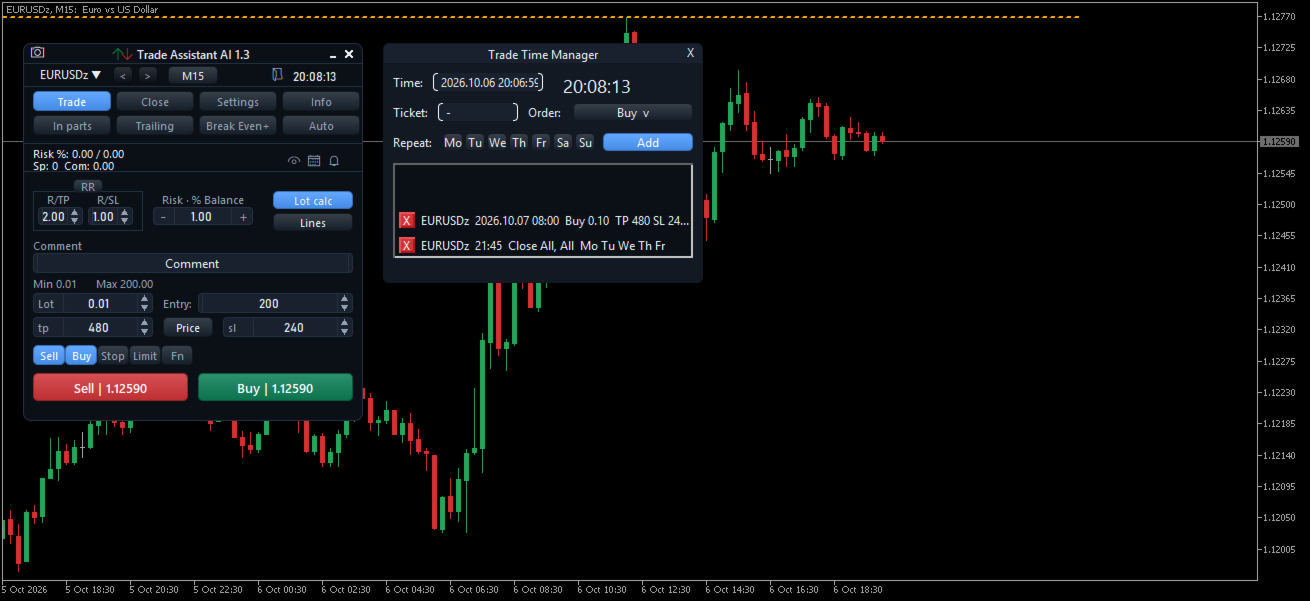
• Time Manager: schedule orders, closes and deletions at a given time, once or on selected weekdays
• Price alerts with horizontal or trend lines, triggered when the price crosses the line (sound and popup)
• Account, symbol and trading statistics
• Chart screenshot in one click, or automatically after each order
• Settings of your trades saved per chart: they survive a restart of MetaTrader
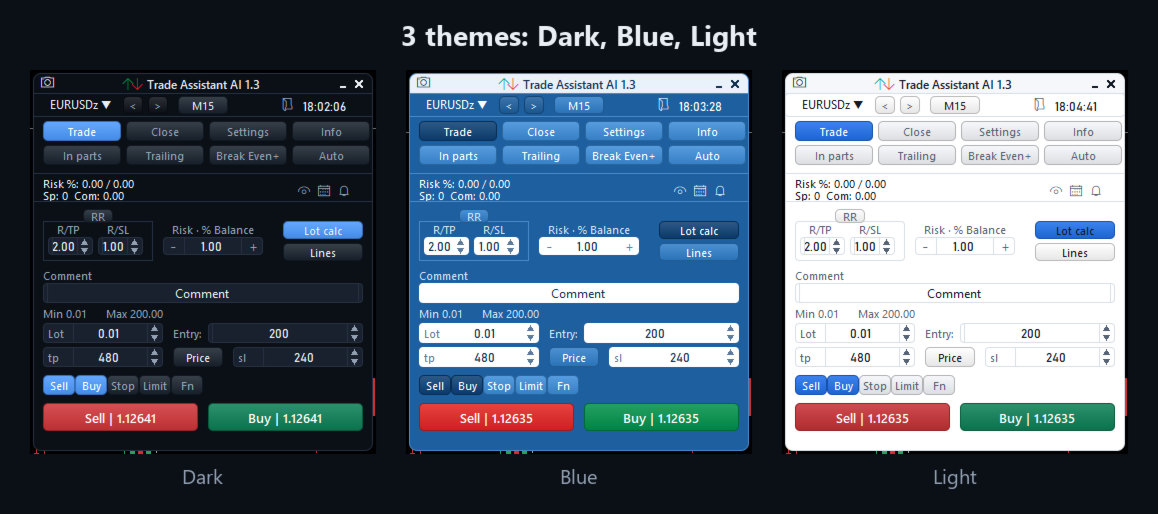
• 3 themes (Dark, Blue, Light), 5 panel languages (English, French, Spanish, German, Russian), movable and minimizable panel
HOW TO START
1. Attach the EA to a chart and enable Algo Trading.
2. In the Trade tab, enter your lot or your risk and the SL/TP, choose a market or pending order and click Buy or Sell.
3. Click a trade on the chart to manage it.
PARAMETERS
Panel
• Language — panel language (Auto Detect = language of the terminal)
• Theme — Dark, Blue or Light
• Panel position X / Y — position of the panel on the chart, in pixels
• Sounds — sounds on execution and alerts
Trade defaults
• Default lot size — lot used when the lot is not calculated from the risk
• Calculate the lot from the risk — turns on the risk-based lot at startup
• Default risk — risk value, in the unit of the risk calculation method
• Default take profit / Default stop loss (points) — starting TP and SL
• Pending order distance from price (points) — starting distance of pending orders
• Use the risk/reward ratio, Risk/reward: reward (R/TP), Risk/reward: risk (R/SL) — TP calculated from the SL
• Enter TP / SL / entry as prices — price mode instead of points
• Default partial close (%) — value of the Close % button
• Order comment, Magic number, Maximum slippage (points)
• Confirm orders before sending — shows the confirmation window
• Check free margin before trading
• Risk field step / TP / SL / entry field step (pips) — steps of the arrows of the fields
Lot limits
• Limit the lot size, Minimum lot, Maximum lot
Risk calculation
• Risk calculation method — $ Currency, % Balance, % Equity, % Free Margin, % Custom balance, % Balance of previous day / week / month
• Custom balance — balance used by "% Custom"
• Statistics: all symbols — statistics of all symbols instead of the current chart
Spread and commission
• Block trading when the spread is too high, Maximum spread (points)
• Use a custom commission, Commission per lot
Breakeven
• Breakeven offset (points) — offset of the Breakeven button
Screenshots
• Screenshot folder (in MQL5\Files), Screenshot after each executed order
Auto trading
• Start auto trading when the EA starts — off by default
• Strategy, Risk per trade (% of balance), Stop loss = ATR(14) x, Take profit = stop loss x
• Maximum open positions, Direction, Close positions on an opposite signal
• Magic number (auto trades)
Hotkeys
• Enable hotkeys, Hotkeys require Ctrl