Neural Trade Panel
- Experts
-
Miguel Angel Leon Yanez
 MQL5 Developer | Algorithmic Trading | Quantitative Systems & Risk Engineering
Independent developer focused on the engineering of trading software for MetaTrader 5, with an emphasis on systematic execution, risk management and robust market analysis. - Version: 1.0
- Activations: 5
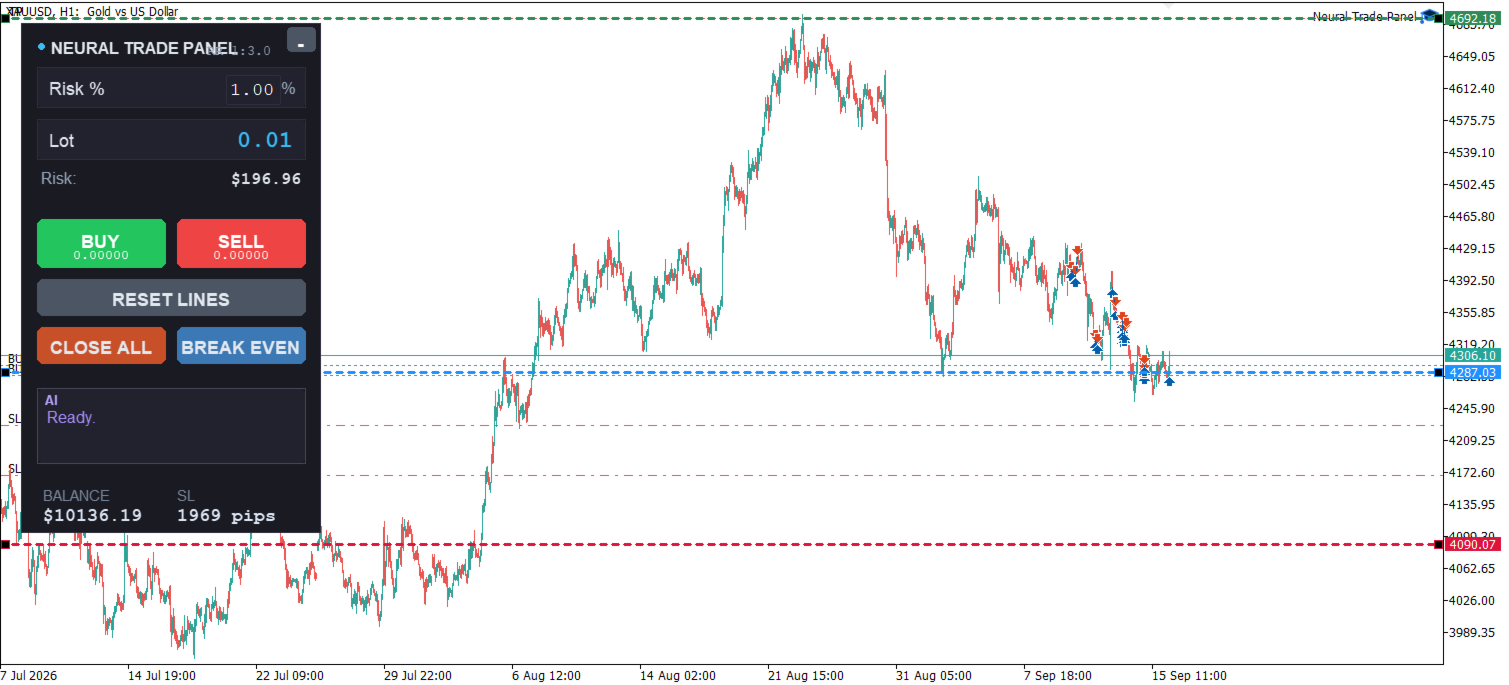
Neural Trade Panel is a manual trading panel for MetaTrader 5 that integrates AI-based Stop Loss / Take Profit analysis, automatic position sizing, and draggable trading lines. It is designed for traders who execute manual trades and want to evaluate their risk levels with AI assistance.
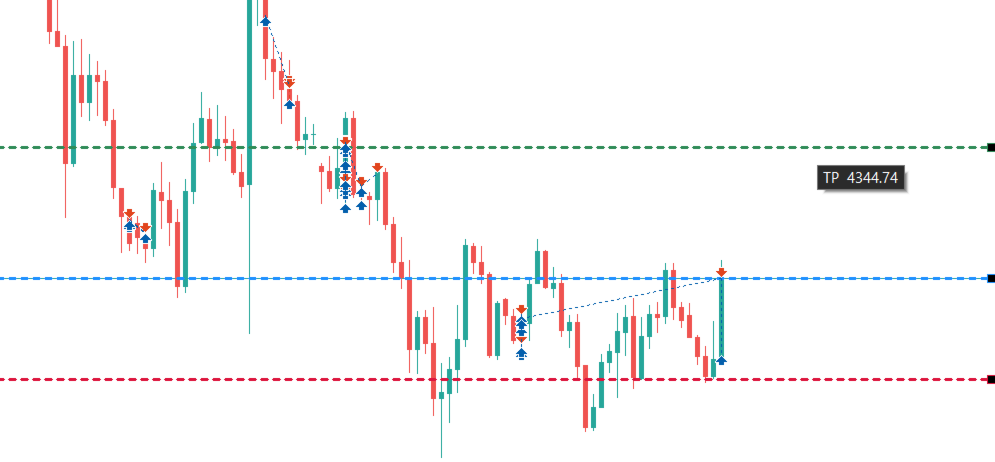
Key FeaturesManual trading panel. The chart shows a compact dark panel with three draggable horizontal lines: Entry, Stop Loss, and Take Profit. When you move the lines, the panel recalculates the recommended position size in real time based on account balance and risk percentage. Pressing BUY or SELL executes a market order using the line levels.
AI risk analysis. When you move the Stop Loss line, the panel sends a request to the Groq or OpenAI API, and using the current ATR, EMA200, and RSI, returns a short sentence evaluating whether the Stop Loss is reasonable. The AI response is displayed in the panel dialog box with a typewriter effect.
Risk management tools. The panel includes CLOSE ALL and BREAK EVEN buttons to close all positions managed by the EA with one click, or move their Stop Loss to the entry price. It also supports configurable automatic trailing stop and a daily maximum loss limit.
Lot calculation. Calculates the recommended lot using account balance, risk percentage, and Stop Loss distance, applying SYMBOL_TRADE_TICK_VALUE and SYMBOL_TRADE_TICK_SIZE, so it works on forex pairs as well as gold and indices.
Setup RequirementsAI analysis requires the user to provide their own API key. In MetaTrader 5, the user must add api.groq.com or api.openai.com to the allowed WebRequest URLs under Tools > Options > Expert Advisors. Without an API key, the rest of the panel features remain functional.
Recommended for XAUUSD H1, though the program works on any symbol and timeframe. A minimum balance of $500 and a low-spread broker are suggested.
Input ParametersAI Advisor group
-
InpEnableAI: enable or disable AI analysis
-
InpAIProvider: choose Groq, OpenAI, or custom endpoint
-
InpAIApiKey: your API key
-
InpAIModel: model name (e.g. openai/gpt-oss-120b)
Trading Filters group
-
InpMaxSpreadPoints: maximum allowed spread
-
InpMaxDailyLossPct: daily max loss percentage
-
InpUseAutoTrailing: enable automatic trailing stop
-
InpTrailingStartPts / InpTrailingStepPts: trailing activation and step
Behavior group
-
InpDryRun: signal-only mode, no real orders
-
InpEnableSounds: play sound on order success or failure
-
InpConfirmDestructive: ask for confirmation before closing or break even
Unlike most automatic trading robots on the market, Neural Trade Panel does not attempt to predict market direction. It is an execution tool that helps you place orders and manage risk faster and more consistently after a manual decision. The AI feature does not generate trading signals but evaluates whether the Stop Loss you have chosen is reasonable, which distinguishes it from existing products in the Market.
LimitationsAI analysis depends on an external service, requiring an internet connection and a valid API key. WebRequest does not work in the Strategy Tester, so the AI part cannot be evaluated there. The tool does not include any automatic trading strategy; all trading decisions remain the user's responsibility.