MediumTermScalper
- Experts
-
Igor Bulyshev
 Умный, красивый, в меру упитанный и талантливый трейдер-программист в полном расцвете сил!!))
 - Version: 2.7
- Activations: 5
Fully Automated Multi-Currency Trading System (Robot / Expert Advisor) for stable and confident trading, which trades using signals from its own built-in indicator.
The Expert Advisor does not require installing additional indicators – all logic is already embedded inside. It works on any timeframe and can simultaneously trade on all currency pairs displayed in the Market Watch window (or on just one pair – at your choice).
How It Works
Imagine you have an assistant that:
-
Looks at the chart and determines when the indicator gives a BUY or SELL signal.
-
Opens orders in the direction of the signal.
-
Averages (adds more orders in the same direction) if the price moves against you – but only if you enable averaging in the settings.
-
Takes profit on a whole series of orders (e.g., all BUY orders) when an opposite indicator signal appears – that is, it closes all orders of one direction at a profit and starts a new series.
-
Monitors old losing orders – if an order stays open too long (e.g., more than 60 hours) and is in loss, the robot tries to close it using profits from other orders (on any pairs) to reduce the overall drawdown.
Thus, the robot constantly averages losses, but takes profit on trend reversals, and also clears "stuck" losing positions using profits from other trades.
Core Trading Principles
-
Opening an order: based on the built‑in indicator signal.
-
Averaging: if a repeated signal of the same direction comes and the series is unprofitable – an additional order is added (if UseAveraging is enabled).
-
Closing a series for profit: if an opposite signal arrives (e.g., there was a BUY, now a SELL), and the BUY series is in profit – all BUY orders are closed with a profit. A losing series is not closed – it waits for a reversal.
-
Managing old orders: every 5 minutes, orders older than OldOrderHours (default 60 hours) are checked. The most loss‑making one is closed together with several profitable orders (from other pairs), so that the net result is positive.
Advantages of the Expert Advisor
-
Multi‑currency – you can trade on all pairs at once, diversifying risks.
-
Built‑in indicator – no need to download and install third‑party indicators.
-
Automatic averaging – allows you to exit losing positions on a reversal.
-
Series‑based profit taking – does not close single trades, but waits until the whole series becomes positive and takes the total profit.
-
Old order management – automatically "heals" drawdowns by closing aged losses using current profits.
-
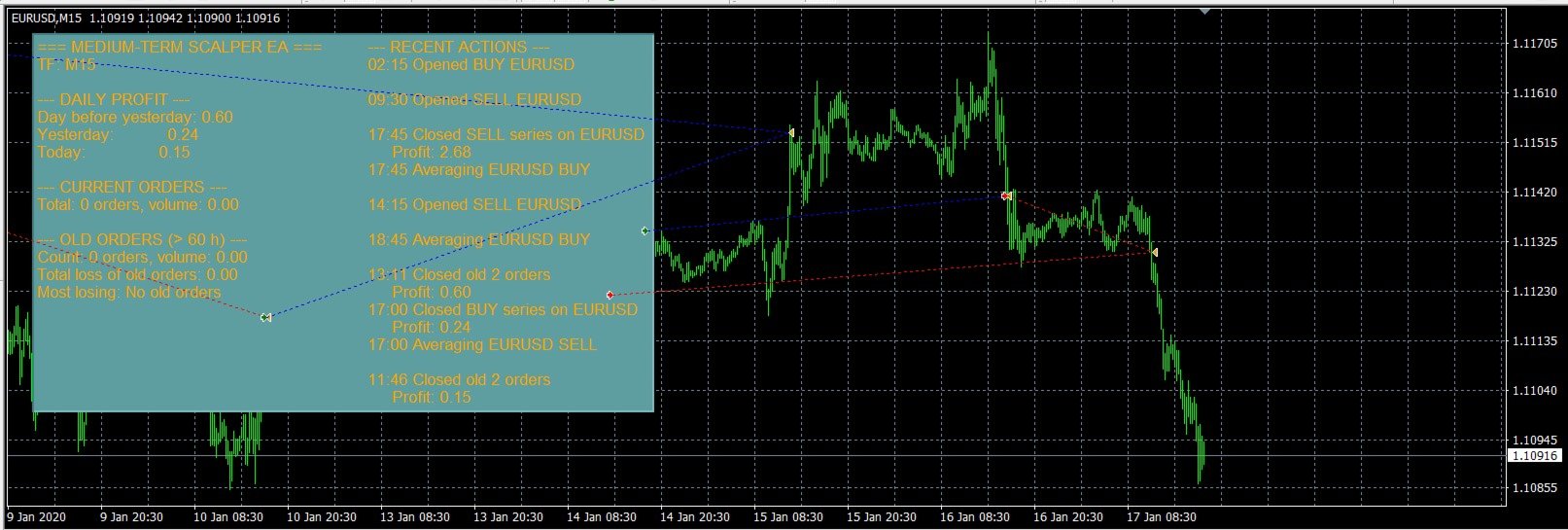
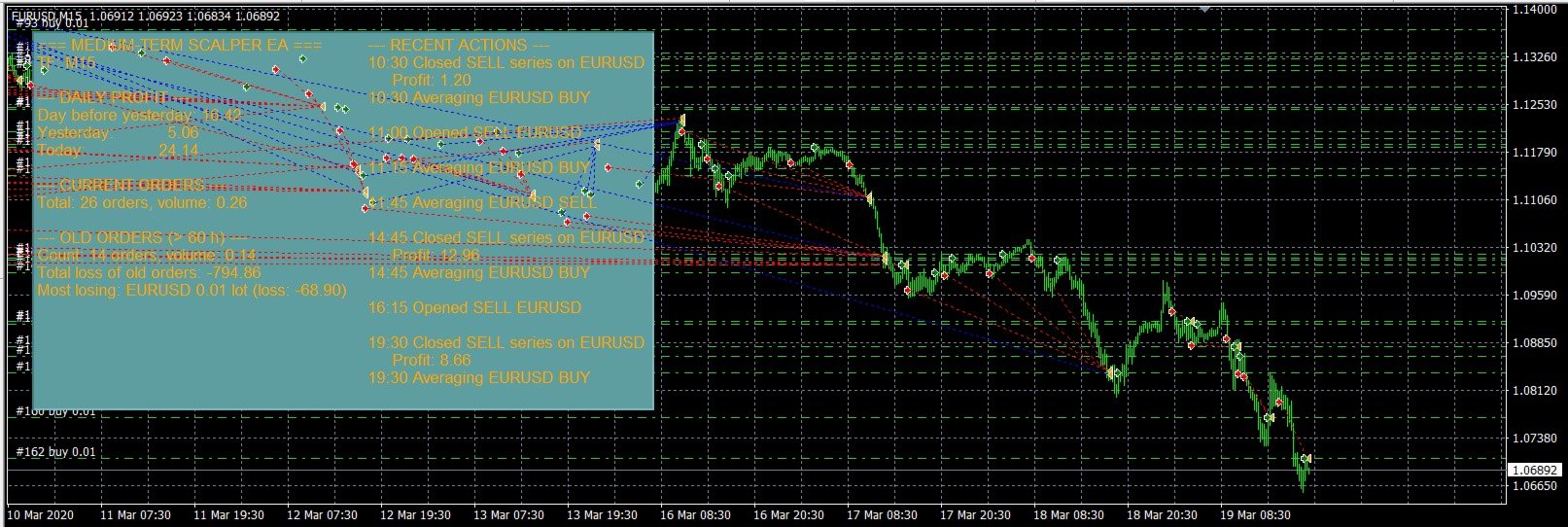
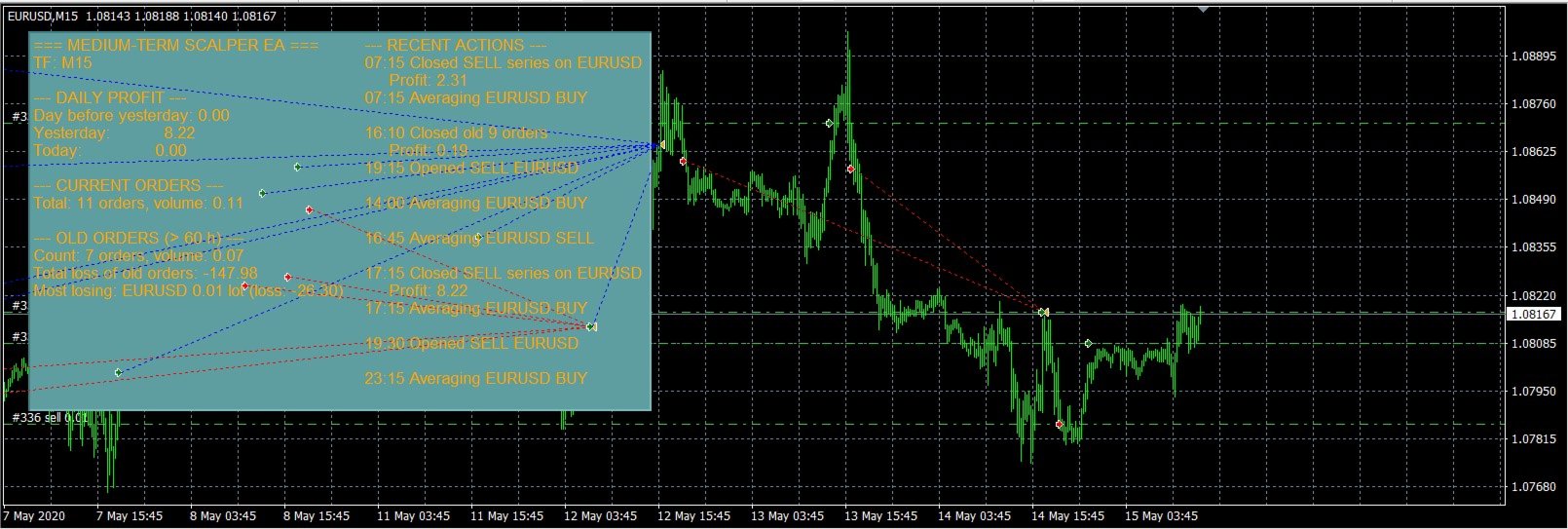
Information panel – shows trade statistics, old orders, and recent actions directly on the chart.
-
Flexible settings – you can disable averaging, limit the number of orders, choose the timeframe and the list of traded symbols.
-
Works in the Strategy Tester – fully optimised for fast backtesting.
Detailed Settings Description
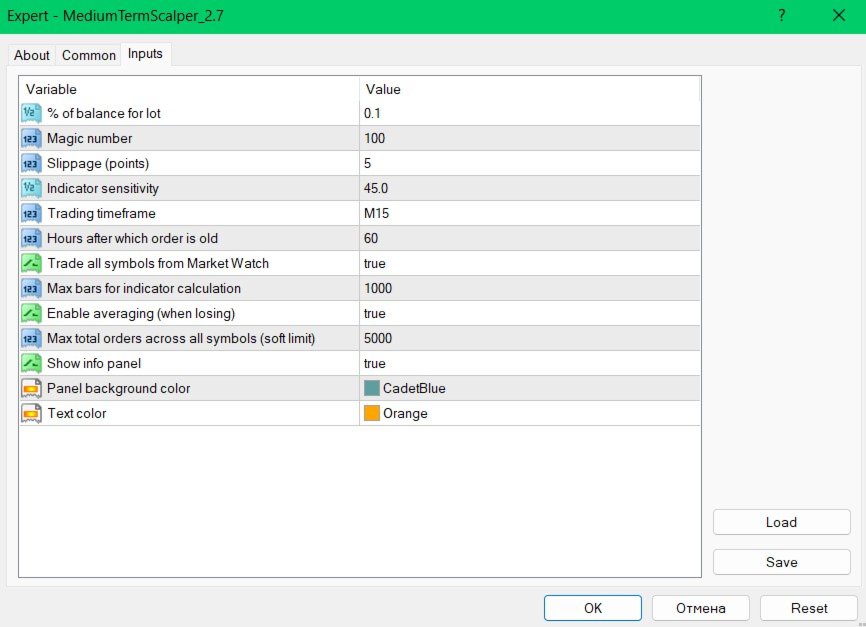
In the Expert Advisor settings window, you will see the following parameters (grouped by meaning):
Money Management
-
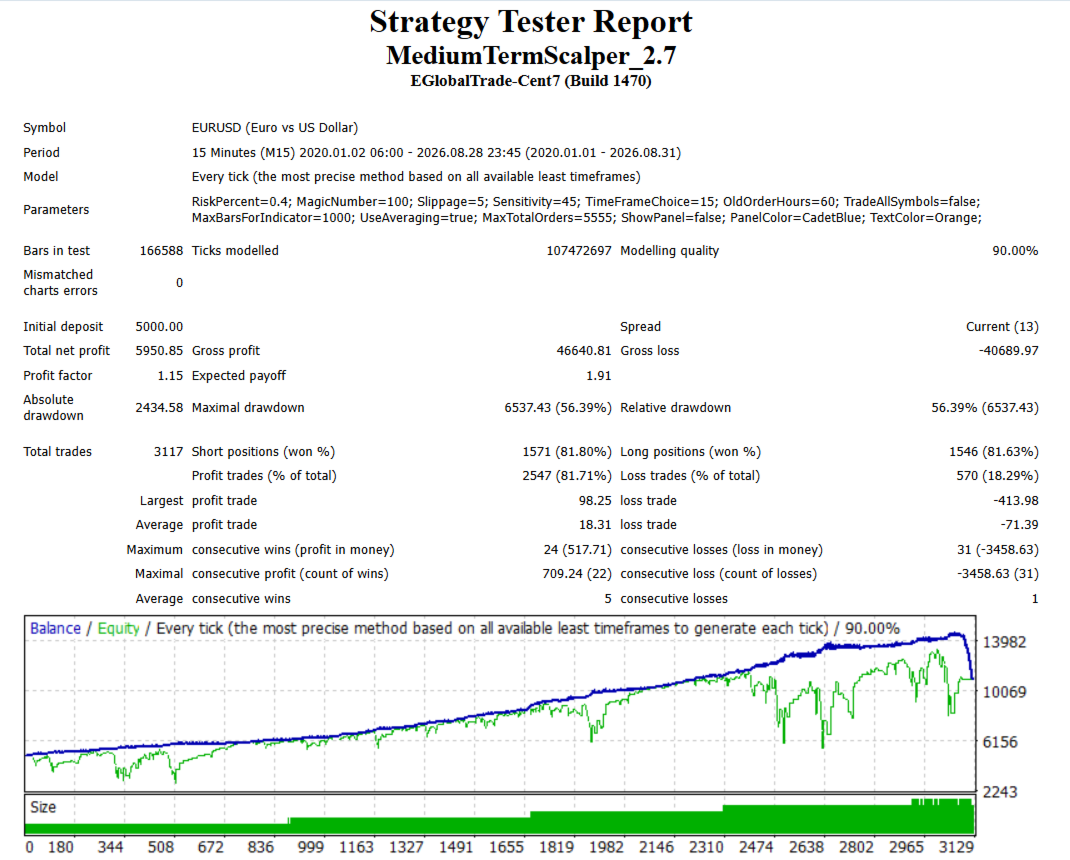
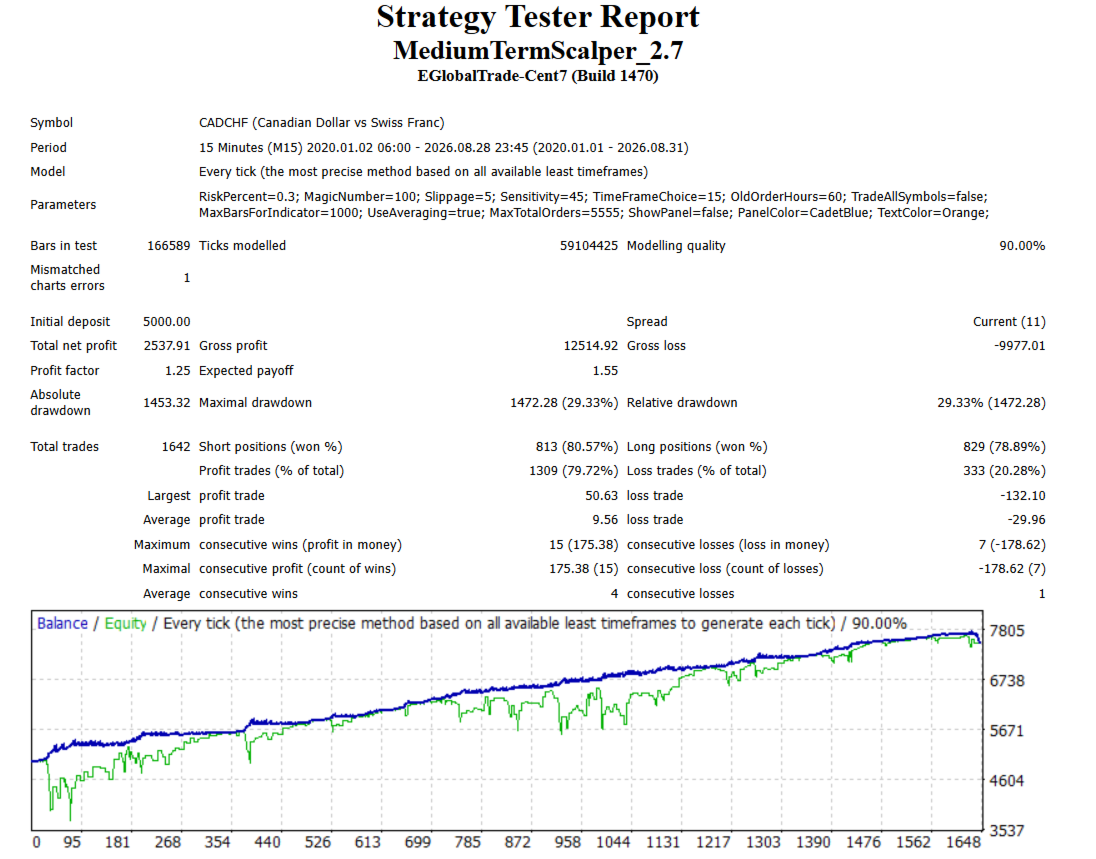
RiskPercent – % of the balance to calculate the base lot. Formula: lot = (balance * RiskPercent / 100) / 1000. Recommendation: 0.5 – 1.0 for conservative trading on one currency pair.
-
MaxTotalOrder – Limit on the total number of orders opened by the Expert Advisor (across all symbols). If reached, new orders are not opened.
Trading Parameters
-
MagicNumber – Unique numeric identifier for all orders of the Expert Advisor.
-
Slippage – Allowed slippage in points when opening/closing orders.
-
Sensitivity – Sensitivity of the built‑in indicator (analogous to a parameter from the original indicator). The smaller the value, the more trades. Optimal range: 25 to 50.
-
TimeFrameChoice – Timeframe on which the Expert Advisor looks for signals (drop‑down list). M15, M30, H1 are most popular.
-
OldOrderHours – Number of hours after which an order is considered "old" and subject to liquidation (closing using other profitable orders).
-
TradeAllSymbols – If true , the Expert Advisor trades on all symbols from the Market Watch. If false , it trades only on the current chart. false must be used in the Strategy Tester, while true is for a real account.
-
MaxBarsForIndicator – How many recent bars to use for indicator calculation (for speed). I recommend at least 500.
-
UseAveraging – Enable averaging. If false , no additional order is added on a repeated signal of the same direction. If true , the classic averaging strategy is used.
Information Panel
-
ShowPanel – Show the information panel on the chart.
-
PanelColor – Background colour of the panel.
-
TextColor – Text colour on the panel.
How to Start Using This Automated Trading System
-
Attach the Expert Advisor to a chart of any currency pair on any timeframe (e.g., EURUSD, M30).
-
Adjust the parameters according to your trading style and deposit.
-
Enable automated trading (the AutoTrading button in the terminal).
-
Watch the panel – it will show all actions and statistics.
Conclusion
MediumTermScalper is a powerful, flexible, and safe Expert Advisor for those who want to automate trading based on indicator signals, while controlling risks and not worrying about "stuck" losing positions. Thanks to its built‑in money management and old‑order handling mechanisms, it suits both beginners and experienced traders.
Good luck in your trading!