Strategy Drift Pro
- Utilities
-
Truong Nguyen
 I am an independent algorithmic/discretionary trader.
I am a certified Elliott Wave technician with a deep knowledge and understanding of market structure. - Version: 1.20
- Updated: 15 October 2026
- Activations: 10
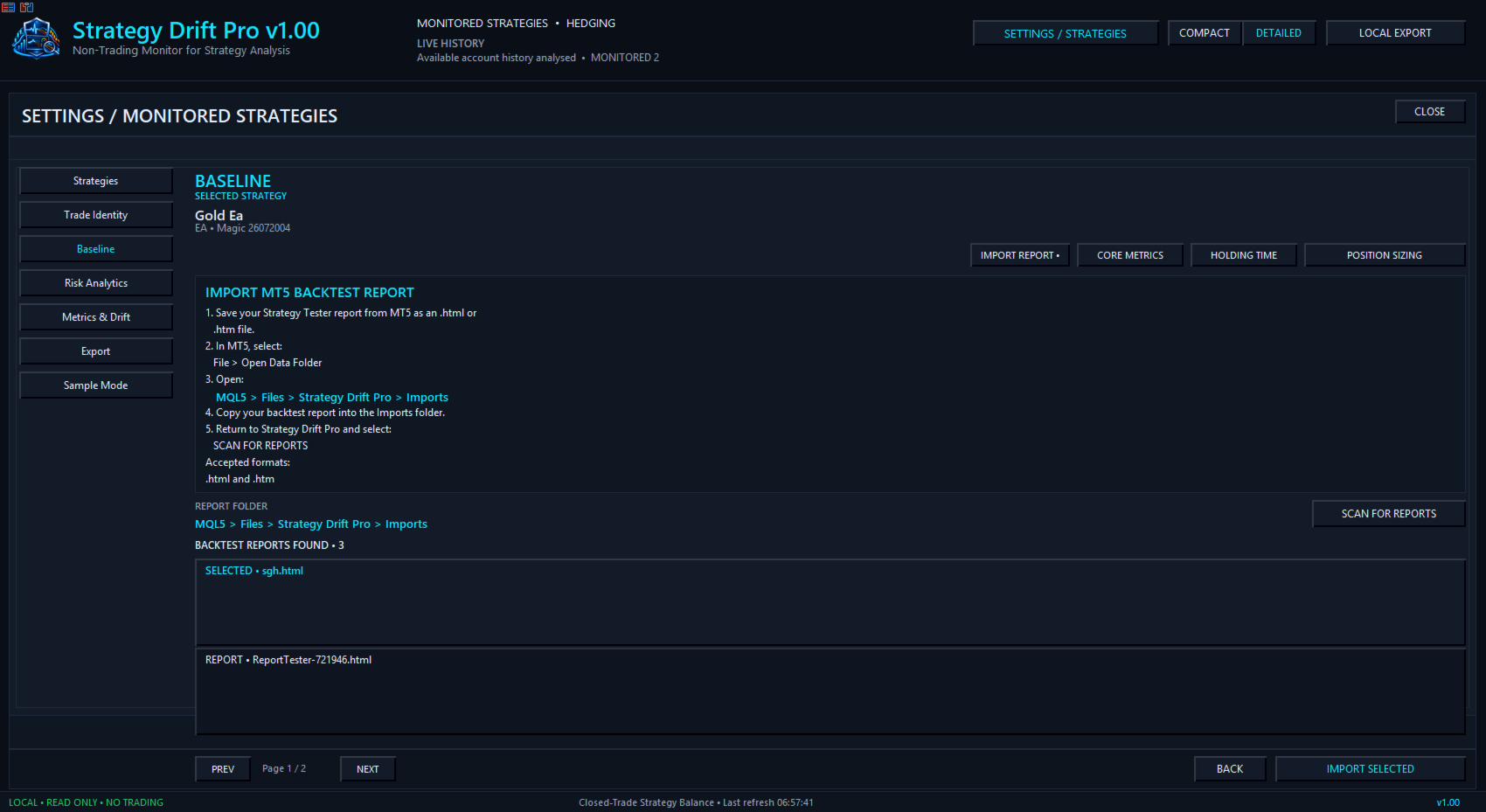
Strategy Drift Pro monitors whether live EA, copy-trading and signal behaviour still resembles its expected baseline. For EAs, the baseline is imported from an MT5 Strategy Tester report; for MQL5 Signals and copy-trading, the baseline is derived from the strategy’s published Signal statistics.
How do you know whether your EA is really performing like the backtest you trusted?
A backtest shows how a strategy behaved under historical conditions, but it cannot confirm that the same performance profile is continuing today.
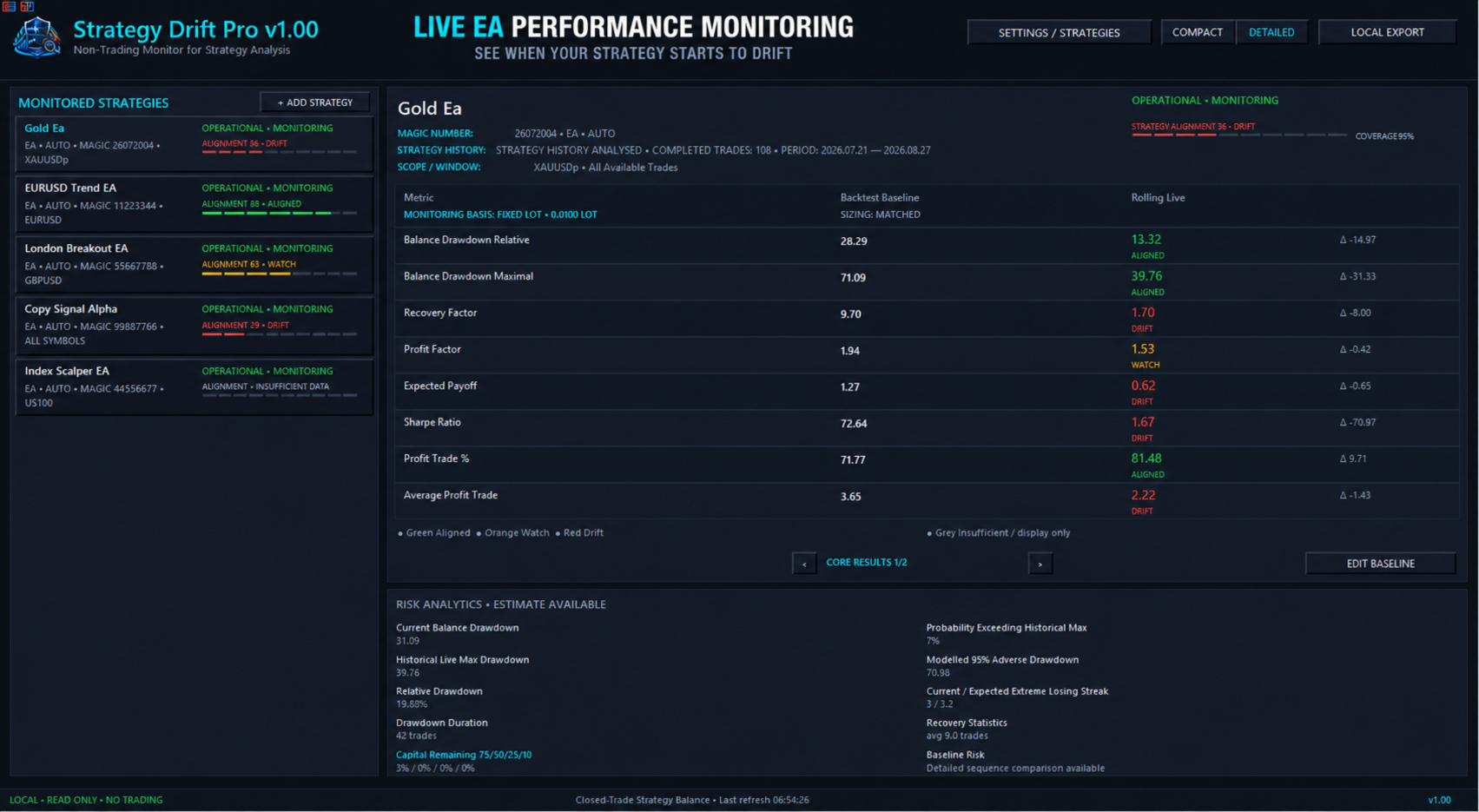
Strategy Drift Pro bridges this gap with a local, read-only MT5 performance monitor for Expert Advisors, copied trades and MQL5 Signals. Import an MT5 Strategy Tester HTML/HTM report as the expected baseline, and SDP can scan the terminal’s existing trade history to analyse eligible trades completed before the monitor was attached, as well as new trades going forward. Its multi-metric weighting system then compares the strategy’s rolling closed-trade performance against its tested profile, helping reveal when its behaviour begins to change so you can investigate and reassess risk before allocating more capital.
Is this strategy still behaving like the system I tested?
Test before you allocate
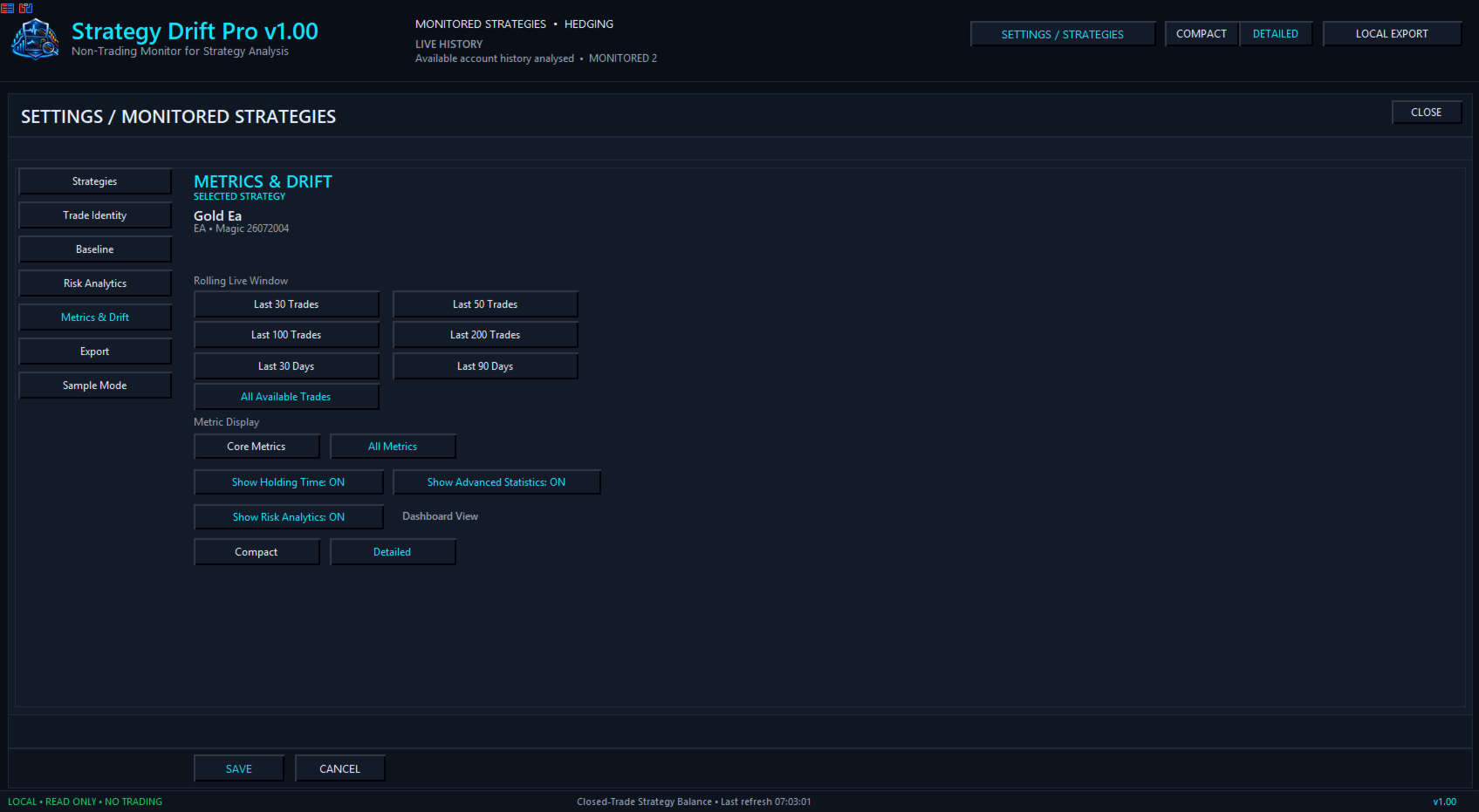
Run the EA on demo or at reduced risk while Strategy Drift Pro builds its live sample. Formal assessment starts after 30 eligible completed trades. Results from 30–49 trades are preliminary; 50 or more provide a more usable comparison, while larger samples generally provide stronger confidence. Until the minimum is reached, the dashboard shows INSUFFICIENT DATA rather than a premature conclusion.
Depending on the imported baseline, supported measures can include profit factor, expected payoff, win rate, maximal and relative drawdown, Sharpe ratio, Z-score, holding time, trade frequency and consecutive results.
Monitor your EA portfolio
Run multiple EAs continuously and review them from one dashboard. Separate strategies using Magic Number, symbol, trade comment or a manually assigned Trade ID. You can also monitor copied strategies and signals.
-
Compare each strategy with its tested baseline
-
Identify developing WATCH or DRIFT conditions
-
Reduce or pause risk while investigating
-
See when later results move back toward ALIGNED
-
Maintain or cautiously increase allocation only when supported by sufficient evidence
Strategy Drift Pro does not change trades or allocate risk automatically. It provides monitoring evidence for the trader’s own decisions.
Clear monitoring states
ALIGNED — Supported rolling metrics remain reasonably consistent with the expected profile.
WATCH — Meaningful differences are developing and should be reviewed.
DRIFT — Multiple supported measures have moved outside the expected profile.
INSUFFICIENT DATA — More eligible completed trades are required.
BASELINE REQUIRED — No suitable comparison profile has been loaded.
A WATCH or DRIFT state does not prove that a strategy has failed or identify market conditions as the cause. ALIGNED does not guarantee future profit. These states indicate how closely current supported metrics resemble the tested baseline.
Fair comparisons
Strategy Drift Pro separates strategy behaviour from sizing and exposure where the available data supports a defensible comparison. Fixed lots, percentage or dynamic risk, account balance, compounding and copy multipliers can affect monetary results. Incompatible or unavailable metrics are omitted or treated as display-only rather than counted as drift evidence.
Strategy Drift Pro User Manual
Private, local and read-only
Strategy Drift Pro operates locally inside MetaTrader 5. It does not open, modify or close trades, requires no EA source code and does not reveal proprietary strategy logic. Imports, profiles and exports remain within the MT5 file sandbox.
Backtests and historical performance do not guarantee future results. Strategy Drift Pro is a monitoring tool, not financial advice or a prediction of future performance.