Daily Risk Protector MT5

DAILY RISK PROTECTOR MT5

Daily Risk Protector MT5 is a risk-control utility for MetaTrader 5. It monitors daily performance, account drawdown and user-defined limits. When a configured condition is reached, it can issue an alert or close the matching exposure and keep the selected scope locked until the next daily reset.

This utility does not open trades, generate signals or use an entry strategy. It is designed to work alongside manual trading, trading panels and other Expert Advisors.

MAIN FEATURES

  • Daily loss limit in account currency or percentage.

  • Daily profit target in account currency or percentage.

  • Maximum drawdown control based on balance, starting equity, highest equity or a custom reference.

  • Daily profit trailing with configurable activation and giveback.

  • Optional inclusion of floating profit and loss.

  • Optional inclusion of swaps and commissions.

  • Configurable daily reset based on server time.

  • Position closing and pending-order deletion.

  • Closing of matching new trades after a limit has been reached.

  • Alert-only mode without closing or locking.

  • Protection for the entire account, one Magic Number or one symbol.

  • Persistent protection state after terminal restart or utility reload.

  • Optional daily CSV history.

  • Optional popup alerts and push notifications.

  • Compact and advanced graphical panel.

HOW THE LOCK WORKS

When a configured rule reaches its limit, Daily Risk Protector MT5 can perform one of the following actions:

  • Alert Only: displays an alert without closing positions or enabling the lock.

  • Close and Lock: closes matching positions, deletes matching pending orders and locks the selected protection scope.

While the lock is active, any new trade matching the protected scope is detected and closed. The lock is automatically cleared at the next daily reset.

The Manual Unlock option can temporarily suspend the lock until the next reset. This action requires confirmation.

PROTECTION SCOPES

Entire Account

Monitors all account trades regardless of symbol or Magic Number. This is the recommended mode for general account-level protection.

Magic Number

Monitors only trades with the selected Magic Number. This can protect one Expert Advisor without affecting other strategies.

Symbol

Monitors only the configured symbol. The name must exactly match the broker symbol, including any prefix or suffix.

GRAPHICAL PANEL

The panel displays:

  • Current protection status.

  • Balance and equity.

  • Total daily profit and loss.

  • Closed and floating results in advanced mode.

  • Daily loss progress.

  • Daily profit progress.

  • Current drawdown.

  • Profit-trailing status.

  • Daily low and peak values.

  • Number of matching positions and orders.

  • Selected protection scope.

  • Time remaining until the next reset.

  • Lock reason.

  • CSV history location.

The Compact View and Advanced View buttons change the amount of information displayed.

INSTALLATION

  1. Install the product from MQL5 Market.

  2. Attach it to one MetaTrader 5 chart.

  3. Enable Algo Trading to allow position closing and pending-order deletion.

  4. Select the protection scope.

  5. Configure the limits and daily reset time.

  6. Confirm that the panel displays Protection Active.

  7. Continue using your manual trades or other Expert Advisors normally.

For entire-account protection, one instance on one chart is normally sufficient. The chart symbol and timeframe do not change the protected scope when Entire Account is selected.

INPUT PARAMETERS

PROTECTION SCOPE

ProtectionScope: selects Entire Account, Magic Number or Symbol.

ProtectedMagicNumber: Magic Number monitored when the Magic Number scope is selected.

ProtectedSymbol: exact symbol monitored when the Symbol scope is selected.

DAILY LOSS LIMIT

EnableDailyLoss: enables or disables the daily loss limit.

DailyLossUnit: expresses the limit in account currency or percentage.

DailyLossValue: maximum daily loss amount or percentage.

LossPercentReference: percentage reference based on start-of-day balance, start-of-day equity, current balance or custom balance.

LossSafetyBufferMoney: reduces the effective loss limit by a monetary amount so protection can act earlier.

LossAction: selects Alert Only or Close and Lock.

DAILY PROFIT TARGET

EnableDailyProfit: enables or disables the daily profit target.

DailyProfitUnit: expresses the target in account currency or percentage.

DailyProfitValue: daily target amount or percentage.

ProfitPercentReference: reference used for percentage calculation.

ProfitSafetyBufferMoney: reduces the effective profit target so the selected action can be triggered earlier.

ProfitAction: selects Alert Only or Close and Lock.

MAXIMUM DRAWDOWN

EnableMaximumDrawdown: enables or disables maximum drawdown protection.

MaximumDrawdownUnit: expresses drawdown in account currency or percentage.

MaximumDrawdownValue: maximum permitted drawdown.

DrawdownAnchor: selects start-of-day balance, start-of-day equity, highest observed equity or custom balance.

CustomReferenceBalance: balance used by custom reference options.

DrawdownSafetyBufferMoney: reduces the effective drawdown limit so the action can be triggered earlier.

DrawdownAction: selects Alert Only or Close and Lock.

DAILY PROFIT TRAILING

EnableProfitTrailing: enables or disables daily profit trailing.

ProfitTrailUnit: expresses activation and giveback in money or percentage.

ProfitTrailActivation: daily profit required to arm the trailing function.

ProfitTrailGiveback: permitted reduction from the daily peak after activation.

TrailPercentReference: reference used when trailing values are expressed as percentages.

ProfitTrailAction: action applied when daily profit reaches the calculated trailing floor.

P/L CALCULATION AND DAILY RESET

IncludeFloatingPL: includes open-position profit and loss in the daily result.

IncludeSwapCommissionFees: includes available swaps and commissions in calculations.

DailyResetHour: daily reset hour based on server time.

DailyResetMinute: daily reset minute.

LOCK EXECUTION

CloseMatchingPositions: closes matching positions when the lock is triggered.

DeleteMatchingPendingOrders: deletes matching pending orders.

MaxDeviationPoints: maximum permitted deviation during position closing.

CloseRetryCount: number of closing attempts.

RetryDelayMilliseconds: delay between attempts.

LockCheckMilliseconds: monitoring interval while locked.

PLCheckMilliseconds: profit and loss calculation interval.

AllowManualUnlock: displays the manual unlock button.

HISTORY AND NOTIFICATIONS

SaveDailyCSVHistory: saves the daily summary to a CSV file.

HistoryFileName: file name created in the Common Files folder.

PopupAlert: enables terminal popup alerts.

PushNotification: enables push notifications configured in MetaTrader 5.

PANEL

ShowGraphicalPanel: shows or hides the panel.

StartPanelInAdvancedMode: starts the panel in advanced mode.

PanelX and PanelY: panel position.

PanelWidth: panel width.

PanelBackground and PanelTextColor: panel colors.

IMPORTANT INFORMATION

Daily Risk Protector MT5 requires the terminal to remain open and connected, with Algo Trading enabled, to close positions or delete pending orders. It cannot act when the platform is disconnected, the market is closed, trading is unavailable for a symbol or the broker rejects a request.

Closing operations can be affected by latency, slippage, price gaps, liquidity and broker conditions. The utility helps enforce user-defined limits, but it cannot guarantee an exact exit price or prevent every loss.

Test the configuration in the Strategy Tester or on a demo account before using it on a live account.


Recommended products
Trade Copilot - Semi-Automatic Risk Management Panel for Gold (XAUUSD) and any instrument Trade Copilot is a semi-automatic trading panel built for manual traders who want an EA's discipline without giving up control of their own entries. You decide the direction and the level - the panel handles risk sizing, stop-loss placement, take-profit management, and trade protection automatically. KEY FEATURES - Risk-based lot sizing - choose Risk %, Risk $, or Fixed Lot; the panel calculates positio
Recovery Manager Panel MT5 is a manual order management panel for traders who want to manage open positions directly from the chart in a clearer and more organized way. This tool is not a signal robot. It does not predict market direction, generate entry signals, or trade automatically based on market forecasts. Instead, it helps traders work with positions that are already open. You can calculate possible recovery lot sizes, view estimated target levels on the chart, and use available floating
Nostromo Navigator
Juan Miguel Alzugaray Galarregui
NOSTROMO NAVIGATOR: The Ultimate Multi-Asset EA Factory LAUNCH OFFER: $ 99 ONLY ! (Save $ 150- Regular Price: $ 249) Price increases permanently to $ 249 in less than 48 hours. Get your lifetime license now ! STOP BUYING HUNDREDS OF EA´S. START BUILDING THEM INSTANTLY. Nostromo Navigator   is not just another trade manager. It is a   Universal Multi-Asset Trading Engine   that transforms ANY of your favourite custom indicators into a fully automated,institutional-grade Expert Advisor. Why b
HedgeSafe Trade Assistant A risk-first manual trading panel for MetaTrader 5. HedgeSafe helps you prepare, validate and manage a trade directly on the chart before you press BUY or SELL. HedgeSafe is not a signal service, market predictor, AI bot or automatic strategy. It does not choose trade direction and does not promise profit. You remain in control of every trading decision. Main capabilities Lot calculation from a percentage of account balance or a fixed amount in account currency. Stop Lo
DDKiller Pro
Njaratahiry Michael Randrianiaina
Stop Blowing Your Account. Once and For All. DDKiller Pro is the MT5 risk guardian that runs silently on your chart and shuts down trading the moment you hit a limit — whether you're grinding a prop firm challenge or managing your own CFD account. The problem every trader knows: You set your rules. You break them anyway. One revenge trade. One overleveraged position. One session that erases a month of gains. DDKiller Pro removes that decision from your hands entirely. What it does: The second yo

Forget about enabling templates when you launch the window. Auto Template Master Service  is a professional utility tool that runs as a system service in MetaTrader 5, and it will do it for you. Unlike traditional indicators or expert advisors (EAs), the program runs in the background of the entire terminal and doesn't require you to add it to each window individually. As soon as you open a new chart of any instrument (Forex, Stocks, Crypto), the service immediately detects the new window and a
R.E.A. Automatic Risk Monetary (MT5) – Per-symbol manager for manual entries & pending orders Summary (hero) Automate risk management for manual trades (magic 0) and pending orders on the chart’s symbol : SL/TP by % of balance or fixed amount , BreakEven and Trailing (for positions), with instant reaction on order placement/execution. What it does Locked to the symbol where you attach it, this EA manages only: Your manual positions on that symbol. Your pending orders on that symbol (limit/stop/s
FREE
One EA instead of a dozen tools: trade assistant, risk manager and 17 indicators in a single panel. Drop it on the chart — everything you need is at your fingertips.   Launch price: first 20 copies at $49, then $99. 50% off — right now only.   TRADE IN ONE CLICK Lot size is calculated automatically from your risk % — no more calculators. Fractal stop on any timeframe or manual, take profit by R:R, partial closes TP1/TP2/TP3, one-click breakeven, swing trailing. Pending order? Click the chart — E
Price Action Builder Premium
Florea E. Sorin-Mihai Persoana Fizica Autorizata
The Price Action Builder Premium expert advisor is an extension of the freely available Price Action Builder Basic :     it provides 2 new candlestick patterns besides the pinbar (already available in the basic edition);     in most configurations, backtesting usually shows an average yearly return rate increased by approximately 50%;     the account growth curve is also smoother, due to larger number of trades, almost double (2x) compared to the free version. While aimed primarily at obtaining
AlphaBotPro Strike V2 Advanced Trade Management for MT5 AlphaBotPro Strike V2 is designed for traders seeking a structured and disciplined approach to market participation. The system focuses on controlled risk exposure, trade management efficiency, and consistent execution principles across changing market conditions. Built for MetaTrader 5, the tool combines market analysis logic with risk management features to help traders maintain a systematic trading process while reducing emotional decisi
DR Trade and Risk Manager: The Foundational Algorithmic Risk Console for MT5 For the discretionary trader, the greatest adversary is not the market; it is the undisciplined self. You have a solid strategy, but in moments of high pressure, do you follow your rules with perfect consistency? Do you cut losses without hesitation? Do you let winners run without cutting them short out of fear? For most, the answer is no. This gap between strategy and execution is where profits are lost. DR Trade and R
RRtoolBox
David Ruiz Moreno
RRtoolbox - Professional Tools: Risk:Reward Trading Tool (SL/TP Horizontals + Pending orders + Diagonals), Alerts set on trend lines (for alerts on diagonal levels), SelfManagement (BE, partials...), close/cancelling by time, Statistics, Info and trading on chart. One-Click Trading with Visual Risk:Reward Management RRtoolbox is a comprehensive trading panel that combines one-click order execution,  statistics and  powerful visual Risk:Reward tools, alerts set with trendlines, on chart butt
Prop Rule Guard – The Ultimate Risk Management Suite for MT5 Pass any prop firm challenge. Keep your funded account alive. Prop Rule guard is an institutional‑grade, “indestructible” risk infrastructure that sits above all your trading activity. It prevents emotional mistakes, EA errors, or volatility spikes from ever causing a hard breach. Key Features Three Drawdown Engines   – Daily Loss (balance or equity‑based), Static Max Drawdown (hard floor), Trailing Drawdown (high‑water mark). Inde
Guardian Magic GT
Carlos Eduardo Rivas Istacuy
Guardian Magic GT - Risk Management Expert Advisor for MetaTrader 5 PROTECT YOUR TRADING CAPITAL WITH INTELLIGENT RISK MANAGEMENT Guardian Magic GT is a professional-grade Expert Advisor designed to safeguard your trading operations by implementing sophisticated risk control mechanisms. Whether you run a single bot or manage multiple automated trading systems simultaneously, Guardian Magic GT provides real-time monitoring and automatic position management to ensure your account stays within your
Pattern Recognition EA
Claudiu-georgian Zavera
Pattern Recognition EA - From Learn to Earn. The market repeats itself. This EA finds every past repeat of the current candle sequence - and lets history vote the direction. ONE SHAPE. EVERY REPEAT IN HISTORY VOTES. The last N candles on your signal timeframe form a shape. The EA scans the history you choose - a fixed number of bars or everything your broker provides - for the SAME shape, and checks what happened next, every single time. Only when enough repeats exist AND a clear majority of t
Virgilio is a multifunction control panel consisting of several panels, each of which performs one of the most useful functions used by traders. Its aesthetic is unique, designed to blend into any working environment and offer a user experience that makes work even more enjoyable. Its operativity is simple and intuitive, developed with attention to details to be as userfriendly as possible. Its main panel displays all the basic account and chart data. The first panel offers the user the possib
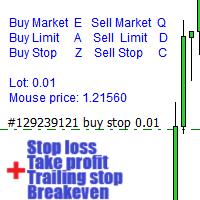
Warning, this EA won't work on Tester, only on demo or real accounts, contact me if you want try demo https://www.mql5.com/en/users/abudabi MT4 version Send(place) orders in MetaTrader 5 from keyboard and mouse: Move cursor over desired price, press key: Buy market: E Buy Limit: A Buy Stop: Z Sell Market: Q Sell Limit: D Sell Stop: C (Keys customizable) When order is sent(placed) Fast Keyboard Orders MT5 can manage order by: Stop Loss Take Profit Trailing Stop Loss Breakeven If you want to
Protect your funded accounts and personal capital with military-grade precision. This utility continuously monitors your floating equity against your daily starting balance. The moment your custom drawdown threshold is breached, it instantly liquidates all open positions, deletes pending orders, and completely unloads from the chart. Stop revenge trading and never fail a prop firm evaluation due to a margin breach again.
FREE
Size Calculator allow you to calculate the size you need for your position giving two parametres: the number of pips risked and the money risked, for example if you want to risk 20 USD on 200 pips, then you will need to input 200 in the case reserved for pips and 20 in the case reserved for risk, the size will appear in left top carner of the chart in your metatrader 4 platform,    Size Calculator  support the following symbols : EURUSD GBPUSD AUDUSD NZDUSD  GOLD WTI  EURJPY GBPJPY USDJPY AUDJP
Margin Call Shield – Defend Your Margin on Your Terms Margin Call Shield is a tool for MetaTrader 5 traders who want to decide for themselves which open positions are closed during margin call situations before the platform does so automatically based on its internal rules. By default, the broker or platform decides which positions to close, often using undisclosed algorithms. Margin Call Shield lets you set this order according to your own strategy. Why Was Margin Call Shield Created? In a mar
Easy Trade Executor is a tool for fast position sizing, trade execution, and trade management in MT5. Place Open Price, Stop Loss, and Take Profit levels directly on the chart, get automatic position size calculations, and open trades with controlled risk in just a few clicks. Why Easy Trade Executor? Easy Trade Executor is designed for traders who want more than just risk calculations — they want to manage trades quickly and efficiently directly from the chart. The tool combines position sizi
Trade Panel Pro — Professional Risk Management & Order Execution Terminal for MetaTrader 5 Trade Panel Pro is an advanced, all-in-one utility for MetaTrader 5, designed for active day traders and professionals. It combines precise risk calculation with lightning-fast order execution, helping you protect your capital and manage multi-target trades with ease. Main Advantages and Key Features Automated Lot Calculation: Forget manual volume calculations! The panel instantly calculates the exact
LotCalculatorPro
Reynaldo Jr Audencial Pascual
LotCalculatorPro + Smart Trading Panel LotCalculatorPro is a powerful all-in-one trading assistant designed to simplify risk management, lot size calculation, and trade execution directly from your chart. This tool helps traders control risk, calculate precise lot sizes, and manage trades automatically with smart features like break-even, partial close, and daily profit/loss protection. It is ideal for Forex traders, prop firm traders, and risk-focused traders who want a clean and efficient trad
Risk Management Panel for MetaTrader 5 Overview This tool is a comprehensive risk management indicator for MetaTrader 5 that provides traders with a visual interface to calculate and manage trade parameters based on their risk tolerance. It features a draggable panel with interactive price lines and real-time calculations. Key Features Risk Management Controls: Adjustable risk percentage (0.1%-100%) of account equity or balance Customizable risk/reward ratio with +/- buttons Choice between Equit
Manual Trading Assistant Pro 【The Ultimate "Survival Tool" for Manual Traders】 Do you ever struggle with TP/SL calculations during fast-moving markets? This utility is designed for manual traders who want to focus 100% on "Entry (Offense)" and let the machine handle the "Exit (Defense)." 【Key Features】 Built-in Settings Diagnostic Never worry about wrong settings again. The [Pips Check] button automatically verifies if your multiplier settings match your broker's digit format (JPY pairs, Sta
CosmiCLab SMC FIBO CosmiCLab SMC FIBO is a professional trading indicator designed for traders who use Smart Money Concepts (SMC), market structure analysis and Fibonacci retracement levels. The indicator automatically detects market swings and builds Fibonacci levels based on the latest impulse movement. It also identifies market structure changes such as BOS (Break of Structure) and CHOCH (Change of Character), helping traders understand the current market direction. CosmiCLab SMC FIBO also pr
Hisoka Trade Panel — v6.91 Description: Hisoka Trade Panel is a comprehensive on-chart trade management Expert Advisor for MetaTrader 5. It places a draggable, collapsible panel directly on your chart and lets you manage open positions — break-even locks, trailing stops, partial closes, and SL/TP modification — with one click. All risk math is dollar-based, so the same "BE 5$" button locks $5 of profit consistently across XAUUSD, BTCUSD, EURUSD or any other instrument, regardless of contract siz
Multi-Timeframe S&R Multi-Timeframe S&R is a technical analysis indicator that detects pivot points across multiple timeframes and displays price levels where these points cluster on the chart. It integrates data from M15 up to Monthly timeframes for its analysis. Functional Overview Multi-Timeframe Clustering Aggregates pivot points from specified timeframes and merges them into a single level if they fall within a defined tolerance range. Magnet Function Automatically adjusts detected price l
FREE
MATTRIX Position Monitor An 8x8 currency matrix dashboard that gives you a live overview of all  your open positions across the 28 Forex majors in one compact panel.  Designed for traders who manage multiple currency exposures and want  to see direction, hedging, profit, and risk at a glance. WHAT YOU SEE: The 8x8 matrix is organized by the Big8 currency hierarchy: EUR, GBP, AUD, NZD, USD, CAD, CHF, JPY. - Lower triangle (28 cells): one cell per Forex major pair   Cell color = direction:    
ETM Trade Manager
Daniel Castellon Calero
The Most Complete Trade Management Panel for MT5 ETM — Elite Trade Manager is a professional-grade trade management panel built by an intraday trader, for traders who demand precision and control on every single trade. Whether you're trading your own capital or crushing a prop firm challenge (FTMO, The Funded Trader, MyForexFunds and more), ETM gives you everything you need — from entry to last partial close — without ever touching the keyboard. INSTANT ONE-CLICK EXECUTION Place market, limit
Buyers of this product also purchase
Trade Assistant MT5
Evgeniy Kravchenko
4.41 (216)
It helps to calculate the risk per trade, the easy installation of a new order, order management with partial closing functions, trailing stop of 7 types and other useful functions. Additional materials and instructions Installation instructions - Application instructions - Trial version of the application for a demo account Line function -   shows on the chart the Opening line, Stop Loss, Take Profit. With this function it is easy to set a new order and see its additional characteristics bef
Forex Trade Manager MT5
InvestSoft
4.98 (673)
Trade Manager MT5 is an advanced position size calculator and trade management tool for MetaTrader 5, designed to help traders plan trades faster, control risk more precisely, and manage open positions directly from the chart. It combines order placement, risk based lot calculation, Stop Loss and Take Profit management, Break Even, Trailing Stop, Partial Close, Equity Protection, and external trade management in one panel. Whether you trade forex, indices, metals, commodities, crypto, or future
Local Trade Copier EA MT5
Juvenille Emperor Limited
4.97 (146)
Experience exceptionally fast trade copying with the   Local Trade Copier EA MT5 . With its easy 1-minute setup, this trade copier allows you to copy trades between multiple MetaTrader terminals on the same Windows computer or Windows VPS with lightning-fast copying speeds of under 0.5 seconds. Whether you're a beginner or a professional trader, the   Local Trade Copier EA MT5   offers a wide range of options to customize it to your specific needs. It's the ultimate solution for anyone looking t
Astro Trade MT5
Indra Maulana
5 (2)
AstroTrade Trading Assistant AstroTrade is a comprehensive multi-functional trading utility developed for the MetaTrader 5 platform. It integrates essential tools for trade execution, risk management, and technical monitoring into a single unified interface. The application is designed to assist traders in managing their daily operations through a visual and structured environment. Visual Trade Execution and Risk Management The application includes a specialized trading panel that assists in c
TradePanel MT5
Alfiya Fazylova
4.88 (167)
Trade Panel is a multi-functional trading assistant. The app contains over 50 trading functions for manual trading and allows you to automate most trading tasks. Before making a purchase, you can test the demo version on a demo account. Download the trial version of the application for a demonstration account: https://www.mql5.com/en/blogs/post/750865 . Full instructions here . Trade. Allows you to perform trading operations in one click: Open pending orders and positions with automatic risk cal
================================================================================ POC BREAKOUT - V20.72. Full Professional Grade Toolkit ================================================================================ POC Breakout is a full MetaTrader 5 trading dashboard for discretionary traders who want breakout signals, Point of Control (POC) context, volume profiles, order flow, market structure, news, alerts, and advanced trade planning in one professional workspace. Attached directly to you
Beta Release The Telegram to MT5 Signal Trader is nearly at the official alpha release. Some features are still under development and you may encounter minor bugs. If you experience issues, please report them, your feedback helps improve the software for everyone. Telegram to MT5 Signal Trader is a powerful tool that automatically copies trading signals from Telegram channels or groups directly to your MetaTrader 5 account. It supports both public and private Telegram channels, and you can conn
Telegram to MT5 Multi-Channel Copier automatically copies trading signals from your Telegram channels directly into MetaTrader 5. No bots, no browser extensions, no manual copying. You receive a signal on Telegram and the EA opens the trade on your terminal in a few seconds. The product includes two components: a Windows application that listens to your Telegram channels, and this Expert Advisor that executes the signals on your MT5 terminal. An MT4 version is also available. Setup guide and app
Trade copier MT5
Alfiya Fazylova
4.58 (52)
Trade Copier is a professional utility designed to copy and synchronize trades between trading accounts. Copying occurs from the account / terminal of the supplier to the account / terminal of the recipient, which are installed on the same computer or VPS . PROMOTION - If you have already purchased the "Trade Copier MT5," you can receive the "Trade Copier MT4" for free (for copying MT4 > MT5 and MT4 < MT5). For more detailed information about the conditions, please contact us via private message
HINN MagicEntry Extra
ALGOFLOW OÜ
4.71 (17)
HINN MAGIC ENTRY – the ultimate tool for entry and position management! SIMPLE. FASTEST. INTUITIVE. MAX AUTOMATED. Place orders by selecting a level directly on the chart! full description   ::  demo-version  :: 60-sec-video-description Key features: - Market, limit, and pending orders - Automatic lot size calculation - Automatic spread and commission accounting - Unlimited partitial take-profits  - Breakeven and trailing stop-loss and take-profit  functions - Invalidation leves - Intuitive, a
Grid Manual MT5
Alfiya Fazylova
4.73 (22)
Grid Manual is a trading panel for working with grid strategies. The utility is universal, has flexible settings and an intuitive interface. It works with a grid of orders not only in the direction of averaging losses, but also in the direction of increasing profits. The trader does not need to create and maintain a grid of orders, the utility will do it. It is enough to open an order and the "Grid manual" will automatically create a grid of orders for it and will accompany it until the close. F
Exp COPYLOT CLIENT for MT5
Vladislav Andruschenko
3.97 (35)
Professional Trade Copier for MetaTrader 5 Fast, professional, and reliable trade copier for MetaTrader . COPYLOT allows you to copy Forex trades between MT4 and MT5 terminals with support for Hedge and Netting accounts. COPYLOT MT5 version supports: - MT5 Hedge to MT5 Hedge - MT5 Hedge to MT5 Netting - MT5 Netting to MT5 Hedge - MT5 Netting to MT5 Netting - MT4 to MT5 Hedge - MT4 to MT5 Netting MT4 version Full Description +DEMO +PDF How To Buy How To Install How to get Log Files H
Telegram To MT5 Ultra
Mirel Daniel Gheonu
5 (4)
Telegram To MT5 — Signal Copier Turn the trading calls from your Telegram channels into real MT5 orders — automatically, on as many accounts as you like, with risk and rules fully under your control. Telegram To MT5 connects the VIP / signal channels you already follow on Telegram to your MetaTrader 5 terminal. A free companion desktop app reads the messages (even from channels that block bots), and this Expert Advisor executes them on your account — applying your own risk settings, symbol mappi
Timeless Charts
Samuel Manoel De Souza
5 (8)
Timeless Charts is an all-in-one trading utility for professional traders. It combines custom chart types such as Seconds Charts and Renko with advanced order flow analysis using Footprints , Clusters , Volume Profiles , VWAP studies, and anchored analysis tools for deeper market insight. Trading and position management are handled directly from the chart through an integrated trade management panel , while Market Replay and Virtual Accounts provide environments for practicing trading skills and
Footprint Chart Pro — Professional OrderFlow EA for MetaTrader 5 Version 6.34 | Professional tool for real traders | Institutional-Grade Visualization DEMO USERS - PLEASE SELECT EVERY TICK / REAL TICK WHEN TESTING AND YOU HAVE DOWNLOADED HISTORICAL DATA. IF YOU SEE A WAITING SCREEN AND IT IS NOT DOWNLOADING, IT MEANS YOU HAVE LOW HISTORICAL DATA. TRY 1 MIN AND 5 MIN FIRST ON 1 DAY DATA. ONE DAY DATA SHOULD BE THE NEWEST AND MOST CURRENT DATE. PLEASE WAIT UNTIL THE MARKET HAS ROLLED OVER PERIOD.
Trade Copier Ultimate
Janitha Sandaruwan Amaradasa Wickramasingha Arachchilage
5 (4)
Trade Copier Ultimate - Telegram to MT5 Signal Copier Trade Copier Ultimate automatically copies Telegram trading signals into MetaTrader 5. The EA can read signal messages, detect the symbol, order type, entry price, Stop Loss, Take Profit levels and selected update commands, then execute or manage the trade in MT5 using your lot and risk settings. It is more than a basic Telegram to MT5 copier. TCU also supports Bot API and user-account Bridge workflows, Discord signal routing, local MT5 to MT
FarmedHedge Pair Trading Dashboard
Tanapisit Tepawarapruek
5 (3)
Farmed Hedge Yield Farming | All Markets (Manual - Hybrid - Semi/Automated EA) VERIFIED TRADING RESULTS - Farmed Hedge Yield Axi Copy:  https://www.mql5.com/en/signals/2356376 - Farmed Hedge Yield Exn Copy:   https://www.mql5.com/en/signals/2356404 - Farmed Hedge Yield V Copy:  https://www.mql5.com/en/signals/2357156 * Before purchasing, please feel free to send me a message if you have any questions about the product or setup. ** After purchase,  Contact me via private message to receive t
Global Investing FX Terminal
Santiago Nicolas Pla Casuriaga
The Global Investing FX Terminal is an all-in-one FX dashboard for MetaTrader 5 — CB policy rates, CFTC COT positioning, carry rankings, economic surprises, options skew, retail sentiment, and correlations, thirteen panels in total — rendered on a single zero-flicker canvas overlay and refreshing every 10 seconds from one attached EA. No external software required. Professional FX analysis requires simultaneous access to data that normally lives in separate platforms: rate derivatives, governmen
Signal Trading View to MT5 Pro
Mirel Daniel Gheonu
4.5 (2)
Signal TradingView to MT5 Pro  Instant professional execution between TradingView and MetaTrader 5 Automate your trading strategy with the most robust communication bridge between TradingView alerts and real execution in MT5. Designed for traders who demand speed, flexibility, and impeccable risk management, this Expert Advisor transforms any alert message into a precise market or limit order.   Install and TEST the TRIAL version HERE STRENGTHS AND ADVANTAGES Universal Parsing Engine (Propriet
Premium Trade Manager - The Trade Panel With a Coach Built In Premium Trade Manager puts a trading coach inside your chart, with a full execution engine underneath it. Set the trade up the way you always do, then let Max, your AI trading coach, read that exact setup against your live account and give you a straight verdict before you commit: is the stop disciplined, is the risk sane, is a high-impact release minutes away, are you near a prop-firm limit. Below sits the engine that runs everything
Trading Chaos Expert
Gennadiy Stanilevych
5 (11)
This software has no equals in the world and represents a universal trade "console" covering trading signals, automated market entry, setting of Stop Loss and Take Profit, as well as Trailing Profit for multiple trades at the same time in a single open window. Intuitive control of the Expert Advisor in "three clicks" ensures a comprehensive use of all its functions on different computers, including tablets PCs. Interacting with additional signal indicators that mark the chart to give a real mark
MT5 to Telegram Signal Provider turns your trading account into a signal provider. Every trade action, whether manual, by EA or from your phone, is instantly sent as a message to Telegram. You can fully customize the format or use a ready-made template for quick setup. [ Demo ] [ Manual ] [ MT4 Version ] [ Discord Version ]     New: [ Telegram To MT5 ] Setup A step by step user guide is available. Key Features Ability to customize order details sent to subscribers You can create a tiered subs
Power Candles Strategy Scanner - Self-Optimizing Multi-Symbol Setup Finder Power Candles Strategy Scanner runs the same self-optimizing engine that powers the Power Candles indicator - on every symbol in your Market Watch, side by side. One panel tells you which symbols are statistically tradable right now, which strategy wins on each, the optimal Stop Loss / Take Profit pair, and pings you the moment a fresh signal fires. This tool is part of the Stein Investments ecosystem - 18+ tools plus Max
Trade Dashboard MT5
Fatemeh Ameri
4.95 (132)
Trade Dashboard simplifies how you open, manage, and control your trades, with built-in lot size calculation. It allows you to execute trades, manage risk, and control positions directly on the chart, with tools such as partial close, breakeven, and trailing stop. Designed to reduce manual work and help you stay focused on your trading decisions. A demo version is available for testing. Detailed explanations of features are provided within the MQL5 platform. Installation instructions are include
Trade Manager DaneTrades
Levi Dane Benjamin
4.23 (30)
DaneTrades Trade Manager is a professional trade panel for MetaTrader 5, designed for fast, accurate execution with built‑in risk control. Place market or pending orders directly from the chart while the panel automatically calculates position size from your chosen risk, helping you stay consistent and avoid emotional decision‑making. The Trade Manager is built for manual traders who want structure: clear risk/reward planning, automation for repeatable management, and safeguards that help reduc
Welcome to ENTRY IN THE ZONE WITH SMC MULTI TIMEFRAME Entry In The Zone and SMC Multi Timeframe is a real-time market analysis tool based on Smart Money Concepts (SMC), designed to analyze market structure, price direction, and key trading zones. It supports both Single-Timeframe Analysis and Multi-Timeframe Analysis, providing a clearer view of the overall market structure across multiple timeframes, with real-time BUY / SELL signals that do not repaint. It is designed to help filter trading op
The product will copy all telegram signal to MT5 ( which you are member) , also it can work as remote copier.  Easy to set up, copy order instant, can work with almost signal formats, image signal,  s upport to translate other language to English Work with all type of channel or group, even channel have "Restrict Saving Content", work with  multi channel, multi MT5 Work as remote copier: with signal have ticket number, it will copy exactly via ticket number. Support to backtest signal. How to s
Anchor Trade Manager
Kalinskie Gilliam
5 (7)
Anchor: The EA Manager Your EAs manage their own trades. Anchor manages the account around them. Anchor gives you one place to control your EAs, manage risk and decide when trading is allowed. Any EA, any vendor, any broker or symbol. No source-code changes required. The Problem Most EAs only know what they are doing. They cannot see when another EA is already trading, when several EAs open and are stacking risk or when the account has reached your loss limit. Even using just one EA, it may not

Working Demo Download Copy Cat More Trade Copier MT5 is a local trade copier and a complete risk management and execution framework designed for today’s trading challenges. From prop firm challenges to personal portfolio management, it adapts to every situation with a blend of robust execution, capital protection, flexible configuration, and advanced trade handling. The copier works in both Master (sender) and Slave (receiver) modes, with real-time synchronization of market and pending orders,
VirtualTradePad PRO SE MT5 — professional trading control center for MetaTrader 5 VirtualTradePad PRO SE is a premium chart-based trading panel and trade-management workspace for MetaTrader 5 . It is designed for traders who want faster execution, clearer position control, structured trade management, visual level planning and a professional workflow directly from the chart. This is not only a BUY / SELL panel. PRO SE combines manual trading, pending orders, position management, partial exits, b
Filter:
No reviews
Reply to review