VTX OmniBoard
- Indicators
- Version: 1.16

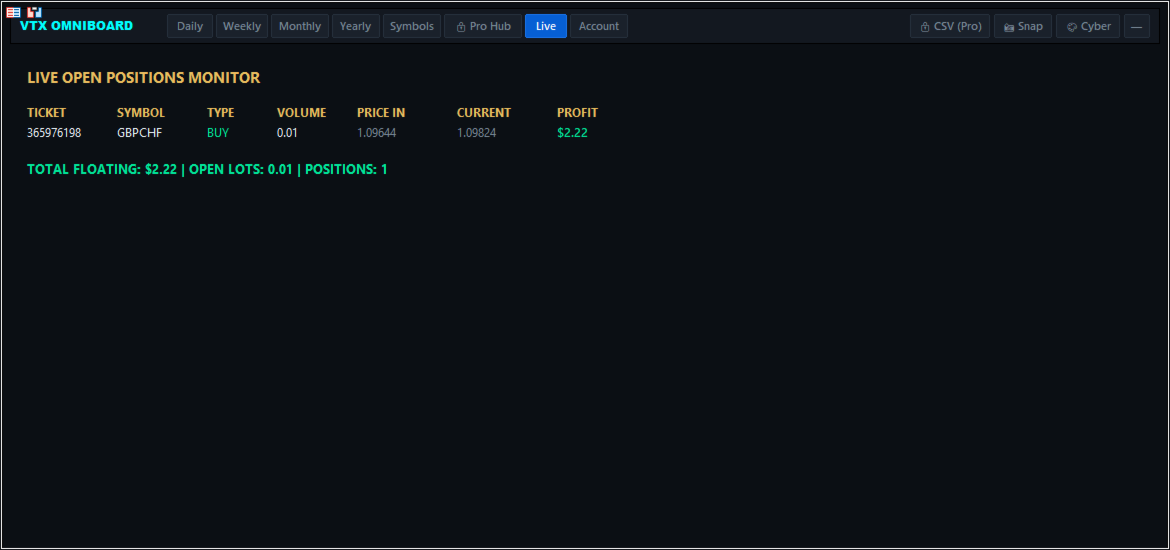
VTX OMNIBOARD is a comprehensive multi-timeframe and multi-currency dashboard designed for MetaTrader 5. Powered by the Vortex (VTX) trend analysis algorithm and price action momentum metrics, it allows traders to scan the entire market at a single glance without constantly switching charts.
Whether you are a scalper, swing trader, or position trader, VTX OMNIBOARD simplifies complex market dynamics into clear visual direction, momentum strength, and high-probability trend reversal alerts.
Key Advantages & Features
- Multi-Symbol & Multi-Timeframe Scanner: Monitor multiple currency pairs, commodities, or indices simultaneously across various timeframes (M1 to MN1) from one single master chart.
- Vortex (VTX) Algorithm Precision: Measures positive (+VI) and negative (-VI) vortex dynamics to identify emerging market trends early while filtering out sideways consolidations.
- One-Click Chart Navigation: Click directly on any symbol or timeframe button on the dashboard to immediately open or switch the active chart.
- Smart Real-Time Alerts: Receive instant notifications for trend crossovers and multi-timeframe confluence via Desktop Pop-ups, Mobile Push Notifications, and Email.
- Lightweight & Highly Optimized: Built with efficient MQL5 architecture to prevent chart lag or terminal freezing, even when scanning 20+ assets simultaneously.
- Fully Customizable UI: Supports both Light and Dark themes with flexible scaling, adjustable typography, and custom color presets.
How to Trade with VTX OMNIBOARD
- Trend Identification:
- Bullish Bias (Green / Gold): Positive vortex (+VI) dominates, indicating strong buyer momentum.
- Bearish Bias (Dark / Slate): Negative vortex (-VI) dominates, indicating strong seller momentum.
- Multi-Timeframe Confluence (High Probability):
- Align higher timeframe trends (e.g., H4/D1) with lower timeframe entries (e.g., M5/M15).
- Execute trades when shorter timeframes align with the dominant higher-level direction.
Input Parameters
1. Scanner Configuration
- Custom Symbols List — Comma-separated list of symbols to monitor (e.g., EURUSD, GBPUSD, USDJPY, XAUUSD). Leave empty to scan all pairs from Market Watch.
- Timeframes to Display — Select timeframes to include on the dashboard grid (M1 through MN1).
2. Vortex Calculation
- VTX Period — Period parameter for Vortex Indicator calculation (Default: 14).
- Applied Price — Price method used for true range assessment.
- Confluence Threshold — Minimum number of agreeing timeframes required to trigger a strong confluence signal.
3. Alert Settings
- Enable Popup Alerts — Show terminal popup dialog upon new signal (True / False).
- Enable Push Notifications — Send instant notification to MT5 Mobile app (True / False).
- Enable Email Alerts — Send notification to your registered email address (True / False).
- Alert on Bar Close Only — Triggers alerts only on candle close to filter intra-bar noise (True / False).
4. Visual & UI Customization
- Dashboard Anchor — Screen corner placement (Top-Left, Top-Right, Bottom-Left, Bottom-Right).
- UI Scale Factor — Adjust button and text scale (0.8 to 1.5).
- Bullish Color — Custom color for upward trend status.
- Bearish Color — Custom color for downward trend status.
- Neutral Color — Custom color for consolidative / neutral markets.
Recommendations & Notes
- Works across Forex, Commodities (Gold, Silver, Oil), Crypto, and Indices.
- Fully compatible with both ECN and standard broker accounts.
- Always test and familiarize yourself with the indicators on a demo account before trading live capital.