Prop Guard Risk Enforcer
- Utilities
- Version: 1.12
- Updated: 18 August 2026
- Activations: 10

A funded account is not lost on the trade you regretted. It is lost on the one that was still open when the daily limit went past.
Prop Guard sits on one chart and watches the whole account. It does not open trades and it does not produce signals. It answers one question, continuously: how much room is left before a rule breaks - and when the answer gets close enough to zero, it acts.
THE PART MOST GUARDS GET WRONG
Your drawdown peak is written to disk. Close the terminal, restart the PC, reconnect a week later: your peak is still your peak. Tools that hold it in memory ask you to re-attach them every morning, and a trailing drawdown rule that forgets the peak is not a trailing drawdown rule - it is a number that happens to look like one.
WHAT IT TRACKS
Daily loss. The percentage can be taken from your starting balance or from the balance at the start of the day, and the loss can be measured from either the day's opening balance or its opening equity. Firms word this differently and the difference is real money, so both are settings rather than assumptions.
Maximum drawdown. Static from the starting balance, or trailing from the highest balance or the highest equity your account has reached.
Open risk. What every stop loss on the account adds up to, measured against the room your loss rules still leave. The same stop distance is prudent on a fresh account and reckless on one that has already spent most of its allowance, and this is the line that says which you are looking at. Positions carrying no stop at all cannot be measured, so they are counted and reported rather than quietly treated as safe.
Margin used, as a share of equity.
Profit target and minimum trading days, shown as progress.
Consistency: the share of your total profit that came from your single best day.
Floating profit and loss can be counted or ignored, depending on how your rules are written.
WHAT IT DOES ABOUT IT
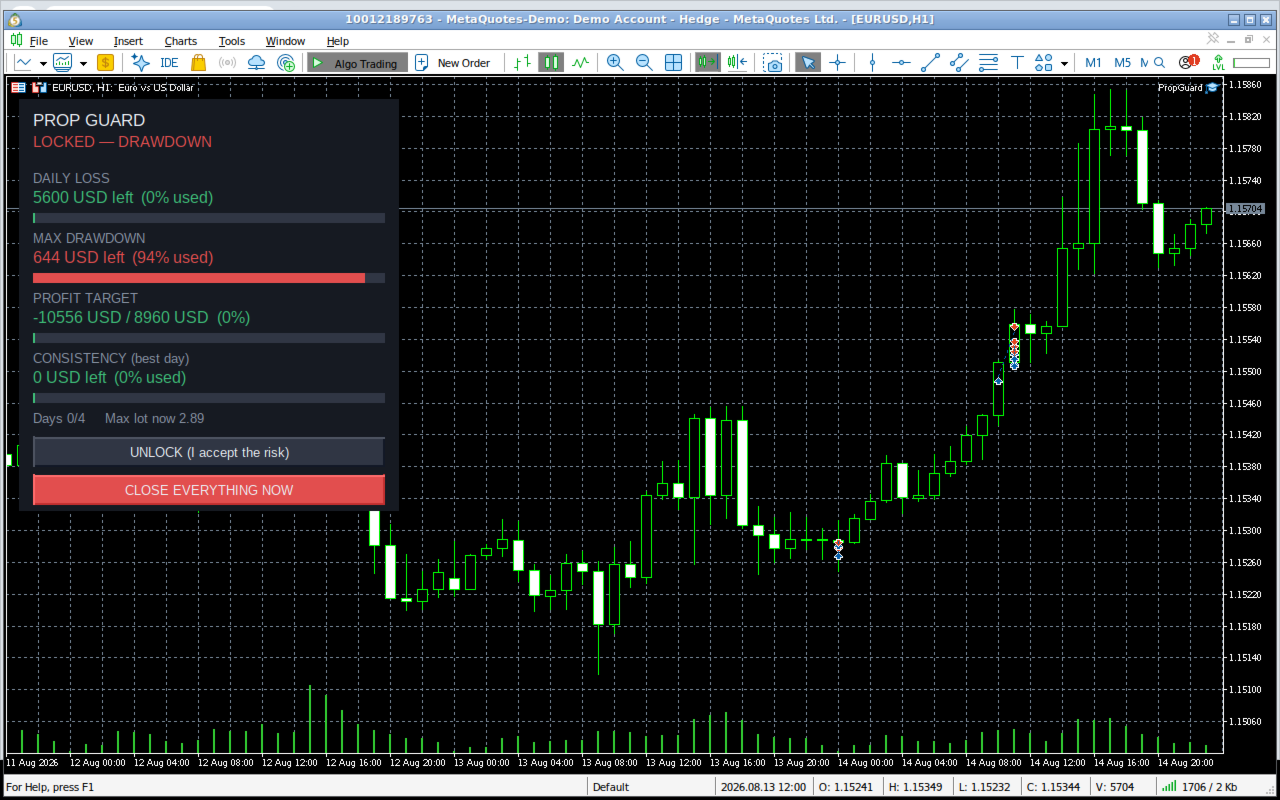
Two thresholds, both expressed as a share of the allowance you have already used. At the first it warns you. At the second it closes every position, deletes every pending order, and locks the account.
The second threshold defaults to 90 percent rather than 100 because slippage, gaps and a widening spread do not respect limits. Acting at exactly the line is acting too late.
While locked, anything that opens is closed again immediately. A daily lock clears itself at your configured day reset. A drawdown lock stays until you release it yourself from the panel.
It guards every position on the account, no matter what opened it: your own clicks, another Expert Advisor, a copier.
GUARDS THAT ACT BEFORE THE BREACH
News blackout. Closes positions and holds the account flat for a window either side of a high impact release, read from the terminal's own economic calendar. No DLL, no network request, nothing to keep updated. When calendar data is unavailable the panel says so rather than implying safety.
Weekend. Holds the account flat from a chosen time on Friday until the market reopens. The Sunday gap is where a static drawdown dies quietly over a weekend nobody was watching.
Rollover. A short nightly window held flat through the swap point, where spreads widen and a stop that looked safe all day gets taken out by nothing at all.
Trading window. Restrict trading to chosen server hours, with an optional close when the window shuts. A window that crosses midnight is treated as one continuous session.
Exposure ceilings. Maximum total lots, maximum open positions, maximum trades per day. When a ceiling is crossed the newest positions are closed until exposure is back inside it, so trades that were already within the limit are not punished for one that was not.
Margin and open risk ceilings. Both trim the newest positions rather than locking the account. Carrying more than the rules allow at once is not the same as failing the challenge, and treating it that way would be wrong.
Panic button. Closes every position and deletes every pending order immediately, for the reason that does not fit in any rule.
TRY IT BEFORE YOU BUY IT
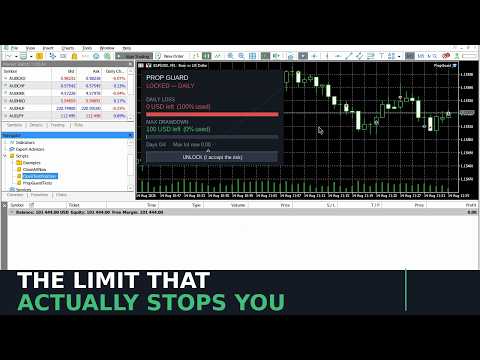
The free demo runs in the Strategy Tester, where there is no account to guard and no calendar to read. Rather than show you a panel full of zeros, the tester runs a simulated account through the whole sequence: armed, then warning as the room runs out, then the breach and the lock. The rule logic is the real one - the same evaluator, the same thresholds. Only the account is invented, and the panel says so on every frame.
THE PANEL
Each rule gets a bar and a number: how much room is left, and what percentage of the allowance is gone. There is also a maximum lot size for the current symbol, worked back from the room remaining and the stop distance you specify, so you can size a trade without the arithmetic.
DETAILS THAT MATTER
The day boundary is a setting. Firms roll over at server midnight, at 00:00 or at 17:00 in other time zones, and a guard that assumes the wrong one is worse than none.
Failed closes are retried, and if a position genuinely cannot be closed - a market that just shut, a broker rejection - you are told loudly rather than left believing you are flat.
If the starting balance you enter is far from what the account actually holds, it says so at startup. That single mistake silently turns every figure on the panel into fiction, and it is the most common one.
Presets describe rule shapes, not brands, and every value stays editable. Firms revise their programmes, and a preset carrying a company name would be out of date the week after it stopped being true.
WHAT IT IS NOT
It is not a trading system and it makes no claim about results. It cannot stop an order from being sent - MetaTrader gives no way to block one - it can only close what has been opened, which it does within a second.
Your rules are your responsibility to enter correctly. Read them, set them, then check the panel against your account dashboard before you rely on it.
SETUP
Attach to any one chart, enter your starting balance, daily and drawdown percentages, and your day reset hour. Enable algo trading so positions can actually be closed. One chart guards the entire account - do not attach it to several.