Bollinger Bands Martingale MT4 EA
- Experts
- Version: 1.0
- Activations: 20

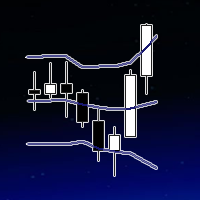
BBM (Bollinger Bands Martingale EA) is an automated trading system for MetaTrader 4 that combines Bollinger Bands signals with a configurable Martingale position-management system.
The EA is designed to automatically identify trading opportunities based on Bollinger Bands and manage subsequent positions according to your selected Martingale parameters.
How It Works
BBM monitors the Bollinger Bands and looks for trading opportunities based on the previous candle's closing price.
BUY Signal
A BUY trade is opened when the previous candle closes below the Lower Bollinger Band.
SELL Signal
A SELL trade is opened when the previous candle closes above the Upper Bollinger Band.
If the market moves against an open position, the optional Martingale logic can add another position after the configured price distance is reached.
The lot size of subsequent positions is increased according to the selected Martingale Multiplier.
External ParametersThe EA provides simple and direct external settings so you can customize the strategy.
Max Open Trades
Defines the maximum number of positions that the EA can open.
Fixed Lot Size
Defines the starting lot size for the initial trade.
Martingale Distance
Defines the distance in pips that price must move against the current position before the EA opens the next Martingale trade.
Martingale Multiplier
Defines the multiplier used to calculate the lot size of the next Martingale position.
For example, with a starting lot of 0.10 and a multiplier of 2.00, the next position can use 0.20 lots, followed by 0.40 lots, depending on the trading sequence.
Profit Pips
Defines the Take Profit distance in pips.
Bollinger Bands Period
Defines the period used to calculate the Bollinger Bands.
Bollinger Bands Deviation
Defines the standard-deviation setting used by the Bollinger Bands.
Main Features📊 Bollinger Bands Strategy
-
Automated Bollinger Bands signal detection
-
BUY signals when price closes below the Lower Band
-
SELL signals when price closes above the Upper Band
-
Configurable Bollinger Bands Period
-
Configurable Bollinger Bands Deviation
🔄 Martingale Position Management
-
Configurable Martingale system
-
Adjustable Martingale Distance
-
Adjustable Martingale Multiplier
-
Maximum number of open trades can be defined
-
Automatic calculation of subsequent position sizes
⚙️ Simple Configuration
The EA focuses on a small number of key external parameters, making it easy to configure and test different strategy settings.
🎯 Custom Take Profit
Set your desired profit target directly in pips using the Profit Pips parameter.
Suggested Starting ConfigurationThe default parameters are:
-
Fixed Lot Size: 0.10
-
Martingale Distance: 20 pips
-
Martingale Multiplier: 2.00
-
Profit Pips: 10 pips
-
Bollinger Bands Period: 20
-
Bollinger Bands Deviation: 2.0
-
Max Open Trades: 10
These are the default settings and should not be considered guaranteed or optimized settings. Traders should test and optimize the parameters according to the symbol, broker conditions, timeframe, and personal risk tolerance.
Risk WarningThis EA includes a Martingale trading mechanism, which can significantly increase market exposure as additional positions are opened.
Martingale strategies carry a high level of risk, particularly during strong and prolonged market movements against the trading position.
No trading strategy or Expert Advisor can guarantee profits.
Always perform your own backtests and forward tests on a demo account before using the EA with real funds.
Use responsible position sizing and understand the risks associated with Martingale trading before purchasing or using this Expert Advisor.
BBM – Bollinger Bands Martingale EA
Automated Bollinger Bands entries.
Configurable Martingale management.
Simple external settings.
Built for MetaTrader 4.