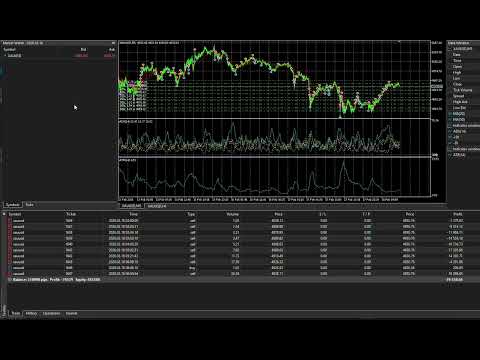
Laastal Gold Recovery
- Experts
- Version: 2.41
- Activations: 5

Laastal Gold Recovery is an automated trading system developed specifically for XAUUSD on MetaTrader 5.
The Expert Advisor combines a selective market-entry engine with structured basket recovery. It analyzes trend direction, momentum, volatility, candle position, market structure, breakouts and nearby support or resistance before opening a new basket. The objective is to avoid opening on every small market movement and to wait for a stronger combination of conditions.
The system is designed for traders who want a complete gold-trading engine rather than a simple moving-average crossover or a basic fixed-distance grid.
MAIN FEATURES
- Developed primarily for XAUUSD
- Recommended timeframe: M5
- Internal H1 trend confirmation
- Multi-factor signal filtering
- Independent BUY and SELL baskets
- Configurable recovery distance
- Separate distance settings for later grid levels
- Configurable lot multiplier
- Automatic lot calculation based on account balance
- Optional hard maximum lot multiplier
- Up to three independent baskets per direction with the default settings
- Optional counter-hedge basket logic
- Basket target calculated from balance or equity
- High-drawdown recovery detection
- Configurable lot boost after a qualifying basket survives and closes positively
- GMT session filter
- Spread filter
- Persistent basket recovery after terminal or VPS restart
- Faster Strategy Tester mode
- No DLL files
- No WebRequest connection
- No external custom indicators
HOW THE STRATEGY WORKS
The EA evaluates both the current chart and the H1 market direction. Its entry model uses several technical conditions instead of relying on one indicator.
A new basket is opened only when the complete signal filter permits an entry. BUY and SELL baskets are managed independently. When price moves against an active basket by the configured distance, the EA can add the next recovery position.
Each position is assigned to a specific basket and grid level. This allows the EA to manage several baskets separately instead of mixing every open position into one global recovery sequence.
BASKET TARGET
All baskets use one unified basket-profit model.
The target is calculated as a percentage of either account balance or account equity, depending on InpGridTargetBase. The default target is 1% of balance.
A basket containing one position and a basket containing several recovery positions follow the same target rule.
The EA manages the exit internally. Standard broker-side stop-loss and take-profit orders are not placed for the basket. MetaTrader 5 must remain running and connected for the virtual basket management to operate.
RECOVERY ENGINE
The default recovery distance is 1,000 EA pips and the default volume multiplier is 1.5.
The user can select either:
- One common recovery distance, or
- A separate distance for every recovery stage
The maximum number of levels and the maximum volume multiplier are configurable. A hard lot cap can also be enabled.
The default setup allows multiple independent baskets, with a maximum of three baskets per direction.
COUNTER-HEDGE MANAGEMENT
When a normal basket reaches a deep recovery stage, the EA can create a separately identified basket in the opposite direction.
The hedge basket is managed independently from the parent basket. Its identity is saved in position comments and recovered after terminal restart, preventing an existing hedge basket from being incorrectly treated as a normal basket.
HIGH-DRAWDOWN RECOVERY BOOST
The EA can monitor whether a basket reaches a selected floating drawdown percentage.
When such a basket later closes with a positive result, the EA can apply a configurable starting-lot multiplier to the next selected number of new baskets.
Default values:
- Trigger: 30% basket floating loss relative to balance
- Boost multiplier: 1.5
- Number of boosted baskets: 10
This module can be disabled or fully adjusted in the inputs.
AUTOMATIC LOT CALCULATION
With the default settings, the EA uses:
0.01 lot for every 5,000 units of account balance.
The calculation automatically follows balance growth or reduction. Manual starting volume can be used by disabling InpUseAutoLot.
RECOMMENDED SETUP
Symbol: XAUUSD
Timeframe: M5
Platform: MetaTrader 5
Account mode: Hedging
Recommended operation: VPS
Session time reference: GMT
Attach only one instance with the same Magic Number. Use a different Magic Number when running another setup.
The broker's gold symbol, spread, contract size, leverage, tick value and execution conditions can materially affect results.
INSTALLATION
1. Install the product from Market under My Purchases.
2. Open an XAUUSD M5 chart.
3. Confirm that the trading account uses hedging mode.
4. Attach Laastal Gold Recovery to the chart.
5. Enable Allow Algo Trading.
6. Enable Algo Trading in MetaTrader 5.
7. Load the supplied default settings or configure the inputs.
8. Keep MetaTrader 5 connected or use a VPS.
IMPORTANT INFORMATION
Laastal Gold Recovery uses grid recovery and increasing position volume. It may hold substantial floating drawdown during strong one-directional price movement.
The EA does not use a fixed broker-side stop loss for its baskets. The user must understand the effect of recovery spacing, lot multiplier, starting volume, leverage and available margin before using the system.
Test the free Market trial in the MetaTrader 5 Strategy Tester with your own broker's XAUUSD data and specifications before using the product on an account.
Historical testing does not guarantee future results.
VERSION 2.41
- Removed the separate first-position take-profit module
- Removed basket profit trailing
- Removed the scalping module
- Unified all positions under one basket-target model
- Improved volume normalization
- Added free-margin checks before new orders
- Improved basket-ID persistence
- Improved hedge-basket recovery after terminal restart
- Improved compatibility with broker-supported filling modes
- Increased internal position-tracking capacity
- Added initialization checks for hedging accounts and critical inputs