Beastify
- Experts
- Version: 1.0
- Activations: 10

Beastify EA is a fully automated expert advisor built to execute clean, disciplined trades based on the proven Beast Super Signal custom indicator. It converts every confirmed buy or sell signal into a managed position with adjustable stop loss, take profit, trailing stop, and breakeven – all while enforcing strict risk limits and market filters.
The EA was engineered from the ground up for reliability. It automatically handles broker‑specific constraints like minimum stop distances, volume limits, and market execution peculiarities, so you never have to worry about invalid stops or rejected orders.
Whether you run it on a single chart or a whole portfolio, Beastify keeps you in control with intuitive inputs and a live on‑screen dashboard.
Key Features
-
Trades any symbol or a user‑defined list of symbols from a single chart.
-
Flexible lot sizing: fixed lots or automatic risk‑based lots calculated from free margin and stop distance.
-
Complete trade protection: stop loss and take profit automatically adjusted to meet broker requirements.
-
Trailing stop and breakeven to lock in profits as the market moves in your favor.
-
Spread filter, trading hour filter, and automatic market‑session detection to avoid costly conditions.
-
Two‑stage order execution designed for market‑execution brokers – first enters, then immediately applies stops, eliminating modification failures.
-
Intelligent inactivity recovery: if no new signal appears for an extended period, the EA can place a calibrated trade to maintain account engagement (backtest‑friendly).
-
Daily CSV trade log (live accounts) with automatic cleanup of old files.
-
Clean on‑screen dashboard showing current status, open positions, and active settings.
-
Built‑in tester tools: limit backtest length with “Max Bars for Tester” and use the custom OnTester() fitness function for genetic optimisation.
Input Parameters
General Settings
-
InpTradeSymbols – Comma‑separated list of symbols to trade (leave blank to trade only the chart symbol).
-
InpMaxBarsToTest – Limits the backtest to a given number of bars (0 = disabled). Great for quick optimisation.
-
InpIndiName – File name of the custom indicator (default “Beast Super Signal”).
-
InpBuyBuffer – Buffer index for the buy signal (default 0).
-
InpSellBuffer – Buffer index for the sell signal (default 1).
Trading Settings
-
InpMagic – Unique magic number to identify all trades placed by this EA.
-
InpSlippage – Maximum allowed slippage in points.
-
InpMaxSpread – Maximum permitted spread (in points); trades are skipped if the spread exceeds this value.
Risk Management
-
InpRiskMode – Lot sizing mode: Fixed Lot or % Risk per Trade.
-
InpLot – Fixed lot size used when RISK_FIXED is selected.
-
InpRiskPercent – Percentage of free margin to risk per trade when RISK_PERCENT is active.
-
InpStopLoss – Stop loss distance in points (0 = disabled).
-
InpTakeProfit – Take profit distance in points (0 = disabled).
Trailing Stops
-
InpTrailingStop – Distance in points for the trailing stop (0 = off). The stop level moves with the price once this distance is reached.
-
InpBreakevenTrigger – Distance in points from the open price at which the stop loss is moved to breakeven (plus a small buffer). 0 = disabled.
Time Filters
-
InpTradeStartHour – Hour (0‑23) when trading is allowed to begin.
-
InpTradeEndHour – Hour (0‑23) when trading stops (can span midnight, e.g. 22 to 6).
How It Works
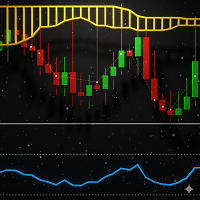
Attach Beastify to any chart. It loads the Beast Super Signal indicator and monitors its buy/sell buffers on every closed bar. When a signal appears, the EA closes any opposite positions and opens a new trade in the signal’s direction. The order is sent using a fail‑safe filling‑mode loop, then the stop loss and take profit are immediately applied with full compliance to the broker’s minimum distance and tick‑size rules.
As the trade moves into profit, the trailing stop automatically follows the price, and the breakeven function moves the stop to entry once the trigger threshold is passed – all while respecting the broker’s freeze levels to avoid modification rejections.
The EA runs continuously, checking every tick for spread, market hours, and trading permissions. If all conditions are met, it acts – quietly, precisely, and without drama.
Why Beastify EA?
Most EAs break when faced with realistic broker conditions. Beastify was hardened against the strictest MQL5 Market Validator tests – it survives zero‑spread traps, limit‑volume pitfalls, dynamic freeze levels, and even the $1 balance challenge. You get an advisor that works in backtests exactly as it does on a live account, giving you complete confidence in its behaviour.
Support
For questions, suggestions, or assistance, use the MQL5 product comments or the built‑in MQL5 chats. I respond promptly and value your feedback.