
Gold Storm PRO
- Experts
- Version: 4.4
- Updated: 11 November 2026
- Activations: 15

Gold Storm PRO is an Expert Advisor for impulse trading on XAUUSD (gold).
The EA is fully automated and requires no setup—just attach it to the XAUUSD M5 chart, and it will start trading during the trading window from 8 to 15 UTC.
Live signal: 355% growth in 18 weeks
You can open the live signal and verify the real account yourself: https://www.mql5.com/en/signals/2381937
- 355% growth in 18 weeks
- 170 trades, 152 of them profitable (89.41%)
- Running since 13.07.2026
- Initial deposit: 50 USD
- Real Vantage account with 1:100 leverage
Ready to trade on the defaults
No set file is required. By default, Gold Storm PRO opens new orders from 08:00 to 15:00 GMT regardless of broker server time. These hours can be changed.
- Stop Loss and Take Profit: Every order has its own Stop Loss and Take Profit. The default Stop Loss is 1% of the price, and the default Take Profit is 500 points. Both are adjustable.
- No martingale, no grid. The lot is not increased after a loss. By default, the lot is calculated to risk 5% of the balance at the Stop Loss. You can instead select a fixed lot, with 0.01 as the default fixed value.
- Trailing stop: Enabled by default, it changes only the Stop Loss of open positions and begins operating at 100 points of profit.
Defined trading and protection rules
- Spread protection: The entry spread filter is set to 1.8 times the average spread of the last 100 ticks. After a spread jump, new entries are paused for 30 minutes by default. Both protections can be switched off.
- Friday close: The EA deletes pending orders at 13:00 GMT and closes positions at 16:00 GMT by default, leaving nothing open over the weekend. These times and actions are adjustable.
- January pause: By default, the EA opens no new orders from 1 to 7 January, based on server time. This pause can be disabled.
The fixed trading hours, Friday close and Stop Loss on every order provide a predictable schedule and known protective levels.
News pause and optional equity stop
In live trading, the news filter uses the MT5 economic calendar.
- Default news pause: The EA opens no new orders from 120 minutes before until 5 minutes after USD events whose names contain PCE, CPI or Nonfarm.
- Open positions: Existing positions continue to be managed as usual.
- Adjustable inputs: The impact level, currencies, keywords and pause periods are configurable.
For prop-firm traders with challenge and funded accounts, an optional equity stop is available and is off by default.
- Account monitoring: It monitors the equity and balance of the whole account.
- When triggered: It closes only this EA's positions and orders and places no new ones.
- Stop duration: The daily mode remains stopped until the next day; the maximum mode remains stopped until it is switched off.
- Per Magic number: A stop triggered for one copy does not block a copy using another Magic number.
Price: 349 USD until 16 November. From 16 November: 699 USD.
After that, the price rises with every additional 100% earned by the Signal.
Buyer bonus and support
Buyer bonus: Every buyer receives Bitcoin Storm PRO as a bonus. After purchasing Gold Storm PRO, send us a personal message on MQL5 to get it.
Rental and updates: Rental is available for 1, 3 or 12 months. Buyers receive updates free of charge.
Support: Leave a comment on the product page or send us a personal message on MQL5. For a fast check, include your broker, account type, platform and a screenshot of the Experts tab.
Recommended account conditions
- Symbol: XAUUSD
- Timeframe: M5
- Low-spread Raw or ECN account
- Leverage: 1:100 or higher
- Deposit: from 500 USD
- Broker: Vantage or FxPro
- Works best on hedging accounts
- A VPS is recommended
- 10 activations
Input settings
Money Management
- Lot calculation = Risk % of balance per trade — selects Fixed lot or Risk % of balance per trade.
- Fixed lot = 0.01 — lot size used when Fixed lot is selected.
- Risk per trade, % of balance (loss at Stop Loss) = 5 — balance percentage risked if the Stop Loss is reached.
Trade Session (GMT)
- Session start hour, GMT = 8 — hour from which new orders may be opened.
- Session end hour, GMT = 15 — new orders are allowed only while the hour is below this value.
- Tester: server GMT offset, hours = 2 — sets the tester server-time offset from GMT.
- Tester: +1 hour in EU summer time = On — adds one hour during EU summer time; together with the offset input, it aligns tester server time to GMT.
Orders
- New orders on every bar of = M5 — selects the bar period for new orders; options are M1, M5, M15, M30 and H1.
- Pending order lifetime, minutes (0 = no limit) = 15 — limits how long a pending order remains active.
- Max spread, times the average of the last 100 ticks (1 or less = off) = 1.8 — blocks entries when the spread exceeds this multiple of the recent average.
- Pause after a spread jump, minutes = 30 — sets the entry pause after a spread jump.
Stop Loss
- Stop Loss type = Percent of the price — selects None, Fixed, points or Percent of the price.
- Stop Loss, points (gold: 1 point = 0.01; 0 = none) = 400 — fixed Stop Loss distance when the fixed-points type is selected.
- Stop Loss, % of the price (0 = none) = 1 — Stop Loss distance as a percentage of the price.
Take Profit
- Take Profit, points (gold: 1 point = 0.01; 0 = none) = 500 — Take Profit distance in points.
Friday Control (GMT)
- Delete pending orders on Friday = On — enables Friday deletion of pending orders.
- Friday delete hour, GMT = 13 — GMT hour for deleting pending orders.
- Close positions on Friday = On — enables Friday closing of positions.
- Friday close hour, GMT = 16 — GMT hour for closing positions.
Pauses and News
- No new orders in the first week of January = On — prevents new orders from 1 to 7 January by server time.
- News filter (MT5 calendar, live only) = On — enables the MT5 economic-calendar filter in live trading.
- Pause before the news, minutes = 120 — sets how early the new-order pause begins.
- Pause after the news, minutes = 5 — sets how long the new-order pause continues afterward.
- News impact = News Keywords (partial match) — selects 2 or 3 stars, 3 stars, or News Keywords (partial match).
- News currencies, e.g. "USD;EUR" (empty = any) = USD — limits the filter to the listed currencies.
- News keywords for the custom mode = PCE;CPI;Nonfarm — keywords matched in event names.
Prop Drawdown
- Prop drawdown stop = Off — enables or disables the equity stop.
- Daily drawdown, % - stop until the next day = 4.5 — daily threshold for stopping new orders until the next day.
- Max drawdown, % - stop until this mode is switched off = 9.5 — maximum threshold for stopping new orders until the mode is switched off.
Other Settings
- Max slippage, points = 0 — maximum slippage value in points.
- Magic number = 888 — distinguishes this EA's orders from those of other EAs.
- Order comment = Gold Storm PRO — comment attached to the EA's orders.
Trailing Stop
- Trailing Stop = On — enabled with distance 60 points, step 10 points and start 40 points; trailing begins at 100 points of profit.
Trading Days
- Monday = On — trading is enabled.
- Tuesday = On — trading is enabled.
- Wednesday = On — trading is enabled.
- Thursday = On — trading is enabled.
- Friday = On — trading is enabled.
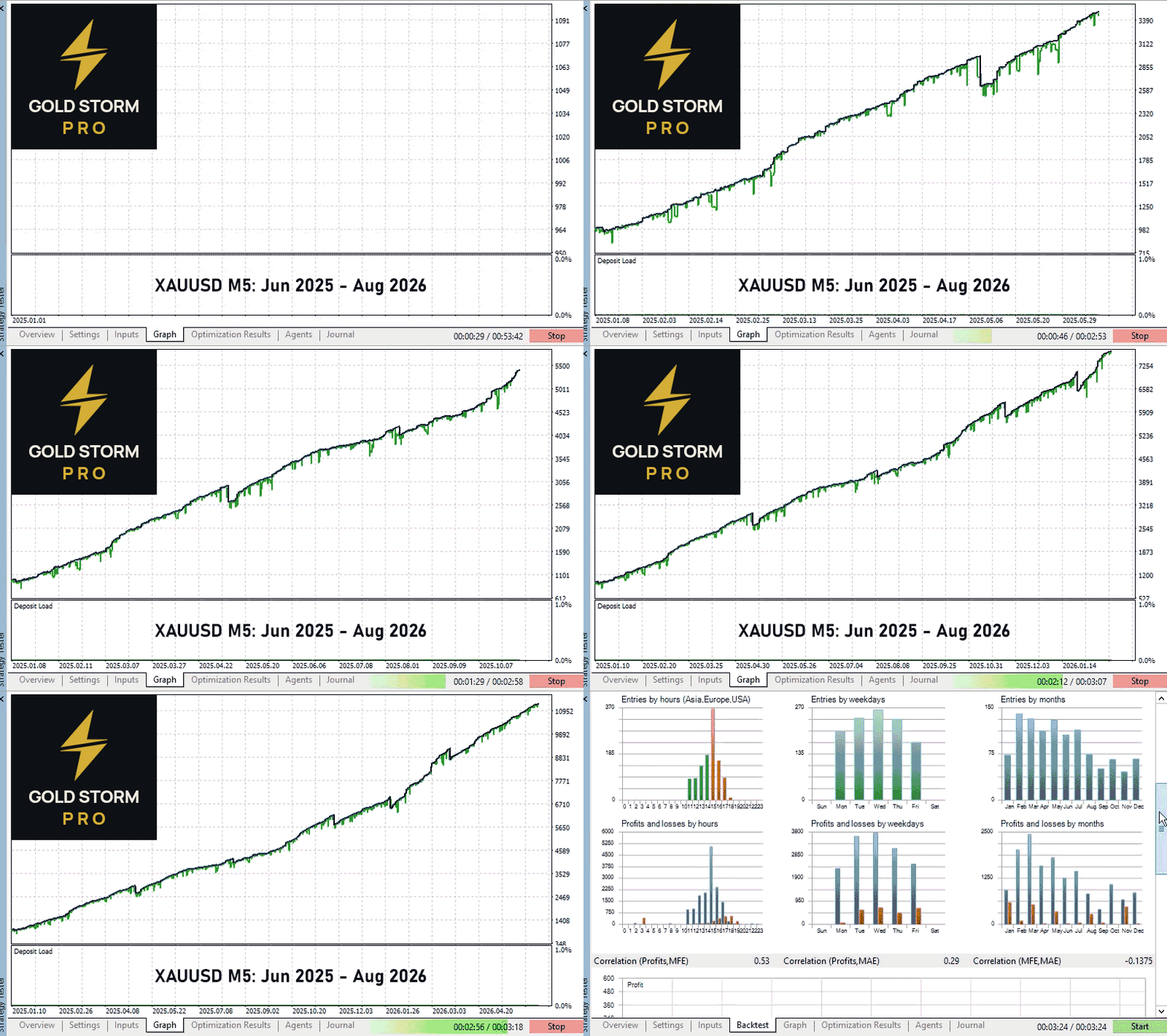
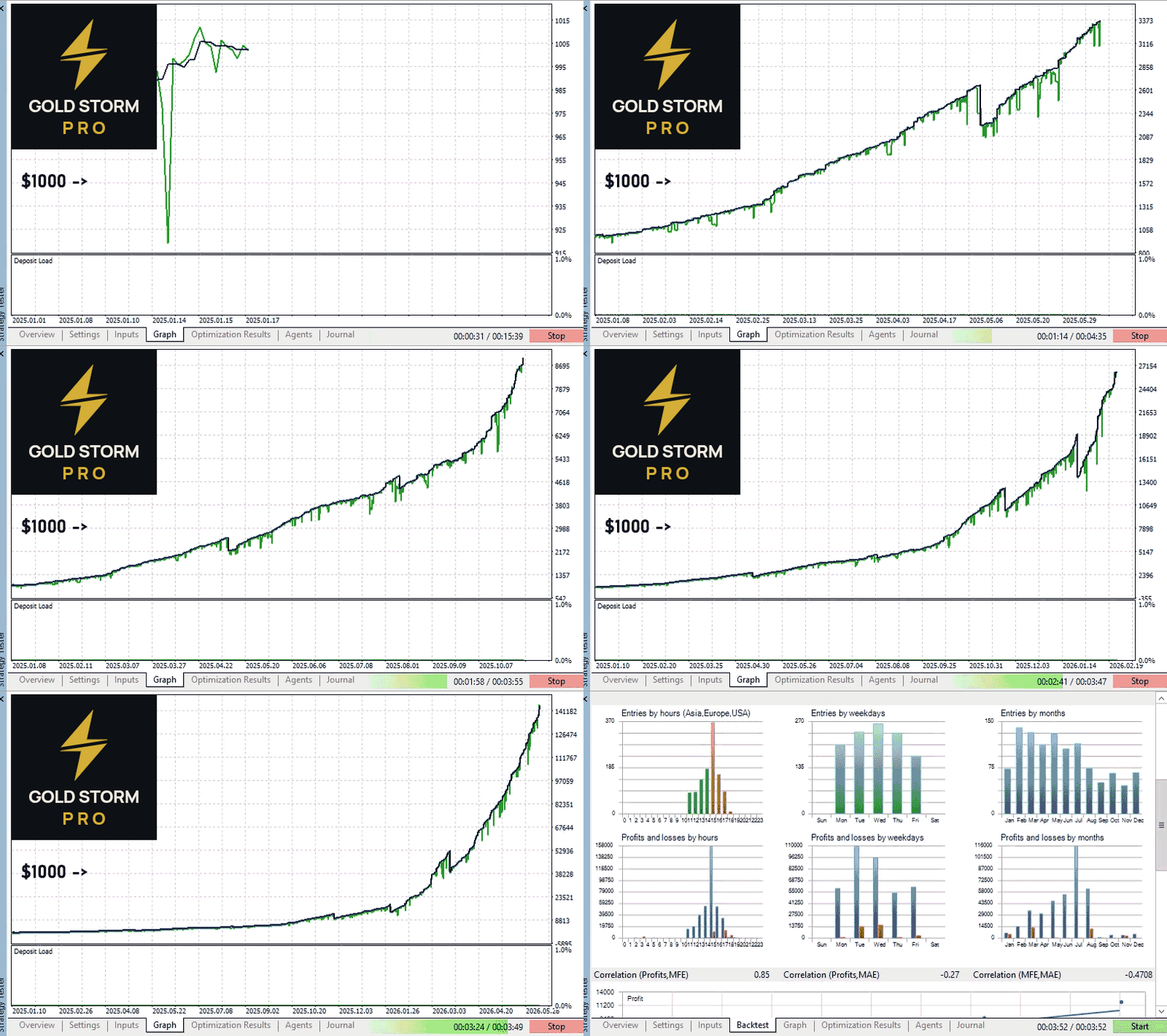
Download the demo from this product page and test it yourself in the Strategy Tester.



































This is an excellent EA from a trustworthy developer, but because it trades at high frequency. By performing back test and optimization using real data. I look forward to seeing the results on a live account.