MultiStrat Engine EA
- Experts
- Version: 1.0
- Activations: 5

MultiStrat Engine EA is based on a fundamental golden rule: every trade opened is a fully assumed trade . Without Stop Loss, no loss is ever crystallized — positions are held until the return to equilibrium ( Zero Point ) .
An Expert Advisor (EA) designed to fully automate position management across all types of financial instruments (Forex, stocks, indices, commodities ). It incorporates an exceptionally rich modular architecture, combining over 28 distinct trading modes, dynamic risk management, a broker fee compensation system , and an interactive HTML dashboard for comparative backtest analysis.
General architecture
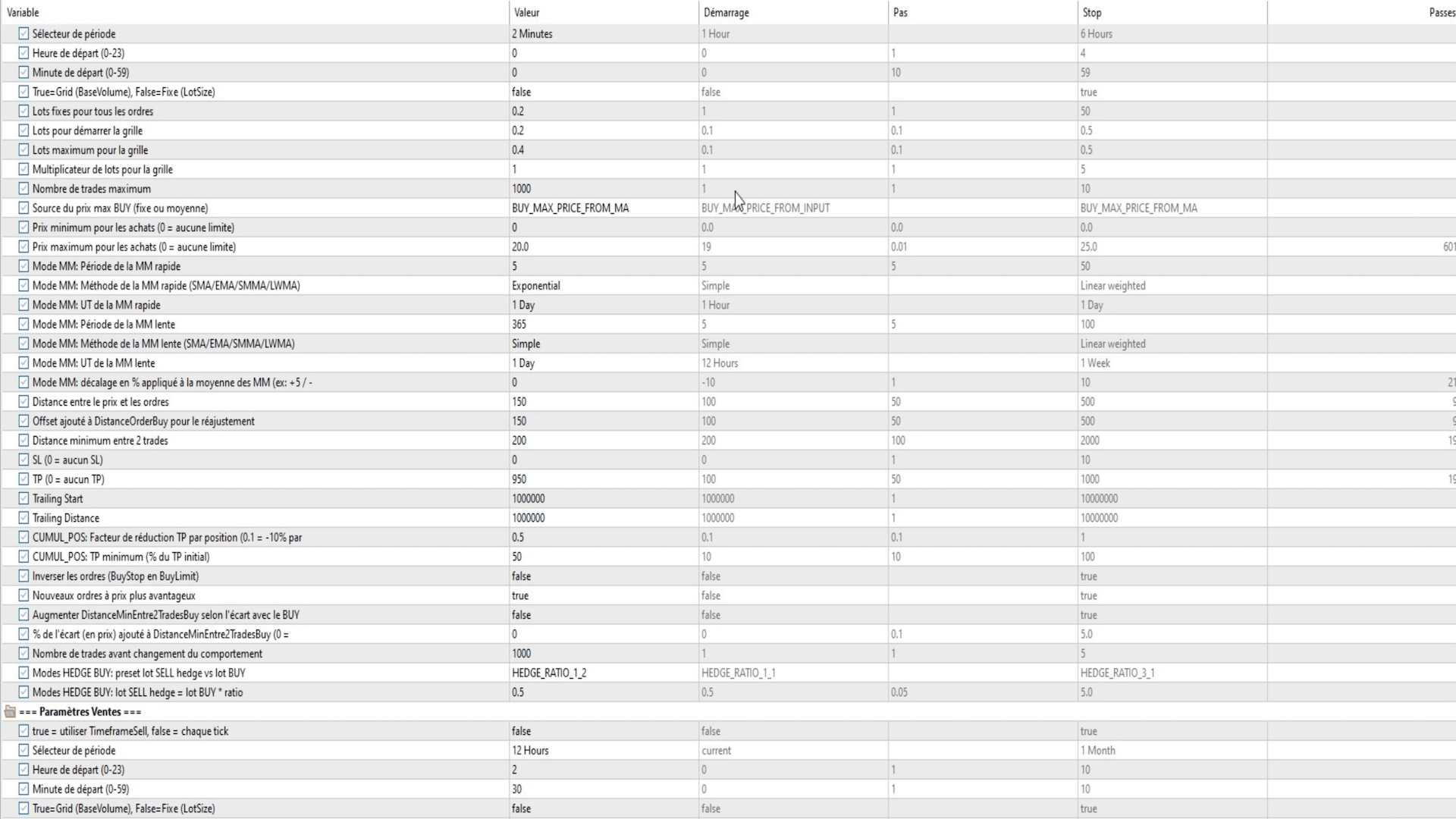
Expert Advisor (EA) is based on a clear separation between the BUY and SELL sides , each with its own independent parameters : trailing mode , timeframe, lot size, take profit , stop loss, order distances, and dynamic behavior. This duality allows for the combination of asymmetric or perfectly symmetric strategies depending on the trader's needs.
The 28+ trading methods
BUY side :
- BUY_MODE_NONE — Placing a BuyStop order with simple trailing and fixed individual TP per position.
- BUY_MODE_NONE_CANDLE — Identical, but global closure triggered by the candle if the overall net profit is positive.
- BUY_CLOSE_CANDLE — Close all BUY positions on each new candle if the total profit is positive.
- BUY_CUMUL_SINGLE — Virtual cumulative Take Profit: the weighted sum of pips ( net of fees) of all BUY positions must reach the configured TP before global closure.
- BUY_CUMUL_MULTI — CUMUL variant: the target TP is multiplied by the total volume / base volume ratio, compensating for the accumulation of lots.
- BUY_CUMUL_POS — Progressive TP by number of positions: each additional position reduces the unit TP according to a configurable factor, with a minimum floor.
- BUY_HEDGE_CANDLE — Each BUY entry automatically generates a proportionally sized SELL hedge position; closes on candle if overall profit is positive .
- BUY_HEDGE_SINGLE — Automatic hedge + SINGLE cumulative TP.
- BUY_HEDGE_MULTI — Automatic hedge + cumulative TP MULTI.
- BUY_HEDGE_SINGLE_ADD_SELL_TP — SINGLE hedge with integrated compensation of floating losses from the SELL hedge in the calculation of the BUY TP.
- BUY_HEDGE_MULTI_ADD_SELL_TP — Hedge MULTI with the same compensation.
- BUY_DIRECT_HEDGE — Permanent direct hedge: with each new BUY executed , the old SELL hedge is replaced by a new one. The SELL hedge is automatically closed upon a successful BUY close .
- BUY_DIRECT_HEDGE_ADD_SELL_TP — DIRECT_HEDGE with inclusion of SELL losses in the BUY TP.
- BUY_DIRECT_HEDGE_ADD_SELL_TP_AUTO_MAX — Identical with automatic calculation of the maximum purchase price via moving averages.
- BUY_PARTIAL_CLOSURE — Sophisticated partial closure system : the main lot is cut into units , helpers are placed progressively according to the grid level reached, and the combined profits of helper + main unit trigger a progressive nibbling away at the main trade.
- BUY_LADDER_PROFIT — Individual closure of each position as soon as its net pips reach the configured TP ( profit scale) .
- BUY_WAVE_RIDING — Rapid closure as soon as 30% of the TP is reached, then immediate reopening to "surf" the next wave.
- BUY_VIX_REVERSION — VIX Specialization : closure if the VIX exceeds the thresholds for returning to the mean.
- BUY_MOMENTUM_BURST — Ultra-fast close at 20% of TP, then multiple entries at reduced volume to capitalize on momentum impulses.
- BUY_SCALP_ACCUMULATOR — Scalp at 15% of TP per position, followed by an immediate reopening to accumulate micro- fractional gains .
- BUY_VIX_OSCILLATION_MASTER — Advanced multi-zone VIX management with closing rules dependent on the entry price and the current VIX level.
- BUY_PROFIT_COMPOUNDING — Amplified reinvestment : depending on the profit made , the re- entry lot is multiplied ( up to x2 ) .
- BUY_BREAKOUT_SURFER — Momentum detection on M1 : close at 70% of TP, conditional re- entry if breakout detected .
- BUY_ADAPTIVE_PYRAMID — Adaptive TP calculated according to volatility ( standard deviation of opening prices) and the number of open positions.
- BUY_GRID_RECOVERY_SMART — Intelligent grid recovery detection : close if profit is positive and price is above the grid median, then re - enter at reduced volume .
- BUY_PATIENCE_ACCUMULATOR — TP decreasing over time ( −1 % per hour), to encourage patience and compensate for trades held for a long time.
- BUY_FIBONACCI_ZONES — Close at Fibonacci levels 50%, 61.8% or 78.6% calculated from the opening prices of active positions.
- BUY_VOLATILITY_RIDER — Adaptive TP based on ATR M1: the higher the volatility , the lower the TP to secure gains quickly.
- BUY_PROFIT_PYRAMID — Individual pyramid closure at 60% of TP, with reopening of a new layer if 2+ positions remain active.
The SELL modes are perfectly symmetrical , with their own variants SINGLE, MULTI, CANDLE, DIRECT_HEDGE, ADD_BUY_TP, etc.
dynamic grid system
EA supports two batch regimes for each side :
- FIXED mode : constant lot configurable by parameter LotSizeBuy / LotSizeSell.
- GRID mode : geometric progression of lots according to BaseVolume × GridMultiplier^N, with a ceiling of MaxBaseVolume. The multiplier can be 1.0 (linear grid ) or higher (martingale grid).
The distance between orders (DistanceOrderBuy/Sell) and the readjustment threshold ( TrailingDistanceOrderBuy /Sell) precisely control the repositioning of pending orders at each tick or candle.
Order management
The ManagePendingOrders function automatically repositions BuyStops, BuyLimits, SellStops, and SellLimits to maintain them at the correct distance from the current price. It incorporates the NewOrdersAtHigherPrice (dynamic) logic: in "only low" mode for BUY orders, only orders lower than the current low are retained ; duplicates that are too close are deleted . A protection mechanism prevents the deletion of the last remaining order/position.
Automatic compensation of broker fees
actual commissions paid per position (via deal history), accumulated swaps , and estimates the future exit commission. These fees are converted into pips via MoneyToPoints and automatically added to the Take Profit (TP) of each position (AdjustTPWithRealFees), ensuring that each close is truly profitable net of fees. A configurable caching system (CommissionCacheSeconds) prevents excessively frequent recalculations .
Automatic hedge and leg management
HEDGE modes automatically generate an opposing leg with each new entry . In DIRECT_HEDGE , only one SELL leg is maintained simultaneously with active BUY positions, and it is replaced with each new purchase . The closing of a winning BUY position (detected via OnTradeTransaction and ProcessDealTicket) automatically triggers the closure of the associated SELL legs . The hedge lot ratio is configurable via presets (1:1, 1:2, 1:3, 1:4, 2:1, 3:1) or a custom value .
EDGE virtual signals
HEDGE trading modes utilize virtual signals : instead of placing a traditional pending order, the Expert Advisor (EA) maintains an internal signal (g_buyEdgeVirtualSignalActive) with dynamic trailing. The signal is only converted into an actual trade when the price crosses it , minimizing false triggers and enabling automatic recalibration if the distance constraint changes.
Maximum dynamic purchase price (MA)
The MaximumPurchasePriceSource parameter automatically calculates the maximum purchase price based on two configurable moving averages ( period , EMA /SMA/SMMA/LWMA method, timeframe). The average of the two moving averages is offset by a configurable percentage ( MaximumPurchasePriceAutoOffsetPct) to create a dynamic safety zone . An orange line on the chart indicates the current level.
advanced partial closure system ( PARTIAL_CLOSURE )
This unique mode automatically divides each main lot into optimal units (adapted to the SYMBOL_VOLUME_STEP). Helper trades are placed on the market according to the grid level reached. When the combination of profit_helper and main_unit_profit reaches the target take profit, the helper is closed and one unit of the main trade is reduced ( PositionClosePartial ) . The cycle repeats until the main trade is fully exhausted .
Advanced time management
Each side ( BUY /SELL) has an independent timeframe with configurable start hour and minute. The validity calculation (IsValidTradingTime) aligns triggers to precise cycles from the start time , preventing intra -candle duplicates. After a close , a "quick restart " logic allows entry into the first half of the next cycle without waiting for the next complete alignment. An optional parameter, BlockTradingAroundSessionEdges , blocks all trading within the 5 minutes surrounding the opening or closing of sessions.
Budgetary control and capital protection
The CanAffordNextTrade function simulates the total cost (existing positions + new trade) if the price were to return to zero , and blocks any new entries if this cost exceeds the allocated capital (MaxAccountBalance in backtesting , BackTestStopThreshold in live trading). This protection mechanism prevents unintentional margin calls regardless of the grid configuration.
Exclusion of periods (Ghost Periods)
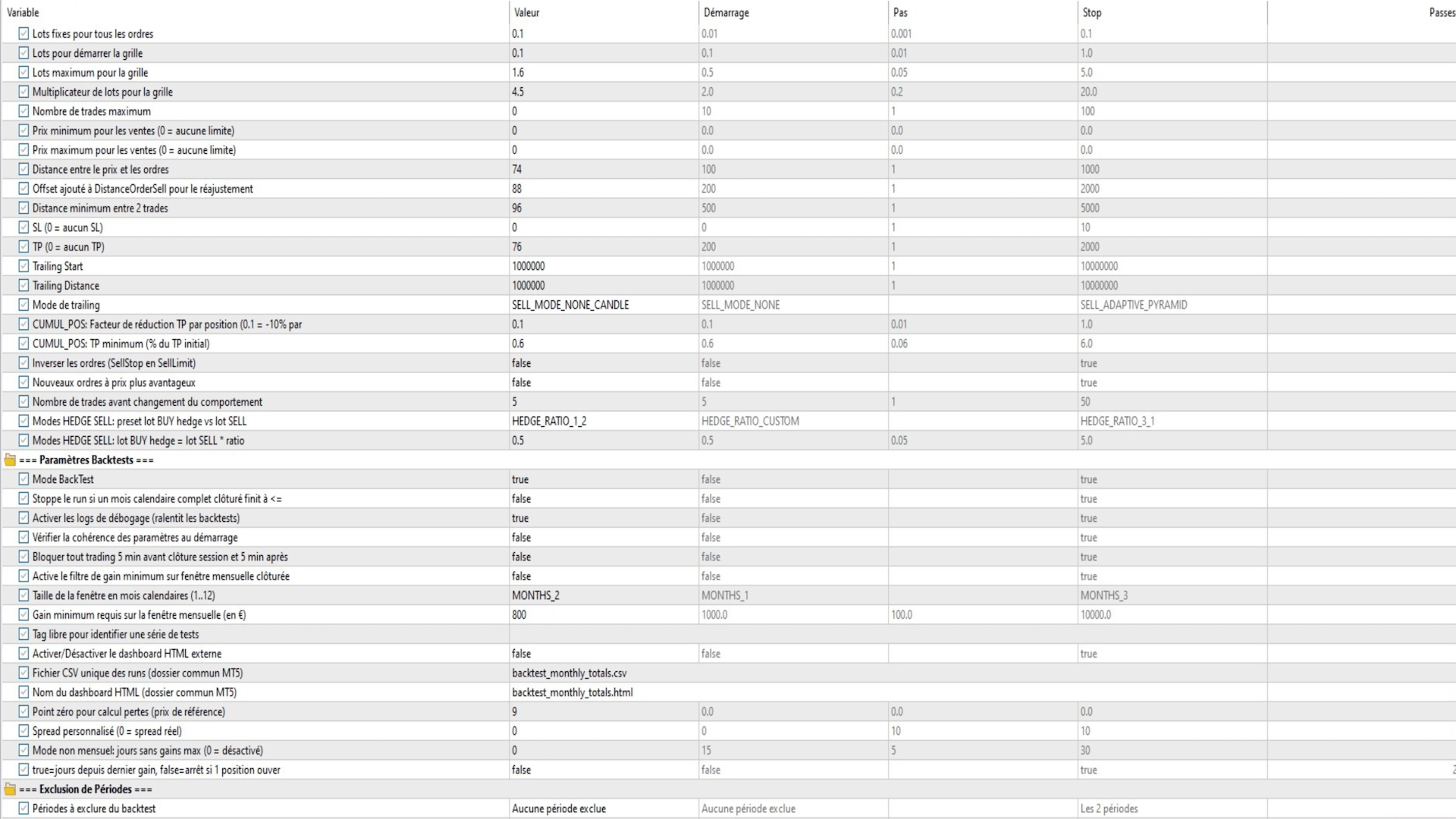
Up to two calendar periods can be excluded from the backtest. The Expert Advisor (EA) waits for all open trades to close naturally before suspending any new activity during the phantom period . The number of excluded days is automatically deducted from the calculation of no-profit periods to avoid negatively impacting performance statistics.
reporting system and HTML dashboard
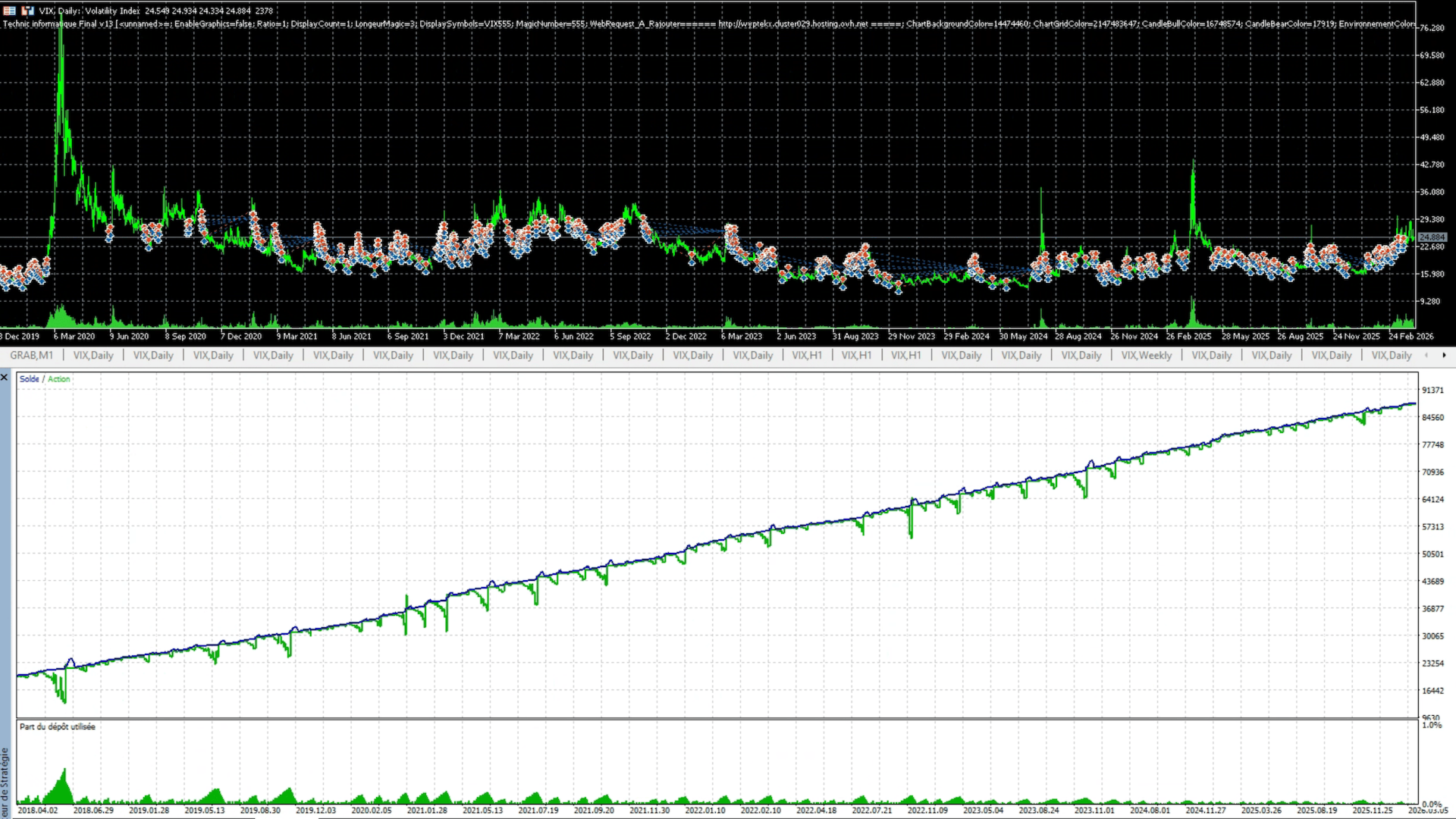
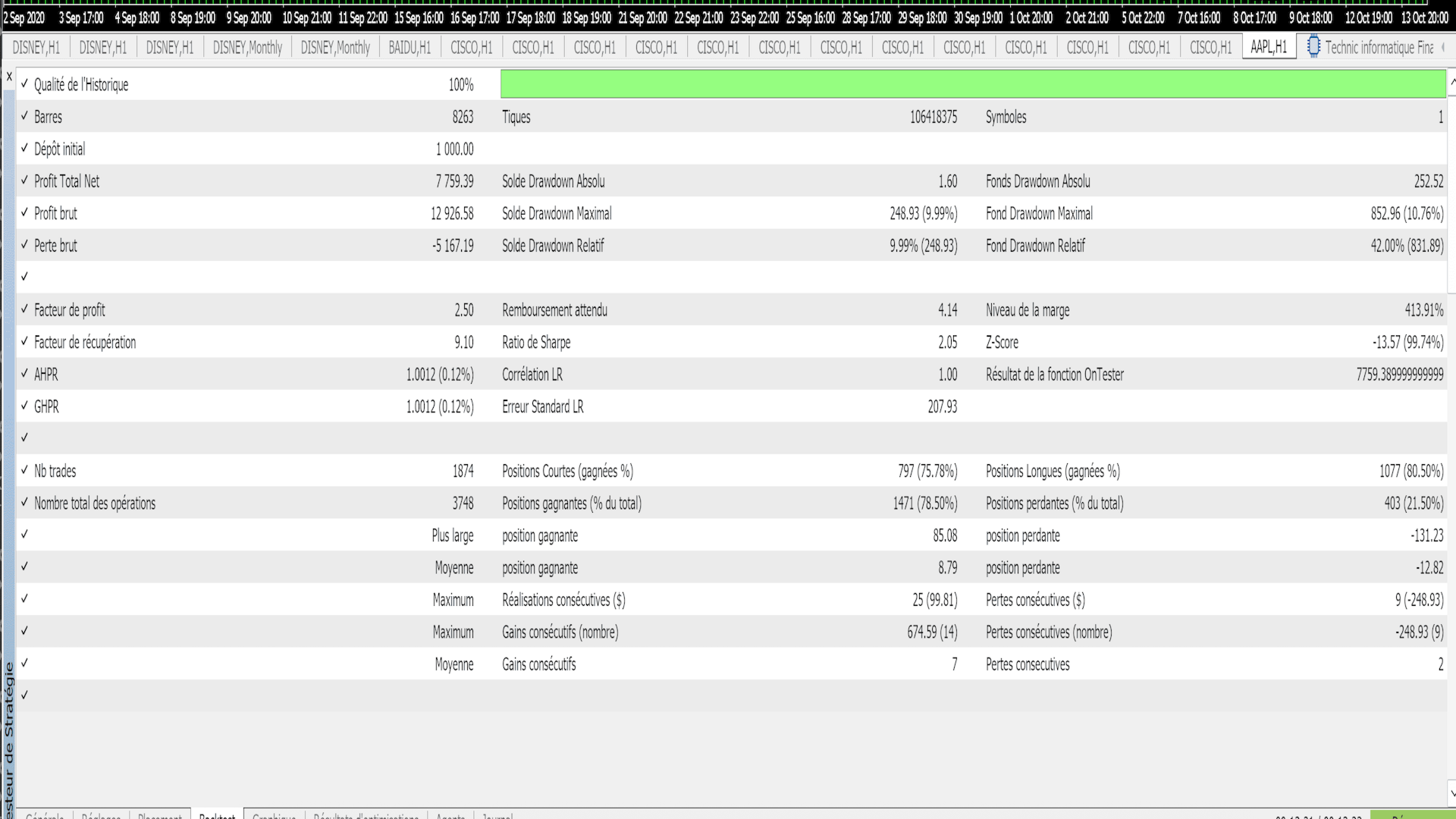
At the end of each backtest, the Expert Advisor (EA) generates a cumulative CSV file (backtest_monthly_totals.csv) recording all runs with: OnTester score, monthly totals, maximum drawdown, maximum number of days without winnings, and identification parameters . An interactive HTML dashboard ( backtest_monthly_totals.html ) is regenerated for each run, allowing visual comparison of all backtests via monthly pie charts, ranking tables, and two scores: pure return ( OnTester) and a balanced score ( penalizing monthly irregularity via the normalized standard deviation ) . Dynamic filters (displayed number , irregularity weighting , exclusion of negative months ) are directly accessible in the browser without reloading.
Criteria for automatic backtest termination
Several early stopping mechanisms protect optimization :
- Drawdown background : stop if balance − equity ≥ BackTestStopThreshold.
- - positive calendar month : StopIfNonPositiveClosedMonth option to stop as soon as a full month closes at ≤ € 0 .
- Monthly sliding window filter : stop if the profit over the last N closed months is less than the MonthlyMinProfitThreshold threshold.
- Days without gains : stop if no winning trade for X consecutive calendar days ( excluding phantom periods ) .
Real - time graphical display
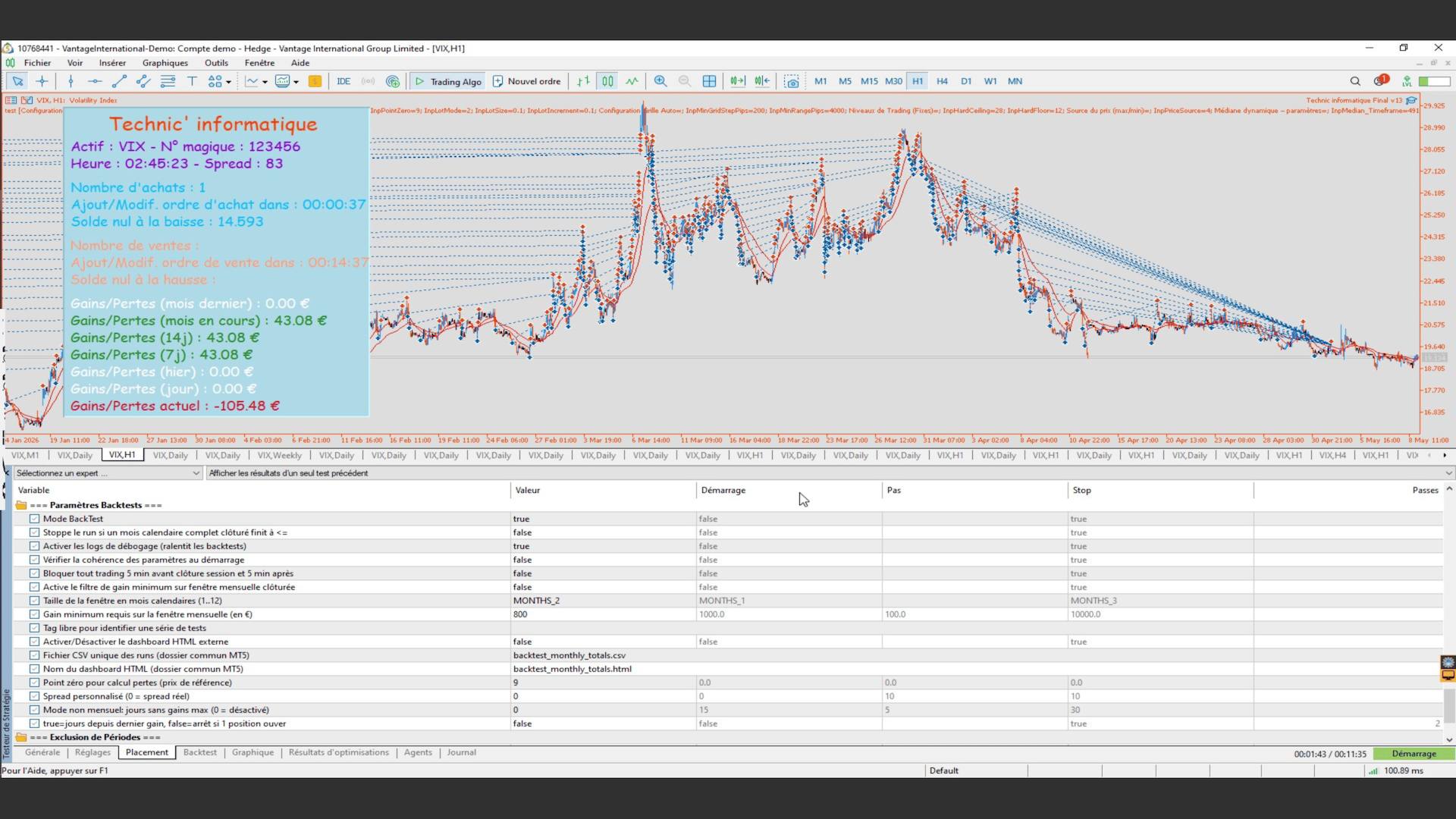
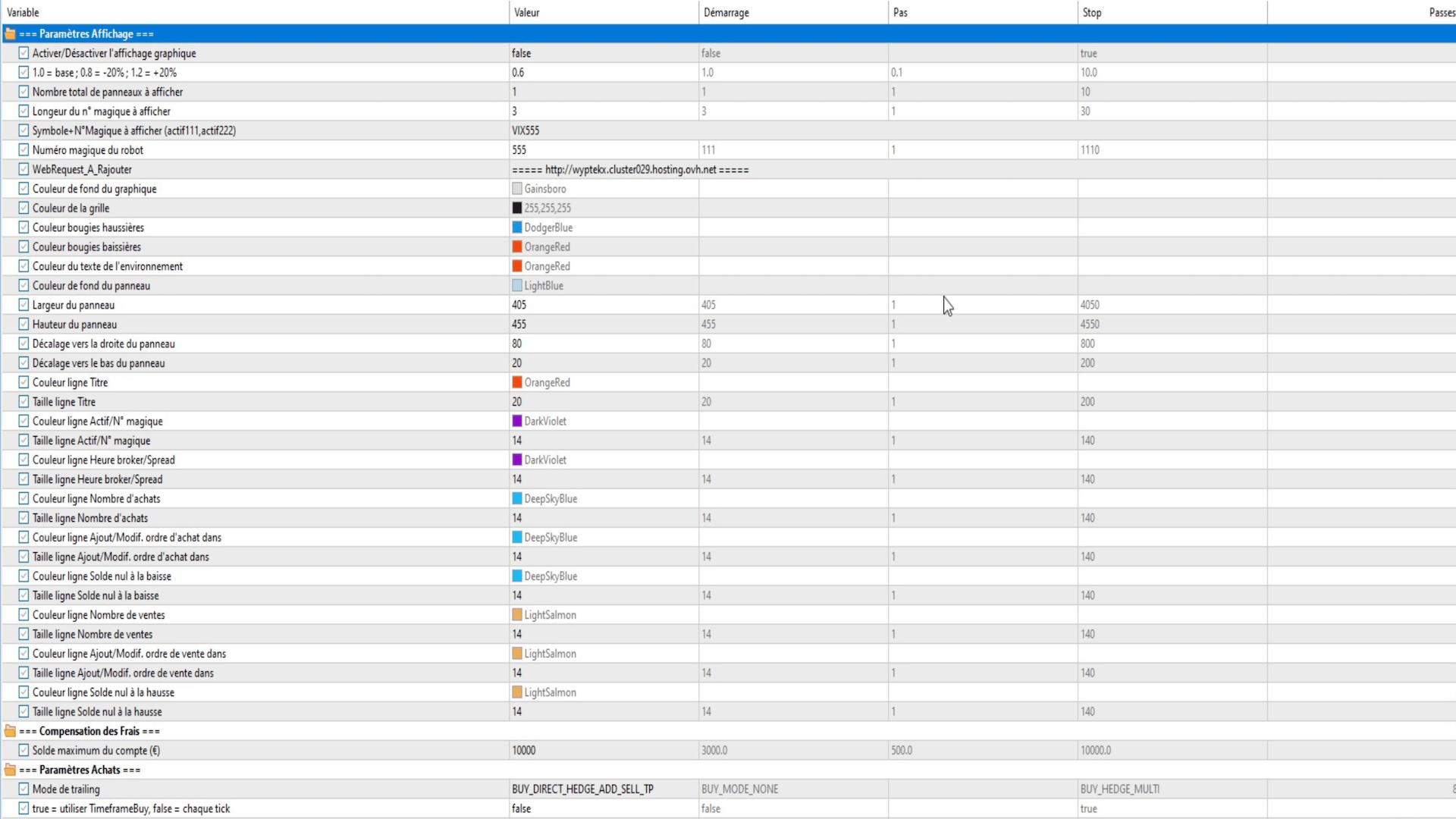
A configurable panel (colors, sizes, positions) displays in real time for each monitored asset/magic number : number of open BUY/SELL positions, broker time, current spread, time to next order, zero balance levels (long and short break-even) with horizontal lines on the chart, as well as profits/losses over 7 periods ( float, day, yesterday, 7 days, 14 days, current month, previous month ) with dynamic green/red coloring. The virtual TP is plotted in a line on the chart for cumulative modes.
Trailing Stop Loss
A standard trailing stop is available on each side with TrailingStartBuy /Sell (activation threshold in pips) and TrailingStopLossBuy/Sell (hold distance). In CUMUL and HEDGE modes, the trailing is calculated on the weighted sum of pips from all active positions, not position by position.
Compatibility and configuration
- Compatible with all MT5 instruments (Forex, CFD shares, indices, commodities , VIX ).
- Configurable magic number to allow multiple instances to coexist on the same account .
- Custom spread in backtesting to simulate realistic conditions .
- Debugging logs can be enabled/ disabled to avoid impacting optimization performance.
- Parameter consistency check at startup with blocking if invalid configuration .
Trailing SL is only active in the following modes
BUY side :
- BUY_MODE_NONE
- BUY_DIRECT_HEDGE
- BUY_DIRECT_HEDGE_ADD_SELL_TP (family)
- BUY_CUMUL_SINGLE
- BUY_CUMUL_MULTI
- BUY_HEDGE_SINGLE
- BUY_HEDGE_MULTI
- BUY_HEDGE_SINGLE_ADD_SELL_TP
- BUY_HEDGE_MULTI_ADD_SELL_TP
- BUY_CUMUL_POS
SELL side :
- SELL_MODE_NONE
- SELL_DIRECT_HEDGE
- SELL_DIRECT_HEDGE_ADD_BUY_TP
- SELL_CUMUL_SINGLE
- SELL_CUMUL_MULTI
- SELL_HEDGE_SINGLE
- SELL_HEDGE_MULTI
- SELL_HEDGE_SINGLE_ADD_BUY_TP
- SELL_HEDGE_MULTI_ADD_BUY_TP
- SELL_CUMUL_POS