ChartLens AI
- Utilities
- Version: 1.0
- Activations: 10

ChartLens AI - Professional AI-Powered Trading Terminal
ChartLens AI is a state-of-the-art Expert Advisor (EA) designed for MQL5, bringing the power of OpenAI's Vision and Language models directly to your MetaTrader 5 terminal. By analyzing real-time chart screenshots and technical indicator data, ChartLens AI provides intelligent trading signals, technical reasoning, and automated trade execution.
Key Features
- Dual Analysis Modes:
- Vision Mode (Strategy): The EA takes a screenshot of your current chart and sends it to OpenAI's GPT-4o Vision model. The AI "sees" patterns, support/resistance levels, and candle formations just like a human trader.
- Indicator Mode: Sends raw data from up to 3 selected technical indicators (MA, RSI, MACD, etc.) for a purely data-driven mathematical analysis.
- Multi-Strategy & Modifiers: Select from built-in professional strategies (Price Action, Smart Money Concepts, Scalping) and add "Modifiers" (Risk Management, Psychology, News Volatility) to refine the AI's decision-making process.
- Custom Prompt Input: Have a specific requirement? Type your custom prompt (up to 1000 characters) directly into the dashboard to guide the AI's analysis.
- Advanced Risk Management:
- ATR-Based: Automatic SL/TP calculation based on market volatility.
- AI-Based: Let the AI determine the best Entry, SL, and TP levels based on the chart structure.
- Dynamic Lot Sizing: Automatically calculates lot sizes based on your account balance and risk percentage.
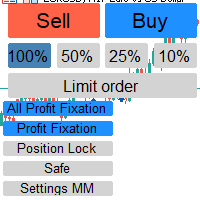
- Integrated Dashboard: A premium, user-friendly interface that allows you to control everything on-chart without opening settings.
- Force Signal Mode: For aggressive traders, this mode forces the AI to pick a direction (Buy/Sell) even in low-probability setups.
How to Set Up (Step-by-Step)
- Get your OpenAI API Key:
- Go to OpenAI Platform and create an account.
- Navigate to the Billing section and add a minimum of $5 credits to your account (OpenAI requires a pre-paid balance for API usage).
- Create a new Secret Key (API Key) from the API Keys section.
- Enable WebRequest in MetaTrader 5:
- Open MT5 -> Tools -> Options -> Expert Advisors.
- Check "Allow WebRequest for listed URL".
- Add this URL: https://api.openai.com
- Launch the EA:
- Attach ChartLens AI to any chart.
- In the Inputs tab (F7), paste your OpenAI API Key into the InpApiKey field.
- Select your preferred GPT model (GPT-4o or GPT-4o-mini).
Why Choose ChartLens AI?
Unlike traditional "Black Box" EAs, ChartLens AI provides Reasoning. Before every trade, the AI explains why it is taking the position in the "Details" panel. This makes it an excellent tool for both automated trading and educational purposes.
Roadmap
We are committed to continuous improvement. Coming soon:
- Integration with GPT-5 (upon release).
- Integration with OpenAI O1 reasoning models.
- Support for multiple chart screenshots for multi-timeframe analysis.
- Voice-to-Prompt command integration.
Important Notes
- API Costs: Using this EA requires an active OpenAI API account with a paid balance. Costs depend on your usage and the model selected (GPT-4o-mini is highly cost-effective).
- Security: Your API Key is stored locally in your terminal and is never shared with third parties.
- Disclaimer: Trading involves risk. ChartLens AI is a tool to assist your decision-making. Always test on a demo account before trading live.
Experience the future of trading with ChartLens AI today!