Stoch Mantis
- Utilities
-
Channaphat Yamuangmorn
 Hello! I am an experienced Algorithmic Trader and MQL5 Developer based in Thailand. I specialize in designing and developing robust Expert Advisors (EAs) and automated trading systems for MetaTrader 5.
 - Version: 1.50
- Updated: 17 April 2026
Title: Stoch Mantis
Description:
Stoch Mantis is a professional multi-timeframe utility designed to monitor the Stochastic Oscillator across your current chart while providing a broader trend context using the 200 EMA. This tool does not execute trades automatically; instead, it serves as a highly efficient alert system and market analyzer for manual traders who utilize pullback strategies.
Trading extreme zones on lower timeframes can be risky without considering the major trend. Stoch Mantis solves this by combining the precision of the Stochastic indicator with a Multi-Timeframe (MTF) trend filter, delivering high-probability setup alerts directly to your screen and mobile device.
Key Features:
-
Multi-Timeframe Trend Dashboard: Displays the real-time status of the Exponential Moving Average (EMA) across H4, H1, M15, M5, and M1 timeframes directly on your chart. You will instantly know if the market is in an Uptrend or Downtrend.
-
Smart Anti-Spam Alert System: Features an intelligent Flip-Flop logic. Once the indicator enters an extreme zone, it alerts you only once. It will stay silent and wait until the indicator crosses into the opposite zone before sending the next alert, preventing annoying notification spam.
-
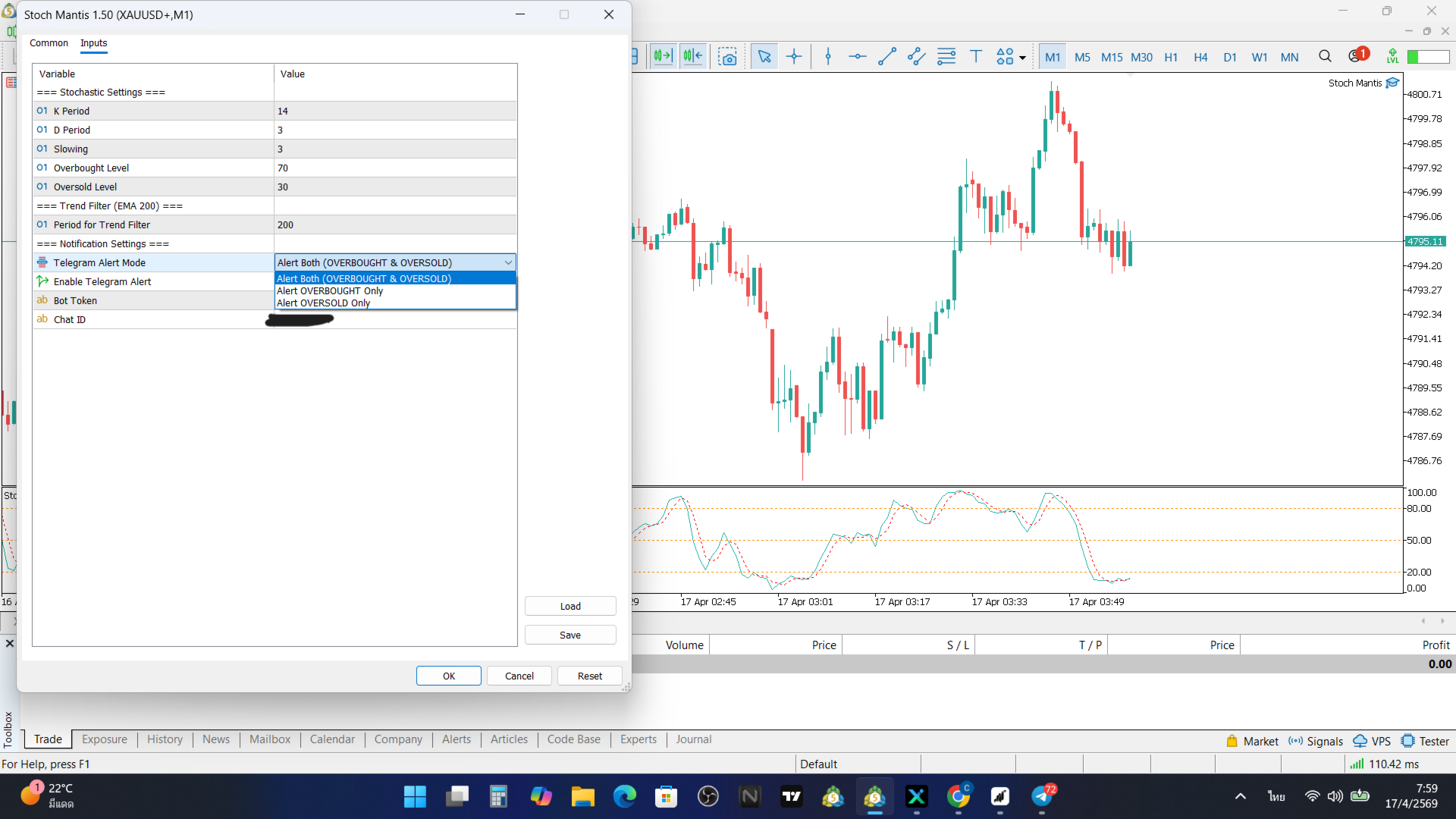
Customizable Alert Modes: Choose to receive alerts for both zones, or restrict alerts to either Overbought only or Oversold only to align with your directional bias.
-
Telegram Integration: Sends clean, text-based notifications directly to your Telegram app, allowing you to monitor the market remotely.
Input Parameters:
-
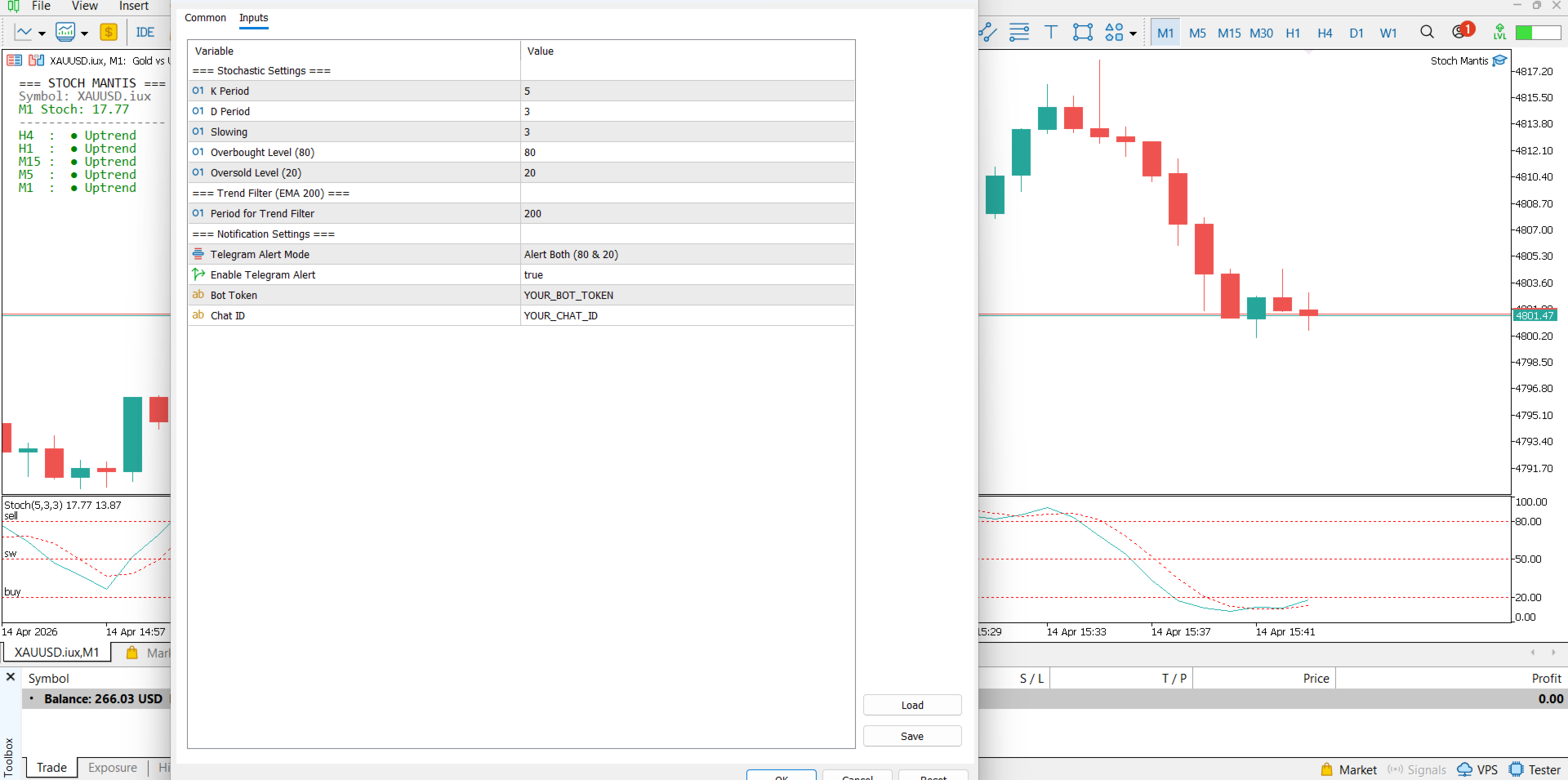
K Period / D Period / Slowing: Standard settings for the Stochastic Oscillator indicator.
-
Overbought Level: Define your upper extreme zone (Default is 80).
-
Oversold Level: Define your lower extreme zone (Default is 20).
-
Period for Trend Filter: Define the EMA period used for the multi-timeframe trend calculation (Default is 200).
-
Telegram Alert Mode: Select between alerting for Both Zones, Overbought Only, or Oversold Only.
-
Enable Telegram Alert: Set to true to activate mobile notifications via WebRequest.
-
Bot Token: Input your Telegram bot token.
-
Chat ID: Input your target Telegram chat or channel ID.
Setup Instructions for Telegram Alerts: To successfully receive Telegram notifications, you must grant MetaTrader 5 permission to send data.
-
Open your MetaTrader 5 terminal.
-
Go to Tools -> Options -> Expert Advisors.
-
Check the box "Allow WebRequest for listed URL".
-
Add the following URL exactly as shown: https://api.telegram.org