Indices Pulse
- Experts
-
Md Abdul Manann
 I'm Md Abdul Manann, the developer behind Gold EA Pulse and the Pulse family of Expert Advisors. I build automated trading tools that follow clear rules, publish their results openly and respect your capital.
GOLD EA PULSE: MY MAIN EA - Version: 2.0
- Updated: 25 September 2026
- Activations: 20
Indices Pulse
Indices Pulse is a trend-following Expert Advisor designed for stock indices such as US30 (Dow Jones) and NAS100 (Nasdaq 100). It opens trades only when the market direction agrees across several timeframes, and it manages each position with volatility-based stops, break-even and a trailing stop.
How it works
The Expert Advisor evaluates the trend on two higher timeframes and looks for an entry on a lower timeframe that you select. A trade is opened only when all three timeframes point in the same direction. An optional momentum filter helps avoid entries when the market is already stretched in one direction.
Each trade is opened with a Stop Loss and Take Profit. These can be based on current market volatility, so stops widen in active markets and tighten in quiet ones, or on fixed distances in points.
Position management
- Break-even: once the trade has moved a set distance in profit, the Stop Loss is moved to the entry price plus a small, adjustable profit lock.
- Trailing stop: the Stop Loss follows the price in steps, based on volatility or a fixed distance.
- Before modifying a position, the Expert Advisor checks the broker's minimum stop and freeze distances to avoid rejected requests.
Risk control
- Lot size can be fixed or calculated from a percentage of the account balance and the Stop Loss distance, with an adjustable maximum lot size.
- Free margin is checked before every order. If margin is insufficient, the lot size is reduced or the trade is skipped.
- Daily and total drawdown limits can pause trading, and optionally close open positions, when a limit is reached.
- Maximum spread, maximum trades per day and maximum open positions can be set.
Trading schedule and news filter
- You can choose which weekdays to trade and define one or more trading time windows in broker server time.
- The news filter pauses new entries before and after scheduled economic events, and can close open positions before an event. You can choose the impact level and limit the filter to USD events.
Recommended use
- Symbols: US30, NAS100 or other liquid stock indices.
- Account type: works on both netting and hedging accounts.
- Run the Expert Advisor on one chart per symbol. Use a different Magic Number on each chart if you run it on several symbols.
- Check the point size of your broker's index symbols before using the fixed point settings, because one point can have a different value from broker to broker.
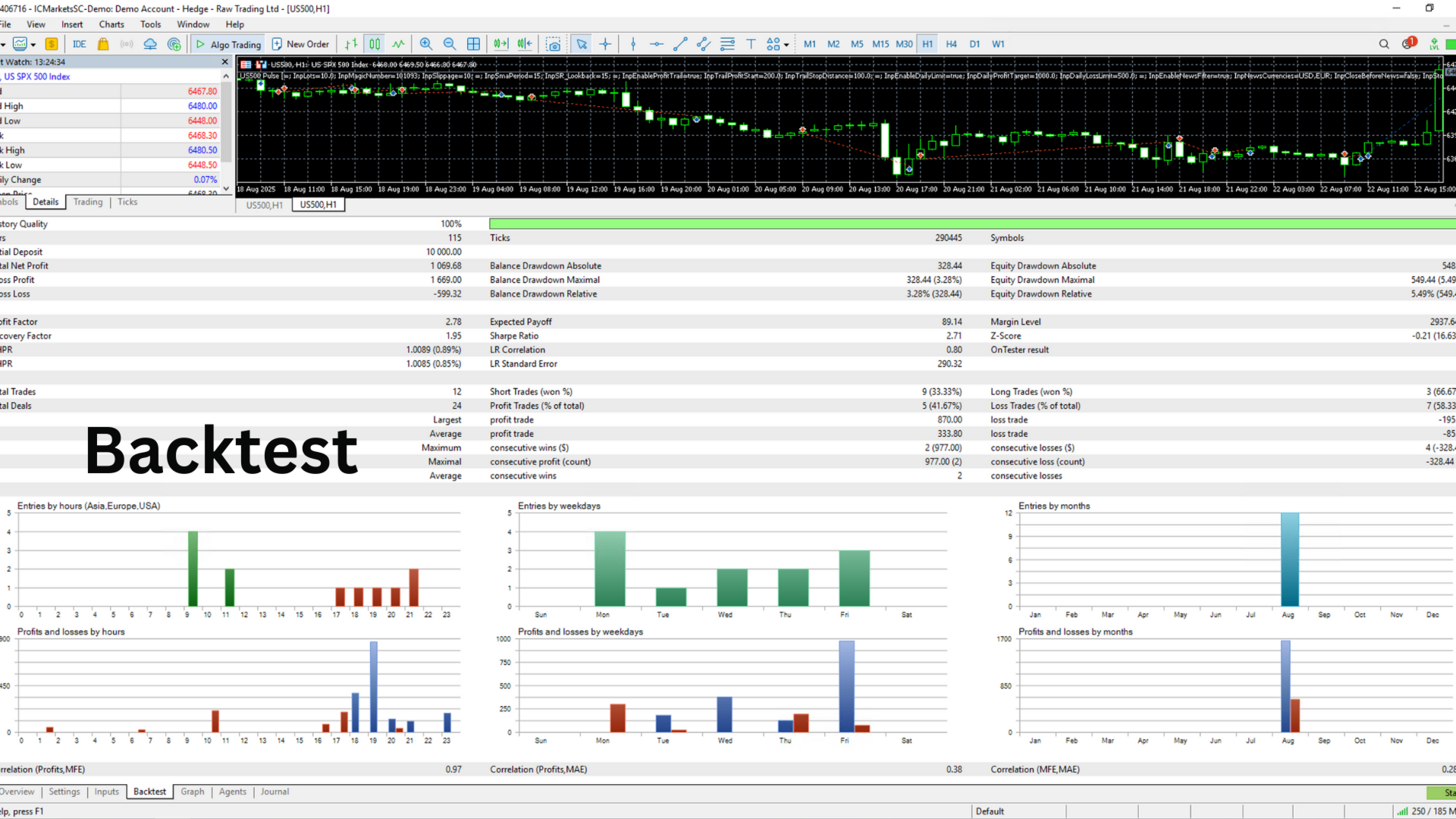
- For the news filter, select the MQL5 Economic Calendar as the news source. The news filter does not work in the Strategy Tester, so backtest results do not include it.
- Test the settings on a demo account before trading on a live account.
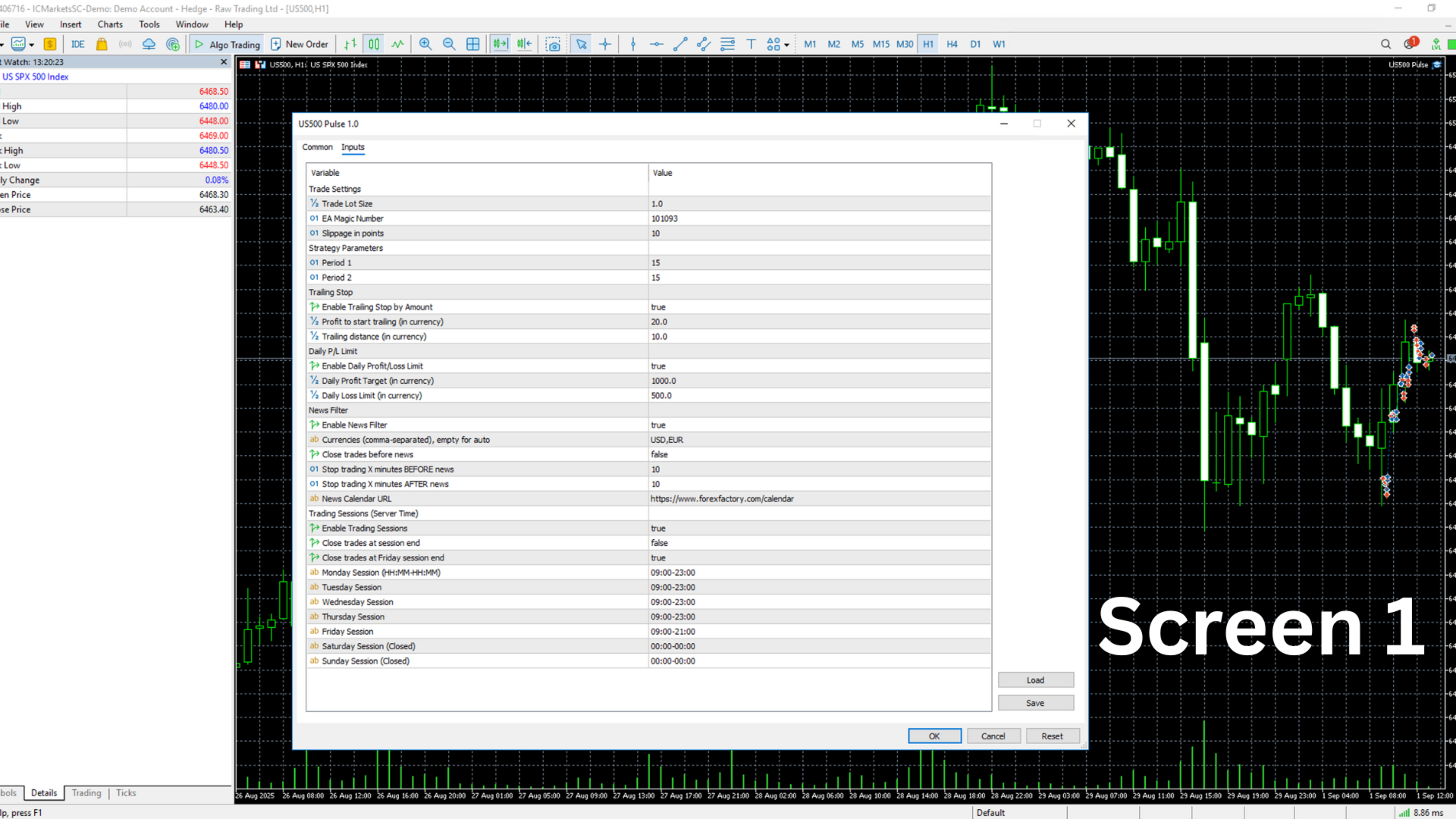
Main settings
- General: Magic Number, trade comment and entry timeframe.
- Trend and entry: moving average periods for each timeframe, and the momentum filter.
- Stop Loss and Take Profit: volatility-based or fixed mode.
- Trade management: break-even and trailing stop settings.
- Position sizing: fixed lot or risk percentage, and maximum lot size.
- Filters and schedule: spread, trade limits, weekdays and trading hours.
- Drawdown protection: daily and total limits, and optional closing of positions.
- News filter: source, impact level, pause times and closing before news.
Risk warning
Trading leveraged products such as stock index contracts carries a high level of risk and may not be suitable for all investors. Past performance, including Strategy Tester results, does not guarantee future results. Use only funds you can afford to lose.