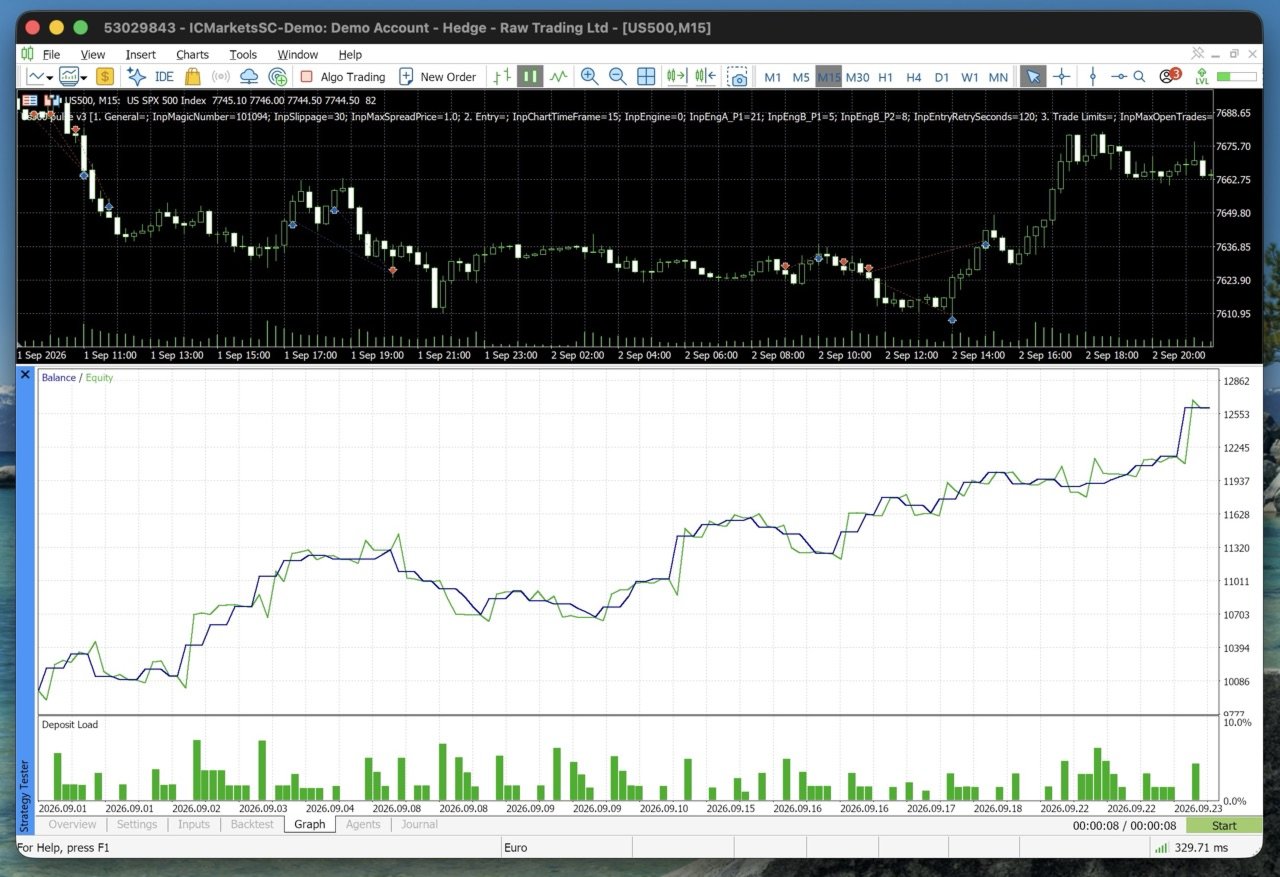
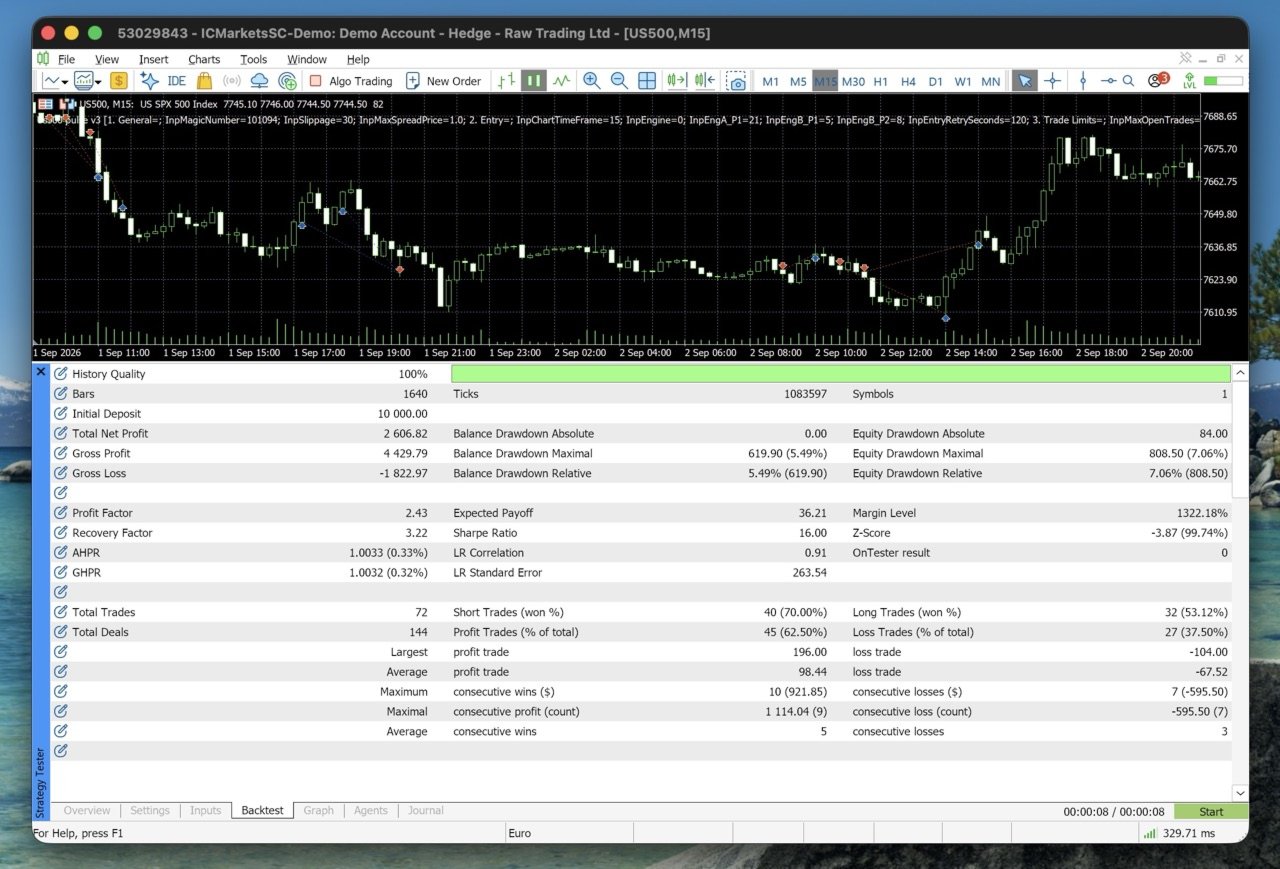
US500 Pulse
- Experts
-
Md Abdul Manann
 I'm the founder of SPLpulse. My mission is simple: to contribute to the MQL5 community by developing high-quality, reliable, and accessible Expert Advisors. I have a strong pipeline of EAs in development and I am dedicated to helping traders automate their strategies with confidence.
 - Version: 3.0
- Updated: 26 September 2026
- Activations: 20
US500 Pulse - Rule-Based Trend Expert Advisor for the S&P 500 (US500 / SPX500)
US500 Pulse is a trend-following Expert Advisor built for one market: the US500 (S&P 500) index on MetaTrader 5. It uses no martingale, no grid and no averaging down. Every trade is opened with a stop loss, a defined risk and clear exit rules.
Overview
US500 Pulse is designed and tuned for US500 index CFDs on the 15-minute timeframe. The focus is on controlled risk, clear rules and full transparency about what the Expert Advisor is doing and why.
Risk management
- Every trade is opened with a stop loss.
- Position size by risk percentage of balance, with an optional maximum lot size.
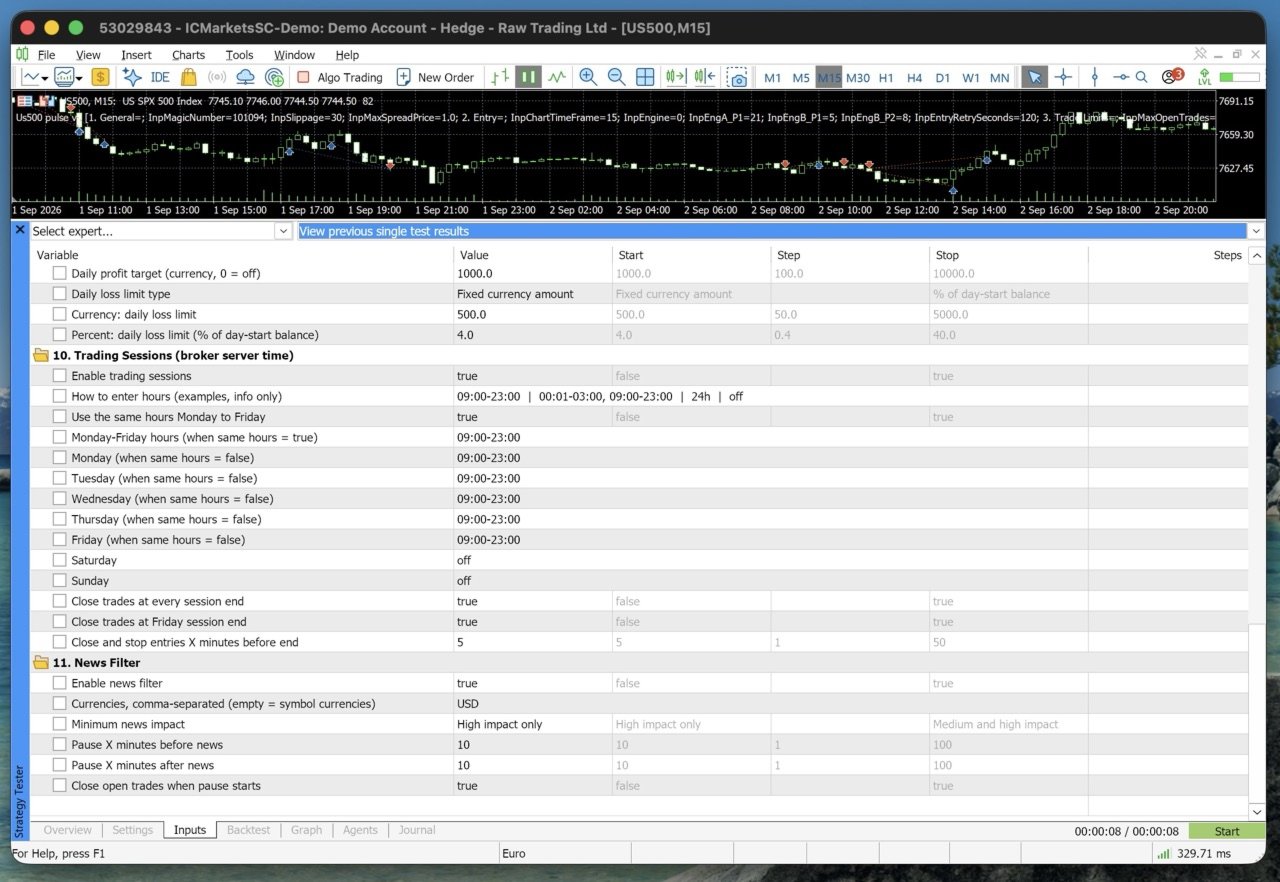
- Daily profit target and daily loss limit in account currency or percent, checked on every tick and including open trades.
- Trade limits: maximum open trades, minimum time between trades and maximum trades per day.
- If a trade would need more risk than allowed, it is skipped, never forced.
Exits
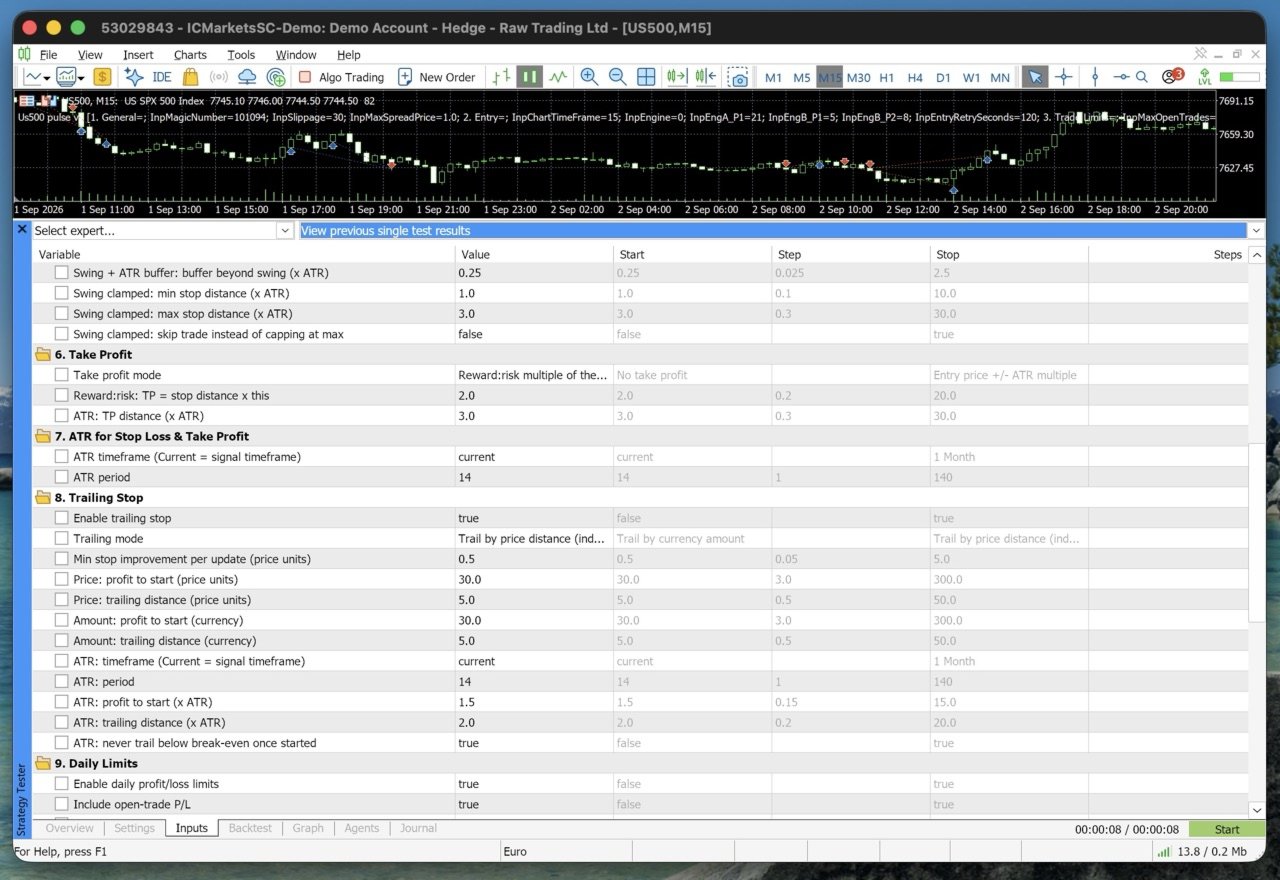
- Four stop loss modes: swing high/low with a fixed buffer, ATR distance, swing high/low with an ATR buffer, or swing high/low limited by ATR minimum and maximum.
- Three take profit modes: none, reward-to-risk multiple, or ATR distance.
- ATR trailing stop with break-even protection, plus price and currency trailing modes.
Trading hours and news
- Multiple trading sessions per day, for example 00:01-03:00 and 09:00-23:00.
- Optional closing at every session end or at the Friday close, a set number of minutes early.
- Built-in news filter using the MetaTrader 5 economic calendar: pause before and after important news and optionally close open trades. No website setup is needed.
Designed with prop firm rules in mind
Many proprietary trading firms, for example FTMO, FundedNext and The5ers, use daily loss limits, overall loss limits and restrictions around news and weekends. US500 Pulse includes tools that help you stay inside rules of this kind:
- A daily loss limit in account currency that includes open trades, so you can set it below your firm's daily limit.
- A stop loss on every trade and no martingale, grid or averaging down.
- An optional news pause with closing of open trades before important releases.
- Optional closing before the weekend and at session end.
- A maximum lot size and a maximum number of open trades.
Rules differ between firms and change over time. Always check your firm's current rules, confirm that it allows Expert Advisors, and set the inputs with a safety margin below each limit. US500 Pulse is not affiliated with or endorsed by any proprietary trading firm, and meeting a firm's objectives cannot be guaranteed.
What US500 Pulse does not do
- No martingale, no grid and no lot increase after losses.
- No DLL files and no connections to external websites.
- No hidden risk: all limits are visible in the inputs.
Recommended setup
- Symbol: US500 (also named SP500, SPX500, US500.cash or US SPX 500 depending on the broker or firm).
- Timeframe: 15 minutes.
- Account: hedging recommended. Netting accounts are supported and detected automatically.
- Broker: low spread on index CFDs.
- Minimum deposit: [your recommended amount].
- Set "10. Trading Sessions" to your broker's US500 trading hours in server time.
Testing before purchase
1. Download the free demo and open the Strategy Tester.
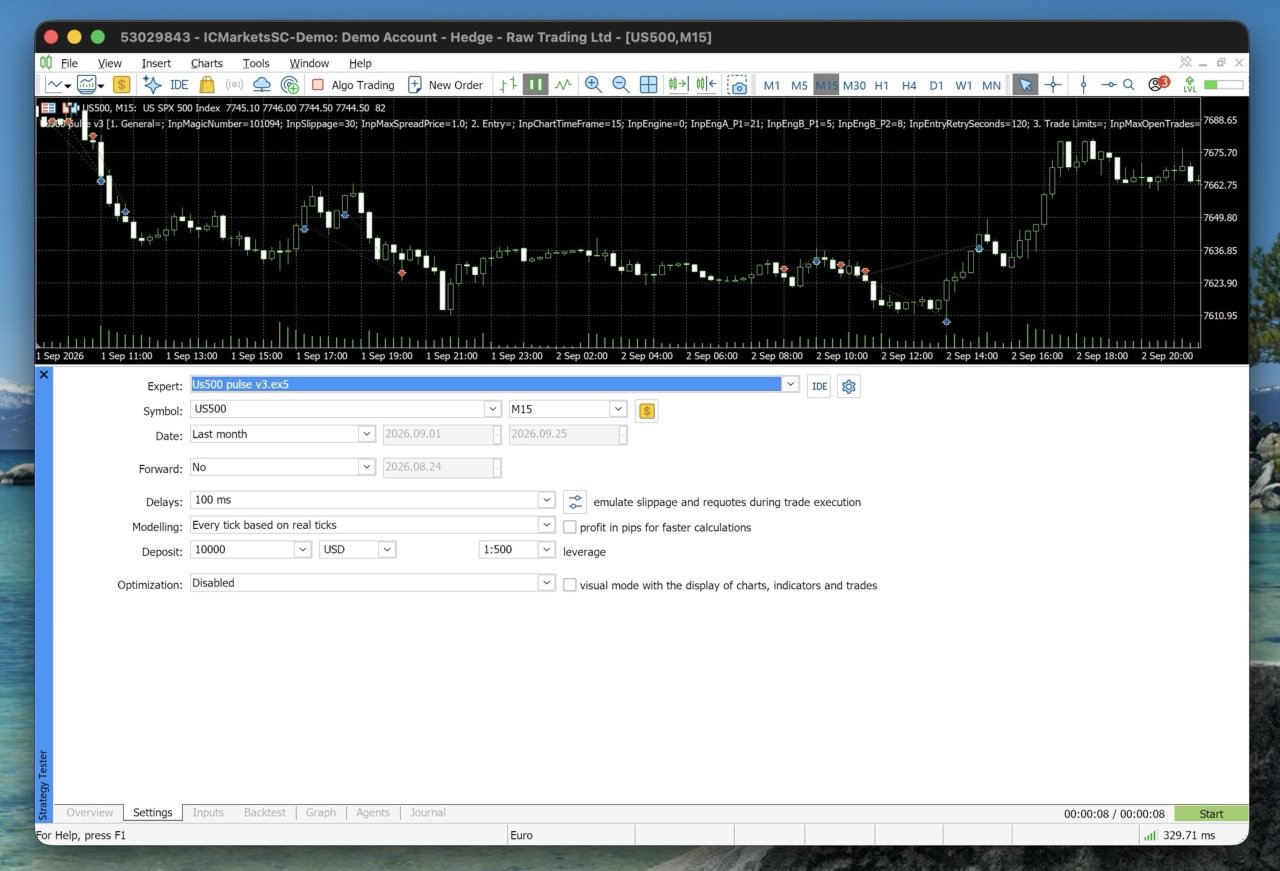
2. Select the US500 symbol of your broker, the 15-minute timeframe and "Every tick based on real ticks".
3. Enable visual mode and follow the chart panel, which shows every decision.
4. Compare the stop loss and take profit modes to find the style that suits you.
The news filter works in live trading only, because the economic calendar is not available in the Strategy Tester.
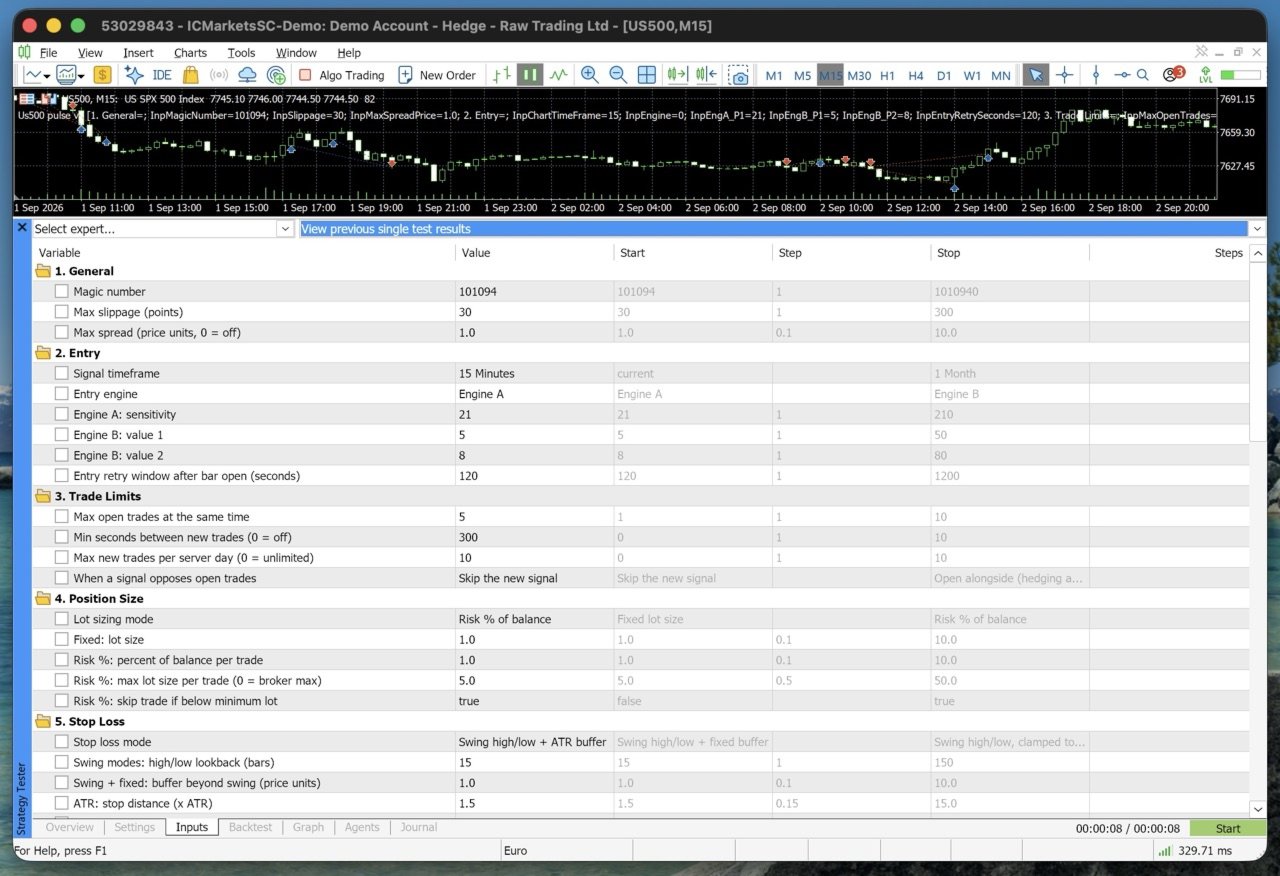
Inputs overview
1. General - magic number, slippage, maximum spread
2. Entry - signal timeframe, Engine A or Engine B and their settings
3. Trade Limits - open trades, time between trades, trades per day, opposite signals
4. Position Size - fixed lot or risk percentage with maximum lot
5. Stop Loss - four modes
6. Take Profit - three modes
7. ATR for Stop Loss and Take Profit
8. Trailing Stop - ATR, price or currency
9. Daily Limits - profit target and loss limit
10. Trading Sessions - several sessions per day, session and Friday close
11. News Filter - currencies, importance, pause before and after
Support
After purchase, send a private message on MQL5 with the Profile code shown on the chart panel. It shows your settings at a glance and helps solve questions faster. Updates are free for buyers.
Risk warning
Trading leveraged products such as index CFDs involves substantial risk and may not be suitable for all investors. Past performance, including backtests, does not guarantee future results. Test on a demo account first and trade only with money you can afford to lose.