
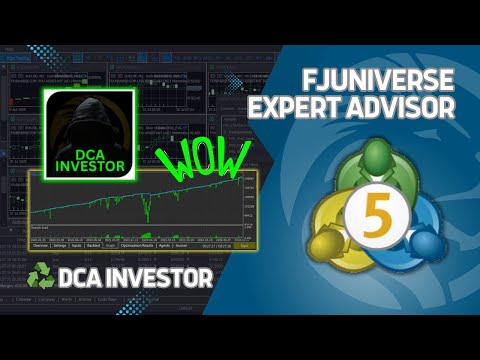
FJ Universe DCA Investor
- Experts
-
Frantisek Juris
 Hello!
Thank you for visiting my profile - I truly appreciate it!
I'm a full-time traveler who previously worked as an automation specialist in the field of software testing and development. I’ve worked with companies like Vodafone, NCR, and Global Payments in Prague, Czech Republic. - Version: 1.8
- Updated: 15 February 2026
- Activations: 5
An automated trading solution designed to simplify and optimize your trading strategy on MetaTrader 5 (MT5).
This Expert Advisor (EA) employs a disciplined Dollar-Cost Averaging (DCA) strategy to execute buy positions and manage trades efficiently. It evaluates conditions for opening a buy position and updating the take-profit level after each new candle opens. If no trades are active, a new trade is initiated. For existing trades, the EA calculates the "totalInvestmentForBot" divided by "numberOfOrders" to create a DCA GRID for subsequent orders below the current price, ensuring strategic risk management.
All trading signals are sent directly to a Discord server for real-time monitoring and can be customized to suit your preferences.
Features:
- Executes buy positions based on a new candle opening, with no active trades triggering a new order.
- Calculates and updates take-profit levels as a percentage above the average price (input "takeProfitInPercentage"), excluding swap fees.
- Implements a DCA GRID strategy by dividing the "totalInvestmentForBot" across a specified "numberOfOrders" for orders placed down to a 100% price drop.
- Integrates with Discord to send trading signals directly to your private channel, with customizable webhook and nickname settings.
- Supports optimization for multiple currency pairs and accounts by allowing configuration of filling policies (FOK, IOC, or Return) to match broker requirements.
- Enables running multiple EAs on the same pair or account by assigning unique Magic Numbers to prevent trade interference.
Configuration Settings:
- Total Investment (totalInvestmentForBot): The total amount of money you allocate for the EA to trade on a specific currency pair and timeframe. Think of it as the budget the EA uses to open trades.
- Number of Orders (numberOfOrders): The number of smaller trades the EA splits your Total Investment into. These trades form a Dollar Cost Averaging (DCA) grid, designed to handle price drops up to 100% by buying at different price levels.
- Cost Format (costFormat): Choose how you want to set trade sizes: in fiat currency (e.g., USD) or in lots (e.g., 0.01 lots). This gives you flexibility based on your trading style.
- Take Profit Percentage (takeProfitInPercentage): The profit target, expressed as a percentage above the average price of your open trades. Note: This does not account for swap fees (overnight holding costs).
- -------------------
- Magic Number (magicNumber): A unique ID assigned to the EA to track its trades. This prevents the EA from interfering with other EAs or your manual trades, keeping everything organized.
- Use Filling Policy (useFillingPolicy): When set to "True," the EA automatically picks the best order execution method (Fill or Kill, Immediate or Cancel, or Return) based on your broker’s requirements, ensuring smooth trade execution.
- Last DCA Cycle (lastCycleOfDCA): Choose whether the EA should stop trading after completing a full DCA cycle (i.e., after closing all positions). Useful for controlling when the EA pauses.
- -------------------
- Brand Link Name (brandLinkName): Add a custom name for a link included in your trade reports, making it easy to personalize or brand your reports.
- Brand Link URL (brandLinkURL): Provide a URL to pair with the Brand Link Name in your trade reports, such as a link to your website or profile.
- Discord Nickname (discordNickname): The name displayed in Discord reports. You can use <@id> tags to mention specific users or roles in your Discord channel.
- Discord Webhook Logs (discordWebhookLogs): The URL for a Discord webhook to send detailed trade logs to your custom Discord channel, keeping you updated on EA activity.
- Discord Webhook Results (discordWebhookResults): The URL for a Discord webhook to send profit and loss (PNL) results to your custom Discord channel, so you can track performance.
- Telegram Nickname (telegramNickname): The name shown in Telegram reports. Supports @id tags to tag specific users or groups.
- Telegram Bot Token (telegramBotToken): The API token from Telegram’s BotFather, used to connect your EA to a Telegram bot for sending reports.
- Telegram Chat ID (telegramChatID): The ID of the Telegram chat or group where your bot will send PNL results, keeping you informed on the go.
Setup for Discord Integration:
To enable Discord signal notifications, configure the WebRequest settings in MT5:
1. Go to Tools > Options > Expert Advisors tab.
2. Check "Allow WebRequest for listed URL."
3. Add "https://discord.com" & "https://discordapp.com" to the list of allowed URLs.
To enable Telegram signal notifications, configure the WebRequest settings in MT5:
1. Go to Tools > Options > Expert Advisors tab.
2. Check "Allow WebRequest for listed URL."
3. Add "https://api.telegram.org" to the list of allowed URLs.
This trading robot is ideal for traders seeking an automated, low-maintenance approach to managing trades with a DCA strategy. It is highly customizable, compatible with multiple currency pairs, and designed to operate seamlessly in both live and demo environments. Whether you’re a beginner or an experienced trader, the DCA Investor Bot provides a robust and user-friendly solution to enhance your trading efficiency and risk management.

































Excellent tool. The developer is happy to help with everything. Literally a money printer.