FJ Universe AIT Grok Trading Agent
- Utilities
-
Frantisek Juris
 Hello!
Thank you for visiting my profile - I truly appreciate it!
I'm a full-time traveler who previously worked as an automation specialist in the field of software testing and development. I’ve worked with companies like Vodafone, NCR, and Global Payments in Prague, Czech Republic. - Version: 1.0
- Activations: 5
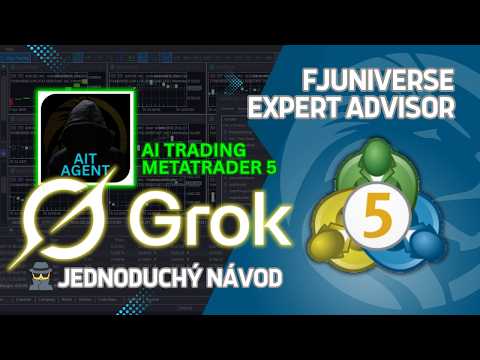
The Grok AI Trader - FJU Assistant is an MT5 Expert Advisor (EA) that connects your MetaTrader 5 platform directly to Grok AI from xAI. Using predefined or custom prompts, it analyzes chart data (OHLC, volume, etc.) at candle close and provides technical insights, trading suggestions, and optional automated order execution. Signals and reports can be sent to Discord or Telegram for monitoring. This EA suits traders who want to combine AI-driven analysis with manual or semi-automated strategies across forex, stocks, commodities, and other assets.
Key Features:
- Real-time AI-powered analysis of MT5 chart data using Grok AI models.
- Customizable prompts, trading style (Scalping, Day Trading, Swing), and response detail level.
- Optional automated order opening (single trade, per candle, or DCA mode) with filters for direction.
- Instant notifications and logs via Discord webhooks or Telegram bot.
- Multi-timeframe candle data lookup (up to 50 candles) for comprehensive analysis.
- Built-in risk controls like stop-loss (including in DCA mode) and lot recovery options.
- Easy setup with user-friendly inputs; works on any MT5-compatible broker and symbol.
Why Integrate Grok AI?
Grok AI delivers objective, data-focused insights without emotional influence, helping traders interpret market conditions more effectively. The EA acts as a bridge, sending chart context to Grok and applying responses according to your settings.
Strategy Settings
- Cost of Single Order (costOfSingleOrder): Defines the base size for orders - in lots or currency amount.
- Cost Format (costFormat): Select "LOT" for fixed lot size or "CURRENCY_AMOUNT" for risk-based sizing (assumes 100% full loss for calculation).
- Number of Orders (numberOfOrders): "SINGLE_TRADE_ACTIVE" for one order at a time; "ONE_TRADE_PER_CANDLE_CLOSE" to open on each new candle close.
- Direction Filter (openOnly): Restrict to LONG, SHORT, or NO_FILTER for both directions.
DCA and Recovery Settings
- Use DCA for Multiple Orders (useDCA): Enables averaging entries with a shared take-profit (stop-loss ignored unless activated).
- Activate Stop-Loss for DCA (activateSLWithDCA): Adds AI-calculated stop-loss based on average entry.
- Recover Past Losses (useAutoLotRecoveryByFJU): Increases lot size on new trades to offset previous losses.
- Sensitivity for Recovery (recoveryRangeForPastTrades): Number of past trades to review for loss recovery calculations.
Grok AI Settings
- Custom Prompt: Enter your specific instructions for Grok AI's analysis (e.g., indicators to focus on, risk rules).
- Level of Understanding: Adjusts complexity of vocabulary and explanation length in AI responses.
- Preferred Strategy for FJU Assistant: Select Scalping, Day Trading, Swing Trading, etc., to guide AI suggestions.
- Grok API Key: Your key from https://console.x.ai/ (required for connection).
- Language of Response: Set preferred output language (experimental; best with basic character sets).
- Model: Choose available Grok model for analysis.
- Grok API Endpoint: Default is https://api.x.ai/v1 (adjust if needed for compatibility).
- Max Response Characters / Tokens / Payload Length: Limits to optimize for different models and avoid overload.
Timeframes for Analysis
- Candles Lookup Period: Max candles sent for analysis (up to 50).
- Timeframe Selection: Enable/disable specific timeframes (true/false) for multi-TF analysis.
General Settings
- Brand Link Name / URL: Custom link in reports (e.g., your site or profile).
- Discord Nickname / Webhook Logs / Webhook Results: For personalized notifications and mentions (<@id> supported).
- Telegram Nickname / Bot Token / Chat ID: For Telegram integration (@id tagging supported).
Setup Requirements
Grok AI Integration:
1. Tools - Options - Expert Advisors.
2. Enable "Allow WebRequest for listed URL".
3. Add https://api.x.ai/
Discord Integration:
Add https://discord.com/ and https://discordapp.com/ to allowed URLs.
Telegram Integration:
Add https://api.telegram.org/ to allowed URLs.
Risk Disclaimer
Trading involves substantial risk of loss and is not suitable for all investors. This EA uses Grok AI for analysis and optional automation, but no strategy guarantees profits. Market conditions, slippage, broker differences, and execution delays can impact results. Past performance (including screenshots) is not indicative of future results. Use proper risk management, test thoroughly in demo accounts, and consult professionals if needed. The developer is not responsible for any trading losses.
Test the Grok AI Trader - FJU Assistant in your MT5 strategy tester or demo account to explore its AI integration and customization options.