S R Zone LS
- Indicators
- Version: 2.7
- Updated: 21 June 2025
- Activations: 5

Zone L.S Support & Resistance Zone Finder (v2.05)
An advanced zone strength measurer for MT4 that identifies, scores, and visualizes key support and resistance areas based on multiple strength criteria.
Features
-
Detection Criteria: assign strength weights to any combination of:
-
Micro Zones Strength – advanced lower-timeframe zone detection
-
Fractal Points Strength – counts confirmed fractal highs and lows
-
Advanced Clusters Strength – counts when open/close prices cluster near a level
-
On Tick Bounces Strength – counts high-volume bars bouncing at a level
-
Round Numbers Strength – optionally include round-price levels
-
-
Lookback & Merging: scan between StartOffset and EndOffset bars; raw strengths within a proximity threshold (Merge Sensitivity × average range) are merged into unified zones
-
Zone Strength & Classification: sum all strength weights per zone, filter out zones below your minimum strength percentage, and classify remaining zones into Class A (strongest), B, or C (weakest)
-
Multi-Timeframe Confluence: optionally import zones from up to two higher timeframes and boost main-TF zone strength when its average price overlaps a higher-TF zone
-
Main Chart Timeframe selection: choose which timeframe is rendered on your chart as the primary analysis timeframe
-
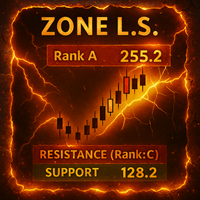
Visualization: render each zone as a colored rectangle—from its lowest to highest strength boundary—with adjustable vertical offset, thickness, and forward/backward ZoneShift; use graded colors (light→dark green for support, light→dark red for resistance, neutral grey for round numbers) and label each zone with “S” or “R,” its strength score, and its class
-
Dynamic vs. Static Mode:
-
DynamicZone = true: recalculates and redraws on every tick
-
DynamicZone = false: recalculates only when you click ReDo StaticZones
-
-
On-Chart Controls: toggle support or resistance zones on/off and regenerate static zones with on-chart buttons
-
Alerts: configure per-class (A/B/C) push, email, or popup alerts with a minimum bar-interval when price crosses a zone
How It Works
-
Assign Strengths: in the Criteria & Weights tab, set a numeric weight for each enabled criterion
-
Define Lookback: specify StartOffset and EndOffset bars; Zone L.S scans raw strengths in that window
-
Merge Zones: combine raw strengths into zones when their price boundaries fall within Merge Sensitivity × average range
-
Calculate & Filter: compute each zone’s total strength and remove zones below your minimum threshold
-
Classify: automatically bin zones into A, B, or C based on their strength
-
MTF Confluence: if enabled, import higher-TF zones and boost main-TF strengths where they overlap
-
Draw Zones: display each zone rectangle using your visual settings and shifts
-
Alerts & Controls: fire class-specific alerts on zone crosses (respecting your bar-interval), and use on-chart buttons to toggle or refresh zones
What’s New in v2.05
-
Added Main Chart Timeframe selection input to specify which timeframe is drawn on your chart as the primary analysis timeframe