Ea Eurjpy Xpro
- Uzmanlar
-
Hossein Davarynejad
 😎 Hey Guys! Welcome to NXFX
🚀 Join Our FREE Expert (Official NXFX Product)
👉 https://t.me/nxfxAl
📊 Indicator Website: - Sürüm: 1.2
- Etkinleştirmeler: 10
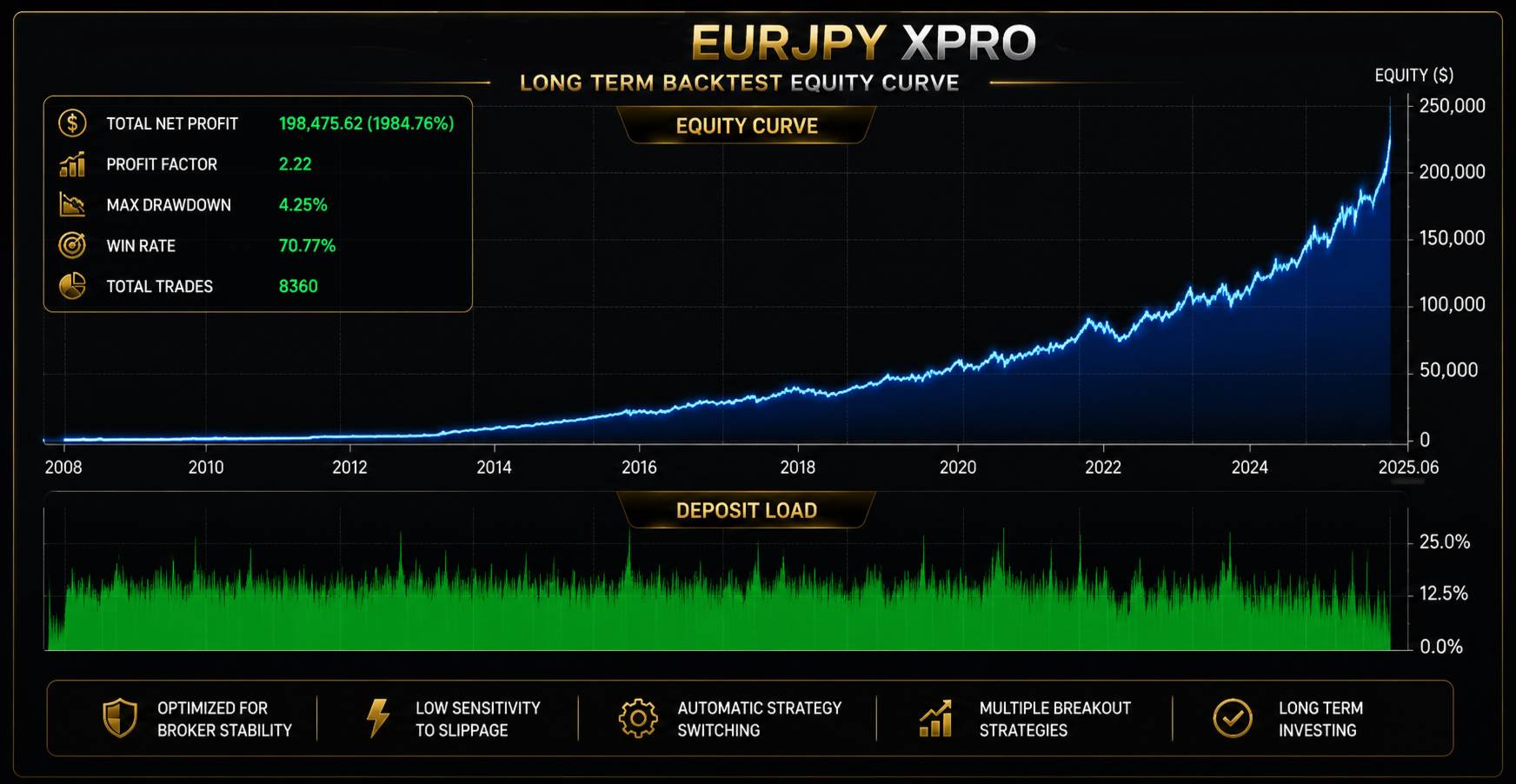
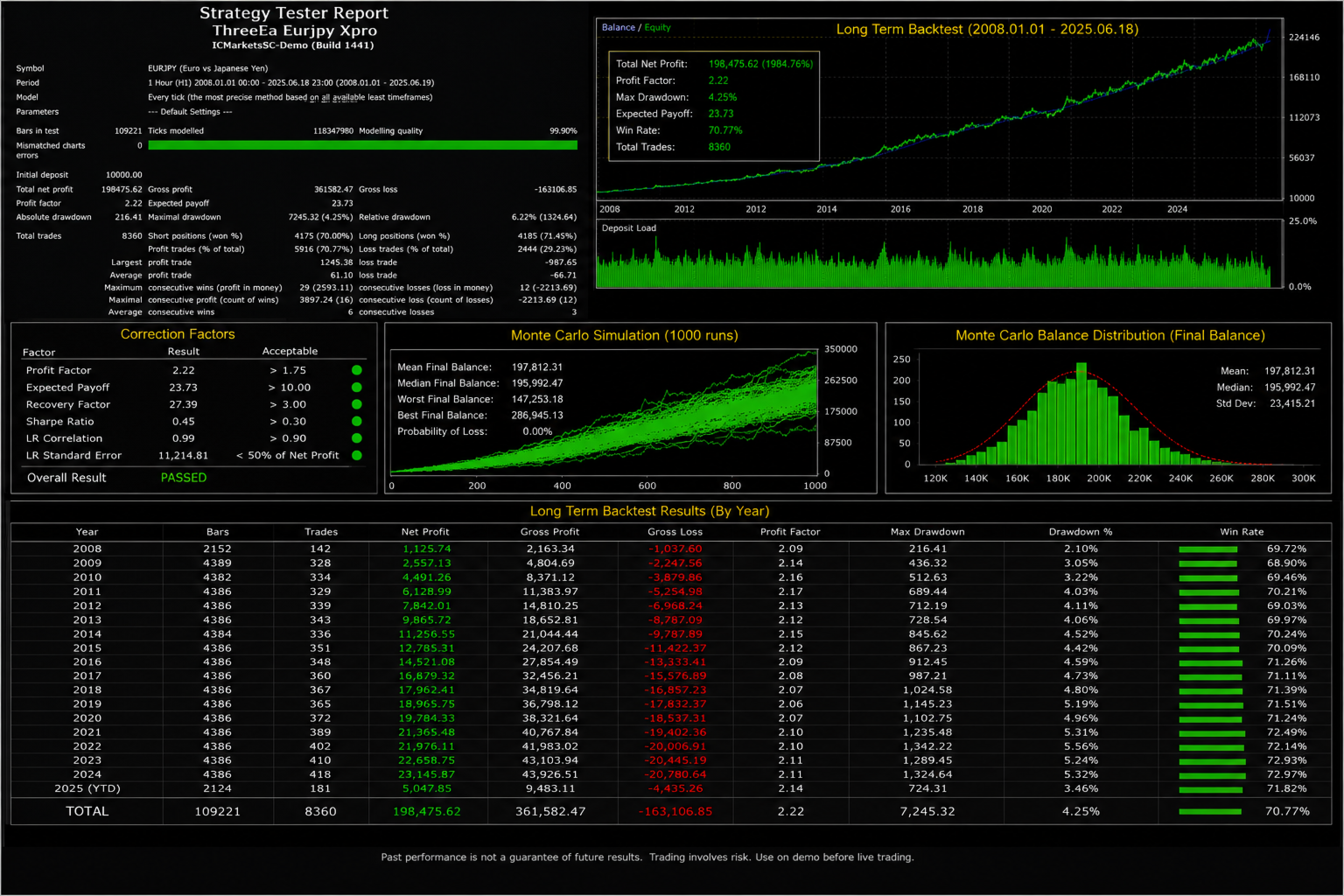
Ea Eurjpy Xpro combines three Expert Advisors in one file and is built around multiple EURJPY breakout strategies for long-term trading.
The system is designed to adapt to different market conditions instead of relying on only one trading logic.
Main Features
- Three EAs integrated into one file
- Multiple EURJPY breakout strategies
- Designed for long-term trading
- Optimized for stable execution
- Low sensitivity to slippage
- Compatible with different brokers
- Automatic lot management
- Automatic strategy switching
- Stop Loss protection
- No manual strategy selection required
How the System Works
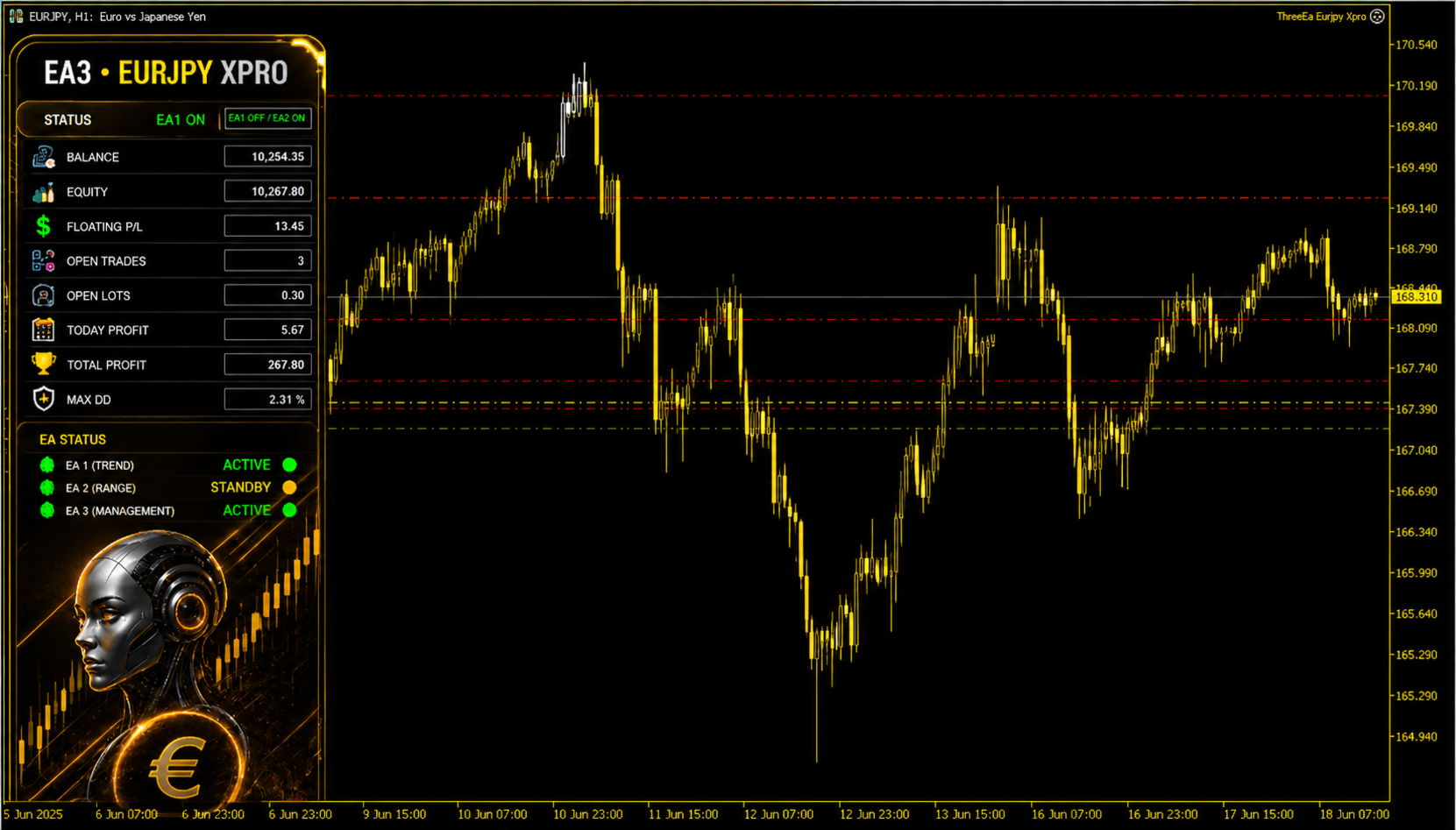
EA1 and EA2 contain the main trading strategies and search for different market setups.
EA3 manages the trading system, controls risk, monitors market conditions and switches between strategies when the required conditions appear.
When the EURJPY market is trending, EA1 becomes more active and focuses on breakout opportunities.
When the market is ranging or moving sideways, EA2 becomes more active and uses strategies designed for range conditions.
EA3 does not randomly open trades. It works as the management and strategy-control section of the system.
The default settings are already configured for EURJPY and can be used without complicated setup.
Recommended Setup
- Symbol: EURJPY
- Timeframe: H1
- Trading style: Breakout and market-condition adaptation
- Investment style: Long-term
- Recommended: VPS with stable internet connection
ThreeEa Eurjpy Xpro is designed for traders who want an automated EURJPY trading system with multiple strategies, dynamic strategy selection and built-in money management.
Trading involves risk. Backtest the Expert Advisor and use a demo account before trading with real funds.
Setup Instructions
Open a EURJPY chart in MetaTrader, set the timeframe to H1, then attach the Expert Advisor to the chart.
Enable AutoTrading and allow automated trading in the EA settings.
Only one chart is required because all three EAs and their strategies are integrated into a single file.