 MetaTrader 5
 Uzmanlar
 Göstergeler
 Kütüphaneler
 Yardımcı programlar
 Widget'lar
 Kurallar
YouTube'dan Mağaza ile ilgili öğretici videoları izleyin
Bir alım-satım robotu veya gösterge nasıl satın alınır?
Uzman Danışmanınızı
sanal sunucuda çalıştırın
sanal sunucuda çalıştırın
Satın almadan önce göstergeyi/alım-satım robotunu test edin
Mağazada kazanç sağlamak ister misiniz?
Satış için bir ürün nasıl sunulur?
MetaTrader 4 için yeni alım-satım yardımcı programları - 27
 Aşağıda MetaTrader 4'te Forex alım-satımını kolaylaştıran alım-satım programları bulunmaktadır. Açıklamasını ve amacını okumak için aşağıdaki listeden ürünün üzerine gelin.
請點選copyright link跳轉至官方網站觀看詳細說明 https://www.ainstein.com.tw/
由AInstein研發團隊獨立開發的全方位交易整合軟體,並獲得經濟部核可「智能交易系統軟體」智產權專利,提供協助交易者最專業的交易資訊軟體與諮詢服務。 由AInstein研發團隊獨立開發的獨創外匯智能交易系統,並持有經濟部智慧財產局頒發的專利證書新型第M598465號—智能交易系統,讓交易者能以玩遊戲的形式,輕鬆愉快地進行交易。 提供官方專屬的合作券商平台優惠方案,並依據個別需求,提供客製化策略方案設計及諮詢服務。 提供同業與異業間彼此推廣的商業合作策略方案設計及諮詢服務。 提供專業的客製化EA代寫,協助有策略但非程式專長的交易者,也能有專屬的量化交易工具。 提供與券商間互惠互利的合作,以及代理技術客製化培訓課程,協助代理專業交易知識與技術的提升。

Forex Trade Manager MT4 simplifies managing open orders in MetaTrader 4. If you open a new order, the manager automatically sets Stop Loss and Take Profit. When price will move, then the program could move Stop Loss to Break Even (stop loss = open price) or continuously moving Stop Loss (Trailing Stop) to protect your profits. Forex Trading Manager is able to control orders for only current symbols (where EA works) or for all opened orders (regardless symbol) and hide the Stop Loss and Take Prof
FREE

Forex Trade Manager Grid MT4 helps you to managing orders and achieve the goal. You only need to place first order with Take Profit, run EA and set in params profit (pips) you want to get. EA will be managing your positions, as will gather appointed amount of pips. It’s a strategy for management of manual trades opened on current pair. The strategy adds positions to currently opened trades in a grid management (with chosen distance in pips between trades) - up to 15 trades (or less). First up to
FREE

FOREXBOB AUTO CLOSER is a very handsome tool for manual traders who doing :- Scalping Correlation Hedging Those who use averaging methods etc. As this utility tool will help you by closing all your running trades when the universal floating P/L reaches a certain value that you will put in inputs. You may enable and disable the alert message on your mobile phone when auto closer close all the running deals on specified profit. You may add any message you want in notification. This tool consid
FREE

The main purpose of this expert advisor is to protect your hardly gained profits. Once the market goes in your favor, with amount of specified pips [configured via EA inputs], the EA will do the following: Move the Stop-loss of the profitable positions to Breakeven. Lock in some profits, i.e put the SL above/below your entry with specified pips Will close part of position, % of lots, once the EA was triggered. By default, the "Move to Breakeven EA" will modify all opened positions on the termi
FREE

The main purpose of this expert advisor is to protect your hardly gained profits. Once the market goes in your favor, with amount of specified pips [configured via EA inputs], the EA will do the following: Move the Stop-loss of the profitable positions to Breakeven. Lock in some profits, i.e put the SL above/below your entry with specified pips Will close part of position, % of lots, once the EA was triggered. By default, the "Move to Breakeven EA" will modify all opened positions on the termi

This is application readymade scanner for the traders, you can scan your watch list symbols, explanation timeinterval is the refresh rate of the symbols column height is the number of the symbols you want to scan, high1 and high2 are the comparison of the last two candles low1 and low2 are the comparison of the last two candles l1 is the last candle and l2 is the previous candle. other things are self explanatory, you can message me for any explanation, this indicator is more than worth 300US
FREE

ScriptForOrders yardımcı programı, gerekli Magicnumber parametresiyle manuel olarak sipariş vermek için tasarlanmıştır!
Manuel olarak açılan emirlerin Magicnumber = 0'ı vardır. Uzman Danışmanlar genellikle Sihirli sayı parametresi sıfırdan farklı olan emirleri açarlar. Bu, EA'nın kendi siparişlerini diğerlerinden ayırt edebilmesi veya farklı siparişlere farklı kontrol algoritmaları uygulayabilmesi için yapılır.
Er ya da geç, bir tüccar, danışmanın işine müdahale etmesi ve manuel olarak sipari
STM Trade Panel MT4'ı tanıtıyoruz, MetaTrader 4 kullanan tüccarlar için özel olarak tasarlanmış temel bir yardımcı program. Bu güçlü araç, ticaretin gerçekleştirilmesini ve yönetimini basitleştirerek, hem yeni başlayanlar hem de deneyimli tüccarlar için ticaret verimliliğini artırmayı hedefleyen akıcı bir deneyim sunar. STM Trade Panel MT4, kullanıcıların piyasa değişikliklerine hızlı bir şekilde yanıt verebilmelerini sağlamak için tek tıklama ile sipariş verme ve özelleştirilebilir ticaret ayar
FREE

DYJ Haber Dışı Aktarım Fabrikası, takvim işlemleri araçları ve makroekonomik olaylar için temel pazar analizi göstergesidir
Burada dünyanın en büyük ekonomisinin finansal haberlerini ve göstergelerini bulabilirsiniz: ABD ve Avrupa Birliği'nden Avustralya ve Japonya'ya kadar halka açık kaynaklardan gerçek zamanlı olarak 800'den fazla makroekonomik gösterge ve olay toplamak Her işaretçinin geçmişi, geçerli ve tahmini değerleri ve önemli özellikleri vardır Buna ek olarak, bu hizmet büyük miktarda

XA Risk Reward Ratio Tool MT4 tool is a professional algorithm, that calculates risk of every transaction before it is finalized. It allows you to precisely estimate gain and possible loss. The professional tool can estimate levels of Take Profit and Stop Loss incredibly precisely, making investments more effective and safer. Using Risk Reward Ratio Tool, you can with one click carry out transactions, cancel position, set position rate, set opening point, TP, SL and many other features. List of
FREE
The GRat_OrderExport EA exports trades made in the MT4 (manual or any other Expert Advisor), which can later be imported by: GRat_BinanceImport or GRat_BybitImport or GRat_Crypto tool in order to copy trades to the crypto exchange. using the GRat Order Exchange library (in particular, the GRat_OrderImport EA) in order to copy trades to MT5 terminal; GRat_OrderImport (MT4) in order to copy trades to another MT4 terminal or to another correlating symbol of the same MT4 terminal . To

The GRat_OrderImport EA imports into MT4 on the symbol of its chart all trades that are exported by: GRat_IndiTrade - strategy builder for automatic trading using ANY available indicators; GRat_OrderExport (MT5) - manual trades or trades of other EAs from MT5; GRat_OrderExport (MT4) - manual trades or trades of other EAs from MT4; using the GRat Order Exchange library. To start importing trades for the required symbol, just launch the EA on the chart of this symbol and set the parameters: Magic
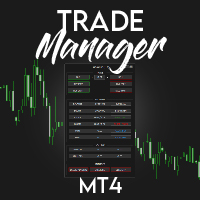
️ Discover the powerful Trade Manager for MetaTrader, a tool that will revolutionize your trading experience in the financial market. This innovative software provides you with efficiency and speed, allowing you to execute all your trades quickly and visually.
️ With just a click of a button, the Trade Manager creates three strategic lines: a blue line for order placement, a green line for take profit, and a red line for stop loss. These lines offer you a clear focus and enable you to manage

SmartDash Trader EA This is MT4 Semi Automated EA which trade using BUY, SELL and CLOSE Buttons to executes trade actions. You can use Auto Set SL/TP/Lot of your choice since the EA comes with only 0.01 lot and 0 for TP/SL. Set 10 pips for TP to take advantage of trades. NOTE: THIS EA DOES NOT BACKTEST. ITS BUTTON TRADER EA HOW THE STRATEGIES TO USE THE DASHBOARD TRADER Wait for a weaker or stronger currency means the currency strength meter should show less than 15% for SELL and more than 88% f
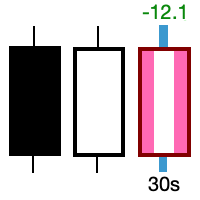
Take control of the most important candle on your chart. Customise and supercharge the active candle. "LastCandle" is a unique indicator. There is no other indicator that is so laser-focused on just the active candle. Set different colors and make it stand out from all the other candles. (This makes sure you never mistake an active candle from a closed one. Even if this happens once it could save you the cost of the software.) When you zoom out, you get a super-sized version of the candle so y

Risk Management Panel is unique to tool calculate your risk quickly and place trades based on your account money. There are two options for the user Account Equity Account Balance Tools like these is specially useful when you have to take a quickly decision about your trade but dont have the time to calculate the risk. It works with magic number. So the advantage is a trade placed by this panel could be manipulated by the other expert advisors as well
FREE

MFF FTMO risk management helps to close all orders when the balance falls below the previously set level. Input Parameters: Management Type: Percent % Daily drawdown (MFF). Close all orders if Percent % drawdown based on equity: Set Percent with this Management Type. Management Type : Set Equity Close all (FTMO). Number of Equity to close all orders: Set Number with this Management Type.
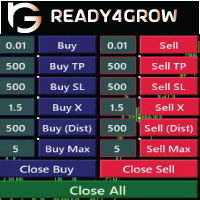
Every time Trader opens a trade, he must know the profit and risk of the trade he made, so that he can determine the risk and profit opportunity he will get. Determining this calculation manually can be quite troublesome, especially if it has a lot of open trade to do. Ready4grow Trading Panel is a utility tool that really helps traders meet those needs. Opening a Market or pending trade, determining lots, pips, price positions, how much USD, and what percentage of risk can be set automatically
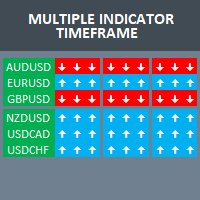
Build your own strategy by using this panel and specify indicator and multiple time frame to display and use in a summary calculation to generate a trade signal. A panel or dashboard that display multiple Indicator in a multiple Time Frame. The user has an option to specify number of Indicator to enable or display on the dashboard. A maximum of 10 indicators can be enabled. Each indicator column can be selected from multiple lists of Indicator type. The user has an option which Time Frame of eac
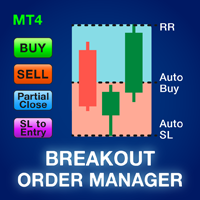
Çoğu perakende tüccar, riski yönetemez ve aşırı risk alarak veya aşırı ticaret yaparak hesapları patlatamaz. Bu araç, düşüş ve risk yönetimini tamamen otomatikleştirerek, bir tüccarın yalnızca girişlerine odaklanmasını sağlar. Breakout veya Pullback ticareti yapmak için idealdir. Stoploss'u bir satış ticaretinde en yüksek seviyenin üstüne veya bir alış ticaretinde en düşük seviyenin altına yerleştirerek riski hesaplamak için önceden kapatılmış mum yüksekliğini kullanır. Stoploss yerleşimi, zama

Mevcut ana piyasa seansını ve sonraki seansları başlatmak için kalan süreyi görüntüler.
Piyasalar
New York Londra Frankfurt Tokio Sidney Özel ad, açılış ve kapanış zamanı ile 1 oturum daha
Saat süresi
GMT / UTC Yerel (bilgisayardan) Aracı (sunucu zamanı) Ayarlarda varsayılan saat GMT'dir. Yerel veya Aracı saatine değiştirdikten sonra, seçilen saat türüne göre her oturumun açılış ve kapanış saatini manuel olarak ayarlamak gerekir. Her bir piyasanın ve kapanış saati ayarlanabilir
Grafik ayarla
FREE

Oynaklığa uyum sağlayarak, alım satım pozisyonlarını Ödüllendirmek için potansiyel Risk, Ortalama Gerçek Aralığa göre gösterilir. 'Al veya Sat' Düğmesine tıklandığında Risk-Ödül Kutuları gösterilir! ATR hesaplamasının bir faydası, bir işlemin ne zaman kapatılacağına dair zor bir kararın parçası olmayan bir meseleyle sevinin. Bu konu risk yönetimi kararınıza yardımcı olacaktır.
Özellikler Ortalama Gerçek Aralık, piyasadaki oynaklığı pip veya fiyat olarak ölçen yaygın olarak kullanılan bir göst
FREE

50% Off Today Only! Price Goes Back Up at 11 PM (EST)
Marketkeys Trade Manager EA for MT5: Your Pathway to Forex Trading Mastery
What Traders Are Saying: " I just bought the product and I like it ..." – AntonioBorrero " Very good EA I would 100% recommend.. ." – Vijohn Efficiency and precision are paramount in Forex trading. Marketkeys Trade Manager EA for MT5 offers just that - a seamless interface combined with robust risk management tools. It's designed to be your essential trading compan
Supper Trading Assistant is a state-of-the-art system that has already stably used and generated profit for our funds for years. We respect imperfection, and there is no risk-free trading strategy in the financial markets. The Risk Master is designed as the heart of the system to manage account drawdown, optimize taking profit and smart stop loss trailing. The system can automatically preserve your profit by optimizing its allocation to future trades. Advanced statistics are applied to increase

** Automatically Adds to your existing trades that you open ** KFX Dashboard EA monitors Price Action using Candle Direction + Moving Average on Multiple currency pairs (selected by you) and on Multiple Timeframes (selected by you). The dashboard also reveals Currency Strength of pairs based on your Moving Average selection. KFX Dashboard EA option to set Stop Loss(SL) and Take Profit(TP) based on your selected Timeframe and ATR / Points settings. Trailing stop by ATR / Points also available (s
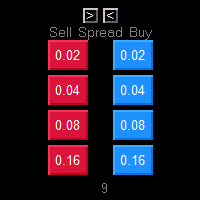
One Click market orders with different lot sizes, partial closing and break even line. Also it shows current setups profit or loss, with partial exits included in total setups PnL. Great tool for manual trading, when different lot sizes needed as per grid or martingale strategies. Major future is different symbol category detection. Due different instruments categories there is a need to use different pre determined lot sizes for different risk profiles. So EA has auto detection of different

Ever took a trade and when you come back to the termainal to check on the status of the position, you realized the market has gone so far in the opposite direction or it has hit your stoploss. Well this system is here to help manage those moments price doesn't go in your desired direction. Consider this to be the insurance your account needs for your trading business. This tool manages manual trades and e.a. triggered trades. However be aware that some e.a.s are programmed to override other e.a.

This is the HFT Flame Ea....This is a complex Expert Advisor that basically pick trades from price movements, it is also a none-martingale mechanism with netting strategy that makes this Ea more interested and profitable throughout your trading journey. The HFT Flame EA can be super consistent on profits depending on the inputs selected for your style of trading. This is a hand free trading robot that can trade your way to success while you are away from the charts, another perfect advantage abo

HM (Yatay İşaretleme), yatay seviyelerin manuel olarak işaretlenmesi için tasarlanmıştır. İşaretleme, seviyeyi ve fiyat değerini içerir. Hattın kalınlığı ve rengi ve fiyat değeri ayarlarda ayarlanır. Seviyeler yerel olarak zaman dilimlerine yerleştirilebilir veya tüm zaman dilimleri için herkese açık olarak gösterilebilir.
Onun işi çok basit:
1) - Seviyeyi işaretlemek için ayarlarda ayarladığımız tuşa basıyoruz;
2) - çizgiyi istenen yere getiriyoruz;
3) - Farenin sağ düğmesine tıklıyoruz v
FREE

Good old snake with various options.
You can play directly on the chart. And you can play in a separate window.
You can not play at all, but set her speed of movement and run it on the machine, the snake itself will chase and devour apples.
You can turn on different sounds of eating apples, or you can completely turn off all sounds.
You can set the maximum length of the snake, and you can also set the number of dice on the game board.
In short - a lot of things are possible. Enjoy.. )
FREE

PRICE WILL BE RAISED EVERY MONTH... Scalp Assistant is a support EA that simplifies trading process. - Place multiple order at desired position - Auto pending order chasing to price current - Auto Trailing Stop - Auto TP on profit - Set TP and SL at one click - Simplified Information - Get started easily I will post more assistant series EA in the future, drop me a message if you have any question or suggestion at pipsstalker1507@gmail.com

Is your trade at a loss? Does not matter ! You can use this Extra martingale tool. In the set loss of your trade or your EA's trade , this tool will open another trade at a better price. It can also open multiple trades at different distances and with different lot sizes. Each trade will be assigned a TakeProfit. This tool has a lot of settings. You can set variable lot sizes, variable trade distances, variable TakeProfit sizes, maximum total profit or loss in money. You can also close trades

The auxiliary adviser is designed to transfer profitable positions without loss. The adviser does not trade itself, it opens two oppositely directed positions in the tester to demonstrate the work.
Settings:
Start no loss (>size) - after how many points does it start without a loss.
Size no loss (<start) - size without loss. (size without loss must be less than start)

This expert has a simple and efficient panel for transactions. It also has capital and risk management tools. in part of Run(2-6) Built-in automated trading robots. All of them can be used with updates. And there is no need to spend more. Many indicators are used in this expert for low-risk automatic trading. Refer to the guide for details. See the performance of each episode. Pay attention to the guide in the photos. Help panel: Lot=Volume TP=Take Profit SL=Stop Loss C.A.B=Close All Buy C.A.S=

TRADING PANEL - CHART OVERLAY with: PARTIAL TAKE PROFIT ("virtual TP") % RISK LOT SIZE TRAILING STOP LOSS Fast and simple control of your trades this is DEM0 VERISON (for DEM0 acc.) of TRADING OVERLAY with PARTIAL take profit ("virtual TP") and % risk lot size
--- full version available on my 'seller page' as well as version for MT5
Easy lot size calculation with easy SL/TP setting. Your trading will be much more comfortable with this tool !
Works like any EA, add it
FREE

RISK CALCULATOR - TRADING PANEL - CHART OVERLAY with:
PARTIAL TAKE PROFIT ("virtual TP") % RISK LOT SIZE TRAILING STOP LOSS Fast and simple control of your trades Easy lot size calculation with easy SL/TP setting. Your trading will be much more comfortable with this tool!
Works like any EA, add it to selected chart and trade !
Features: start trade with calculated lot based on % of account balance * that you want to risk/ or based on how much money you want to risk *r
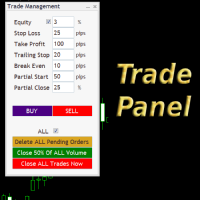
Simple but convenient trade panel that will allow you to place market orders and manage your positions. Can be used to; Place a stop loss and take profit order. Move your stop loss to break even. Move your trailing stop. Reduce your position after price has moved X pips/points in your favor. Delete and close all your open positions. Can be used on any financial asset and time frame. It works on all brokers.

Çoğu perakende tüccar, riski yönetemez ve aşırı risk alarak veya aşırı ticaret yaparak hesapları patlatamaz. Bu araç, düşüş ve risk yönetimini tamamen otomatikleştirerek, bir tüccarın yalnızca girişlerine odaklanmasını sağlar. Fiyat işlemin tersine gittiğinde kısmi pozisyonları otomatik olarak kapatmak için Agresif Risk Kontrolü özelliği ile fiyat eylemini kullanan ilk ve tek ticaret yöneticisidir. Bu, kayıpların her zaman kazançlardan daha küçük tutulmasını sağlar.
Herhangi bir giriş yöntemi

This utility is for opening and closing orders. The panel shows the number of opened Sell/Buy orders, Sell/Buy profit, chart profit and account profit. You can close Sell orders, Buy orders, chart profit and account profit in one click. You can setup magic number for orders opened by this utility.
Settings Base Lot size Use automatic TP and SL in your currency - set for calc automatic TP and SL TP and SL - in pips or your broker currency Take Profit - pips/currency Stop Loss - pips/currency

If you found this EA, it's probably because you want to get a funded account with a prop firm, but you see a rule that most of traders fear : Maximum Daily Drawdown. I've been through this problem myself as I'm a prop firm trader and I've made a bot to solve this rule, and you can get it to solve this problem too.
How does it work ?
When you first setup this EA, you need to input the initial deposit which corresponds to the size of your funded account. For exemple if you get a 10k$ f

EA is based on the advanced martingale strategy.
Here are the key functions:
The lot increment is derived from the variety of selection, multiplier, addition form input, addition of last two trades, and from a lot list. You can initiate the trade manually or from another EA. This EA will take care of different types of martingale. Test it by starting with two trades when there are no trades available (use live input and backtest).
Message me about the settings. I believe the best settings ar
Description
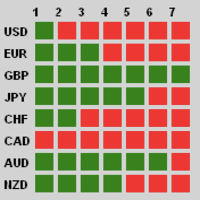
Traders, this is one of very few powerful and consistent Currency Strength Meters/Gauges on the market today.
This Currency Strength Meter EA uses proven statistical quantitative formulas across all 28 major and minor currencies to arrive at strength score and then show it to the user on their MT4 chart. The system is super smart and consistent, and its efficacy/or accuracy is not affected by any sort of market condition. The system allows for the user to measure currency strength

Merhaba beyler
Tüccarlar için başka bir ücretsiz araç.
Risk-Ödül Oranı:
Her tüccarın, bunun iyi bir ticaret olup olmadığına karar verebilmesi için kârın büyüklüğüne göre zararın büyüklüğünü hesaplaması kullanışlıdır. Ayrıca kayıp ve karı pip ve yüzde cinsinden gösterir.
Her parçanın rengini istediğiniz gibi ayarlayabilirsiniz. Ya bu panelle de ticaret yapabiliyorsanız?! Aşağıdaki bağlantıya bakın Trader Assistant Mini MT4 MT5 sürümünü aşağıdaki bağlantıdan görebilirsiniz:
Risk to Reward Ra
FREE
Local Trade Copier Pro MT4'ı tanıtıyoruz, farklı MT4 hesapları arasında ticaretleri verimli bir şekilde kopyalamak isteyen tüccarlar için nihai yardımcıdır. Bu güçlü araç, ticaret stratejisini otomatikleştirmek ve birden fazla hesabı sorunsuz bir şekilde kullanarak performansını artırmak isteyen tüccarlar için tasarlanmıştır. Gerçek zamanlı ticaret kopyalama avantajlarını minimal gecikme ile deneyimleyin, böylece kârlı bir fırsatı asla kaçırmazsınız. İster birden fazla hesap yönetiyor olun, iste

Bu EA, yatırımcılara aşağıdaki avantajlar konusunda yardımcı olur:
- Verdiğiniz satış veya alış emirleri için giriş noktasını gösterin.
-grafik üzerinde TP & SL seviyelerini göster
- parti boyutunu kontrol edin
- noktalarda TP & SL seviyesini kontrol edin
- tüm grafik periyodunda çalışır
- sinyalinizde yükselen algo ticareti sıralaması
- tek bir tıklamayla tüm anlaşmaları kapatma
- yalnızca karlı anlaşmaları kapatmak
- sadece kaybedilebilir tüccarları kapatmak
FREE

Big Promo 40%!
Introducing Autolot 2.0: The Revolutionary Trading Utility is Now Even MORE POWERFUL and EFFICIENT! We're proud to announce the launch of Autolot 2.0, the upgrade that takes your trading to a whole new level! We've listened to your feedback and improved the utility to make it even more versatile and user-friendly. Here are the key features we've added: Fixed Risk: Now you can set a fixed risk for your trades, regardless of the balance percentage. For example, in the settings, yo

OTRX Fimathe Backtest is a tool for the Trader or Enthusiast who uses the Fimathe technique created by Trader Marcelo Ferreira to carry out his training and validate if he can obtain profitability.
In this tool you will be able to:
1. Define whether you are looking for a buy or sell entry. (Trend).
2. Define by clicking twice on the horizontal lines where your Reference Zone and your Neutral Zone will be.
3. Monitor the entry, subcycle and exit of the trade.
4. Trading Summary, Daily, Week
FREE

Blow Stopper EA V3 – Your Ultimate Trading Edge Ready to elevate your trading game? Introducing Blow Stopper EA V3 , the cutting-edge trading tool meticulously crafted to turn market uncertainty into opportunity. Designed by the visionary Tsietsi Gladson Nyathi , this groundbreaking Expert Advisor delivers unmatched precision, unparalleled risk management, and consistent profitability across EURUSD, NZDUSD, AUDUSD, EURJPY, GBPUSD, USDJPY, USDCHF, USDCAD, EURCHF, and XAUUSD (GOLD) . Why Blow Sto

Itrade manager expert advisor (EA) is a type of software that can be programmed to perform a variety of tasks related to managing trades in the financial markets. Some of the ways in which the Itrade manager EA can help you trade better include: Itrade manager EA can automatically modify, and close trades based on predefined rules and conditions, freeing you up to focus on other aspects of your trading strategy. Managing risk: Itrade manager EA can help you manage risk by placing stop-loss and
FREE
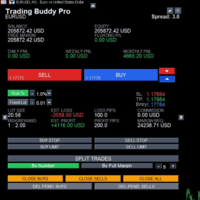
This is a tool to place instant trades with risk management. Never worry about calculating lot size again. Just drag lines and click the button! The tool displays Risk Reward to allow you to decide on the best entry point. You can place instant orders and pending orders. Please refer to the following youtube video on how to use the tool https://youtu.be/XqEvb81F9wA

One Click Close MT4 is an EA which allows you close orders quickly. EA display on chart two buttons. The first button "Close All Positions" is using to close all opened orders. The second button "Close Profit Positions" is using to close only profitable orders. EA is closing orders for all available symbols, not only for chart symbol. In EA params you can set distance from upper chart frame (Y Offset) and from left chart frame (X Offset). For installation EA it is only need to copy One Click Clo
FREE
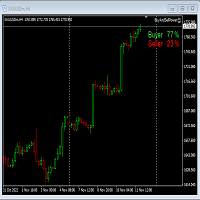
This Expert Advisor will not place any trade.
This Expert Advisor will only show the buyer and the seller power in percentage on the upper right corner of the selected chart. The percentage of the Buyer and Seller is calculated based on the Open, Close, High and Low price of the selected candle. Candle can be selected using the shift on the Input Tab where 0 means the current candle, 1 means previous 1 candle before the current candle.
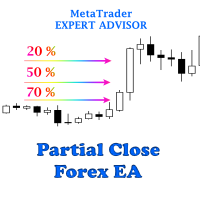
The easiest to use Partial Close Forex EA
How Partial Close EA works?
this is an automated MT4 EA to handle the management of trades for my system of “Take Profits”, “Stop Losses” and “Partial Closes”. The EA should be attached to each of trading charts. The EA can also be control via mobile MT4. When you place a market trade, the EA will setup a grid (hidden from broker) on the chart showing TP1, TP2, TP3 and SL (which can be seen). The SL will be based on the price you set on my mobile MT4
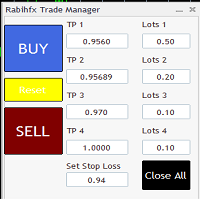
Rabihfx Trade Manager 2
Rabihfx trade manager V2 is an utility Expert advisor that will manage your trades automatically just click sell or buy buttom and ilt will do the work at each level of take profit Contact us after purchase for a free trading system Easyly Manage your trades and automate it from 1 dashbord
You signal provider or yourself if you have 3 take profits inesert it in our trade manager and click sell/buy and let rabihfx trade manager protect and automate your open trades
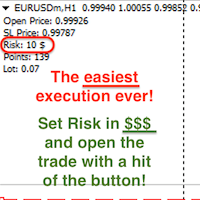
Attention! If necessary, the expert can be reprogrammed for MetaTrader 5. Please remember to watch the explanatory YouTube video after you read the description below.
My Lot Calculator is a very simple utility for lightning-fast and super-accurate* manual trade execution based on the risk in the account currency. It works as an Expert Advisor on any MT4 Chart. All you need to do in Settings is just specify the risk per trade in money and commission per 1 lot (if any). Then just add a Horizontal

Reward Multiplier is a semi-automatic trade manager based on pyramid trading that opens additional orders with the running profit of your trades to maximize return exponentially without increasing the risk. Unlike other similar EAs, this tool shows potential profit/loss and reward to risk ratio before even entering the first trade! Download full version here ( In the mini version. Starting lot is fixed at 0.01 (or minimum allowed lot size ) Guide + tips here MT5 version here You only open the
FREE

Mt4ToTelegramAlter is an app that communicates with a Telegram bot to share your orders flow and report open orders from Metatrader 4 terminal to a Telegram group or channel. Features Telegram channel, group, chat compatible Easy to use Report open order Configuration 1. Service -> Settings -> Expert Advisors -> Allow WebRequest for the following URLs (Add URL: https://api.telegram.org ); 2. Create your own bot on Telegram at @BotFather. Remember Token, it looks something like this - xxxx:yy

EA send order’s information in MT4 to Telegram channels Alert MT4 to Telegram by RedFox is an easy to use fully customizable utility that allows sending of specified signals to Telegram’s chat, channel or group, making your account a signal provider. Key Feature
Telegram Channel IDs : Send to many group, channel. Ex. -100xxxxx Add Footer Content: Add signature for content Send Pips Running: Send pips run when hit 20, 40, 80 pips Send screenshot: Send signal include screenshot Template Fil
FREE

For more info, questions and problems join to discord.gg/reitakfx
Very informative and detailed tool for your account. - pairs, number of trades, lot size, profit, lose, nett p/l, net pips - profit growth chart
Instalation : - open chart and delete every other indicator on it - put this report on chart
Setting : - magic number - filters (comment, symbols, currencies) - date (today, week, month custom) - Start / End date (this is for custom date) - report type (open - only active trades wi
FREE

This EA helps to Close all Positions opened. It saves you the time of closing multiple positions manually.
Parameters: Buy: Close Buy Positions Only Sell: Close Sell Positions Only Buy & Sell: Close Buy & Sell Positions Pending: Close Pending Orders
More Advanced MT4 version available at: https://www.mql5.com/en/market/product/93468?source=Unknown%3Ahttps%3A%2F%2Fwww.mql5.com%2Fen%2Fmarket%2Fmy More Advanced MT5 version available at: https://www.mql5.com/en/market/product/93301?source=Unk

The utility displays in a convenient form the historical trades made on the account. You can filter trades by magic or comcent, display only profitable or losing trades, and only buy or sell trades. Using this utility, you can see trade entry and exit points, stop loss and take profit levels, trade profit, magic number and comment, order ticket and order size - you only need to run the utility on the chart of the currency pair you want information on get and customize the input parameters. MT5

DG Equity Monitor is a useful tool that keeps track of the daily transactions made on the account. The EA automatically and instantly closes all the trades running based on two conditions: 1. If the daily profit target is hit. 2. If the maximum drawdown is reached. An alert is sent immediately one of the above conditions are met.
Parameters: Show Account Info -Choose whether or not to display the Account Info on the chart.
Show Pop Up Alert -Show alert on chart when either condition 1 or 2 are
FREE

Kullanım talimatları: https://www.mql5.com/zh/blogs/post/754946 MT4 sürümü: https://www.mql5.com/zh/market/product/88205 MT5 sürümü: https://www.mql5.com/zh/market/product/88204 -------------------------------------------------- 1. 12 ana hesaptan 100 bağımlı hesaba siparişleri kopyalayın. Köle hesapların sayısı 12'den 100'e kadar özelleştirilebilir. 2. MT4'ten MT4'e, MT4'ten MT5'e, MT5'ten MT4'e, MT5'ten MT5'e destek. 3. EURUSD, EURUSDm, EURUSDk gibi farklı platformlardaki alım satım çeşitleri
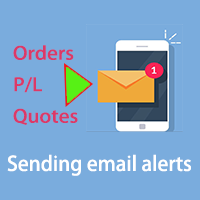
Bu, e-posta uyarıları göndererek hesap bilgilerini gerçek zamanlı olarak öğrenmenizi sağlayan bir araçtır.
Uyarılar aşağıdaki gibi çalışır:
1. Kayan kar ve zarar uyarıları, belirlediğiniz kar ve zarar tutarlarına ulaşıldığında, EA size otomatik olarak uyarının ayrıntılarını içeren bir e-posta gönderir.
2. Emir açma ve kapama uyarıları, hesabınızda açık ve kapalı bir pozisyon olduğunda, EA size otomatik olarak e-posta ile ayrıntılı uyarılar gönderir.
3. Çoklu Sembol fiyat teklifi uyarıları,

This MT4 Script is for Trading News releases.
You drop this script onto the currency pair that you are trading one minute before the news release and set lot size, TP and stop loss level and just wait to close orders.
You will be trading this Following Events:
AUD Interest rate. AUD Retail Sales.
EUR Interest Rate. GBP Interest Rate.
USD Interest Rate. CAD Interest Rates.
GBP multiple Events(Services, Construction, Manufacturing PMIs)
NZD Electronic Card Retail Sales
USD CPI, this is a money

The utility is designed to control all account orders with the ability to automatically close them by: profit, breakeven or trailing profit in points separately for each order separately profit, breakeven or trailing profit in points for buy orders of each symbol profit, breakeven or trailing profit in points for sell orders of each symbol profit, breakeven or trailing profit in points for buy+sell orders of each symbol profit, breakeven or trailing profit in points for the entire account as a
简介 Trading Toolbox Pro是一个辅助性交易工具,包含快速下单,快速设置止损止盈,划线止损,追踪止损,划线下单,消息策略,多货币指标信号,自动交易模块等。 程序运行环境 :MetaTrader 4。 功能简介: 常规: 一键下单,一键挂单,一键反手,自动设置止盈止损。 一键平仓,一键平多单(空单),一键删除挂单。 一键反手,一键锁单,设置自动追踪止损。 根据画线追踪止损 非农: 消息突破单,可在非农或其他重大消息时使用,在消息行情爆发前在当前价格上方挂BUYSTOP,下面挂SELLSTOP。订单自动设置止盈止损。 划线下单: 支持最多 四 根做多趋势线 或者 做空趋势线并存。价格到达趋势线自动开单。 支持每根下单趋势线设置不同的仓位。 每根下单趋势线可以设置不同的止损趋势线,止盈趋势线。 支持止损止盈趋势线进行止损止盈追踪移动。 支持趋势线的“时效性”,如果价格运行到开单(止损,止盈)趋势线的右方仍未订单成交,则价格将永远不会接触到趋势线,策略无效。如需要请延长趋势线 杂项: 支持历史订单轨迹显示,可在图表显示历史记录中所有订单的下单轨迹,显示开仓价,平仓价,单量。
Risk Calculator Pro is a simple and useful utility for MT4 to calculate your stop loss risk and open orders with accurate lot size . --- Contact me in messages for free gift after purchase! ---
How It Work?
Determine your entry price manually OR tick "current Price" . Determine your Stop Loss price. Determine your Risk Percentage (based on your account balance). Finally your Lot Size show on the green box. Advantage of Risk Calculator Pro: Simple & clean dashboard Diagnose wide SL & big ris

一键平仓小工具,可以针对买单、卖单和挂单进行批量操作,可以操作当前图表订单和所有订单,简单高效。 第一行第一个按钮是关闭当前图表 品种 所有买单,第二个按钮是关闭当前图表品种的所有卖单,第三个按钮是关闭当前图表 品种 的所有订单; 第二行 第一个按钮是删除当前图表 品种 所有买单挂单,第二个按钮是 删除 当前图表品种的所有卖单 挂单 ,第三个按钮是 删除 当前图表 品种 的所有 挂单 ; 第三行第一个按钮是关闭所有 品种的全部买单,第二个按钮是关闭所有 品种的全 卖单,第三个按钮是关闭所有 品种的全部订单; 第四行第一个按钮是删除所有 品种全部买单挂单 ,第二个按钮是 删除 全部品种 的全部卖单挂单 ,第三个按钮是删除 全部品种 的全部挂单 。 希望此程序能对您有用
FREE
MetaTrader Mağazasının neden alım-satım stratejileri ve teknik göstergeler satmak için en iyi platform olduğunu biliyor musunuz? Reklam veya yazılım korumasına gerek yok, ödeme sorunları yok. Her şey MetaTrader Mağazasında sağlanmaktadır.

Alım-satım fırsatlarını kaçırıyorsunuz:
- Ücretsiz alım-satım uygulamaları
- İşlem kopyalama için 8.000'den fazla sinyal
- Finansal piyasaları keşfetmek için ekonomik haberler
Kayıt
Giriş yap
Web sitesi politikasını ve kullanım şartlarını kabul edersiniz
Hesabınız yoksa, lütfen kaydolun