 MetaTrader 5
 专家
专家
 指标
指标
 程序库
程序库
 实用工具
实用工具
 窗口小部件
窗口小部件
 规则
规则
全新的MetaTrader 4 交易实用工具 - 27
 以下是可在MetaTrader 4中简化外汇交易的交易程序。将鼠标悬停在下面列表中的工具上,阅读它的描述和用途。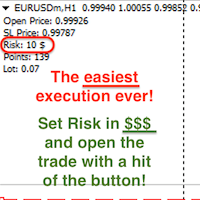
Attention! If necessary, the expert can be reprogrammed for MetaTrader 5. Please remember to watch the explanatory YouTube video after you read the description below.
My Lot Calculator is a very simple utility for lightning-fast and super-accurate* manual trade execution based on the risk in the account currency. It works as an Expert Advisor on any MT4 Chart. All you need to do in Settings is just specify the risk per trade in money and commission per 1 lot (if any). Then just add a Horizontal

Reward Multiplier is a semi-automatic trade manager based on pyramid trading that opens additional orders with the running profit of your trades to maximize return exponentially without increasing the risk. Unlike other similar EAs, this tool shows potential profit/loss and reward to risk ratio before even entering the first trade! Download full version here ( In the mini version. Starting lot is fixed at 0.01 (or minimum allowed lot size ) Guide + tips here MT5 version here You only open the
FREE
For more info, questions and problems join to discord.gg/reitakfx
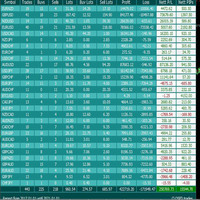
Very informative and detailed tool for your account. - pairs, number of trades, lot size, profit, lose, nett p/l, net pips - profit growth chart
Instalation : - open chart and delete every other indicator on it - put this report on chart
Setting : - magic number - filters (comment, symbols, currencies) - date (today, week, month custom) - Start / End date (this is for custom date) - report type (open - only active trades wi
FREE

This EA helps to Close all Positions opened. It saves you the time of closing multiple positions manually.
Parameters: Buy: Close Buy Positions Only Sell: Close Sell Positions Only Buy & Sell: Close Buy & Sell Positions Pending: Close Pending Orders
More Advanced MT4 version available at: https://www.mql5.com/en/market/product/93468?source=Unknown%3Ahttps%3A%2F%2Fwww.mql5.com%2Fen%2Fmarket%2Fmy More Advanced MT5 version available at: https://www.mql5.com/en/market/product/93301?source=Unk

The utility displays in a convenient form the historical trades made on the account. You can filter trades by magic or comcent, display only profitable or losing trades, and only buy or sell trades. Using this utility, you can see trade entry and exit points, stop loss and take profit levels, trade profit, magic number and comment, order ticket and order size - you only need to run the utility on the chart of the currency pair you want information on get and customize the input parameters. MT5

DG Equity Monitor is a useful tool that keeps track of the daily transactions made on the account. The EA automatically and instantly closes all the trades running based on two conditions: 1. If the daily profit target is hit. 2. If the maximum drawdown is reached. An alert is sent immediately one of the above conditions are met.
Parameters: Show Account Info -Choose whether or not to display the Account Info on the chart.
Show Pop Up Alert -Show alert on chart when either condition 1 or 2 are
FREE

EA send order’s information in MT4 to Telegram channels Alert MT4 to Telegram by RedFox is an easy to use fully customizable utility that allows sending of specified signals to Telegram’s chat, channel or group, making your account a signal provider. Key Feature
Telegram Channel IDs : Send to many group, channel. Ex. -100xxxxx Add Footer Content: Add signature for content Send Pips Running: Send pips run when hit 20, 40, 80 pips Send screenshot: Send signal include screenshot Template Fil
FREE

Risk Calculator Pro is a simple and useful utility for MT4 to calculate your stop loss risk and open orders with accurate lot size . --- Contact me in messages for free gift after purchase! ---
How It Work?
Determine your entry price manually OR tick "current Price" . Determine your Stop Loss price. Determine your Risk Percentage (based on your account balance). Finally your Lot Size show on the green box. Advantage of Risk Calculator Pro: Simple & clean dashboard Diagnose wide SL & big ris

一键平仓小工具,可以针对买单、卖单和挂单进行批量操作,可以操作当前图表订单和所有订单,简单高效。 第一行第一个按钮是关闭当前图表 品种 所有买单,第二个按钮是关闭当前图表品种的所有卖单,第三个按钮是关闭当前图表 品种 的所有订单; 第二行 第一个按钮是删除当前图表 品种 所有买单挂单,第二个按钮是 删除 当前图表品种的所有卖单 挂单 ,第三个按钮是 删除 当前图表 品种 的所有 挂单 ; 第三行第一个按钮是关闭所有 品种的全部买单,第二个按钮是关闭所有 品种的全 卖单,第三个按钮是关闭所有 品种的全部订单; 第四行第一个按钮是删除所有 品种全部买单挂单 ,第二个按钮是 删除 全部品种 的全部卖单挂单 ,第三个按钮是删除 全部品种 的全部挂单 。 希望此程序能对您有用
FREE
Summary of Features: This EA is for traders who want to limit the amount of money they want to risk on a particular trade. The horizontal stop loss line(SL) is used to calculate the maximum amount that can be lost on the trade. The user can then use the "Risk to Reward Ratio" to input their risk to reward ratio i. e.g. 1means 1:1 risk to reward. 2 means 1:2, i.e. if the risk is $100 the reward will be $200. How to enter a trade: Press the" Draw Stop Loss Button", this will create a hor

使用说明: https://www.mql5.com/zh/blogs/post/754946 MT4版本: https://www.mql5.com/zh/market/product/88205 MT5 版本: https://www.mql5.com/zh/market/product/88204 ----------------------------------------------
1.复制订单,从12个主帐号到100个从帐号.从帐号数量可以自定,从12个到100个。 2.支持MT4到MT4, MT4到MT5, MT5到MT4,MT5 到MT5. 3.识别不同平台的交易品种后缀,如EURUSD,EURUSDm,EURUSDk. 4.自定义货币匹配,如XAUUSD=GOLD. 5.可复制所有交易,或只复制BUY,SELL,CLOSE指令 6.可选择是否复制止盈止损 7.可反向复制,如主帐号是BUY,从帐户就是SELL,反之也是。当主帐号平仓时,从帐户不管是同向复制还是反向复制,都会同时平仓 8.发生意外如从帐号关闭时,主帐号有平仓信号而从帐号没有及时复制,当从帐号再次启

这是一个通过发送邮件警报,让您能够及时了解到交易账号的实时动态的工具。 警报功能如下: 1.浮动盈亏警报,一旦达到您所设置的盈利和亏损金额条件,EA会自动发送详细警报内容邮件给您; 2.订单开仓和平仓警报,一旦您的账号有开仓和平仓, EA会自动发送详细警报内容邮件给您; 3.多个商品报价涨跌警报,一旦达到您所设置的价格涨跌条件, EA会自动发送详细警报内容邮件给您; 以上都可以自定义警报次数。 使用方法: 1.在MT4客户端--工具--选项--电邮 中 完成电邮设置并启用; 2. 在MT4客户端 加载EA 并启用自动交易即可。 EA 参数设置说明 : 盈亏警报参数介绍: 1.参数TP 设置盈利金额,SL 设置亏损金额,这里的金额指的是所有在仓单的盈亏总额。若不启用,设置TP、SL为-1即可。 2.参数 INMintes 设置警报间隔时间,时间单位为分钟,这里的时间是指在 到达设置的盈亏值发送邮件后,再次检查并发送警报邮件的间隔时间。 若间隔时间后条件成立就再次发送警报邮件,否则就不再发送。 TPSLComment=Send email alerts when you reac
Once you purchase product please drop the review in order to receive invitation to the new community.
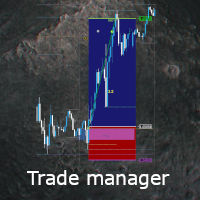
Flexible trade manager is a simple and effective trading tool for setting new order by pressing B as Buy or S as Sell on keyboard. All with ability to see additional characteristics before opening with predefined risk and observation of the risk and potential profit. Set and manipulate order levels straight from the charts or or place them right as pending orders
Additional buttons helps to

This MT4 Script is for Trading News releases.
You drop this script onto the currency pair that you are trading one minute before the news release and set lot size, TP and stop loss level and just wait to close orders.
You will be trading this Following Events:
AUD Interest rate. AUD Retail Sales.
EUR Interest Rate. GBP Interest Rate.
USD Interest Rate. CAD Interest Rates.
GBP multiple Events(Services, Construction, Manufacturing PMIs)
NZD Electronic Card Retail Sales
USD CPI, this is a money

Strategy creation : Create lines of stop loss, entry and take profit. Live parameters such as lot size, gap in pip from SL to TP, Risk/Reward ratio are update whenever lines of SL and Entry move. This function allows traders to clarify their strategy before making any orders. Risk management - The risk calculation function calculates the volume for a new order taking into account the set risk and the distance from the Stoptloss to Entry Line. In addition, maximum risk (%), RR value are
FREE

The utility is designed to control all account orders with the ability to automatically close them by: profit, breakeven or trailing profit in points separately for each order separately profit, breakeven or trailing profit in points for buy orders of each symbol profit, breakeven or trailing profit in points for sell orders of each symbol profit, breakeven or trailing profit in points for buy+sell orders of each symbol profit, breakeven or trailing profit in points for the entire account as a

简介 Trading Toolbox Pro是一个辅助性交易工具,包含快速下单,快速设置止损止盈,划线止损,追踪止损,划线下单,消息策略,多货币指标信号,自动交易模块等。 程序运行环境 :MetaTrader 4。 功能简介: 常规: 一键下单,一键挂单,一键反手,自动设置止盈止损。 一键平仓,一键平多单(空单),一键删除挂单。 一键反手,一键锁单,设置自动追踪止损。 根据画线追踪止损 非农: 消息突破单,可在非农或其他重大消息时使用,在消息行情爆发前在当前价格上方挂BUYSTOP,下面挂SELLSTOP。订单自动设置止盈止损。 划线下单: 支持最多 四 根做多趋势线 或者 做空趋势线并存。价格到达趋势线自动开单。 支持每根下单趋势线设置不同的仓位。 每根下单趋势线可以设置不同的止损趋势线,止盈趋势线。 支持止损止盈趋势线进行止损止盈追踪移动。 支持趋势线的“时效性”,如果价格运行到开单(止损,止盈)趋势线的右方仍未订单成交,则价格将永远不会接触到趋势线,策略无效。如需要请延长趋势线 杂项: 支持历史订单轨迹显示,可在图表显示历史记录中所有订单的下单轨迹,显示开仓价,平仓价,单量。
Basic Trade Buttons is a tool to help you to quickly open and close trades, place take profit and stop loss points by clicking on the button of each job that you preferred. Once you attached this tool to mt4 chart, the program will calculate a trade volume(Lots size) automatically to prepare to send to the trade server when you click on 'Buy' or 'Sell' button. Click on 'TP', 'SL' or 'Close' button to place take profit, stop loss based on the predefined levels or to close all open positions respe

Plain — Semi-Automatic Trading, Your Direction
Plain keeps you in control: you choose the direction, and the EA handles the execution automatically. A clean, semi-automatic Expert Advisor for traders who want to call the bias and let automation do the rest.
What it does for you You set the direction: the EA opens and manages trades the way you decide. Hands-off execution: automation handles the mechanics once you've chosen the bias. Simple and transparent: no black box — you stay in charge. Fu
FREE
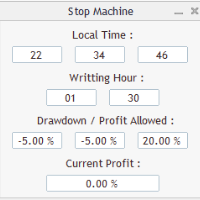
Close all orders immediately: if account balance is less/greater than allowed. PROGRAM USES ACCOUNT BALANCE, NOT EQUITY. Initial balance is calculated once a day if writting hour/minute comes ( local time is using ). It is also reset each restart program ( program does not read account balance from the past! ) Program is developed for VPS running purposes, to prevent from attempts of trading after daily DD limit is reached. I made decision to share this for free. It is not developed for commerci
FREE

这是一个使你的交易更容易的工具,它将耗时的任务如订单管理和风险管理放在一个或几个点击上。
功能介绍
风险管理
根据风险字段中指定的%或$的风险自动计算手数,并让您通过放置SL TP等线来输入,并显示实时风险回报。 TrueRisk,所以在计算外汇对的手数时,它包括了佣金,所以当你指定1%时,你的风险是1%,所有的交易费用是1%,或者不是,你自己选择。 大宗交易处理程序,让你在一次点击中输入超过一个符号每个头寸最大交易量的10倍,而不是自己慢慢打开每个头寸。(必须不超过符号规格中提到的交易量限制或超过显示的每个头寸最大交易量的10倍)。 输入指数或其他资产,即使自动计算的手数不尊重四舍五入的手数。(1, 0.1 和 0.01 手的步数处理)
交易管理
只需点击一下 ,你就可以。
设置收支平衡的开仓,包括佣金和点差或不包括,由您选择。 通过在文本字段中指定SL或TP的新价格来批量改变已建仓位的SL或TP,并根据输入的新SL和TP价格来设置买入或卖出。 批量关闭头寸,而不是单独缓慢地关闭它们。 批量删除限价单。 AUTO BE功能,让您设置AUTO BREAKEV
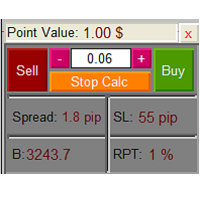
The Lot Calculation FJD is an expert for risk management for Meta Trader 4. This expert calculates the value of lot size for every position based on Trader’s given balance, Risk, and Stop loss. This expert is really user friendly, and calculates lot size with just a few clicks which helps traders specially the scalpers to open a position as quick as possible with respect to the Risk management.
The following inputs can be changed by the user: 1. Percentage of Risk per Trade (RPT %) 2. Balance
FREE
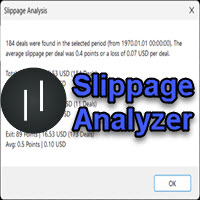
If you are using scalping strategies (or any strategy that uses stop loss orders for position closing) you need to know your slippage. Slippage is the difference between your order price and the price that your brokers uses to execute your order. This can be really different and depends on the broker as well as on the market conditions (news, trading hours, etc..) With this small script you can calculate the slippage you "paid" in points and also in your account currency. You also get average va
FREE

Simply clock. Local time as default. There are possible to Select: Local Time /Server Time /GMT Time as input. Please take into account that the local time is the most accurate. However ,this clock always uses local time seconds, even If GMT / Server Time Is selected. I solved it this way to get more accuracy. Delays can occur when changing minutes or hours, if local time is not selected.
FREE

FREE UNTIL FEBRUARY 14, 2023
SPEND MORE TIME WITH YOUR FAMILY. ENJOY LIFE… DO NOTHING. This version is only auto set of Takeprofit and StopLoss
Main Version of TropangFX: MT4 Version | MT5 Version Recommended timeframe: H1 Supported currency pairs: GBPUSD, EURUSD, EURCHF , USDCAD, USDCHF , AUDCAD, EURCAD, EURAUD and many more...
Requirements
The EA requires good brokerage conditions: low spread and slippage during the rollover time. I advise using a really good ECN brok
FREE

Idea Pro Trend Premium This EA is a Semi-auto Trading Panel with a variety of strategic settings, such as those listed below. It is excellent for scalping or long-term trading by traders. This EA is simple and convenient to trade and attach to the chart with the default settings on AUDUSD, EURUSD, GBPUSD and NZDUSD.
How to use You can trade based on the trend that is displayed on the left-hand side of Info Panel. If the trend are" 2 Up Trend" and "2 Down Trend", please do not trade. Simply pro
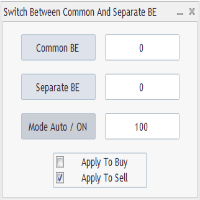
Advanced Auto BE. Program for switching between common and separate breakeven stop loss. Levels can be modified with user-defined point values The program also offers auto mode, where common/separate BE levels are switching depending on whether all positions are profitable. Calculation includes open prices . It can be used for BUY/SELL positions separately or together. HOWEVER I HAVE NEVER TESTED SITUATION, WHERE I HAD BOTH SELL AND BUY POSITIONS PROFITABLE ( I Mean AUTOMODE pyramyds) . Rememb
FREE

As traders, we all know that risk management is the most important aspect of profitable trading. So, we need to determine the lot size, every time we need to open a new trade. The FX lot size calculator is a simple tool that will help you to determine your lot size easily without using any third-party service but you will be able to do that by your MetaTrader terminal. LIMITED TIME OFFER: 30$ FOR 10 ACTIVATION.
Inputs:
Maximum_Risk_Prc: To determine your preferred risk%. For example, if your ris
FREE

The Auto Percentage SL TP is not taking any trade! It was made especially for Proptrading Challenges like FTMO, Myforexfunds, Fundednext and many more. Most Propfirms ban your funded Live-Account if you do not set SL and TP soon after the trade. It is a tool to help setting automatically TP and SL based on given percentage in settings. You can add e.g. 1% risk for a trade and it sets the stop loss to 1% from your balance. Same with stop loss, which is default also 1%. But these values can be cha

Are you an intraday trader or do you want to close your open positions at a certain time each day? Problems with the time zone? use our tools and after specifying the time we will close the order for you.
How to use it:
1) Just insert our tools into your chart.
2) Enable auto trading
3) Expert Options enter TIMECLOSE (time to close operations)
If you need more information, do not hesitate to contact us privately.
FREE
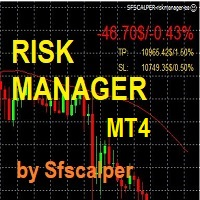
RISK CONTROL MANAGER
Now You can have the same control over risk management as big trading rooms, institutional investors and hedge funds. Managing risk is a fundamental operation for your brokerage. Choose your maximum desired risk exposure in percentage to Your account, set it on the RISK CONTROL MANAGER, the EA will check and make sure that You'll never exceed that. When You ignore the trading risk, and you leave your operations open, that potentially could lead to catastrophic trade expos

Scalp Master is a very simple and smooth operation system that is designed to help traders facilitate trading and risk management. No Keyboard need to make, take profit or close orders. Every orders parameters are created automatically based on predefined risk and your strategy lines. Such parameters appear friendly on the screen and you just need 1 click to convert to order. The unique algorithm prevent common missed and hit taking profit strategy. Instead of very subjective partial closed by u

This trading bot automates order execution based on areas of interest drawn on the chart, such as supply and demand zones identified through order flow and institutional trading strategies.
It’s a multi-chart bot, meaning you only need to drag it onto one of your open charts—it will monitor all of them simultaneously. How does it work? Open the charts you want to trade. Drag the bot onto just one of the open charts. Set your preferences for Risk, Stop Loss Ratio, or Take Profit Ratio. Enable an

Program for automatic placement of stop loss and take profit orders. Values are calculated as points distance from open price. BreakEven option is also included. all options could be applied to BUY, SELL separately or together. Enter values in points in the fields on the right side of the menu and press dedicated button to aplly your settings.
If in doubt, The instruction is displayed in the tooltip.
FREE
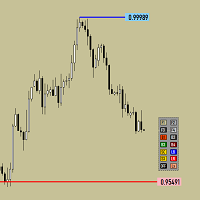
Утилита предназначена для изменения фона графика ,одним нажатием кнопки. Помимо изменения фона ,утилита также может менять цвет баров и свечей на графике.Из дополнительных опций ,это изменение размера графика а также линии с ценовой меткой.Панель можно включить и выключить,что дает возможность не захламлять график.Кнопка B2 помимо изменения цвета баров ,снимает выделение со всех объектов на графике.
FREE
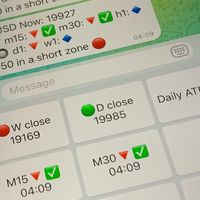
Did you know that additional telegram info panel will reduce your trade loosing? Today I was interested in completing a Telegram bot that shows the time of a confirmed exit from the overbought / oversold zones inside the buttons. Each button with timeframe will show where was used trade entry time signal. This happens at the close of the RSI period and also the closing of the bar in the opposite direction of the previous bar. There is also an indication of ATR level, Daily close price, Weekly c
FREE

监控您喜欢的符号 多功能工具: 66+ 功能,包括此工具 | 如有任何问题,请联系我 | MT5 版本 此工具在单独的窗口中打开:可以移动(拖动到任意位置)并最小化 [v]。 您可以在面板上调整观察列表: 点击 [edit list] 以添加/删除观察列表中的符号。 计算值:可以是最后一个 [关闭的柱] 或当前的 [浮动柱]。 选择 [时间框架] 进行计算。 有 2 种值排序类型:按 [Symbol] 名称或按价格 [change] 排序。 值可以按升序 [^] 或降序 [v] 排序。 有 4 种计算方法,点击 [v] 更改:
[bar size, pips]: 柱大小,以点数计;
[bar size, points]: 柱大小,以市场点计;
[bar size, % price]: 柱大小,作为价格变化的百分比;
[bar, price value]: 柱最大/最小价格之间的价格差;
[% / prev bar size]: 计算柱的大小与前一柱大小的比较; 提示:当工具激活时: 使用键盘上的左/右键在符号列表之间切换。 您也可以点击符号名称以打开其图表。 在输入设

所有活跃和待定交易的潜在损失: 如果止损水平被触及(或当前浮动损失,如果未设置止损水平) 我的#1多功能工具: 66+功能,包括此指标 | 联系我 任何问题 | MT5版本 在输入设置中 您可以调整: 计算方法 : 账户货币 / 点数 / 余额百分比 图表上的位置: 左下角 / 右下角 / 左上角 / 右上角
字体: 颜色、大小和样式 可选地,您可以包含 掉期和佣金成本 到计算中 使用'% / 余额'方法时的计算基础:账户余额 / 可用保证金 / 当前净值 我的#1多功能工具: 66+功能,包括此指标 | 联系我 任何问题 | MT5版本 我的#1多功能工具: 66+功能,包括此指标 | 联系我 任何问题 | MT5版本 我的#1多功能工具: 66+功能,包括此指标 | 联系我 任何问题 | MT5版本
//

图表上的经济事件可视化 多功能工具: 66+ 个功能,包括此指标 | 如有任何问题,请联系我 | MT5 版本 该指标会在图表上绘制垂直线,显示经济新闻何时到来。
在输入设置中 您可以调整: 仅限当前符号 :如果为 true,则仅显示 所选符号的事件 。 显示过去的活动 :如果为 true, 过去的活动 将保留在图表上。 颜色 : 分别为 3 种类型的事件。 经纪商时间相对于 GMT: 设置您的经纪商相对于格林威治标准时间的时间差。 您可以使用 [自动时间同步] 选项代替:如果市场开放,时间将自动同步。 手动设置时间时:
可在 'Market Watch' (查看 -> Market Watch) 中检查经纪商时间;
如果 GMT = 17:30,经纪商时间 = 19:30:值应为 +2 (小时)。
如果 GMT = 17:30,经纪商时间 = 16:30:值应为 -1 (小时)。 程序文件应放置在 " Experts " 文件夹中。 该工具需要您允许访问外部新闻网站: 在终端中,前往 Tools -> Options [Ctrl+O] -> Expert Advi
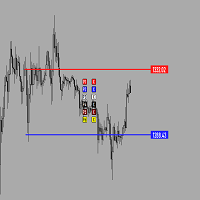
Утилита предназначена для создания ценовых уровней на графике.Утилита имеет панель управления с кнопками ,для создания и удаления ценовых уровней.При создание уровней ,также на экране появляются ценовые метки с прямоугольной зоной в области цены ,для лучшего зрительного восприятия.Также в утилите имеются настройки,толщины линий ,стиля линий и цвета линий.Размеры меток также можно измерить в настройках.
FREE
POSITION SIZE CALCULATOR EASY As the name suggests it is the most easy-to-use position size calculator available on the market. this indicator calculates the lot size within a fraction of a second and the best part is that it is very flexible and easy to use. you can use money or percentage to calculate the lot size. you can use equity or balance to calculate the lot size.
FREE
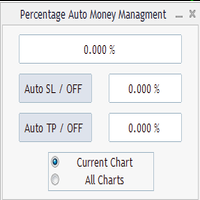
Percentage Auto MM sends automatic orders to close all positions immediately after reaching percentage SL/TP target, set by the User . Orders will be sent if the market is open and the SL / TP application buttons are pressed ( they can be used separately or together ) . It could be applied for current chart/all charts, depending on selected option. It works independently of SL and TP order settings for individual positions. SWAP, Commision can be also included ( look at input options ).
Atte
FREE
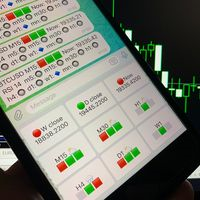
Telegram Candle Map Barometer. I wanted to create an informer that would show in the direction of the candle shadows where the price is moving. When I made the first timeframe, I realized that by combining several, I get an excellent breakout entry indicator. You need to create a Telegram bot for getting an API. Copy main ex4 file to Experts folder and use with settings. Download and enjoy, even receiving signals from MetaTrader, this is true when trading on any exchange. What we have inside: Mi
FREE

Full Automated Trading panel . it works on any trading instruments: Forex, Stocks, Futures, Indices, CFD, Bonds, Cryptocurrencies; interface minimization function; flexibility of use;
Join my channel and check video of it ===> https://t.me/Ash_TheTrader/4986
Features :
Auto SL and TP Auto Close partial Auto Trailing Session Time Alert Time of trading Alert Profit and Percentage and etc.
FREE
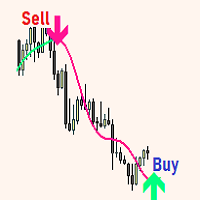
The expert utility is designed to automate the trading of most arrow indicators.
You do not need to wait for the indicator signal in order to open an order manually, the utility will handle it for you.
When a signal arrow to buy or sell appears on the chart, the EA opens an order itself.
To connect the indicator, you need to add the signal arrow buffer number to the EA settings. Settings. INDICATOR SIGNAL SETTINGS Name of the indicator - the name of the indicator Subwindow number - subwindo
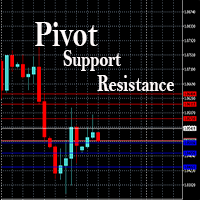
This EA is designed to calculate and draw Pivot Point, Support and Resistance for your selected time frame on the chart.
Works on all currency pair and on any time frames available on MT4.
To make sure the EA works, you need to select the pivot time frame as well as the candle shift that you want to calculate the pivot.
0 = Current candle on chart
1 = Previous 1 candle on the chart

It is a tool that allows you to create orders very easily. The program will calculate the lot and profit automatically. from RiskReward what you set.There are two modes to choose from: Lot and Risk. step 1 set Reward Reward you want for set TP and Risk = 1 always. step 2 set Lot for MODE Lot calculate SL TP form Lot you set. setp 3 set Risk_percent for MODE Risk calculate lot automatic form Risk percent of AccountBalance. For Example. AccountBalance = 1000 $ set Risk_percent = 2.0 so loss = 20
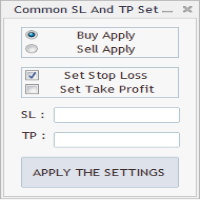
As in the Title. This is simply, but very usefull utility. Program "Common StopLoss And TakeProfit Value" enables You to set one value to Stop Loss, Take Profit, or both Stop Loss and Take Profit. For all Sell or Buy items, Depending on the option selected. All you need to do is select options, enter a value/values and press a button "APPLY THE SETTINGS". God Luck ! Enjoy using !
FREE

This program calculates the average opening price for sell and buy positions separately. Program allows you to modify the stop loss value to the calculated breakeven price, this value could also be modified by a user-defined integer value in points. All you have to do is press the button. You can also choose Logs_Display_Enable input value if you need to get some additional, useful informations. Enjoy using !!!
FREE

This trading system requires the user to manually add Fibonacci, trend lines, horizontal lines, channel to perform semi-automatic or manual trading. The trading system can also be used in the tester.
Trading panel provides: spread information margin information free marging Information The swap information to order for lots (requires your dealer support)

Katana Trading Panel is a tool with many features that help you open and manage your trades more easily. Note: - Click here for Tutorial and Download demo .
- Click here for Katana Trading Panel MT5
- G o to my profile to message me .
- This EA will not work in Tester
The Features: - Line Preview: Show preview on the chart for opening price, take profit and stop loss. It's draggable and contains some valuable information. For market trade and pending trade. - Opening Trade Setting :

Hallo traders!
Just finished a telegram utility which can be of interest for smartphone live traders. What is offered inside? Main settings of EA is simple and standard you can use any pair available in MetaTrader. Mainly it was created this for BTCUSD but will work with any pair. What is the main I wanna show: we have always fresh info from market inside buttons refreshing: After start it has 0.00 lots and it will not allow trade by accidental touch. You need to add a Risk + and get 0.01 :) In
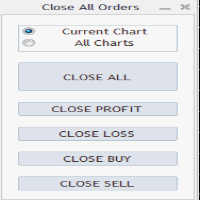
Close All Orders Assistant program sends orders to: Close All Profit, Close All Loss, Close All Buy, Close All Sell Positions. Depending on pressed button.
You can apply buttons to the current charts or for all charts. Enjoy using !
Attention ! The shutdown process may take a longer. Pay attention to this especially when you have more positions and the market is about to close.
FREE

RelicusRoad CopyTrader 是一款适用于 MetaTrader 4 的免费跟单软件( trade copier )。它可以在同一台电脑上的 MT4 终端之间复制交易,让你只操作一个账户,其余账户按各自的仓位和风险自动跟随。 完整版本,无功能限制,无需试用期。 只交易一个账户,其余自动跟随。 MetaTrader 5: RelicusRoad CopyTrader MT5 运作原理 一个终端作为 主账户 (Leader)运行,负责发布其持有的订单;任意数量的终端可作为 跟随账户 (Follower)运行,镜像复制这些订单。终端通过 频道 名称配对,因此同一台电脑上可以同时运行多组互不干扰的跟单组合。 复制引擎以 200 毫秒为周期运行,因此跟随账户无需等待自己图表上出现新的报价,就能对新订单作出反应。 设置步骤 1. 将所有终端运行在 同一台电脑 或同一台 VPS 上。无法在两台不同的电脑之间复制。 2. 在每个终端中,将 EA 加载到一个图表上。任意品种和周期均可。 3. 在 EA 窗口的 Common 选项卡中勾选 Allow live trading ,并在每个终
FREE
The world of prop firm trading is one filled with tension and excitement in equal measure, and FTMO is definitely the most reputable firm out there. On one hand is the prospect of making huge sums of money and on the other, losing all the money you have invested. The easiest way of the latter scenario occurring is drawdown , and more often than not daily drawdown . It's what keeps us constantly checking our phones, the pain of every traders existence.
What if there was a way of making
FREE

Unexpected changes in the market mean that we have to close positions at a certain time, but many times we are defeated by their volatility, so when we manage to close all our positions manually, they are not executed at the time we want, you have to wait to finish each one of the requests, wasting time and getting an unfavorable result.
Panic Button is designed to ease those bad times. The Expert Advisor will help you close those positions automatically and without the delays caused by doing t

Simple setting Attach Magic SL TP Trailing to single fresh chart and to manage all orders please set SL TP 0 for other Expert advisor .
This is Free, if you found this useful please give feedback and 5 STAR (if you need more function on this please feel free do DM)
Chart Selection :- if select all chart then EA will manage all chart or if select single chart then EA will manage current chart only
Choose Trailing Method :- you can select trailing method how you want to trail
Choose SL & TP M
FREE

CloseTrades on X% EA is and MT4 Order Management trading system which closes each trade if certain Trade Percentage is reached. This EA can work on any MT4 broker of any choice and with any balance. It will not open any trades, instead it will only close trades if the percentage return (P/L) is greater or less than SL and TP Percentage selected are reached. EA INPUTS
Close Trades with TP: The EA will close each trade if certain percentage of Profit reached. Example, if your trade is abo

This is a simple and very effective utility for closing in profir or in loss. Constant overview of daily Draw Down, Current profit and Daily profit
This utility will save your deposit in case of a sharp market change. Just add it to any free chart and use it for your daily trading. Thanks to the minimal set of parameters, you can easily set up the utility for any symbol in MT4

TRAILINATOR is a unique Solution to use different Trailing-Stop Variants and change your settings via Remotecontrol. You configure your Trailing-Stop for a specified Symbol only once. This setting will be used for all your Positions of the same Symbol. Currently we support these different Trailing-Stops: Standard : works like you use in Metatrader Terminal, starts trailing if your profit is greater than trailing stop Start after points : trailing stop will start after your defined points in p
FREE

The product will copy all Discord signal to MT4 ( which you are member ) , also it can work as remote copier. Easy to set up. Work with almost signal formats, support to translate other language to English Work with multi channel, multi MT4. Work with Image signal. Copy order instant, auto detect symbol. Work as remote copier: with signal have ticket number, it will copy exactly via ticket number.
How to setup and guide: Let read all details about setup and download Discord To MetaTrader
If you need an advisor on any arrow indicator signals - this utility will definitely help you.
What does the utility do?
It creates a EA file with your indicator signals in a few easy steps: install the indicator with the needed settings on the chart; Select a signal for buy; Select a signal for sell; get the clicker file ! Then you install the file of the EA in the folder Experts and update the terminal. Attention! Set the indicator settings as you need and the same settings will be tak
FREE

Introduction This powerful MT4 trade mangement EA offers a way potentially to aggressively multiply trade profits in a riskfree manner. Once a trade has been entered with a defined stoploss and take profit target then the EA will add three pyramid add-on trades in order to increase the overall level of profit. The user sets the total combined profit target to be gained if everything works out. This can be specified either as a multiple of the original trade profit or as a total dollar amount. Fo

TRAILINATOR is a unique Solution to use different Trailing-Stop Variants and change your Tradesetup via Remotecontrol. You configure your Tradesetup for a specified Symbol only once. This setting will be used for all your Positions of the same Symbol. Currently we support these Features: different Trailing-Stops: Standard: works like you use in Metatrader Terminal, starts trailing if your profit is greater than trailing stop Start after points: trailing stop will start after your defi

Whosa TradePad for MetaTrader 4 Do you trade in MetaTrader 4? Calculating Pips yourself and calculating your risk yourself is a thing of the past with our Tradepad. With this Tradepad you can place your trade in MetaTrader in no time. This Tradepad is fully equipped. Automatically calculates your risk which you can enter in percentages and amount of dollars. Check the video to see all the features! (The video is in Dutch, but you can see the features) This TradePad only works with a new password

BB PullBreak Signal F r e e Version
Only Work on GBPUSD Pair. Consider Buy Paid Version for ALL Pair Use This is an EA that can provide notifications when a candle breaks or a pullback or retrace occurs. This makes it very easy for us, especially those who are used to trading using Bollinger Bands. Usually we often experience missing signals from Bollinger Bands if we trade manually without the help of tools. This tool can provide notifications via email, telegram or MT4 mobile. You just need
FREE

Special offer for the next 10 copies
Are you tired of manually navigating through menus and inputting data every time you want to execute a trade or open an order on Meta Trader? Our hotkey tool is here to make your life easier and boost your trading efficiency. Our tool is natively coded for lightning-fast performance and comes loaded with all the features you could possibly want. From pending orders and OCO orders to trailing and multiple buckets, it has everything a scalper could need. An

Starting Price for first 10 purchases is $100, Next Price will be $200.
This Expert Advisor Trades 28 Currency symbols simultaneously , we recommend using this bot alone. Attach the bot to 1 chart and its best to use a virtual private server (VPS) so that you will not lose any potential opportunities to enter positions. Operation: This bot looks for quick ins and out in the markets and wait until next day to enter on closed assets. It aims to close each trade set on each pair once and no

BB PullBreak Signal
This is an EA that can provide notifications when a candle breaks or a pullback or retrace occurs. This makes it very easy for us, especially those who are used to trading using Bollinger Bands. Usually we often experience missing signals from Bollinger Bands if we trade manually without the help of tools. This tool can provide notifications via email, telegram or MT4 mobile. You just need to put this file into the expert advisor folder on your MT4. You can also specify the
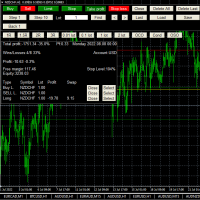
This is a simplified version of Advanced Trade Simulator for trying it out. You can trade NZDCHF. With the full version, you can trade anything and no time limit. You can find it here: https://www.mql5.com/en/market/product/61670 Description... It is an indicator you can attach to any chart and then buy and sell the given symbol virtually. No actual trading takes place. You can attach it to multiple charts. Then you can buy/sell multiple symbols. Features:
- buy and sell immediately on the give
FREE
MetaTrader市场是 出售自动交易和技术指标的最好地方。
您只需要以一个有吸引力的设计和良好的描述为MetaTrader平台开发应用程序。我们将为您解释如何在市场发布您的产品将它提供给数以百万计的MetaTrader用户。
